Our readers keep the lights on and my smoothie glass nicely filled. As an Amazon Associate, I earn from qualifying purchases.
That corner of your desk is a premium real estate zone, yet most printers treat it like a landfill with a paper tray attached. Shrinking the footprint without carving out core features like duplex, ADF, or wireless connectivity is the real trick—most models claiming compact either drop the ADF or force manual duplex, which wastes time and paper.
I’m Mohammad Maruf — the founder and writer behind WellFizz. I’ve spent hundreds of hours cross-referencing product specifications, customer durability reports, and real-world yield data to identify which compact machines actually deliver on their promises.
This guide cuts through the noise to find the best compact multifunction printer for every scenario—from budget home units to high-yield laser workhorses.
How To Choose The Best Compact Multifunction Printer
A compact MFP forces tough trade-offs. You need to balance physical footprint against paper capacity, feature depth against operating cost. Here is what matters most when your desk real estate is tight.
Automatic Duplex and ADF
Manual duplex (flipping sheets yourself) kills productivity on any small print job that runs more than a few pages. Look for automatic 2-sided printing as a hard requirement. An Auto Document Feeder (ADF) is equally critical if you scan multi-page contracts or school packets—without it you are feeding one page at a time onto the flatbed.
Ink or Toner – The Long-Run Math
Budget inkjets have low entry costs, but starter cartridges often run dry fast (under 150 pages for color). Laser monochrome models cost more upfront, yet a standard toner cartridge yields 1,000+ pages. If you print mostly black text, a laser MFP will save you money within the first year. Color inkjets with high-yield tanks or refillable systems bridge the gap between initial cost and per-page economics.
Connectivity and Control Interface
A good control panel makes or breaks daily satisfaction. Touchscreens (2.7 inches or larger) allow direct Wi-Fi setup, ink/toner monitoring, and cloud scanning without needing a phone. Dual-band Wi-Fi (2.4 GHz and 5 GHz) prevents dropouts on congested home networks. If you need fax capability, check for a dedicated port—many compact models omit it to save space.
Quick Comparison
On smaller screens, swipe sideways to see the full table.
| Model | Category | Best For | Key Spec | Amazon |
|---|---|---|---|---|
| Brother MFC-L2900DW XL | Laser | High-volume monochrome with XL toner | 4,200-page starter toner included | Amazon |
| HP LaserJet Pro MFP 3101sdw | Laser | Small teams with fast B&W needs | 40 ppm print speed | Amazon |
| Brother MFC-L2820DW | Laser | Office with fax in a small package | 50-page ADF, fax ready | Amazon |
| Brother HL-L2480DW | Laser | Compact monochrome with touchscreen | 2.7″ touchscreen UI | Amazon |
| Canon MegaTank MAXIFY GX2020 | Ink Tank | Low-cost color printing for home office | 3,000-page ink yield per set | Amazon |
| HP Envy 6155 | Inkjet | Color document and borderless photos | 2.4″ color touchscreen | Amazon |
| Canon PIXMA TR7120 | Inkjet | Budget duplex with ADF | ADF and auto duplex included | Amazon |
| Canon PIXMA TS7720 | Inkjet | Compact home photo printing | 2.7″ LCD touchscreen | Amazon |
| HP DeskJet 2755e | Inkjet | Occasional basic document printing | 1000-page monthly duty cycle | Amazon |
In‑Depth Reviews
1. Brother MFC-L2900DW XL
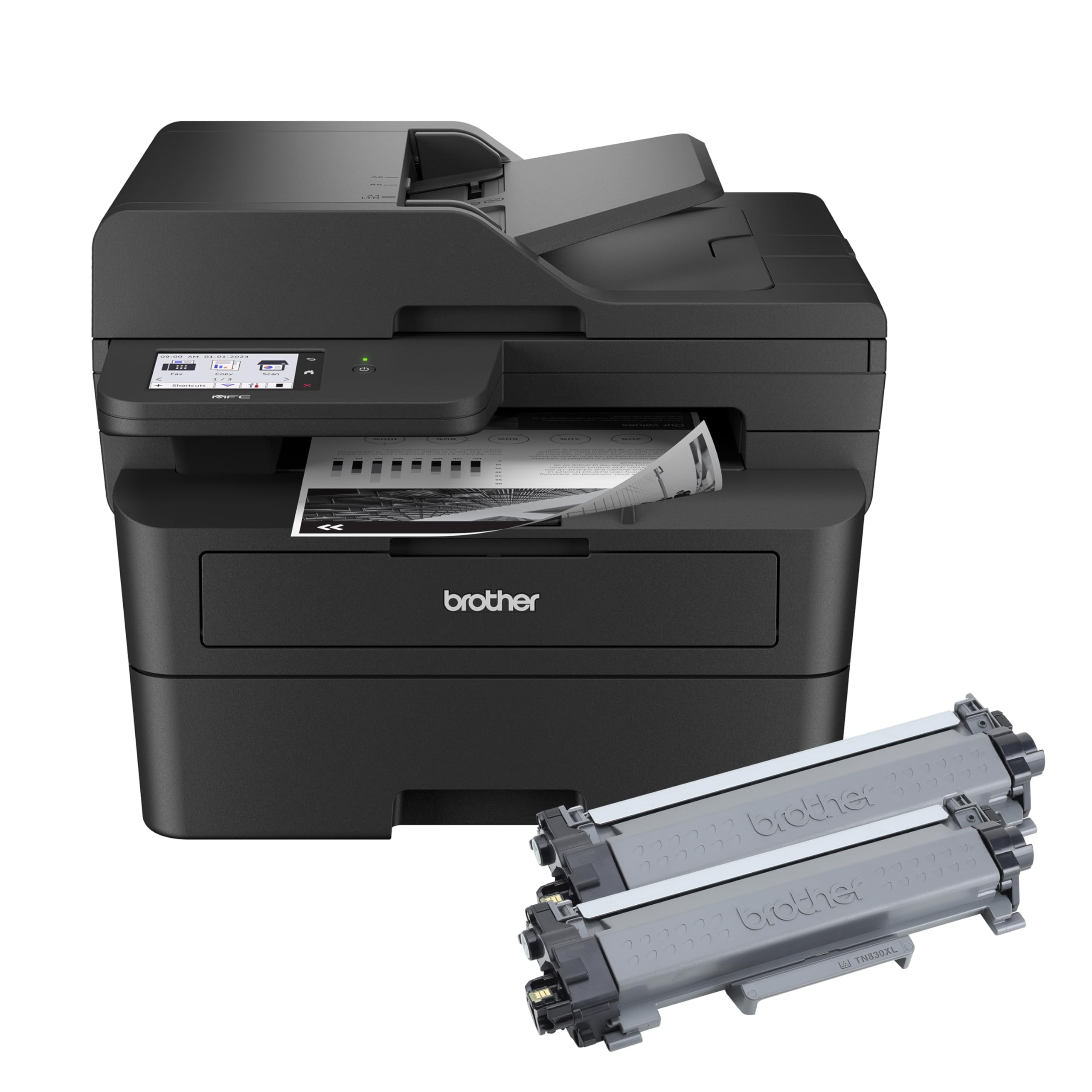
The MFC-L2900DW XL is the most compelling high-yield value in compact mono laser. It ships with an extra TN830XL toner cartridge that pushes total starter yield to 4,200 pages—essentially eliminating consumable anxiety for a full year of moderate office use. Print speed holds steady at 36 ppm, and the single-pass duplex ADF scans both sides of a double-sided document in one pass, saving significant time on multi-page contracts.
The 3.5-inch color touchscreen is the largest among the compact Brother models, giving you direct access to cloud apps like Google Drive and Dropbox without needing a phone. Paper handling includes a 250-sheet tray plus manual feed slot for envelopes, and the footprint stays narrow enough to fit on a standard desk credenza. Setup via USB or Wi-Fi is straightforward, though the quick-start guide is thin—users should expect a 30-minute installation window.
Print quality is sharp and consistent across text, graphics, and scanned copies. The included drum unit supports up to 15,000 pages, keeping long-term replacement costs predictable. If you run a small business or a print-heavy home office and need monochrome only, this is the most economical long-term play.
Why it’s great
- 4,200-page total starter toner yield cuts first-year costs dramatically
- Single-pass duplex ADF for fast two-sided scanning
- 3.5-inch touchscreen with cloud app integration
Good to know
- Setup guide is sparse—you will need online support for full software install
- No color capability; strictly monochrome
2. HP LaserJet Pro MFP 3101sdw

At 40 ppm for black-and-white output, the LaserJet Pro MFP 3101sdw is the fastest compact monochrome on this list. It targets small teams where multiple users send print jobs concurrently, and the 250-sheet input tray plus 50-sheet ADF keep pace with group workflows. First page out takes about 7 seconds, which makes it feel almost instant for single-document requests.
Connectivity includes dual-band Wi-Fi, Ethernet, and USB, plus the HP Smart app for mobile management. The LED display is utilitarian but functional, and the auto 2-sided printing works reliably even on slightly heavier bond paper. Users report consistent wireless reconnection after power outages, a common pain point with budget routers. The included starter toner yields roughly 1,000 pages, enough to evaluate before committing to high-capacity replacements.
One notable limitation: HP’s firmware blocks non-HP toner cartridges, so you are locked into HP supplies. However, third-party toner is still usable if you decline firmware updates. Print quality remains sharp and professional-grade through the life of the cartridge.
Why it’s great
- Class-leading 40 ppm monochrome print speed
- Reliable dual-band Wi-Fi with auto-reconnect
- 50-sheet ADF and auto duplex standard
Good to know
- HP blocks non-HP toner via firmware—decline updates to use generics
- Starter cartridge is limited to ~1,000 pages
3. Brother MFC-L2820DW

The MFC-L2820DW packs fax capability into a footprint barely larger than a laser-only model, making it ideal for medical offices, legal practices, or any small business that still relies on fax. The 50-page ADF handles multi-page faxes and scans efficiently, and the 2.7-inch touchscreen lets you scan directly to cloud services or email without a computer.
Print speed is rated at 36 ppm, with duplex automatic on both printing and scanning. The flatbed scan glass is generous enough for legal-size originals, and the ADF supports up to letter-size documents. Brother’s Refresh subscription trial is included, but the real value is the low cost of genuine TN830 replacement toner—standard yield is around 1,200 pages, and XL cartridges go much further.
Setup is straightforward via the Brother Mobile Connect app, though some users find the initial wireless configuration confusing if they skip the manual steps. Once connected, the printer holds the connection steadily and responds to print commands without delays. It does produce a moderate operational noise level, typical for laser engines in this class.
Why it’s great
- Built-in fax with 50-page ADF for multi-page faxing
- Compact footprint keeps desk space tight
- Scalable toner options from standard to high-yield
Good to know
- Setup instructions are sparse for first-time laser buyers
- Operational noise is moderate—not ideal for a quiet open room
4. Brother HL-L2480DW

The HL-L2480DW is essentially a print-copy-scan monochrome laser without fax, but it gains a responsive 2.7-inch touchscreen that makes ink/toner monitoring and cloud scanning much more intuitive than button-driven interfaces. Print speed is a brisk 36 ppm, and automatic duplex is standard—flipping pages for two-sided documents requires no manual intervention.
Paper handling includes a 250-sheet tray plus a manual feed slot for envelopes or cardstock. Connectivity options cover dual-band Wi-Fi, Ethernet, and USB, so you can hardwire it into a small network without relying solely on wireless. Users consistently report reliable connections even from different floors of a house, and the Brother Mobile Connect app works well for remote printing and scanning.
The starter toner cartridge lasts roughly 700–1,000 pages depending on coverage, and genuine TN830XL replacements push yield past 3,000 pages. If you do not need fax but want a touch-driven monochrome machine with a small footprint, this is the sweet spot between feature depth and price.
Why it’s great
- Intuitive 2.7-inch touchscreen for easy navigation
- Reliable wireless connectivity across multiple floors
- High-yield TN830XL toner keeps running costs low
Good to know
- No fax capability—buy the MFC-L2820DW if fax is needed
- Starter toner runs out faster than replacement XL cartridges
5. Canon MegaTank MAXIFY GX2020

The MegaTank GX2020 is the strongest alternative to laser for those who need low-cost color printing. The refillable tank system delivers up to 3,000 black and 3,000 color pages per bottle set, bringing per-page cost below most laser color printers. It still prints at 15 ppm black and 10 ppm color, which is respectable for a compact tank model.
The 2.7-inch color touchscreen makes Wi-Fi setup, ink level checks, and maintenance straightforward. It includes a 35-sheet ADF and auto duplex, covering the key productivity features most compact inkjets skip. The pigment-based inks resist smearing on plain paper, making it suitable for professional correspondence and forms.
Print quality on plain paper is sharp, though cardstock may show some curl on high-quality settings. The scanner performs well for both documents and photos, and the Canon PRINT app integrates smoothly with mobile devices. If you print color documents regularly and want to avoid cartridge swapping, this is the most efficient choice.
Why it’s great
- Ultra-low ink cost per page with refillable tanks
- ADF and auto duplex included for multi-page jobs
- Pigment-based ink resists smearing
Good to know
- Cardstock may curl on high-quality print settings
- Initial setup requires careful bottle filling to avoid spills
6. HP Envy 6155

The Envy 6155 blends a slim design with a 2.4-inch color touchscreen and HP’s P3 color technology for vibrant borderless photos. Print speeds of 10 ppm black and 7 ppm color are adequate for home use, and the 100-sheet input tray is larger than most budget inkjets in this size class. Auto 2-sided printing is standard, which is rare at this price point.
Wireless setup via the HP Smart app is fast for most users, and the dual-band Wi-Fi with self-reset keeps the connection stable even on congested networks. The 3-month Instant Ink trial buys time to decide if the subscription model works for your volume. HP’s AI-driven print optimization removes blank pages and awkward formatting from web prints, a small but appreciated time saver.
The biggest downside is that HP locks cartridges to original chips, so refilling or using generics is blocked by firmware updates. Initial cartridges are small (~120 pages black, ~75 color), so you will be buying replacements sooner than expected unless you subscribe to Instant Ink.
Why it’s great
- Auto duplex printing in a slim, compact chassis
- P3 color tech produces vibrant borderless photos
- Dual-band Wi-Fi with auto-reconnect keeps connection stable
Good to know
- Starter ink cartridges yield very few pages—expect to buy replacements soon
- HP firmware blocks non-HP cartridges
7. Canon PIXMA TR7120

The TR7120 is rare among sub- inkjets: it includes both an Auto Document Feeder and automatic duplex printing. The ADF holds about 35 sheets, making multi-page scanning and copying much less tedious than flatbed-only alternatives. Print speed is 14 ppm black and 9 ppm color, which is competitive for this class.
The 1.42-inch monochrome OLED display shows ink levels and printer status at a glance, though the interface is not as full-featured as the color touchscreens on pricier models. Dual-band Wi-Fi (2.4 and 5 GHz) ensures stable connections, and mobile printing works via Canon PRINT, Apple AirPrint, and Mopria. The two-cartridge hybrid ink system (black pigment + tri-color dye) delivers sharp text and acceptable color graphics.
Ink costs are the main trade-off. Starter cartridges run out quickly, and standard replacement cartridges are expensive relative to high-yield options from Canon’s MegaTank line. If you print fewer than 50 pages per month and need ADF and duplex in a compact package, this is a strong budget pick.
Why it’s great
- ADF + auto duplex for under —exceptional feature set
- Dual-band Wi-Fi provides reliable connectivity
- Compact footprint with print, copy, and scan
Good to know
- Starter ink is low yield; replacement cartridges are pricey
- OLED display is monochrome and small—no color touchscreen
8. Canon PIXMA TS7720

The TS7720 is Canon’s compact photo-friendly inkjet with a 2.7-inch LCD touchscreen that makes navigation and media selection easy. Print speed is 15 ppm black and 10 ppm color, and it supports borderless prints up to 8.5×11 inches. The flatbed scanner handles documents and photos at acceptable quality, though there is no ADF—you feed multi-page jobs one sheet at a time.
The two-cartridge system (PG-285 black, CL-286 color) keeps cartridge replacement simple, but the color cartridge combines cyan, magenta, and yellow, meaning if one color runs out you must replace the whole cartridge. Auto duplex printing is included, a welcome feature for saving paper on double-sided drafts. Setup is straightforward via USB or wireless, though some users report frustration with the default 4-hour auto power-off setting (easily changed in maintenance settings).
Print quality is solid for photos and office documents, though heavy photo printing will drain the color cartridge quickly. If you need a small all-in-one for mixed document and photo printing without the volume demands of a home office, the TS7720 delivers a good experience.
Why it’s great
- Large 2.7-inch touchscreen for easy operation
- Auto duplex printing reduces paper waste
- Good photo quality for a budget inkjet
Good to know
- No ADF—multi-page scanning is manual
- Color cartridge is a single tri-color unit; one empty color forces full replacement
9. HP DeskJet 2755e

The DeskJet 2755e is the most affordable entry point for basic print, scan, and copy at home. Print speeds are modest—7.5 ppm black and 5.5 ppm color—and the 60-sheet input tray is small, but the dual-band Wi-Fi with self-reset keeps connections stable even on congested networks. The HP Smart app handles setup and daily use, though some users report a 30-40 minute installation process due to app hiccups.
There is no automatic duplex—manual flipping is required for two-sided printing. The flatbed scanner is fine for occasional document digitization, but there is no ADF for multi-page stacks. The 1,000-page monthly duty cycle suggests very light use; pushing beyond that will shorten the printer’s lifespan. The 6-month Instant Ink trial helps offset the high per-page cost of standard cartridges.
Print quality is acceptable for basic color documents and forms, but smearing and alignment issues are occasionally reported with starter cartridges. If you need a backup printer for occasional forms and recipes, the 2755e works—just do not expect it to handle heavy weekly volumes or professional-quality color.
Why it’s great
- Lowest entry price for print-copy-scan capability
- Dual-band Wi-Fi with auto-reconnect for stable wireless
- 6-month Instant Ink trial included
Good to know
- Manual duplex only—no automatic two-sided printing
- Small 60-sheet input tray requires frequent refills
- Setup can be slow and frustrating via HP Smart app
FAQ
What is the advantage of automatic duplex over manual duplex?
Will a compact monochrome laser save me money compared to an inkjet?
How important is an Auto Document Feeder for a compact printer?
Final Thoughts: The Verdict
For most users, the best compact multifunction printer winner is the Brother MFC-L2900DW XL because it combines a 3.5-inch touchscreen, single-pass duplex ADF, and 4,200 pages of included toner in a genuinely small footprint. If you want fast monochrome for a small team, grab the HP LaserJet Pro MFP 3101sdw. And for low-cost color printing, nothing beats the Canon MegaTank GX2020.

Mo Maruf
I created WellFizz to bridge the gap between vague wellness advice and actionable solutions. My mission is simple: to decode the research and give you practical tools you can actually use.
Beyond the data, I am a passionate traveler. I believe that stepping away from the screen to explore new environments is essential for mental clarity and physical vitality.