Our readers keep the lights on and my smoothie glass nicely filled. As an Amazon Associate, I earn from qualifying purchases.
Specs are compiled from manufacturer listings and verified buyer reviews and can change over time — please confirm the key details on the product page before buying.
A commercial TV is a different animal from the one in your living room. It is built to run for 16 hours a day, every day, without the screen burning in or the software nagging you to update. But the specs that matter — brightness measured in nits, contrast ratios, and panel durability — are rarely explained in plain language. This guide highlights models that perform reliably in lobbies, restaurants, and trade show floors.
I’m Mohammad Maruf — the founder and writer behind WellFizz. This guide is built by comparing the manufacturers’ published specifications and the patterns across verified customer reviews, so you get each pick’s real strengths and trade-offs instead of marketing spin.
Whether you are outfitting a church lobby, a retail store, or an outdoor patio, choosing the right commercial tv means matching the screen’s brightness and durability to your specific environment — and knowing which models skip the bloatware you do not need.
Our Picks at a Glance


How To Choose The Best Commercial TV
The right commercial TV depends on your venue’s lighting and the type of content you display. A lobby with floor-to-ceiling windows needs a much brighter screen than a dimly lit restaurant. A menu board running text all day needs a different panel than a video-heavy trade show display. Here is what to look for.
Brightness: The Number That Determines Visibility
Brightness is measured in nits (cd/m²). A standard indoor TV puts out about 250 to 350 nits. That works fine in a controlled-light room, but in a bright retail space or anywhere near windows, you need 500 nits or more. For outdoor or partially shaded areas, look for 700 nits and above. An outdoor-rated model like the SunBrite pushes 700 nits specifically to fight glare from direct sun.
Contrast Ratio: What Makes Text Pop
Contrast ratio is the difference between the brightest white and the darkest black a screen can show. A higher ratio — 4000:1 versus 1000:1 — makes text sharper and colors more vivid. If your signage is heavy on text, menus, or fine details, aim for a contrast ratio of 4000:1 or higher. The Samsung 55-Inch BE55T-H hits 4700:1, which is excellent for crisp lettering.
Durability and Operating Hours
Consumer TVs are rated to run about 8 hours a day. A commercial TV is built for 16 or 24 hours of constant use. Look for “16/7” or “24/7” ratings in the specs, which tell you the panel is engineered to handle the heat and wear of being on all the time. A 3-year commercial warranty is standard for these models, covering the kind of failure that would void a consumer TV’s warranty.
Quick Comparison
| Model | Best For | Brightness | Contrast Ratio | Resolution | Amazon |
|---|---|---|---|---|---|
| Samsung QB65R 65″★ Best Overall | High-end digital signage | 350 cd/m² | 4,000:1 | 3840 x 2160 | Amazon |
| Samsung BE55T-H 55″Top Performer | Reliable daily signage | 250 nits | 4700:1 | 3840 x 2160 | Amazon |
| MWE 43″ Floor StandingCompact Pick | Indoor retail kiosk | — | 1200:1 | 1920 x 1080 | Amazon |
| 43″ Outdoor Mobile Signage | Outdoor portable ads | 1800 nits | 3000:1 | 1920 x 1080 | Amazon |
| Samsung 85″ BEC-H Series | Large event signage | — | 4700:1 | 3840 x 2160 | Amazon |
| 65″ Interactive Kiosk | Touchscreen interactivity | 500 cd/m² | 1000:1 | 3840 x 2160 | Amazon |
| 85″ Canlarriz Digital Signage | Massive wall-mounted menu | 500 nits | 1000:1 | 3840 x 2160 | Amazon |
| SunBrite 55″ Signature 2 | Permanent outdoor install | 700 nits | 4000:1 | 3840 x 2160 | Amazon |
| 91″ JASZDOT LED Poster | Event LED video wall | High (LED) | — | 688 x 1032 | Amazon |
In‑Depth Reviews
1. Samsung QB65R 65 inch 4K UHD LED Commercial Signage Display
Our pick — over 4★ from 50+ verified ratings; the strongest balance of quality and price.
A pure-signal workhorse that skips smart TV bloat for a razor-sharp 4K display.
This 65-inch panel is built for businesses that want a clean, no-nonsense display. It delivers 4K UHD picture quality with dynamic Crystal Color for lifelike color, and it pushes 350 cd/m² of brightness — enough for most indoor commercial spaces with controlled lighting. Buyers consistently call out the lack of smart TV bloat as a major perk, with one noting it is “exactly what I wanted” for pure viewing. The 4,000:1 contrast ratio keeps text and graphics looking sharp, while the 0.92 color gamut rating means your brand colors come through vividly.
The set runs on a system-on-chip (SoC) with an embedded media player, so you do not need a separate streaming box for basic signage. It is also Cisco WebEx room kit compatible, making it a strong candidate for conference room hybrid work. One buyer reports zero perceivable input lag at 4K 60Hz, calling it the “best non-smart TV for gaming” when used as a giant PC monitor. On the flip side, a few owners note that the built-in Wi-Fi does not always work as expected, and the Bluetooth pairing broadcasts 24/7 without a disable option — a security consideration for sensitive environments. As one owner put it, “if you don’t want to use the magic software that comes with it, then get a pc stick.”
The QB65R runs 28% more color gamut than the QE50T (0.92 versus 0.72), making it the better choice if your signage relies on accurate, rich color reproduction. Its 3-year warranty is standard for the category. This is the most well-rounded pick for a mid-to-large lobby, showroom, or meeting space where picture quality matters more than flashy software.
What Wins People Over
- Stunning 4K picture with no smart TV bloat — a clean, professional display.
- Excellent for use as a giant PC monitor or for gaming with no perceivable input lag.
- Strong color gamut (0.92) ensures vivid, accurate brand colors.
The Honest Trade-offs
- Built-in Wi-Fi can be unreliable; ethernet or a wireless hub may be needed.
- Bluetooth cannot be fully disabled, a potential security concern.
- Lower brightness (350 cd/m²) than premium outdoor models.
Reach for this if: you want a top-tier 4K panel for a lobby or conference room and prefer to bring your own streaming device.
Consider another if: your space is very bright (near large windows) or you need a simple one-box solution with a reliable built-in app.
2. Samsung 55-Inch BE55T-H Pro TV | Commercial | Easy Digital Signage Software
The most-reviewed commercial panel on the list, delivering a crisp 4K picture that earns widespread praise.
This 55-inch Samsung has amassed hundreds of reviews, making it among the most vetted commercial displays available. It features a Crystal Processor 4K for upscaling, HDR support for a wide spectrum of colors, and an extended 16/7 operating time. The standout spec is its 4700:1 contrast ratio — the highest in this lineup — which makes text and fine details exceptionally sharp. One buyer purchased it specifically as a monitor, saying it is “dumb as advertised” and that they were able to turn off the smart features in the system controls for a clean display experience.
While the picture quality draws strong praise, the built-in Samsung Business TV app receives mixed reviews. Some owners find the app buggy on iOS and Chrome, with content management features that can be non-functional. A handful of buyers also report the TV stopped working after 6 months, citing LED failures. The 3-year warranty is a safety net, but it is note as a potential risk. If you plan to use this as a pure monitor with your own media player, it is a fantastic value at 55 inches.
Picture champion: The 4700:1 contrast ratio makes this the best choice for text-heavy menus, directories, and signage where readability is critical.
Software caution: The built-in Business TV app may frustrate you — plan to use an external streaming device or computer for reliable content playback.
Great for: anyone who wants a large, high-contrast display for digital signage and has their own content source.
Think twice if: you rely on the built-in app for content management — it has known stability issues.
3. MWE 43 Inch Indoor Floor Standing Digital Signage Advertising Display Kiosk
A floor-standing kiosk that turns any corner into a professional advertising hub.
This is not a wall-mounted TV — it is a complete floor-standing unit with a 43-inch FHD IPS display, an Android OS, and built-in media player. The screen quality earns the most praise, with owners consistently calling it bright, clear, and vibrant. One retailer reported a 40% sales increase on featured items after installing it. The 178° viewing angle means customers see the content clearly from the side, not just straight on.
The Android OS supports plug-and-play via USB, automatic loop playback, remote control, and timing on/off for power savings. It also supports split-screen layouts for showing images and videos simultaneously. Owners highlight the customer support as exceptional, with one noting the team provided immediate responses and even a custom software update. The 3-year warranty is a solid bonus. The main limitation is the 1920 x 1080 resolution — fine for menus and ads, but not 4K crisp for fine text or high-end branding.
Real-world impact: Screen quality is the most praised aspect, and the build is sturdy enough for high-traffic retail floors.
The catch: 1080p resolution looks good from a few feet away, but up close the pixels are visible compared to 4K alternatives.
Reach for this if: you need a portable, all-in-one kiosk for a store, restaurant, or trade show without any wall mounting.
skip it if: 4K resolution is essential for your content, or if you need a wall-mounted solution.
4. 43 inch Outdoor Mobile Digital Signage Display, IP65 Waterproof Advertising Kiosk
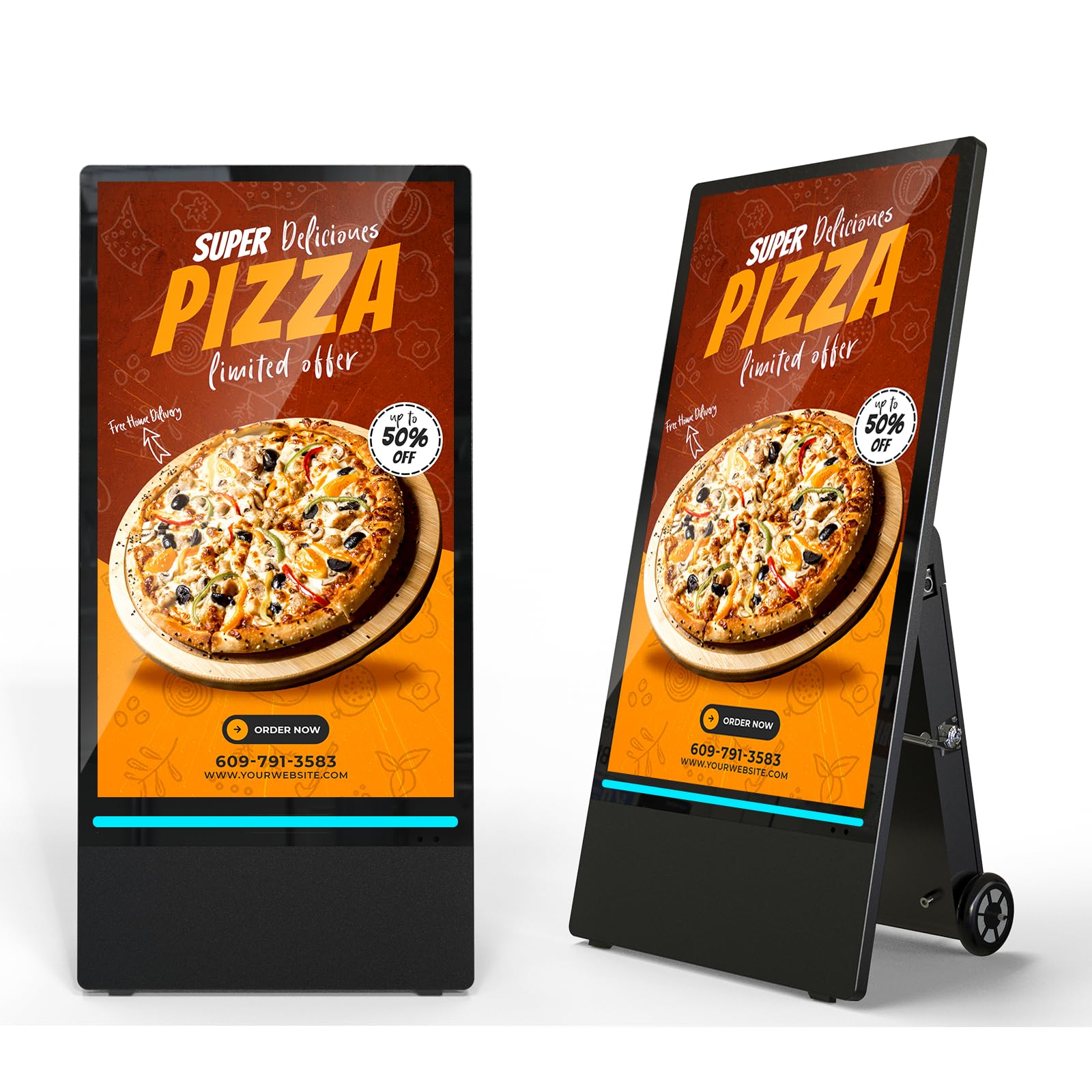
A mobile billboard that withstands weather and remains readable in direct sunlight.
This is a rare find in commercial signage: a truly portable, battery-powered outdoor display. The standout spec is its 1800 nits brightness — about 7 times brighter than a standard indoor TV — which means it remains fully readable in direct sunlight. It is IP65 rated (waterproof and dustproof), so rain and dust are not a concern. The built-in rechargeable battery runs for 10 hours on a 7-8 hour charge, though owners note heavy sun drains it faster. The entire unit is on wheels with a handle, so you can roll it out for a weekend event and store it away during the week.
Owners are enthusiastic about the results. One BBQ business owner says the display “paid itself off” by boosting sales, while another calls it a “standout” for their restaurant’s visibility. Content is managed via USB or a WiFi connection, and it supports split-screen playback. At around 100-110 lbs with the battery, it is heavy but manageable with the built-in wheels. The 3000:1 contrast ratio helps text and images stay sharp even outdoors.
Visibility king: 1800 nits makes it the only truly daylight-readable display in this list.
Weight reality: Between the kiosk and battery, it is over 100 lbs — not light, but the wheels make it easy to roll.
Perfect for: outdoor events, patios, construction site ads, or any place where you need a temporary, bright, weatherproof sign.
Not for: permanent installations or indoor-only use where the premium outdoor features would go to waste.
5. SAMSUNG 85-Inch Class Crystal UHD 4K BEC-H Series HDR Pro TV

An 85-inch display that ensures your content is impossible to miss in large venues.
If your space needs a massive screen, this 85-inch Samsung delivers with PurColor for a wide color range and Contrast Enhancer for depth. It has a 4700:1 contrast ratio, matching the BE55T-H for the highest in this roundup, which means text and fine details stay razor-sharp even on a huge screen. The 4K upscaling ensures your content looks as good as possible, regardless of source resolution. Owners say it works well for static menu boards and business signage, with one buyer running it over 10 hours a day for 4 years before noticing any color degradation.
The catch is the built-in software. The Samsung Business TV app receives mixed reviews, with some iOS and Chrome users finding it buggy and unresponsive. The 2023 model also adds smart features that some buyers consider unwanted. One returning customer specifically recommends seeking out the 2020 version for a “true dumb TV” experience. The remote is small and lacks backlighting, which owners find frustrating in dim environments. For a pure monitor setup with your own content source, though, the 85-inch footprint is class-leading at this price tier.
Size advantage: 85 inches is massive — it dominates a wall and commands attention in a lobby or event space.
Software frustration: The Business TV app is unreliable; plan to bypass it with an Apple TV, Roku, or PC stick.
Ideal for: large waiting rooms, hotel lobbies, or conference centers where a giant screen makes a statement.
Skip if: you need a simple, reliable built-in app experience — this model’s software has known issues.
6. 65 inch Indoor Digital Signage 4K Touchscreen, IPS Floor Standing Digital Kiosk
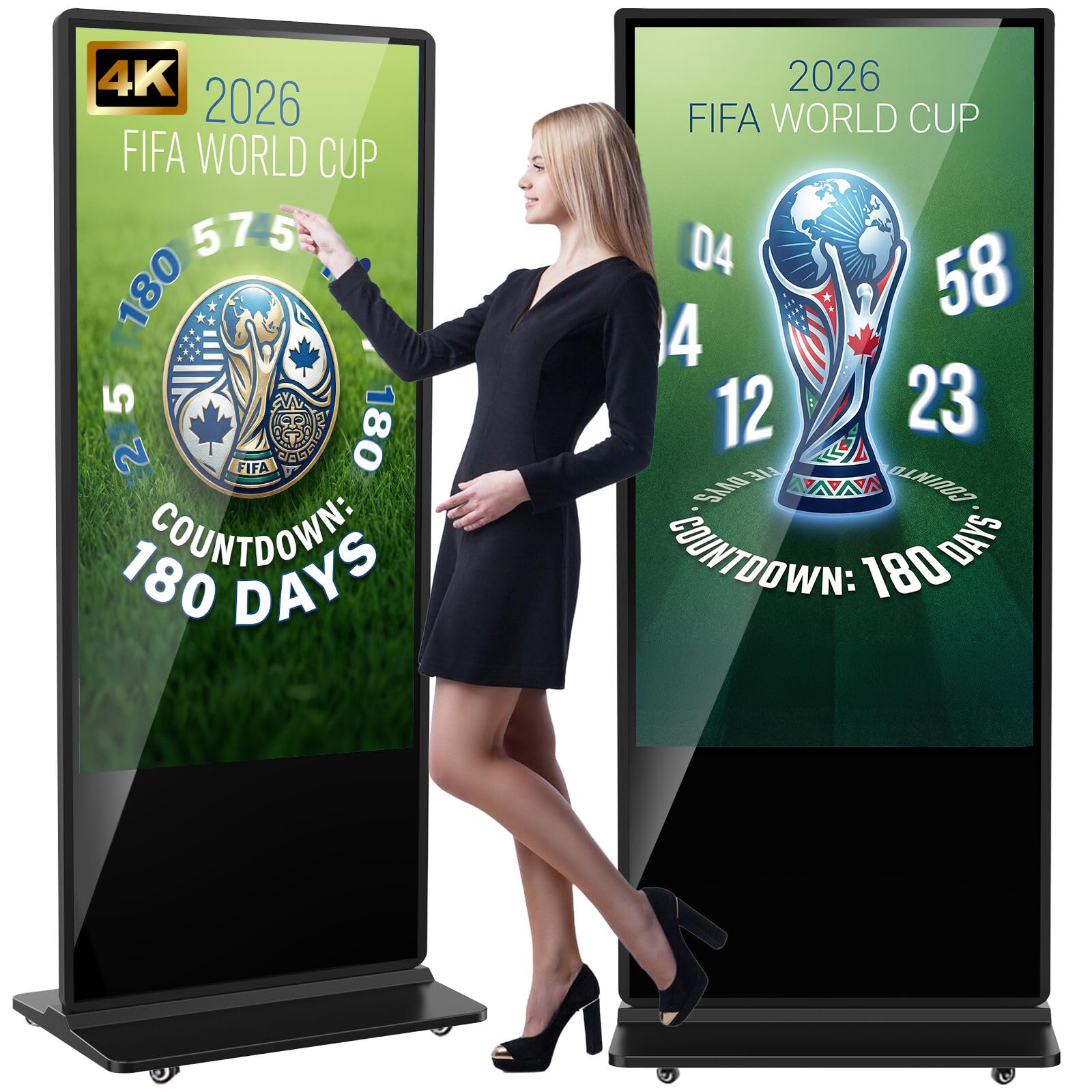
A premium interactive kiosk with build quality and touch responsiveness that earn universal praise.
This floor-standing kiosk is the most highly-rated product in the list, with a stellar score built on 72 ratings. It packs a 65-inch 4K IPS display at 500 cd/m² brightness, a responsive touchscreen, and an Android OS. The build quality is the most frequently praised aspect, with owners calling it solid, sturdy, and professional. The touchscreen is described as responsive and accurate, making it perfect for wayfinding, interactive catalogs, or guest check-in. One university library used it for wayfinding and praised the 4K clarity even in natural light.
The Android OS supports WiFi, HDMI, USB, and Bluetooth connectivity, plus a timer for auto on/off. It also has two 8Ω 5W speakers built in, so you do not need external audio for short video clips. The split-screen function supports multiple content zones. One fitness studio owner says it “improve the professional look” of their space. The 3-year warranty provides confidence. The 1000:1 contrast ratio is lower than some panel-only displays, but for an interactive touchscreen kiosk, the trade-off is standard.
Build quality standout: 21 owners single out the construction as excellent — it is a heavy-duty, glass-fronted kiosk that looks premium.
Touch accuracy: The touchscreen is responsive enough for interactive games, museum kiosks, and trade show engagements.
Best for: retail stores, museums, and offices that want an interactive touchscreen display for customers or visitors.
Consider another if: you just need a simple non-interactive signage screen — you are paying a premium for the touch capability.
7. Digital Signage Display 85 inch Wall Mount Digital Menu Board, 500 nits, 4K UHD

An ultra-slim 85-inch menu board that mounts flush against the wall for a smooth look.
This 85-inch display from Canlarriz is designed specifically for wall-mounted menus and directories. It is only 3.5 cm thin with a 0.68 bezel and mounts with zero gap against the wall, giving a clean, built-in appearance. The 500 nits brightness is a step up from standard indoor TVs, making it readable in brighter retail environments. It runs Android 11 with 4GB of RAM and 64GB of storage — enough to hold 50,000+ HD images or 120 hours of 4K video locally.
The free CMS software allows you to schedule content (breakfast, lunch, dinner menus) and bulk-edit across multiple screens. Owners say the display itself is beautiful and eye-catching for customers. However, the initial setup is described as tedious, and the software for multi-screen editing could be more polished. One owner notes you cannot connect to hotspots to change programs, which is frustrating for businesses on the go. The 1000:1 contrast ratio is average for the size class. At 61 kg (135 lbs), this is a heavy unit that requires a solid wall mount.
Wall presence: The flush mount and ultra-slim profile make it look like a custom-built digital menu, not a bulky TV.
Software growing pains: Expect a learning curve with the CMS, and plan for a wired internet connection rather than hotspots.
Great for: fast-casual restaurants, hotel lobbies, or retail stores that want a massive, flush-mounted menu board.
Skip if: you need a simple plug-and-play setup or prefer to manage content from a mobile hotspot.
8. SunBrite 55-Inch Outdoor Television 4K with HDR – Signature 2 Series
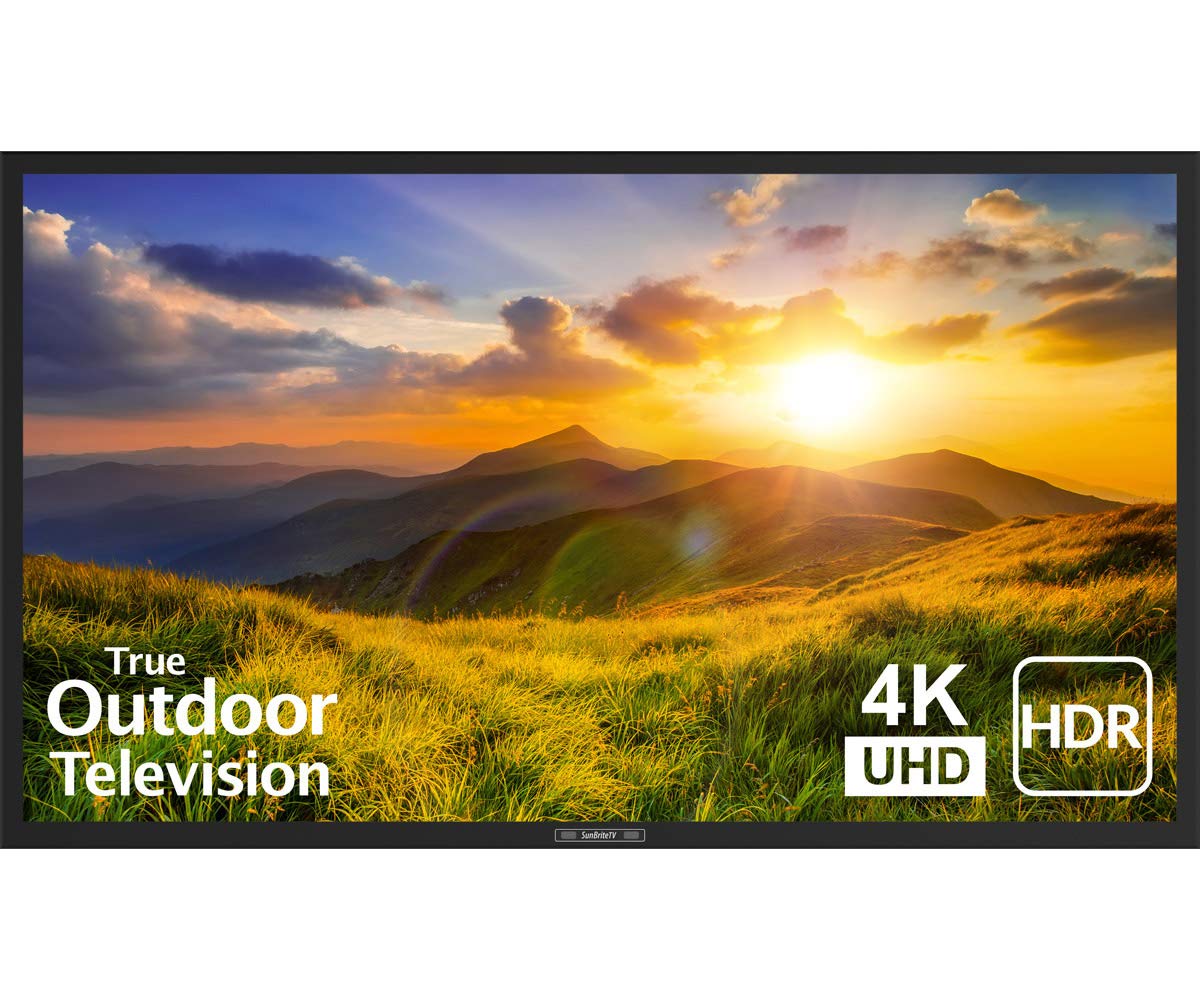
The permanent outdoor TV with a 700-nit punch that shrugs off glare and weather.
This is a true outdoor television, not an indoor TV in a weatherproof box. The SunBrite Signature 2 is built with a durable aluminum casing (not plastic) and is rated for partial-sun exposure — think patios, decks, and pool areas. Its 700 nits brightness is about 3 times brighter than a standard indoor TV, which means you can actually watch it on a sunny afternoon. The TruVision anti-glare technology and 4000:1 contrast ratio deliver a picture that remains sharp even in high ambient light. Owners describe the image as “clear and sharp,” with one noting the matte coating completely eliminates glare.
A major caveat: this model does not include built-in speakers. You will need a separate soundbar (the compatible SB-SP557 is suggested) or an external audio system. One buyer calls this a hidden cost, noting you are looking at an additional expense for audio. The IR repeater and HDBaseT support let you run video, power, and control over a single Cat5E cable, keeping the installation clean. The all-metal build has held up through varied weather for owners over several months. At 55 inches, it is a substantial investment for dedicated outdoor entertainment or commercial patio signage.
Glare-free viewing: The anti-glare coating is the most praised feature — it works as promised even in direct sunlight.
Audio caution: No speakers are included, so factor in the cost and mounting of a soundbar for a complete setup.
Perfect for: permanent outdoor installations like poolside bars, patio restaurants, or covered outdoor event spaces.
Not for: indoor use where you do not need weatherproofing, or if your budget cannot stretch to include a separate sound system.
9. 91″ LED Digital Signage Display with Flight Case, Triple Foldable LED Poster Screen
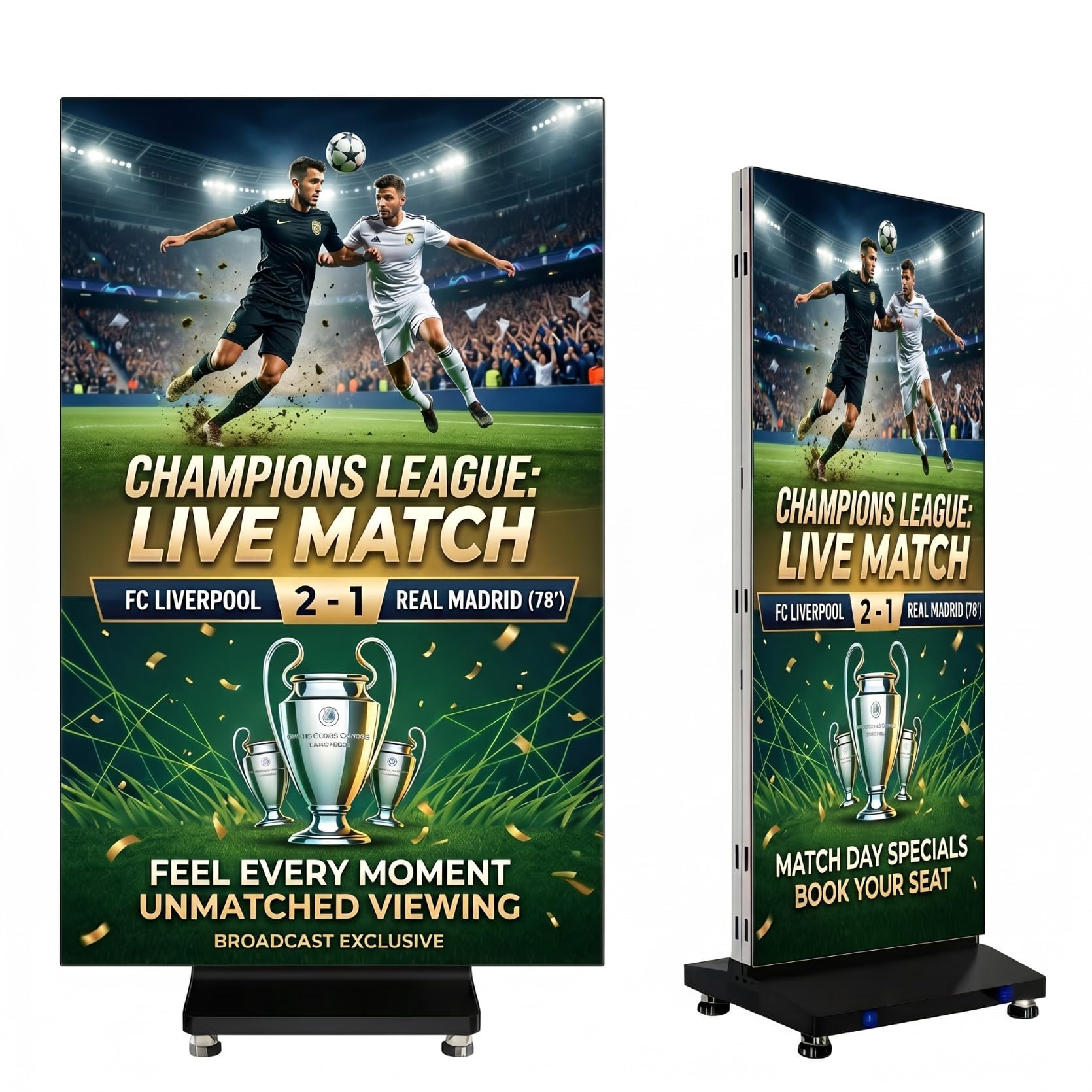
A foldable LED poster that fits in a flight case and sets up in minutes for events.
This is not a traditional TV — it is a modular LED panel system that creates a 91-inch display when fully unfolded, or an 80-inch double-sided panel when folded. The tri-fold design is unique: you can run it as a massive single screen, a dual-sided display for high-traffic areas, or a 270° angled setup for corner visibility. It packs into a flight case with built-in rolling wheels, making it genuinely portable for trade shows, weddings, and rental events. Owners say it is easy to use and set up, with one restaurant using 6 pieces in a row for a smooth video wall.
Content is managed through the LEDArt app for one-click control on your smartphone, or via USB, WiFi, or HDMI. You can also link multiple units (up to 3 screens) for a combined 172-inch display. The high brightness ensures visibility even in bright indoor settings. The GOB (Glue on Board) coating protects the LEDs for rental use. The 688 x 1032 resolution is HD, not 4K, but for large-format impact at a distance, the trade-off is standard for this type of LED poster. Customer support is consistently praised as responsive and helpful.
Portability winner: The flight case and foldable design make this the only truly pack-and-go large-format display on the list.
Resolution reality: The HD resolution is fine for large-format impact, but up close you will see pixelation compared to a 4K TV.
Ideal for: event rental companies, trade show booths, and retail pop-ups that need a striking, transportable large display.
Skip if: you need ultra-sharp 4K detail for close-up viewing, or a permanent wall installation.
Understanding the Specs
Brightness (Nits / cd/m²)
This is the single most important spec for commercial use. A consumer TV runs around 250-350 nits. For a bright retail space or a lobby with windows, you need 500 nits or more. Outdoor displays like the 43-inch mobile kiosk push 1800 nits specifically so the screen is readable in direct sunlight. If your sign is washed out during the day, it is almost always because the brightness is too low for the environment.
Contrast Ratio
Contrast ratio measures the difference between the brightest white and darkest black. A ratio of 4000:1 or higher makes text and fine details sharp and easy to read. The Samsung BE55T-H and the 85-inch BEC-H both hit 4700:1, which is excellent for menu boards and directories. A lower ratio like 1000:1 is common on interactive kiosks and may look fine for video but less crisp for text-heavy content.
FAQ
Can I use a regular consumer TV for my business signage?
What does the 16/7 rating mean?
How bright does my commercial TV need to be for a retail store with windows?
What is the difference between a “dumb TV” and a commercial display?
Do I need an external media player for these displays?
How long should a commercial TV last?
Can I mount these displays in portrait mode?
What is IP rating and why does it matter for outdoor displays?
Can I use a commercial TV as a computer monitor?
Do I need a special bracket for wall mounting a commercial display?
Final Thoughts: The Verdict
If you want one dependable pick, the commercial tv winner is the Samsung QB65R because it delivers stunning 4K picture quality with no smart TV bloat, excellent color accuracy (0.92 color gamut), and a 4,000:1 contrast ratio in a 65-inch package that works equally well for digital signage and as a giant PC monitor. If you want a budget-friendly 4K display for a lobby or church announcements, the Samsung QE50T is the one to reach for. And for outdoor or event use, the 43-inch Mobile Outdoor Kiosk is in a league of its own with 1800 nits of daylight-readable brightness and a built-in battery.
How We Picked
We do not accept paid placement. Every pick is matched to a real buyer and a real use-case; we do not hands-on test units.
Sources & Methodology
Specifications: manufacturer listings and product documentation. Review insights: verified customer reviews, as of July 2026. Pricing: not shown on this page (it changes often); check the current price via the retailer link.
As an Amazon Associate, WellFizz earns from qualifying purchases. This does not affect which products we feature.
Related Guides

Mo Maruf
I created WellFizz to bridge the gap between vague wellness advice and actionable solutions. My mission is simple: to decode the research and give you practical tools you can actually use.
Beyond the data, I am a passionate traveler. I believe that stepping away from the screen to explore new environments is essential for mental clarity and physical vitality.