Our readers keep the lights on and my smoothie glass nicely filled. As an Amazon Associate, I earn from qualifying purchases.
Specs are compiled from manufacturer listings and verified buyer reviews and can change over time — please confirm the key details on the product page before buying.
A commercial laser printer that jams on long jobs or produces faded color output slows down your entire workflow. The printers in this guide are designed for reliable, high-volume output with minimal interruptions. We review twelve commercial-grade laser printers built for dependable, low-maintenance daily use.
I’m Mohammad Maruf — the founder and writer behind WellFizz. This guide is built by comparing the manufacturers’ published specifications and the patterns across verified customer reviews, so you get each pick’s real strengths and trade-offs instead of marketing spin.
If your office runs on contracts, invoices, proposals, or internal reports, picking the right commercial laser printer means balancing raw speed against total cost per page and the real-world headaches of setup and wireless reliability — and the machines here represent the strongest contenders across those factors.
Our Picks at a Glance


How To Choose The Best Commercial Laser Printer
Choosing the right commercial laser printer depends on your print volume, need for color, and connectivity requirements.
Print Speed and Duty Cycle
Speed in pages per minute (ppm) directly affects how long a team waits at the machine. A 40 ppm monochrome printer handles a 100-page report in under three minutes, while a 26 ppm model takes nearly four. Just as important is the duty cycle — the maximum monthly page volume the printer is designed to handle. A printer rated for 80,000 pages per month will outlast a consumer model pushed to 2,000 pages, so match the duty cycle to your actual office volume.
Monochrome vs. Color Laser
Monochrome machines are faster, cheaper per page, and simpler to maintain — ideal for law firms, accounting offices, or any high-volume text environment. Color lasers add flexibility for marketing materials, charts, and branded documents, but the hardware and toner costs are higher. If color is only occasional, consider a mid-range color model; if every page is text, a monochrome workhorse saves significantly over time.
Single-Function vs. Multifunction (MFP)
A single-function printer prints. An all-in-one or MFP adds scanning, copying, and often faxing in one box. MFPs save desk space and simplify workflows, especially if you need to digitize paper documents regularly. The trade-off: an MFP has more moving parts (scanner, ADF, fax modem), which means more potential failure points and a broader skill set needed for troubleshooting.
Connectivity: Wireless vs. Wired
Wireless printing is convenient, especially for mobile devices. But in a busy office, wireless can introduce dropped connections, slower throughput, and security vulnerabilities. For mission-critical commercial use, a wired Ethernet connection is the gold standard — it is faster, more reliable, and easier to manage across a network. Many commercial printers offer both, letting you fall back on cable if Wi-Fi becomes unreliable.
Quick Comparison
| Model | Best For | Print Speed (B&W) | Functions | Max Input Capacity | Amazon |
|---|---|---|---|---|---|
| HP LaserJet Enterprise M406dn★ Best Overall | High-volume B&W printing | 40 ppm | Print only | — | Amazon |
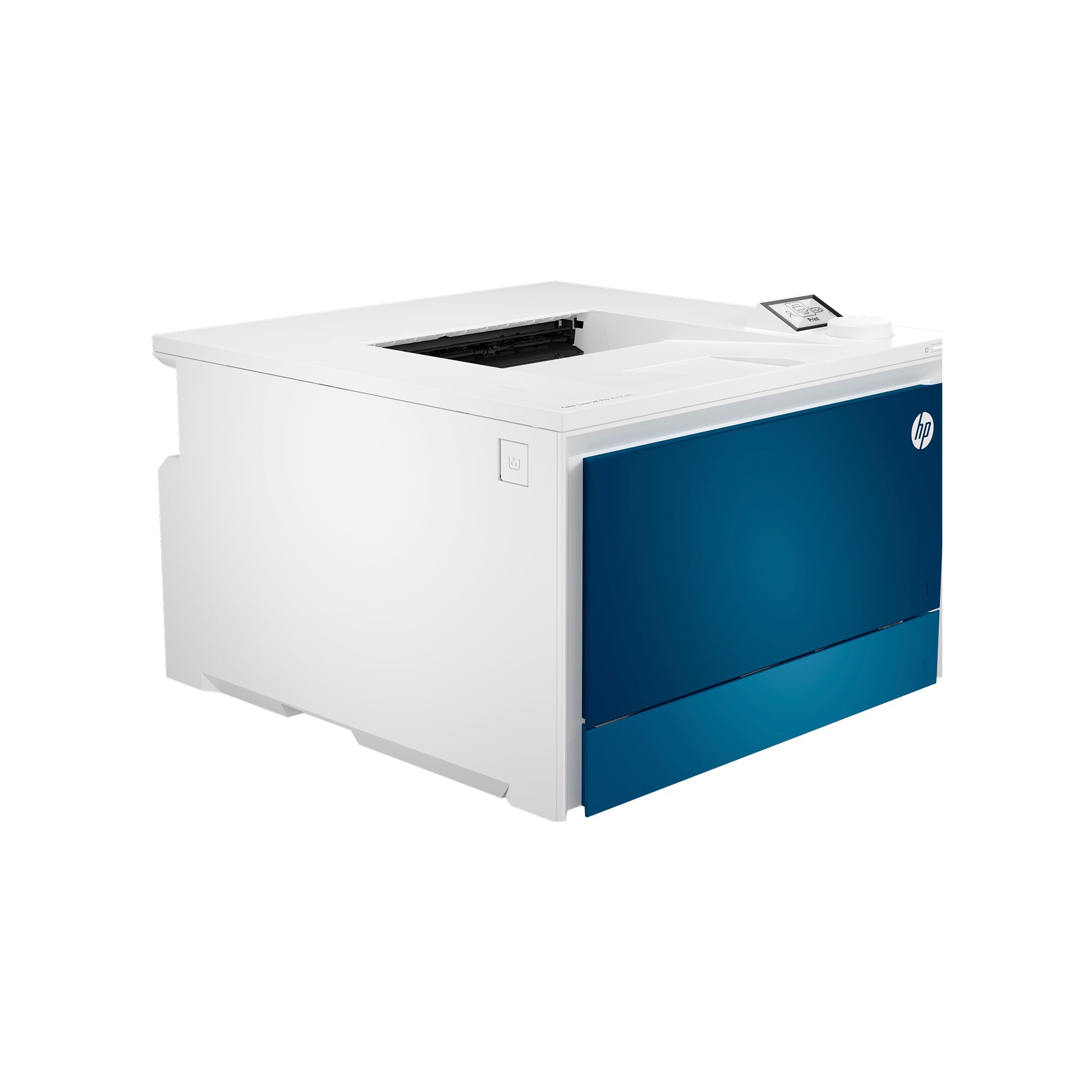
| HP Color LaserJet Pro 4201dwTop Performer | Small team color documents | 35 ppm | Print only | — | Amazon |
| HP Color LaserJet Pro MFP 3301fdwBest Value | All-in-one color with scanning | 26 ppm | Print, Scan, Copy, Fax | 250-sheet | Amazon |
| Brother MFC-L3780CDW | Reliable color MFP with duplex scan | 31 ppm | Print, Scan, Copy, Fax | 250-sheet | Amazon |
| Canon imageCLASS MF753Cdw | Speed and 3-year warranty | 35 ppm | Print, Scan, Copy, Fax | 250 + 50-sheet | Amazon |
| Lexmark CX431adw | Compact color MFP | 26 ppm | Print, Scan, Copy, Fax | — | Amazon |
| HP Laserjet Pro MFP 4101fdw | Fast B&W all-in-one | 42 ppm | Print, Scan, Copy, Fax | — | Amazon |
| HP Color LaserJet Pro MFP 4301fdw | Color MFP for up to 10 users | 35 ppm | Print, Scan, Copy, Fax | — | Amazon |
| HP Laserjet Pro MFP 4101fdn | Wired B&W office workhorse | 42 ppm | Print, Scan, Copy, Fax | — | Amazon |
| HP Color LaserJet Enterprise M554dn | High-volume color enterprise | 33 ppm | Print only | 650-sheet | Amazon |
| Brother MFC-L8930CDW | Feature-rich color MFP with advanced security | 33 ppm | Print, Scan, Copy, Fax | 250 + 50-sheet | Amazon |
| HP LaserJet Enterprise M608n | Monster B&W volume (65 ppm) | 65 ppm | Print only | — | Amazon |
In‑Depth Reviews
1. HP LaserJet Enterprise M406dn Monochrome Printer with Built-in Ethernet & 2-Sided Printing (3PZ15A)
Our pick — 4.5★ from 73 verified ratings; the strongest balance of quality and price.
A reliable monochrome workhorse for high-volume text documents.
This print-only monochrome laser delivers fast, reliable output for offices that don’t need scanning or faxing. The M406dn prints at 40 pages per minute — a full 14 ppm faster than the slower color all-in-ones in this list, which makes a difference when a 200-page report lands at 4:30 PM. It uses HP Wolf Enterprise Security, meaning it automatically scans for malware and self-heals if attacked, so your data stays safe without you having to think about it.
Buyers report that “it was easy to set up and the print quality is good,” and the automatic two-sided printing (duplex) saves paper without any extra steps. One owner mentioned a paper-feed issue after months of use, but the overall feedback is that it is a fast, straightforward machine for high-volume text. The 40 ppm speed is well above the 26 ppm of the HP Color LaserJet Pro MFP 3301fdw, making this the better choice if speed is your priority and you only need monochrome.
The catch? It is print-only — no scanner, no copier, no fax. If your office needs an all-in-one, look elsewhere on this list. But for a dedicated black-and-white workhorse, this is the strongest performer here.
What wins people over
- Fast 40 ppm speed keeps large jobs moving quickly.
- HP Wolf Enterprise Security defends against malware automatically.
- Automatic duplex printing saves paper without extra steps.
- Easy to set up with clear web interface, per owner feedback.
A fair caveat
- No scanning, copying, or faxing — print only.
- An occasional paper-feed issue after months of use is reported.
Grab it if: you run a high-volume office that only needs black-and-white printing and you want the fastest, most secure dedicated printer in this range.
Think twice if: you need an all-in-one with scanning and copying — you will be better served by a multifunction model.
2. HP Color LaserJet Pro 4201dw Wireless Color Laser Printer, Best-for-Office (4RA86F)
Fast color that jumps off the page without the scanner and copy tray clutter.
If your small team needs color documents — proposals, marketing materials, client reports — but does not need an all-in-one, this HP Color LaserJet Pro 4201dw is a focused, fast option. At 35 pages per minute for both black-and-white and color, it matches the speed of much pricier enterprise models while staying compact enough for a shared desk. The Intelligent Wi-Fi feature automatically picks the strongest connection to keep the printer online, and HP Wolf Pro Security adds customizable protection settings.
Owners note that “Replaced my 2025 cp and have no problems” — the printer is reliable, wireless connectivity is solid, and print quality is excellent from both computers and mobile devices. The pre-installed starter cartridges yield 1,200 pages black and 1,000 pages color, so you can get going immediately. The bypass tray works well for envelopes and heavy paper, and duplex printing is automatic.
The downside is the ecosystem lock-in: HP firmware blocks non-HP cartridge chips, and genuine HP toner is expensive. If long-term per-page cost is a major concern, this printer’s operating costs are higher than some competitors.
Strengths
- Fast 35 ppm in both B&W and color for quick turnaround.
- Intelligent Wi-Fi automatically finds the best connection.
- Bypass tray handles envelopes and heavy paper easily.
Trade-offs
- Starter toner is low-yield; high-yield replacements are costly.
- Blocks non-HP cartridges, so you cannot shop for cheaper alternatives.
Ideal for: a small team that prints high-quality color documents regularly but does not need scanning or copying.
skip it if: you want to minimize long-term toner costs or need an all-in-one functionality.
3. HP Color LaserJet Pro MFP 3301fdw Wireless All-in-One Color Laser Printer (499Q5F)
The all-in-one that scans, copies, and faxes without taking over the whole desk.
This is the Swiss Army knife of the list: print, scan, copy, and fax in one machine, with automatic two-sided printing and a single-pass ADF that scans both sides of a page at once. Print speed is 26 ppm in both black and color, which is slower than the dedicated print-only models above, but the versatility makes up for it if your office routinely digitizes documents. The dual-band Wi-Fi with self-reset automatically detects and fixes connection dropouts, which is a real time-saver in a busy environment.
Buyers confirm that the printer “Showed up in great time and was set up in minutes,” and many praise the fast, intuitive setup with the clear touchscreen. The TerraJet toner produces more vivid colors than previous generations, so your marketing materials look crisp. An IT professional reviewer noted the setup is fast even for non-skilled users, and that the footprint is smaller than older HP all-in-ones.
The main concern from owners is that the introductory toner cartridges deplete quickly — one user got only about 50 pages before needing a replacement — and that HP support can be slow to stock new models’ toner. If you print high volumes in color, budget for high-yield replacement cartridges from day one.
Versatility wins here: print, scan, copy, fax, duplex, ADF, and Wi-Fi self-reset in one compact package — but plan for toner costs up front.
Heads up: starter toner is minimal; order high-yield cartridges immediately to avoid running dry.
Best for: a small office that needs everything — printing, scanning, copying, and faxing — in a single device with minimal desk space.
Think twice if: you print very high volumes (over 5,000 pages/month) — the lower speed may create a bottleneck.
4. Brother MFC-L3780CDW Wireless Digital Color All-in-One Printer (B0CFCW8PGV)

Brother’s reliability reputation meets a fast single-pass duplex scanner that saves real time.
The MFC-L3780CDW nails the essentials for a small business: color laser printing at 31 ppm, single-pass duplex scanning (both sides of a stack in one pass) at up to 29/22 ipm (black/color), and a 50-sheet ADF that keeps multi-page jobs moving. The 250-sheet tray plus a manual bypass means you can load up for a day of printing without constant refills. Dual-band wireless (2.4/5 GHz) and Gigabit Ethernet give you flexibility in connecting to the network.
Quality is the most-discussed positive by owners — well over 150 people single it out — and the print speed and setup experience also get strong praise. Owners say it is “easy setup, fast, quiet, reliable” and that “Airprint works instantly.” The color is acceptable for business documents (not photo prints), and scanning to phone, email, or PC works smoothly. The Brother Refresh subscription trial is included if you want automatic toner delivery, but you can also buy standard cartridges.
A few owners found setup not intuitive — scanning on Windows 11 required a USB cable initially — and some note that colors are slightly duller than expected for photo-quality work. Overall, the reliability consensus is strong, making this a safe bet for daily office use.
Reliable workhorse: fast color printing, single-pass duplex scanning, and strong wireless connectivity make this a solid all-in-one — just be aware that the Refresh subscription can cause issues if payment lapses.
Reach for this if: you want a dependable color MFP with fast scanning and no ink subscription requirement.
Look elsewhere if: you need photo-quality color output — this is for documents, not glossy prints.
5. Canon imageCLASS MF753Cdw – Wireless Duplex Color Laser Printer (B0BSMQTVBW)

Canon speed and a 3-year warranty — a rare safety net in the office printer world.
The MF753Cdw punches above its size class with 35 ppm in both black and color, a 50-sheet duplex ADF that scans both sides in one pass, and expandable paper capacity up to 850 sheets with an optional cassette. It is an all-in-one (print, scan, copy, fax) with a 3-year limited warranty, which is a standout feature — most office printers offer one year at best. The 069/069H high-capacity toner options mean fewer replacement interruptions.
Owners consistently praise print quality — over 140 people mention it positively — and the speed and color quality also earn strong marks. One owner noted it is “finally a printer that doesn’t frustrate me” thanks to smooth setup, consistent wireless connectivity, and sharp color and black-and-white output. Duplex printing and scanning save significant time, and the Canon PRINT Business app makes mobile printing easy.
The mixed feedback centers on setup complexity — while some find it easy, others call the configuration non-intuitive, with the wireless connectivity occasionally dropping. An occasional gray-market unit (non-U.S. model) has been reported, which invalidates the warranty, so buy from a reputable seller. Once configured correctly, though, owners say it is a fast, quiet, reliable performer.
Why it stands out
- 35 ppm in both B&W and color — among the fastest all-in-ones here.
- 3-year limited warranty provides uncommon confidence.
- Expands to 850 sheets with optional cassette, ideal for growing offices.
What to watch
- Setup and wireless configuration can be non-intuitive for some users.
- Gray-market units (non-U.S. models) void the warranty — buy carefully.
Grab it if: fast color, a three-year warranty, and expandable paper capacity are your priorities.
pass on it if: you want a simple plug-and-play setup — this one may require some network tinkering.
6. Lexmark CX431adw Color All-in-One Printer with Touchscreen (40N9370)

A color MFP that prints and copies well but demands patience during setup.
The Lexmark CX431adw is a capable color all-in-one — print, copy, scan, and analog fax — with automatic duplex and a touchscreen display. It runs at 26 ppm in both black and color, which puts it on the slower side of this list but still fast enough for a small office handling standard workflows. The built-in Ethernet and USB connections give you wired reliability, and the touchscreen, while small, provides basic navigation for copy and fax jobs.
Owners who got it configured report that “works great, should have bought this years ago” — printing and copying are fast and the output quality is solid. One user found it works from the start on Linux without any driver installation. However, the setup experience is where this printer divides opinion. The display is small, making wireless configuration difficult; the menu shows copy, email, and fax but does not clearly show scan, and there is no PC control application — you use the mobile app or the onscreen interface. Several owners describe the scanning setup as needlessly hard and the support process frustrating.
This is a printer for someone who values print quality and is comfortable tackling a finicky initial setup. If you are less tech-inclined, the Lexmark may test your patience.
Prints well, sets up hard: the CX431adw delivers on its core job but the small screen and lack of PC control tabs make the first hour genuinely frustrating.
Best for: a technically comfortable user who needs a color MFP on a budget and can work through a difficult initial configuration.
Think twice if: you need an easy plug-and-play setup or rely heavily on scanning from a computer.
7. HP Laserjet Pro MFP 4101fdw Wireless Black & White All-in-One Laser Printer (2Z619F)

The monochrome MFP that turns a stack of forms into a finished job in minutes.
At 42 ppm black-and-white, this HP Laserjet Pro MFP 4101fdw is one of the fastest all-in-ones on the list — a full 16 ppm faster than the HP Color LaserJet Pro MFP 3301fdw. It handles print, scan, copy, and fax with an automatic document feeder and two-sided printing, making it ideal for law firms, real estate offices, or any environment where speed on text documents is critical. Intelligent Wi-Fi automatically adjusts to the strongest signal, and HP Wolf Pro Security keeps data safe.
Owners consistently praise the print quality — over 80 people mention it positively — and the speed and ease of use also earn strong marks. One mobile notary described it as “Best thing for business,” noting easy setup, fast printing, and great connectivity with cell phones, laptops, and desktops. The color touchscreen (CGD) makes navigation intuitive, and duplex scanning works well. The automatic document feeder and quiet operation are also appreciated in shared office spaces.
The mixed feedback centers on wireless connectivity — while many find it smooth, a few report occasional issues with phone printing getting stuck. The cartridge cost is also a recurring note; owners recommend sticking with original HP cartridges for best quality, even though they are pricier. Overall, this is a strong, fast choice for a B&W-focused office.
Speed champion of the MFPs: 42 ppm B&W, easy setup, and strong mobile printing make this a top pick for text-heavy offices.
Reach for this if: your office prints high volumes of black-and-white documents and needs fast scanning and copying too.
Look elsewhere if: you need color printing — this is monochrome only.
8. HP Color LaserJet Pro MFP 4301fdw Wireless All-in-One Color Laser Printer (B0BVWSGP4F)

Color, speed, and scanning in one tidy box for a team of up to ten.
This HP Color LaserJet Pro MFP 4301fdw is the slightly larger sibling of the MFP 3301fdw, offering a boost from 26 ppm to 35 ppm in both black and color. It is a true all-in-one — print, scan, copy, fax — with an automatic document feeder, duplex printing, and HP Wolf Pro Security. The Intelligent Wi-Fi automatically picks the best connection, and you can print from any device (mobile, PC, tablet) via AirPrint, Android, Chromebook, and more. Pre-installed introductory cartridges yield 1,200 pages black and 1,000 pages color, giving you immediate capacity.
Owners say this all-in-one “truly delivers” — it is user-friendly, quiet, efficient, and compact enough for a desk. One owner noted it scans 20 pages in 45 seconds, which is fast for a color MFP. The print quality is described as excellent and the color sharp. However, the mixed feedback is notable: some units develop false paper jam errors after about a year, and the software may ignore duplex settings over time. A few owners recommend Brother over HP after experiencing multiple failures.
The toner cost is also a factor — genuine HP toner cartridges are expensive, and knock-off brands do not work well due to HP’s chip-blocking firmware. If you are comfortable with the higher per-page cost, this is a fast, full-featured color MFP; if long-term reliability concerns you, the Brother MFC-L8930CDW may be a safer bet.
Performance and caution: fast 35 ppm color with solid print quality and a compact build — but some units show reliability issues after a year, and toner is expensive.
Best for: a small team that needs fast color printing and scanning and is comfortable with HP’s cartridge ecosystem.
Think twice if: you prioritize long-term reliability and lower per-page costs — the Brother MFC-L8930CDW is a stronger pick there.
9. HP Laserjet Pro MFP 4101fdn Black & White Printer (2Z618F)
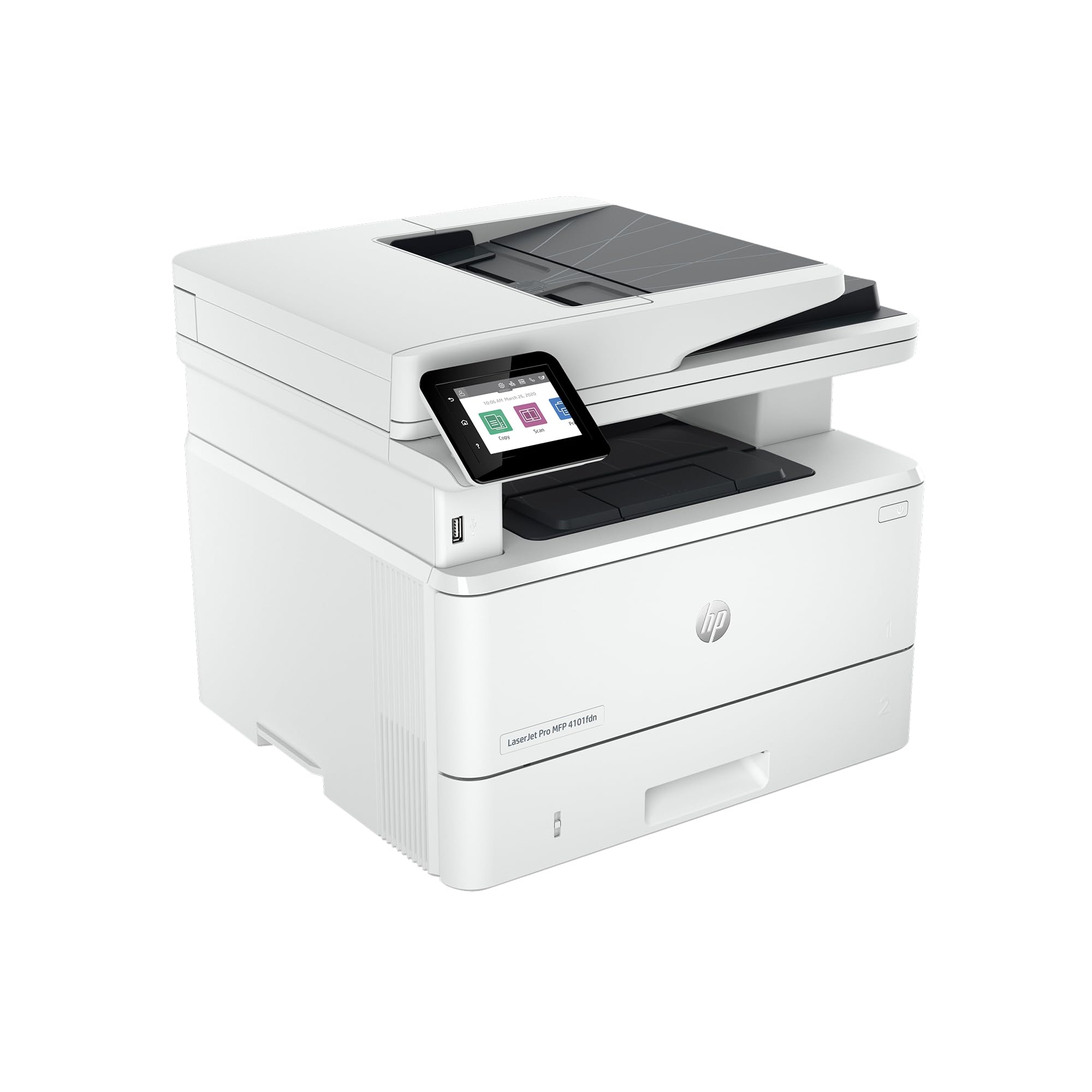
Skip the Wi-Fi — this wired MFP delivers 42 ppm with rock-solid Ethernet reliability.
If your office has a wired network and you do not want to deal with wireless dropped connections, this is your machine. The 4101fdn is identical to the 4101fdw above except it uses Ethernet and USB only — no Wi-Fi — which makes it faster to set up, more secure, and never subject to signal interference. It prints, scans, copies, and faxes at 42 ppm black-and-white, with an automatic document feeder and automatic duplex printing.
Owners consistently describe it as “a real workhorse” for daily business use, noting that the black-only cartridge lasts a long time and that print quality is excellent. “I’m in love with this printer,” one owner says, citing fast, quiet operation and perfect scanner and copier performance. The machine handles large jobs without complaint, and the cost is reasonable for a commercial-grade MFP. Since it is monochrome, there is no issue with color toner drying out or being forced to buy all four cartridges.
The drawback is the wired requirement — no Wi-Fi means every user must be on the same wired network or use USB. For modern open-plan offices with Ethernet drops, this is fine; for a smaller setup without wired infrastructure, the 4101fdw version is the better choice. A few owners mention paper jamming issues, though this is not a widespread pattern.
The wired advantage: 42 ppm, no Wi-Fi headaches, secure Ethernet-only operation, and long-lasting monochrome toner — a true office workhorse.
Grab it if: you have Ethernet available and want the most reliable, fastest wired B&W MFP on this list.
it’s not for you if: your office depends on wireless printing — choose the 4101fdw version instead.
10. HP Color LaserJet Enterprise M554dn Duplex Printer (7ZU81A)

Enterprise-grade durability with a 650-sheet capacity that keeps your team printing all day.
The HP Color LaserJet Enterprise M554dn is built for the heavy lift: a 650-sheet total input capacity (550-sheet main tray plus 100-sheet multipurpose tray), automatic duplex printing, and print speeds up to 33 ppm in both black and color. It is a print-only machine, but it comes with HP Wolf Enterprise security — the same self-healing malware protection found in HP’s most expensive models — and HP Auto-On/Auto-Off Technology to save energy when idle. The toner cartridges are pre-installed with high yields (approximately 5,500 pages black, 3,500 pages color composite), so you are ready for volume from the start.
Owners who use it daily say it “takes a beating” — it is durable, fast, and produces excellent color. One owner has been happy for six months with no problems, praising its speed and quiet operation. The print quality is clear and fast, making it suitable for high-volume color environments like marketing departments or print centers. The enterprise security features add a layer of protection that consumer printers lack.
The mixed feedback centers on the duplex being manual in some modes (not fully automatic in all workflows) and the printer’s quiet eco mode cannot be disabled, which can slow down printing over time. The toner cost is high, and the printer rejects generic cartridges — you must buy HP-branded toner. A few owners found setup difficult on the first try.
Built for endurance: 650-sheet capacity, enterprise security, and fast 33 ppm color make this a true volume machine — but plan for expensive HP toner and some setup friction.
Best for: an enterprise environment needing high-volume color printing with strong security and minimal downtime.
Think twice if: you need automatic duplex in every mode or want to use affordable third-party toner.
11. Brother MFC-L8930CDW Business Color Laser All-in-One Printer (B0FR8Y4VDW)

A 7-inch color touchscreen and NFC badge authentication make this feel like a genuine enterprise upgrade.
The Brother MFC-L8930CDW is the most feature-rich all-in-one on this list. It prints at 33 ppm in both black and color, scans at up to 104 ipm in duplex (both sides in one pass), and has an 80-page automatic document feeder with a legal-size glass platen. The 7-inch color touchscreen is large enough for scan previews and easy menu navigation, and you can store up to 64 customized shortcuts for frequently used tasks. Triple Layer Security includes an integrated NFC card reader for badge authentication — so users must tap their badge to release a print job, protecting confidential documents.
Brother includes standard yield toner cartridges (3,000 pages black, 1,800 pages color) in the box, and the TN635XXL super high yield replacements get you 7,500 pages black and 6,500 pages color, reducing per-page cost significantly. The printer is 25% smaller than the previous model, so it fits on a desk without dominating it. It is EPEAT Gold and ENERGY STAR certified, with recycled content in the packaging.
Owners rate print quality and reliability as the top positives, with setup described as easy and fast. One owner says “setup was easy, fast printing, scanning to phone app, email, print from phone all work smoothly.” The duplex printing works well, and the colors are bright. The main trade-off is envelope and label handling — the rear access required for unusual sizes is impractical. Scanning in duplex and color can be slower than rated due to the drying process. Overall, for a security-conscious office that needs a full-featured MFP, this is a standout choice.
What stands out
- NFC badge authentication for secure printing — a rare feature in this class.
- Single-pass duplex scanning at up to 104 ipm saves significant time on multi-page jobs.
- Super high-yield toner (7,500 B&W / 6,500 color) lowers long-term per-page cost.
Things to note
- Envelope and label printing is impractical due to rear access requirement.
- Duplex color scanning can be slower than the rated speed due to drying.
Grab it if: security features (NFC badge authentication) and low per-page cost from high-yield toner are critical to your office.
look elsewhere if: you print mostly envelopes and labels — rear access makes those jobs cumbersome.
12. HP LaserJet Enterprise M608n Monochrome Printer with Built-in Ethernet (K0Q17A)

When a 100-page document needs to be in someone’s hand in 90 seconds, this is the machine.
The HP LaserJet Enterprise M608n is a speed monster for high-volume black-and-white environments — 65 pages per minute is nearly double the speed of the HP Laserjet Pro MFP 4101fdw and well ahead of any color model here. It is a print-only machine designed for departments that churn through thousands of pages a week. The built-in Ethernet keeps it reliably connected to the network, and the HP Wolf Enterprise Security with over 200 embedded features continuously monitors for threats. HP Sure Start automatically checks the operating code and repairs itself from attempted hacks, so you never have to worry about a compromised printer on your network.
Owners who run it in demanding environments say “my office loved this HP beast” and that it prints quietly, which is surprising for such a fast machine. The predecessor model reportedly lasted 20 years, so durability is a key selling point. The printer is easy to install and use, with excellent feed quality for legal documents. Owners who have bought it for an office buy a second one because the first is so reliable.
The trade-offs are real: it is print-only (no scan, no copy, no fax), it is wired-only (Ethernet and USB, no Wi-Fi), and it is the most expensive machine here. A few owners received units with defective network cards, so check the unit immediately upon arrival. If your office needs scanning and copying, this is not the right printer; but if pure speed and durability in monochrome are the sole requirements, nothing else on this list comes close.
Raw speed: 65 ppm monochrome with enterprise-grade security and legendary durability — but no scanning, no Wi-Fi, and a premium price tag.
Best for: a department that prints massive volumes of black-and-white documents and values speed and security above all else.
Think twice if: you need an all-in-one or wireless connectivity — this is a wired, print-only workhorse.
Understanding the Specs
Pages per Minute (PPM)
This is the printer’s speed — how many standard pages it can print in one minute. A higher PPM means less waiting. A 40 ppm printer finishes a 100-page document in about 2.5 minutes, while a 26 ppm printer takes nearly 4 minutes. For offices printing large documents regularly, a PPM in the 30s or 40s makes a real difference in daily workflow. Be aware that color printing often runs at a similar or slightly slower speed than black-and-white, so check both numbers.
Duty Cycle and Monthly Volume
The duty cycle is the maximum number of pages a printer is designed to handle in a month without excessive wear. A typical commercial printer might have a duty cycle of 80,000 pages per month. The recommended monthly volume is usually lower — 5,000 to 15,000 pages — and represents the range where theprinter will perform reliably with minimal maintenance. Exceeding the recommended volume regularly can lead to more frequent service and shorter lifespan.
Automatic Document Feeder (ADF) and Duplex Scanning
An ADF lets you load a stack of pages and have the printer scan or copy them automatically, one by one, without standing at the machine. Duplex (two-sided) scanning means the scanner reads both sides of each page in a single pass through the ADF — a massive time-saver for digitizing contracts or double-sided reports. Single-pass duplex ADFs are faster than models that flip the page manually, so if you scan a lot, look for “single-pass duplex” in the specs.
Connectivity: Ethernet, Wi-Fi, and USB
Ethernet (wired network) is the gold standard for office printers — it is faster, more reliable, and more secure than Wi-Fi. Wi-Fi adds flexibility, especially for mobile printing from phones and tablets, but can introduce dropped connections and longer setup times. USB is for direct connection to a single computer. Many commercial printers offer all three, letting you choose the connection that fits your office. Printers with “fdw” in the model name typically include wireless; “fdn” models are wired-only.
FAQ
How many pages per minute do I need for a busy office?
What is the difference between a duty cycle and recommended monthly volume?
Is a color laser printer worth the higher cost for an office?
Can I use third-party toner cartridges in an HP commercial laser printer?
Should I choose a printer with Wi-Fi or stick with Ethernet?
How long does a commercial laser printer typically last?
What is a single-pass duplex ADF and why does it matter?
Do I need an all-in-one printer or just a print-only model?
Will a commercial laser printer work with my Mac or Chromebook?
How can I reduce the per-page cost of a color laser printer?
Final Thoughts: The Verdict
For most offices, the commercial laser printer winner is the HP LaserJet Enterprise M406dn because it delivers the fastest pure monochrome speed (40 ppm), enterprise-grade security, and automatic duplex printing in a simple, reliable package. If you need a full all-in-one with scanning and copying, the Brother MFC-L3780CDW is the balanced pick — strong print quality, single-pass duplex scanning, and no forced subscription. And for the highest-volume environment that values speed above all else, the HP LaserJet Enterprise M608n at 65 ppm is the absolute speed champion for black-and-white documents.
How We Picked
We do not accept paid placement. Every pick is matched to a real buyer and a real use-case; we do not hands-on test units.
Sources & Methodology
Specifications: manufacturer listings and product documentation. Review insights: verified customer reviews, as of July 2026. Pricing: not shown on this page (it changes often); check the current price via the retailer link.
As an Amazon Associate, WellFizz earns from qualifying purchases. This does not affect which products we feature.
Related Guides

Mo Maruf
I created WellFizz to bridge the gap between vague wellness advice and actionable solutions. My mission is simple: to decode the research and give you practical tools you can actually use.
Beyond the data, I am a passionate traveler. I believe that stepping away from the screen to explore new environments is essential for mental clarity and physical vitality.