Our readers keep the lights on and my smoothie glass nicely filled. As an Amazon Associate, I earn from qualifying purchases.
The jump from a hobby diode laser to a true commercial-grade CO2 or fiber machine is the single most expensive and rewarding decision a workshop owner makes. A misstep here means thousands of dollars in downtime, scrap material, and replacement parts. The right machine, however, transforms raw stock into revenue at speeds that redefine your production ceiling.
I’m Mohammad Maruf — the founder and writer behind WellFizz. My research process for this guide involved cross-referencing real-user failure reports, analyzing thermal management systems, and comparing galvo versus gantry motion architectures to separate genuine production tools from glorified desktop toys.
After evaluating dozens of units against measurable throughput, beam consistency, and software ecosystem maturity, this guide presents the only models worth your attention when searching for the best commercial laser engraver for a serious operation.
How To Choose The Best Commercial Laser Engraver
Buying a commercial laser engraver means weighing material compatibility against throughput. A CO2 laser excels on wood, acrylic, and fabric but cannot touch bare metal. A fiber laser, especially a MOPA unit, marks and cuts metals and delivers color on stainless steel, but it has a smaller working area and costs more per watt. Understand your primary material before you spend a dime.
Laser Source: CO2 vs. MOPA Fiber vs. Diode
CO2 lasers remain the king of non-metal cutting and engraving — think acrylic signs and wooden plaques. MOPA fiber lasers offer pulse-width control for vibrant color marking on metal and deep engraving. Diode lasers, even at 20W or 40W, are efficient for organics and coated metals but lack the beam quality for fine detail on raw metals. A dual-source machine combines both worlds but demands a higher budget.
Speed and Work Area
Engraving speed is measured in mm/s, but the real metric is how many units you complete per hour. A machine rated at 15,000 mm/s means nothing if its software crashes, its auto-focus fails, or its exhaust cannot keep up. Look for a large bed size with auto passthrough for long materials, and a rotary attachment for cylindrical products — these features define batch production viability.
Software and Support Ecosystem
LightBurn compatibility is non-negotiable for running a business — avoid proprietary-only ecosystems that lock you into preset profiles. A machine that ships with a buggy camera, unreliable Wi-Fi, or unresponsive customer support will rob you of hours every week. Read reviews focusing on post-purchase support response times, especially for electronic board or laser tube failures.
Quick Comparison
On smaller screens, swipe sideways to see the full table.
| Model | Category | Best For | Key Spec | Amazon |
|---|---|---|---|---|
| xTool F2 Ultra Dual | Dual Laser | Metal + Non-Metal Production | 60W MOPA + 40W Diode | Amazon |
| xTool F2 Ultra Single | MOPA Fiber | Color Metal Engraving | 60W MOPA, 8.7″x8.7″ area | Amazon |
| xTool P2S 55W CO2 | CO2 Laser | Acrylic & Wood Cutting | 600mm/s, 26″x14″ bed | Amazon |
| WECREAT Vision Pro 45W | CO2+IR Diode | Versatile Small Business | 45W + 2W IR, 137″ conveyor | Amazon |
| LaserPecker LP5 20W | Fiber+Diode | Portable Pop-Up Retail | 10,000mm/s, 0.0027mm precision | Amazon |
| OMTech Polar Lite 55W CO2 | CO2 Laser | Desktop Entry-Level Pro | 55W, 20″x12″ work area | Amazon |
| SFX 50W JPT Fiber | Fiber Laser | Dedicated Metal Marking | JPT LP+ source, 175x175mm lens | Amazon |
In‑Depth Reviews
1. xTool F2 Ultra 60W MOPA & 40W Diode Dual Laser Engraver

The xTool F2 Ultra Dual laser is the most versatile production tool in this roundup, pairing a 60W MOPA fiber source with a 40W diode laser in one chassis. This combination lets you engrave full color on metal challenge coins with the fiber head and then immediately cut 20mm acrylic or 23mm wood using the diode — all without swapping machines. The dual 48MP cameras and AI auto-focus streamline alignment, and the 15,000 mm/s galvo speed makes batch processing 100+ items per hour genuinely achievable.
Reviewers consistently highlight the machine’s repeatable color control on metals and its ability to handle drinkware, wood, and plastics with professional-grade detail. The build quality feels premium, and the software, while having a learning curve for advanced MOPA tuning, remains stable and connects reliably. Users report that once material settings are dialed in, the machine delivers tight accuracy and saves significant time versus single-source alternatives.
The small work area (8.7″ x 8.7″) limits large-format projects, and the dual-laser architecture requires more experimentation to master color engraving. Some early units have reported camera alignment offset issues, and customer support for Amazon purchases has been inconsistent. Still, for a shop that does both metal engraving and organic material cutting, this is the strongest single-solution investment.
Why it’s great
- One machine handles metal color engraving and wood/acrylic cutting
- Galvo speed at 15,000mm/s drastically reduces job times
- Outstanding color repeatability on stainless steel and brass
Good to know
- Small working area limits large flat panels
- Steep learning curve for MOPA color tuning
- Camera alignment may need manual calibration
2. xTool F2 Ultra Single 60W MOPA Fiber Laser Engraver
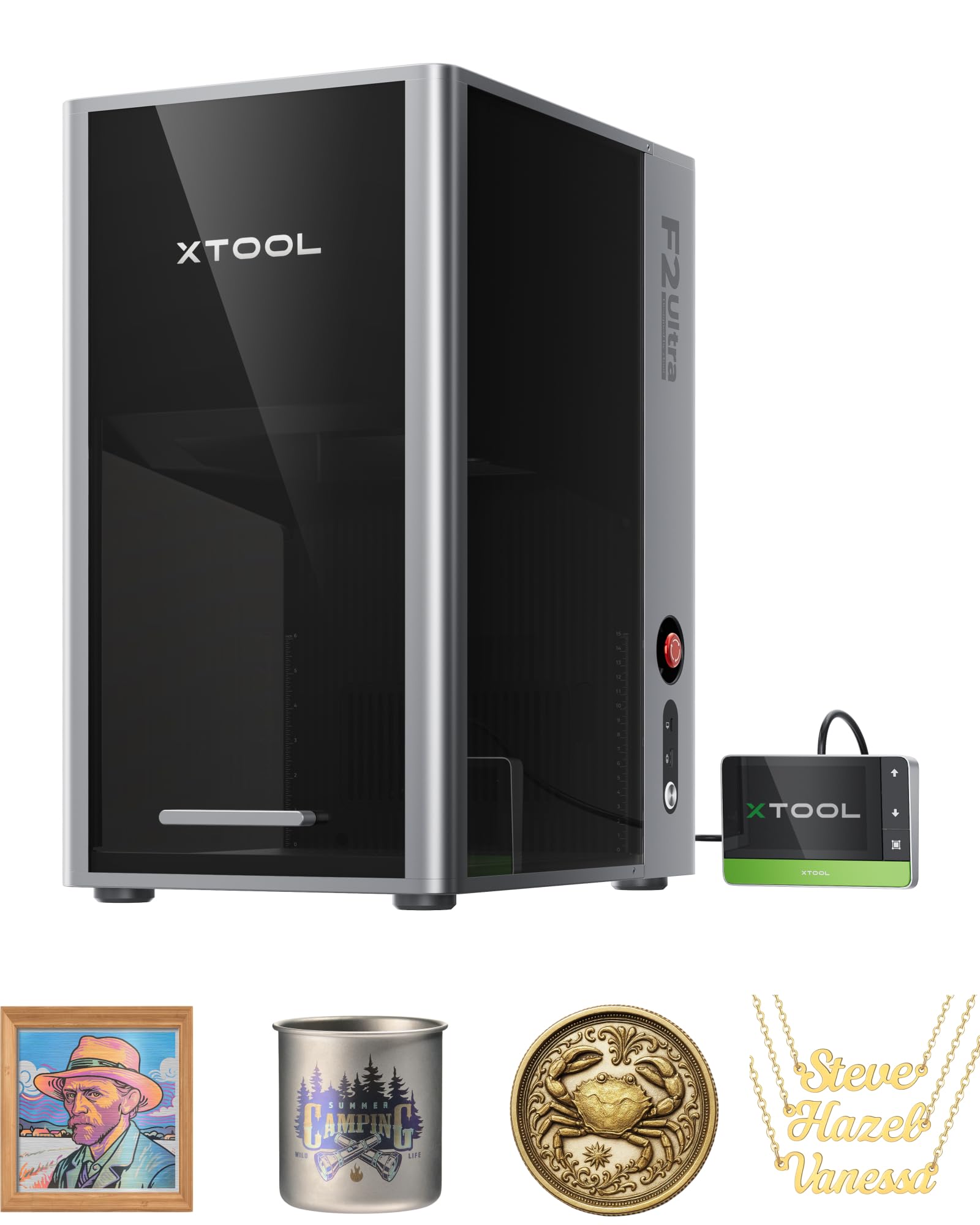
For shops focused exclusively on metal engraving — jewelry tags, industrial parts, custom firearm components — the single-laser xTool F2 Ultra provides the same 60W MOPA fiber source as the dual version without the diode overhead. Its 8.7″ x 8.7″ work area is the largest desktop fiber footprint available, and the optional auto conveyor expands it to 8.7″ x 19.7″ for automated batch runs. The dual 48MP AI cameras enable one-click focus and material detection, reducing setup time between different metal types.
User reviews praise the machine’s ability to produce over 100 consistent colors on metals, as well as deep engraving and 3D embossing on brass and stainless steel. The speed advantage is significant — multiple reviewers note that 3D embossing jobs that took hours on a 20W fiber machine finish in minutes on the F2 Ultra. The software is intuitive for basic operations, and the build quality feels industrial-grade.
Some users have reported poor camera quality, with overexposed images that make precise alignment difficult, and the materials library feels incomplete, requiring manual testing to dial in settings. Customer support for Amazon purchases has been a pain point, with delayed responses and a recommendation to buy directly from xTool. For a dedicated metal engraving station, however, the performance is unmatched in this class.
Why it’s great
- Fastest 3D embossing on metal in its price bracket
- Largest desktop fiber work area at 8.7″x8.7″
- Excellent color repeatability with pre-set color files
Good to know
- Camera quality may require manual calibration
- Materials library needs user testing
- Amazon support inconsistent; buy direct recommended
3. xTool P2S 55W CO2 Laser Cutter & Engraver

The xTool P2S is the most user-friendly CO2 laser in this guide, delivering a 55W tube with engraving speeds up to 600 mm/s and a generous 26″ x 14″ work area. The auto-passthrough handles materials up to 118 inches long, making it ideal for signage, long panels, and continuous production runs. Dual 16MP cameras provide real-time previews, and the LiDAR auto-focus maintains 0.001-inch accuracy without manual intervention — a huge time saver on mixed-thickness batches.
Users upgrading from Glowforge or other desktop CO2 machines consistently praise the P2S for its ease of setup and software reliability. The XCS software is beginner-friendly, and the machine ships with a robust exhaust system that includes a dual-cylinder air pump and 233.3 CFM exhaust fan. The 3D curved cylinder engraving feature is genuinely useful for tumbler and mug production, and the fire suppression system adds peace of mind for unattended runs.
Coolant access is somewhat inconvenient, the included slats are less practical than a honeycomb bed, and the distant camera can lose calibration after firmware updates. Some users have experienced complete non-responsiveness from customer support when components break, with weeks-long delays for replacement parts. For a plug-and-play CO2 powerhouse, the P2S is excellent — but confirm warranty support before purchasing.
Why it’s great
- Fast set-up and beginner-friendly software
- Large 26″x14″ bed with 118″ auto-passthrough
- 3D curved cylinder engraving works well for drinkware
Good to know
- Customer support can be unresponsive for hardware issues
- Camera calibration issues after firmware updates
- Slats less durable than honeycomb for fine cutouts
4. WECREAT Vision Pro 45W CO2 Laser Cutter & Engraver
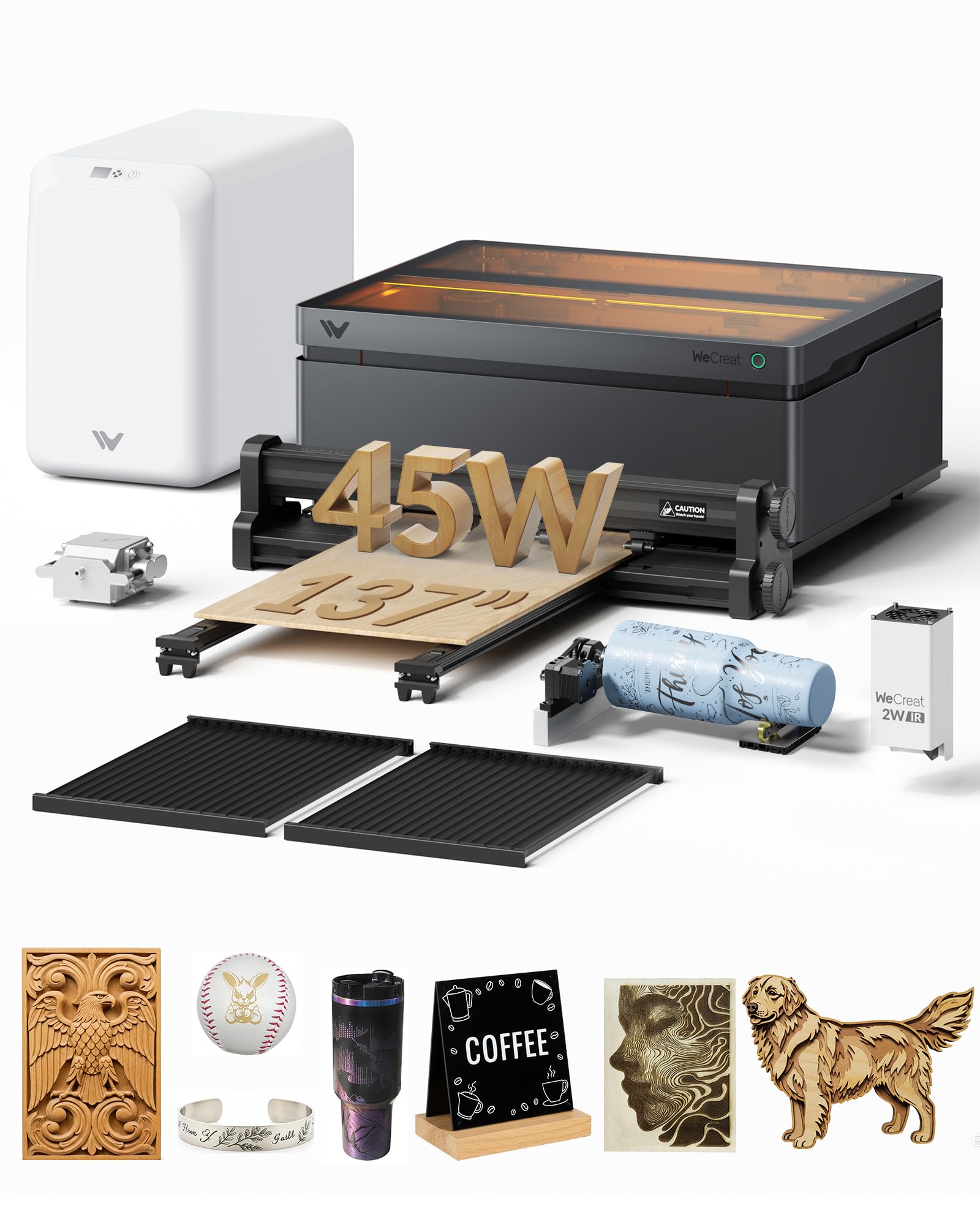
The WECREAT Vision Pro bundles a 45W CO2 laser with a 2W IR module, a 137-inch auto conveyor feeder, a fume extractor, and a full enclosure — everything a small business needs to start producing immediately. Its BeamFocus technology claims 60W-like cutting performance, and it delivers 25mm wood and 20mm black acrylic cuts in a single pass. The 22.83″ x 15.75″ bed is spacious, and the LiDAR auto-focus maintains 0.001-inch accuracy across 300+ materials.
Early users are impressed with the engraving quality and the ease of use — the machine is described as ready out of the box, with intuitive operation. The included rotary pro handles full-wrap 40 oz tumblers in a single pass, and the IR module enables marking on metals. The unit is Class 1 certified with a fully metal enclosure and automatic stop when the lid opens, making it safe for shared spaces.
The filter system draws criticism — users report it burns through expensive filters quickly and is not very effective for odor removal, particularly when cutting acrylic. Some users are still dialing in the correct power and speed settings for consistent cuts. If you plan to use the machine without external ventilation, budget for filter replacements or upgrade the filtration early.
Why it’s great
- All-in-one bundle includes conveyor, rotary, and fume extractor
- LiDAR auto-focus simplifies material changes
- Spacious bed with 137″ passthrough for long projects
Good to know
- Filter system is expensive and less effective on acrylic
- Cut power and speed settings require experimentation
- Some users report slow customer service for filter replacements
5. LaserPecker LP5 20W Dual-Laser Engraver

The LaserPecker LP5 is engineered for mobility — its 20W dual laser (fiber + diode) fits into a 47.6-pound package that you can transport between flea markets, pop-ups, and your workshop. It engraves at an advertised 10,000 mm/s with 0.0027mm precision, and the ultimate bundle includes a conical shield, rotary module, slide extension, and an air purifier with 99.97% HEPA filtration. It is designed to turn customer requests into on-the-spot income.
Users who successfully set up the LP5 report excellent cutting performance on materials like 20mm wood and 0.5mm metal. The software ecosystem supports both LightBurn and LaserPecker Design Space, giving you flexibility. The unit is genuinely compact and portable, making it a strong choice for retail environments where floor space is limited.
The software stability is a critical concern — multiple verified buyers report crashes, Wi-Fi connectivity failures, and an unreliable connection that forces power cycling mid-job. Customer support is described as automated and unhelpful, with some unable to get the machine working at all. For non-experts, the LP5 may be more trouble than it is worth; for a technically adept user who can troubleshoot software, the hardware is capable.
Why it’s great
- Extremely portable at under 50 pounds
- High precision at 0.0027mm for fine detail work
- All-in-one bundle includes rotary, slide, and air purifier
Good to know
- Software is buggy with frequent crashes and Wi-Fi drops
- Customer support is largely automated and slow
- Significant learning curve for troubleshooting
6. OMTech Polar Lite 55W CO2 Laser Engraver
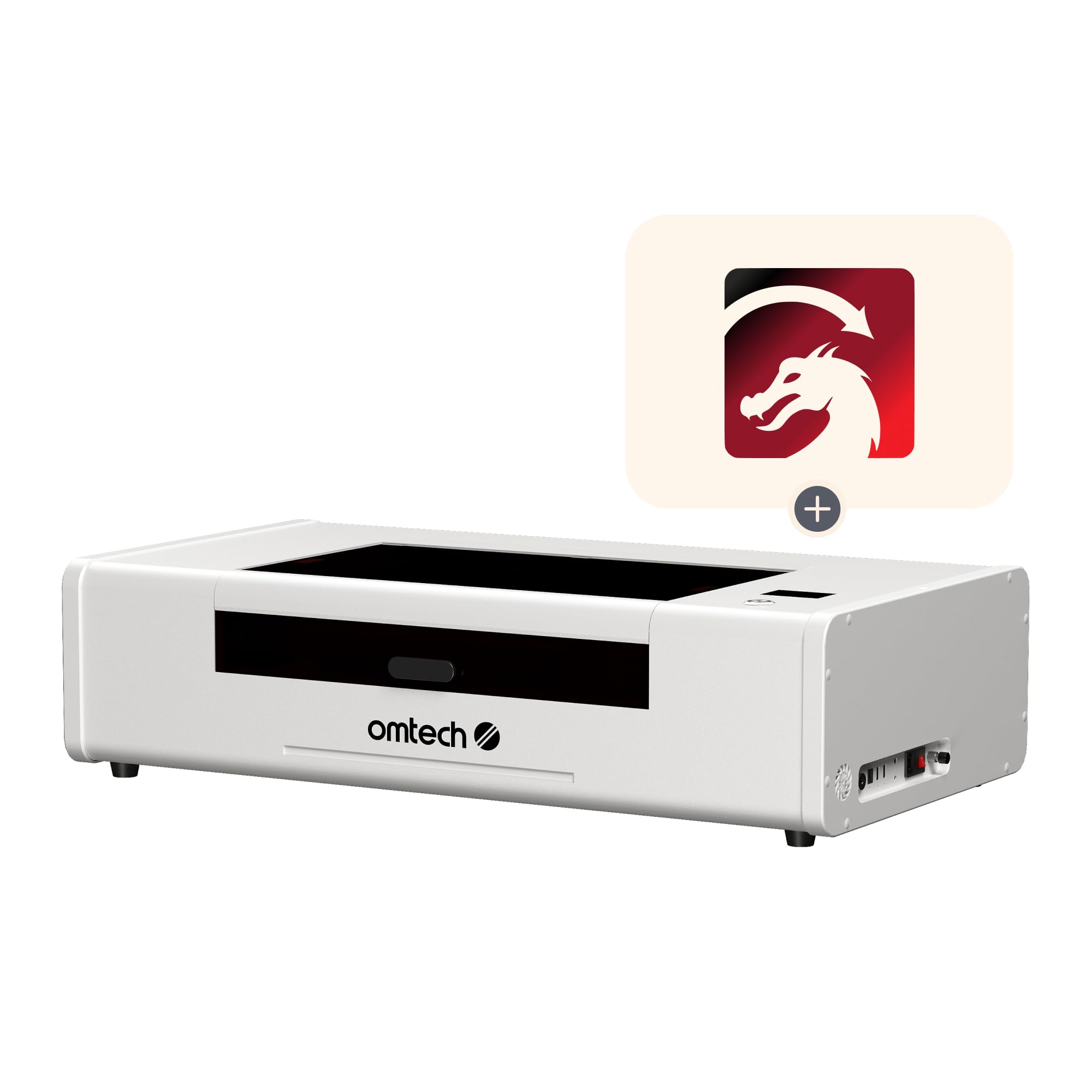
The OMTech Polar Lite is a 55W desktop CO2 laser that targets the gap between hobby machines and full commercial units. With a 20″ x 12″ work area, removable workbed, and front/back pass-throughs for 0.28-inch thick materials, it can handle oversized projects with some creativity. It ships with built-in exhaust fans, a 0.5-gallon water tank, and an 18.8 cfm air pump — everything needed to get started without external ventilation.
Users moving up from diode lasers appreciate the cut quality and the ability to cut 0.61-inch wood and 1-inch acrylic. The unit is well-constructed for its price tier, and the global support team earns points for responsiveness. The included rotary is basic but functional for cylindrical items, and the machine is user-repairable — no proprietary parts or server dependencies. The auto-focus system is a point of confusion, though — it relies on the lens housing height and breaks if you swap to an aftermarket lens.
Verified reviews highlight critical bugs — including non-functional emergency stop and power buttons that require unplugging to turn the machine off. The LightBurn license costs extra, and the USB cables are prone to failure. The Polar Lite is not plug-and-play; it requires willingness to troubleshoot, calibrate, and join community forums. For a budget entry into CO2 commercial work, it is functional but frustrating.
Why it’s great
- User-repairable with no manufacturer server dependency
- Good cut depth for wood and acrylic
- Compact footprint with built-in cooling and exhaust
Good to know
- Auto-focus is misleading and breaks with aftermarket lenses
- Control panel buttons may be non-functional out of box
- Requires significant troubleshooting and community support
7. SFX 50W JPT Fiber Laser Engraver

The SFX 50W JPT fiber laser is a straightforward industrial marking machine built around a genuine JPT LP+ series laser source. It offers a 175x175mm marking area, a galvo scanning system with re-position precision of 0.002mm, and marking speeds up to 7 m/s. It is compatible with both EZCAD2 and LightBurn, and the electrical-optical conversion rate reaches 70%, making it energy-efficient for continuous operation. The included rotary axis handles cylindrical parts out of the box.
Users who need a dedicated workhorse for marking parts — replacing a CNC engraver or handling high-volume aluminum, stainless steel, and brass parts — report satisfaction with the machine’s reliability. The seller, SFX, is responsive and has a track record of shipping replacement parts quickly when components like the galvo mirror or lens arrive damaged. The machine is easy to set up for experienced operators, with clear instructions for driver installation.
The unit is not user-friendly for beginners — there is no AI auto-focus or camera preview, and all positioning must be done manually. The software interface (EZCAD2) is dated, and the learning curve is steep for newcomers to fiber lasers. Some units ship with alignment issues requiring manual adjustment. For a shop that already understands fiber laser operation and just needs a reliable JPT source at a competitive price, the SFX delivers.
Why it’s great
- Genuine JPT LP+ laser source for reliable beam quality
- Fast marking at 7 m/s with 0.002mm repeatability
- Responsive seller with quick replacement part shipping
Good to know
- No auto-focus or camera preview — fully manual setup
- EZCAD2 software is outdated and not beginner-friendly
- Some units require galvo mirror alignment out of box
FAQ
Can a CO2 laser engrave on bare metal?
How many hours does a CO2 laser tube typically last before replacement?
What do I need for a safe commercial workshop setup?
Is LightBurn support essential for a commercial engraver?
How important is an auto-focus system for production runs?
Final Thoughts: The Verdict
For most users, the best commercial laser engraver winner is the xTool F2 Ultra Dual because its 60W MOPA fiber and 40W diode combo handles metals, wood, and acrylic in a single machine at production speeds. If you only need precise color engraving on metal, grab the xTool F2 Ultra Single. And for high-volume acrylic and wood cutting with the best plug-and-play CO2 experience, the xTool P2S is the clear choice.

Mo Maruf
I created WellFizz to bridge the gap between vague wellness advice and actionable solutions. My mission is simple: to decode the research and give you practical tools you can actually use.
Beyond the data, I am a passionate traveler. I believe that stepping away from the screen to explore new environments is essential for mental clarity and physical vitality.