Our readers keep the lights on and my smoothie glass nicely filled. As an Amazon Associate, I earn from qualifying purchases.
That deadbolt you’ve been twisting for years is the weakest link in your home’s security chain—and the main reason you’re still fumbling for keys in the dark. A modern electronic lock replaces that daily frustration with one-touch entry, temporary codes for guests, and remote lockout alerts sent straight to your phone.
I’m Mohammad Maruf — the founder and writer behind WellFizz. I’ve spent countless hours sorting through smart lock specifications, comparing biometric accuracy, deadbolt grades, battery chemistries, and real-world user feedback to find the models that actually hold up at your main entry door.
Whether you need a budget-friendly upgrade for a rental or a premium facial-recognition deadbolt for your forever home, this guide cuts through the noise to show you the best combination lock for house main entry door.
How To Choose The Best Combination Lock For House Main Entry Door
Choosing an electronic lock for your front door means balancing security against convenience. A model that works great on an interior bedroom door can fail on a main entry exposed to rain, temperature swings, and heavy daily use. Focus on these three factors before you buy.
Deadbolt Grade and Build Materials
The American National Standards Institute (ANSI) and Builders Hardware Manufacturers Association (BHMA) grade deadbolts from 1 to 3. Grade 1 is commercial-grade, Grade 2 is heavy-duty residential (the sweet spot for a main door), and Grade 3 is light-duty interior use. A Grade 2 lock—like the Kwikset SmartCode 270—is up to 2.5 times stronger than a Grade 3. Look for zinc or aluminum alloy construction, not plastic internals, when the lock will be your first line of defense.
Unlock Methods and Biometric Reliability
A true combination lock for a house main entry door should offer more than just a keypad. The best models include a fingerprint reader with AI learning (the Wyze Lock Bolt v2 excels here), a physical key backup, and a smartphone app for remote access. Anti-peep keypads let you type random digits before and after your real code, preventing shoulder-surfing. Avoid locks that force you to choose between convenience and security—you need both at your front door.
Battery Life and Emergency Power
The worst time to discover a dead battery is when you’re locked out. Premium picks like the Tapo DL110 include a rechargeable lithium pack that lasts a full year. Many AA-powered locks claim 8–12 months of life but depend heavily on usage frequency. A USB-C emergency power port (found on the ThorBolt MD1 and Wyze Lock Bolt v2) lets you jump the lock with a power bank, saving you from having to use the physical backup key—which is often the most neglected feature.
Quick Comparison
Swipe sideways on smaller screens to see the full table.
| Model | Category | Best For | Key Spec | Amazon |
|---|---|---|---|---|
| Wyze Lock Bolt v2 | Premium | Smart home integration with Wyze cameras | AI learning fingerprint / 0.5 sec unlock | Amazon |
| Tapo DL110 | Premium | Year-long rechargeable battery life | Rechargeable Li-ion / BHMA Grade 2 | Amazon |
| Lockly Visage Zeno | Flagship | Hands-free facial recognition entry | Facial & fingerprint / Apple Home Key | Amazon |
| Kwikset SmartCode 270 | Mid-Range | Reliable keypad-only deadbolt with auto-lock | BHMA Grade 2 / SmartKey re-key | Amazon |
| Philips DDL242X-1HW | Mid-Range | Built-in Wi-Fi with US-based phone support | Built-in Wi-Fi / Up to 100 passcodes | Amazon |
| TEEHO TE012W | Value | Budget pick with full app remote control | Built-in Wi-Fi / IP55 weather resistant | Amazon |
| ThorBolt MD1 | Budget | Interior doors or guest rooms on a budget | 3-in-1: fingerprint, keypad, key / 100 prints | Amazon |
In‑Depth Reviews
1. Wyze Lock Bolt v2

The Wyze Lock Bolt v2 opens in just half a second thanks to an AI-learning fingerprint scanner that improves its accuracy the more you use it. The tempered glass face resists scratches and smudges, so your prints read cleanly even after months of daily contact. With BHMA Grade 2 certification, this deadbolt is built to withstand the repeated stress of a main entry door without wearing out.
Inside the box you get eight AA batteries rated for up to eight months of normal use, plus a USB-C emergency port that lets you power the lock with any common power bank if the batteries die. The Wyze app provides full remote control, real-time lock/unlock notifications, and the ability to unlock directly from a live camera feed when paired with a Wyze Video Doorbell. The anti-peep keypad lets you scramble your code with random digits, keeping your passcode hidden from onlookers.
Installation takes under ten minutes with a Phillips screwdriver, and the lock fits standard door preparations. Users consistently praise the fingerprint reliability and the smooth auto-lock feature that engages automatically after each door closure. The only minor note is that the lock is slightly larger than a traditional deadbolt, which may be visible on a thin door.
Why it’s great
- AI-enhanced fingerprint scanner adapts and improves over time
- USB-C emergency power eliminates lockout risk
- Seamless integration with Wyze camera ecosystem
Good to know
- Requires 8 AA batteries (included) for initial setup
- Larger footprint than traditional deadbolts
2. Tapo DL110

The Tapo DL110 is the only lock on this list with a removable, rechargeable lithium-ion battery pack that lasts a full year on a single charge. That means no scrambling for spare AAs and no battery drain surprises at midnight. The fingerprint sensor is equally impressive, recognizing your print in just 0.42 seconds and storing up to 100 different fingers for the whole household.
You get six ways to unlock: fingerprint, touchscreen keypad, Wi-Fi app control, Bluetooth, voice with Alexa/Google Assistant, and two physical backup keys. The Tapo app allows you to create resident profiles with permanent codes, as well as one-time or scheduled guest codes for dog walkers or cleaners. Auto-lock timing is adjustable from 10 to 180 seconds, giving you flexibility between security and convenience.
Installation is straightforward with common tools, and the lock fits doors 1-3/8 to 2 inches thick. Real-world reviews report battery charge staying above 95% after the first month, far exceeding typical AA-powered competitors. The deadbolt action is smooth and the BHMA Grade 2 certification ensures durability for a front door that sees frequent use. The only downside is that you must recharge the battery—there is no AA backup bay.
Why it’s great
- Rechargeable battery eliminates recurring AA purchases
- Extremely fast 0.42-second fingerprint recognition
- Supports up to 100 fingerprints and unlimited temporary codes
Good to know
- No AA battery backup; must recharge if battery runs out
- Requires Tapo app for remote features
3. Lockly Visage Zeno Series
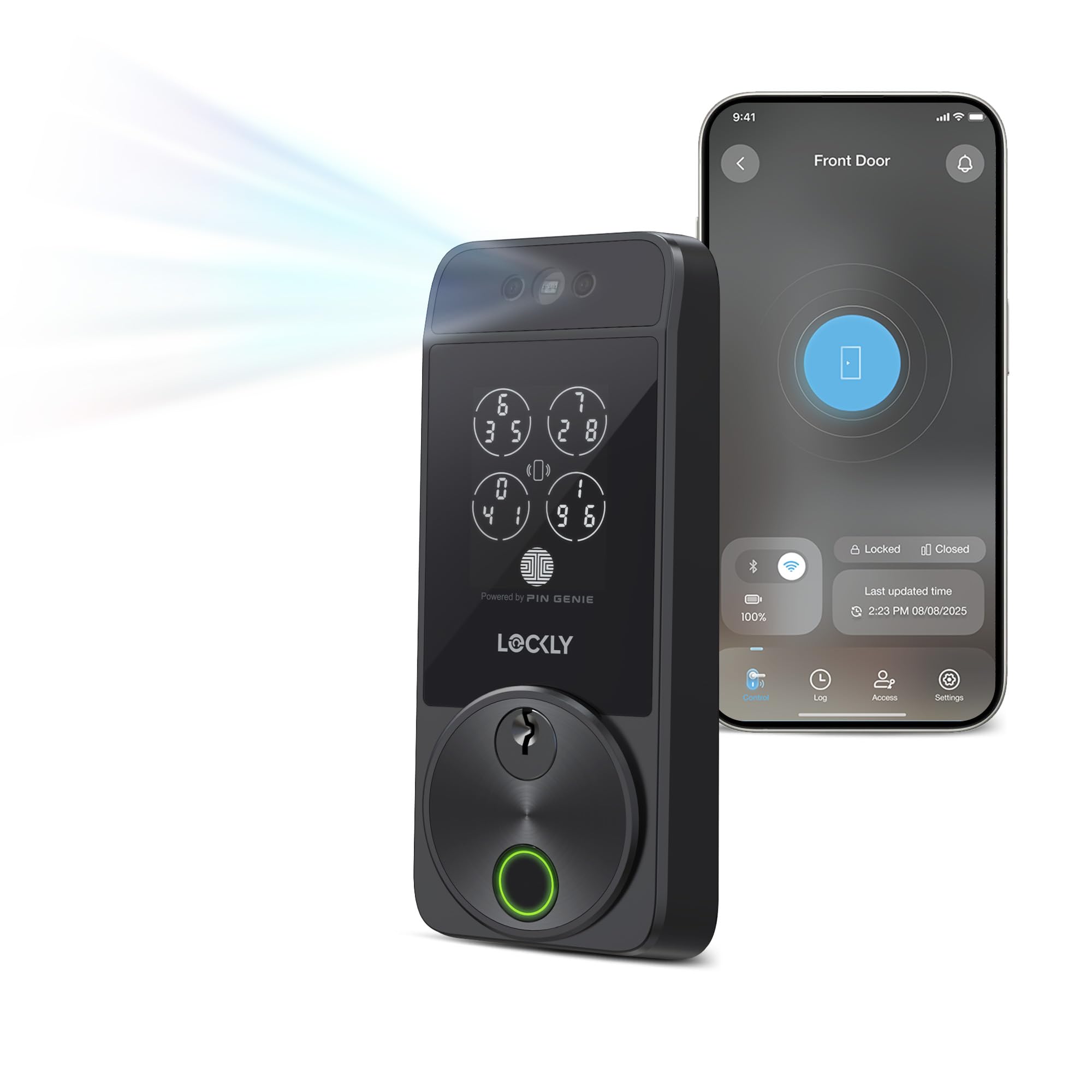
The Lockly Visage Zeno is the most technologically advanced lock here, using dual infrared sensors and a 3D biometric camera to recognize your face instantly—even in complete darkness. It stores your facial data encrypted locally on the device, not in the cloud, so your privacy is protected. The 0.2-second AI fingerprint sensor is equally fast, storing up to 99 prints for family members of all ages.
Apple Home Key support means you can tap your iPhone or Apple Watch to unlock, even when the device battery is dead. The PIN Genie keypad scrambles the number layout each time you use it, making it impossible for someone to guess your code by watching your finger motions. Two 10,000 mAh rechargeable lithium batteries are included, providing up to six months of normal use. The IP65 weather rating ensures the lock operates in rain and extreme temperatures without failure.
Installation takes about 15–20 minutes with common tools, fitting doors up to 3 1/8 inches thick. The Lockly Home app provides full remote control, access logs, and the ability to share temporary or permanent access with guests. Some users have noted that the Wi-Fi connection can occasionally drop on the 2.4 GHz band, requiring a router reset. For those who want the ultimate hands-free experience at their front door, this lock delivers.
Why it’s great
- Facial recognition unlocks automatically as you approach
- Apple Home Key works even with a dead phone
- Dual 10,000 mAh rechargeable batteries with long runtime
Good to know
- Wi-Fi stability can vary depending on router proximity
- Premium cost reflects the advanced biometric hardware
4. Kwikset SmartCode 270

If you want a no-nonsense keypad deadbolt without app connectivity or Wi-Fi complications, the Kwikset SmartCode 270 is the most reliable choice. It is BHMA Grade 2 certified, meaning it is 2.5 times stronger than a Grade 3 lock while maintaining a familiar, straightforward keypad-only entry. The illuminated keypad lights up with a single tap, making code entry easy at night without a phone screen.
You can store up to 50 user codes and 10 one-time codes, perfect for a family home or rental property. The auto-lock feature is adjustable in five increments from 30 seconds to 10 minutes, so the door locks itself after every entry or exit. The SmartKey security technology allows you to re-key the lock yourself in seconds without a locksmith—ideal when a tenant moves out and you need to reset the physical key backup.
Some users have reported that the lock can be noisy when the deadbolt activates, which may be a concern for late-night entries. The 12-month battery life on four AA batteries is excellent compared to many smart locks, and the Vacation Mode disables the keypad entirely when you are away. For homeowners who prioritize reliability over smart features, the SmartCode 270 is a proven workhorse.
Why it’s great
- Grade 2 BHMA certification for heavy-duty residential use
- SmartKey re-key system eliminates locksmith visits
- Physical key backup and keypad-only simplicity
Good to know
- No smartphone app or remote control functionality
- Deadbolt mechanism can be audible when locking
5. Philips DDL242X-1HW Wi-Fi Door Lock

Philips brings its reputation for build quality to the door lock category with the DDL242X-1HW. This lock features built-in Wi-Fi that connects directly to your 2.4 GHz network, eliminating the need for a separate hub. You can lock, unlock, and check the lock status from the Philips Home Access app from anywhere, and voice control works with both Alexa and Google Assistant.
The fingerprint reader is mounted on the front of the keypad and has proven very reliable in user testing, even after hundreds of scans. The lock stores up to 100 custom passcodes and allows you to set one-time or scheduled codes for guests, housekeepers, or delivery drivers. The anti-peep keypad lets you add random digits before and after your real code, protecting your PIN from anyone watching over your shoulder.
Installation is straightforward with a Phillips screwdriver, and the lock fits doors 1-3/8 to 2 inches thick. The Philips US-based customer service team is available by phone Monday through Friday from 9 AM to 9 PM EST, plus Saturday hours—a rarity in this market. Some users note that the lock requires 8 AA batteries (not included) and that the auto-lock timing range of 10 to 180 seconds lacks a shorter 30-second option.
Why it’s great
- Built-in Wi-Fi with no hub required for remote access
- US-based phone support with weekend hours
- Fast fingerprint scanner with reliable daily performance
Good to know
- Requires 8 AA alkaline batteries (not included)
- Auto-lock minimum delay is 10 seconds, not adjustable lower
6. TEEHO TE012W
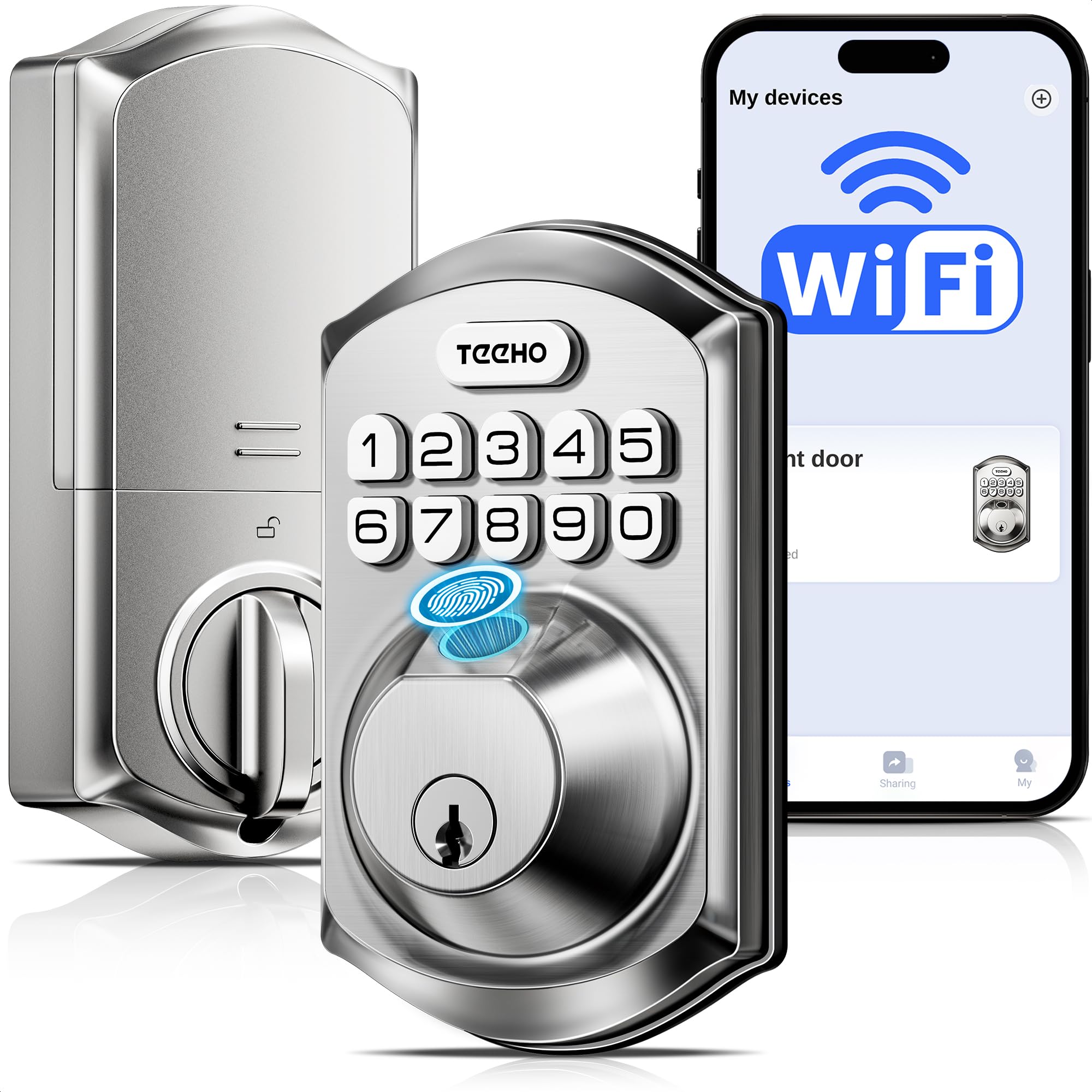
The TEEHO TE012W delivers a surprising amount of technology for its price point, including built-in Wi-Fi for remote lock control through the KK Home App, voice compatibility with Alexa and Google Assistant, and AES-128 encrypted data storage. The lock offers five ways to unlock: fingerprint, passcode, app, voice, and backup key.
The lock body has an IP55 weather rating, meaning it can handle rain, snow, and temperature swings without internal damage. Auto-lock is adjustable from 10 to 180 seconds, and the one-touch lock feature lets you press any key for 2 seconds to lock instantly. The anti-peep password allows random digits before and after your code, while the break-in detection triggers a three-minute lockout after ten incorrect attempts.
Users report a 10–15 minute installation time with standard tools, and the lock fits most US doors with 2-3/8 or 2-3/4 backset. The main trade-off is that the interior components have a plastic housing rather than full metal construction, which may not feel as premium. The KK Home app has a 120 MB footprint and is developed by a Chinese company, which some users may want to consider for privacy preferences.
Why it’s great
- IP55 weatherproof rating for exterior door use
- Built-in Wi-Fi with remote access at a low cost
- Break-in detection and anti-peep keypad included
Good to know
- Interior housing is plastic, not full metal
- Requires 8 AA batteries (not included)
7. ThorBolt MD1
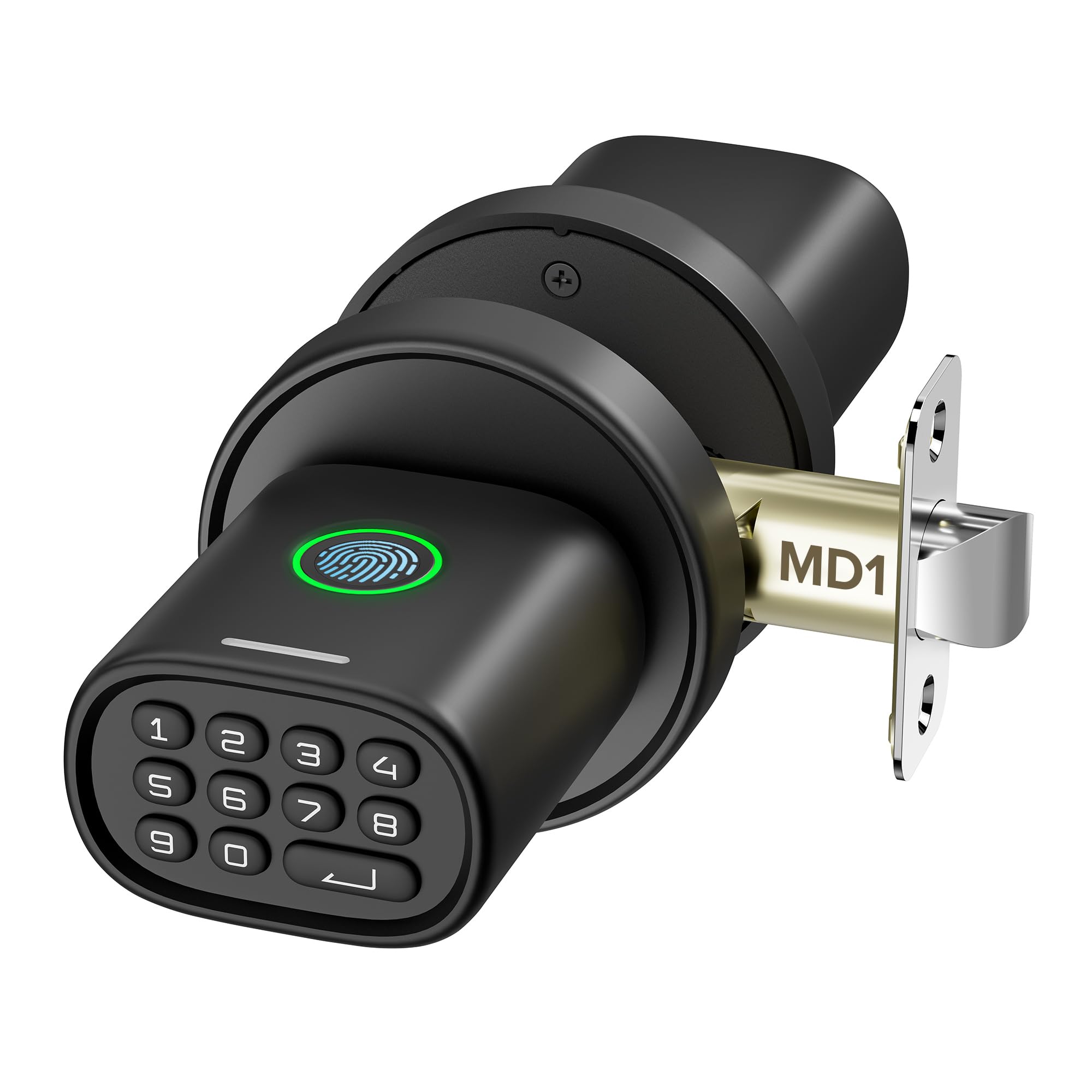
The ThorBolt MD1 is the most affordable biometric door lock on this list, and it earns its place as a solid option for interior doors or guest rooms. It unlocks three ways: fingerprint, 4-8 digit passcode, or backup key. The fingerprint scanner uses intelligent learning capabilities so it improves recognition speed the more you scan your finger. It stores up to 100 fingerprints and 100 passcodes, giving you plenty of capacity for a household or small office.
An anti-peep keypad lets you scramble your passcode with random digits to keep prying eyes away. The auto-lock feature engages five seconds after the door closes, and you can also lock instantly by pressing the Enter key. A USB-C emergency port on the bottom lets you connect any power bank to power the lock if the four AA batteries run out—a rare feature at this price point.
Users consistently mention the quick installation (about 10 minutes with a manual screwdriver) and the sleek, rounded zinc alloy design. The main limitation is that this is a passage knob with a deadlatch, not a full deadbolt, so it is best suited for interior doors (bedrooms, offices, garages) rather than a high-security main entry. The keypad requires a button press to activate, which can cause a slight delay on the first unlock attempt.
Why it’s great
- Very affordable way to add biometric entry to any door
- USB-C backup power supports power bank jump-start
- Stores 100 fingerprints and 100 passcodes
Good to know
- Interior knob design, not a deadbolt—not for main doors
- Keypad must be activated with a button press before code entry
FAQ
Can I install a combination lock on my door if it has a standard deadbolt already?
How do I prevent the keypad from freezing in winter weather?
What happens if the Wi-Fi goes out? Will the lock still work?
Final Thoughts: The Verdict
For most users, the best combination lock for house main entry door winner is the Wyze Lock Bolt v2 because it combines an AI-learning fingerprint scanner, BHMA Grade 2 durability, USB-C emergency power, and seamless smart home integration at a mid-range price. If you want a full year of operation without changing batteries, grab the Tapo DL110. And for the ultimate hands-free experience with facial recognition and Apple Home Key, nothing beats the Lockly Visage Zeno Series.

Mo Maruf
I created WellFizz to bridge the gap between vague wellness advice and actionable solutions. My mission is simple: to decode the research and give you practical tools you can actually use.
Beyond the data, I am a passionate traveler. I believe that stepping away from the screen to explore new environments is essential for mental clarity and physical vitality.