Our readers keep the lights on and my smoothie glass nicely filled. As an Amazon Associate, I earn from qualifying purchases.
Specs are compiled from manufacturer listings and verified buyer reviews and can change over time — please confirm the key details on the product page before buying.
Your colour-grading monitor is the final checkpoint between your creative intent and what the audience sees. A wrong pick means fighting tint shifts your audience will notice before you do. This guide cuts through marketing claims to find five monitors that pros trust for repeatable, accurate colour.
I’m Mohammad Maruf — the founder and writer behind WellFizz. This guide is built by comparing the manufacturers’ published specifications and the patterns across verified customer reviews, so you get each pick’s real strengths and trade-offs instead of marketing spin.
Choosing the right display depends on contrast ratio, colour gamut coverage, and panel technology. Each monitor here matches a specific workflow, so you can find the best colour grading monitor for your edit bay.
Our Picks at a Glance


How To Choose The Best Colour Grading Monitor
A spreadsheet monitor is a disaster for colour grading. What matters: panel type, bit depth, colour gamut coverage, contrast ratio, and calibration support. Each spec directly determines whether on-screen skin tones match what the camera recorded.
Panel Technology: IPS, OLED, and the Quest for Pure Black
IPS panels have been the workhorse of pro colour work for years because they keep colour consistent when you look from an angle. OLED goes further by turning off individual pixels completely, giving you true blacks. The ASUS ProArt QD-OLED on this list achieves a 1,000,000:1 contrast ratio that IPS simply cannot match. The trade-off is that OLED panels can show wear faster if you leave static UI elements up for months. For most colour-critical work, a high-end IPS (especially Nano IPS Black) is already excellent and safer as a daily driver.
Bit Depth and Colour Gamut Coverage
An 8-bit panel shows roughly 16.7 million colours and can reveal visible banding (visible steps in smooth areas like a sunset gradient). A 10-bit panel shows 1.07 billion colours — smooth, poster-free fades. For colour grading specifically, look for at least 98% DCI-P3 (the digital cinema colour standard) and high Adobe RGB coverage if you also do print work. The BenQ SW272Q covers 99% Adobe RGB and 98% DCI-P3 from the start; the LG 6K hits 98% DCI-P3 and 99.5% Adobe RGB. If a monitor only quotes sRGB coverage, it is not built for grading beyond web delivery.
Hardware Calibration vs Software Profiling
Software profiling (like macOS colour sync) adjusts the GPU output to fool the panel into looking right — change your graphics card and the profile breaks. Hardware calibration writes the correction directly into the monitor’s internal lookup table (LUT) (the part of the display that maps input colours to screen output), so the accuracy stays no matter what is driving the display. All five picks here support hardware calibration, which is a non-negotiable for serious work.
Quick Comparison
| Model | Best For | Resolution | Contrast Ratio | Colour Gamut | Amazon |
|---|---|---|---|---|---|
| BenQ SW272Q★ Best Overall | Photography & Print Proofing | 2560 x 1440 | 1000:1 | 99% Adobe RGB | Amazon |
| LG 32U990A-STop Performer | 6K Video & Multitasking | 6144 x 3456 | 2000:1 | 98% DCI-P3 | Amazon |
| ViewSonic VP3881A | Ultrawide Video Editing | 3840 x 1600 | 1000:1 | 100% sRGB | Amazon |
| ASUS ProArt PA32UCDM | HDR Reference Grading | 3840 x 2160 | 1,000,000:1 | 99% DCI-P3 | Amazon |
| LG 27MD5KL-B | Mac Studio / Pro Workflow | 5120 x 2880 | 1100:1 | 99% DCI-P3 | Amazon |
In‑Depth Reviews
1. BenQ SW272Q 27-inch 2K 90W USB-C Photographer Monitor
Our pick — over 4.5★ from 30+ verified ratings; the strongest balance of quality and price.
The photographer’s workhorse that delivers 99 percent Adobe RGB straight from the start.
What makes the BenQ SW272Q the best overall pick is how it makes accurate colour easy from the start. It covers 99% Adobe RGB and 98% DCI-P3, so your print proofs and Rec.709 video grades share a single trustworthy panel. The 16-bit 3D LUT (a high-precision internal colour lookup table) handles fine tonal transitions so skin tones and shadows stay smooth. from the start, the Adobe RGB calibration is ready to go, and the included wireless puck lets you flip between colour spaces or brightness presets without diving into menus.
Buyers report that one owner’s previous BenQ lasted 9 years of heavy use, so the build durability is proven. The contrast ratio sits at 1000:1 — the LG 6K offers 2000:1 — so deep-shadow work is good but not class-leading. The included hood with a calibrator opening works well in a shared studio.
The photography quality wins people over — 9 buyers specifically call it out. The connectivity gets 5 mentions, with one noting the perfect hookup to a Mac mini and the USB hub that runs SD cards and fast data. If your work is heavily tilted toward stills, print, or HD video, this is the most balanced pick on the list.
What owners love
- 99% Adobe RGB from the start with hardware calibration ready
- Previous version lasted 9 years of daily heavy use — build confidence is real
- Wireless puck for instant colour/brightness switching saves menu-dive time
- Includes anti-glare hood with calibrator opening
Trade-offs to know
- QHD resolution is noticeably less dense than 4K or 6K panels for text
- 1000:1 contrast ratio means black levels are not as deep as the Nano IPS or OLED options
- No manual in the box — you need to download it from BenQ
Perfect for: Photographers, print proofers, and Rec.709 video editors who value calibrated accuracy and a decade-plus build over pixel density.
Think twice if: You need 4K timelines or deep-shadow HDR work — the 1000:1 ratio and QHD resolution leave room above this pick.
2. LG 32U990A-S 32-Inch Ultrafine 6K Nano IPS Black Thunderbolt 5 Monitor
The world’s first Thunderbolt 5 6K monitor packs 21 million pixels into a 32-inch panel.
The LG 32U990A-S is built for the edge case where pixel density and contrast both have to win. Its 6144 x 3456 resolution delivers 224 PPI — over 21 million pixels, compared to a standard 4K panel’s roughly 8.3 million pixels — so you can view 6K footage at full resolution while keeping your grading tools and scopes visible on the same screen. The Nano IPS Black technology pushes the contrast ratio to 2000:1, which is compared to the BenQ’s 1000:1 and the ViewSonic’s 1000:1, so deep shadows hold detail without crushing. It hits 98% DCI-P3 and 99.5% Adobe RGB, right in the ballpark of the top colour-grading picks.
The Thunderbolt 5 port delivers 96W of power delivery to a laptop, runs DisplayPort 2.1, and supports daisy-chaining a second 6K monitor over a single cable. Owners mention that the 6K workspace is genuinely useful for 4K HDR video editing and spreadsheets, but they also note that macOS UI elements become tiny at full resolution so you may need to run at a scaled HiDPI mode like 3072×1728 for comfortable text. The built-in speakers are adequate for calls but not for reference monitoring. A recurring note is that the matte coating has a visible sparkle or grain on white backgrounds, and the LG Switch software on macOS can feel buggy.
If you cut 4K or 6K timelines for a living and want one panel that doubles as a productivity hub, the density and Thunderbolt 5 integration are tough to top. The trade-off is a matte surface that polarises opinion — some owners love it, others found it distracting enough to return both units they tried.
Resolution champion: 21 million pixels in a 32-inch shell means you see every detail of a 6K timeline while scopes and bins stay visible. The 2000:1 contrast delivers blacks that are noticeably richer than the BenQ or ViewSonic, even if they do not reach OLED levels.
The matte coating catch: Several owners describe the anti-glare surface as excessively grainy or sparkly on white backgrounds — if you are sensitive to screen texture, buy from a place with a good return policy and test it with a white page open.
Ideal if: You work in 5K/6K video or 3D rendering and want a Thunderbolt 5 hub that charges your laptop at 96W while running two monitors.
Not for: Colourists who need a perfectly uniform matte finish or who prefer a 60Hz-plus workflow — this is a 60Hz panel only.
3. ViewSonic VP3881A 38 Inch WQHD+ ColorPro Curved Monitor

A 38-inch curved ultrawide that wraps your timeline in 3840 by 1600 pixels of Pantone-validated colour.
The ViewSonic VP3881A takes a different route to grading accuracy: instead of the highest pixel density, it gives you horizontal real estate. The 38-inch 21:9 WQHD+ panel (3840 x 1600) at a 2300R curve puts your video preview, timeline, and scopes all on one screen without needing a second monitor. It covers 100% sRGB, Rec.709, and DCI-P3, and ships with a factory calibration report so Delta E stays under 2 — meaning the colour error is so small the human eye cannot reliably spot it in most material. The contrast ratio is a standard 1000:1, behind both the LG 6K and the OLED ASUS, so deep-shadow HDR work is not its strong suit.
Connectivity is a strong point: the USB-C port delivers 90W charging to a laptop, and the built-in Ethernet RJ45, USB hub, and multiple video inputs turn the monitor into a docking station. Customers note that a MacBook Pro M2 runs perfectly through the monitor — power, video, and peripherals over one cable — and the USB hub flawlessly supports a Logitech camera and a Jabra headset alongside wired internet. For a colourist who needs a tidy single-cable setup, that is a meaningful workflow win.
The out-of-box colour accuracy earns high praise, with owners calling it “perfect for graphics work and video editing” and noting that sRGB, Rec.709, and Adobe RGB presets are all usable immediately. If your grading work is sRGB or Rec.709-heavy and you value a curved ultrawide timeline over absolute contrast, this is the most spacious pick here. The main gap is no hardware calibration support beyond the factory report — so if you recalibrate regularly, the BenQ or ASUS are better choices.
Timeline real estate: The 21:9 curve puts a full video timeline plus colour wheels and scopes on one screen — a genuine productivity gain for editors who hate Alt-Tabbing. The 90W USB-C charging and Ethernet dock mean a clean desk.
Calibration limit: Factory calibrated to Delta E < 2, but unlike the BenQ or ASUS, there is no user-accessible hardware LUT write-back for ongoing recalibration — plan around that for long-term critical work.
Great fit for: Video editors and colourists who work in 16:9 Rec.709 and want a single-screen curved timeline with dock convenience.
skip it if: You need deep HDR blacks, a 10-bit hardware LUT for regular recalibration, or pixel density above 1600p vertical.
4. ASUS ProArt Display 32” 4K HDR QD-OLED Professional Monitor (PA32UCDM)
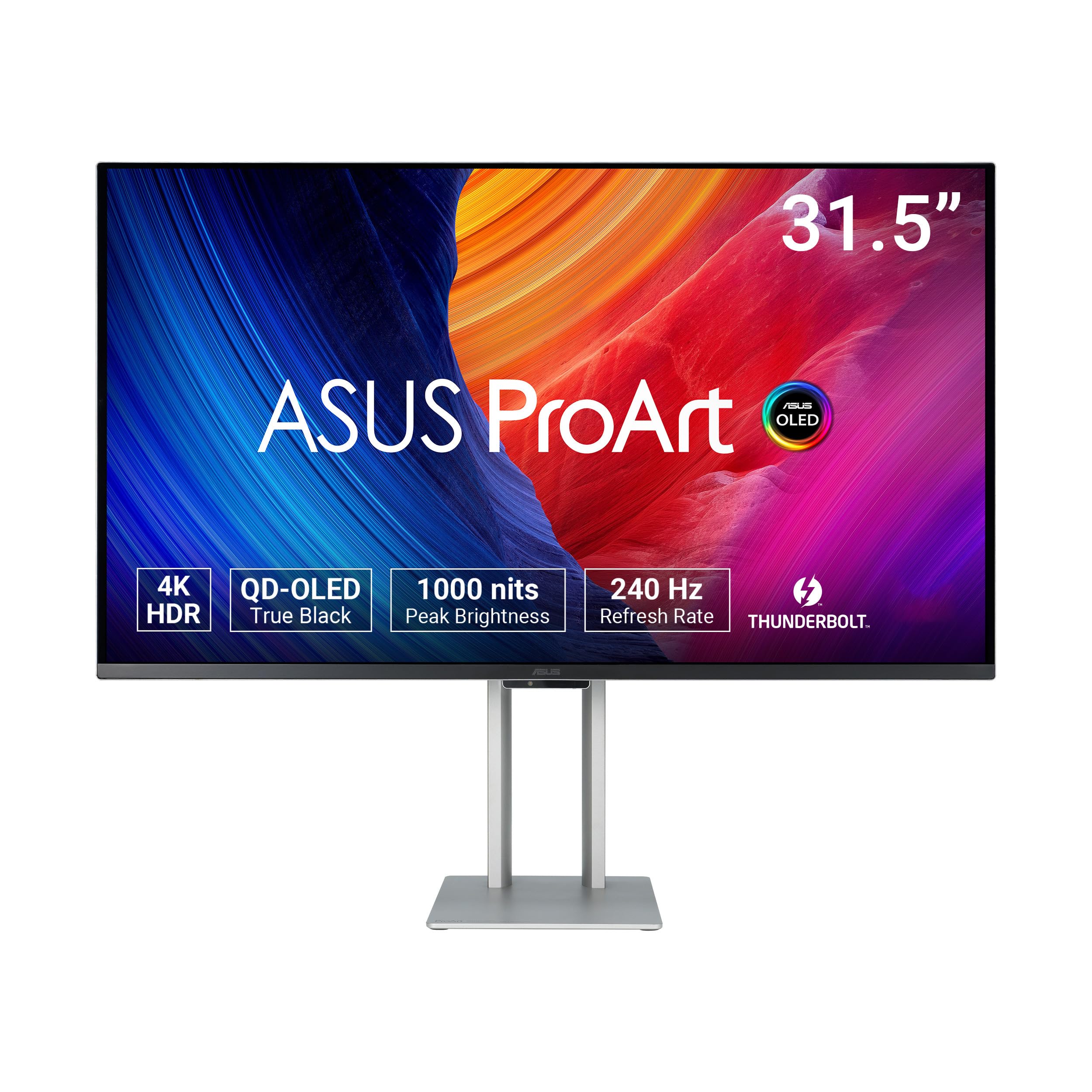
The QD-OLED panel that brings reference-grade blacks and a 240 Hz refresh to the grading suite.
The ASUS ProArt PA32UCDM is the only OLED in this roundup, and it shows where colour grading monitors are heading. The QD-OLED panel delivers a 1,000,000:1 contrast ratio — essentially infinite compared to the 1000:1 or 2000:1 of the IPS options — so black areas of the frame are truly black, and HDR highlights punch at 1000 nits peak brightness with VESA DisplayHDR True Black 400 certification. It covers 99% DCI-P3 and 100% sRGB, and ships with a Delta E accuracy of under 1, meaning the colour error is roughly half the visible threshold. The 10-bit colour depth and Quantum Dot technology ensure smooth gradients without posterisation.
The 240 Hz refresh rate and 0.1 ms response time are unusual for a ProArt monitor — they come from the same panel tech as ASUS gaming displays, so you get reference-grading accuracy plus smooth motion. That said, reviewers point out a few quirks: there is no DisplayPort (you need a bidirectional USB-C cable for high-bandwidth video), and some units show a random “initialisation” mode that blacks out the screen for minutes at a time, which is disruptive during a grade. The fan noise can be loud before a firmware update via USB-C, so updating from the start is a recommended step.
Build quality is the top praised aspect — 9 owners call it out as rock-solid with a professional-grade stand. One buyer describes it as “the best prosumer reference monitor you can buy right now” at its price tier, especially for HDR grading where the black levels leave every LCD behind. The reliability aspect is mixed, with 5 mentions citing Thunderbolt and HDMI port issues in some units. If you want the deepest HDR blacks money can buy in a pro monitor and are willing to work through a few setup quirks, this is the benchmark.
class-leading for HDR
- 1,000,000:1 contrast — true blacks that no IPS panel can reach
- 1000 nits peak brightness with Dolby Vision, HLG, and HDR10 support
- 240 Hz and 0.1 ms response means motion is silky smooth
- Delta E < 1 from the start with hardware calibration write-back
Setup effort required
- No DisplayPort port — needs bidirectional USB-C cable for full bandwidth
- Some shoppers say random screen blackouts during “initialisation” mode
- Fan noise is noticeable until firmware is updated via USB-C
Target buyer: The colourist who works in HDR daily and needs the deepest possible blacks with 1000-nit peak highlights — and who is comfortable with a few firmware-upgrade quirks.
Best to avoid if: You need a dead-simple plug-and-play experience, a DisplayPort-native workflow, or worry about OLED burn-in from static grading UI elements over years.
5. LG 27MD5KL-B Ultrafine 27″ 5K IPS LCD Monitor for Apple Mac
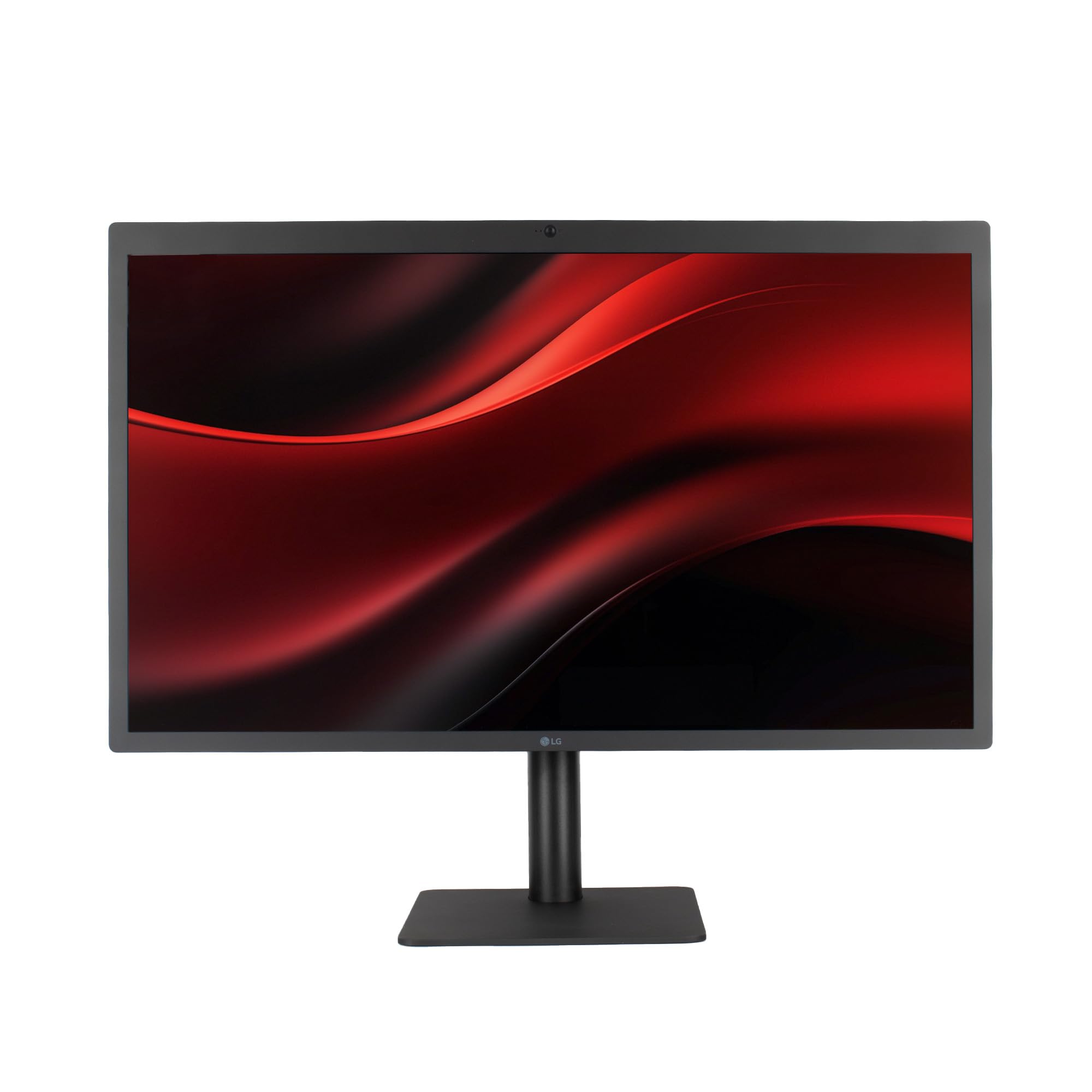
The 5K IPS panel that Mac colourists call the closest thing to an Apple Studio Display at a 5K resolution.
The LG 27MD5KL-B is the oldest design on this list and still among the most sought-after for Mac users. Its 5120 x 2880 5K resolution on a 27-inch IPS panel gives you 218 PPI — sharp enough that text and fine interface elements look rendered, not pixelated. Colour coverage hits 99% DCI-P3, matching the ASUS OLED on that metric, and the 500 cd/m² brightness works well for a controlled grading environment. The built-in camera, microphone, and speakers mean you can take calls and review cuts without external peripherals, though the speakers are not reference-grade by any stretch.
The Thunderbolt 3 port delivers up to 94W of power delivery to a MacBook, and three additional USB-C ports handle peripherals. Buyers report that the monitor integrates so smoothly with macOS that you are up and running in under 5 minutes from the start. The contrast ratio is 1100:1 — slightly better than typical IPS but far behind the LG 6K’s 2000:1 or the ASUS OLED’s infinite ratio, so HDR-grade blacks are not on offer. It is also limited to 60 Hz, which is fine for grading but not for motion-reference work.
The big caveat is that this model is discontinued, so stock is limited and condition varies. Some buyers received units with scratched screens despite careful packaging, and the price remains high for a discontinued 60 Hz IPS panel. If you can find a clean unit, owners describe it as “the Mercedes of 5K displays” and “much better than the new one Apple made.” For a Mac Studio or Mac Pro user who wants native 5K resolution with zero scaling compromises, it is still a benchmark — provided you accept the LCD contrast limitations and the second-hand risk.
Mac-first workflow: 5K resolution at 218 PPI means macOS renders at native Retina without any scaling overhead — text, icons, and Final Cut scopes look crisp as intended. The 94W Thunderbolt 3 charging and built-in camera make it a near-all-in-one for a Mac colourist.
The discontinued reality: Stock is drying up, condition is a gamble (several reports of scratched units), and the 1100:1 ratio and 60 Hz are behind every other pick here. Buy only if Mac-native 5K is non-negotiable and you accept the trade-offs.
Best suited to: Mac Studio or Mac Pro users who demand native 5K Retina resolution with no scaling penalties and value the all-in-one camera/speaker/charging setup.
Not a fit for: Anyone needing HDR black levels, a current-production warranty, or a monitor that can keep up with the contrast and refresh rates of the other four picks on this list.
Understanding the Specs
Colour Gamut: DCI-P3, Adobe RGB, and sRGB
These three standards define which range of visible colours your monitor can show. sRGB is the internet and broadcast baseline — fine for web delivery but too narrow for grading. DCI-P3 is the digital cinema standard, covering a wider range of the visible spectrum than sRGB — look for 98% or higher if you grade for streaming or film. Adobe RGB is wider still in greens and cyans, essential for print photography. A good grading monitor should quote both DCI-P3 and Adobe RGB coverage so you know it handles video and print work from the same panel.
Contrast Ratio and Bit Depth
Contrast ratio measures the difference between the brightest white and darkest black a panel can produce. A typical IPS sits around 1000:1. The LG 6K Nano IPS Black reaches 2000:1 for noticeably deeper shadows. OLED goes essentially infinite because black pixels emit zero light — the ASUS QD-OLED hits 1,000,000:1. Bit depth determines how many discrete steps live between those black and white extremes: 8-bit gives 16.7 million colours and risks banding (visible steps) in gradients; 10-bit gives 1.07 billion colours for smooth tonal transitions. Every monitor on this list is 10-bit or is using 10-bit panel driving via FRC (frame rate control) to reach similar results.
Hardware Calibration and 3D LUTs
Hardware calibration writes correction data directly into the monitor’s internal processor — a 3D LUT (lookup table) — rather than adjusting your computer’s GPU output. This means the calibration stays accurate even if you plug the monitor into a different computer or change graphics cards. The BenQ SW272Q uses a 16-bit 3D LUT for especially fine tonal corrections. Software-only profiles break the moment the GPU changes. For any colour-critical workflow, hardware-calibration support is non-negotiable.
Refresh Rate and Response Time for Grading
Colour grading does not need 240 Hz, but that spec on the ASUS ProArt QD-OLED happens because the same panel tech also serves gamers. For grading, 60 Hz is fine for any film or TV delivery. The real advantage of a higher refresh rate in a grading monitor is smoother cursor movement across a large timeline — not motion clarity for video playback, since footage is usually at 24, 25, or 30 fps. Response time (0.1 ms on the ASUS) matters for reducing ghosting as you scrub the timeline, but it is a secondary concern after colour accuracy.
FAQ
Can I use a gaming monitor for colour grading?
What is the difference between software calibration and hardware calibration?
Is a 4K monitor necessary for colour grading?
How often should I recalibrate a colour grading monitor?
Does a higher contrast ratio always mean better colour grading?
Will a colour grading monitor work with a PC or only a Mac?
What is the ideal screen size for a colour grading suite?
Is a curved monitor bad for colour grading?
What is Delta E and why does it matter?
How do I set up a new colour grading monitor for the first time?
Final Thoughts: The Verdict
For the majority of shoppers, the best colour grading monitor is the BenQ SW272Q because it combines 99% Adobe RGB coverage, a 16-bit 3D LUT, and proven build quality that has lasted owners through nine years of daily use — all at a price that undercuts the 6K and OLED options by a wide margin. If you need deep HDR blacks for Dolby Vision grading, the ASUS ProArt PA32UCDM QD-OLED is the one to reach for, provided you are comfortable with a few setup quirks. And for Mac-native 5K resolution with zero scaling overhead, the discontinued LG 27MD5KL-B is still the benchmark — if you can find a clean unit.
How We Picked
We do not accept paid placement. Every pick is matched to a real buyer and a real use-case; we do not hands-on test units.
Sources & Methodology
Specifications: manufacturer listings and product documentation. Review insights: verified customer reviews, as of July 2026. Pricing: not shown on this page (it changes often); check the current price via the retailer link.
As an Amazon Associate, WellFizz earns from qualifying purchases. This does not affect which products we feature.
Related Guides

Mo Maruf
I created WellFizz to bridge the gap between vague wellness advice and actionable solutions. My mission is simple: to decode the research and give you practical tools you can actually use.
Beyond the data, I am a passionate traveler. I believe that stepping away from the screen to explore new environments is essential for mental clarity and physical vitality.