Our readers keep the lights on and my smoothie glass nicely filled. As an Amazon Associate, I earn from qualifying purchases.
Specs are compiled from manufacturer listings and verified buyer reviews and can change over time — please confirm the key details on the product page before buying.
If you are tired of slow, streaky inkjets that dry out the moment you stop printing, a colour laser all-in-one is the mature move. These machines churn out crisp, water-resistant pages at speeds that actually keep up with a small office or a busy home, and the best ones make scanning and copying feel easy rather than punishing.
I’m Mohammad Maruf — the founder and writer behind WellFizz. This guide is built by comparing the manufacturers’ published specifications and the patterns across verified customer reviews, so you get each pick’s real strengths and trade-offs instead of marketing spin.
After digging through the specs and the experiences of thousands of owners, these are the models I trust for the title of best colour all-in-one laser printer — each one picked for a different office reality, from a home desk to a high-volume team floor.
Our Picks at a Glance


How To Choose The Best Colour All-In-One Laser Printer
Buying a color laser all-in-one is a multi-year decision, so you want to get the specs right before you click. The biggest mistake people make is focusing only on the upfront machine cost while ignoring the ongoing cost of toner, which can easily surpass the printer price within a year.
Print Speed and Monthly Volume
Print speed, measured in pages per minute, determines how long you wait for a 20-page report. For a home office, 22 to 26 ppm (pages per minute) is plenty. For a team of three to five people, aim for 26 to 35 ppm. Also check the “recommended monthly volume” — a spec that tells you the printer’s natural workload. If you exceed it regularly, the printer will wear out faster.
Toner Yield and Cost Per Page
Every printer ships with “starter” cartridges that hold roughly half the toner of a standard cartridge. That means your first replacement comes sooner than you expect. Look for high-capacity (XL or XXL) cartridges, which give you the lowest cost per page. A printer with 2,100-yield black toner is cheaper to run over a year than one with 1,500-yield black, even if the machine costs more upfront.
Automatic Document Feeder and Duplex Scanning
The automatic document feeder (ADF) lets you dump a stack of pages and walk away. A 50-sheet ADF is the balance. More important is whether the ADF can scan both sides of a page automatically (called duplex or one-pass scanning). This feature can cut a 20-page two-sided stack into a single pass instead of you having to flip and reload.
Connectivity and Mobile Support
Wi-Fi is standard, but not all Wi-Fi implementations are equal. Look for dual-band support (2.4 GHz and 5 GHz) to avoid interference on crowded home networks. Apple AirPrint and Mopria Print Service are the two mobile standards; if a printer has both, you can print from any phone or tablet without installing a separate app.
Quick Comparison
| Model | Best For | Color Speed | Paper Capacity | Monthly Duty | Amazon |
|---|---|---|---|---|---|
| Canon MF753Cdw★ Best Overall | High-volume teams | 35 ppm | 250 + 50 (expandable to 850) | — | Amazon |
| HP M283 cdwSmart Value | Small office all-rounder | 22 ppm | 260-sheet tray | 40,000 pages | Amazon |
| Canon MF665CdwTop Performer | Wireless convenience | 26 ppm | 250 + 1-sheet multipurpose | — | Amazon |
| Xerox C235dni | Budget-minded printing | 24 ppm | — | 1,500 pages recommended | Amazon |
| Brother MFC-L3720CDW | Cloud-centric offices | 19 ppm | 250-sheet tray | — | Amazon |
| Xerox C325dni | High-speed scanning | 35 ppm | — | 2,500 pages recommended | Amazon |
| HP 3301fdw | Professional colour documents | 26 ppm | 250-sheet tray | — | Amazon |
| Lexmark CX431adw | Print-first reliability | 26 ppm | — | — | Amazon |
| Canon MF644Cdw | Proven long-term value | 22 ppm | 250-sheet tray | — | Amazon |
In‑Depth Reviews
1. Canon imageCLASS MF753Cdw
Our pick — over 4★ from 550+ verified ratings; the strongest balance of quality and price.
The speed king that keeps a whole team moving without bottlenecking.
This is the machine you buy when waiting for pages is no longer acceptable. The Canon MF753Cdw prints color and black-and-white at 35 pages per minute, compared to the HP M283 cdw’s 22 ppm. That gap translates into real time: a 35-page color deck finishes in one minute here, versus over a minute and a half on a slower model.
The print quality is the highest-praised feature across owner feedback, with over 140 people calling it out specifically. The color output is described as vibrant and the duplex scanner — scanning both sides of a page in a single pass — is celebrated for saving time. The standard paper setup is a 250-sheet cassette plus a 50-sheet multipurpose tray, and you can expand total capacity to 850 sheets with an optional cassette. A 3-year limited warranty adds confidence that most competitors do not match.
The honest trade-off is the setup experience. While some owners find it straightforward, many describe the initial configuration as complex, and the wireless connectivity has drawn mixed feedback — a few units have recurring network drops. As buyers report, “Canon MF753Cdw setup took 1h15m” to get right. Once configured, however, the machine is quiet, fast, and remarkably reliable.
Why It Leads
- Color and mono speed at 35 ppm, the fastest in this lineup
- Print quality praised by over 140 owners — vibrant, sharp output
- One-pass duplex scanning cuts multi-page jobs in half
- 3-year limited warranty included as standard
The Setup Reality
- Configuration can be time-consuming and non-intuitive
- Wireless connectivity has mixed reliability reports
- Gray-market units occasionally shipped without US warranty coverage
Perfect for: Any small to mid-size team where multiple people need fast, reliable color pages — and where someone is comfortable spending an hour on initial setup.
Think twice if: You want a plug-and-play experience from the start or rely heavily on consistently flawless Wi-Fi connection.
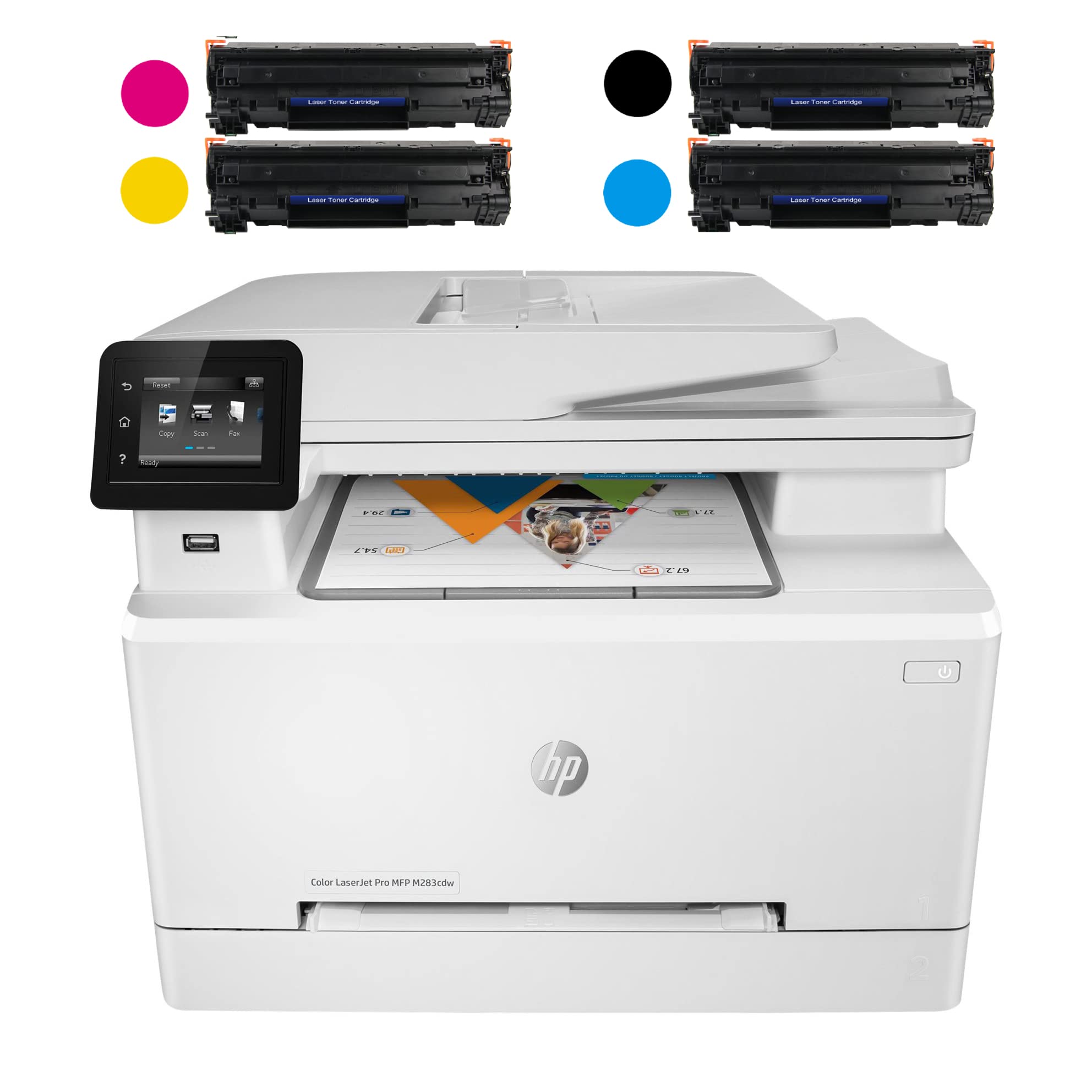
2. HP Laserjet Pro MFP M283 cdw
A well-rounded office companion that keeps things simple without skimping on features.
The HP M283 cdw is built for the traditional small office — it prints, scans, copies, and faxes at 22 ppm in both color and black-and-white, which is plenty for a desk or a two-person team. The print resolution is 600 x 600 dpi (dots per inch), producing sharp, detailed text and decent graphics, and the flatbed scanner reaches 1200 x 1200 dpi for crisp document scans.
What stands out most in owner reports is how easy the physical setup is. Owners mention it comes well-packed, connects to Wi-Fi without hassle, and prints 20-plus pages flawlessly right from the start. The 2.7-inch color touchscreen makes everyday tasks straightforward, and the 260-sheet paper tray plus a 50-sheet automatic document feeder (ADF) handle moderate workloads without constant refills. HP rates the maximum monthly duty cycle at 40,000 pages, with a recommended monthly volume up to 2,500 — that gives you room to grow.
The main caveat here is Wi-Fi stability. Some customers note the printer loses its network connection within 24 hours, requiring multiple resets to get it back online. HP’s software push for its Smart Print app also gets mixed reactions — several users prefer a more traditional driver experience. The starter toner cartridges included in the box are low-yield (around 800 pages for black and 700 for color), so your first replacement arrives sooner than you might expect.
Solid, with a Wi-Fi asterisk: The M283 cdw delivers reliable printing and scanning at a fair pace, and most owners are perfectly happy with it. The wireless connectivity is the one thing to keep an eye on — a small but notable number of units have persistent dropouts. If you can run an Ethernet cable to it, that concern vanishes.
Reach for this if: You want a traditional HP all-in-one with a proven build, a clear touchscreen, and a duty cycle that can handle a growing office.
Look elsewhere if: You need the fastest color speed (the Canon MF753Cdw is 59% quicker) or you depend on flawless Wi-Fi without the option of a wired connection.
3. Canon Color imageCLASS MF665Cdw
Professional colour quality with a 5-inch touchscreen that makes navigation a breeze.
The MF665Cdw splits the difference between the budget models and the high-speed Canon flagship. It prints at 26 ppm in both color and black-and-white — versus the HP M283 cdw’s 22 ppm — and produces output that owners call “beautiful” and “professional-grade.” The first page prints in approximately 10.3 seconds, so you are not waiting for the machine to warm up for single-page jobs.
The 5-inch color touchscreen is a genuine pleasure to use. It gives you access to Canon’s Application Library, an intuitive hub where you can customize shortcuts to the features you use most — scan to email, copy, fax — without digging through menus. The 50-sheet duplex ADF scans both sides of a stack of documents in one pass, which is a major time-saver for anyone who deals with two-sided contracts or reports.
Where this printer gets mixed feedback is setup and small-but-annoying quirks. While some owners find the WiFi setup through the touchscreen straightforward, others report that Apple AirPrint did not work from the start and required a manual URL configuration. There is also a recurring comment about the scanner jamming after a few sheets, which suggests the ADF feed mechanism may be finicky with certain paper types. The printer uses Canon’s 075 series toner, which offers high-capacity options to keep replacement intervals reasonable.
Beautiful output, imperfect polish: The MF665Cdw delivers the crispest colour documents at its price tier, and the big touchscreen genuinely improves daily workflow. But you should expect to spend some time on the initial setup and possibly work around a few software hiccups — it is a printer for someone who values output quality over out-of-box simplicity.
Ideal for: A home office or small creative team that prints colour presentations, flyers, or client materials and wants a large, easy-to-navigate screen.
Consider the alternative if: You need absolute plug-and-play simplicity or plan to scan large two-sided stacks daily — the ADF reliability has drawn some criticism.
4. Xerox C235dni Wireless Color Laser All-in-One

The entry-level color laser that doesn’t feel like a compromise on output.
The Xerox C235dni aims squarely at the small office that prints up to 1,500 pages a month. At 24 ppm in color, it is quicker than the Brother MFC-L3720CDW (19 ppm) but slower than the Canon MF665Cdw (26 ppm) — a middle-ground speed that suits most home and micro-office workloads. The print quality gets the most owner praise, with buyers noting sharp text and brilliant color graphics that give presentations a professional finish.
The included starter toner yields 500 pages per cartridge, which is on the lower end, but the printer supports high-yield replacements that help reduce ongoing costs. The built-in Wi-Fi supports Apple AirPrint and Mopria, making mobile printing from any phone or tablet straightforward. The Xerox Easy Assist App is designed to guide you through a quick setup over a 2.4 GHz Wi-Fi network, and several owners confirm the app works well once you clear the initial hurdles.
The major drawback here is that the C235dni only works with 2.4 GHz Wi-Fi — it does not support 5 GHz networks, which can be a problem in modern dual-band homes where the router may try to push the printer onto the wrong band. Some units also arrive with defects: one owner reported a used-looking unit with a broken cartridge door, and another mentioned that the printer stopped working after fewer than 15 pages. The “printability” aspect (whether the machine works as expected) is notably mixed in owner feedback.
Good value, with a Wi-Fi caveat: The C235dni produces lovely colour pages at a competitive price, and most owners get it running without major drama. The 2.4 GHz-only Wi-Fi is the single biggest gotcha — if your router forces everything onto 5 GHz, you will need to create a dedicated 2.4 GHz network or use a USB cable.
Best for: A price-conscious home office or small business that already has a 2.4 GHz network running and wants a trustworthy brand with decent print quality.
skip it if: You rely on a 5 GHz-only network, need a high monthly page capacity, or want a printer with a consistent track record from the start.
5. Brother MFC-L3720CDW

The cloud-savvy workhorse that connects to Google Drive and Dropbox straight from the panel.
Brother took a different approach with the MFC-L3720CDW: instead of chasing raw speed, it focused on workflow integration. The 3.5-inch color touchscreen gives you 48 customizable shortcuts and direct access to cloud services like Google Drive, Dropbox, and OneNote — so you can scan a document and send it to the cloud without touching a computer. Dual-band wireless (2.4 GHz and 5 GHz) plus Wi-Fi Direct means you avoid the Wi-Fi band headaches that plague some of the competition.
Print speed is 19 ppm in both color and black-and-white, which is the slowest in this lineup. For a single user or a two-person office that prints a few dozen pages a day, it is still fast enough — the first page prints quickly and the auto-duplex (automatic two-sided printing) works reliably. Owners praise the build quality, noting the machine feels solid and well-constructed, and the wireless setup is generally straightforward via Brother’s mobile app.
The flip side is a noteworthy reliability concern. A significant number of reviewers point out that after roughly 1,000 pages of use over a couple of years, the printer becomes unusable due to a waste toner error that Brother’s firmware will not clear. This is a reported pattern, not a rare glitch. On the positive side, the toner cartridges (TN229 series) offer multiple yield levels, including ultra-high-capacity XXL options that give the lowest cost per page in this group.
Why It Wins on Workflow
- Direct cloud access to Google Drive, Dropbox, and OneNote from the touchscreen
- Dual-band Wi-Fi (2.4/5 GHz) plus Wi-Fi Direct for flexible connectivity
- 48 customizable shortcuts on a responsive 3.5″ colour display
- Very broad range of toner cartridge capacities, including XXL for lowest running cost
The Long-Term Question
- Print speed of 19 ppm is the slowest among these picks
- Waste toner error has been reported as a non-repairable failure point after modest page counts
- Photo quality is not strong — this is a document printer, not a photo printer
Perfect for: A cloud-first office where scanning directly to Google Drive or Dropbox saves time every day — and where print speed is not the top priority.
Watch out for: The waste toner failure pattern. If you plan to keep the printer beyond 1,000 pages, consider an extended warranty or accept the risk of a firmware-locked repair.
6. Xerox C325dni Wireless Color Laser All-in-One

A 35 ppm color laser that matches the fastest Canon — but with a smaller owner following.
The Xerox C325dni is one of only two printers here that hit 35 ppm in both color and black-and-white, putting it on par with the Canon MF753Cdw for raw speed. It is designed for busy offices printing up to 2,500 pages per month, and it includes starter cartridges with a 1,500-page black yield and a 1,000-page color yield — significantly better starter supplies than most competitors.
The 4.3-inch touchscreen is intuitive and gives you quick access to scan-to-network and shortcut setup. Owners who get the C325dni configured correctly love the output quality on both plain paper and card stock, and they highlight the fast double-sided scanning as a real productivity boost. The compact design is also praised: the output tray keeps pages within the printer’s footprint, so it fits on a smaller desk.
The downside is that the “print quality” and “reliability” aspects are both flagged as mixed, with a notable minority of owners calling the experience frustrating. One recurring complaint is extremely high toner consumption — some shoppers say getting fewer than 1,000 copies per cartridge despite the 1,800-page rating, leading to replacement costs that approach per month in heavy-use scenarios. Xerox customer support has also drawn criticism for being difficult to reach and unable to resolve toner issues.
Fast and capable, with a toner caveat: When it works, the C325dni is a genuinely fast, compact office machine with great print quality. But the risk of receiving a unit with excessive toner consumption makes it a higher-variance pick than the Canon alternative at the same speed tier. If you go this route, track your page yield carefully during the return window.
Best for: A small office that needs 35 ppm speed, works with card stock, and is willing to verify toner consumption early in ownership.
pass on it if: You need a predictable cost per page or want the reassurance of a larger owner community — the Canon MF753Cdw is the safer bet at this speed tier.
7. HP Color LaserJet Pro MFP 3301fdw

HP’s newest-generation color laser with TerraJet toner for richer, more vivid business documents.
The 3301fdw is HP’s latest mid-range office color laser, using the company’s next-generation TerraJet toner technology. The claim here is more vivid colours and sharper detail — and early owner reviews confirm that the print quality is “outstanding,” with crisp text and vibrant graphics that make presentations look professional. Print speed is 26 ppm in both color and black-and-white, which puts it in the same speed tier as the Canon MF665Cdw.
This model includes a single-pass duplex ADF (scan both sides of a stack in one pass), automatic two-sided printing, and dual-band Wi-Fi with a self-reset feature that automatically detects and resolves connection issues — a thoughtful addition for owners frustrated by printers that drop off the network. The touchscreen is responsive, and several buyers report that the setup process is fast and intuitive even for non-technical users. The design is slightly more compact than previous HP LaserJets, fitting smaller desks more easily.
The sharpest pain point here is the toner situation. The printer uses the new 218A cartridge series, and at launch, HP support reportedly could not stock replacement toner for the new model. One owner reported that the introductory toner depleted after approximately 50 pages and HP had no replacement cartridges to send. HP also enforces a policy that the printer will only work with cartridges using HP chips or circuitry — third-party toner is physically blocked by firmware. This lock-in makes the long-term running cost a concern.
Superb output, risky supply chain: The 3301fdw delivers everything you want from a business printer — fast speed, great colour, reliable scanning — as long as you can actually buy toner for it. The TerraJet quality jump is real, but the new cartridge platform has teething problems.
Ideal for: An HP loyalist who wants the latest colour technology and is comfortable buying official HP toner exclusively.
Proceed with caution if: You need guaranteed toner availability now — the 218A supply was scarce at launch. Check current stock before buying the printer.
8. Lexmark CX431adw

A Lexmark that prints and copies fast — if you can get past the setup.
The Lexmark CX431adw is a capable machine on paper: it prints and copies at 26 ppm in color and black-and-white, has automatic duplex printing, and includes a touchscreen for navigation. The color output is well-regarded by owners who get it running, and the machine is noted for being a “work great, should have bought this years ago” type of purchase — once everything is configured.
The catch is that the setup process is reported as genuinely difficult. Multiple owners describe the display as “tiny,” which makes wireless configuration frustrating. More concerning is that the scan function has been reported as missing from the menu on some units, requiring multiple calls to support that ultimately could not resolve the issue. The machine is also described as “very loud” during operation — noticeably louder than the Canons and HPs in this list.
On the positive side, the CX431adw does support Ethernet and USB connections for a stable wired setup, and if you can configure it that way, the print and copy reliability is solid. Owners who use it on Linux report that it works “from the start” — a rarity for colour lasers. But the small display, app-dependent control, and support responsiveness concerns make it the most niche pick here.
Print-first, network-second: The CX431adw is a good printer that makes you work for the privilege. If you plan to connect it via Ethernet and set it up once, the speed and output quality will serve you well. If you plan to rely on its wireless and scan features daily, there are smoother paths.
Best for: A Linux user or someone who needs a fast, reliable print-and-copy machine over a wired Ethernet connection and does not mind a loud fan.
Not for: Anyone who values a straightforward wireless setup, needs reliable scan functionality from the panel, or works in a quiet environment.
9. Canon Color imageCLASS MF644Cdw

The crowd-favourite Canon with thousands of owners backing its colour quality.
The MF644Cdw is the most-reviewed colour laser all-in-one in this lineup by a wide margin — it has been on the market long enough to build a massive owner base, and the consensus is clear: the print quality is excellent. More than 450 owners praise it specifically, calling it “indistinguishable from a magazine.” Print speed is 22 ppm in both color and black-and-white, which is modest by today’s standards but perfectly adequate for a single-user or small-team desk.
The 5-inch color touchscreen is the same smartphone-like interface found on the newer Canon models, and it includes the Application Library for customizable shortcuts. The 50-sheet duplex ADF can scan both sides of a document in a single pass, and the machine supports Wi-Fi Direct, so you can connect a phone or laptop without needing an office router. Canon’s 3-year warranty is included, and owners consistently report the machine as a reliable workhorse that runs for years with aftermarket toner without issue.
The downside is that connectivity has drawn more negative feedback than any other aspect — over 120 owners flag it as a problem. The machine has a habit of going offline on the network, particularly after entering sleep mode, and some users report it requires a power cycle to reconnect. The 80MB memory is low by modern standards, which means large colour print jobs can trigger errors that require a spooler reset. And it is no longer compatible with the newest Chromebooks without a PDF workaround.
Why 2,700+ Owners Love It
- Print quality is the top praise — over 450 owners call it excellent
- 5-inch colour touchscreen with Application Library for shortcuts
- Included 3-year warranty and proven long-term reliability
- Works with aftermarket toner for lower running costs
The Network Reality
- Wi-Fi connectivity is the most common complaint — sleep mode drops the network
- Only 80MB of memory; large colour jobs can cause spooler errors
- No native support for the newest Chromebooks without workarounds
Perfect for: Someone who wants a proven, well-reviewed colour laser with a huge owner community — and who will connect it via Ethernet to avoid the Wi-Fi sleep issue.
Not ideal if: You rely on wireless connectivity exclusively, print large colour files regularly, or need a Chromebook-friendly machine.
Understanding the Specs
Pages Per Minute
This is the speed rating for a colour laser printer — how many pages the machine can print in one minute. Compare the same unit (colour ppm) across models. A 26 ppm printer finishes a 13-page colour report in 30 seconds, while a 19 ppm printer needs about 41 seconds. For a home office, 22 to 26 ppm is more than enough. For a team of three or more, 35 ppm saves significant waiting time every day.
Automatic Document Feeder with Duplex
The ADF is the slot on top where you load a stack of originals. A 50-sheet ADF is the standard size. “Duplex ADF” or “one-pass duplex” means the feeder can scan both sides of a page in a single pass — it uses two cameras to capture front and back at the same time. This feature cuts a 20-page two-sided stack from two manual passes (flip and reload) down to one automatic pass.
Toner Yield and Cartridge Types
Toner cartridges are rated by page yield — the number of pages a cartridge can print before running out. “Starter” cartridges (included with the printer) usually have about half the yield of a standard cartridge. High-capacity (XL) and ultra-high-capacity (XXL) cartridges give the lowest cost per page. For a printer you plan to use heavily, check that high-yield options are available before buying.
Dual-Band Wi-Fi vs Single-Band
Modern home and office routers broadcast on two frequencies: 2.4 GHz (longer range, slower speed) and 5 GHz (shorter range, faster speed). A dual-band Wi-Fi printer can connect to either band, giving you flexibility to avoid interference. A printer that only supports 2.4 GHz may struggle to connect if your router is set to 5 GHz-only. Single-band printers are increasingly uncommon but still exist in budget models.
FAQ
Will a colour laser printer fit on my standard desk?
Can I use third-party toner cartridges in these printers?
How many pages will the starter toner cartridges print?
Do these printers support scanning directly to email or cloud storage?
What is the difference between duplex printing and duplex scanning?
Is a colour laser printer good for printing photos?
Will a colour laser printer connect to my Chromebook?
Which wireless standard should I look for — Wi-Fi Direct, AirPrint, or Mopria?
How loud is a colour laser all-in-one during operation?
Final Thoughts: The Verdict
For the majority of shoppers, the best colour all-in-one laser printer winner is the Canon imageCLASS MF753Cdw because it combines the fastest print speed in this roundup (35 ppm) with excellent print quality that over 140 owners praise and a 3-year warranty that gives you real confidence. If you value a larger touchscreen and cloud integration over raw speed, grab the Brother MFC-L3720CDW — its direct access to Google Drive and DropBox from the panel is a genuine daily time-saver. And for the tightest budgets, the Xerox C235dni delivers solid colour output at 24 ppm, as long as you can work with a 2.4 GHz-only network.
How We Picked
We do not accept paid placement. Every pick is matched to a real buyer and a real use-case; we do not hands-on test units.
Sources & Methodology
Specifications: manufacturer listings and product documentation. Review insights: verified customer reviews, as of July 2026. Pricing: not shown on this page (it changes often); check the current price via the retailer link.
As an Amazon Associate, WellFizz earns from qualifying purchases. This does not affect which products we feature.
Related Guides

Mo Maruf
I created WellFizz to bridge the gap between vague wellness advice and actionable solutions. My mission is simple: to decode the research and give you practical tools you can actually use.
Beyond the data, I am a passionate traveler. I believe that stepping away from the screen to explore new environments is essential for mental clarity and physical vitality.