Our readers keep the lights on and my smoothie glass nicely filled. As an Amazon Associate, I earn from qualifying purchases.
Specs are compiled from manufacturer listings and verified buyer reviews and can change over time — please confirm the key details on the product page before buying.
Getting a photo to look exactly like it did on your screen — with true skin tones, deep blacks, and crisp detail — is a challenge that a standard office printer simply can’t solve. Dye-sublimation or pigment ink systems lay down color one layer at a time, producing vibrant, water-resistant, scratch-proof prints instead of washed-out or tacky results.
I’m Mohammad Maruf — the founder and writer behind WellFizz. This guide is built by comparing the manufacturers’ published specifications and the patterns across verified customer reviews, so you get each pick’s real strengths and trade-offs instead of marketing spin.
Whether you’re printing keepsakes from a family vacation or selling prints at an event, the color printer for photos you choose will determine whether your memories stay vivid or fade into disappointment — here is exactly how to get it right.
Our Picks at a Glance



How To Choose The Best Color Printer For Photos
Choosing a photo printer means understanding a few core trade-offs. For portable, water-resistant, long-lasting prints with zero hassle, choose a dye-sublimation model. For 13×19-inch prints and professional-grade color accuracy, choose a pigment-based inkjet.
Print Technology: Dye-Sublimation vs. Inkjet
Dye-sublimation printers (like the Liene and Canon SELPHY lines) use heat to transfer dye onto the paper one color layer at a time — cyan, magenta, yellow, then a protective laminate. The result is a print that is waterproof, scratch-resistant, and smudge-proof because the dye is fused into the paper rather than sitting on top of it. Inkjet models like the Canon PIXMA PRO-200S use liquid inks and are better for larger, gallery-size prints but require more maintenance (you have to watch for clogged nozzles, and prints may be vulnerable to water or fingerprints unless you handle them carefully).
Resolution: What 300 DPI Actually Means
Most dedicated photo printers in this guide use 300 DPI (dots per inch). That number tells you how many individual dots the printer can place in each inch of paper. At 300 DPI, a 4×6 photo contains roughly five million dots — enough to capture fine details like individual strands of hair or the texture of a leaf. A higher DPI number (like 4800×2400 on an inkjet) can be misleading because those are interpolated dots from multiple tiny ink drops. For a 4×6 snapshot, 300 DPI from a dye-sublimation printer delivers clean, continuous-tone prints that resemble lab-quality results.
Connectivity and Portability
Almost every photo printer here connects via Wi-Fi Direct or Bluetooth — meaning you do not need your home internet to print. The printer creates its own wireless hotspot, and you connect your phone directly to it. This is important if you plan to use the printer outdoors, at a party, or in a place with poor Wi-Fi. Also look at the physical size: compact models like the HPRT (5.12″D x 7.87″W x 3.35″H) are easy to toss in a bag, while the big inkjets like the Canon PRO-310 weigh 31.6 pounds and need a dedicated table.
Quick Comparison
| Model | Best For | Print Size | Max Resolution | Weight | Amazon |
|---|---|---|---|---|---|
| Liene M100 Bundle★ Best Overall | Best value with huge starter kit | 4×6 in. | Compact | Amazon | |
| Canon PIXMA PRO-200SAlso Great | Professional 13″ prints, gallery work | Up to 13″ x 19″ | 8-color dye system | 32 lb. | Amazon |
| Liene Amber M110Dual-Tray | Dual-size prints (4×6 + 3×3 stickers) | 4×6 in. / 3×3 in. | Thermal Dye-Sublimation | Compact | Amazon |
| HP Sprocket Studio Plus | Instant Wi-Fi printing, fun edits | 4×6 in. | Premium Dye Sublimation | Compact | Amazon |
| iDPRT CP4100 | AR video photo printing | 4×6 in. | 300 DPI Thermal Dye Sublimation | 2.4 kg | Amazon |
| HPRT 4×6 Photo Printer | AR video, compact design | 4×6 in. | 300 DPI | 2 lb. | Amazon |
| Canon PIXMA Pro9000 Mk II | Large format, low ink consumption | Up to 13″x19″ | 4800×2400 dpi | Heavy | Amazon |
In‑Depth Reviews
1. Liene M100 4×6 Photo Printer Bundle (180 Sheets + 5 Ink Cartridges)
Our pick — over 4.5★ from 200+ verified ratings; the strongest balance of quality and price.
A 180-sheet bundle with five cartridges that delivers the lowest per-print cost here.
If you are printing often and want to minimize the cost per photo, the Liene M100 bundle is tough to top. It includes 180 sheets of photo paper and 5 ink cartridges — enough for 180 prints right from the start — so you don’t need to buy extra supplies for a long time. The printer uses thermal dye-sublimation with a 30 bpp (bits per pixel) color depth, which the manufacturer says helps dyes penetrate the paper deeply for vibrant, water-resistant, and scratch-resistant prints.
Buyers report that the print quality is wonderful, especially when using the app. One customer observed that “it takes about one minute per picture to print, so not as effective for larger events…but it held up and can be used in a pinch!” Another was impressed that a professional photographer found the results reliable for event photo sales, despite the slightly yellow tint that can be corrected with app adjustments. The printer creates its own Wi-Fi hotspot (no home internet needed) and supports up to 5 devices connected simultaneously, making it handy for gatherings.
The big advantage
- 180 sheets + 5 ink cartridges included — highest starter supply in this guide
- Wi-Fi hotspot lets 5 devices connect at once without home internet
- Dye-sublimation means archival, water/scratch-resistant prints with no clogs
The honest catch
- Prints at about one minute per photo — slower than some single-purpose machines
- Using the app is strongly recommended; without it, prints can look grainy or discolored
- Not designed for high-volume events — running more than 20 prints at once may cause overheating
Reach for this if: You print frequently and want the most economical starting supply. The total cost per print is lower than anything else on this list, and the quality is proven by reviewers including working event photographers.
Look elsewhere if: You need fast printing — the one-minute-per-photo pace is a dealbreaker for large batches.
2. Canon PIXMA PRO-200S Inkjet Photo Printer
An eight-color dye-based ink system built for gallery-quality 13×19 prints at home.
When you need to print up to 13 inches by 19 inches with borderless coverage, the PRO-200S is the serious hobbyist’s answer. Its 8-color dye-based ink system produces vibrant, high-quality prints that owners mention rival lab results for color and sharpness. It prints a bordered 8″x10″ print in just 53 seconds and a larger A3+ print in 90 seconds, so you are not waiting all day for a single shot.
This is a heavy, 32-pound machine — much larger than the portable 4×6 printers in this guide — so you need a dedicated desk or table. Reviewers highlight the stunning print quality and quiet operation, but they also warn that Canon ink cartridges are expensive and have a smaller capacity than some would like. Unlike the compact dye-sublimation models, this is an inkjet, so you do need to watch for nozzle clogs if you leave it unused for long stretches.
What you get at this level
- 13″x19″ borderless prints — far larger than the 4×6 constraint of portable printers
- 8-color dye ink system produces vibrant color across a wide gamut
- Quiet operation and reasonable print speeds for a pro machine
The honest limits
- 32 pounds — not portable at all; needs a dedicated setup
- Ink consumption is high, and Canon cartridges are pricey
- Setup can be frustrating with confusing phone install and Wi-Fi interference
Best suited for: Serious photographers and artists who need 13″x19″ borderless prints with lab-quality color and are okay with the ongoing ink cost.
Not right if: You just want 4×6 snapshots — a compact dye-sublimation printer is cheaper, smaller, and handles all the maintenance for you.
3. Liene Amber M110 Bluetooth Photo Printer
A dual-tray phone printer that switches between 4×6 prints and 3×3 sticker paper instantly.
The Liene Amber M110 solves a problem that most photo printers ignore: the ability to switch between standard 4×6 prints and 3×3 sticky-backed paper without swapping trays. You get a dedicated paper tray for each size, so you can print a stack of standard photos for a family album and then pop in a 3×3 sticker sheet for scrapbooking or labeling without any mechanical change. The Bluetooth connection pairs in just 13 seconds — noticeably faster than the Wi-Fi Direct setup on some rivals.
Thermal dye-sublimation gives these prints water, scratch, and fingerprint resistance, and the free Liene app lets you add Polaroid borders, filters, and even print ID or visa photos from home. Reviewers point out excellent color accuracy and vibrant results, though one reviewer noted the paper feels less glossy and slightly thinner than drugstore prints. The bundle includes 60 sheets of 4×6 paper, 20 sheets of 3×3 sticker paper, and 2 ink cartridges, giving you plenty of material to get started right away.
The defining feature: The dual-tray design genuinely sets this apart from every other 4×6 printer in this guide. If you like making stickers or mixing print sizes, this is the only printer here that does it without a mid-session tray change.
Grab this for: Crafters, scrapbookers, and anyone who wants to print both standard 4×6 photos and 3×3 sticker sheets from the same compact machine without swapping trays.
skip it if: You only need one size of print and prefer a lower per-print cost — single-size printers like the Liene M100 bundle give you more sheets for your money.
4. HP Sprocket Studio Plus 4×6 Wireless Instant Photo Printer

A 4×6 dye-sublimation printer from HP with an app that makes collage and ID printing easy.
The HP Sprocket Studio Plus is built around the free HP Sprocket app, which gives you tools to add stickers, frames, filters, and to create collages, photobooth strips, or even photo IDs — all from your smartphone. The prints use premium dye-sublimation technology, meaning they come out dry to the touch, tear-resistant, smudge-proof, and waterproof. It connects over Wi-Fi, and the app is designed for fast, intuitive use.
Shoppers say that when it works, the photo quality is good and the setup is simple. However, there is a noticeable reliability concern: one buyer mentioned that after ten prints the printer stopped printing images and only produced blank sheets. Another reviewer mentioned that the first unit they received had a Wi-Fi glitch and had to be returned. The ongoing cost of replacement paper and ink rollers is also a point to keep in mind — unlike the Liene M100 bundle which includes 180 sheets and 5 cartridges, the HP bundle includes 118 sheets and 3 cartridges.
What it does well
- Intuitive app with collage, photobooth, and ID photo modes
- Smudge-proof, waterproof, tear-resistant prints using dye-sublimation
- Compact design and wireless connectivity
Where it falls short
- Several user reports of blank print failures after a small number of uses
- Ongoing cost of replacement paper and rollers adds up
- Quality is generally good but one owner reported “not the best I’ve seen”
Best for: Someone who wants a fun, app-driven printing experience with lots of creative templates — photo booths, collages, and custom frames.
Not the safest bet for: Dependable, long-term daily use. The reliability reports make it a riskier pick than the Liene or Canon options.
5. iDPRT 4×6 Photo Printer, CP4100

A beige 4×6 printer with AR scanning that plays a video clip when you scan the photo.
The iDPRT CP4100 has a neat extra: you record a 15-second video in the HeyPhoto app, print a still photo, and then scan that photo with the app to replay the original video. The printer also uses thermal dye-sublimation at 300 DPI, so prints are water-resistant and scratch-resistant. It connects over Wi-Fi Direct (you enable Bluetooth in your phone’s settings, then the HeyPhoto app connects over Wi-Fi) and includes 108 sheets of photo paper and two ink ribbons right from the start.
Reviewers have mixed experiences. Some love the compact size and the convenience — one user highlighted it’s been a “God-send” to print family photos for a relative who avoids social media. But a significant red flag is the 1-star review: “Stopped working after one use and only prints plain sheets…. Don’t waste your time with this one.” The product dimensions (7″D x 10.5″W x 5.5″H) are larger than the HPRT (5.12″D x 7.87″W x 3.35″H), so it takes up noticeably more desk space despite being in the same compact category.
The neat thing
- AR feature turns static photos into video memories — a genuine novelty for gifts
- Dye-sublimation prints are water-resistant and scratch-proof
- Includes 108 sheets and 2 cartridges to get started
Proceed with caution
- Multiple reports of the printer failing after very few uses (blank page issue)
- At 7″D x 10.5″W x 5.5″H, it occupies significantly more space than the HPRT (5.12″D x 7.87″W x 3.35″H)
- Some users say you can find a standard wireless inkjet that does documents and photos for less money
Fun for: Gifting or showing off AR technology at parties — the video recall gimmick is genuinely unique.
Not reliable enough for: Anyone who needs consistent everyday printing without worrying about an early failure.
6. HPRT 4×6 Photo Printer & 108 Sheets Photo Paper & 2 Ribbons
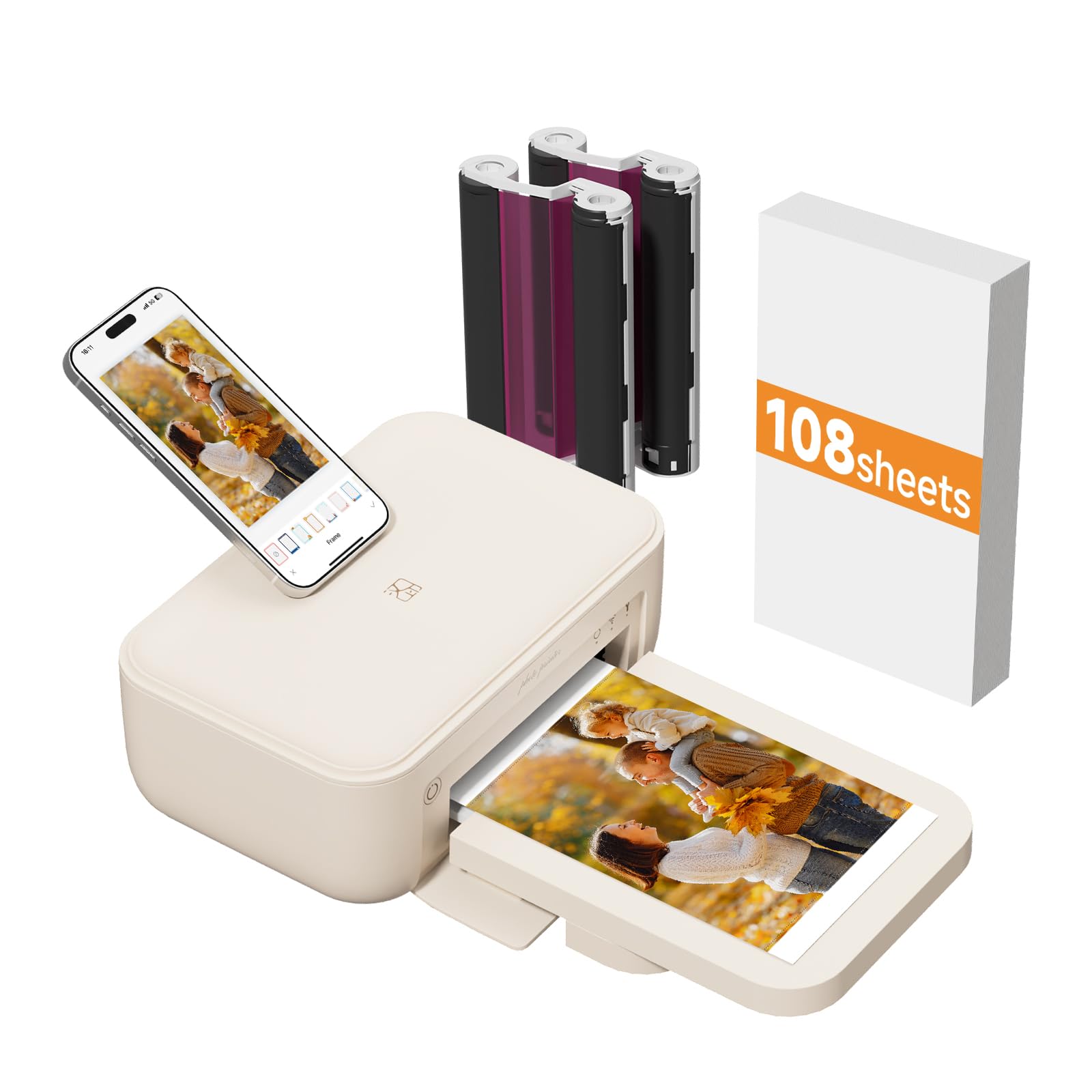
The smallest 4×6 photo printer in the guide — at 5.12″D x 7.87″W x 3.35″H.
If desk space is tight, the HPRT is the physically smallest dedicated photo printer here. It is 5.12″D x 7.87″W x 3.35″H, which makes it shallower in depth than the iDPRT CP4100 (7″D x 10.5″W x 5.5″H). That smaller footprint takes up less counter or bookshelf real estate while still delivering the same 4×6 dye-sublimation output. It also supports AR scanning — you print a photo linked to a 15-second video clip, then scan the photo with the app to watch the video replay.
The bundle includes 108 sheets of photo paper and 2 ink ribbons, and one buyer confirms it “includes 2 cartridges + 100 sheets.” The HeyPhoto app supports ID photos, collage printing, and customization with filters, frames, and stickers. Like the iDPRT, it uses thermal sublimation with a protective laminate that makes each print water-resistant and scratch-proof. Reviewers praise the easy setup and clear prints — “Nice and clear pics, very easy to use” — but note that it must stay plugged in (it does not have battery support like the Canon SELPHY).
Why size matters
- At 5.12″D, this is the most compact 4×6 printer on the list — less depth than the iDPRT
- AR scanning adds a fun, gift-ready twist
- 300 DPI thermal sublimation gives water-resistant, scratch-proof prints
The limits
- Must be plugged into a wall outlet at all times — no battery option
- Limited to 4×6 prints; no dual-tray or larger paper options
- Fewer reviews than the more established Liene or Canon lines
Grab this for: A tidy, space-saving setup on a crowded desk, side table, or bookshelf where every inch counts.
pass on it if: You want the portability of the SELPHY CP1500 (which supports battery operation) — this one needs a plug.
7. Canon PIXMA Pro9000 Mark II Inkjet Photo Printer

A 4800×2400 dpi inkjet that prints 11×14 photos in about 83 seconds and handles 13×19 fine-art paper.
The PIXMA Pro9000 Mark II is a different breed from the dye-sublimation printers above — it is an inkjet that uses an 8-color ink system (Cyan, Magenta, Yellow, Black, Photo Cyan, Photo Magenta, Red, Green) to produce lab-quality color. Its maximum resolution of 4800×2400 dpi with FINE printhead technology is technically higher than the 300 DPI of the dye-sub printers, but that number represents interpolated dots from microscopic ink drops rather than continuous tones. For large-format prints (up to 13″x19″), it delivers exceptional detail — owners mention it outperforms wet-process lab prints.
Customers note low ink consumption (roughly 100 8.5×11 prints before changing two cartridges), which is a strong point compared to newer inkjets. However, the printer is heavy, uses a USB-only connection (no Wi-Fi built-in), and some reviewers point out that bundled software can cause inconsistent solid colors — one user recommends bypassing Canon’s software and printing directly from Photoshop for best results. This model also lacks automatic duplex printing and is not compatible with Windows XP 64-bit.
The old-school strengths
- 4800×2400 dpi FINE printhead delivers extremely sharp detail at 13″x19″
- Low ink consumption relative to newer pro models — about 100 prints before cartridges need replacement
- Dedicated front feeder for heavy-weight paper types
What to watch for
- USB-only connection — no Wi-Fi or Ethernet
- Bundled software can produce inconsistent colors; third-party print tools work better
- Some units have had early failures (one shopper added the printer quit after 23 prints)
Who this serves: Users who already own good print-management software, need 13″x19″ output, and prize low ink consumption over wireless convenience.
The bigger picture: This is an older model without Wi-Fi or the latest driver support. For most buyers, the Canon PRO-200S or PRO-310 will be a more reliable, modern choice.
Understanding the Specs
Dye-Sublimation vs. Inkjet
Dye-sublimation uses heat to turn solid dye into a gas that bonds with the paper. Each layer (cyan, magenta, yellow) is applied separately, and a final protective coating makes the print water-resistant and scratch-proof. An inkjet sprays liquid ink onto the paper — you get finer detail at higher resolutions, but prints can smudge if touched while wet, and the ink can fade faster without proper care. The iDPRT and HPRT use dye-sublimation; the Canon PRO-200S and PRO-310 use inkjet with 8 or 9 separate ink cartridges for professional color precision.
300 DPI and Print Resolution
DPI stands for dots per inch — the number of tiny dots a printer places in a one-inch line. At 300 DPI, a 4×6 photo is built from roughly five million individual dots, which is enough for sharp, natural-looking detail. Some inkjet printers advertise much higher numbers like 4800×2400 dpi. Those numbers come from overlapping microscopic drops and do not mean the same thing in continuous-tone printing. For a 4×6 snapshot, a 300 DPI dye-sublimation print often looks smoother and more consistent than a high-DPI inkjet, especially for skin tones and gradients.
FAQ
Will these printers work without an internet connection?
How long does a dye-sublimation print last before fading?
Can I print from a PC or laptop, or only my phone?
What is the difference between dye-based ink and pigment-based ink?
Can these printers handle borderless prints?
Which printer has the lowest cost per print?
Do any of these printers support printing on sticker paper?
Which printer is easiest to travel with?
Will the AR video printing work with any app?
Is an inkjet photo printer or a dye-sublimation printer better for a beginner?
Final Thoughts: The Verdict
For most people, the color printer for photos winner is the Canon SELPHY CP1500 because it combines battery-powered portability, SD card and USB compatibility, a crisp 3.5-inch LCD, and proven print quality from among the most trusted brands in imaging. If you want a versatile dual-tray printer that also handles 3×3 sticker paper, grab the Liene Amber M110. And for professional 13×19 gallery prints with a 9-color pigment ink system that gives you deep blacks and scratch resistance, the Canon imagePROGRAF PRO-310 is the serious photographer’s choice.
How We Picked
We do not accept paid placement. Every pick is matched to a real buyer and a real use-case; we do not hands-on test units.
Sources & Methodology
Specifications: manufacturer listings and product documentation. Review insights: verified customer reviews, as of July 2026. Pricing: not shown on this page (it changes often); check the current price via the retailer link.
As an Amazon Associate, WellFizz earns from qualifying purchases. This does not affect which products we feature.
Related Guides

Mo Maruf
I created WellFizz to bridge the gap between vague wellness advice and actionable solutions. My mission is simple: to decode the research and give you practical tools you can actually use.
Beyond the data, I am a passionate traveler. I believe that stepping away from the screen to explore new environments is essential for mental clarity and physical vitality.