Our readers keep the lights on and my smoothie glass nicely filled. As an Amazon Associate, I earn from qualifying purchases.
Moving beyond monochrome etching, a color laser engraver unlocks the ability to mark stainless steel with vivid, permanent hues and create photo-quality gradients on coated metals without paints or dyes. This changes what a desktop machine can produce—turning raw metal into branded merchandise and detailed art.
I’m Mohammad Maruf — the founder and writer behind WellFizz. This guide is the result of hundreds of hours spent analyzing optical power specs, beam compression ratios, software ecosystems, and material compatibility for this specific diode-based color engraving category.
Whether you need a fully enclosed Class 1 system for a home workshop or a dual-laser powerhouse for high-volume production, this breakdown of the best color laser engraver will help you match power and precision to your actual workload.
How To Choose The Best Color Laser Engraver
Selecting a color-capable engraver means looking past simple wattage. The ability to produce color on stainless steel depends on precise thermal control via MOPA-like pulsing in diode modules, not just raw power. High-frequency pulse modulation creates the oxide layers that yield golds, blues, pinks, and blacks—so beam quality and software control matter as much as the laser source.
Optical Power and Beam Compression
Real optical output is measured at the workpiece. A 20W diode with a 0.08×0.1mm compressed spot delivers finer color detail and deeper cuts than a 40W module with a larger beam. Check the laser module’s spot area specification—smaller spots concentrate energy for both marking color and cutting thicker material.
Enclosure, Safety Class, and Exhaust
Class 1 certified machines (fully enclosed with lid-stop interlocks and filtered viewing windows) eliminate the need for separate goggles and are safer in shared spaces. Open-frame engravers require operator eyewear and a well-ventilated area. For color work, an enclosed system also reduces smoke re-deposit that can ruin oxide layer colors on metal.
Software Ecosystem and Material Profiles
Some machines require proprietary software for color marking (controlling pulse width and frequency) while others are compatible with LightBurn—the industry standard. Pre-loaded material profiles for color engraving on metals save significant trial-and-error time, especially for beginners seeking consistent golds and blues.
Quick Comparison
On smaller screens, swipe sideways to see the full table.
| Model | Category | Best For | Key Spec | Amazon |
|---|---|---|---|---|
| xTool F1 Ultra | Dual Laser | Metal color + 3D engraving | 20W Fiber + 20W Diode | Amazon |
| xTool S1 40W | Enclosed Diode | Large-format batch cutting | 40W, 23.93″ x 15.16″ bed | Amazon |
| TOOCAA NOVA 20W | Smart AI | AI positioning, plug & play | 5MP AI cam, dual exhaust | Amazon |
| WECREAT Vision 20W | Auto-Lift | Variable-height materials | 1-140mm auto lift | Amazon |
| Algolaser 40W MK2 | Pro Desktop | Deep wood cutting + color | 40W, 25mm wood cut | Amazon |
| Mecpow X4 Pro 40W | Dual Power | Switchable 20W/40W mode | 30,000mm/min speed, cam | Amazon |
| Creality Falcon A1 Pro 20W | Smart Enclosed | App control, 3s auto-focus | 600mm/s, touch screen | Amazon |
| Algolaser 20W Alpha MK2 | Touchscreen Mid | Compact color + AlgoOS | 20W, 15mm wood cut | Amazon |
| LaserPecker LP2 Plus 10W | Portable | On-site/angled engraving | 4,000mm/s, dual red-dot | Amazon |
| Longer RAY5 20W | Value Diode | Entry-level color marking | 0.08×0.1mm spot, touch | Amazon |
| Twotrees TTS-20 Max 20W | Large Work Area | Big projects, batch runs | 23.62″ x 23.62″ bed | Amazon |
In‑Depth Reviews
1. xTool F1 Ultra 20W Fiber & Diode

The F1 Ultra pairs a 20W fiber laser for instant metal engraving (gold, silver, stainless steel, even copper) with a 20W diode laser for organics like wood and acrylic—all at a class-leading 10,000mm/s. The 16MP smart camera enables AI-driven batch placement, and the fiber laser can produce full-color oxide marking on stainless steel in seconds. Deep engraving and 3D embossing capabilities make this a production-ready tool for jewelry makers and personalization businesses. The 220mm x 220mm workspace (expandable with an optional conveyor) is generous for a desktop fiber system. Users consistently note the speed advantage over slower CO2 or single-source diode machines, and the xTool Creative Space software and community provide a low-friction path from design to finished product.
Auto Streamline Production, powered by the camera and optional conveyor, automates pattern placement on batches of irregular shapes—ideal for high-volume keychain or dog tag runs. The fiber laser can cut thin stainless steel (0.3mm), brass (0.4mm), and aluminum (0.2mm), adding production versatility. Multiple safety features include a fully enclosed cover that filters strong light and an emergency stop. The unit weighs 51.9 pounds and has a compact footprint relative to its dual-laser capability. Some early units experienced laser calibration drift, but responsive customer service has addressed firmware updates and replacement units quickly.
This is the fastest color engraving machine in its class for metal, and the dual-laser architecture means you don’t need two separate machines for metal and wood. The software ecosystem and expansive material settings library reduce the trial-and-error that plagues lesser systems. If your business depends on delivering vibrant color marks on metal with consistent depth and photo-like detail, this is the benchmark.
Why it’s great
- Dual 20W fiber + diode lasers cover all materials
- 10,000mm/s speed with 16MP camera for perfect alignment
- Deep 3D embossing and vibrant color oxide marking
- Auto conveyor integration for non-stop batch production
Good to know
- Class 4 laser—requires operator caution when exposed
- Auto conveyor sold separately
- Learning curve for advanced fiber parameters
- Premium investment for serious production
2. xTool S1 40W Laser Cutter and Engraver

The xTool S1 40W diode laser delivers the raw power needed to cut 18mm cherry wood in a single pass while maintaining the precision for color engraving on coated metals and stainless steel. Its 23.93″ x 15.16″ bed can handle large projects like door signs or batch runs of up to 119 dog tags at once. The enclosed design with Class 1 safety means you can operate it in a small shop without dedicated goggles—the cover filters 99% of laser light. Auto-focus and xTool Creative Space software simplify the process, with over 400 pre-tested material profiles.
The patented Pin-point Positioning technology enables 3D engravings on curved surfaces, and the AutoPassthrough handles material lengths up to 118 inches. The 3mm aerospace-grade aluminum frame provides stability for consistent cuts. The rotary bundle (included) makes tumbler and cylindrical engraving straightforward. Users praise the predictable performance and intuitive software, though assembly requires some patience and the plexi lid is thinner than expected. The machine weighs 86.8 pounds, so it’s a permanent installation rather than a portable unit.
For creators who need to combine large-format cutting with detailed color marking on metal, the S1 40W offers a compelling balance of power, bed size, and software integration. The vast library of project templates and responsive community make it a strong choice for both hobbyists scaling up and small businesses.
Why it’s great
- 40W cuts thick wood and acrylic with ease
- Large bed for big projects and batch production
- Class 1 enclosed safety, no goggles needed
- AutoPassthrough for extra-long materials
Good to know
- Heavy unit, not easily moved
- Rotary setup can be fiddly initially
- Proprietary software required for best results
- Lid is somewhat fragile
3. TOOCAA NOVA 20W Smart AI Laser Engraver
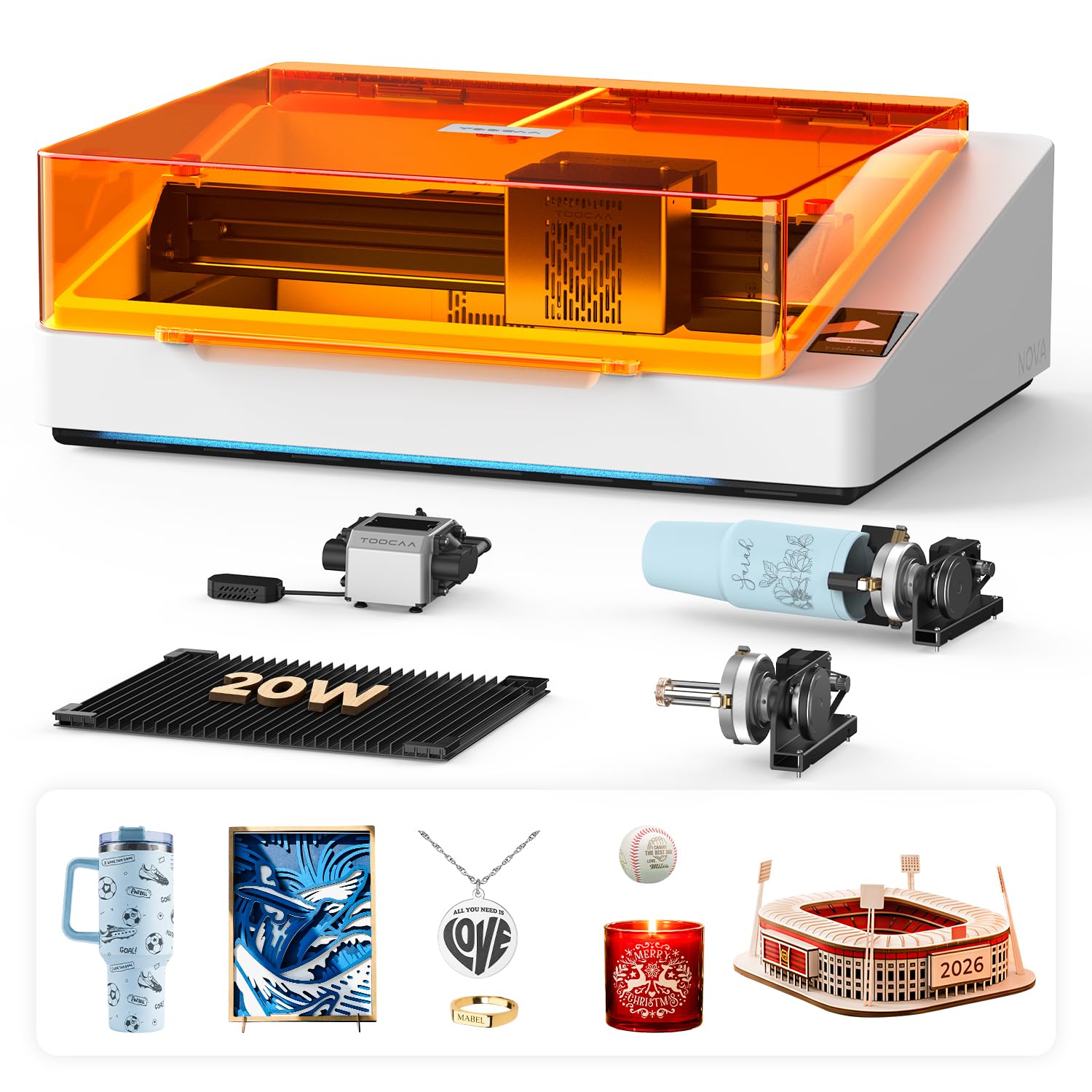
The TOOCAA NOVA is fully assembled out of the box—no calibration, no wiring, no setup beyond unpacking. The 20W diode laser is paired with a 5MP AI camera that provides one-click visual positioning: drag and drop your design onto the material preview, and the machine handles alignment. AI auto-focus and smart material recognition automatically apply optimal settings for wood, leather, acrylic, glass, and coated metals. This removes the guesswork from color engraving, which is critical for beginners trying to produce consistent golds and blues on stainless steel.
The world’s first 90° X-axis rotary system allows cylindrical engraving without risers or lifting. The dual-channel exhaust system removes smoke from both the upper and lower chambers during cutting, reducing burn marks and smoke residue on the back side of materials—important for clean color results. TOOCAA Studio software offers 1,000+ commercial templates and built-in AI text-to-image generation. The machine weighs 33.3 pounds, making it manageable for a desktop setup while remaining sturdy. Users report that the dual exhaust noticeably improves cut cleanliness on woods and acrylics.
If your priority is minimal learning curve and immediate production of personalized items (tumblers, tags, gifts) with good color marking, the NOVA delivers a frictionless experience. The AI features genuinely reduce setup time, and the Class 1 safety certification means it can sit in a studio or café counter without extra protective gear.
Why it’s great
- Truly plug-and-play, fully assembled
- AI camera and auto-focus eliminate setup steps
- Dual-channel exhaust for cleaner cuts
- Innovative 90° rotary for cylinders
Good to know
- Proprietary TOOCAA Studio software only
- 20W power adequate for color, slower for thick cuts
- Bed size smaller than some competitors
- Premium price for the AI feature set
4. WECREAT Vision 20W Desktop Laser Engraver
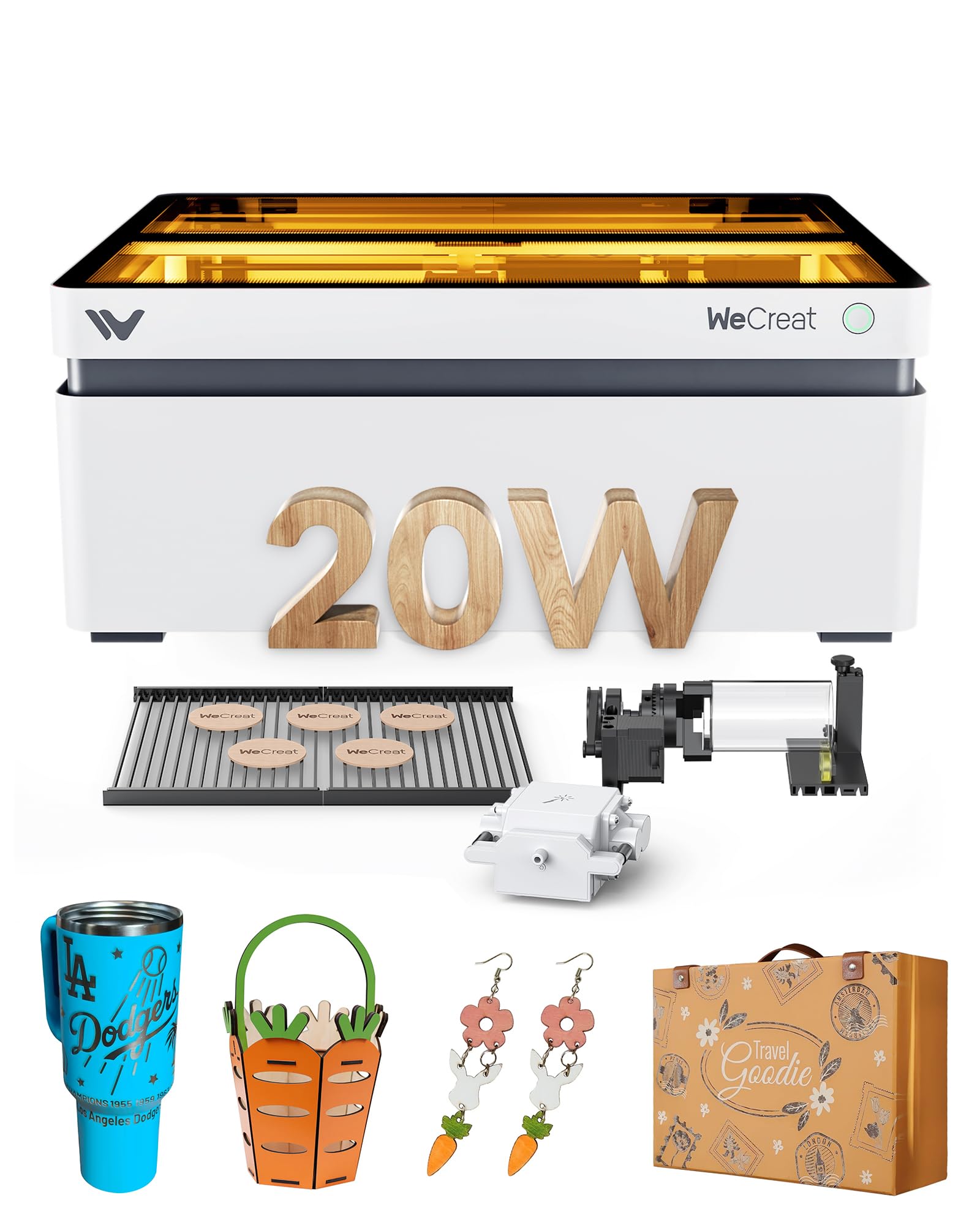
The WECREAT Vision is the world’s first desktop laser engraver with auto-lifting Z-axis, allowing you to work on materials from 1mm up to 140mm tall without an extra riser base. This makes it uniquely suited for engraving taller items like thick cutting boards, boxes, or uneven stock. The 20W diode laser cuts through 10mm wood and 8mm black acrylic in a single pass, and the 0.01mm accuracy delivers fine detail for color marking on coated metals. The built-in HD camera enables the Quick View Matrix—one-click settings for over 100 materials.
The fully enclosed SGS Class 1 design stops immediately when the lid opens, and the eye-protection enclosure filters 99% of laser light. Included in the bundle are an intelligent air assist system (30L/min, automatic), a simple rotary system for cylinders, and two unique laser beds that produce fewer burn marks than traditional honeycomb. The machine weighs 66.9 pounds but its compact footprint fits nicely on a desk. The proprietary software and LightBurn compatibility offer flexibility, though some users report that the controller struggles with extremely complex vector files. The auto-lift mechanism is a genuine differentiator for anyone who regularly switches between flat sheet goods and taller objects.
For a workshop that engraves everything from flat acrylic signs to tall wooden crates, the Vision eliminates the riser-hassle. The easy setup and intuitive software make it beginner-friendly, while the rotary and air assist bundle provide the accessories most users eventually buy separately.
Why it’s great
- Auto-lift Z-axis handles 1-140mm material heights
- Fully enclosed Class 1 safety, no goggles
- Includes rotary, air assist, and unique laser beds
- LightBurn compatible for advanced users
Good to know
- Heavy at 66.9 lbs, desk must be sturdy
- Proprietary software is good but limited compared to LightBurn
- Some reports of camera alignment drift over time
- Premium price point
5. Algolaser 40W Alpha MK2 Laser Engraver
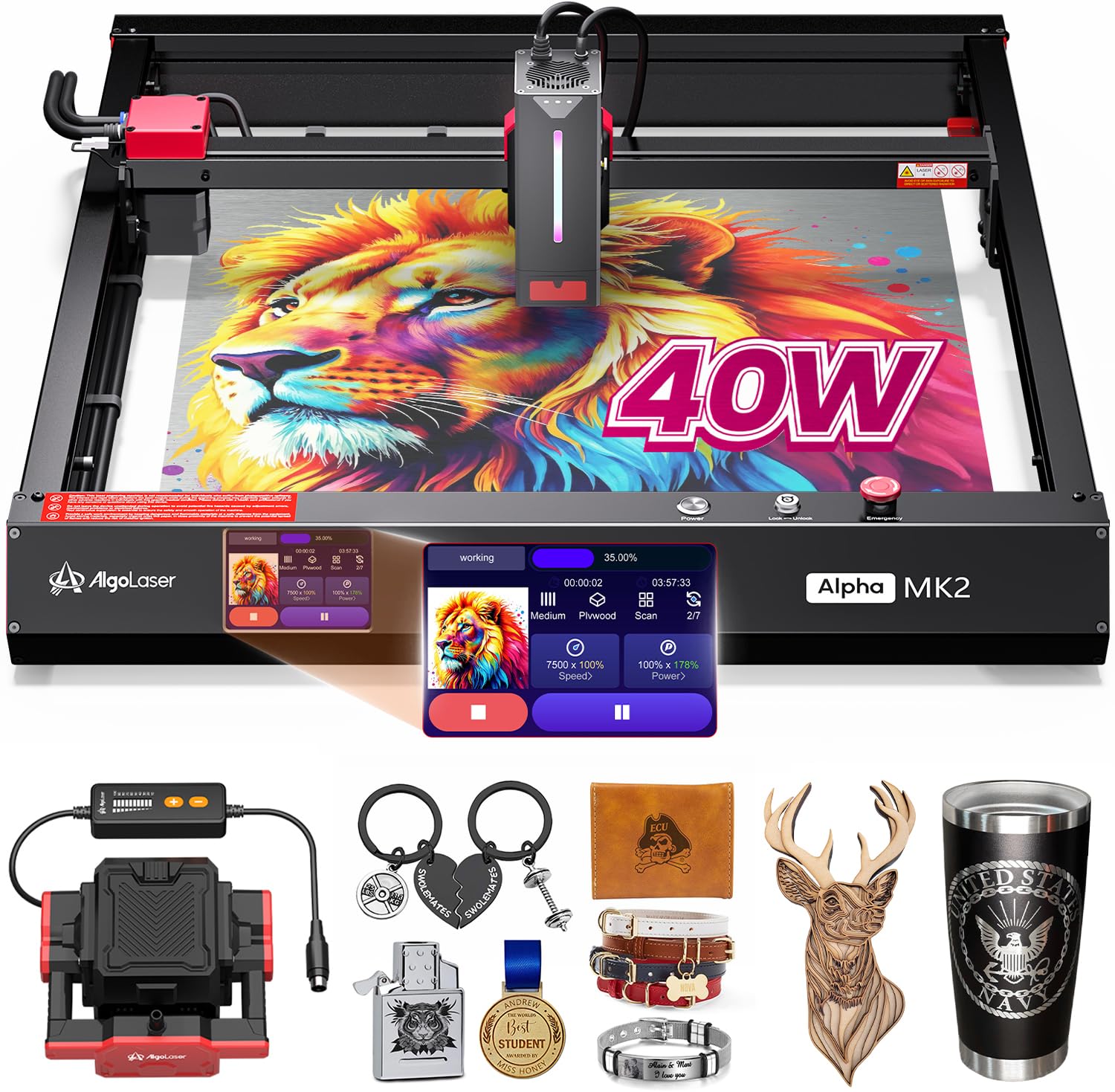
The Algolaser 40W Alpha MK2 is built for production-level cutting and color engraving, capable of slicing through 25mm solid wood in a single pass at speeds up to 25,000mm/min—up to 4X faster than typical desktop cutters. The 40W COS laser module produces a dense beam for both deep cuts and fine color oxide marking on stainless steel. The 3.5″ smart touchscreen with the AlgoOS system allows standalone operation without a computer, including offline batch cutting from 32GB of built-in memory. Seven safety features include flame detection, emergency stop, and a semi-enclosed design with dual air assist (smart air pump plus internal smoke exhaust).
Compatibility with LightBurn and LaserGRBL gives professionals flexibility, while beginners can use the AlgoLaser app. The dual air assist keeps the lens clean and reduces material scorching—critical for maintaining consistent color on metals. The machine weighs 21.1 pounds, fairly light for a 40W unit, though the semi-enclosed body means it’s best placed in a ventilated area or fume extraction system. Users consistently note the excellent performance and reliability, with quick technical support from Algolaser. Some prefer a fully enclosed unit for safety, but the open-frame design allows for oversized materials to protrude.
If you need the power to cut thick wood and acrylic regularly while also producing detailed color marks on metal, the 40W Alpha MK2 delivers commercial-grade results at a desktop-friendly price. The balance of raw cutting speed and precision engraving is hard to match at this tier.
Why it’s great
- 40W cuts 25mm wood in one pass
- 25,000mm/min speed for batch production
- AlgoOS touchscreen for offline operation
- Dual air assist for clean cuts and lens protection
Good to know
- Semi-enclosed, requires ventilation setup
- No built-in camera for material preview
- 40W module is heavier, affects gantry speed
- Software ecosystem less mature than xTool
6. Mecpow X4 Pro 40W/20W Laser Engraver

The Mecpow X4 Pro introduces a laser module fluctuation switch that lets you toggle between 40W (for cutting) and 20W (for fine engraving) without swapping modules. In 20W mode, the 0.08×0.1mm compressed spot is ideal for detailed color marking on metals; in 40W mode, the 0.1×0.15mm spot cuts up to 25mm wood and 30mm black acrylic at speeds up to 30,000mm/min. The built-in HD camera enables visual-assisted precise positioning, image tracking, and batch engraving with full-frame preview. The 30L air pump automatically adjusts airflow based on software commands.
The fully enclosed design includes flame sensor, hidden X/Y limit switches, tilt sensor, child lock, and emergency stop—Class 1 certified for safe operation. Three connection options (WiFi, USB, TF card offline) provide flexibility. The camera is most useful when connected directly to a computer via USB; over WiFi, the preview lags slightly. Users report that initial assembly instructions are sparse but the machine works reliably once set up. Some early units had power converter issues, but warranty support has addressed them.
The dual-power switch is a genuinely useful feature for those who alternate between cutting thick materials and fine color engraving. The camera-assisted positioning and large air pump make it a strong contender for a small business that needs one machine to handle diverse jobs without compromise.
Why it’s great
- Switchable 20W/40W mode without module swap
- 30,000mm/min speed with 30L air pump
- Built-in camera for visual positioning
- Fully enclosed Class 1 with multiple safety sensors
Good to know
- Assembly instructions are not beginner-friendly
- Camera works best over USB, not WiFi
- Some reports of power converter reliability issues
- Software is functional but not as polished as xTool
7. Creality Falcon A1 Pro 20W Laser Engraver
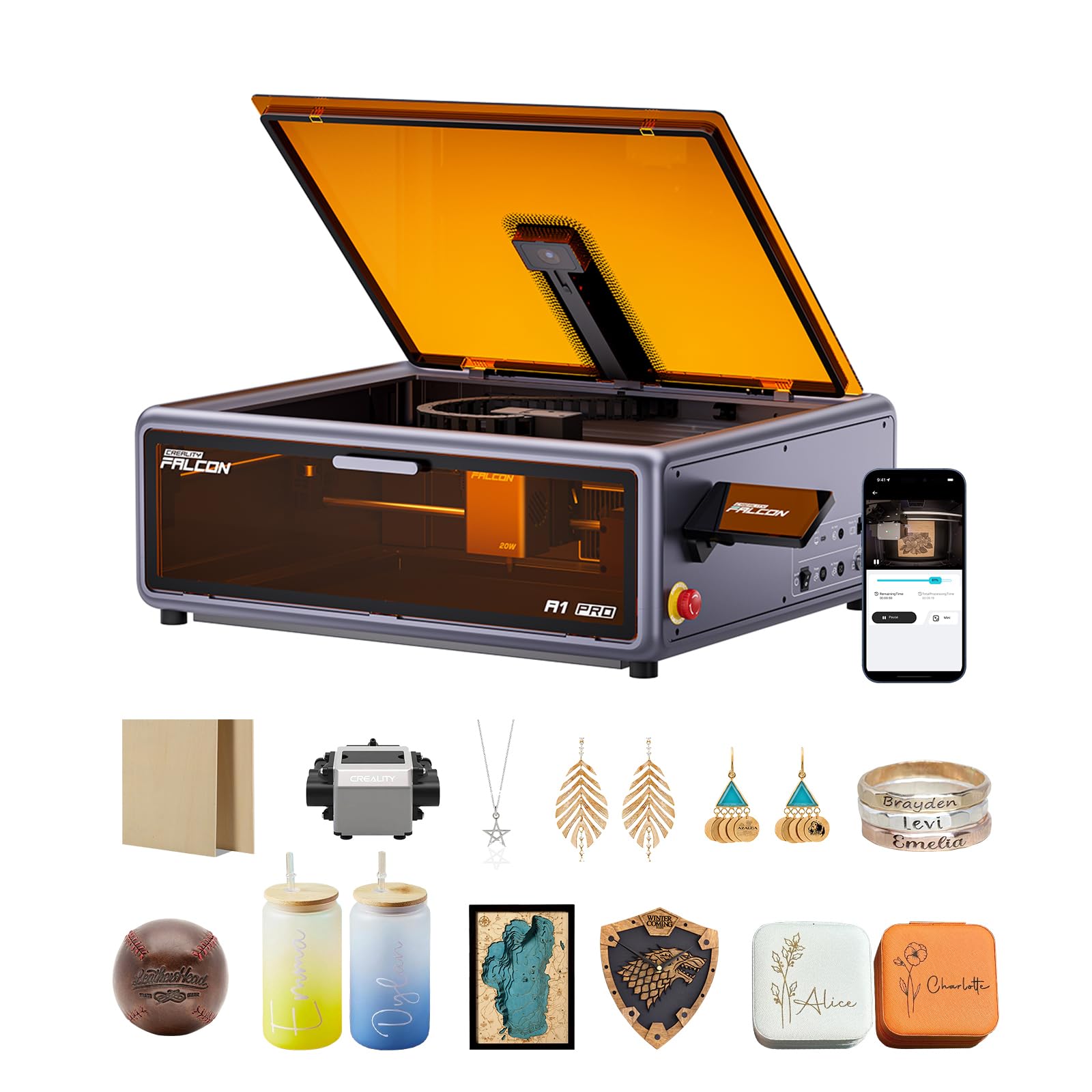
The Creality Falcon A1 Pro 20W delivers a smartphone-style touchscreen and dedicated app for real-time monitoring, allowing you to start and check engraving jobs from another room. The HD camera, AI vision system, red-dot ranging laser, and Z-axis auto-lift combine to achieve auto-focus in just 3 seconds with measurement accuracy within 0.012 inches. The 20W blue laser cuts through 10mm basswood and 8mm black acrylic at speeds up to 600mm/s, while an optional 2W infrared module (sold separately) enables ultra-fine engraving on metals and plastics with a 0.03mm spot.
The fully enclosed design blocks smoke and noise, and dual protective covers filter 99% of laser light so you don’t need goggles. An internal fan speeds smoke extraction, and safety features include emergency stop and lid-open halt. The machine arrives 80% pre-assembled, requiring only minimal setup. Falcon Design Space software offers intuitive model selection and printing management. The machine is compatible only with 460×346mm honeycomb panels, so expansion options are limited. Users appreciate the build quality and the pre-assembly but note that the enclosure lacks a bottom, allowing fumes to escape underneath unless modified.
For users who want to monitor and control engraving from their phone, the Falcon A1 Pro’s app integration is genuinely useful. The fast auto-focus and camera positioning reduce trial-and-error, making it a solid choice for gift shops and home studios.
Why it’s great
- 3-second auto-focus with HD camera and AI vision
- Smartphone app for real-time remote monitoring
- 80% pre-assembled for fast setup
- Optional IR module for 0.03mm metal engraving
Good to know
- IR module sold separately
- Enclosure has no bottom—fumes can escape
- Proprietary software, no LightBurn compatibility
- Smaller bed size (18.11″ x 13.62″)
8. Algolaser 20W Alpha MK2 Laser Engraver

The Algolaser 20W Alpha MK2 is the same platform as its 40W sibling but with a 20W COS laser module that offers a compelling balance of cut capability and fine engraving detail. It cuts cleanly through 15mm wood and produces excellent oxide color marking on stainless steel, thanks to the compressed beam and dual-core CPU running at up to 20,000mm/min—up to 3X faster than typical 20W desktop lasers. The 3.5″ smart touchscreen with AlgoOS and 32GB memory allows standalone operation without a computer. Seven safety features include flame detection and emergency stop.
The semi-enclosed design includes an integrated smart air pump and internal smoke exhaust that keeps the laser path clean and reduces odor—important for consistent color results. It supports AlgoLaser App, LightBurn, and LaserGRBL, and handles offline batch cutting. The engraving area of 15.7″x16″ can be expanded to 15.7″x33.35″ with an optional extension kit. Users report excellent results on polished black stone for memorial pieces, with the air assist preventing smudges. The build quality is solid, and the technical support is responsive.
For users who want the build quality and software flexibility of Algolaser but don’t need the full cutting power of 40W, the 20W Alpha MK2 provides a quieter, more affordable entry point that still excels at color engraving. The extension kit option allows scaling up as needs grow.
Why it’s great
- 20,000mm/min speed for fast batch work
- Smart touchscreen with AlgoOS offline operation
- Dual air assist for clean, smudge-free results
- Extension kit doubles bed length
Good to know
- Semi-enclosed, requires ventilation
- No built-in camera for preview
- 20W limits thick material cutting speed
- Extension kit is an extra purchase
9. LaserPecker LP2 Plus 10W Diode Laser Engraver
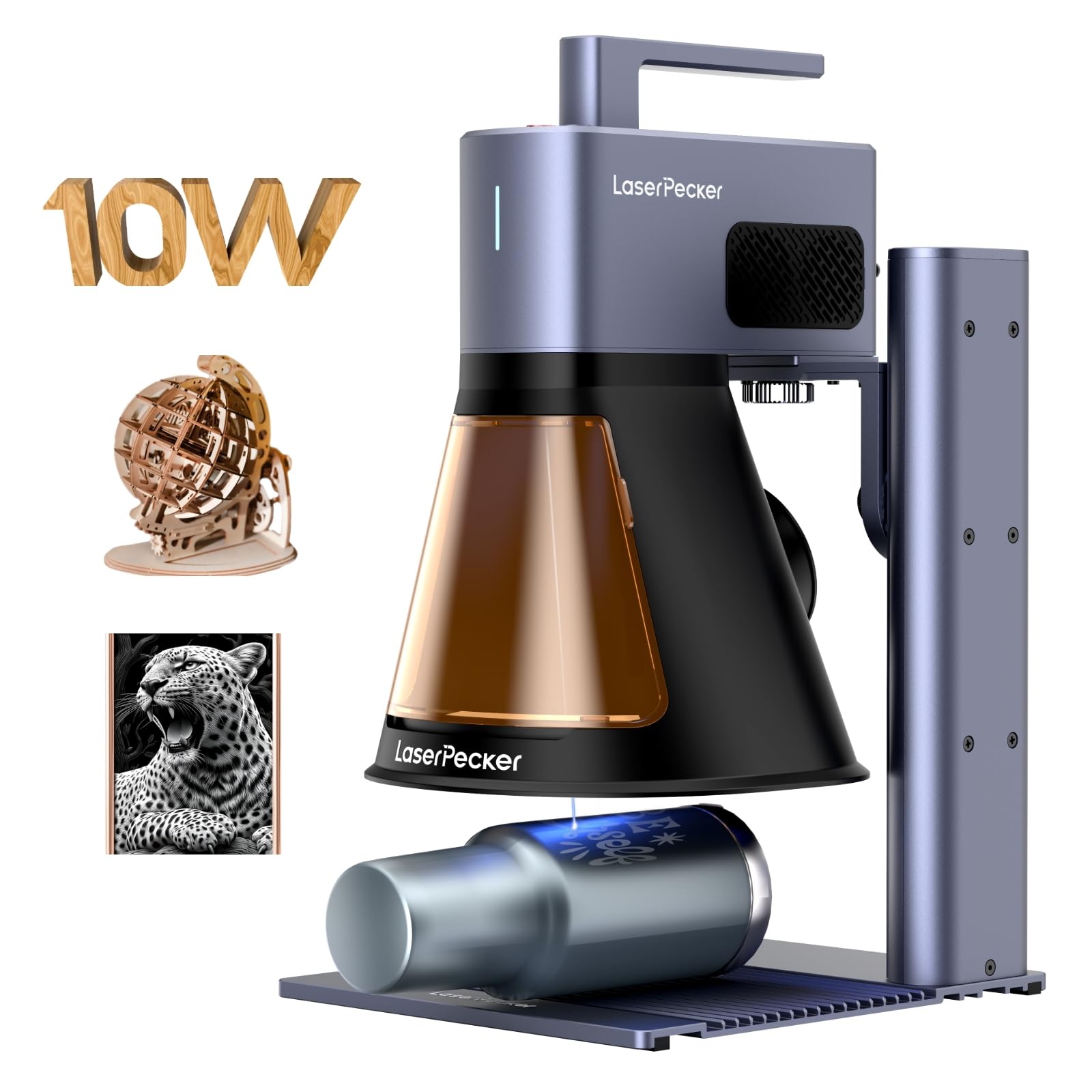
The LaserPecker LP2 Plus is built for on-site portability and angled surface engraving, weighing just 13.57 pounds with a multi-angle laser head that can reach car interiors, furniture, walls, and existing vertical surfaces. The 10W 450nm diode laser with an enhanced F-theta lens provides 1.5X stronger cutting power than the previous LP2, cutting up to 6mm basswood in a single pass. The 4,000mm/s speed is 6X faster than the LP2, and the dual red-dot focus system eliminates rulers for fast setup.
It engraves on 150+ materials including wood, leather, acrylic, coated metal, glass, stone, and even food. The PC software is decent, but the phone app is harder to navigate. The pyramid shield includes a fan for fume extraction. For color marking, the 10W power is sufficient for small batches and detailed logos on coated metals, but it will struggle with large-area color fills and deep cuts. Some users report that the machine is best as a second laser for small items (coasters, keychains, tags) and for engraving on pre-existing objects where an XY gantry machine can’t reach.
If your workflow requires going to the object rather than bringing the object to the machine, the LP2 Plus is uniquely suited. The portability and angled engraving capability open up customization opportunities that enclosed machines cannot match, but the 10W power limits production speed and depth.
Why it’s great
- Ultra-portable for on-site engraving
- Multi-angle head reaches vertical/curved surfaces
- Dual red-dot focus for fast alignment
- Engraves 150+ materials
Good to know
- 10W power limits depth and speed
- Phone app is less intuitive than PC software
- High cost per watt compared to gantry machines
- Not ideal for large production batches
10. Longer RAY5 Upgraded 20W Laser Engraver
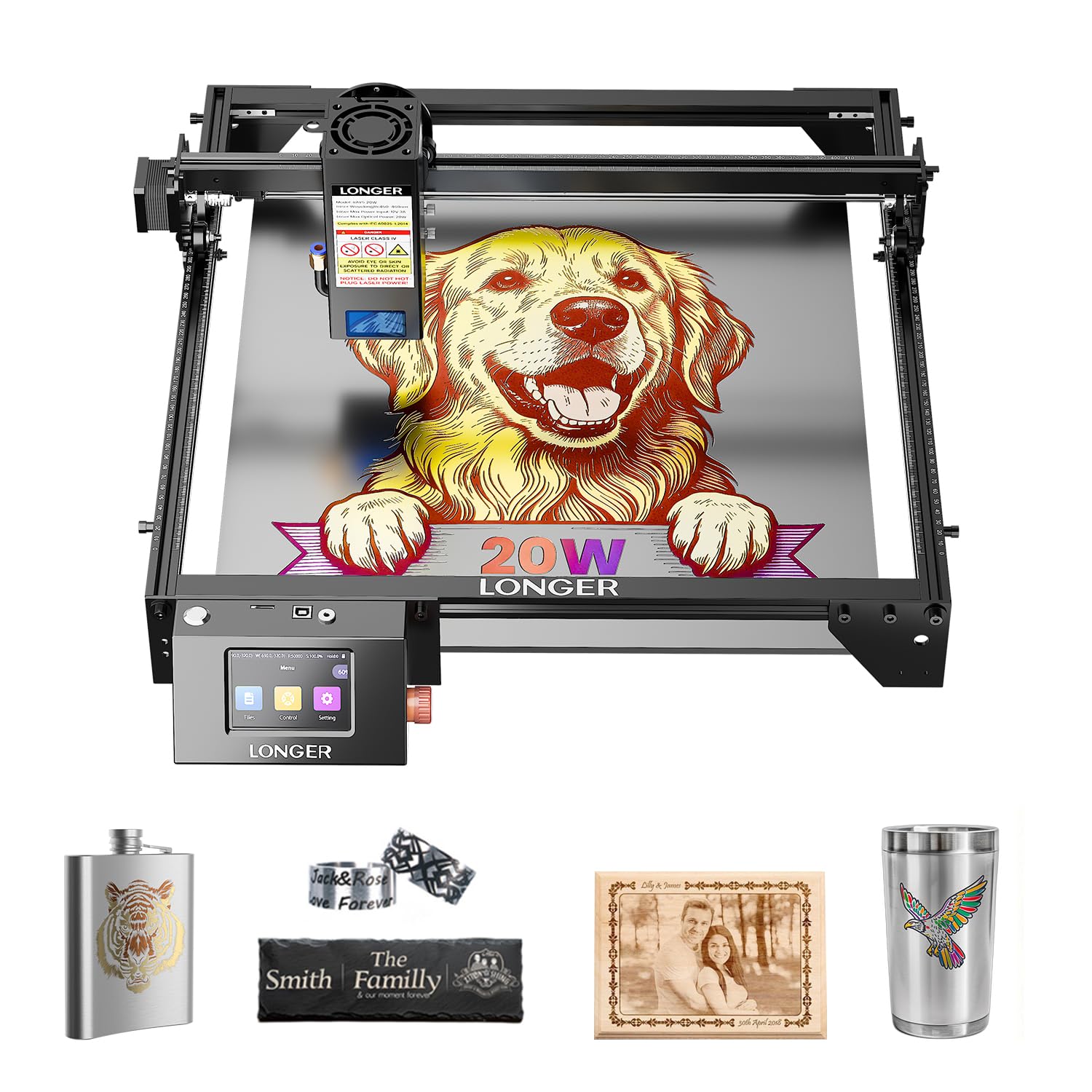
The Longer RAY5 20W uses a compressed 0.08×0.1mm beam spot for detailed engraving and is capable of cutting 25mm wood and 35mm acrylic, as well as 0.002″/0.05mm stainless steel. The built-in 3.5″ color touch screen provides convenient monitoring and adjustment, and the machine supports four connection modes: USB, TF card, WiFi, and APP. It is compatible with LaserGRBL and LightBurn. The maximum processing speed of 10,000mm/min is standard for this tier. The machine weighs 10.68 pounds, making it one of the lighter full-frame 20W diode engravers.
Users praise the easy setup and out-of-box performance, noting that it handles thin plywood cutting well and engraves multiple materials with good results. An air pump is recommended but not included for better color marking and cut quality. The build quality is solid for the price, with thoughtful touches like organized cable management. Some users add a honeycomb bed and enclosure for improved results. The customer support is responsive, with users reporting quick resolution of technical issues.
For a budget-friendly entry into color-capable diode engraving, the RAY5 delivers reliable performance and LightBurn compatibility. The small spot size is genuinely good for detailed logo work and color marking on metals, though the 20W power means you’ll need patience for thicker cuts.
Why it’s great
- 0.08×0.1mm compressed beam for fine detail
- 4 connection modes (USB, WiFi, TF, APP)
- LightBurn and LaserGRBL compatible
- Good customer support
Good to know
- Air pump recommended for best color results
- No enclosed frame, requires separate safety setup
- Touch screen interface is basic
- Speeds slower than newer competitors
11. Twotrees TTS-20 Max 20W Laser Engraver
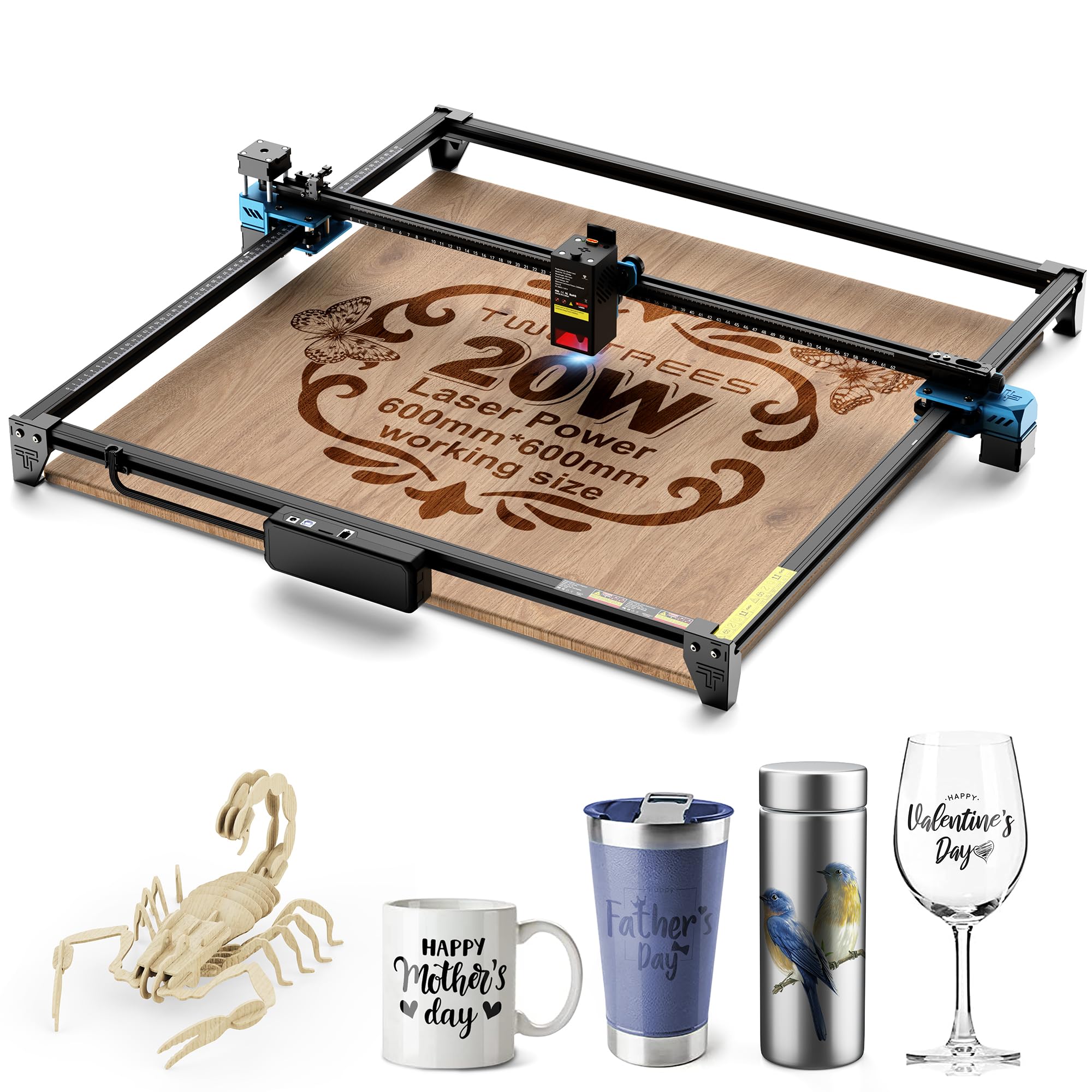
The Twotrees TTS-20 Max offers an exceptionally large 600×600mm (23.62″ x 23.62″) engraving area—2.25X larger than standard 400×400mm models—making it ideal for big signs, furniture panels, wall art, and batch production. The genuine 20W diode laser with a 1000×130μm rectangular spot cuts through 10mm wood and 8mm acrylic in a single pass and can engrave over 100 materials including stainless steel, glass, and leather. Dual-mode WiFi direct connection and a TF card slot enable offline engraving without a computer.
The modular aluminum alloy and injection-molded plastic body combines portability (11.77 pounds) with sturdiness. It comes with laser safety goggles, a 4GB TF card with preloaded test files, and all necessary tools. CE, FCC, and ROHS certified. The rectangular spot geometry produces cleaner edges on cuts compared to round-spot lasers of similar power, though the spot is less ideal for the finest color detail on metal. Users find the assembly straightforward and the software (LightBurn compatible) easy to use once the initial setup is done.
If your primary need is a massive work area for large projects and batch runs, the TTS-20 Max delivers the biggest bed in its price tier. The 20W power is sufficient for many materials, and the offline capability (TF card) is useful for production environments where you don’t want a dedicated computer.
Why it’s great
- Massive 600x600mm bed for large projects
- Rectangular spot for cleaner cut edges
- TF card slot for offline engraving
- Very light at 11.77 lbs
Good to know
- Rectangular spot less ideal for fine color detail
- WiFi connection can be unstable
- No built-in camera or enclosure
- Support documentation could be better
FAQ
Can a diode laser engraver really produce color on metal?
How does the Mecpow X4 Pro switch between 20W and 40W?
What software should I use for color engraving on stainless steel?
Why does the TOOCAA NOVA have a dual-channel exhaust system?
What is the real workspace difference between xTool F1 Ultra and xTool S1 40W?
Final Thoughts: The Verdict
For most users, the best color laser engraver winner is the xTool F1 Ultra because its dual 20W fiber and diode lasers deliver instant color marking on metal plus deep engraving and cutting on organics—all at unmatched speeds. If you want a fully enclosed, large-format machine with excellent safety and batch production, grab the xTool S1 40W. And for a plug-and-play experience with AI positioning and the cleanest cuts, nothing beats the TOOCAA NOVA 20W.

Mo Maruf
I created WellFizz to bridge the gap between vague wellness advice and actionable solutions. My mission is simple: to decode the research and give you practical tools you can actually use.
Beyond the data, I am a passionate traveler. I believe that stepping away from the screen to explore new environments is essential for mental clarity and physical vitality.