Our readers keep the lights on and my smoothie glass nicely filled. As an Amazon Associate, I earn from qualifying purchases.
Specs are compiled from manufacturer listings and verified buyer reviews and can change over time — please confirm the key details on the product page before buying.
Picking a laptop for college means finding one machine that can handle lecture notes, group projects, streaming, late-night study sessions, and maybe a little light gaming — all while fitting in a crowded backpack and surviving four years of daily use. The real question is which model gives you the most capability without the buyer’s remorse that hits when a slow processor or dead battery derails your semester.
I’m Mohammad Maruf — the founder and writer behind WellFizz. This guide is built by comparing the manufacturers’ published specifications and the patterns across verified customer reviews, so you get each pick’s real strengths and trade-offs instead of marketing spin.
if you need all-day battery life for back-to-back classes, a vivid display for creative work, or a lightweight design that won’t weigh down your backpack, the right college laptop balances performance, portability, and durability at a price that fits a student budget.
Our Picks at a Glance



How To Choose The Best College Laptop
Match the laptop to your daily routine: an engineering student running CAD needs more power than an English major writing essays, but every student needs a battery that lasts all day and a build that survives dorm-room chaos. An engineering student running CAD software needs more processing power than an English major writing essays, but every student needs a battery that survives a full day and a build that handles dorm-room chaos.
Battery life is your real campus pass
A long-lasting battery is the most critical feature for any college laptop. Classrooms, libraries, and common areas don’t always have accessible outlets. Look for models that offer at least 8 to 12 hours of real-world use. Reviewers consistently report that a short battery life is the top reason students regret their purchase.
RAM and storage determine how long it stays fast
RAM is your laptop’s short-term memory for running apps and browser tabs simultaneously. A college laptop with at least 16GB of RAM handles multitasking without stuttering. For storage, a solid-state drive (SSD) is non-negotiable — it boots up in seconds and loads programs instantly. Aim for 512GB or more to avoid running out of space by sophomore year.
Processor power matches your major
The processor (CPU) is the brain of the laptop. For basic tasks like writing papers, browsing, and streaming, a mid-range Intel Core i5 or AMD Ryzen 5 is plenty. If you are studying video editing, data science, or engineering, step up to something like a Core i7, Core Ultra 7, or AMD Ryzen 7. The key spec is the generation — newer generations run more efficiently and last longer on a charge.
Weight and build quality for daily carry
You will carry this laptop across campus every day. A college laptop under 3.5 pounds is noticeably easier on your shoulders. Also check the build: a sturdy aluminum or reinforced plastic chassis handles bumps in a backpack better than a flimsy frame. A backlit keyboard and responsive touchpad are essential for late-night study sessions.
Quick Comparison
| Model | Best For | Battery Life | RAM | Display | Amazon |
|---|---|---|---|---|---|
| Apple MacBook Neo 13″★ Best Overall | All-around campus reliability | Up to 16 hours | 8GB Unified | 13″ Liquid Retina | Amazon |
| GEEKOM GeekBook X14 ProTop Performer | Premium OLED display work | Up to 16 hours | 32GB LPDDR5x | 14″ 2.8K OLED | Amazon |
| Microsoft Surface Laptop 13″Best Battery Life | Longest battery endurance | Up to 23 hours | 16GB RAM | 13″ Touchscreen | Amazon |
| Samsung Galaxy Book5 Pro 360 | 2-in-1 creative versatility | Up to 25 hours | — | 16″ 3K AMOLED Touch | Amazon |
| Lenovo ThinkBook 16 Gen 8 | Heavy multitasking & data work | — | 32GB DDR5 | 16″ FHD+ | Amazon |
| GEEKOM GeekBook X16 Pro | Large-screen power users | Up to 17 hours | 32GB LPDDR5x | 16″ 2.5K IPS | Amazon |
| Lenovo V15 | Budget gaming & productivity | — | 16GB RAM | 15.6″ FHD | Amazon |
| Acer Aspire Go 15 | AI-ready performance | — | 16GB DDR4 | 15.6″ FHD IPS | Amazon |
| HP 2025 Laptop (Willow Green) | Value & fast charging | Up to 12 hours | 16GB DDR4 | 14″ HD Anti-glare | Amazon |
| HP 14 Laptop (Lavender) | Budget bundle with Office 365 | 9 Hours | 16GB DDR4 | 14″ HD | Amazon |
| Auusda Business Laptop | Max RAM on a budget | 6000mAh (61.6Wh) | 32GB DDR4 | 15.6″ FHD IPS | Amazon |
In‑Depth Reviews
1. Apple 2026 MacBook Neo 13-inch
Our pick — over 4.5★ from 900+ verified ratings; the strongest balance of quality and price.
The featherlight campus companion that lasts from sunrise to midnight studying.
This MacBook Neo sets the standard for a college laptop with its A18 Pro chip built for AI, a brilliant 13-inch Liquid Retina display (2408-by-1506 resolution, up to 500 nits of brightness), and a fanless aluminum body that stays silent. Buyers report the battery is “excellent, lasting 8+ hours,” and the official rating promises up to 16 hours — enough for a full day of classes plus evening streaming. Its 2.71-pound frame and 0.5-inch profile slide into any backpack pocket without adding bulk, and the 1080p FaceTime HD camera paired with a dual-mic array makes you look and sound clear on Zoom calls.
The trade-off is the fixed 8GB of unified memory, which limits heavy multitasking compared to the 32GB on the GEEKOM X14 Pro. There is also no backlit keyboard on the base model, and the limited ports mean you will need adapters to plug in a USB drive or an external monitor. Still, for the vast majority of college tasks — note-taking, writing papers, browsing, streaming, and light creative work — this machine flies. The indigo, blush, and citrus color options give it personality on a crowded desk.
Why it shines on campus
- Fanless and silent in class or the library
- Stunning 500-nit Liquid Retina screen for reading and video
- smooth integration with iPhone for calls and file sharing
The real-world catches
- 8GB RAM cannot be upgraded later
- No backlit keyboard on the entry model
- Requires dongles for standard USB-A and HDMI devices
A safe bet for most: If you want a lightweight, reliable laptop with the best battery-to-performance ratio for writing, browsing, and streaming, this is it.
Think twice if: You need 16GB+ of RAM for heavy coding, video editing, or engineering software.
2. GEEKOM GeekBook X14 Pro
The ultraportable powerhouse with a screen that makes every movie feel cinematic.
The GEEKOM GeekBook X14 Pro shatters expectations for a college laptop with its 14-inch 2.8K OLED display that delivers true blacks and vibrant colors (100% DCI-P3 coverage). It packs a Core Ultra 9 185H processor with 16 cores and 32GB of LPDDR5x RAM running at 7500MHz — 32GB of LPDDR5x RAM compared to the HP 14’s 16GB — making it a beast for demanding multitasking. Despite having a larger 72Wh battery and a 120Hz screen, it weighs just 2.2 pounds, at just 2.2 pounds compared to the MacBook Neo’s 2.71 pounds. The IceBlade 2.0 cooling system keeps it whisper-quiet during study sessions. One reviewer noted the battery lasts a “full day commute,” and the 65W GaN charger brings it to 80% in about an hour.
The main downside is the trackpad, which some reviewers describe as less smooth than pricier competitors, and the speakers are underwhelming compared to the MacBook Neo’s Spatial Audio. But for students in design, photography, or anyone who stares at a screen all day, the OLED panel is a standout. It runs Windows 11 Pro, includes a fingerprint reader and physical camera shutter, and comes with two USB4 ports for fast data transfer.
The creator’s edge
- Stunning 2.8K OLED with 120Hz for smooth scrolling and accurate colors
- 32GB RAM handles 15-20 Chrome tabs plus Fusion 360 without slowing down
- Ultralight 2.2 lb design is easy to carry all day
A few compromises
- Trackpad quality lags behind premium brands
- Speakers are quiet for movie nights
Perfect for creatives and power users: If your coursework demands a high-resolution OLED and abundant RAM for photo editing, design, or coding, this is the laptop to beat.
Consider something else if: You prioritize rich built-in speakers and a premium trackpad feel above raw specs.
3. Microsoft Surface Laptop 13″ (2025)
The marathon runner that keeps going long after every other laptop plugs in.
Battery anxiety vanishes with the Microsoft Surface Laptop 2025, which promises up to 23 hours of runtime from its Snapdragon X Plus processor. That is a full day and half of normal college use — classes, research, streaming — without reaching for a charger. Its 13-inch PixelSense touchscreen display delivers vibrant color and crisp detail, and the slim design is razor-thin for easy backpack storage. The integrated AI engine, capable of up to 45 trillion operations per second, powers Copilot+ features that help summarize notes and manage tasks. One reviewer called it the “best laptop I’ve ever had” for its light weight, smooth feel, and “good battery life.”
The caveats are that some users reported daily freezing and weak Wi-Fi drivers, and the fingerprint sensor can be inconsistent. It also lacks the older Microsoft magnetic charging connector, relying solely on USB-C charging. The Surface Laptop ships with Windows 11 Home and includes a 30-day Microsoft 365 trial, which is helpful for new students. It is a Copilot+ PC, so you get on-device AI tools for summarizing and writing.
Endurance champion
- Industry-leading 23-hour battery life for all-day campus use
- Sharp PixelSense touchscreen with vivid colors
- Fast Snapdragon X Plus processor with on-device AI
Reliability concerns
- Some units experience freezing and Wi-Fi issues
- Fingerprint sensor can be hit-or-miss
- No proprietary magnetic charger, only USB-C
For the battery-obsessed: If your top priority is a laptop that lasts two full days of classes without charging, this is the clear winner.
Look elsewhere if: You need a flawless track record from the start — some units have had reliability hiccups.
4. Samsung Galaxy Book5 Pro 360

The 2-in-1 that flips from lecture notes to movie screen in a second.
The Samsung Galaxy Book5 Pro 360 is a versatile college laptop that transforms from a clamshell notebook into a tablet with its 360-degree hinge and included S Pen. Its 16-inch Dynamic AMOLED 2X display with 3K resolution (2880×1800) and 120Hz refresh rate makes reading textbooks and watching lectures feel rich, and the anti-glare coating helps when you are studying outdoors. Battery life is rated up to 25 hours, so it outpaces even the Surface Laptop for marathon study days. The Intel Core 7 Ultra processor handles multitasking smoothly. One buyer mentioned the battery “easily lasts through all my lectures and dev sessions” and the touch sensitivity for handwritten notes is “top-tier.”
However, there are durability concerns — one reviewer called it “the worst laptop I ever owned” due to a fragile screen and overheating, and Amazon previously flagged it with a “frequently returned” tag. The large 16-inch screen also makes it less portable than the 13-inch MacBook Neo or Surface Laptop. For students who love taking handwritten notes and want a premium media experience, its versatility is class-leading, but it carries more risk than the more consistent MacBook Neo.
Versatility plus
- Gorgeous 16″ 3K AMOLED touchscreen with smooth 120Hz
- All-day battery up to 25 hours
- Comes with S Pen for handwritten notes and sketching
Potential pitfalls
- Higher risk of screen fragility and overheating reported
- Large 16″ form factor is less backpack-friendly
- Some units have had reliability issues
Ideal for the note-taker and media lover: If you want a 2-in-1 that replaces both your laptop and tablet with a stunning display, this is a strong option.
Skip it for confidence: If you cannot risk a faulty unit or need a smaller, more portable machine for crowded lecture halls.
5. Lenovo ThinkBook 16 Gen 8

The workstation that powers through data science projects without breaking a sweat.
The Lenovo ThinkBook 16 Gen 8 is built for students who push their hardware — think data science, video editing, or running multiple virtual machines. It features an Intel 16-Core Ultra 7 255H processor with AI acceleration, 32GB of DDR5 RAM, and a 2TB PCIe SSD for massive storage. The 16-inch FHD+ (1920×1200) display gives you extra vertical space for spreadsheets and code, and the Intel Arc 140T integrated graphics handle light rendering. The fingerprint reader and Windows 11 Professional add enterprise-level security that keeps your research safe. One owner reported it does “wonders with my dual monitor setup” and handles database work “beyond fine.”
The main drawback is its size — at 16 inches, it is less portable than 13-inch or 14-inch alternatives. There are also reports that some units sold as “new” may have been previously configured, so buy from a trusted seller. It is the heaviest pick in this guide, but for sheer compute power and storage, it outperforms the MacBook Neo’s 8GB RAM by leaps.
Compute firepower
- 32GB DDR5 RAM handles massive multitasking easily
- 2TB SSD gives you room for years of projects and media
- Intel Ultra 7 processor with AI acceleration for future-proofing
Portability trade-off
- 16-inch chassis is heavier and bulkier for daily campus carry
- Some units have been shipped as pre-configured rather than brand-new
For power-hungry majors: If you are in engineering, data science, or video production and need workstation-class specs, this ThinkBook delivers.
Not for the minimalist: If you want a light, campus-friendly machine for basic tasks, look at the MacBook Neo or Surface Laptop instead.
6. GEEKOM GeekBook X16 Pro

The big-screen beast that is shockingly light for its size.
The GEEKOM GeekBook X16 Pro gives you a roomy 16-inch IPS display with a 2.5K resolution (2560×1600) and a 16:10 aspect ratio, which means more vertical space for reading documents and writing code — all while weighing just 2.8 pounds. It matches the X14 Pro’s Core Ultra 9 185H processor and 32GB of RAM but steps up the storage to 2TB and the battery to 77Wh for up to 17 hours of use. The IceBlade 2.0 dual-fan cooling system keeps temperatures down during heavy use. One reviewer called it “light, powerful, student and gamer friendly,” noting it “runs all games smoothly” and is “durable with daily heavy use.”
The trade-off is similar to the X14 Pro: the touchpad has been criticized for only clicking at the corners, and some users reported loud fan noise on the U5 variant. The 32GB RAM is also not upgradeable, so you are locked at that amount. For the price, it offers an incredible spec sheet that beats the Lenovo V15 and Acer Aspire Go 15 in raw power and display quality.
Screen real estate champ
- Sharp 2.5K 16:10 display great for reading and coding
- Massive 2TB SSD and 32GB RAM for heavy workloads
- Lightweight 2.8 lbs despite the large 16″ chassis
Design quirks
- Touchpad only clicks at the corners
- RAM is not user-upgradeable
- Some units have loud fan noise
For the screen-size seeker: If you want a large, high-resolution display for multitasking without lugging around a heavy machine, this is a top contender.
Consider carefully if: A responsive touchpad and quiet fans are essential to your workflow.
7. Lenovo V15 Laptop

The dependable workhorse that balances price and performance for budget-conscious students.
The Lenovo V15 is a solid mid-range college laptop that pairs an AMD Ryzen 5 5500U hexa-core processor (clocked up to 4.0GHz) with 16GB of RAM and a 512GB SSD. Its 15.6-inch FHD (1920×1080) display is sharp enough for streaming and document work, and the inclusion of a numeric keypad makes it great for finance or accounting students who frequently enter numbers. The V15 features a full port selection including HDMI, RJ45 ethernet, and USB-C, which is rare at this level. One reviewer described it as “a very good performing, quality laptop for college” that handles “light gaming and multitasking” well.
Reviewers consistently point out that the display quality is mediocre — “poor display” and “not the best” are common phrases — so colors will not pop like the GEEKOM’s OLED. The battery life is also a weak point, with one user reporting only 45 minutes of heavy use and 1.25 hours on power save. If you plan to work without a charger for most of the day, this is not the pick. The touchpad position is also slightly too far left, causing occasional misclicks.
Budget smarts
- Strong Ryzen 5 processor for multitasking and light gaming
- Full port selection including HDMI and RJ45 ethernet
- Numeric keypad for number-crunching courses
The compromises
- Mediocre display quality, especially for color-critical work
- Short battery life — not ideal for all-day campus use
- Touchpad placement can cause misclicks
Good for desk-bound students: If you mostly work near outlets and want a capable processor for a fair price, the V15 is a strong value play.
Look elsewhere for all-day mobility: If you need a battery that lasts through back-to-back lectures, choose the MacBook Neo or Surface Laptop.
8. Acer Aspire Go 15

The speed demon that loves multitasking and handles Sims 4 with mods.
The Acer Aspire Go 15 is powered by an AMD Ryzen 7 7730U processor that reaches up to 4.5 GHz, paired with 16GB of DDR4 memory and a 512GB PCIe Gen4 SSD for snappy boot times. Its 15.6-inch FHD IPS display with narrow bezels provides a sharp, detailed view for web browsing and streaming, and the Acer BluelightShield feature reduces eye strain during late-night study sessions. The Copilot key gives you instant access to AI assistance. One reviewer confirmed it “runs very fast,” handles “Sims 4 with mods, Steam, Cities Skyline, Roblox, Zoom,” and never disconnects from Wi-Fi.
The main issue is its size — at 15.6 inches, it is “large, not lap-friendly” according to one reviewer, and the fanless design means it runs quietly but may not be as cool under sustained load. The display looks good after disabling the default eye shield, which causes a yellow tint. It lacks the premium feel of the MacBook Neo or the OLED quality of the GEEKOM, but for the price, it offers outstanding CPU performance for students doing light gaming alongside coursework.
Processing punch
- Fast Ryzen 7 processor with 4.5 GHz boost for demanding apps
- FHD IPS display with narrow bezels for an rich view
- Copilot AI assistant key for quick productivity help
Size and feel
- Large chassis is not comfortable to use on your lap
- Eye shield default setting gives a yellow tint; needs adjustment
For the gamer-student hybrid: If you want a fast processor for light gaming and general multitasking while staying affordable, the Aspire Go 15 delivers.
Think twice if portability matters: Its large size makes it less ideal for tight lecture hall desks or daily backpack carry.
9. HP 2025 Laptop for Student Business (Willow Green)
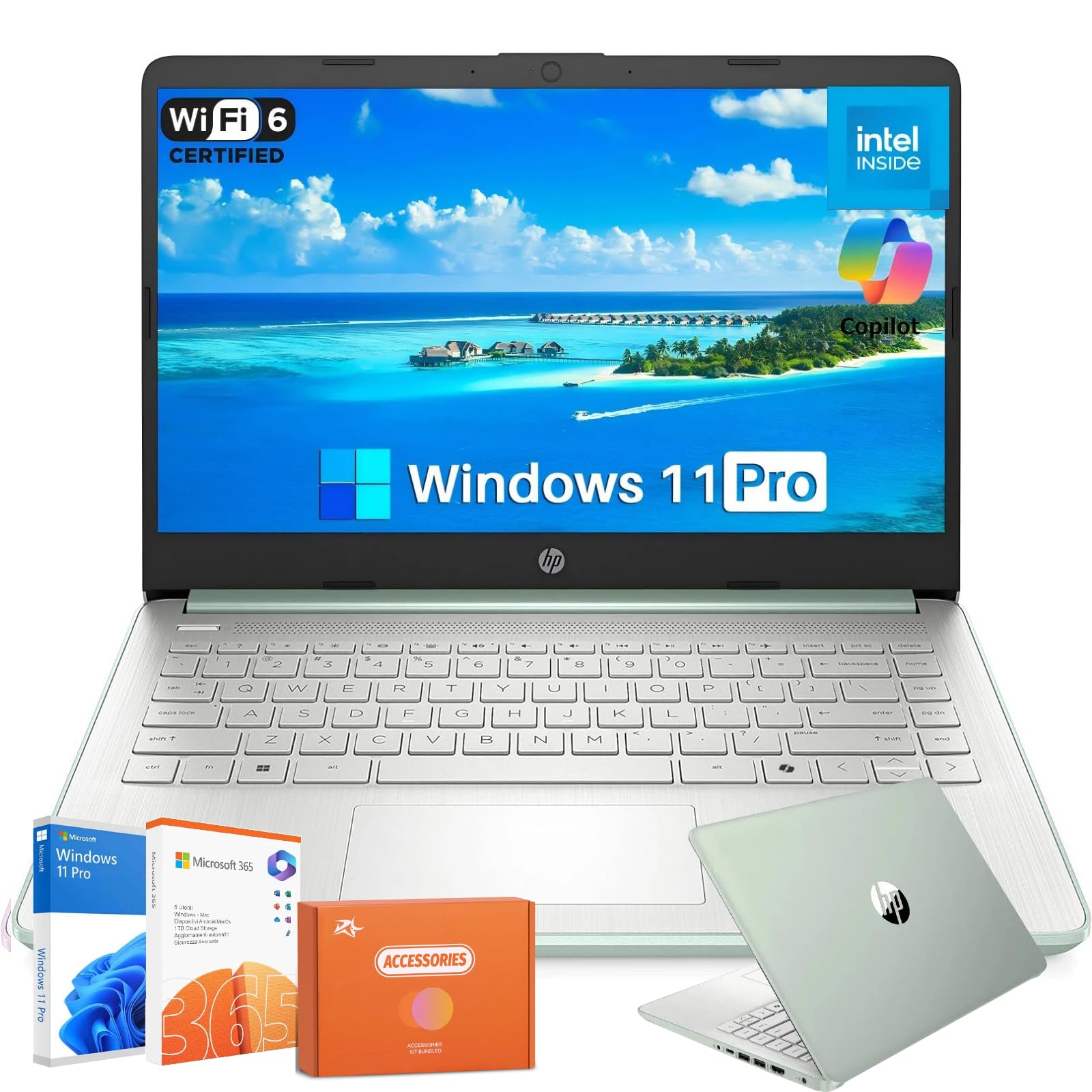
The fast-charging friend that gets back to 50% in just 45 minutes.
The HP 2025 Laptop in Willow Green is a practical college laptop that prioritizes convenience with HP Fast Charge — refueling to 50% in about 45 minutes. Its Intel N150 processor and 16GB of DDR4 RAM handle everyday tasks like document editing, web browsing, and streaming smoothly. The 14-inch anti-glare HD display (1366×768) is useful for working outdoors without glare, and the lightweight design weighs only 3.24 pounds at 0.71 inches thick. With up to 12 hours of battery life, it can last a full day of classes. One reviewer called it “just what I needed” for audio work and appreciated the slim foldable design.
The display resolution is only 1366×768, which is less sharp than the 1920×1080 panels found on the Acer Aspire Go or Lenovo V15 — fine for basic tasks but not ideal for detailed photo editing or watching HD movies. Some users reported microphone and speaker issues with Zoom on day two, though a series of updates resolved the problem. It ships with Windows 11 Pro, Wi-Fi 6, and Bluetooth 5.4, plus a 1-year subscription to Microsoft 365.
Student-friendly features
- Fast Charge gets you to 50% in ~45 minutes between classes
- Lightweight 3.24 lb design is easy to carry
- Anti-glare screen helps when studying outdoors
Display limitations
- 1366×768 resolution looks less crisp than Full HD screens
- Some initial audio issues on Zoom reported by users
For the value-conscious commuter: If you need a reliable, lightweight laptop with fast charging and a 1-year Office subscription included, this is a smart buy.
Pass on it for visual work: If you need high-resolution screen for photo editing or detailed design, look at the GEEKOM or MacBook Neo.
10. HP 14 Laptop Student Business (Lavender)
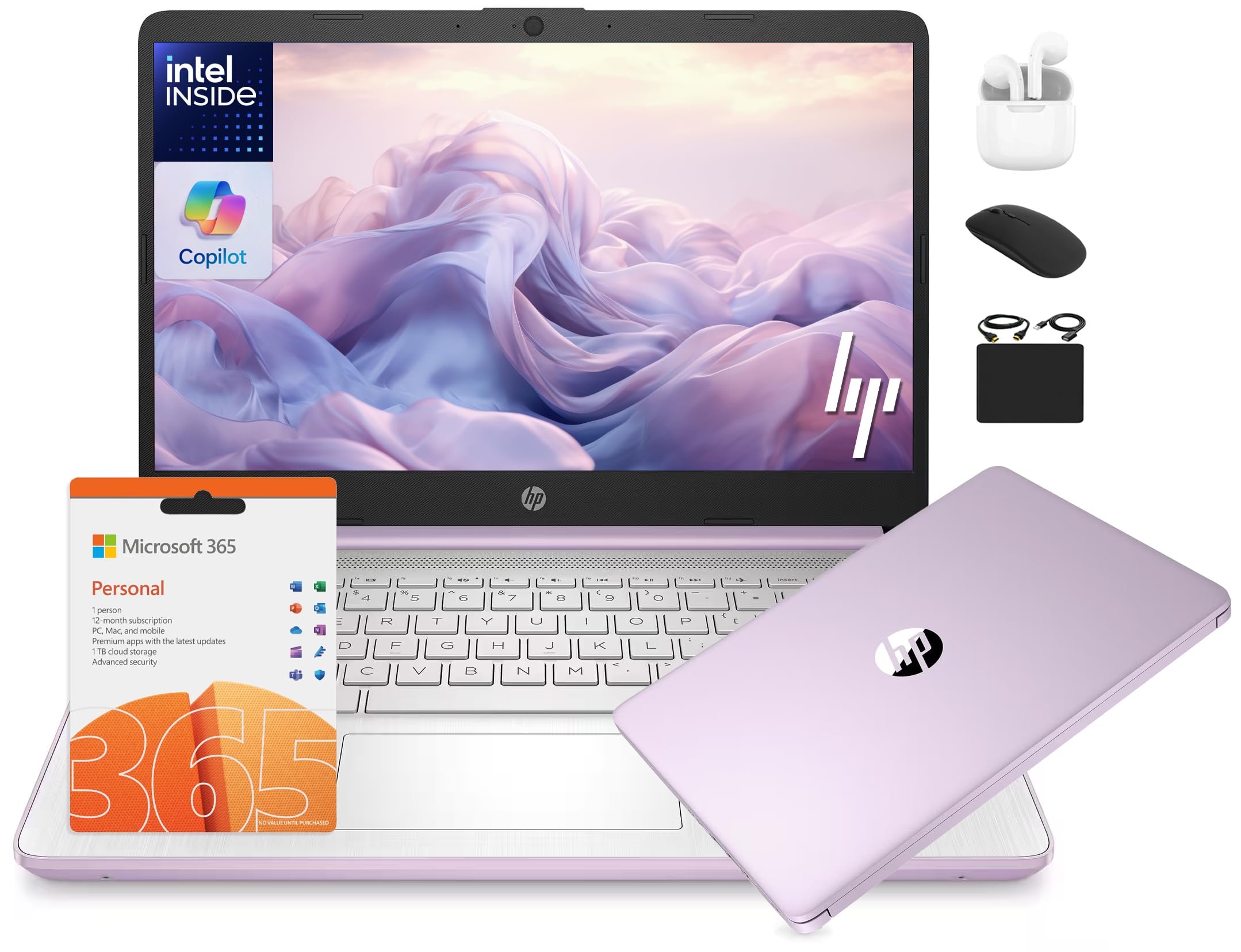
The entry-level bundle that throws in Office 365 and accessories for day-one readiness.
The HP 14 Laptop in Lavender is an entry-level college laptop that focuses on value through its included HubxcelAccessory bundle, which contains wireless earbuds, a 64GB SD card, a wireless mouse, and a 1-year Microsoft Office 365 subscription. It runs on a 13th Gen 4-Core Intel N150 processor with a max speed of 3.6 GHz — a max speed of 3.6 GHz compared to the Auusda’s 3.4 GHz — paired with 16GB of DDR4 RAM and 628GB of storage (128GB UFS plus 500GB external drive). The 14-inch HD display with anti-glare panel makes it usable in bright rooms, and the HP True Vision 720p HD camera is ready for Zoom classes. The AI Copilot feature helps with writing and summarizing tasks.
The display resolution is limited to 1366×768 pixels, which is the same lower-resolution panel as the Willow Green HP but at a smaller screen. The included accessories ship separately, so they will not be in the box. For the price, the processor runs at 3.6 GHz, which is faster than the Auusda’s 3.4 GHz for basic tasks, but the Auusda offers 32GB of RAM (a 2x memory gap) against this HP’s 16GB. If you need maximum RAM on a tight budget, the Auusda is the better pick.
Value adds
- Comes with 1-year Office 365 and accessory bundle
- Faster CPU clock speed (3.6 GHz) than similarly priced rivals
- Anti-glare screen works well in bright conditions
Budget trade-offs
- 1366×768 screen resolution is not Full HD
- Storage split (128GB UFS + external) is less convenient than a single SSD
Perfect for the first-year student on a strict budget: If you need a laptop with Office 365 and basic accessories included, this bundle saves you from buying extras separately.
Not for power users: If you plan to run demanding software or need a high-resolution screen, step up to the Acer Aspire or Lenovo V15.
11. Auusda Business Laptop
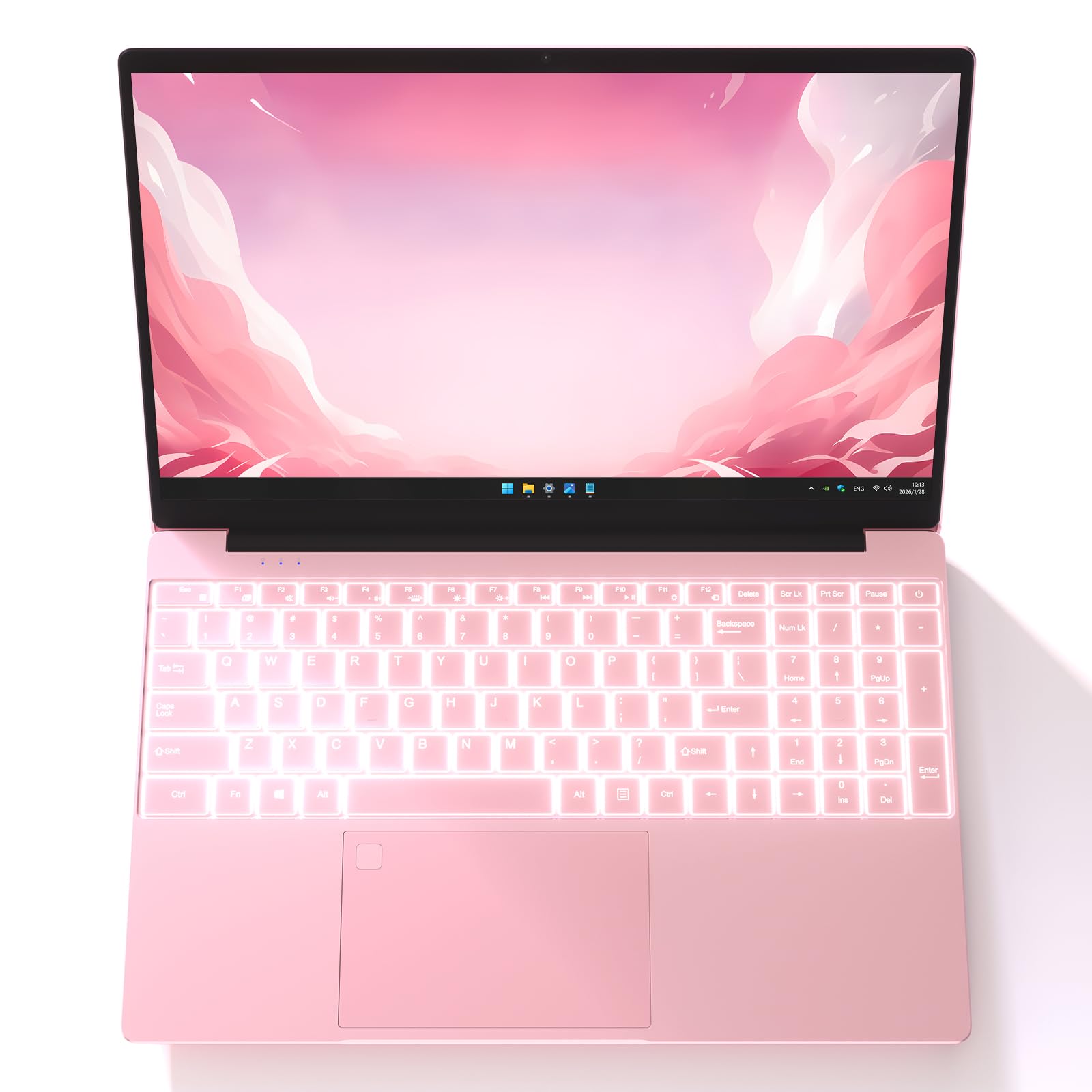
The budget surprise that packs 32GB of RAM into a sub-premium price.
The Auusda Business Laptop is a budget-friendly college laptop that punches above its class with 32GB of DDR4 memory — 32GB of RAM compared to the HP 14’s 16GB — making it the cheapest way to get massive multitasking capacity. Its 15.6-inch FHD (1920×1080) IPS display with narrow bezels and a 180-degree hinge gives you a sharp, flexible screen for group presentations. The backlit keyboard helps during late typing sessions, and the fingerprint reader provides quick, secure login. It has a 6000mAh, 61.6Wh battery for extended use. One customer observed they had “no problems after daily use for almost 1 year,” calling it an “excellent value.”
The trade-off is the processor, which runs at 3.4 GHz — running at 3.4 GHz compared to the HP 14’s 3.6 GHz — and the build is silver plastic rather than metal. There are only two USB 3.0 ports (both same type) with no USB-C or HDMI on some configurations, which limits peripheral connectivity. The product dimensions measure 14 x 9 x 0.7 inches, measuring 14 x 9 x 0.7 inches compared to the MacBook Neo’s 8.12 x 11.71 x 0.5 inches, so it is bulkier in a backpack. One critical reviewer reported a black screen after three months, though the majority of buyers are positive about its value.
RAM for days
- Generous 32GB DDR4 RAM for heavy multitasking on a budget
- Full HD IPS display with a practical 180-degree hinge
- Includes backlit keyboard and fingerprint reader
Budget compromises
- Slightly slower CPU (3.4 GHz) than some competitors
- Plastic build and limited port selection (no USB-C)
- Larger size compared to ultraportable alternatives
For the RAM-hungry student on a tight budget: If you need 32GB of RAM for virtual machines or heavy data analysis but cannot afford premium laptops, this is your best option.
Skip it for build quality: If you want a premium metal chassis and a compact, backpack-friendly design, the MacBook Neo is worth the extra investment.
Understanding the Specs
Battery Life (Hours)
This tells you how long the laptop lasts on a single charge during typical use like web browsing and document editing. A college laptop with 12 hours or more can get you through a full day of classes without needing to find an outlet. Models with lower ratings, like 9 hours, may require a mid-day top-up. Samsung and Microsoft lead with 25 and 23 hours respectively.
RAM (System Memory)
RAM is the short-term memory your laptop uses to keep apps and browser tabs open and responsive. For college, 8GB handles basic word processing and browsing, but 16GB is the balance for smooth multitasking. The Auusda and GEEKOM models offer 32GB, which is ideal for demanding software like data analysis tools, virtual machines, or creative applications.
FAQ
How much RAM do I really need in a college laptop?
Is a 13-inch screen too small for college work?
Can I game on a college laptop?
What is the difference between an SSD and UFS storage?
How long should a college laptop last?
Is a 2-in-1 laptop worth it for college?
What does the processor generation mean for a college laptop?
Do I need Windows Pro or is Home enough for college?
How important is a backlit keyboard for a student laptop?
Can I upgrade the RAM on my college laptop later?
Final Thoughts: The Verdict
For most buyers, the college laptop winner is the Apple 2026 MacBook Neo 13-inch because it combines a lightweight design, excellent 16-hour battery life, and smooth iPhone integration with enough performance for everyday academic tasks. If you want the best screen for creative work and maximum RAM for multitasking, grab the GEEKOM GeekBook X14 Pro. And for the most impressive battery endurance and a touchscreen experience, the Microsoft Surface Laptop 13″ is a solid pick that keeps going when other laptops have given up.
How We Picked
We do not accept paid placement. Every pick is matched to a real buyer and a real use-case; we do not hands-on test units.
Sources & Methodology
Specifications: manufacturer listings and product documentation. Review insights: verified customer reviews, as of July 2026. Pricing: not shown on this page (it changes often); check the current price via the retailer link.
As an Amazon Associate, WellFizz earns from qualifying purchases. This does not affect which products we feature.
Related Guides

Mo Maruf
I created WellFizz to bridge the gap between vague wellness advice and actionable solutions. My mission is simple: to decode the research and give you practical tools you can actually use.
Beyond the data, I am a passionate traveler. I believe that stepping away from the screen to explore new environments is essential for mental clarity and physical vitality.