Our readers keep the lights on and my smoothie glass nicely filled. As an Amazon Associate, I earn from qualifying purchases.
The right laptop determines whether late-night library sessions feel productive or punishing. A sluggish machine turns a simple research paper into a test of patience, while the wrong port selection forces constant fumbling for dongles between lectures. The gap between a smart buy and a regretful one comes down to matching the hardware exactly to how you actually study, collaborate, and unwind.
I’m Mohammad Maruf — the founder and writer behind WellFizz. I’ve spent countless hours analyzing processor benchmarks, memory configurations, display specs, and battery performance data specifically for the student laptop market to separate genuine workhorses from overpriced distractions.
This guide breaks down eleven distinct machines across every tier so you can confidently choose the best college computer that aligns with your major, workload, and budget without sacrificing long-term reliability.
How To Choose The Best College Computer
The most common mistake new students make is prioritizing a single spec — usually the processor — while ignoring the balance of memory, storage, battery, and build quality. A blazing-fast CPU paired with skimpy RAM still stutters when you have a dozen browser tabs, a PDF reader, and a video call running simultaneously. Your major dictates the real demands: engineering students need raw compute cores, art students rely on color-accurate displays, and liberal arts users can thrive on a well-built entry-level machine.
Battery Life vs. Performance
A laptop that dies by noon defeats the purpose of portability. Machines with power-efficient architectures, like the Apple M5 or AMD Ryzen 7000 series, often deliver six to ten hours of real-world use. Intel-based ultrabooks with high-refresh displays typically offer shorter endurance. If your campus has scarce outlets in lecture halls, prioritize a system that comfortably reaches evening without a recharge.
RAM and Storage Are Non-Negotiable
Eight gigabytes of RAM is the absolute floor for basic productivity, but sixteen is the practical minimum for multitasking students. Twenty-four or thirty-two gigabytes benefit those running virtual machines, compiling code, or editing large media files. For storage, a 512GB solid-state drive handles most workloads, but anyone capturing video or installing several games should target one terabyte, especially since many modern laptops lack upgradable slots.
Port Selection and Connectivity
Dongle dependency frustrates fast-paced students. Look for at least one USB-A port for flash drives, an HDMI output for dorm projectors, and a headphone jack for late-night study sessions. Thunderbolt 4 or USB-C with Power Delivery gives you flexibility for docking stations and fast charging. The more ports built in, the fewer adapters you need to carry.
Quick Comparison
On smaller screens, swipe sideways to see the full table.
| Model | Category | Best For | Key Spec | Amazon |
|---|---|---|---|---|
| Apple MacBook Pro M5 | High-End | Creative Majors & Power Users | 24GB Unified Memory / 1TB SSD | Amazon |
| Dell 14 Plus DB14250 | Premium Ultraportable | Engineering & Data-Heavy Workflows | Intel Core Ultra 7 / 32GB LPDDR5X | Amazon |
| Microsoft Surface Laptop | Premium | Battery Endurance & Portability | Snapdragon X Elite / 16GB RAM | Amazon |
| ASUS Vivobook 14 | Mid-Range | Business & General Academia | Intel Core 5 120U / 12GB RAM | Amazon |
| NIMO 15.6 | Mid-Range | Gaming & Heavy Multitasking | AMD Ryzen 7 6850U / 32GB RAM | Amazon |
| Apple MacBook Neo 13 | Mid-Range | Ecosystem Loyalists & Light Workloads | A18 Pro Chip / 8GB Unified Memory | Amazon |
| HP 15.6 FHD 2026 Edition | Value | Massive Storage & Basic Productivity | 1TB SSD / Intel N100 Processor | Amazon |
| Lenovo V15 | Mid-Range | Durable Workhorse for STEM | AMD Ryzen 5 5500U / 16GB RAM | Amazon |
| HP 17.3 | Value | Large-Screen Immersion | AMD Ryzen 5 7520U / 16GB RAM | Amazon |
| Acer Aspire Go 15 | Value | Balanced All-Rounder | AMD Ryzen 7 7730U / 16GB RAM | Amazon |
| Lenovo Student Laptop | Entry-Level | Budget & Light Schoolwork | 8GB RAM / 128GB SSD + 500GB HDD | Amazon |
In‑Depth Reviews
1. Apple MacBook Pro 14 M5

The M5 chip redefines what a student laptop can deliver. With a blazing 10-core CPU and 10-core GPU combined with 24GB of unified memory, this machine handles video rendering, code compilation, and heavy data analysis without breaking a sweat. The 14.2-inch Liquid Retina XDR display hits 1600 nits peak brightness, making outdoor library work and color-critical design projects equally viable. Real-world battery life consistently stretches past a full day of mixed use, a rarity among high-performance notebooks.
Build quality is exceptional. The aluminum unibody feels dense and premium, while the six-speaker array with Spatial Audio turns dorm movie nights into an immersive experience without external speakers. The 12MP Center Stage camera keeps you framed perfectly during group project video calls. Connectivity covers three Thunderbolt 4 ports, an SDXC card slot, and an HDMI output, so you rarely need a dongle.
The 1TB SSD offers generous headroom for large project files, and macOS remains free of bloatware that plagues many Windows alternatives. The premium investment pays off across four years of demanding coursework without performance degradation. For students in creative fields, computer science, or any major where time equals money, this laptop is the clear first pick.
Why it’s great
- Exceptional M5 performance handles the most demanding academic software with ease
- Outstanding 14.2-inch XDR display with true HDR for design and media work
- All-day battery life that survives back-to-back lectures and late study sessions
Good to know
- Premium price point may exceed typical student budgets
- Limited port selection compared to Windows-based workstations
2. Dell 14 Plus DB14250

The Dell 14 Plus packs a serious punch in a compact 14-inch chassis. The Intel Core Ultra 7 processor with 32GB of LPDDR5X RAM is built for AI-assisted workflows, making it a powerhouse for engineering simulations, data science projects, and heavy multitasking. The 2.5K 16:10 display offers a 2560×1600 resolution that feels incredibly spacious for code editors and research papers side by side.
Military-grade durability testing means this laptop survives the bumps of daily campus life. The aluminum chassis feels premium without adding weight, and the backlit Copilot key gives quick access to AI assistance for summarizing notes or drafting emails. Port selection covers USB-C, USB-A, and HDMI, so connecting to lab equipment or dorm monitors requires zero adapters.
Battery life is solid for a high-performance Windows machine, comfortably lasting a full day of classes and library sessions. The 1TB SSD offers plenty of storage for large datasets and software installations. Frequent Dell firmware updates keep the system secure and stable, a reassuring detail for students handling sensitive research data.
Why it’s great
- Generous 32GB RAM ideal for virtual machines and heavy multitasking
- Sharp 2.5K display with 16:10 aspect ratio for productivity
- Rugged build quality passes military-grade stress tests
Good to know
- No numeric keypad may frustrate accounting or data-entry students
- Warranty support can be complicated for international students
3. Microsoft Surface Laptop (2024)

Battery life is the Surface Laptop’s standout feature. With the Snapdragon X Elite processor, real-world endurance reaches up to 20 hours, meaning you can leave your charger in the dorm for two full days of classes. The 13.8-inch PixelSense touchscreen display runs at a smooth 120Hz and offers a unique 3:2 aspect ratio that feels far more spacious for reading PDFs and writing essays compared to standard 16:9 screens.
The Copilot+ PC integration brings on-device AI capabilities that genuinely help with note summarization and quick document drafting. The magnesium-aluminum build feels light at just over 2.9 pounds, making it effortless to carry across campus. Port selection includes USB-A, USB-C, and a Surface Connect port, and both magnetic and USB-C charging options add convenience.
Performance is swift for all standard academic tasks, though the ARM architecture means some legacy Windows applications may not run natively. Students in specialized majors requiring niche software should verify compatibility first. The 256GB base storage fills quickly, so managing files or investing in cloud storage is wise.
Why it’s great
- Unmatched battery endurance for students who rarely find outlets
- Superb 3:2 touchscreen display at 120Hz for reading and writing
- Lightweight magnesium build that disappears in a backpack
Good to know
- ARM architecture limits compatibility with some specialized software
- Base 256GB storage requires active file management
4. ASUS Vivobook 14

The ASUS Vivobook 14 strikes a practical balance between performance and cost. The 10-core Intel Core 5 120U processor handles everyday academic workloads — Office suites, browser research, video streaming — without hiccups. The 12GB of DDR4 RAM may sit below the 16GB ideal, but it still manages multiple browser tabs and applications better than the 8GB baseline many budget laptops offer.
Storage is where this laptop shines. The 1TB PCIe SSD provides ample space for semester-long projects, large datasets, and a growing media library. The 14-inch FHD IPS anti-glare display reduces eye strain during long study marathons. ASUS includes a PLUSERA 8-in-1 hub in the box, adding HDMI, USB-A, and SD card slots that make connecting to peripherals effortless.
The quiet blue color stands out without being flashy, and the 720p front-facing camera includes a privacy shutter. Port selection is solid with two USB-A 3.2 ports, one USB-C 3.2, and an HDMI output. Battery life is adequate for a day of classes, though not class-leading. For students who need a reliable machine with generous storage at a reasonable cost, this is a strong choice.
Why it’s great
- 1TB SSD provides massive storage for long-term student use
- Includes a useful 8-in-1 hub in the box for connectivity
- Anti-glare IPS display reduces eye fatigue during extended use
Good to know
- 12GB RAM is adequate but not future-proof for heavy multitasking
- Display brightness at 250 nits is modest for brightly lit rooms
5. NIMO 15.6 Light-Gaming Laptop

The NIMO 15.6 delivers desktop-grade specs in a portable shell. The AMD Ryzen 7 6850U processor with 32GB of RAM and 1TB SSD creates a system that laughs at heavy multitasking — think running virtual machines, compiling large codebases, and editing 4K video simultaneously. The Radeon 680M graphics handle light to moderate gaming, making it a rare machine that serves both coursework and downtime equally well.
The backlit keyboard with adjustable brightness is perfect for 2AM study sessions in dim dorms. The 15.6-inch FHD anti-glare display and 175-degree flexible hinge make sharing screens during group projects effortless. Port selection is generous, featuring dual USB-C with Power Delivery, HDMI 2.0, and three USB-A ports, so connecting a full desk setup requires no adapter.
Battery life is rated at 9 hours, which holds up under mixed use. The sturdy build feels durable, though the trackpad is slightly less responsive than premium competitors. A physical privacy shutter and fingerprint reader add security layers. For STEM students who need real compute power without stepping up to workstation prices, this is a compelling dark horse.
Why it’s great
- Massive 32GB RAM handles heavy multitasking and virtual machines
- Radeon 680M graphics support light gaming and creative software
- Full port selection with dual USB-C, HDMI, and USB-A
Good to know
- Build quality feels slightly less premium than major brand laptops
- RAM may require BIOS adjustment for full performance
6. Apple MacBook Neo 13

The MacBook Neo brings the Apple ecosystem experience to a student-friendly price point. The A18 Pro chip delivers snappy performance for everyday tasks — writing essays, browsing with dozens of tabs, video streaming, and light photo editing — while remaining completely silent thanks to its fanless design. The 13-inch Liquid Retina display hits 500 nits of brightness and supports a billion colors, making text look sharp and media appear vibrant.
Battery life is a highlight, typically lasting well over 8 hours of mixed use and able to stretch to 16 hours during lighter workloads. The aluminum unibody feels premium in hand, and at just 2.71 pounds, it’s one of the lightest laptops on this list. The 512GB SSD provides sufficient storage for most students, though the 8GB of unified memory is the limiting factor for heavy multitaskers or anyone running demanding creative software.
The laptop integrates seamlessly with iPhone for features like AirDrop, iMessage, and Universal Clipboard. The 1080p FaceTime HD camera and dual-mic array deliver solid video call quality. The lack of a backlit keyboard on the base model is a notable omission for late-night typists, and ports are limited to two USB-C connections. For students already in the Apple ecosystem with lighter workloads, this is an excellent daily driver.
Why it’s great
- Silent fanless design with excellent everyday performance
- Premium build quality at a comparatively accessible price
- Seamless Apple ecosystem integration for iPhone users
Good to know
- 8GB unified memory limits heavy multitasking potential
- No backlit keyboard on the base configuration
7. HP 15.6 FHD 2026 Edition

The HP 15.6 focuses on what matters most for general academic use: ample storage and sufficient memory. The 1TB internal SSD paired with 16GB of RAM gives you the breathing room to store four years of coursework, media files, and software without worrying about running out of space. The Intel N100 processor handles browsing, document editing, and video streaming smoothly, making it a reliable choice for liberal arts, business, and education majors.
At just 3.64 pounds, this 15.6-inch laptop is impressively lightweight for its screen size. The anti-glare display reduces reflections in brightly lit lecture halls, and the full-size keyboard with numeric keypad makes data entry for statistics or accounting classes more comfortable. The Copilot AI key provides one-touch access to Microsoft’s assistant for quick research and drafting help.
Wi-Fi 6 ensures stable connections in crowded dorm networks. Battery life is solid for a day of classes, and fast charging adds convenience between sessions. The plastic build feels less premium than aluminum alternatives, but for students prioritizing function over flash, this HP delivers exactly what the coursework demands without unnecessary frills.
Why it’s great
- Massive 1TB SSD with 16GB RAM for stress-free storage
- Lightweight 3.64 lb design for a 15.6-inch screen
- Full numeric keypad for accounting and data-entry tasks
Good to know
- Intel N100 processor is not built for demanding software
- Plastic chassis feels less durable than metal alternatives
8. Lenovo V15

The Lenovo V15 is built for students who value reliability and practical features over flashy design. The AMD Ryzen 5 5500U processor with 16GB of RAM delivers smooth performance for coursework, light programming, and casual gaming. The 15.6-inch FHD display provides a sharp canvas for reading and writing, though the panel quality is modest compared to premium rivals. Windows 11 Pro comes pre-installed, offering added security and management features useful for tech-savvy students.
The port selection is a standout advantage. Lenovo includes a full RJ45 Ethernet port alongside HDMI and USB-C, which is invaluable for students in dorms or labs with unreliable Wi-Fi. The numeric keypad accelerates spreadsheet work, and the physical webcam shutter adds peace of mind during online classes. The keyboard offers a comfortable typing experience with good key travel.
Battery life is the primary trade-off, lasting roughly 4-5 hours under moderate use, which requires carrying the charger for full-day schedules. The design is utilitarian black plastic, prioritising function over aesthetics. For students in computer science, engineering, or IT who need reliable wired networking and a solid typing experience, the V15 is a practical, no-nonsense choice.
Why it’s great
- RJ45 Ethernet port for stable dorm and lab networking
- Comfortable keyboard with numeric keypad for data entry
- Windows 11 Pro with enhanced security features
Good to know
- Battery life is below average at roughly 4-5 hours
- Display quality is adequate but not impressive
9. HP 17.3

The HP 17.3 prioritizes screen real estate above all else. The massive 17.3-inch HD+ anti-glare display is ideal for students who work with large spreadsheets, extensive research papers, or any task where seeing more content at once reduces scrolling. The AMD Ryzen 5 7520U processor with 16GB of LPDDR5 RAM provides responsive everyday performance for Office applications, web browsing, and streaming.
The lift-hinge design tilts the keyboard for a more comfortable typing angle, reducing wrist strain during prolonged writing sessions. AI noise reduction filters out background chatter during video calls, a genuinely useful feature for students in noisy dorms or coffee shops. The physical webcam shutter adds privacy assurance. Port selection is adequate with the essential USB and HDMI connections.
The trade-off is portability. This laptop is noticeably heavy, making it less suitable for students who commute daily across a large campus. Battery life sits around 5.5 hours under heavy use, requiring midday charging. The plastic build feels sturdy but not premium. For students who primarily work from a dorm desk and value a spacious display, this HP delivers an immersive screen experience at an accessible price.
Why it’s great
- Expansive 17.3-inch display reduces eye strain and scrolling
- Comfortable lift-hinge keyboard design for long typing sessions
- AI noise reduction improves video call clarity in noisy environments
Good to know
- Heavy build makes daily campus commuting a burden
- Plastic chassis lacks the premium feel of metal alternatives
10. Acer Aspire Go 15

The Acer Aspire Go 15 delivers impressive performance for its price bracket. The AMD Ryzen 7 7730U processor is the star here, outperforming many similarly priced Intel options in multi-threaded tasks. Paired with 16GB of DDR4 RAM and a 512GB PCIe Gen 4 SSD, this laptop handles light gaming, multitasking with dozens of browser tabs, and multimedia creation without noticeable lag. The 15.6-inch FHD IPS display offers decent color reproduction for casual photo editing and media consumption.
The Copilot key provides instant access to Microsoft’s AI assistant for drafting essays, summarizing research, and organizing notes. Acer BluelightShield reduces eye strain during late-night study sessions. Wi-Fi 6 and HDMI 2.1 connectivity keep you connected to fast networks and external displays. Battery life is solid for a 15-inch machine, comfortably lasting through a full day of lectures and library work.
Build quality is typical for this tier — functional plastic with a gray finish that hides smudges well. The 15.6-inch size is not ultra-portable but fits standard backpacks. The sound output is adequate but not impressive for media consumption. For budget-conscious students who need genuine processing power for programming or creative work, the Aspire Go 15 punches well above its weight class.
Why it’s great
- AMD Ryzen 7 7730U delivers high multi-core performance for the price
- 16GB RAM with 512GB Gen 4 SSD for smooth multitasking
- HDMI 2.1 and Wi-Fi 6 for modern connectivity standards
Good to know
- Plastic build feels less premium than metal-chassis alternatives
- Audio output is adequate but lacks richness for media enjoyment
11. Lenovo Student Laptop with Microsoft 365
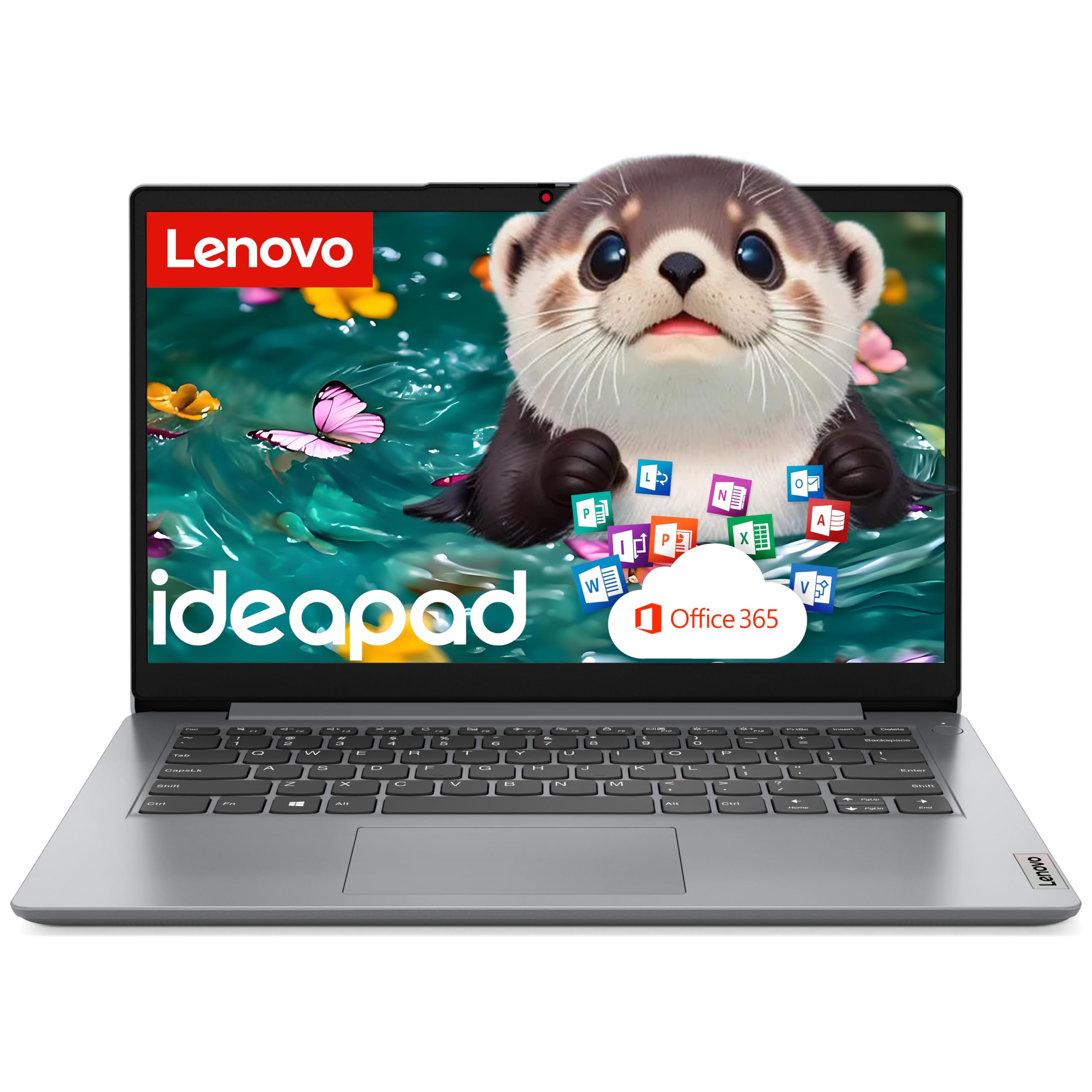
The Lenovo Student Laptop is designed for the most cost-conscious student. The package includes a one-year Microsoft 365 subscription and a 500GB external hard drive alongside the 128GB internal SSD, giving you a complete productivity setup out of the box. The Intel Dual Core processor handles basic schoolwork — word processing, web research, streaming lectures — but struggles with heavier multitasking or demanding applications.
Portability is the main strength. At just 2.89 pounds with an 8-hour battery life, this is one of the lightest and longest-lasting options on the list. The 14-inch anti-glare IPS display is sharp enough for reading and writing without causing eye fatigue. The physical webcam shutter protects privacy during online classes, and the diverse port selection including USB-C, HDMI, and an SD card reader covers basic peripheral needs.
Performance is the clear limiting factor. The dual-core processor and 8GB of RAM mean you cannot run multiple heavy applications simultaneously. Students in fields requiring data analysis, programming, or creative software will find this machine frustratingly slow. This laptop is best suited for middle school, high school, or college students with minimal computing demands who prioritize budget and portability above all else.
Why it’s great
- Ultra-light 2.89 lb design with all-day battery endurance
- Includes 1-year Microsoft 365 and 500GB external drive
- Complete port selection with USB-C, HDMI, and SD reader
Good to know
- Dual-core processor struggles with multitasking and demanding apps
- 8GB RAM is the bare minimum for modern academic workloads
FAQ
Is 8GB of RAM enough for college use in 2026?
Should I choose AMD or Intel for a college computer?
How much storage do I actually need for four years of college?
Are gaming laptops worth considering for college use?
Does screen size matter for academic success?
Final Thoughts: The Verdict
For most students, the college computer winner is the Apple MacBook Pro 14 M5 because it combines exceptional performance, outstanding battery life, and premium build quality that lasts throughout a degree program. If you need generous RAM for engineering or data science, grab the Dell 14 Plus DB14250. And for students on a tight budget who still want reliable performance for basic coursework, nothing beats the value of the Acer Aspire Go 15.

Mo Maruf
I created WellFizz to bridge the gap between vague wellness advice and actionable solutions. My mission is simple: to decode the research and give you practical tools you can actually use.
Beyond the data, I am a passionate traveler. I believe that stepping away from the screen to explore new environments is essential for mental clarity and physical vitality.