Our readers keep the lights on and my smoothie glass nicely filled. As an Amazon Associate, I earn from qualifying purchases.
Specs are compiled from manufacturer listings and verified buyer reviews and can change over time — please confirm the key details on the product page before buying.
A coding tablet needs to do one thing better than any other device: let you see a full block of code without squinting, scrolling every two seconds, or fighting a laggy terminal. A cramped screen and slow keyboard will kill your flow-state faster than any distraction. This guide cuts through the noise to find the tablet that works as a secondary (or primary) development machine.
I’m Mohammad Maruf — the founder and writer behind WellFizz. This guide is built by comparing the manufacturers’ published specifications and the patterns across verified customer reviews, so you get each pick’s real strengths and trade-offs instead of marketing spin.
if you need a portable screen for SSH sessions, a light machine for cloud-based IDEs, or a local powerhouse for compiling on the go, these are the top candidates for the best coding tablet category right now.
Our Picks at a Glance



How To Choose The Best Coding Tablet
Picking a tablet for programming is different from picking one for movies or games. You need crisp text, snappy multitasking, and a long battery so you can work from a coffee shop all afternoon without hunting for an outlet. Here is what to look for.
Display Size and Resolution
A 10-inch screen might be fine for casual browsing, but for coding you want at least an 11-inch display with a high resolution — ideally 2K or better. More pixels mean you can fit more lines of code on screen without scrolling. A 120Hz or 144Hz refresh rate also makes scrolling through long files feel instant and fluid, which reduces eye strain during long sessions.
Processor and RAM
Your tablet needs to switch between a browser with multiple tabs, a terminal emulator, a note-taking app, and maybe a video call — all without slowing down. Look for a modern mid-range or flagship processor paired with at least 8GB of RAM. If you plan to run a local IDE or compiler, 12GB or 16GB gives you breathing room.
Keyboard and Stylus Support
Typing on a glass screen for hours is a pain. A tablet that supports a detachable keyboard case is nearly essential for serious coding work. A stylus is a bonus — great for sketching out architecture diagrams or annotating code during a review session.
Battery Life
Aim for a tablet that promises at least 10 to 14 hours of real-world usage. Fast charging is also a nice-to-have for those days you forget to plug it in overnight.
Quick Comparison
| Model | Best For | Display | RAM / Storage | Battery Life | Amazon |
|---|---|---|---|---|---|
| Apple iPad Pro 13-inch (M5)★ Best Overall | Pro local dev & design | 13″ Ultra Retina XDR | 16GB / 1TB | All‑day | Amazon |
| Apple iPad Air 11-inch (M4)Premium Pick | Balanced iOS coding | 11″ Liquid Retina | 8GB / 128GB | All‑day | Amazon |
| Samsung Galaxy Tab S10+ PlusFlagship | Large-screen multitasking | 12.4″ AMOLED 2X | 12GB / 512GB | 8‑10h real use | Amazon |
| Microsoft Surface Pro (2024) | Full Windows dev | 13″ Touchscreen | 16GB / 512GB | 14 hours | Amazon |
| Lenovo Idea Tab Pro | Versatile Android value | 12.7″ 3K LCD | 8GB / 128GB | 11 hours | Amazon |
| XIAOMI Pad 7 | High-refresh budget powerhouse | 11.2″ 3.2K 144Hz | 8GB / 256GB | 8850mAh | Amazon |
| OnePlus Pad Go 2 | Long battery casual coding | 12.1″ Dolby Vision 120Hz | 8GB / 128GB | 17 hours | Amazon |
| Samsung Galaxy Tab S10 FE | Stylus-heavy learning | 10.9″ 2K+ 90Hz | 8GB / 128GB + 128GB SD | 20 hours | Amazon |
| TCL NXTPAPER 14 | Eye-friendly long reads | 14.3″ 2.4K Paper-Like | 8+8GB / 256GB | 10 hours | Amazon |
| Lenovo Idea Tab Plus | Budget-friendly multi-tasker | 12.1″ 2.5K IPS 90Hz | 8GB / 128GB | 13 hours | Amazon |
In‑Depth Reviews
1. Apple iPad Pro 13-inch (M5)
Our pick — over 4.5★ from 600+ verified ratings; the strongest balance of quality and price.
The thinnest slab that runs local IDEs without breaking a sweat.
This is the tablet that makes coding on a mobile device feel like a desktop experience. The 13-inch Ultra Retina XDR display delivers extreme brightness and precise contrast, so code is razor-sharp even in direct sunlight. Paired with the Apple M5 chip and 16GB of memory, it handles Xcode, Docker containers, and heavy web development workflows without stuttering.
Battery performance is the kind of reliability you want on a full workday — as owners put it, a charge lasts “2 to 3 days” during moderate use, and fast charging gets you from 50% to 80% in under an hour. The 120Hz ProMotion display makes scrolling through thousands of lines of code feel instant and smooth. At just 0.2 inches thick and 1.28 pounds, it is lighter than any laptop, which makes it genuinely comfortable to carry around campus or between meeting rooms.
The trade-off is the premium price — this is an investment. The 1TB model costs considerably more than other options. Also, some owners note that one-hand use can cause fatigue after a while, so pairing it with the Magic Keyboard is the real setup for serious typing sessions.
What Makes It a Dev Powerhouse
- Blazing M5 chip with on-device AI accelerators for local compilation and machine learning tasks.
- 13-inch Ultra Retina XDR display with 120Hz ProMotion — every line of code pops.
- Multiday battery life with fast charging, keeping you unplugged.
The Honest Trade-Offs
- Premium cost; the 1TB storage bump is expensive if you do not need it.
- One-hand use can cause fatigue — a keyboard case is almost mandatory for coding.
The Dev’s Choice: If you write code for a living and want a tablet that doubles as a full local development machine, this is the one. The screen and raw power are class-leading in the tablet space.
skip it if: You are on a tight budget or mostly use cloud-based IDEs — a more affordable Android tablet will serve you just as well for SSH sessions.
2. Apple iPad Air 11-inch (M4)
A powerful M4 machine that shaves off bulk and cost.
The iPad Air bridges the gap between the base iPad and the Pro. It packs the Apple M4 chip — which is still incredibly fast for multitasking, video editing, and running coding tools — into a thinner, lighter chassis that weighs just over a pound. The 11-inch Liquid Retina display has ultralow reflectivity and P3 wide color, so text is crisp and comfortable for long reading sessions.
Battery life holds up for a full day of work, and the Wi-Fi 7 connectivity means fast file transfers and stable remote server access. Multiple owners call the M4 “blazing fast for multitasking” and praise how well it integrates into the Apple ecosystem. Touch ID is convenient for open up and authorizing app installs without fumbling for passwords. The 128GB base storage is a solid starting point for a coding tablet, and you can configure up to 1TB if you need local project files.
The catch is that battery life gets mixed feedback — some owners find it “barely lasts all day” under heavy load, so you may need to top up during long coding marathons. Also, the 11-inch screen, while sharp, is noticeably smaller than the 13-inch Pro, so you might find yourself scrolling more often in complex codebases.
The Best Balance
- M4 chip delivers Pro-level performance at a lower price point.
- Lightweight and highly portable — easy to slip into any bag.
- Touch ID and Apple ecosystem integration make daily use smooth.
A Few Realities
- Battery life under heavy use may require a midday charge.
- 11-inch screen means more scrolling in large code files than the 13-inch Pro.
Reach for This If: You want Apple’s excellent hardware and software integration without the Pro price tag. Ideal for Swift or iOS developers who need a portable companion.
Look Elsewhere If: You need a massive canvas for multi-window coding — the 11-inch screen can feel cramped for side-by-side code and documentation.
3. Samsung Galaxy Tab S10+ Plus
A 12.4-inch canvas for serious multi-window multitasking.
If your coding workflow depends on seeing multiple panels side by side — a code editor, a database client, a terminal, and documentation — the S10+ Plus gives you the real estate to do it without constant window switching. Its 12.4-inch AMOLED 2X display is bright and vivid, and the included S Pen is great for marking up code or sketching workflows during planning sessions.
The MediaTek Dimensity 9300+ processor keeps everything snappy, and Galaxy AI tools like Note Assist can summarize meeting notes or transcribe lectures if you are using it for coursework. Owners consistently praise the display quality and the smooth, responsive feel. The 512GB storage option gives you plenty of room for large project files and local toolchains.
Battery life is solid at around 8 to 10 hours of real-world use, which covers a typical workday. The main drawback is the price — it is a premium investment. Additionally, the Samsung ecosystem adds features you might not use if you are primarily a developer who just wants a clean Android environment.
Massive Multitasker: The 12.4-inch screen and 12GB RAM make it possible to run a full development setup on a tablet.
The Cost: It is as expensive as a good laptop. Only worth it if you will actually use the screen size and storage for demanding projects.
Ideal For: Developers who need a large, portable second screen for code, documentation, and communication tools. The S Pen is a bonus for planning and sketching.
Who Should Pass: Budget-conscious buyers or anyone who already owns a capable laptop — this tablet shines best as a companion device, not a sole workstation.
4. Microsoft Surface Pro (2024)

A full Windows PC that folds into a tablet.
If your development stack relies on Windows-only tools — Visual Studio, SQL Server Management Studio, or specific.NET libraries — the Surface Pro is the only real tablet option that runs them natively. This 2024 model is powered by a Snapdragon X Plus (10-core) processor with a dedicated NPU, so it supports Copilot+ AI features while delivering desktop-class performance. The 13-inch touchscreen display is responsive and sharp, and the built-in kickstand means you can prop it up on any desk without a case.
Battery life is rated at 14 hours, which is excellent for a full Windows device, and the 65W PSU via Surface Connect or USB-C charges it quickly. Owners praise the “amazing battery life” and “fast, high quality” build. The 16GB of RAM and 512GB storage are generous enough for most development projects.
The catch is that the Surface Pro Flex Keyboard is sold separately, and it is expensive — factoring that into the cost pushes the total well above. Also, the ARM-based Snapdragon processor can cause some program incompatibilities, so you need to check if your specific tools have native ARM64 versions before buying.
The Windows Advantage
- Runs full Windows 11 — no app restrictions like on iPadOS or Android.
- 14-hour battery life is exceptional for a Windows device.
- Snapdragon X Plus gives you AI features and solid performance.
Reality Check
- Keyboard sold separately adds significant cost.
- ARM architecture may cause compatibility issues with some existing x86 dev tools.
The Only Choice For: Developers who need a native Windows environment — full Visual Studio, Docker Desktop for Windows, and local IIS. No other tablet can match this.
Reconsider If: You are comfortable with cloud-based or remote development (like VS Code Server), because a cheaper Android or iPad tablet handles SSH sessions just as well.
5. Lenovo Idea Tab Pro

A big, crisp screen at a price that makes sense.
The Idea Tab Pro delivers a 12.7-inch 3K LCD display — that is a higher pixel density than many competitors at this price point — so code and documentation look sharp. The MediaTek Dimensity 8300 processor is fast enough for smooth multitasking between a browser, terminal emulator, and a note-taking app. The included Tab Pen Plus and folio case add extra value if you like to sketch out architecture or annotate code.
Battery life is rated at 11 hours of video streaming, so a full day of coding is realistic with moderate use. Owners describe it as an “amazing all-round tablet” with “crisp screen, premium build, and fast processor.” The 8GB RAM (plus 4GB expandable virtual RAM) gives you enough headroom for most Android development tools and multiple open tabs.
The real-world caveat is that the tablet expects a specific Lenovo 45W PD charger for proper fast charging — using a generic power adapter will result in very slow top-ups. It is also on the heavier side, which can make one-handed use during reading sessions tiring. And while it is great for most tasks, it is not meant for heavy gaming or 3D rendering.
Top Value Pick: You get a large, high-resolution display and a modern processor for a mid-range price. The included pen and case sweeten the deal considerably.
Charging Quirk: You really need the Lenovo 45W PD charger to get fast charging — a standard phone charger will be painfully slow.
Best For: Developers on a budget who still want a big screen for reading code and running multiple apps side by side.
Not For: Anyone who needs ultra-portability — the large screen comes with some weight, and one-handed use can get tiring.
6. XIAOMI Pad 7
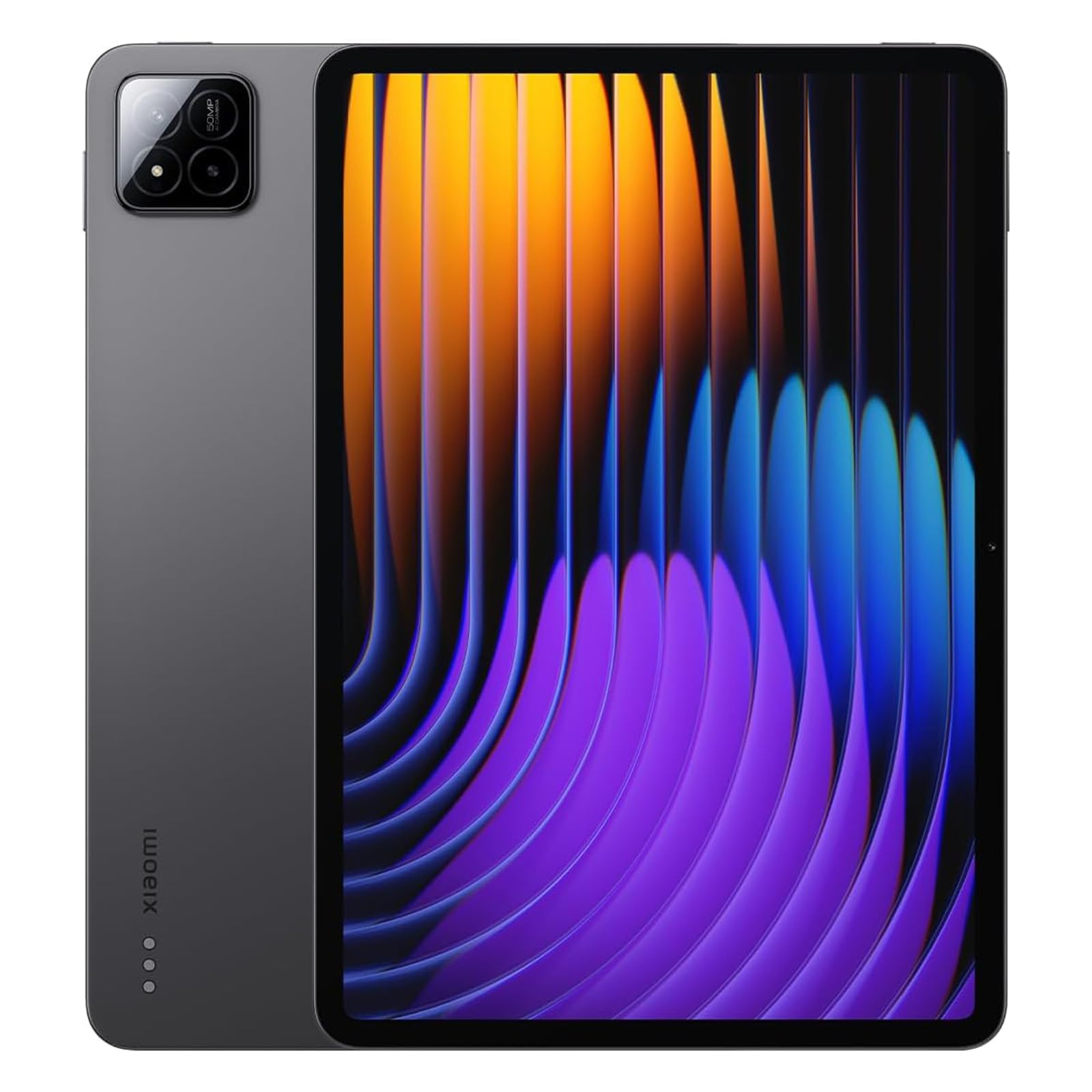
A 144Hz screen that makes scrolling through code silky smooth.
If you have never scrolled through a long Python file on a 144Hz display, you are in for a treat — every line glides into place with zero perceptible judder. The Xiaomi Pad 7 pairs an 11.2-inch 3.2K display with a 144Hz refresh rate, making it one of the smoothest screens available on any tablet. The Snapdragon 7+ Gen 3 processor handles multitasking easily, and the 8GB RAM plus 256GB storage gives you plenty of local space for tools and projects.
Owners consistently praise the “clear display, ample storage, and sturdy battery” — the 8850mAh cell lasts through a full day of work. Charging at 45W (adapter sold separately) gets you back up quickly. The 3:2 aspect ratio is closer to a laptop screen than the common 16:10, so you fit more vertical code lines on screen without horizontal scrolling.
The main limitation is that this is the WiFi-only global version — there is no SIM card slot, so you need a hotspot or always-on WiFi. Also, the operating system has a learning curve if you are used to stock Android or iPadOS, and the battery can drain faster than expected when idle on an internet connection.
The Smooth Operator
- 144Hz refresh rate makes every scroll and transition feel instantaneous.
- 3.2K resolution on an 11.2-inch screen is incredibly sharp.
- 3:2 aspect ratio fits more lines of code vertically than typical 16:10 tablets.
Before You Buy
- No cellular connectivity — WiFi only, so you need a hotspot for on-the-go use.
- Software can feel different from stock Android; expect some quirks.
Ideal For: Developers who value a high-refresh display for comfortable long reading sessions. The 3:2 aspect ratio is excellent for vertical code visibility.
pass on it if: You need always-on cellular data for remote work in areas without reliable WiFi.
7. OnePlus Pad Go 2
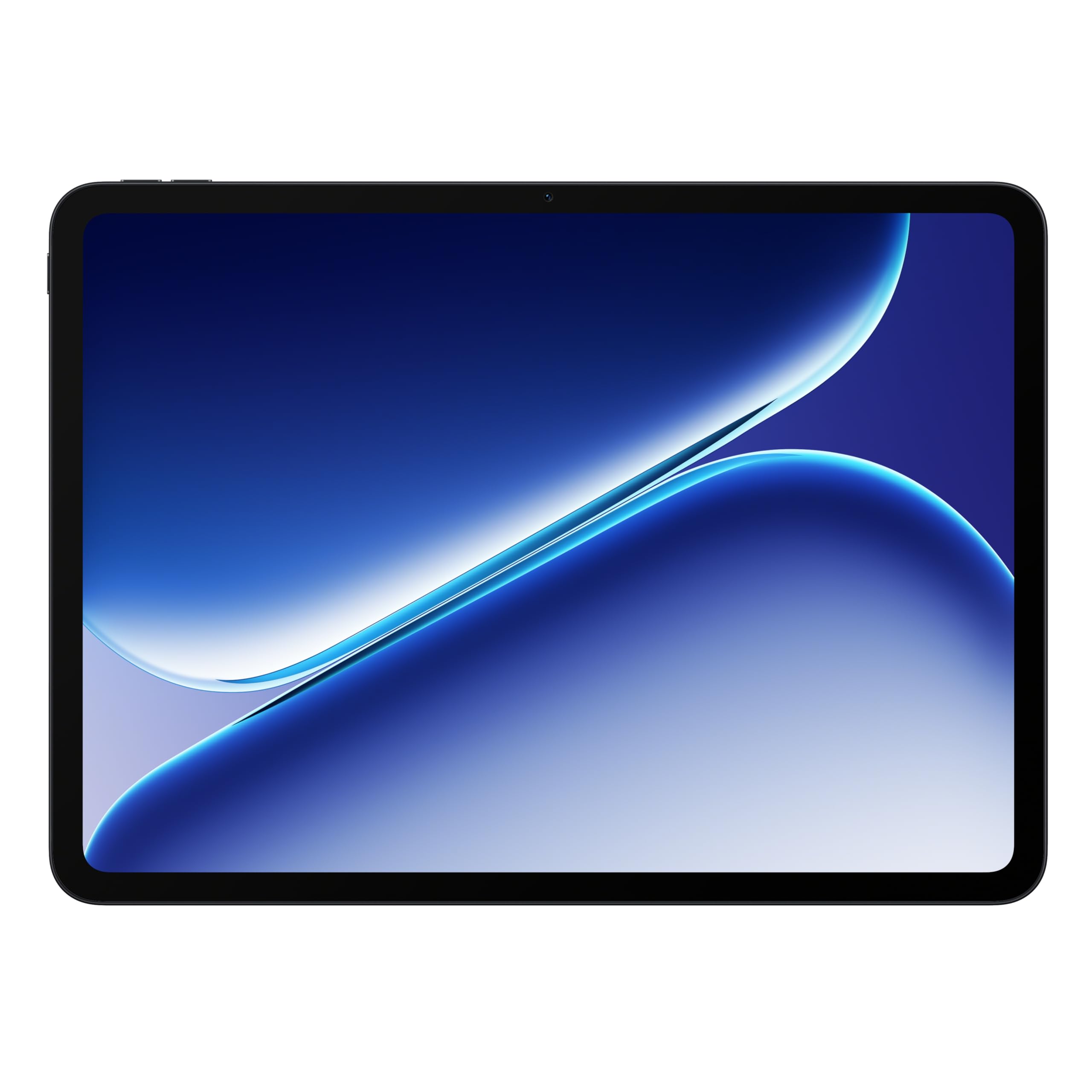
A battery that outlasts your workday and then some.
The OnePlus Pad Go 2 is built around a massive 10,050mAh battery rated for 17 hours of typical use, which means you can code from a coffee shop all day without hunting for an outlet. Its 12.1-inch Dolby Vision display with a 120Hz refresh rate makes text and code appear smooth and fluid. The MediaTek Dimensity 7300-Ultra processor handles everyday multitasking — switching between a browser, terminal, and notes — without hiccups.
The design is sleek and lightweight, making it easy to slip into a bag alongside a laptop. Owners describe it as having “long lasting battery, great picture and screen size” and note that “apps run without slowing down.” The included SUPERVOOC power adapter means fast charging is ready from the start, which is a nice bonus compared to brands that sell chargers separately.
The biggest limitation for coding use is the non-expandable 128GB storage — you cannot add a microSD card. For many developers who work in the cloud, that is plenty, but if you need to store large local toolchains or offline project files, you might feel cramped. Also, the stylus is described as not very useful for drawing, so this is best paired with a keyboard rather than a pen.
Battery Star: The 17-hour rating is the highest on this list — you will rarely think about charging during a normal workday.
Trade-Off: 128GB of non-expandable storage means you will rely on cloud IDEs and remote storage for large projects.
Perfect For: Developers who prioritize battery life above everything else and work mostly in cloud-based environments (VS Code Server, SSH, etc.).
Look Elsewhere If: You need lots of local storage for offline development environments or plan to use the stylus extensively for drawing.
8. Samsung Galaxy Tab S10 FE

An S Pen-equipped companion for note-taking and lightweight coding.
The Galaxy Tab S10 FE is designed for learning and creativity. It comes with the S Pen included, which is great for writing code by hand during planning sessions, annotating PDFs, or solving algorithms on a virtual whiteboard. The 10.9-inch 2K+ display runs at a 90Hz refresh rate, striking a good balance between smooth scrolling and battery efficiency. That battery is rated at 20 hours — the highest on this list — so a full day of classes and coding sessions is easily within reach.
The Exynos 1580 processor and 8GB of RAM provide solid everyday performance for tasks like browsing documentation, running Termux for Linux commands, and using cloud-based IDEs. The bundled 128GB storage comes with an additional 128GB SD card, giving you 256GB total space for projects and offline materials. Owners praise the “amazing performance” for the price and note it works well on T-Mobile service.
The catch is that carrier compatibility can be mixed — some buyers report issues with Verizon service, so check your provider before buying. Also, the 10.9-inch screen is on the smaller side, so you may find yourself scrolling more in larger code files compared to the 12-inch+ options above.
The Academic Edge
- Includes S Pen for note-taking and handwriting code — great for learning.
- 20-hour battery rating outlasts any other tablet on this list.
- Comes with 128GB built-in plus an extra 128GB SD card.
Consider This
- 10.9-inch screen is smaller than most coding-friendly options here.
- Carrier compatibility is not universal — check your mobile provider first.
Best For: Students learning to code who need a reliable, long-lasting tablet for note-taking, reading textbooks, and running lightweight IDEs.
Not Ideal If: You need a large, high-resolution screen for professional coding with multiple panels open — you will feel the size limit.
9. TCL NXTPAPER 14

A 14.3-inch matte screen built for all-day reading comfort.
The TCL NXTPAPER 14 is unlike any other tablet on this list. It uses NXTPAPER 3.0 technology to deliver a matte, paper-like screen that significantly reduces glare and filters blue light — perfect for developers who spend eight hours staring at code and want to minimize eye fatigue. The 14.3-inch display is the largest here, giving you an enormous canvas for side-by-side code and documentation. You can switch between Standard Mode, Color Paper Mode, and Ink Paper Mode depending on what you are doing.
The included 4096-level T-PEN stylus is a capable tool for sketching out architecture or annotating code, and the flip case doubles as a stand. The MediaTek Helio G99 processor and 8GB of RAM plus 8GB of expandable memory provide smooth performance for web-based IDEs and multitasking. The 10,000mAh battery charges fully in about 2 to 3 hours with the 33W fast charging.
The reality is that the 60Hz display is low by modern standards, so scrolling through code does not feel as fluid as on higher-refresh panels. The built-in storage is fixed at 256GB — there is no microSD slot for expansion. And the stylus has been described as having some lag, so it is good for note-taking but not for precise drawing.
Eye Comfort Hero: The paper-like matte screen is genuinely easier on the eyes during long reading and coding marathons — something no other tablet matches.
Performance Trade-Off: The 60Hz refresh rate and G99 processor are at the lower end of the performance spectrum. You will get smooth web browsing and cloud IDEs, but local compilation may feel slow.
Reach for This If: You suffer from eye strain with glossy screens and need a massive display for reading code, documentation, and sheet music or PDFs.
it’s not for you if: You need a high-refresh display or plan to do heavy local development — the 60Hz screen and MediaTek G99 are not built for that.
10. Lenovo Idea Tab Plus

A surprisingly capable coding companion for under.
The Lenovo Idea Tab Plus proves you do not need to spend a fortune to get a good coding tablet. Its 12.1-inch 2.5K IPS display with 90Hz refresh rate delivers sharp text and smooth scrolling — leagues ahead of the typical budget tablet experience. Owners specifically note the “superior screen, audio, storage, and processor” compared to the Samsung Tab A9+, and they praise the “excellent value.” The included Lenovo Tab Pen and folio case add immediate utility for note-taking and sketching.
The MediaTek Dimensity 6400 processor and 8GB of RAM handle day-to-day coding tasks — browsing documentation, running a terminal, using cloud-based IDEs — without issue. Battery life is rated at 13 hours of YouTube streaming, so real-world mixed use should easily get you through a full workday. In fact, this tablet beats the pricier Samsung Tab A9+ on screen, audio, and processor, as buyers confirm.
The main limitation is that the processor is not designed for heavy local compilation or demanding development environments. You will not be running Android Studio locally on this device. For SSH, VS Code Server, or web-based code editors, though, it is more than capable. The build quality feels solid, though it is thicker and heavier than premium options.
What You Get
- Large 12.1-inch 2.5K screen with 90Hz refresh — excellent for the price.
- Includes pen and folio case — no extra purchases needed to start.
- 13-hour battery rating covers a full day of work.
Where It Falls Short
- MediaTek Dimensity 6400 is not built for heavy local dev work.
- Heavier and thicker than premium tablets — less comfortable for one-handed use.
Perfect For: Anyone on a tight budget who needs a large, clear screen for cloud-based coding, SSH sessions, and reading documentation. The included pen is a bonus.
Look Beyond It If: You need to run local IDEs or compile code on the tablet itself — the processor is not powerful enough for serious local development.
Understanding the Specs
Display Resolution and Refresh Rate
The resolution (measured in pixels, like 3.2K or 2.5K) determines how much code you can fit on screen before scrolling. A higher resolution means sharper text. Refresh rate (measured in Hertz, like 60Hz or 144Hz) controls how smooth scrolling feels. For coding, a 120Hz or 144Hz panel makes navigating long files feel instant and reduces eye fatigue over a full day of work.
RAM and Processor
RAM (Random Access Memory, measured in GB) is the short-term memory your tablet uses to keep apps open. For coding, 8GB is the minimum — enough for a browser with 10 tabs, a terminal, and a note-taking app. 12GB or 16GB gives you room for a local IDE and compilation tasks. The processor (CPU) determines how fast apps launch and code compiles. Modern mid-range chips like MediaTek Dimensity 8300 and flagship chips like M5 or Snapdragon X Plus are both good for coding, but the flagship chips handle local builds much faster.
Battery Capacity and Charging Speed
Battery life is measured in hours of typical use, while capacity is measured in milliamp-hours (mAh) — larger numbers generally mean longer runtime. For a coding tablet, look for at least 10 hours of real-world battery life. Fast charging is measured in watts (W); a 45W charger can fill the battery much faster than a standard 15W phone charger, which matters on busy days.
Stylus and Keyboard Support
A stylus (like the S Pen or Apple Pencil) is useful for sketching architecture diagrams, annotating code, or handwriting notes during planning. Keyboard support is essential for writing code — a detachable keyboard case transforms the tablet into a laptop-like setup. Not all tablets support both well, so check the specific model’s keyboard accessories before buying if you plan to type extensively.
FAQ
Can I run a full IDE on a coding tablet?
Is an iPad or Android tablet better for coding?
How much RAM do I need for coding on a tablet?
Can I use a keyboard with any coding tablet?
Is a high refresh rate display important for coding?
How important is storage for coding on a tablet?
Can I connect a monitor to a tablet for more screen space?
Is a stylus worth getting for coding?
Can I use a coding tablet as my primary development machine?
Which tablet is best for coding on the go without WiFi?
Final Thoughts: The Verdict
For most developers, the best coding tablet winner is the Apple iPad Pro 13-inch (M5) because it combines the largest, sharpest display with the raw power to handle local compilation and multitasking — all in a remarkably thin and light package. If you want the best balance of performance and price and already use iOS tools, grab the Apple iPad Air 11-inch (M4). And for full Windows compatibility without compromise, the Microsoft Surface Pro (2024) is the one to reach for if you need native Visual Studio and.NET development on a tablet. For budget-conscious buyers, the Lenovo Idea Tab Plus delivers a big, clear screen and solid battery life at a fraction of the cost — perfect for cloud-based coding and SSH work. The crowd favorite across tens of thousands of ratings, the iPad Pro with its 4.8-star score, stands as the clear top pick for anyone who wants the best possible coding experience on a tablet today.
How We Picked
We do not accept paid placement. Every pick is matched to a real buyer and a real use-case; we do not hands-on test units.
Sources & Methodology
Specifications: manufacturer listings and product documentation. Review insights: verified customer reviews, as of July 2026. Pricing: not shown on this page (it changes often); check the current price via the retailer link.
As an Amazon Associate, WellFizz earns from qualifying purchases. This does not affect which products we feature.
Related Guides

Mo Maruf
I created WellFizz to bridge the gap between vague wellness advice and actionable solutions. My mission is simple: to decode the research and give you practical tools you can actually use.
Beyond the data, I am a passionate traveler. I believe that stepping away from the screen to explore new environments is essential for mental clarity and physical vitality.