Our readers keep the lights on and my smoothie glass nicely filled. As an Amazon Associate, I earn from qualifying purchases.
Specs are compiled from manufacturer listings and verified buyer reviews and can change over time — please confirm the key details on the product page before buying.
A coding PC that stutters during compiles, freezes in debug sessions, or takes too long to spin up a virtual environment breaks your concentration and costs you time. Each machine on this list handles demanding workloads like multi-container Docker stacks and local LLMs without slowing your editor.
I’m Mohammad Maruf — the founder and writer behind WellFizz. This guide is built by comparing the manufacturers’ published specifications and the patterns across verified customer reviews, so you get each pick’s real strengths and trade-offs instead of marketing spin.
Whether you are writing Python scripts, managing big data pipelines, or training small ML models, the right coding pc is the one that matches your most demanding daily task without asking you to wait.
Our Picks at a Glance

How To Choose The Best Coding PC
Choosing a coding PC requires different priorities than picking a gaming or office machine. Developers spend most of their time in the compiler, debugger, and browser, so CPU, memory, and storage speed directly impact productivity. Match the hardware to your specific coding tasks, not just the price.
CPU: Cores vs. Clock Speed
A high single-core turbo speed (4.7 GHz or higher) keeps your code editor responsive. But compiling large codebases, running virtual machines, or processing data in parallel leans on multi-core performance. An 8-core, 16-thread processor like the AMD Ryzen 7 6800H or a 14-core chip like the Intel Core i5-14500 gives you the muscle for both. If you work with AI or ML models, an NPU (neural processing unit) adds dedicated acceleration.
RAM: 16 GB Minimum, 32 GB for Comfort
16 GB of DDR5 RAM is the baseline for smooth coding, letting you run an IDE, a browser with a dozen tabs, and a local server without hitting swap. For heavier workloads like data analytics, container orchestration, or running multiple VMs, 32 GB (or more) keeps everything in memory. The speed of the RAM matters too: DDR5-5600 MT/s gives the CPU faster access to data than older DDR4.
Storage: SSD Speed Matters More Than Capacity
A PCIe Gen4 NVMe SSD boots the system in seconds and loads large project files instantly. Slower SATA SSDs create a perceptible lag when you open a monorepo or compile assets. Even a 512 GB drive can hold your OS, toolchain, and active projects — external drives handle backups and archives. If you work with huge datasets, look for dual SSD slots so you can expand later.
Multi-Monitor Support: Your Second Screen Is Desk Space
Most developers prefer two or more monitors for side-by-side code, documentation, and terminal windows. A PC that supports triple 4K displays (via HDMI, DisplayPort, and USB-C) gives you that setup without a dongle. Some mini PCs even drive quad 8K displays, which future-proofs your desk for years.
Quick Comparison
| Model | Best For | CPU Cores / Threads | RAM | Max Turbo | Amazon |
|---|---|---|---|---|---|
| GEEKOM A9 Max★ Best Overall | AI-assisted coding & heavy compile | 12-core / 24-thread | 32 GB DDR5 | — | Amazon |
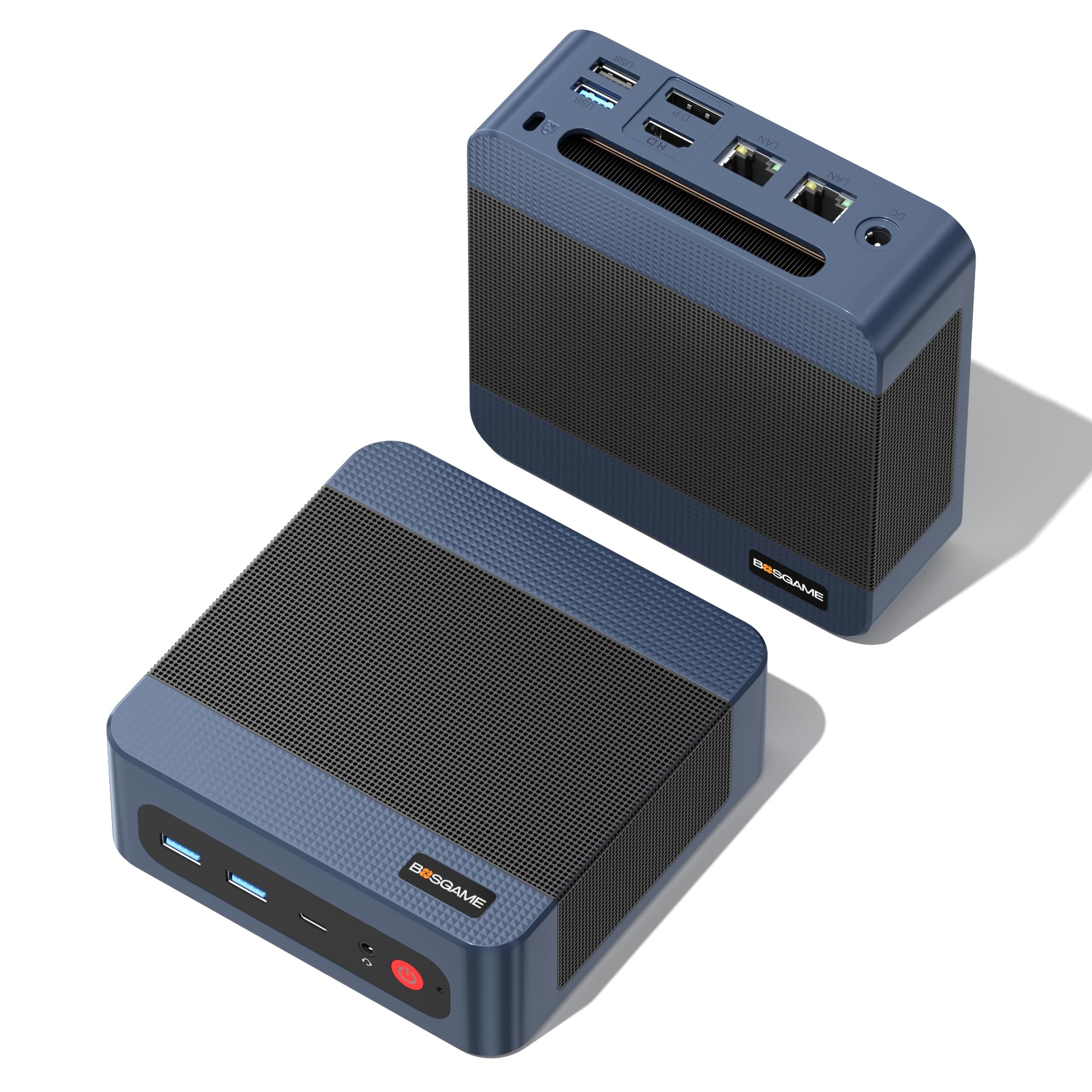
| BOSGAME P3 LiteBest Value | Budget multitasking & virtualization | 8-core / 16-thread | 32 GB DDR5 | 4.75 GHz | Amazon |
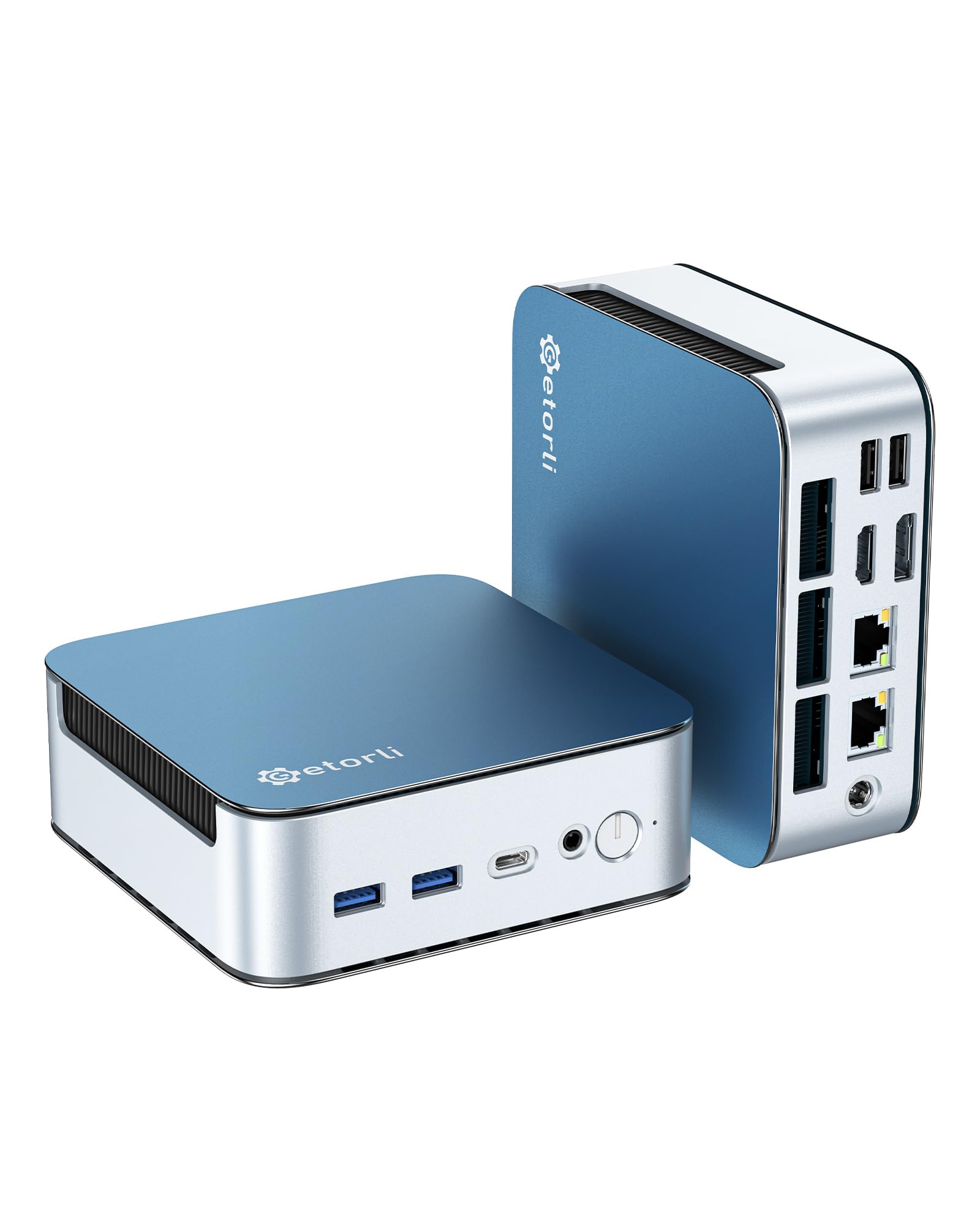
| Getorli 6800HSpace Saver | Compact workstation for design & code | 8-core / 16-thread | 32 GB LPDDR5 | 4.7 GHz | Amazon |
| GMKtec M6 Ultra | Energy-efficient coding rig | 6-core / 12-thread | 32 GB DDR5 | 5.0 GHz | Amazon |
| HP Pro Tower 290 G9 | Business office & student coding | 6-core / 12-thread | 16 GB DDR4 | 4.6 GHz | Amazon |
| GEEKOM GT13 MAX | AI workstation & content creation | 16-core / 22-thread | 16 GB DDR5 | — | Amazon |
| HP OmniDesk 8700G | Strong iGPU & AI tasks | 8-core / 16-thread | 32 GB DDR5 | 5.1 GHz | Amazon |
| Dell Pro Tower i5-14500 | Enterprise security & data analysis | 14-core / 20-thread | 16 GB DDR5 | 5.0 GHz | Amazon |
| ASUS V500 | Large memory & storage on a tower | 10-core / 16-thread | 32 GB DDR5 | 4.9 GHz | Amazon |
| ASUS NUC 14 Pro | Ultra-compact & AI ready | 16-core / 22-thread | 32 GB DDR5 | 4.8 GHz | Amazon |
In‑Depth Reviews
1. GEEKOM A9 Max High AI Productivity Mini PC
Our pick — 4.5★ from 396 verified ratings; the strongest balance of quality and price.
The mini PC with a desktop-class NPU that handles AI coding tools on-device.
If you run local AI models alongside your editor — tools like Ollama, Stable Diffusion, or Copilot that never touch the cloud — the AMD Ryzen AI 9 HX 370 inside this machine gives you up to 80 TOPS of AI performance. The dedicated XDNA 2 NPU alone contributes 50 TOPS, so tasks like code completion and image generation happen without hitting the CPU. It arrives with 32 GB of DDR5 RAM and a 1 TB SSD, so you get a full development workstation in a 5.32 x 5.2 x 1.8-inch chassis.
For multi-monitor setups, the GEEKOM A9 Max supports up to four 8K displays through dual USB4 and dual HDMI 2.1 ports. That is four times the pixel space of a standard 4K screen, letting you spread your IDE, documentation, database client, and terminal across separate panels. Buyers who bought this for development report they could run multiple virtual machines and a local database server without feeling any slowdown.
The 12-core, 24-thread Zen 5 processor and Radeon 890M graphics also mean you can compile large codebases fast and preview heavy web applications before deploying. If your day-to-day involves AI-assisted development or you want the highest NPU muscle on this list, this is the machine to reach for.
What makes it the top pick
- 80 TOPS total AI performance with dedicated NPU.
- Quad 8K display output for a full multi-screen workspace.
- Built with an all-metal chassis and IceBlast 2.0 cooling for sustained workloads.
- 3-year warranty from GEEKOM adds confidence.
Things to consider
- Premium investment compared to entry-level mini PCs.
- Larger than ultra-compact NUC-style machines.
Grab it if you: Write code that uses local AI, like Ollama, Stable Diffusion, or Copilot, and want the compile speed of a 12-core Zen 5 processor.
Look elsewhere if you: Only edit simple scripts and do not need dedicated NPU horsepower — a more budget-friendly chip will keep up.
2. BOSGAME P3 Lite Mini PC
A pocket-sized workstation that packs 32 GB of DDR5 RAM and dual 2.5G LAN for a rock-bottom price.
The BOSGAME P3 Lite uses the AMD Ryzen 7 6800H processor, an 8-core, 16-thread chip that boosts up to 4.75 GHz. It ships with 32 GB of dual-channel DDR5 memory (expandable to 64 GB) and a 1 TB NVMe PCIe 4.0 SSD.
For developers who also manage a home server or a software router, the dual 2.5 GbE LAN ports let you wire the P3 Lite directly into a NAS or firewall setup. The USB 4.0 port supports 40 Gbps speeds, so an external GPU or a high-speed SSD can be connected with a single cable. It also drives triple 4K displays at 60 Hz, giving you a wide coding canvas without a desktop tower.
What stands out
- 32 GB DDR5 and 1 TB SSD from the start at a budget-friendly price.
- USB 4.0 supports eGPU and fast external storage.
- Dual 2.5G LAN for NAS, routing, or stable networking.
The trade-off
- No built-in NPU for local AI acceleration.
- Plastic chassis does not feel as premium as all-metal designs.
Reach for it if you: Need a compact, well-equipped machine for multitasking, virtualization, and running a server on the side without overspending.
Put it back if you: Already have a NAS and do not need dual LAN — a machine with a more modern CPU may be a better fit.
3. Getorli Mini PC AMD Ryzen 7 6800H
A tiny rig that uses faster LPDDR5 memory to keep your code editor and tools snappy.
Like the BOSGAME P3 Lite, the Getorli 6800H runs on the same AMD Ryzen 7 6800H processor with an 8-core, 16-thread architecture and a max turbo of 4.7 GHz. The big difference is the memory: this machine uses 32 GB of LPDDR5 running at 6400 MT/s, which gives the CPU slightly quicker access to data than standard DDR5. That extra speed helps when you reload a project in Visual Studio or reindex a large codebase. When comparing the max turbo, the BOSGAME hits 4.75 GHz while the Getorli tops out at 4.7 GHz — a very small difference in real-world code compilation.
Storage is a 1 TB NVMe SSD with dual M.2 2280 slots that allow expansion up to 4 TB. For connectivity, it supports triple 4K displays through HDMI, DisplayPort, and Type-C, plus WiFi 6 and Bluetooth 5.3. Buyers who purchased this for development say the 32 GB of fast memory lets them run multiple IDEs and a database without closing anything.
Why it works for coders
- LPDDR5-6400 MT/s memory reduces compile and load times.
- Triple 4K display support for a three-monitor coding setup.
- Includes WiFi 6 and Bluetooth 5.3 for wireless peripherals.
A minor caveat
- Max turbo of 4.7 GHz is slightly lower than the closest competitor.
- Only 17 ratings so far, meaning less community feedback on long-term reliability.
Ideal for you if: You want a compact machine with the fastest possible memory for your budget and plan to use a three-monitor workflow.
Consider another if: You need a short warranty and prefer a well-known brand — this one offers a 1-year warranty.
4. GMKtec M6 Ultra Gaming Mini PC
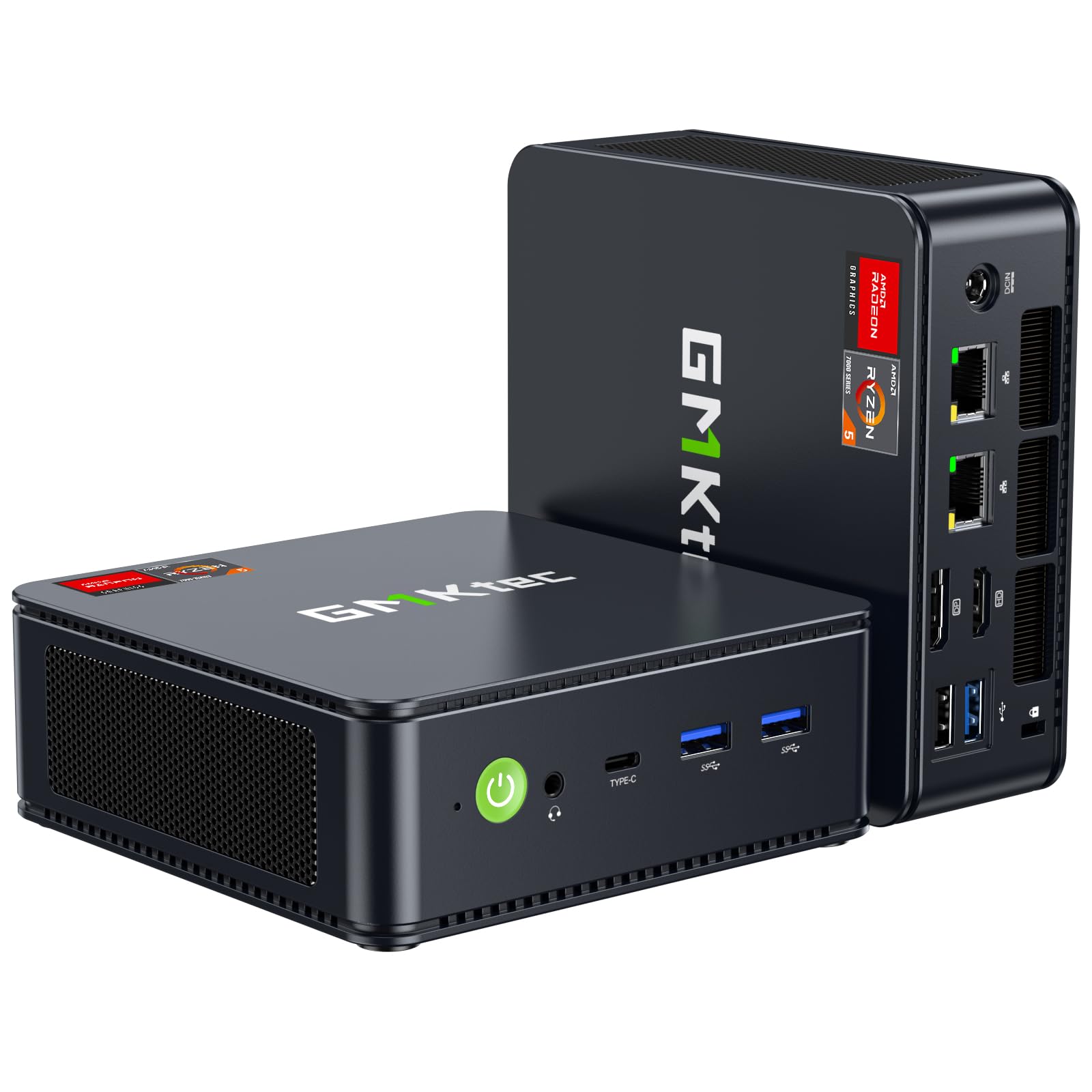
The 6-core Zen 4 chip that draws less power but still hits a 5.0 GHz turbo.
The GMKtec M6 Ultra trades two cores for higher efficiency compared to the Ryzen 7 machines above. Its AMD Ryzen 5 7640HS processor has 6 Zen 4 cores (12 threads) that boost up to 5.0 GHz. With a TDP boost range of 45W to 60W, it is more energy-efficient than previous AMD Ryzen 7 6800H and 6600U chips — the maker claims a 30% performance increase over those older models. That means you get a fast single-core turbo for quick compiles while the PC stays cool and quiet.
It includes 32 GB of DDR5 RAM (expandable to 128 GB) and a 1 TB PCIe 3.0 SSD, with room for a second PCIe 4.0 SSD up to 8 TB. The Radeon 760M graphics (8 CUs at up to 2,600 MHz) handle moderate gaming and hardware-encode AV1, HEVC, and AVC video codecs. For developers who also stream or edit video, the triple 4K display support via USB4 (8K), HDMI 2.0, and DisplayPort gives you plenty of screen real estate.
Where it shines
- 5.0 GHz turbo boost in a 45W-60W TDP package.
- Dual NIC LAN 2.5G for network-heavy workflows.
- Expandable up to 128 GB RAM and 8 TB storage.
What to weigh
- 6-core CPU may lag behind 8-core chips in heavily parallelized compile tasks.
- 1-year warranty from GMKtec.
Best for you if: You value energy efficiency and single-core speed for daily coding, and you may expand memory or storage later.
Look at an 8-core machine if: You regularly compile large multi-threaded codebases where every core matters.
5. HP Pro Tower 290 G9 Business Desktop

A straightforward tower from a major brand with 16 GB RAM and a reliable 12th-gen Intel chip.
The HP Pro Tower 290 G9 is a traditional tower desktop with an Intel Core i5-12500 processor. This 6-core, 12-thread chip boosts up to 4.6 GHz and comes with 18 MB of cache. It ships with 16 GB of DDR4 memory and a 512 GB PCIe NVMe SSD — enough for coding, video conferencing, and running office productivity tools. Intel UHD Graphics 770 supports dual monitors via HDMI and VGA, which is enough for a developer who works with two screens. It also includes an HP wired keyboard and mouse, so you get a complete bundle.
One benefit of a tower over a mini PC is easier internal access for upgrades. The 15% post-consumer recycled materials in the chassis also make this a greener choice. With 404 ratings and a 4.4/5 star average, this is among the most widely reviewed business desktops on the list, giving you confidence in its long-term stability. Buyers mention it handles multiple browser tabs and spreadsheets without issue, though it is not designed for local AI workloads or heavy parallel compilation.
The solid foundation
- Trusted HP build quality and broad customer feedback base.
- Includes keyboard and mouse for an immediate setup.
- TPM 2.0 security chip for business-grade protection.
Where it is limited
- 16 GB DDR4 memory is slower than DDR5 and may feel cramped for heavy multitasking.
- Integrated UHD 770 graphics max out at dual 4K.
Best for you if you: Are a student or business professional who needs a dependable, expandable tower for everyday coding and office work.
skip it if you: Run memory-heavy tools like Docker, multiple VMs, or local AI models — you need 32 GB and a faster CPU.
6. GEEKOM GT13 MAX AI Workstation Mini PC
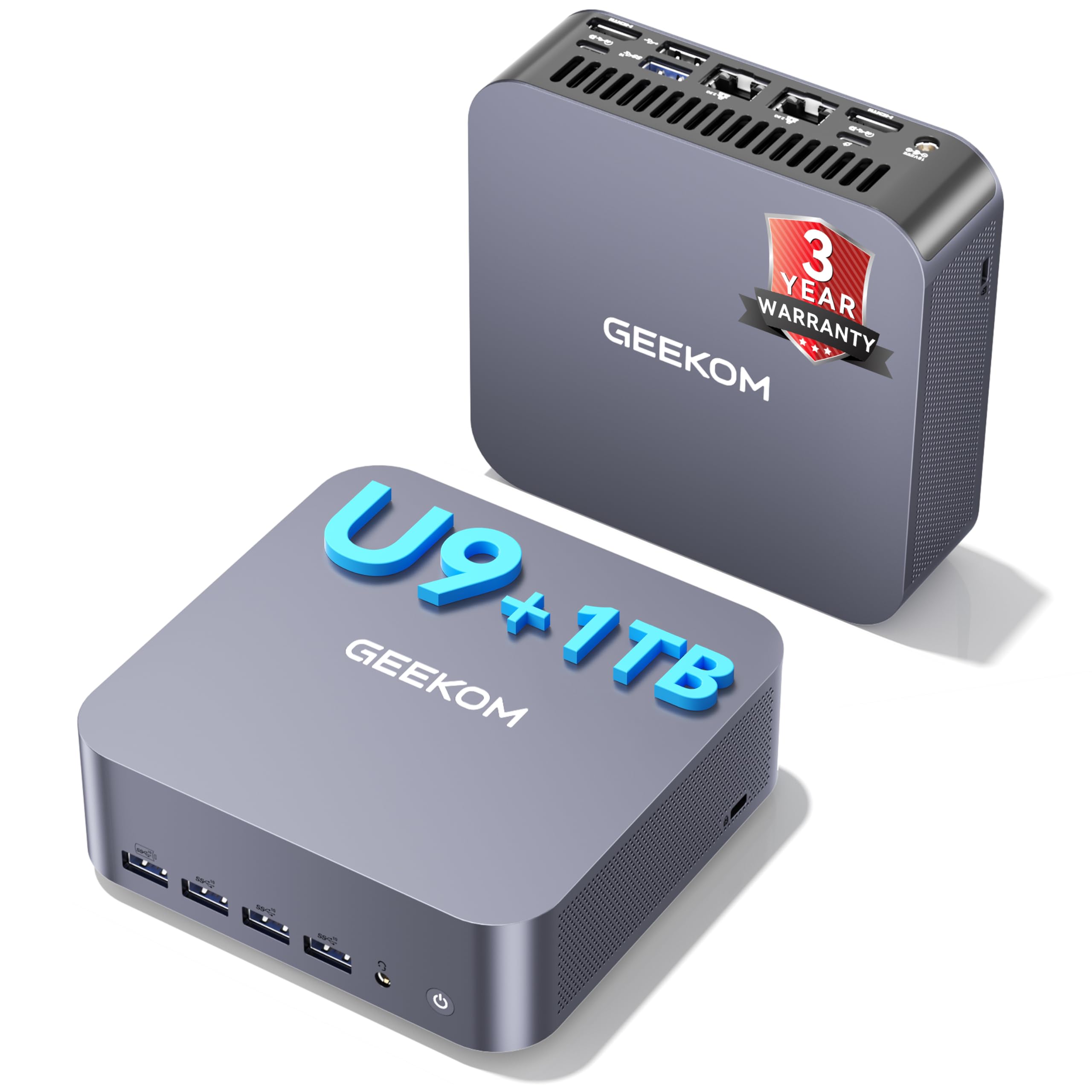
A reinforced chassis holding the same powerful Ultra 9 chip, now with extra durability for on-the-go devs.
Like the IT13 MAX above, the GEEKOM GT13 MAX uses the Intel Core Ultra 9 185H processor (16 cores, 22 threads). This version comes with 16 GB of dual-channel DDR5 memory and a 1 TB SSD — the storage is double the IT13 MAX while the RAM is lower. The onboard Intel AI Boost NPU delivers up to 13 TOPS of compute power. The maker says the machine supports over 500 AI models, from local training to image generation and video enhancement.
The GT13 MAX uses a reinforced ABS shell that resists scratches and bumps, plus an IceBlast 2.0 cooling system with a full-copper heatsink. It can operate in environments from -20°C to 55°C, making it durable for studios, classrooms, or lab setups. For displays, it features dual USB4, dual HDMI 2.0, and Mini DP 1.4 — supporting up to four screens (two 8K and two 4K). One developer reviewer noted the machine handled their full Blender pipeline and AI development without hiccups. The 3-year warranty from GEEKOM also covers this mini PC.
What gives it an edge
- Durable ABS shell with lab-tested reliability for diverse environments.
- 1 TB SSD offers more out-of-the-box storage than the IT13 MAX.
- Quad display support with two 8K outputs.
- WiFi 7 and Bluetooth 5.4 for the latest wireless standards.
One area to note
- 16 GB RAM may limit large virtual machine or container workloads.
- Heavier than some all-metal mini PCs due to the reinforced shell.
Go for it if you: Need a durable, portable mini PC that can handle AI development and content creation in varied environments.
Consider the IT13 MAX instead if you: Prefer the higher LPDDR5 RAM speed and silent cooling over the reinforced chassis.
7. HP OmniDesk Desktop PC

An AMD-powered desktop with the fastest integrated graphics you can get in a coding rig.
The HP OmniDesk uses the AMD Ryzen 7 8700G processor, an 8-core, 16-thread chip with a max turbo of 5.1 GHz. It includes the AMD Ryzen AI engine with 16 NPU TOPS, so local AI acceleration is part of the package. You get 32 GB of DDR5-5200 memory and a 1 TB PCIe Gen4 NVMe SSD — double the RAM of the Dell Pro Tower below and the same generous storage. The Radeon 780M graphics is currently the most powerful integrated GPU in a desktop APU, which means you can drive high-resolution displays and even play graphically intensive games without a separate card.
The tower form factor (12.40 x 6.10 x 13.27 inches) gives you room to add an internal hard drive or upgrade the RAM yourself. It also includes a wireless keyboard and mouse from HP. For a developer who needs a strong iGPU for running local ML models or rendering UI prototypes, this machine offers everything without requiring a discrete GPU purchase. Owners mention the system boots in seconds and handles large Photoshop files alongside multiple IDEs without any slowdown.
What makes it unique
- Best integrated graphics (Radeon 780M) for coding and light creative work.
- 16 NPU TOPS for local AI acceleration.
- 32 GB DDR5 and 1 TB SSD included.
- HP wireless keyboard and mouse in the box.
A couple of notes
- Larger desktop form factor takes up desk space compared to mini PCs.
- Fewer customer reviews (41) than more established models.
Choose this if you: Want a powerful desktop with a top-tier iGPU, plenty of memory, and a built-in NPU for local AI tasks.
Look at a mini PC if you: Prefer a compact desktop and do not need the internal expansion options of a tower.
8. Dell Pro Tower Business Desktop
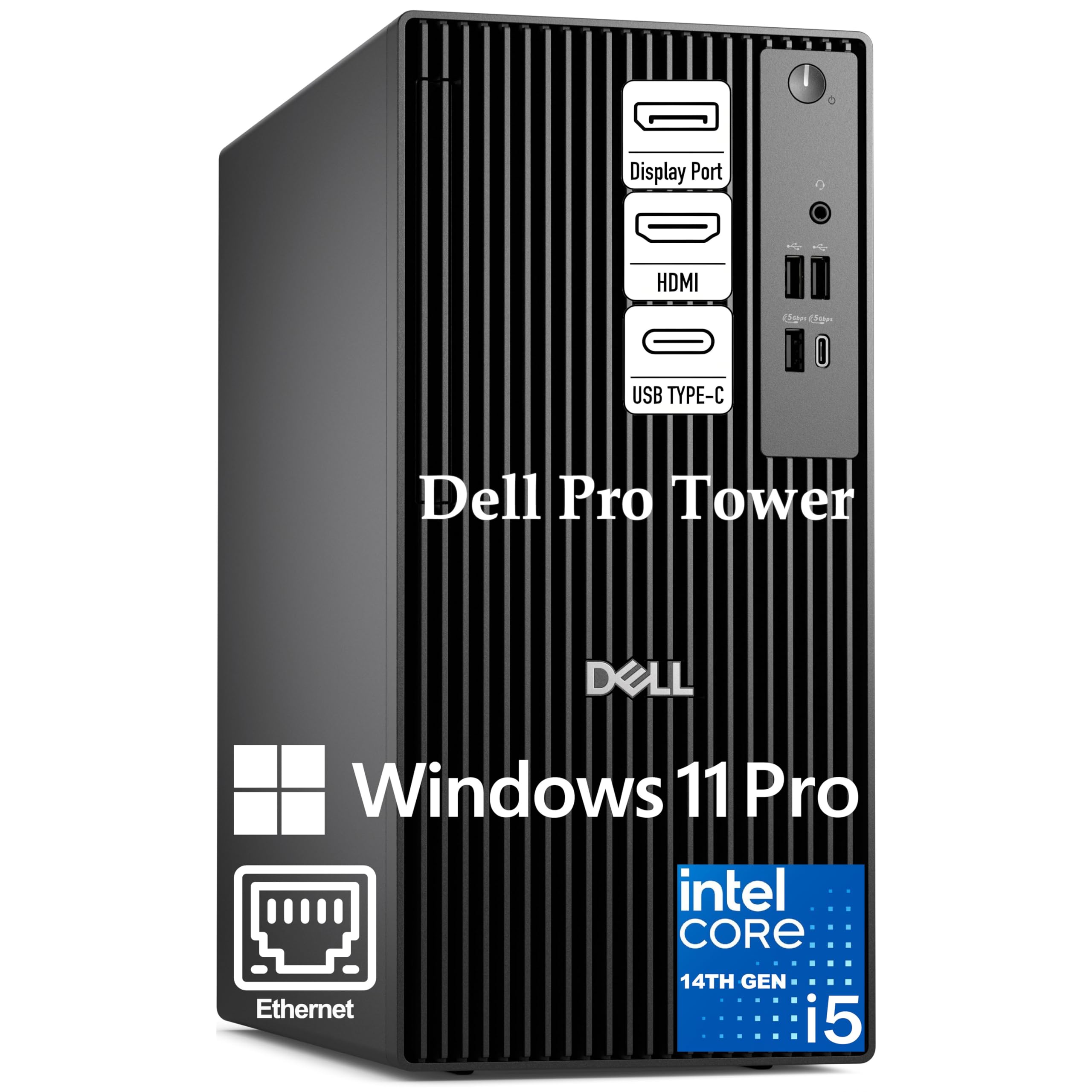
A 14th-gen Intel i5 with 14 cores and vPro manageability for secure business workflows.
The Dell Pro Tower runs on the Intel Core i5-14500 vPro processor, which packs 14 cores (6 Performance + 8 Efficient) and 20 threads. The Performance cores can boost up to 5.0 GHz, and the 24 MB cache helps with data-heavy operations. The vPro platform adds hardware-based security and remote manageability, which IT departments use to keep company machines locked down and updated. It comes with 16 GB of DDR5-4800 memory and a 512 GB PCIe NVMe SSD — enough for a professional developer who uses cloud or network storage for large files.
Intel UHD Graphics 770 drives two 4K displays at 60 Hz via HDMI 2.1 and DisplayPort 1.4a. The tower includes USB 3.2 Gen 1 Type-C and multiple USB-A ports. For a developer working in a corporate environment who needs BitLocker encryption and remote IT support, this Dell delivers enterprise reliability. Its compact 11.5-inch chassis fits neatly on a standard office desk.
Why it fits a business
- 14-core Intel i5 with vPro for security and remote management.
- Windows 11 Pro with Copilot and BitLocker included.
- Dual 4K display support through modern ports.
Limitations to know
- 16 GB DDR5 is the floor for development — 32 GB would be better.
- Shared graphics memory may limit high-resolution multi-monitor setups.
Ideal for you if: You work in an IT-managed company or need enterprise-level security features like vPro and BitLocker.
Consider a machine with 32 GB RAM if you: Often run large data analysis tools or multiple virtual machines locally.
9. ASUS V500 Home & Business Tower Desktop

A tower packed with 32 GB of RAM and a 1 TB SSD, plus a free 64 GB flash drive for portable files.
The ASUS V500 uses a 10-core Intel Core i7-13620H processor (6 Performance cores + 4 Efficient cores, 16 threads) that boosts up to 4.9 GHz. It ships with 32 GB of DDR5 memory and a 1 TB SSD — the same high-memory, high-storage combo as the HP OmniDesk above. The key difference is the processor: the ASUS uses a hybrid mobile-class H-series chip, while the HP OmniDesk uses a desktop-class APU with a stronger integrated GPU. The ASUS also comes bundled with an A-DATA 64 GB USB Flash Drive for easy file transfers.
The tower supports multi-monitor setups through its HDMI and DisplayPort outputs. Windows 11 Pro includes Copilot and advanced security tools. With only 16 ratings, the V500 is new to the market, but it holds a 4.8/5 star average, suggesting early buyers have had a good experience. The 1-year warranty is provided by PCOnline US for the upgraded RAM/SSD, with the original manufacturer’s warranty covering the other parts.
What it brings
- 32 GB DDR5 and 1 TB SSD for heavy multitasking.
- Compact tower design with multi-monitor outputs.
- Includes a 64 GB USB flash drive for portable storage.
Things to watch
- Mobile H-series CPU may not sustain peak turbo as long as desktop-class chips.
- Only 16 customer reviews so far.
Pick this if you: Want a tower with a generous 32 GB / 1 TB configuration and do not need the absolute best graphics performance.
Look at the HP OmniDesk instead if you: Prefer a desktop-class APU with a stronger integrated GPU for rendering or AI work.
10. ASUS NUC 14 Pro Tall Mini PC

The official NUC that combines Intel’s 14th-gen Ultra 7 processor with tool-less upgrades in a tiny shell.
The ASUS NUC 14 Pro Tall runs on the Intel Core Ultra 7 155H processor, a 16-core, 22-thread chip that boosts up to 4.8 GHz. It includes Intel Arc Graphics and an AI engine that works across the GPU, NPU, and CPU for fast local AI tasks while keeping power low. This model ships with 32 GB of DDR5 RAM and a 1 TB NVMe SSD, and the tall chassis allows for tool-less access to the internals for future upgrades. Thunderbolt 4 delivers 40 Gbps bandwidth for external GPUs, fast SSDs, and high-resolution displays.
Wi-Fi sensing is a smart feature here — the NUC can detect your presence and wake up faster, reducing power draw when you step away. The VESA mount is included, so you can bolt the PC to the back of a monitor for a completely clean desk setup. For a developer who wants a premium, ultra-compact machine with the latest wireless standards and upgradeability, this ASUS NUC is the choice. A reviewer on Amazon noted the system handled their full-stack development environment, including Docker and multiple databases, without breaking a sweat.
Why developers like it
- Ultra-compact NUC design with tool-less upgrade access.
- Thunderbolt 4 for high-speed external connections.
- AI engines (GPU, NPU, CPU) for local model acceleration.
- Wi-Fi sensing for power efficiency.
One point to be aware of
- Tall chassis is slightly larger than standard NUC form factors.
- Higher cost compared to some similarly configured mini PCs.
Perfect for you if you: Value a compact, upgrade-friendly machine with Thunderbolt 4 and the latest Intel AI acceleration for development tasks.
Consider the GEEKOM A9 Max if you: Need a stronger NPU (80 TOPS vs 13 TOPS) and do not require the NUC-branded form factor.
Understanding the Specs
CPU Core Count vs. Clock Speed
A processor with more cores handles parallel tasks like compiling large codebases or running multiple containers faster. A high single-core turbo speed (4.7 GHz or more) makes your code editor and UI feel instantaneous. Modern CPUs use a mix of Performance-cores (big, fast cores) and Efficient-cores (small, power-sipping cores) to balance speed and heat, which is why a 14-core chip may not always beat an 8-core chip in raw single-threaded performance.
RAM Capacity and Speed
Memory (RAM) is where the CPU stores what it is working on right now. For coding, 16 GB is the minimum — enough for an IDE, browser tabs, and a local server. At 32 GB, you can also run a database, a couple of VMs, or a Docker stack without hitting swap. The speed (measured in MT/s, or megatransfers per second) matters too: DDR5-5600 feeds data to the CPU faster than DDR5-4800, which shaves seconds off compile times.
FAQ
How much RAM do I really need for coding in 2025?
Should I get a desktop tower or a mini PC for programming?
What is an NPU and why does it matter for coding?
Can a mini PC handle compiling large codebases?
What connectivity ports should I look for in a coding PC?
Is a dedicated graphics card necessary for programming?
How important is SSD speed for a development machine?
Will a coding PC with a mobile processor be powerful enough?
What is the difference between Wi-Fi 6 and Wi-Fi 7 for a coding PC?
Can I upgrade the RAM and SSD later on these machines?
Final Thoughts: The Verdict
For most developers, the best coding pc is the GEEKOM A9 Max because it packs a 12-core Zen 5 processor, 32 GB of DDR5 RAM, and a dedicated 80 TOPS NPU into a quiet, all-metal chassis that fits under a monitor. If you want a budget-friendly machine with the same RAM and storage, grab the BOSGAME P3 Lite — it offers a powerful Ryzen 7 6800H, 32 GB of DDR5, and dual LAN for about half the price. And for developers who need a compact, upgradeable workstation with Thunderbolt 4 and AI acceleration, the ASUS NUC 14 Pro delivers a premium NUC experience in a tiny footprint.
How We Picked
We do not accept paid placement. Every pick is matched to a real buyer and a real use-case; we do not hands-on test units.
Sources & Methodology
Specifications: manufacturer listings and product documentation. Review insights: verified customer reviews, as of July 2026. Pricing: not shown on this page (it changes often); check the current price via the retailer link.
As an Amazon Associate, WellFizz earns from qualifying purchases. This does not affect which products we feature.
Related Guides

Mo Maruf
I created WellFizz to bridge the gap between vague wellness advice and actionable solutions. My mission is simple: to decode the research and give you practical tools you can actually use.
Beyond the data, I am a passionate traveler. I believe that stepping away from the screen to explore new environments is essential for mental clarity and physical vitality.