Our readers keep the lights on and my smoothie glass nicely filled. As an Amazon Associate, I earn from qualifying purchases.
Specs are compiled from manufacturer listings and verified buyer reviews and can change over time — please confirm the key details on the product page before buying.
Forgetting your keys is a pain, but a code door lock means you just punch in a number and walk right in—no pocket digging required. The real question is which one to buy without overpaying for features you will never use.
I’m Mohammad Maruf — the founder and writer behind WellFizz. This guide is built by comparing the manufacturers’ published specifications and the patterns across verified customer reviews, so you get each pick’s real strengths and trade-offs instead of marketing spin.
if you want fingerprint speed, a budget-friendly keypad, or full app control, this roundup helps you find the best code door lock for your door and your daily routine.
Quick Picks
- Veise VE07-L Fingerprint App Control Smart Lock — Feature-Rich Pick
- Kwikset SmartCode 270 Keyless Entry Touchpad Deadbolt — Sleek & Simple
- Philips WiFi Keypad Door Lock with Handle (4200 Series) — WiFi + Handle Set
- Veise VE07-H Fingerprint Smart Lock with Handle Set — Premium Upgrade
- Philips Built-in WiFi Smart Lock (DDL240X-1HW) — Compact WiFi Lock
- Tapo Smart Wi-Fi Door Lock DL110 — Rechargeable Battery
How To Choose The Best Code Door Lock
Choosing a keyless door lock hinges on three factors: fingerprint vs. keypad vs. app, battery life and alerts, and security ratings.
Fingerprint vs Keypad vs App
A fingerprint reader lets you unlock instantly with a touch — great when your hands are full of groceries. A plain keypad works every time, even in rain or with dirty hands, but you have to punch in a code. App control is handy for letting in a dog walker remotely, but check if the lock has built-in WiFi or needs a separate hub. Most buyers use the fingerprint most often, then the keypad as backup.
Battery Life and Alerts
Most locks run on four AA batteries. Some last 6 months (like the Philips 4200 series), others stretch to 12 months (like the Kwikset or Veise models). A low-battery alert in the app or a flashing light on the keypad gives you a few days’ warning. Always keep a physical backup key in your wallet or car — no battery lasts forever.
Security Ratings
Look for the BHMA (Builders Hardware Manufacturers Association) grade. Grade 2 is tougher and recommended for front doors, while Grade 3 is a lower rating often seen on residential locks. Material also matters: heavy-duty zinc alloy handles resist scratches and weather better than plastic.
Quick Comparison
| Model | Best For | Unlock Methods | Battery Life | WiFi | Amazon |
|---|---|---|---|---|---|
| Veise VE07-L | Feature-rich fingerprint lock | 8 (Fingerprint, App, Code, Key, etc.) | 12 months | Bluetooth (WiFi gateway sold separately) | Amazon |
| Kwikset SmartCode 270 | Simple, reliable keypad | Keypad + Key | 12 months | No WiFi | Amazon |
| Philips 4200 Series | Built-in WiFi handle set | Fingerprint, Code, App, Voice, Key | 6 months | Built-in (no hub needed) | Amazon |
| Veise VE07-H | Premium fingerprint + handle | 8 (Fingerprint, App, Code, Key, etc.) | 12 months | Bluetooth (WiFi gateway sold separately) | Amazon |
| Philips 240X-1HW | Compact built-in WiFi lock | Fingerprint, Code, App, Voice, Key | 8 months (via BT + WiFi bridge) | Built-in (no hub needed) | Amazon |
| Tapo DL110 | Rechargeable battery lock | Fingerprint, Code, App, BT, Voice, Key | 1 year (rechargeable) | Built-in (no hub needed) | Amazon |
In‑Depth Reviews
1. Veise VE07-L Fingerprint App Control Smart Lock

This lock reads your fingerprint in 0.2 seconds and lasts a full year on one set of batteries.
It does almost everything you could ask for at a price that undercuts most premium models. The fingerprint scanner uses AI self-learning technology with a claimed 99.9% recognition accuracy and stores up to 50 fingerprints — so you can register every family member and still have room for guests. On top of that, you get eight total ways to unlock: app, Apple Watch, web portal, eKeys, fobs, a mechanical key, and of course the anti-peep keypad that lets you type random numbers before your real code for privacy.
The heavy-duty zinc alloy body is rated IP55 for weather resistance (rains and wind are fine) and works in temperatures from -35°F to 160°F. Battery life is a strong 12 months on 4 AA batteries, matching the simple Kwikset below — except this one adds fingerprint, app management, and remote code generation. The one real catch is that the touchscreen stays blank until you tap it. Buyers report that there is “no auto-awake,” so you have to manually wake the screen before entering a code. Also, you need the separate Veise G2 gateway if you want remote app access or voice control with Alexa.
What stands out
- 0.2-second fingerprint recognition — fastest in this roundup
- 8 unlocking methods cover every scenario
- 12-month battery life equals the Kwikset’s but adds app control
What to note
- Screen requires manual wake before each code entry
- WiFi gateway is sold separately for remote access
Ideal for: Anyone who wants a fingerprint reader, long battery life, and app-based code management without paying + — excellent value for a smart lock with handle.
One limitation: The lack of built-in WiFi means you need an extra purchase to check the lock status from your phone when you are away from home.
2. Kwikset SmartCode 270 Keyless Entry Touchpad Deadbolt

A dead-simple, no-app keypad lock with Grade 2 security and a full year of battery life — no WiFi, no fuss.
If you just want to punch in a code and walk in without app updates or connectivity issues, this Kwikset does exactly that. It is BHMA Grade 2 certified, which the maker says is up to 2.5x stronger than Grade 3 locks, so it stands up to forced entry attempts better than many cheaper alternatives. The auto-lock timer lets you choose delays of 30 seconds, 1, 3, 5, or 10 minutes, so the door always locks behind you.
You can store up to 50 user codes plus 10 one-time codes for guests, and the backlit keypad lights up with a simple tap for nighttime use. An intrusion alarm sounds after three incorrect codes and disables the keypad for one minute. Battery life is a solid 12 months (4 AA batteries), matching the Veise VE07-L above — but the Kwikset has a much smaller footprint at 1 x 2.75 x 5.02 inches versus the Veise’s bulky 12.6 x 7.1 x 3.6 inches, so it fits neatly on a standard door without taking up space. One owner noted it is “a bit noisy on the lock and unlock,” but called it “a bonus at night” for the audible security feedback.
Why it works
- Grade 2 BHMA certification means tougher construction than Grade 3 locks
- 12-month battery life is among the longest in this list
- Vacation mode disables the keypad entirely when you are away
Trade-offs
- No fingerprint reader — code-only entry
- No WiFi or app control — cannot check or share codes remotely
For the buyer who: Wants maximum reliability and security from a known brand, does not need fingerprints or an app, and appreciates the compact size and audible lock feedback.
skip it if: You want biometric unlocking or the ability to let someone in while you are at work — this lock is offline by design.
3. Philips WiFi Keypad Door Lock with Handle (4200 Series)

A complete handle-and-lock set with built-in WiFi, a fast fingerprint reader, and voice assistant support — no extra hub to buy.
This Philips lock connects directly to your 2.4GHz WiFi network without needing a separate hub, so you can control it from anywhere through the Philips Home Access App. The fingerprint reader unlocks in 0.3 seconds and stores multiple prints for family and frequent visitors. You also get versatile passcode options including permanent, one-time, periodic, and recurring codes — great for Airbnb hosts or housekeepers who only need access on certain days.
The auto-lock time is adjustable from 0 to 180 seconds through the app, though note it is turned off by default and you must manually enable it. Battery life comes in at 6 months on four AA batteries — half the life of the Kwikset above, but you gain real-time app notifications and voice control with Alexa or Google Assistant. One reviewer with arthritic hands specifically praised the lever handle as much easier to operate than a traditional knob. The lock includes a complete handle set, so you do not need to buy separate hardware, and the US-based customer support team is available by phone Monday to Friday 9 AM to 9 PM PST.
Why it stands out
- Built-in WiFi means no extra hub or gateway to buy
- Lever handle design is easier to operate, especially for those with limited hand strength
- Alexa and Google Assistant voice control works from the start
Trade-offs
- 6-month battery life is shorter than the 12-month competitors
- Auto-lock is disabled by default — you must enable it manually in the app
Reach for this if: You want a complete front door lock and handle set with built-in remote control, voice commands, and a fast fingerprint sensor, and you are okay with changing batteries twice a year.
Look elsewhere if: You prefer the simplicity of a non-WiFi lock or need the longest possible battery interval between swaps.
4. Veise VE07-H Fingerprint Smart Lock with Handle Set
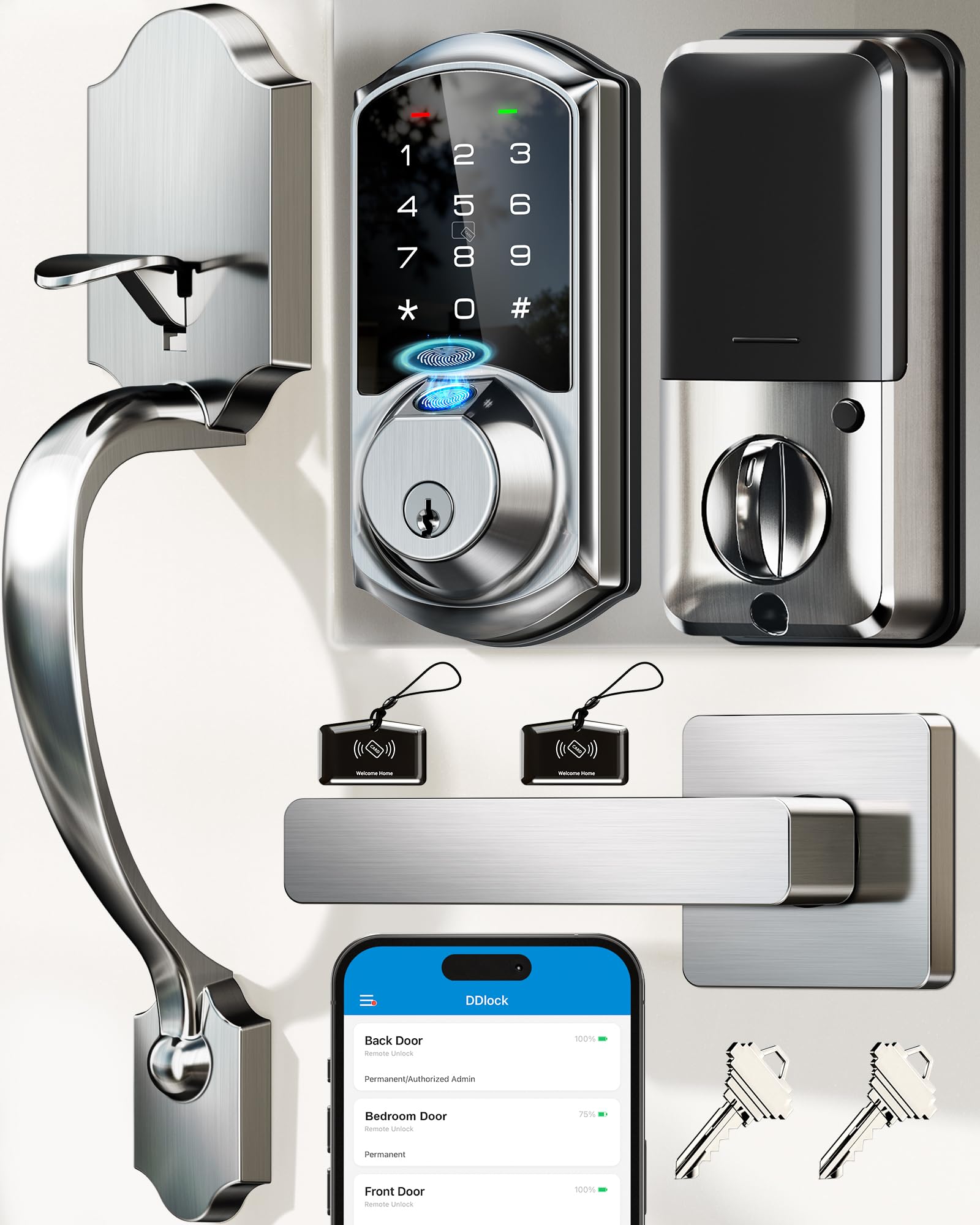
A satin-nickel beauty with 99.99% fingerprint accuracy, eight unlocking methods, and a 12-month battery — all in a complete handle set.
The VE07-H is essentially the premium sibling of the VE07-L, swapping the matte black finish for a satin nickel look and boosting the fingerprint claim to 99.99% accuracy with a 0.3-second unlock time. It supports up to 50 fingerprints and over 250 access codes, including timed, permanent, recurring, and one-time codes, all managed through the free app and web portal without any subscription fees. The auto-lock is adjustable between 5 and 900 seconds, so you can set it to lock the moment the door closes behind you.
Like its sibling, this model requires the Veise G2 gateway (sold separately) for remote app access and Alexa/Google compatibility. It is IP54 weather-rated, meaning it handles rain and dust, and the touchscreen keypad stays dark until you touch it for anti-peep security. Build quality is heavy-duty zinc alloy, and the BHMA/ANSI Grade 3 certification suits most residential front doors. One reviewer who installed it on a metal door noted it required extra holes and was a “3-person job,” so installation can get complex if your door is non-standard. The pack includes two RFID key cards and two backup keys.
Highlights
- 99.99% fingerprint recognition accuracy with 0.3-second speed
- Over 250 access codes and RFID cards included for guests
- 12-month battery life matches the best in class
Cautions
- WiFi gateway is sold separately for remote app control
- Installation on metal or non-standard doors may require extra drilling
Best for: Homeowners who want a stylish handle set in satin nickel, top-tier fingerprint accuracy, and the flexibility to manage dozens of codes — especially good for multi-tenant or frequent-guest situations.
One thing to know: The lock needs a perfectly flush door for proper alignment; you may need hinge adjustments if the deadbolt does not slide smoothly.
5. Philips Built-in WiFi Smart Lock (DDL240X-1HW)
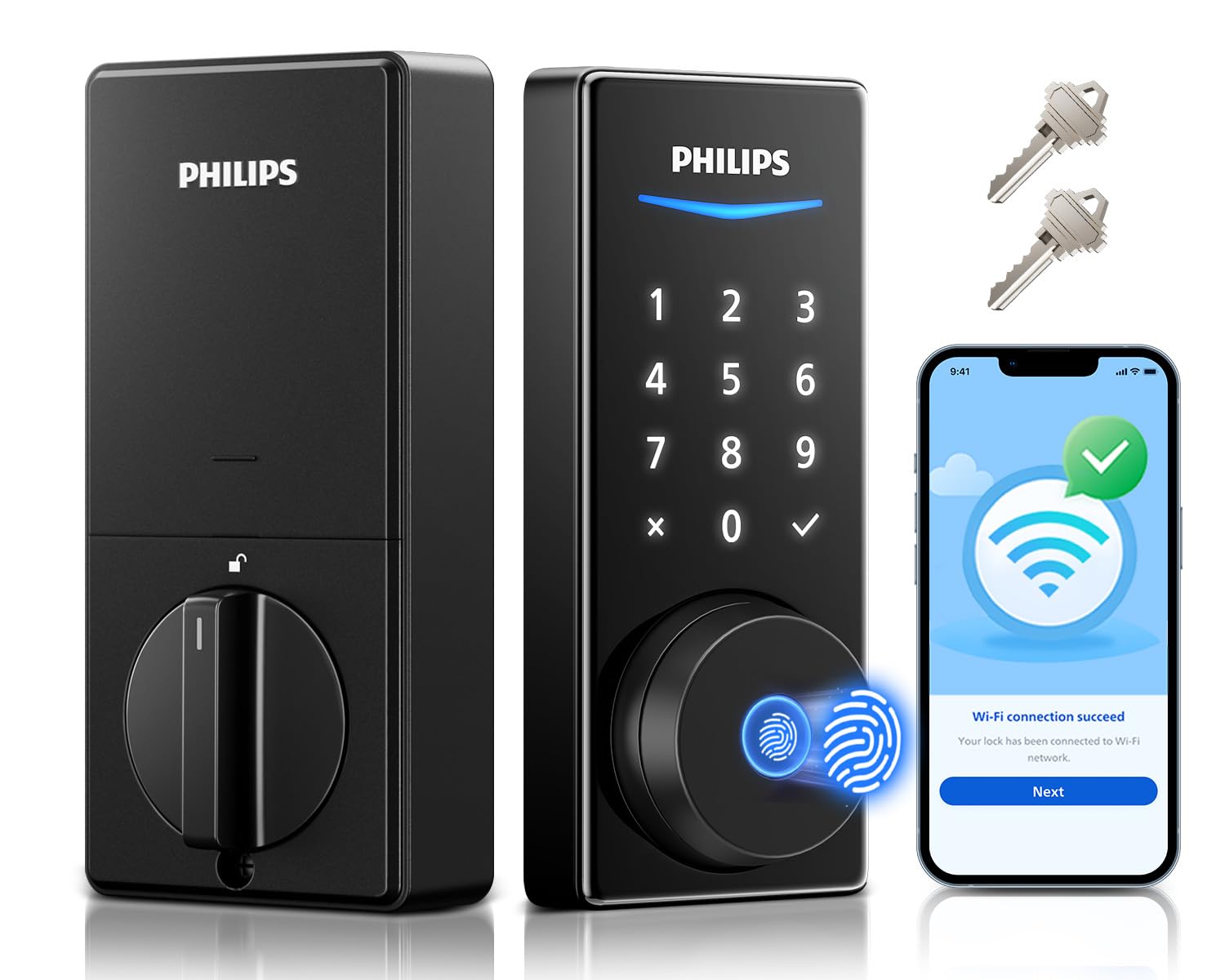
A compact WiFi lock that comes with eight AA batteries included and a 360-degree fingerprint reader for fast, reliable entry.
Philips includes a generous bundle here: eight AA batteries (four for the lock, four spares) plus a 24-month warranty for extra confidence. The lock uses built-in WiFi for direct smartphone control without a hub — you can manage PIN codes, check access logs, and get real-time lock/unlock notifications from anywhere. The 360-degree precise fingerprint recognition claims to read your print from any angle and unlocks in 0.3 seconds, storing multiple fingerprints for your household.
Five unlock methods are available: app, fingerprint, PIN code, voice assistant (Alexa and Google), or physical key. The PIN codes support permanent, one-time, scheduled, and recurring types. Battery life reportedly reaches around 8 months when used with a Bluetooth + WiFi bridge setup, according to one reviewer, which is better than the 6-month Philips 4200 but still behind the 12-month Kwikset and Veise models. One reviewer noted the fingerprint reader can be “picky when wet,” so if you live in a rainy area, the keypad or app becomes your main fallback. The lock measures 6 x 2 x 1.5 inches, making it one of the more compact options on this list.
What you get
- Eight AA batteries included — a thoughtful bundle
- Built-in WiFi means no extra hub needed for remote access
- 24-month warranty is longer than most competitors
What to watch
- Fingerprint reader can be less reliable with wet fingers
- One buyer mentioned a screw head breaking, noting build quality is good but not exceptional
Choose this if: You want the smallest built-in WiFi lock here, you like the long 24-month warranty, and you appreciate getting batteries in the box so you can install immediately without a store run.
Consider alternatives if: You live in a wet climate where the fingerprint sensor may struggle, or you need the absolute longest battery interval between changes.
6. Tapo Smart Wi-Fi Door Lock DL110

A Grade 2 deadbolt with a removable rechargeable battery pack that lasts a full year — no disposables needed.
This Tapo lock from TP-Link is the only model in this roundup with a rechargeable battery pack, which means you never have to buy AA batteries again — just pop the pack out, plug it into the included USB charger, and slide it back in. The battery is rated for a full year of continuous use, and early owners mention it still shows over 95% after one month. For fingerprint speed, the sensor unlocks in 0.42 seconds and can store up to 100 different prints, while several other locks here store up to 50.
Six access methods are available: fingerprint, touchscreen keypad, WiFi app, Bluetooth, voice assistant (Alexa and Google), and backup physical keys. Built-in WiFi means no extra hub — you control everything from the Tapo app, including resident profiles with permanent codes and scheduled guest access. The BHMA Grade 2 certification places it in the same durability tier as the Kwikset above, making it one of the more secure options here. One reviewer praised the “exceptionally easy install” and noted smooth integration with other Tapo devices, which is a plus if you already own Tapo smart plugs or cameras. At 5.91 x 2.69 x 1.29 inches, it is compact without being cramped.
Why it shines
- Rechargeable battery pack eliminates the ongoing cost and waste of AA disposables
- BHMA Grade 2 is stronger than most residential locks
- Stores up to 100 fingerprints — double many competitors
Trade-offs
- Heavier than average at 2.09 kilograms (4.6 lbs)
- Fingerprint sensor is 0.42 seconds — slightly slower than Veise’s 0.2 or Philips’ 0.3
Best for: Eco-conscious buyers or anyone tired of buying packs of AA batteries every year — the rechargeable pack is genuinely convenient, and the Grade 2 security gives real confidence.
Consider alternatives if: You prefer a lighter lock or the absolute fastest fingerprint sensor — the Tapo is slightly heavier and slower than the Veise VE07-L.
Understanding the Specs
BHMA Grade
The Builders Hardware Manufacturers Association grades locks 1, 2, or 3. Grade 1 is the highest, used on commercial doors. Grade 2 is a higher residential security rating than Grade 3, which is common on basic home locks. For a front door, Grade 2 is worth the small price bump.
Fingerprint Recognition Time
Measured in seconds (0.2s, 0.3s, 0.42s), this is the time from touching the sensor to the lock disengaging. A 0.2-second sensor feels instant; a 0.42-second sensor is still fast but you notice a tiny pause. Accuracy percentage (99.9% or 99.99%) matters too — a lower accuracy means more failed reads and having to fall back to the keypad.
Auto-Lock Timer
A feature that automatically relocks the deadbolt after you close the door, settable from a few seconds to several minutes. Good for forgetful people, but you must enable it manually on most locks — it is not active from the start.
Anti-Peep / Anti-Hacking Keypad
This security feature lets you type random numbers before and after your real PIN on the keypad. That way, anyone watching over your shoulder cannot tell which digits are part of your actual code. A must if you share your entrance with neighbors or guests.
FAQ
Do I need a hub for any of these locks?
How often will I have to change the batteries?
Can I use a code door lock on a metal door?
What happens if the battery dies while I am outside?
Which BHMA grade should I choose for a front door?
Can I share temporary codes for guests or cleaners?
Will a fingerprint lock work with wet or dirty hands?
How many fingerprints can I store?
Do any of these locks work with Apple Watch?
What is the difference between a code-only lock and a fingerprint lock with a handle set?
Final Thoughts: The Verdict
If you want a feature-rich code door lock with fingerprint access, the Veise VE07-L stands out for its 0.2-second fingerprint sensor, eight unlocking methods, and 12-month battery life. If you want built-in WiFi without buying a separate hub, grab the Philips 4200 Series for its handle set and voice control compatibility. And for those who never want to buy AA batteries again, the rechargeable Tapo DL110 with Grade 2 security is a forward-thinking pick.
How We Picked
We do not accept paid placement. Every pick is matched to a real buyer and a real use-case; we do not hands-on test units.
Sources & Methodology
Specifications: manufacturer listings and product documentation. Review insights: verified customer reviews, as of July 2026. Pricing: not shown on this page (it changes often); check the current price via the retailer link.
As an Amazon Associate, WellFizz earns from qualifying purchases. This does not affect which products we feature.

Mo Maruf
I created WellFizz to bridge the gap between vague wellness advice and actionable solutions. My mission is simple: to decode the research and give you practical tools you can actually use.
Beyond the data, I am a passionate traveler. I believe that stepping away from the screen to explore new environments is essential for mental clarity and physical vitality.