Our readers keep the lights on and my smoothie glass nicely filled. As an Amazon Associate, I earn from qualifying purchases.
Specs are compiled from manufacturer listings and verified buyer reviews and can change over time — please confirm the key details on the product page before buying.
Stepping up from a diode laser or buying your first serious machine? The question is simple: which CO2 laser is actually worth the space and money. This guide breaks down five different machines, from a compact starter-friendly unit to a professional-grade production beast, so you can match power, work area, and software to your real projects — not marketing claims.
I’m Mohammad Maruf — the founder and writer behind WellFizz. This guide is built by comparing the manufacturers’ published specifications and the patterns across verified customer reviews, so you get each pick’s real strengths and trade-offs instead of marketing spin.
Understanding the differences between these models will point you to the right co2 laser engraver for your workshop, if you need to engrave tumblers, cut thick acrylic, or mass-produce parts in one go.
Our Picks at a Glance


How To Choose The Best CO2 Laser Engraver
Picking the right CO2 laser is less about brand names and more about matching the machine’s physical specs to the materials and project sizes you actually make. A few key numbers tell you everything.
Laser Power (Watts) Determines What You Can Cut
Higher wattage means you cut thicker and denser materials in fewer passes. A 40W machine handles 18mm cherry wood in one pass, while a 55W machine cuts acrylic up to 20mm thick. If you work mostly with thin plywood and leather, mid-range wattage is fine. If you need to cut thick acrylic or hardwood regularly, aim for 55W or higher.
Work Area Size and Pass-Through
The work area defines the maximum size of a flat object you can fit inside. A 12″ x 8″ table is fine for small coasters, keychains, and tags. A 20″ x 12″ or larger area lets you do door signs, large wall art, and multi-part layouts. Pass-through slots let you feed long planks or banners through the machine, turning a small footprint into an effectively infinite work area for long projects.
Engraving Speed Affects Your Workflow
Speed is measured in mm/s (millimeters per second). A machine that runs at 600mm/s completes a design in about half the time of one running at 300mm/s. If you produce small batches for sale or run many repeated jobs, higher speed saves you hours each week. For a casual hobbyist making one-off gifts, the speed difference is less critical.
Quick Comparison
| Model | Best For | Power | Work Area | Max Speed | Amazon |
|---|---|---|---|---|---|
| xTool S1 40W★ Best Overall | First-time buyer, large flat projects | 40W | 23.93″ x 15.16″ | 600 mm/s | Amazon |
| OMTech K40+ 45WBudget Champion | Budget entry, small business | 45W | 12″ x 8″ | 300 mm/s | Amazon |
| OMTech Polar Lite 55W | Desktop-friendly 55W cutting | 55W | 20″ x 12″ | 500 mm/s | Amazon |
| xTool P2S 55W | Plug-and-play, curved engraving | 55W | 26″ x 14″ | 600 mm/s | Amazon |
| xTool P3 80W | High-volume production, thick materials | 80W | 36″ x 18″ | 1200 mm/s | Amazon |
In‑Depth Reviews
1. xTool S1 40W Laser Cutter and Laser Engraver for Tumblers
Our pick — 4.5★ from 200+ verified ratings; the strongest balance of quality and price.
A spacious, safe workhorse that makes a beginner feel like a pro on day one.
This machine delivers the largest work area in this mid-range group at 23.93″ x 15.16″, so you can layout door signs or up to 119 dog tags in a single run. Its 40W laser slices through 18mm cherry wood in one pass, and the engraving speed reaches 600mm/s, while the OMTech K40+ runs at 300 mm/s. That speed advantage makes a real difference when you are running repeat orders or large batch work.
The enclosed design is Class 1 rated, filtering 99% of laser light so you do not need goggles, and the five built-in flame sensors stop the laser if they detect a fire. With a 3mm aerospace-grade aluminum frame and over 71,830 hours of testing behind the design, buyers report it feels solid and reliable. One reviewer noted, “Easy setup, 97% perfect first test piece,” pointing to the xTool Creative Space software that comes pre-loaded with settings for over 400 materials.
The rotary bundle adds the ability to engrave curved surfaces like tumblers and mugs, and the AutoPassthrough handles materials up to 118 inches long. It is a premium-feeling machine with a middle-tier price, which is why it earns the top pick for most buyers.
Why It Wins
- Large 23.93″ x 15.16″ work area handles big projects and batch jobs
- Engraves at 600 mm/s, double the speed of entry-level competitors
- Class 1 safety enclosure means no goggles required
- Includes rotary bundle for curved items
Trade-Offs
- 40W power is lower than the 55W models, limiting thicker material cuts
- Needs a dedicated workspace and external venting for fumes
Who it fits: Hobbyists and small-business owners who want a large work area and a fast, safe, beginner-friendly setup without the steep learning curve of open-frame machines.
One thing to know: If you regularly cut acrylic thicker than 18mm, the step up to a 55W model will save you multiple passes.
2. OMTech K40+ 45W CO2 Laser Engraver, 12″x8″ Desktop
The smallest and most affordable entry point that still cuts real materials.
With a 45W laser and a compact 12″ x 8″ workspace, this machine is built for small items like coasters, keychains, and business cards. It cuts through 0.4″ (10mm) acrylic and 0.31″ (8mm) wood, which covers most light commercial and hobbyist needs. At 300 mm/s, it engraves at 300 mm/s, while the xTool S1 engraves at 600 mm/s, but if your volume is low, the speed difference matters less.
Reviewers mention that the setup is challenging for those new to CO₂ lasers — one buyer called it “challenging for CO₂ laser beginners” but praised OMTech’s customer service for providing clear answers and a video consultation to help with alignment. The machine supports both LightBurn and LaserGRBL, so you can pick the software you prefer. It includes a built-in 45° air assist system that clears smoke and debris automatically based on laser power. At 81.8 pounds, it is the lightest machine here and easier to move around a workshop than the OMTech Polar Lite (which weighs 90.4 pounds).
For someone making the jump from a diode laser or testing the waters of CO2 laser work without a big investment, this model gives you professional-grade results at a fraction of the cost.
Why It Works
- Lowest cost entry point for a real CO2 laser system
- 45W power cuts 10mm acrylic and 8mm wood
- Supports LightBurn and LaserGRBL software
- Compact footprint at 31.9 x 19.7 x 9.8 inches
The Catch
- Small 12″ x 8″ work area limits large projects
- Setup requires patience and some technical troubleshooting
- Engraving speed of 300 mm/s is slower than premium models
Ideal buyer: A budget-conscious maker or small shop who needs a capable CO2 laser for small parts and is willing to learn the setup process.
Where it falls short: The small bed size will feel cramped if you ever need to engrave anything larger than a sheet of paper.
3. OMTech Polar Lite CO2 Laser Engraver with LightBurn, 20″x12″ 55W Desktop
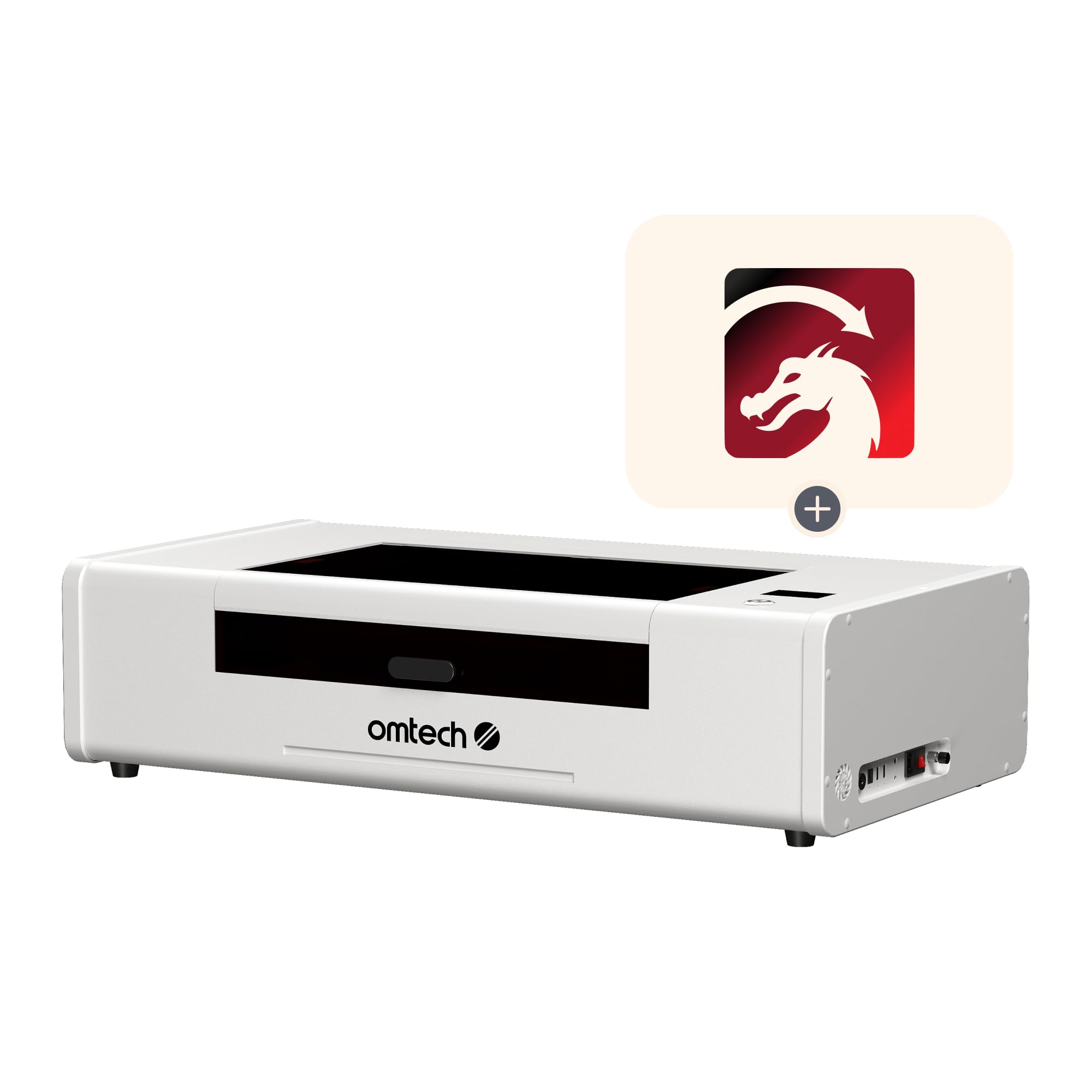
A desktop 55W cutter with a generous bed and a pass-through for long boards.
This machine delivers 55W of cutting power in a footprint of 38.2 x 22.3 x 9.2 inches (the OMTech K40+ measures 31.9 x 19.7 x 9.8 inches) — but the real draw is the 20″ x 12″ work area. At this power level, it shapes wood up to 0.61″ thick and acrylic up to 1″ thick, a step up from the 45W machine. The front and back pass-through slots let you feed materials up to 0.28″ thick, which is handy when you need to engrave long lengths of trim or signage.
It ships with LightBurn, but one reviewer flagged that the software requires a separate DSP license costing. Another owner noted that after swapping the lens (American Photonics), the auto-focus distance changed and they had to manually set the z-axis offset to 22.2mm — a level of tinkering that experienced users expect but beginners may find frustrating. The machine also includes a 0.5-gallon water cooling tank and 282.5 cfm (cubic feet per minute) built-in exhaust fans to keep the workspace clean. It comes with a rotary attachment, a feature the K40+ does not include as standard.
If you want a 55W desktop unit with a decently sized cutting area and do not mind investing time in tuning, this is a strong mid-range option. The community forums and OMTech support are active, though some buyers noted the camera calibration can be time-consuming to fix.
Strong Points
- 55W power cuts wood up to 0.61″ and acrylic up to 1″
- 20″ x 12″ work area with front/rear pass-throughs for long materials
- Includes rotary attachment for cylindrical items
- Built-in exhaust fans and water cooling tank
Weak Points
- Auto-focus can be unreliable with non-standard honeycomb beds or after lens swaps
- LightBurn requires a separate DSP license
- Camera calibration and USB connectivity issues reported by multiple users
Who should consider it: A DIY-oriented maker who wants 55W power and a larger cutting area but is comfortable with manual adjustments and software configuration.
Who should pass: Anyone looking for a truly plug-and-play experience — the xTool machines will cause fewer headaches.
4. xTool P2S 55W CO2 Laser Cutter, Smart Desktop CO2 Laser Engraver and Cutter

The smoothest operator — a 55W machine that feels like using a printer.
With the highest power in this group at 55W and a 26″ x 14″ bed, the P2S cuts acrylic up to 20mm thick and black walnut up to 18mm in one pass. Its 600mm/s engraving speed, matching the xTool S1’s 600 mm/s, while the OMTech K40+ runs at 300 mm/s. The dual 16MP cameras (16-megapixel) provide a high-resolution real-time preview, and the LiDAR autofocus (a laser-based focus system) locks focus to 0.001″ for error-free placement. The machine also features 3D Curve Engraving, which automatically creates 3D models of curved surfaces like cylinders so you can engrave tumblers and bottles without manual mapping.
Buyers with experience on other lasers call it the easiest to live with. One buyer mentioned, “Easiest, most reliable laser used,” noting a 30-minute setup time. Another called it “a huge upgrade from Glowforge Pro” and praised the xTool Creative Space software. The magnetic mirrors make cleaning simple, and the AI fire detection alongside the 233.3 CFM (cubic feet per minute) exhaust fan keeps the environment safe. At 130.7 pounds, it is heavy and needs two people to move, but the build quality using aluminum alloy feels substantial. Some long-term users noted the coolant access is tight and that the gantry design (the moving beam structure) allows some smoke escape, but these are minor in an otherwise polished package.
The expanded version also includes Auto-Passthrough for materials up to 118 inches long and a Riser Base for objects up to 8.4 inches tall. It also works with the RA2 Pro Rotary accessory.
Why It Impresses
- 55W laser cuts 20mm acrylic and 18mm hardwood in one pass
- Dual 16MP cameras with 0.001″ LiDAR autofocus
- 3D curved cylinder engraving for tumblers and bottles
- 30-minute setup with beginner-friendly software
Downsides
- Very heavy at 130.7 pounds; requires two people to position
- Premium price puts it well above mid-range options
- Some reports of coolant access being awkward for refills
Best suited for: A serious maker or small business who wants a premium, reliable, fast laser that requires almost no technical fussing and delivers professional results immediately.
What to watch for: If you are on a tight budget, the xTool S1 40W gives you a similar experience with a slightly smaller work area for significantly less money.
5. xTool P3 80W Flagship CO2 Laser Cutter with Intelligent Automation
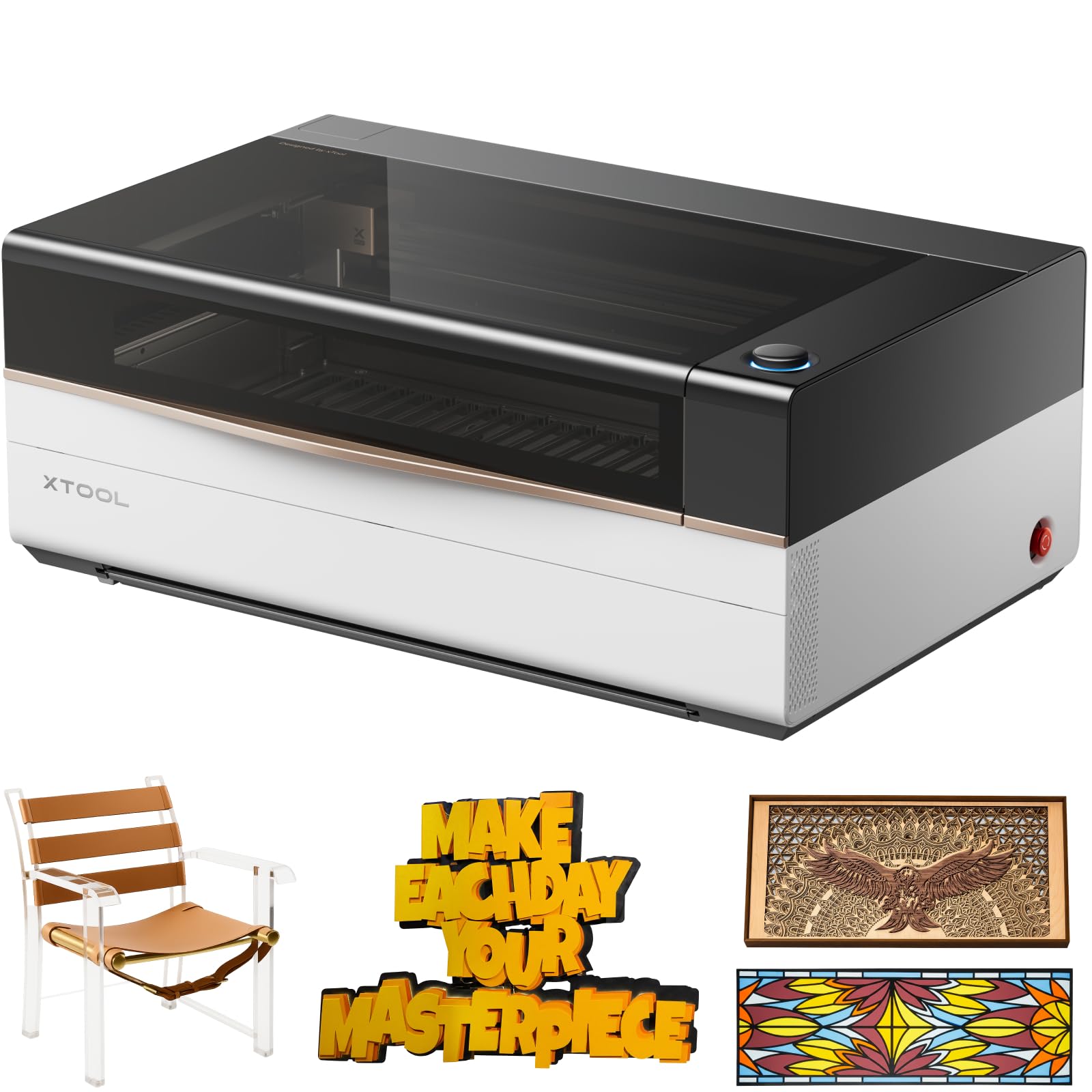
An industrial-grade 80W cutter on a desktop scale, built for speed and automation.
This is the flagship — an 80W laser that cuts 20mm wood and 25mm acrylic at speeds up to 1200 mm/s, while the xTool S1 and P2S run at 600 mm/s. The work area is massive at 36″ x 18″, the largest in this group by a wide margin. The “Place & Go” workflow uses an Automatic Creation System (ACS, a system that scans and places your design automatically) with LiDAR autofocus, dual HD cameras (a 16MP SkyView and a close-range detail cam), and an AutoLift Base that adjusts for materials up to 8.7 inches tall. The brand claims AI-powered Smart Nesting achieves 98.7% material utilization, meaning you waste less material on layouts.
Buyers are impressed with the raw power and automation. One owner reported that the laser “cuts 1/2″ pine, 5-6mm maple, MDF faster than 50W Omtech,” but also warned that the actual bed is slightly smaller than the advertised 36″ x 18″ and that the software (xTool Studio) has preset bugs and forced updates. Another reviewer called it “a beast” and said the software was easy to learn. The machine supports an optional Intelligent Conveyor Feeder for unlimited-length projects, a 5W IR laser add-on, and the MagSwap RA3 for rotary engraving. At 322 pounds, this is a stationary workshop fixture, not something you move around.
If you run a business that needs high throughput, large-format cutting, and automation to reduce manual setup time, the P3 is the clear choice. The price is a major step up, and the ecosystem of separate accessories can add to the cost, but for heavy production, the investment matches the output.
What Makes It Powerful
- 80W laser cuts 20mm wood and 25mm acrylic
- 1200 mm/s engraving speed for high-volume workflows
- 36″ x 18″ work area supports large-format projects
- Automated ACS system with LiDAR autofocus and dual HD cameras
What Holds It Back
- Very expensive; accessories sold separately
- Heavy at 322 pounds, requires permanent placement
- Software still has bugs with presets and updates
- Actual bed size is slightly under the advertised 36″ x 18″
Designed for: A production-focused business that cuts large volumes of thick materials and values automation over manual tinkering.
Better to skip if: You only need a machine for occasional hobby projects — the cost and footprint are overkill, and the xTool P2S or S1 will serve you well for much less.
Understanding the Specs
Laser Power (Watts)
The wattage (W) of a CO2 laser controls how much material it can cut through in a single pass. A 40W laser handles thin plywood and leather easily, while a 55W or 80W machine cuts thicker hardwood and acrylic boards. More watts also mean faster cutting on dense materials, which directly affects how long you wait for each project.
Work Area and Pass-Through
The work area (measured in inches) defines the maximum size of a flat item you can fit under the laser. A larger bed lets you do bigger projects or fit more items in one job. A pass-through slot opens the front and back of the machine so you can feed long planks or banners through, turning a compact machine into one that can handle extra-long materials.
Engraving Speed (mm/s)
Speed is measured in mm/s (millimeters per second). A faster machine (like 600mm/s or 1200mm/s) completes a design in less time than a slower one (300mm/s). If you run batch jobs or sell engraved items, higher speed directly increases your output per hour. For a casual hobbyist making one piece at a time, speed is less urgent than power or work area.
Cooling System
CO2 lasers generate heat that must be managed. Some machines include a built-in water tank (like the OMTech Polar Lite with its 0.5-gallon tank), while others rely on external water cooling systems. A proper cooling loop prevents the laser tube (the glass tube that generates the laser beam) from overheating, which can shorten its lifespan. Machines with built-in exhaust fans also help clear smoke from the work area for cleaner cuts.
FAQ
What thickness of acrylic can a 40W CO2 laser cut?
Can these machines engrave metal?
Do I need a water chiller for a CO2 laser engraver?
What software do these lasers use?
How big of a room do I need for a CO2 laser engraver?
What is the difference between a CO2 laser and a diode laser?
Do these lasers come with air assist?
How long does a CO2 laser tube last?
Can I engrave cylindrical objects like tumblers with these machines?
Is it safe to have a CO2 laser in a home workshop?
Final Thoughts: The Verdict
For most people, the co2 laser engraver winner is the xTool S1 40W because it delivers the best balance of work area, speed, safety, and beginner-friendly software at a mid-range price. If you want plug-and-play 55W power and curved engraving for tumblers and bottles, grab the xTool P2S 55W. And for high-volume production cutting thick materials without compromise, the standout is the xTool P3 80W.
How We Picked
We do not accept paid placement. Every pick is matched to a real buyer and a real use-case; we do not hands-on test units.
Sources & Methodology
Specifications: manufacturer listings and product documentation. Review insights: verified customer reviews, as of July 2026. Pricing: not shown on this page (it changes often); check the current price via the retailer link.
As an Amazon Associate, WellFizz earns from qualifying purchases. This does not affect which products we feature.
Related Guides

Mo Maruf
I created WellFizz to bridge the gap between vague wellness advice and actionable solutions. My mission is simple: to decode the research and give you practical tools you can actually use.
Beyond the data, I am a passionate traveler. I believe that stepping away from the screen to explore new environments is essential for mental clarity and physical vitality.