Our readers keep the lights on and my smoothie glass nicely filled. As an Amazon Associate, I earn from qualifying purchases.
Specs are compiled from manufacturer listings and verified buyer reviews and can change over time — please confirm the key details on the product page before buying.
A CNC router for woodworking is a big purchase — one that either open up a workshop’s full potential or sits in a corner gathering dust if the wrong choice is made. The core tension is always the same: a frame rigid enough to hold tight tolerances through a long carve, versus a price tag that doesn’t empty the hobby budget. Most first-time buyers focus on the software or the spindle wattage, but the real difference between a frustrating machine and a productive one depends on the structural bones — the linear guides, the screw drives, and how much mass is actually bracing the gantry against vibration.
I’m Mohammad Maruf — the founder and writer behind WellFizz. This guide is built by comparing the manufacturers’ published specifications and the patterns across verified customer reviews, so you get each pick’s real strengths and trade-offs instead of marketing spin.
After examining a broad range of desktop and mid-format machines, the most important dividing line is motion hardware — ball screws versus lead screws, linear rails versus v-wheels. That difference determines whether your cnc router for woodworking delivers clean joinery on hard maple or chatters through every pass on plywood.
Our Picks at a Glance


How To Choose The Best CNC Router For Woodworking
Choosing a CNC router for woodworking depends on matching the machine’s structural rigidity to the hardness of the woods you plan to cut, and its working area to the size of your typical projects. A machine that is perfectly fine for MDF and pine will struggle with hard maple and oak if the gantry and linear guides aren’t up to the task.
Frame and Linear Guide System
The frame absorbs vibration. An all-aluminum or steel frame with linear rails on every axis is the gold standard — it lets you take deeper passes without chatter. V-wheel and slot systems work for light engraving and soft materials but introduce play under heavier cuts.
Spindle Power and Type
Spindle power determines how fast you can remove material. The stock 300W to 500W spindles on many entry-level machines handle engraving and light cuts in wood well, but a trim router upgrade (800W to 1.5kW) is often needed for thicker hardwoods or aluminum. A variable-speed spindle with software-controlled start/stop is quieter and more precise than a fixed-speed trim router.
Motion System: Lead Screws vs. Ball Screws
Lead screws are cost-effective and common on budget and mid-range machines, but they suffer from backlash (tiny play between the nut and screw) that can show up as visible lines on carves. Ball screws use recirculating balls for near-zero backlash, giving much better repeatability — worth the premium for detailed 3D work or production runs.
Working Area
Buy the largest working area you can fit in your space and budget. A 400x400mm surface (about 15.75 inches square) handles signs, guitar bodies, and small furniture parts. If you plan to cut cabinet panels or larger signage, look at machines that offer extension kits or start at 600x500mm.
Control System and Software Compatibility
Most machines use the open-source GRBL firmware, which is compatible with free software like Candle and UGS, and paid options like VCarve, Fusion 360, and Easel. Some newer controllers use the more capable GRBL 1.3a or ESP32 firmware with Wi-Fi control. Check that the board supports the features you need — like a 4th axis or laser module — before you buy.
Quick Comparison
| Model | Best For | Working Area | Spindle Power | Frame / Guides | Amazon |
|---|---|---|---|---|---|
| TTC6050★ Best Overall | Large signage & metals | 600x500x100mm | 500W (upgradable to 3000W) | Aluminum alloy + ball screws | Amazon |
| CNC 4040-PRO (WolfPawn)Best Value | Budget metal cutting | 400x400x74mm | 500W | V-wheel + linear rail on Z | Amazon |
| FoxAlien Masuter ProBest for Beginners | Beginners & hobbyists | 400x400x60mm | 300W | All-aluminum + linear rail Z | Amazon |
| Genmitsu 4040-PRO | Entry-level precision | 400x400x79mm | 300W | Steel HSS tubes + lead screws | Amazon |
| Twotrees TTC450 Pro | Touchscreen ease of use | 460x460x80mm | 775W brushed | Aluminum + stainless steel | Amazon |
| Genmitsu PROVerXL 4030 | Expandable workhorse | 400x300x110mm | 300W (upgradeable to 1HP router) | C-beam + lead screw + dual Y | Amazon |
| AnoleX 3030-Evo Max | Metal cutting on a budget | 300x300mm | 800W trim router | Dual MGN-15 linear guides | Amazon |
| LUNYEE 3020 Nova | Ready-to-run precision | 300x200mm | 800W | Ball screws + HG-15 linear guides | Amazon |
| SainSmart Genmitsu 4040 PRO | 4-axis & Wi-Fi expansion | 400x400mm | 300W | Steel HSS tubes + lead screws | Amazon |
| FoxAlien Masuter 3S | High-speed precision | 400x400x95mm | 400W (upgradeable to 1.5kW) | Reinforced extrusions + HG-15 rails | Amazon |
| NBS-6040 | Large format rigidity | 612x412x122mm | 710W | Linear rails + ball screws on all axes | Amazon |
In‑Depth Reviews
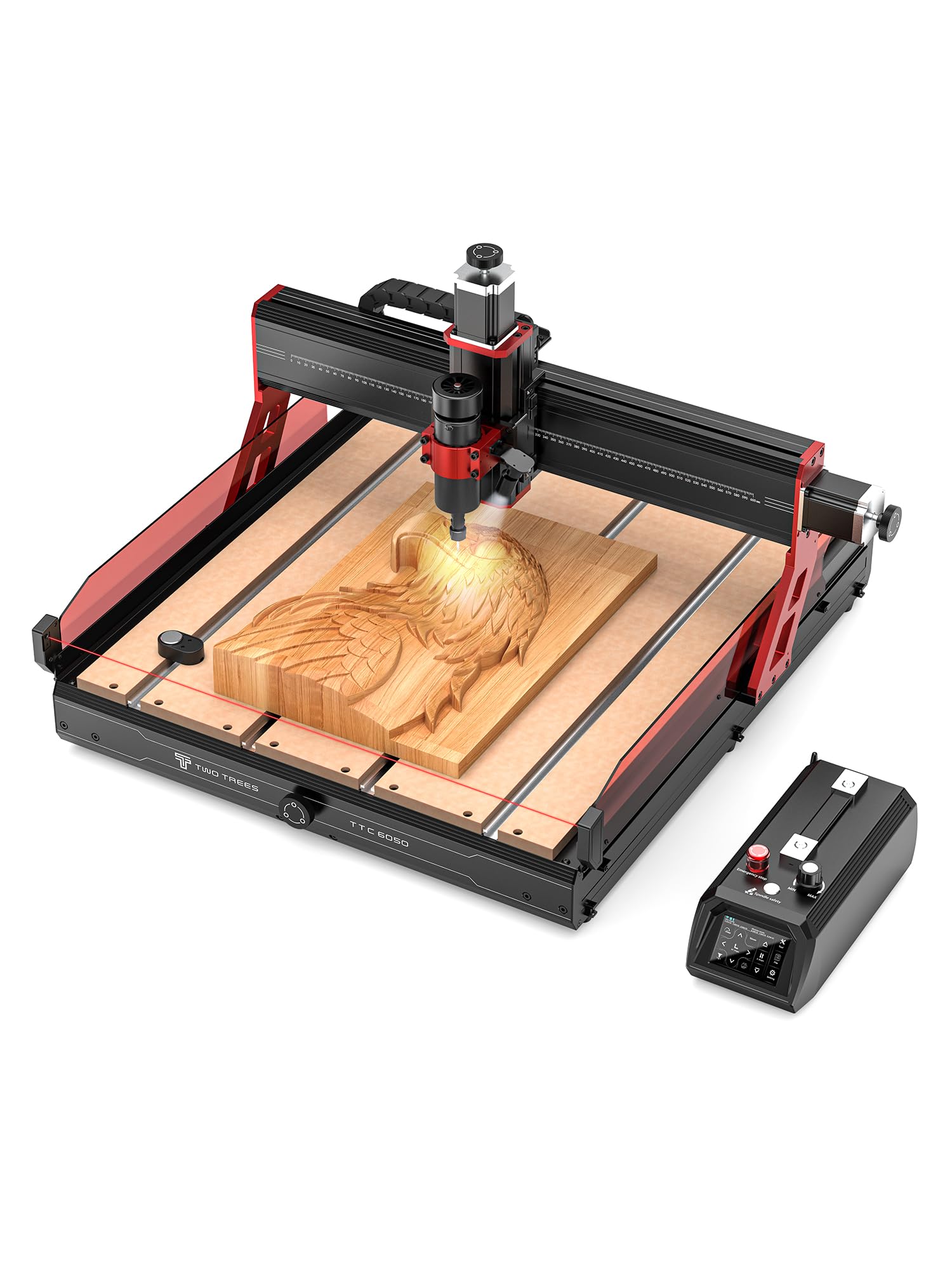
1. TTC6050 CNC Router Machine
Our pick — over 4.5★ from 50+ verified ratings; the strongest balance of quality and price.
The big-surface ball-screw machine that treats stainless steel the way smaller machines treat pine.
The single most game-changing spec here is the C7-grade ball screws on all axes. Ball screws eliminate the backlash that leaves witness lines on carves, and the payoff is a positioning accuracy of 0.01mm on X and Y — the Z-axis resolves down to 0.0025mm. That level of precision is rare in a machine with a 600x500x100mm (23.6 by 19.6 by 3.9 inches) working area. The 500W spindle runs from 8,000 to 30,000 RPM and the ER11 chuck accepts bits from 0.5mm to 6mm, so detailed engraving and heavy cutting happen on the same frame without swapping spindles. The GRBL control system is paired with a 3.5-inch resistive touchscreen that handles motion control, speed, tool setting, and laser switching in eight languages — a thoughtful touch for shared shops. Wi-Fi 2.4G and TF card offline operation mean you don’t need a tethered computer for every run.
Build quality is what keeps this machine at the top. The aluminum alloy frame holds all that mass — 98.8 pounds — steady during deep passes. Five safety certifications (CE, ROHS, FCC) and built-in infrared sensors plus microswitch limiters back up the engineering. The included accessory kit (clamping plate, test material, multiple cutter types) makes the unboxing-to-first-cut process unusually fast. A small number of buyers report that the manufacturer’s support can be slow with parts, but the overwhelming feedback from those who got the machine running is summed up in one verified review: “Very good cnc machine, high quality build, fairly easy assembly instructions.”
sturdy Steel Frame
- Ball screws on all three axes deliver near-zero backlash for clean, detailed carves
- 600x500mm working area handles furniture panels and large signage
- GRBL control with touchscreen, Wi-Fi, and TF card for offline use
Loud Operation
- Weighs 98.8 pounds — needs a sturdy dedicated stand or bench
- Customer support can be slow if replacement parts are needed
- Premium price positions it beyond casual hobbyist budgets
Heavy Duty: The woodworker who needs to cut large panels, do repeatable production runs, or occasionally machine metals — and values long-term accuracy over initial cost.
Noisy: You are on a tight hobby budget or need a machine that fits on a standard workbench without a heavy-duty stand.
2. CNC Router Machine 4040-PRO (WolfPawn)
The 500W workhorse that proves a 19-kilogram budget machine can handle real metal cutting.
Weighing 19.12 kilograms, this 4040-PRO variant from WolfPawn undercuts the heavier premium machines by a significant margin while still packing a 500W spindle and a 400x400x74mm (15.7 by 15.7 by 2.9 inches) working area. The structure uses a 2GT belt and V-wheel on the X and Y axes, with a round linear guide and TR8-2T lead screw on the Z-axis — a hybrid approach that keeps cost down while maintaining stability for aluminum and acrylic. The inclusion of 52mm and 65mm spindle clamps means you can drop in a trim router upgrade later without buying a new mount. The GRBL and Candle USB control setup gives you a 3D preview, origin setting, and real-time display on your computer with zero proprietary lock-in.
Verified buyers confirm the machine “exceeded expectations” and accurately call out “very good deal for a 3 axis cnc with this much space.” The full accessory kit — clamps, Z-probe, test wood, wrenches, hex keys, USB cable, and manual — means assembly is pre-wired and quick, not a frustrating afternoon of deciphering vague instructions. A small but vocal set of owners mention issues with missing hardware and a non-latching emergency stop switch (it acts as a momentary switch instead), so a careful inspection of the control box upon arrival is a smart first step. Once dialed in, the consensus is clear: the machine is “awesome” for soft metals and wood.
For the price, this machine outperforms pricier rivals on spindle power. The 500W unit (0.67 horsepower) handles materials that would stall the 300W spindles on similarly-priced competitors, though the V-wheel system on X and Y means you will want to run conservative feeds on hardwoods to avoid play. Owners who upgraded to a palm router reported noticeably cleaner lines on production runs.
Compact: You want a 500W spindle and a 400mm work area at the most accessible price point — and you are comfortable checking over a few assembly details on arrival.
Small Parts: You need true ball-screw precision for production work, or you want a latching emergency stop from the start.
3. FoxAlien Masuter Pro 3-Axis CNC Router
The 13-kilogram aluminum frame that hobbyists call the best first CNC they have ever owned.
With 637 ratings on the books, the Masuter Pro is the most-reviewed machine in this lineup, and the reason is clear: it hits the balance of build quality, ease of assembly, and price for someone who has never owned a CNC before. The all-aluminum frame and linear rail on the Z-axis keep vibration low enough that customers note accurate cuts immediately after the roughly 30-minute assembly. The working area is 400x400x60mm (15.75 inches square), which is generous enough for signs, guitar bodies, and small furniture components. The two included spindle clamps (52mm and 65mm) mean you can upgrade to a 300W or even a 1.5kW spindle without buying a new machine.
The design choices that win people over: a dust-proof controller box with easily accessible emergency stop and home buttons, pre-wired components that make assembly genuinely fast, and a detailed step-by-step manual. The dust-proofing matters because wood dust is conductive and kills controller boards over time — a common failure point on cheaper machines. A few owners did report motor issues after several weeks of use, and the 300W spindle is only rated for 10,000 RPM, which means it is best suited for wood, acrylic, and MDF rather than heavy aluminum cutting. But the value consensus is strong: “Great value CNC for hobbyists” and “Excellent CNC with outstanding customer support” are recurring themes in the feedback.
The Masuter Pro is also the most expandable beginner machine we looked at. FoxAlien sells X-axis extension kits and a 40W laser module that bolts onto the same controller, letting you move from routing to engraving without buying a second machine. The open-source GRBL control means it works with Easel, Fusion 360, and VCarve — no proprietary software trap.
Entry Level: You are buying your first CNC and want a machine that is easy to assemble, well-documented, and can grow with you through spindle upgrades and add-ons.
Production: You need to cut thick hardwoods or metals regularly — the 300W spindle and 10,000 RPM limit will require light passes and patience.
4. Genmitsu CNC Router Machine 4040-PRO
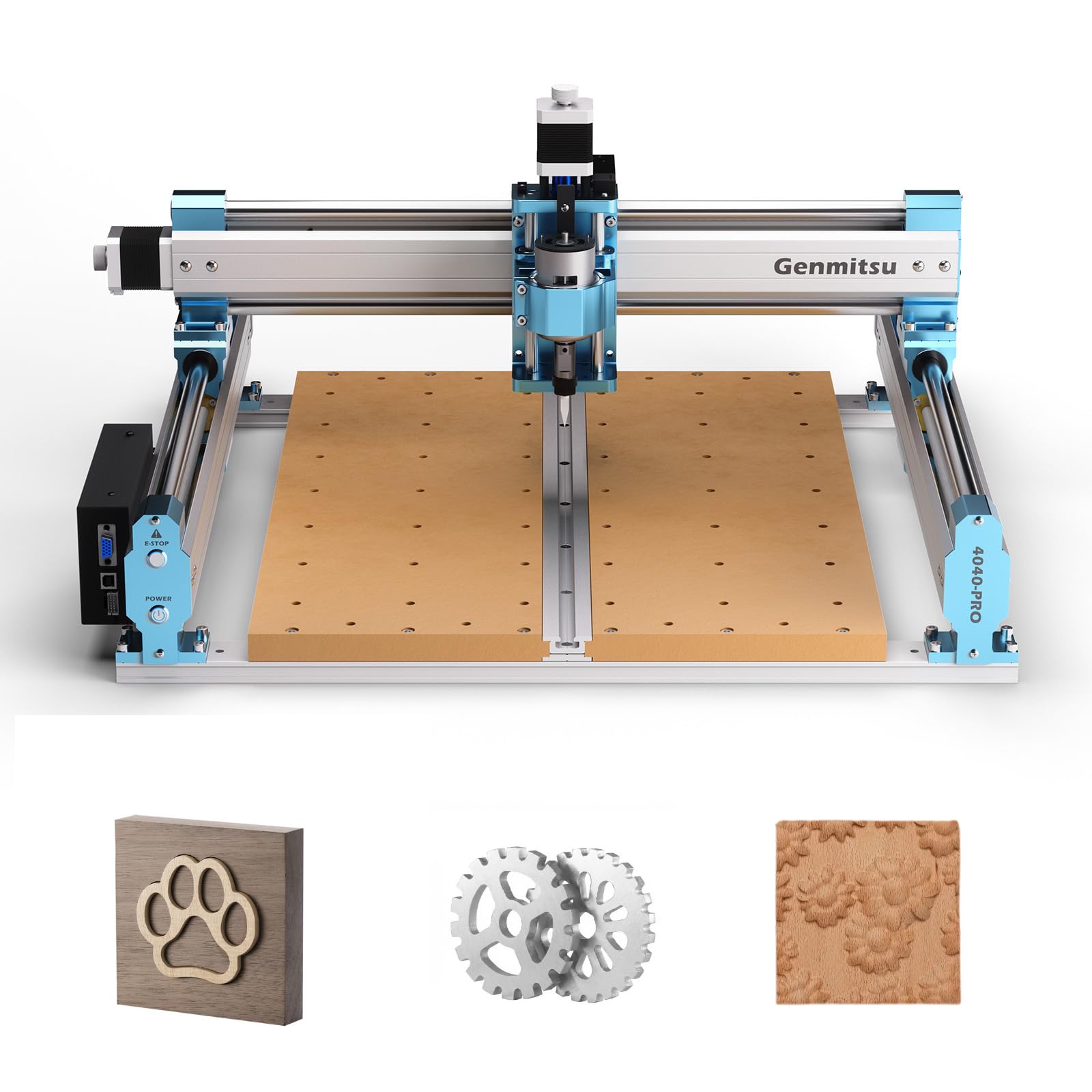
The 20.8-kilogram steel-framed machine that over-delivers on build quality for its mid-range price.
The Genmitsu 4040-PRO distinguishes itself from the WolfPawn version above with a steel HSS (hollow structural section) frame, 16mm steel linear tubes on each axis, and lead screw motion drivers with dual Y-axis rails. The result is a noticeably more rigid structure — owners consistently mention “solid build with no axis play” and “rigid frame, everything fits.” The working area is the same 400x400x79mm (15.7 by 15.7 by 3.1 inches), but the spoil board design here is smarter: two replaceable MDF boards so you only swap the damaged half instead of the entire table. The 42mm and 52mm spindle mounts come standard, and optional 65mm and 69mm mounts are available separately for router upgrades.
The control box upgrade is a real differentiator: a Toshiba TB6S109 driver with a 32-bit chip runs quietly and handles air assist and MPG (manual pulse generator) ports for future expansion. A 4th axis rotary module kit and a Wi-Fi module are available separately, giving this machine a clear upgrade path from 3-axis to 4-axis and from wired to wireless. Build quality (50 mentions) and assembly (27 mentions) are the top positive aspects in the customer data, and the machine works from the start with Easel on older iMacs — a compatibility point that matters in shared shops.
The recurring caveat is the stock spindle. Owners who cut plywood and do light engraving find the 300W unit perfectly adequate, but those working with hardwoods notice the spindle is the weak link and almost universally recommend a trim router upgrade. A handful of reviewers point out persistent issues with the machine losing vector orientation mid-job, despite multiple controller board replacements. That pattern is rare but note for production-critical work.
Detail Work: The woodworker who values a rigid steel frame and wants a machine that can be upgraded to 4-axis and Wi-Fi control without replacing the entire gantry.
Rough Cuts: You need to cut hardwoods or thick stock from the start — plan on a separate budget for a trim router upgrade.
5. Twotrees TTC450 Pro All-Metal CNC Router

The square-format CNC with a responsive touchscreen and a NEMA 57 step motor on Z for deep relief work.
The TTC450 Pro breaks from the pack with a 3.5-inch IPS capacitive touchscreen interface and a NEMA 57 stepper motor driving the Z-axis. That Z-axis motor delivers a positioning accuracy of 0.0025mm, which is the tightest depth control in this mid-range cohort — perfect for multi-layer engraving and intricate relief carves where every 0.1mm of depth matters. The working area is 460x460x80mm (18.1 inches square), which is wider than the 400mm machines above and fits furniture panels and larger batch production without needing an extension kit. The control box integrates ports for a 4th axis rotation module, a laser module, and 500W spindle speed control, so you can switch between routing and laser engraving without swapping controllers.
The all-aluminum and stainless steel body, paired with dual limit switches (TM-1618D micro switches) on the XYZ axes, forms a safety-minded work platform that suppresses vibration during long high-load runs. The 775 brushed spindle motor (80 watts rated, but capable with the included 10 cutting tools) is adequate for wood, acrylic, and carbon fiber. Several owners note the 24VDC power supply is undersized for prolonged heavy cuts and that the anti-backlash nut is difficult to adjust, but the same owners also describe the machine as “a beast” and “very easy” to use on day one. The safety certifications (CE, FCC, RoHS) are a rare inclusion at this price tier and matter for workshops that need compliance documentation.
One consistent item across the reviews: the supplied bits are all the same type in different sizes, so you will want to order dedicated v-bits and end mills separately for detailed work. The open-source GRBL control system works with ArtCam, Fusion 360, Easel, and Carveco Maker, and supports Windows, macOS, and Linux.
Durable: The woodworker who prioritizes an intuitive touchscreen interface and needs a 460mm square work area for medium-sized projects like signs and panels.
Beginners: You plan to cut thick hardwoods or metals regularly — the stock spindle and power supply will need upgrading for that use case.
6. Genmitsu PROVerXL 4030 CNC Router

The 31-kilogram C-beam gantry that owners describe as a huge step up from smaller 3018/3040 conversions.
The PROVerXL 4030 is built around a rigid C-beam frame and a lead screw drive system with NEMA 23 stepper motors, dual Y-axis lead screws, and a Z-axis optical axis drive. The result is a structure that owners consistently call “super rigid” and “excellent workhorse” — a machine that handles wood, MDF, acrylic, and aluminum with noticeably less chatter than the smaller-profile machines. The working area is 400x300x110mm (15.7 by 11.8 by 4.3 inches), which is rectangular rather than square, making it better suited for long signage and trim work than square panels. The 110mm Z-axis clearance is generous for 3D carves and thicker stock.
Genmitsu includes a 3-month Carveco Maker subscription with the machine, which is a meaningful value-add for first-time CNC owners who would otherwise have to learn G-code manually. The pre-assembled XYZ module and pre-wired wiring harness cut assembly time down dramatically — most shoppers say being up and running in under an hour. The included 300W spindle is adequate for engraving and light cuts, but the machine really shines with a DeWalt DWP611 or similar 1HP trim router upgrade, which bolts directly into an included adapter. The same control box supports both the stock spindle and the upgraded router without re-wiring.
The expandability is the strongest argument for this machine over the others in its price tier. Genmitsu sells upgrade kits for 24×24 inch and 40×40 inch working areas, so you can start with the 4030 and grow the work surface as your projects get larger. A 10W laser module is also supported on the same controller. Owner feedback is overwhelmingly positive on the structure and customer support — one buyer had a power wire issue that was resolved with a replacement drag chain shipped quickly. The main limitation is GRBL software: Candle runs slowly on Windows 7/10 with complex vector files, and the controller is sensitive to voltage fluctuations if other equipment cycles on the same circuit.
Big Projects: The woodworker who plans to grow into larger projects over time and wants a machine that can be extended rather than replaced.
Budget: You work primarily on a Mac — some buyers report driver compatibility issues getting the GRBL controller recognized.
7. AnoleX 3030-Evo Max CNC Router
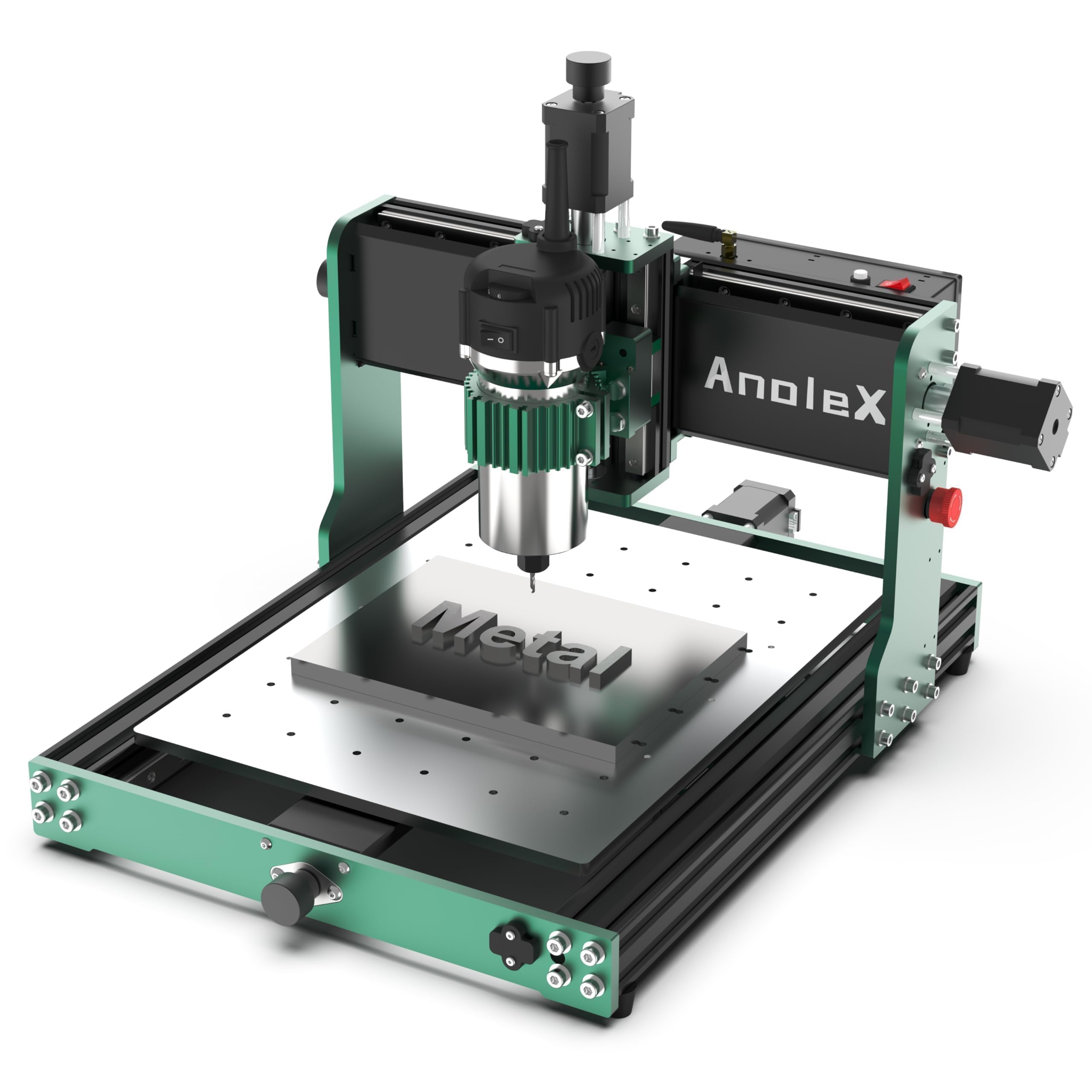
The 800W trim-router machine with ESP32 Wi-Fi control that cuts 6061 aluminum plate to ±0.05mm accuracy.
The 3030-Evo Max comes from a different engineering lineage than the entry-level machines: dual MGN-15 linear guides on each axis (X, Y, and Z), a higher-torque NEMA 17 motor rated at 650mN·m (compared to the common 420mN·m), and an 800W trim router with six speed settings from 8,000 to 24,000 RPM. The T8 lead screws are serviceable from the start, but the machine has a 1204 ball screw upgrade kit available for those who need zero-backlash performance. The repeatability accuracy of ±0.01mm and cutting accuracy of ±0.05mm on 6061 aluminum plate are fully realized specs — the dual linear guides eliminate the gantry flex that limits other machines at this price. Owners confirm it cuts steel (4140, 316 SS, O1 tool steel) with the right feeds, speeds, and carbide bits, which is remarkable for a machine in this weight class.
What really sets this machine apart is the GRBL 1.3a firmware running on a 32-bit ESP32 control board. This allows Wi-Fi control through the ESP3D Web UI from a PC, smartphone, or tablet without a USB cable. The macro buttons on the interface are reprogrammable for tasks like pause, stop, reset, or executing G-code from an SD card. The 65mm spindle mount is ready for a direct upgrade to a 1.5kW spindle kit. A few owners note software bugs — random homing or idle moves after a program ends — and the manual speed dial on the trim router requires a manual adjustment step that cannot be automated mid-program. But the build quality consensus is strong: 16 positive mentions for build quality and 10 for assembly, with owners calling it “better than Genmitsu 3020” and “highly recommend.”
Portable: The intermediate woodworker who also wants to cut non-ferrous metals and values Wi-Fi control and dual linear guides over a larger work area.
Stability: You need a large working area — the 300x300mm surface is the smallest in this guide and limits panel-sized projects.
8. LUNYEE 3020 Nova CNC Router
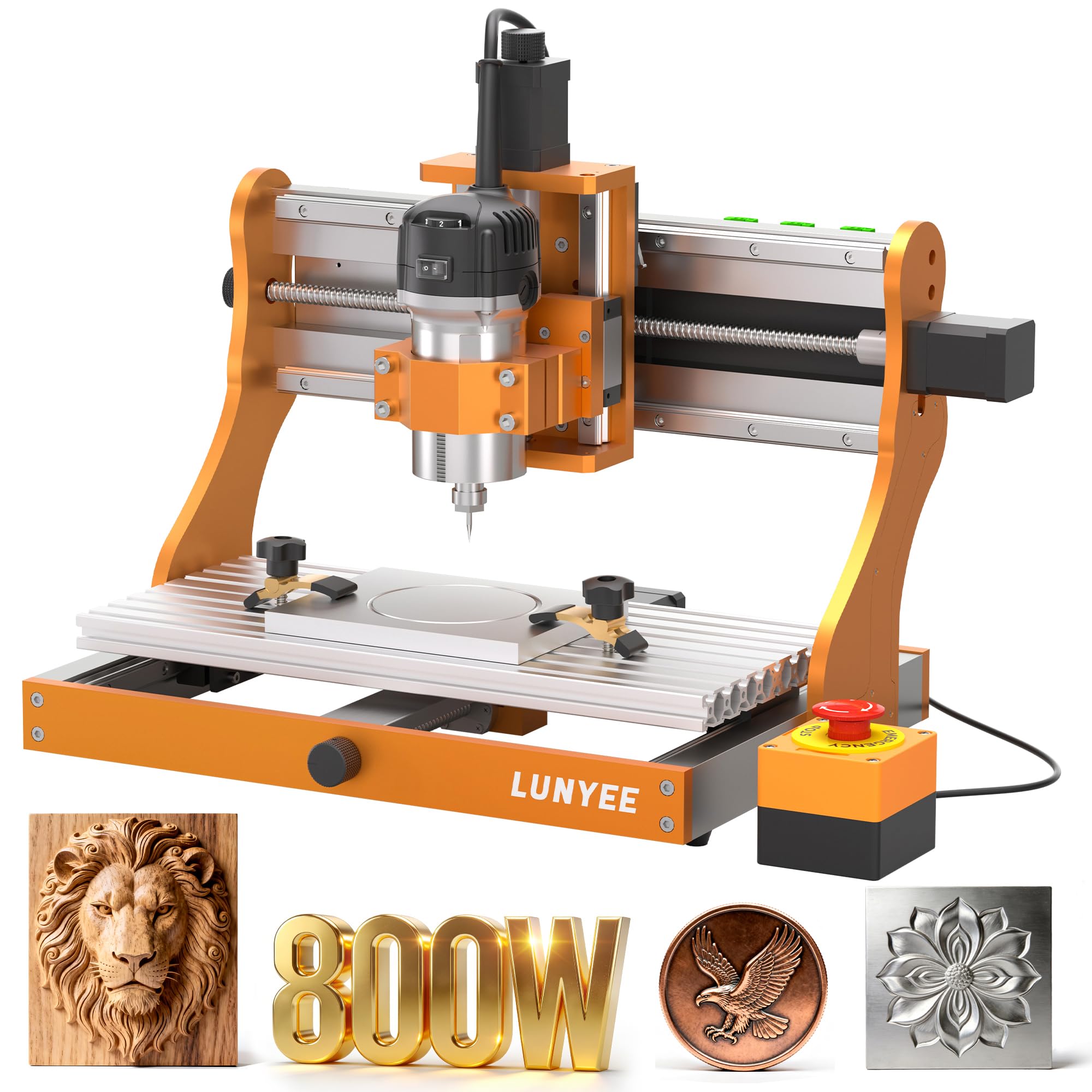
The 1204 ball-screw machine that arrives fully assembled — just install the Z-axis and plug in.
The LUNYEE 3020 Nova is the only machine in this guide that ships as a fully assembled unit with all wiring pre-connected. Unboxing means installing the Z-axis module, plugging in the power, and starting work — no frustrating multi-hour build session. The 1204 ball screws on every axis, paired with HG-15 linear guides, eliminate backlash and deliver a maximum movement speed of 5,000mm/min with an accuracy of ±0.05mm. The 800W spindle runs from 6,000 to 30,000 RPM across six speed settings with constant torque control, which is a significant upgrade from the 300W units on the entry-level machines. The all-metal frame weighs 19.2 kilograms and is rated for wood, acrylic, PCB, leather, metal, and plastic.
Owners who upgraded from common 3018 models report “a huge upgrade” with a “heavier, more rigid” feel, linear rails on all axes, and larger stepper motors. The ready-to-run design is a genuine advantage for workshops that cannot afford downtime for assembly. The machine also uses standard M5 T-nuts and screws for the work table — the manufacturer lists M6, but verified owners confirm M5 is correct, so keep that in mind when ordering fixtures. The stock router failed on one owner within a month and was replaced with a Makita, so the trim router quality is the most common point of concern. The controller area is limited if you plan to add a 4th axis or multiple accessories later.
Budget Pick: The woodworker who wants ball-screw precision and an 800W spindle without spending hours assembling the machine — just unbox and cut.
Power: You need a larger working area than 300x200mm, or you want a fully integrated 4th axis port ready to go.
9. SainSmart Genmitsu 4040 PRO CNC Milling Machine
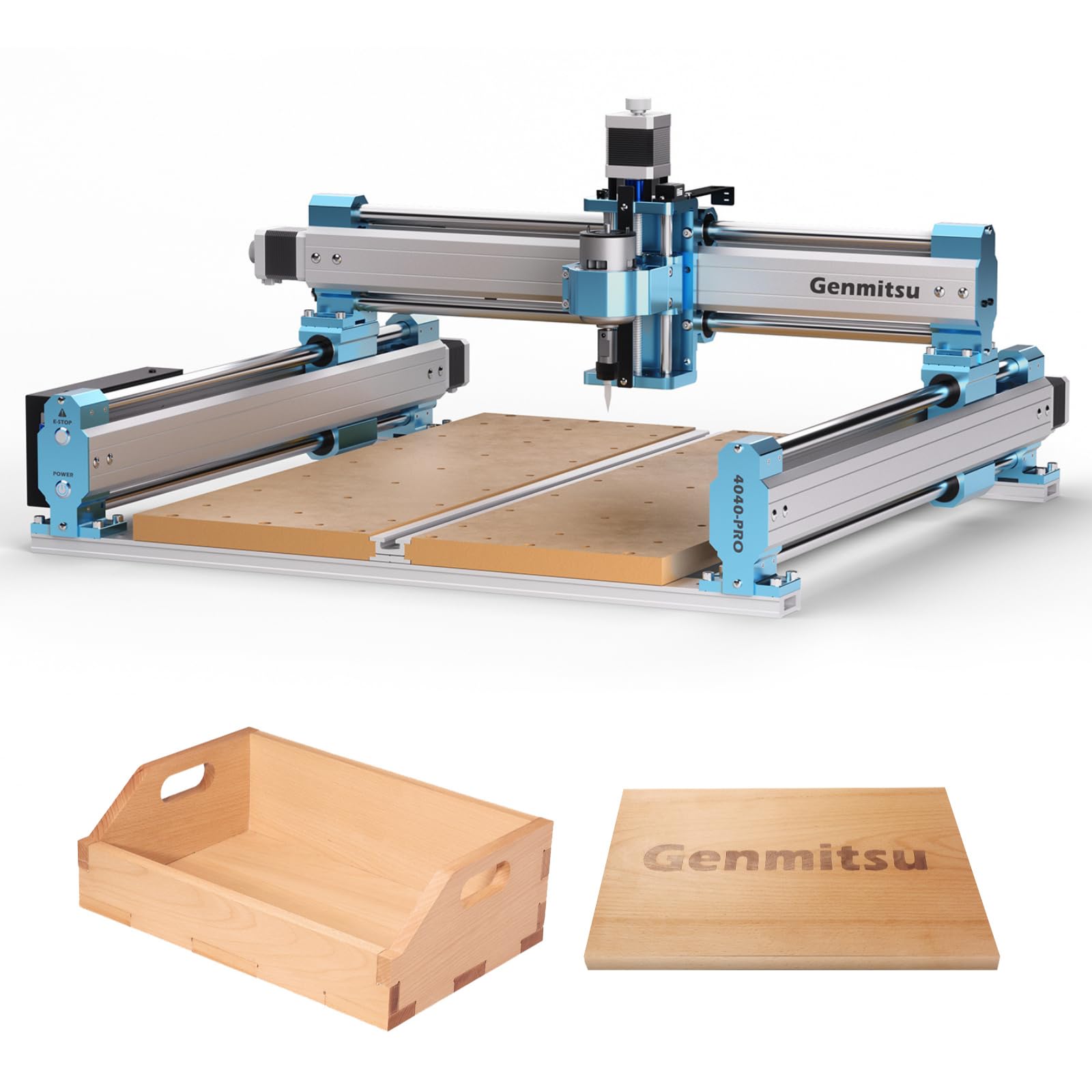
The 48.8-pound steel-framed machine that opens 4-axis rotary carving without breaking the premium ceiling.
The SainSmart-branded 4040 PRO shares the same steel HSS frame and lead screw architecture as the standard Genmitsu 4040-PRO, but adds native support for a 4-axis rotation module kit and an optional Wi-Fi module (B0DK54JHS6). That 4-axis capability lets you carve cylindrical objects like chair legs, table balusters, and trophy handles from multiple angles — a feature set usually reserved for machines costing significantly more. The 16mm steel HSS linear tubes, dual Y-axis rails, and full metal frame deliver the same rigidity that earned the standard 4040-PRO such strong build quality reviews. The upgraded Toshiba TB6S109 driver with 32-bit chip runs quieter and includes an air assist pump port and MPG port.
The key differentiator from the non-SainSmart 4040-PRO is the strengthened spoil board with an integrated T-track aluminum support bar. This prevents the MDF from sagging under heavier stock and opens up more versatile clamping options. Owners call it a “solid CNC for beginners/advanced users on a budget” and note that while the stock spindle is weak and the Z-axis is not the strongest, the machine itself is “tough and easy to assemble” with amazing customer service. The 42mm and 52mm spindle mounts come standard; 65mm and 69mm mounts are available separately. A few owners found the instructions unclear on spoilboard orientation and on the difference between the two spindle mounts, so expect a short learning curve on assembly details.
Quick Start: The woodworker who wants to experiment with 4-axis carving (chair legs, balusters, cylindrical objects) without jumping to a full industrial machine.
Longevity: You want a ready-to-run machine with a spindle powerful enough for hardwoods from the start — budget for an upgrade.
10. FoxAlien Masuter 3S CNC Router
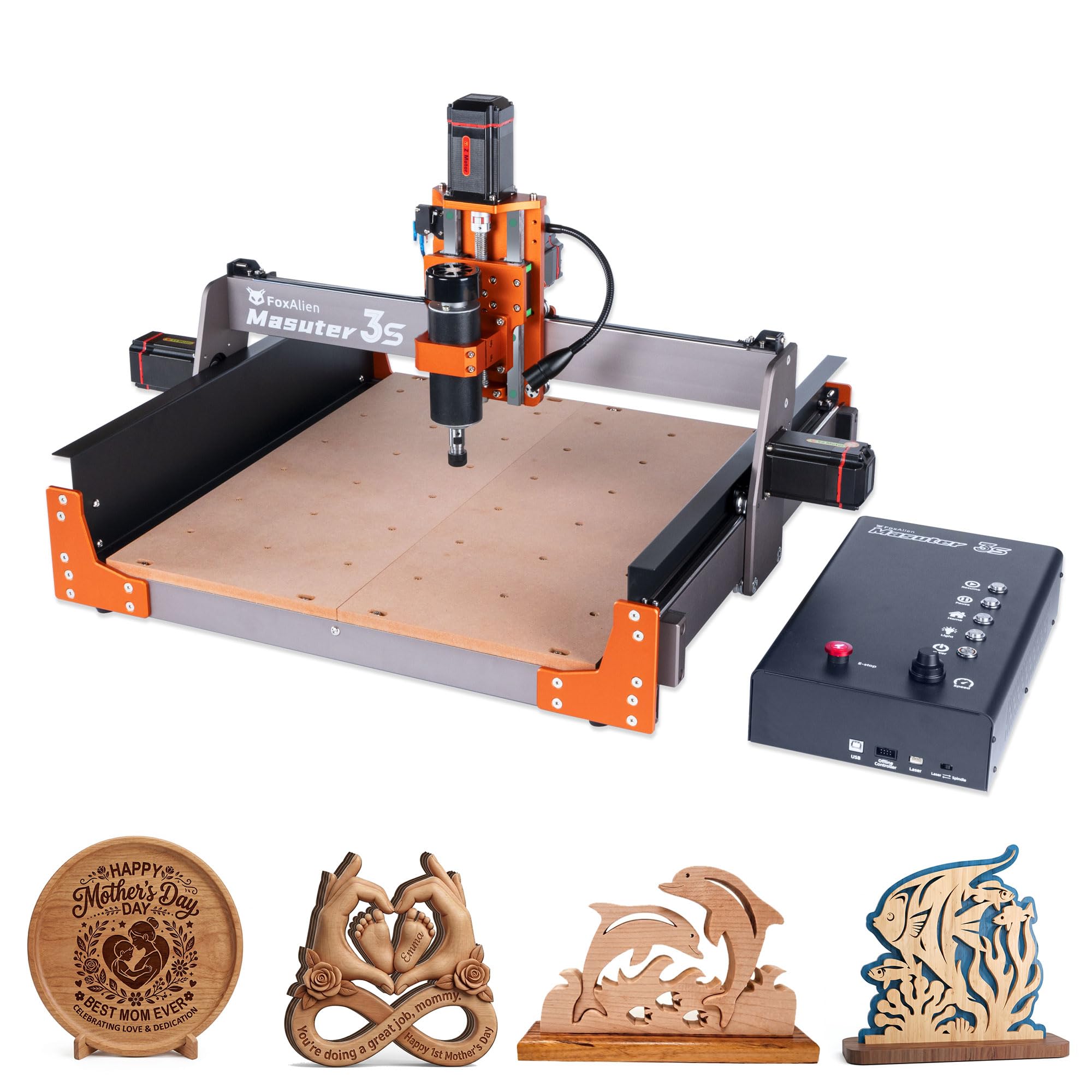
The NEMA 23 closed-loop stepper machine that hits 10,000mm/min rapids without losing a single step.
The Masuter 3S is FoxAlien’s answer to the speed-and-accuracy gap in the mid-range market. The NEMA 23 closed-loop stepper motors deliver 2.2 Nm of torque and eliminate step-loss — the common failure mode where a motor misses a step under load and the machine’s position drifts, ruining a carve. With rapid moving speeds up to 10,000mm/min, this machine dramatically reduces job times on larger projects. The dual HG-15 linear rails on the Z-axis and reinforced 2360mm extrusions bring repeatability down to a 0.05mm engraving precision. The 400W spindle is rated for 10,000 RPM and comes with a 65mm clamp, making the upgrade path to a 1.5kW spindle straightforward.
The 400x400x95mm (15.75 by 15.75 by 3.74 inches) working area is generous, and the machine supports a 4th axis rotary module (ASIN: B0GKGQJ8FV) for 360-degree cylindrical engraving on mugs and chess pieces. An X-axis extension kit is also available to increase the carving surface for larger projects. The dust-proof controller box includes tactile shortcut buttons and is compatible with FoxAlien’s offline controller for PC-free operation. Owners consistently call the build solid and rigid, assembly easy (roughly 30 minutes with photo instructions), and customer support responsive — one owner with a laser issue got a resolution over a weekend. A smaller number of owners mention extended email loops with support when problems arise months later, so the warranty experience can vary.
The trade-off is the stock spindle’s 10,000 RPM ceiling. While the closed-loop motors make for fast, accurate moves, the relatively low spindle speed means longer program run times for fine detail work. Some owners have modified the machine to use a 110V spindle with a separate controller for higher RPMs, but that requires electronics knowledge.
Electronics: The semi-pro woodworker who values fast cycle times and closed-loop accuracy for batch production on wood and soft metals.
Large Jobs: You rely heavily on email-based support for troubleshooting — a few owners faced slow response times when hardware failed months after purchase.
11. NBS-6040 CNC Router Machine (NYMOLABS)

The 24-by-16-inch ball-screw behemoth with a custom 710W trim router that makes assembly feel like unpacking a monitor.
The NBS-6040 from NYMOLABS is the largest machine in this guide with a working area of 612x412x122mm (24.12 by 16.21 by 4.80 inches), and it backs up that size with linear rails and ball screws on every axis — components typically reserved for much heavier industrial machines. The custom-made 710W trim router spindle uses a soft-start and constant-current drive that ramps RPM from 7,000 to 30,000 smoothly without stalling, a genuine engineering improvement over the on-off behavior of standard trim routers. The ER-11 collet accepts 1-8mm, 1/4-inch, and 1/8-inch bits, and the 1/4-inch and 1/8-inch collets are included. The modular pre-assembled design is genuinely fast — customers note a 20-minute setup from box to first cut.
The 2.8-inch TFT touchscreen offline controller is a highlight. It lets you control the machine manually or load files from microSD card without a connected computer, and the control box has a dedicated placement for it so it does not dangle from a cable. The open-source GRBL 1.1 firmware runs on a 32-bit driver board with an 80 KHz pulse frequency, which handles complex toolpaths smoothly. Expansion ports include a 4th axis (with four-axis linkage), MPG, Z-probe, air pump, lighting, and dust boot — nearly every accessory port you would need for a fully equipped shop setup. Owner feedback is consistent: “Sturdy mid-size CNC,” “excellent setup instructions,” and “strong, virtually no play at all on the gantry.” The 130-pound shipping weight does require two people for setup.
The biggest caveat is spindle durability. A small number of reviewers point out the spindle failing after roughly 4 months and 7 hours of carving time, and while the manufacturer replaced spindles quickly (within 2 days in some cases), the pattern suggests the trim router is the most likely failure point in an otherwise outstanding machine. The offline controller is also noted as small — a 7-inch touch controller upgrade is available separately and owners who made the switch report a much better experience.
Metal Cutting: The serious woodworker or small business owner who needs a large-format machine with ball-screw precision, an excellent offline controller, and a fast setup.
Portability: You need a spindle that can run for hundreds of hours without attention — factor in the cost of a backup or a higher-end VFD spindle upgrade from the start.
Understanding the Specs
Ball Screws vs. Lead Screws
A ball screw uses recirculating steel balls between the screw and the nut, which eliminates nearly all backlash — the tiny gap that causes the cutting bit to drift slightly when it changes direction. That gap shows up as visible lines or ridges on the surface of a carve, especially on detailed 3D work. Ball screws are standard on industrial CNCs and on the premium picks in this guide like the TTC6050 and NBS-6040. Lead screws (also called acme screws) are simpler and cheaper, but they have inherent backlash. Some machines handle it with anti-backlash nuts that spring-load the nut against the screw threads, reducing the effect to an acceptable level for most hobby work. For woodworking, ball screws matter most when you do multi-pass carves or 3D relief work. For simple 2.5D signs and flat cutouts, a well-adjusted lead screw machine is perfectly adequate.
GRBL and Control Firmware
GRBL is the open-source firmware that runs on most desktop CNC machines. It translates G-code (the language your design software produces) into stepper motor movements. The standard version is GRBL 1.1, which works well for basic 3-axis machines. Some newer machines use GRBL 1.3a on a 32-bit ESP32 chip — this version supports Wi-Fi control, 4th axis functions, and closed-loop stepper motor feedback. The control board sits inside a box that connects to your computer via USB. For woodworking, the most important GRBL features are acceleration control (so the machine does not jerk and leave marks on starts and stops) and limit switch support (so the machine knows where its physical edges are and does not crash). If you plan to use a laser module later, make sure the board supports PWM (pulse-width modulation) for power control — not all GRBL boards do.
FAQ
Will a CNC router for woodworking cut aluminum or steel?
How much working area do I need for typical woodworking projects?
What is the difference between a 300W spindle and an 800W trim router?
Can I use a CNC router for 3D carving and relief work?
How hard is it to assemble a desktop CNC router?
What software do I need to run a CNC router?
How long does a CNC router spindle last?
What is a 4th axis and do I need one?
Do I need a dust shoe and air assist?
Can I convert my CNC router to a laser engraver?
Final Thoughts: The Verdict
If you want one dependable pick, the cnc router for woodworking winner is the TTC6050 because its ball-screw precision, 600x500mm working area, and versatile GRBL-with-touchscreen control make it the most capable machine for a serious home shop or small business. If you want a fast, expandable platform with excellent community support and upgrade options, grab the Genmitsu PROVerXL 4030. And for the woodworker who wants ball-screw accuracy and a large work area without a multi-hour assembly, the NBS-6040 is the one to reach for.
How We Picked
We do not accept paid placement. Every pick is matched to a real buyer and a real use-case; we do not hands-on test units.
Sources & Methodology
Specifications: manufacturer listings and product documentation. Review insights: verified customer reviews, as of July 2026. Pricing: not shown on this page (it changes often); check the current price via the retailer link.
As an Amazon Associate, WellFizz earns from qualifying purchases. This does not affect which products we feature.
Related Guides

Mo Maruf
I created WellFizz to bridge the gap between vague wellness advice and actionable solutions. My mission is simple: to decode the research and give you practical tools you can actually use.
Beyond the data, I am a passionate traveler. I believe that stepping away from the screen to explore new environments is essential for mental clarity and physical vitality.