Our readers keep the lights on and my smoothie glass nicely filled. As an Amazon Associate, I earn from qualifying purchases.
Specs are compiled from manufacturer listings and verified buyer reviews and can change over time — please confirm the key details on the product page before buying.
You want to carve real parts, not just surf the web looking at machines. The difference between a CNC that collects dust and one that makes projects you are proud of depends on three things: the rigidity of the frame, the type of lead screws or ballscrews driving the motion, and the spindle power that lets you cut material without stalling. This guide walks you through eight machines that actually fit a hobby budget and a workbench.
I’m Mohammad Maruf — the founder and writer behind WellFizz. This guide is built by comparing the manufacturers’ published specifications and the patterns across verified customer reviews, so you get each pick’s real strengths and trade-offs instead of marketing spin.
Whether you are cutting wood signs in your garage or testing aluminum prototypes, you need a cnc machine for hobbyists that matches your skill level and material ambitions without breaking your wallet or your patience.
Quick Picks
- Genmitsu 3030-PROVer Ultra CNC Router Machine — Best Overall
- CNC Router Machine 4030-Evo Ultra 2 — Top Performer
- FoxAlien CNC Router Machine XE-PRO — Pro-Grade Platform
- Twotrees TTC450 Pro CNC Router Machine — Large Value
- Genmitsu CNC Router Machine PROVerXL 4030 — Heavy Duty
- FoxAlien Masuter Pro 3-Axis CNC Router Machine — Quick Setup
- LUNYEE 3018 PRO MAX CNC Machine 500W — Budget Champion
- Genmitsu 3018-PROVer V2 CNC Milling Machine — Entry Level
How To Choose The Best CNC Machine For Hobbyists
A hobby CNC is a big step into making real things. The frame construction, motion system, and controller board decide whether you get frustration or finished parts.
Frame Rigidity — The Foundation of Accuracy
An all-metal frame resists the cutting forces that make a plastic or tubular frame vibrate. Vibration shows up as chatter marks on your work. Look for thick aluminum extrusions and avoid machines that use thin rods or plastic brackets if you plan to cut anything harder than soft wood.
Motion System — Leadscrews vs Ball Screws
Basic machines use leadscrews, which are affordable but have more friction and backlash. Ball screws use recirculating balls to reduce friction and deliver much tighter repeatability, often around 0.01mm. If you need to cut aluminum or do detailed 3D carving, ball screws are worth the step up.
Spindle Power and Speed Control
A 300W spindle works fine for engraving soft materials, but cutting aluminum or dense hardwoods requires 500W or more. Variable speed control lets you match the RPM to the material — slower for metals, faster for wood. Some spindles are fixed-speed; you change speed by swapping pulleys, which limits flexibility.
Controller and Software Compatibility
Most hobby machines run on the open-source GRBL firmware. This works with free software like Candle, UGS, and Easel for creating toolpaths. Make sure the controller supports limit switches and an emergency stop button — these prevent the machine from crashing into its own frame.
Quick Comparison
| Model | Best For | Working Area | Spindle Power | Weight | Amazon |
|---|---|---|---|---|---|
| Genmitsu 3030-PROVer Ultra | Metal & Aluminum Cutting | — | 710W | — | Amazon |
| CNC Router 4030-Evo Ultra 2 | High-Precision Metal Work | — | 800W | — | Amazon |
| FoxAlien XE-PRO | Upgradable Precision Platform | — | 400W | 38.46 Kilograms | Amazon |
| Twotrees TTC450 Pro | Large Format & Touch Screen | 460 x 460 x 80 mm | 80 Watts | 20.5 Kilograms | Amazon |
| Genmitsu PROVerXL 4030 | Large Woodworking Projects | 400 x 300 x 110mm | — | 31 Kilograms | Amazon |
| FoxAlien Masuter Pro | Beginner-Friendly Assembly | 400 x 400 x 60mm | 300 Watts | 13 Kilograms | Amazon |
| LUNYEE 3018 PRO MAX | All-Metal Value | 300 x 180 x 80mm | 500W | 13 Kilograms | Amazon |
| Genmitsu 3018-PROVer V2 | Entry-Level Learning | 284 x 180 x 40mm | — | 9.24 Kilograms | Amazon |
In‑Depth Reviews
1. Genmitsu 3030-PROVer Ultra CNC Router Machine
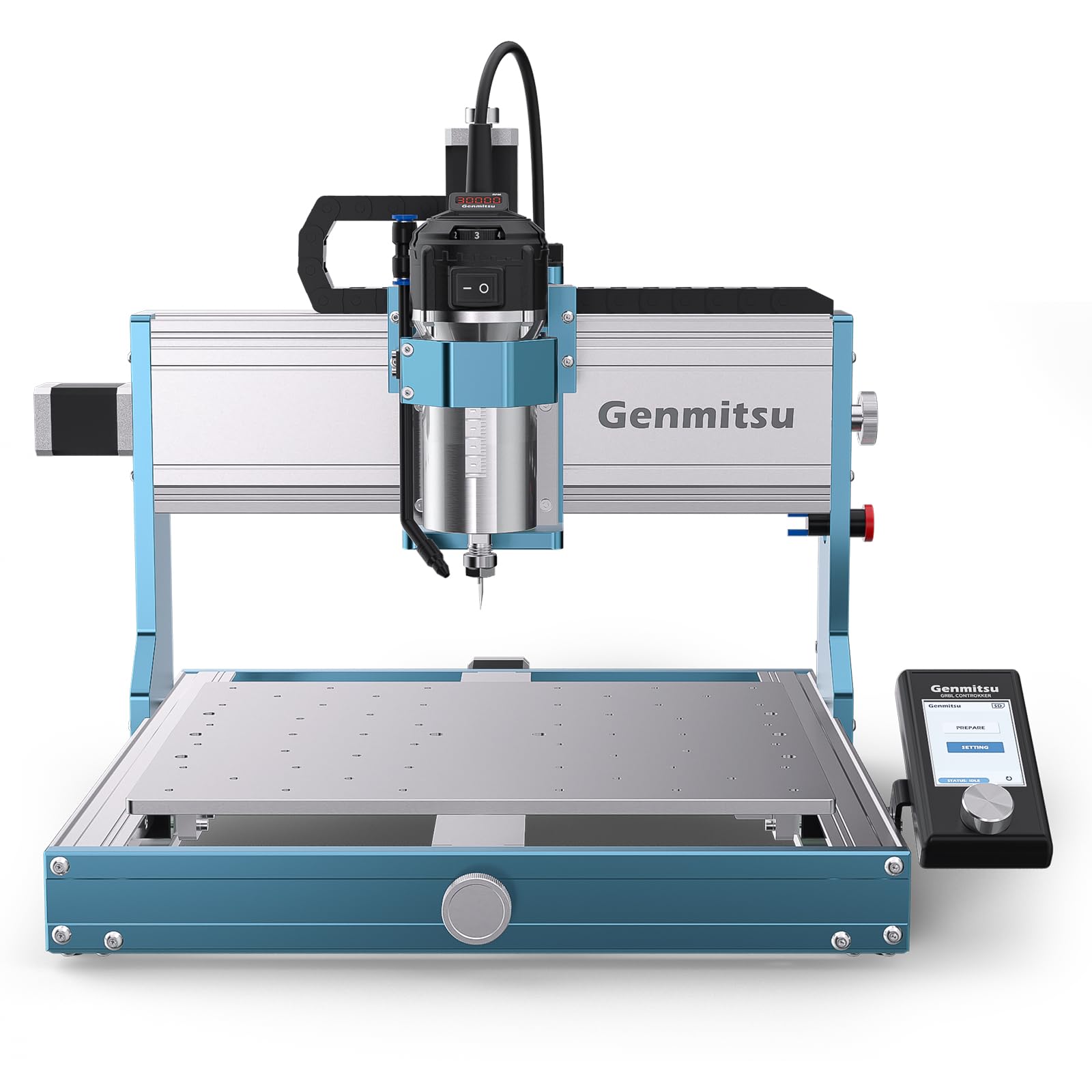
You get clean cuts in aluminum because this 710W spindle and dual linear rails hold their line.
This machine puts a 710W digital spindle on an all-metal chassis with HG15 dual linear rails and 1204 ball screws on every axis. You get a real-time digital display on the spindle so you know exactly when it is under load. The manufacturer claims this is 2.4× stronger than old 300W spindles, and one buyer with about 70 hours of aluminum machining reported dimensional accuracy within 0.01mm over 100mm — better than most people can measure.
The frame ships as two pre-assembled modules, cutting setup time by 80%. A large side-mounted emergency stop is easy to reach. Buyers report the machine is quite noisy during operation, and the Z-axis touch probe does not work reliably from the start — you need to verify the cable connection and test the trigger before trusting it.
Built for Precision
- 710W spindle with digital display prevents guessing on power
- HG15 dual linear rails and ball screws for ±0.03mm precision
- Ships mostly pre-assembled; ready in minutes
- Genmitsu APP lets you control projects remotely
Real Trade-offs
- Noisy during operation — not for shared walls
- Z-axis touch probe is finicky from the start
- Offline controller lacks coordinate display and probe support
Reach for it if: you want the power and precision to cut aluminum confidently and you appreciate a digital spindle display that removes guesswork.
Know this first: the noise level and the unreliable touch probe are real friction points that owners mention after several months of use.
2. CNC Router Machine 4030-Evo Ultra 2
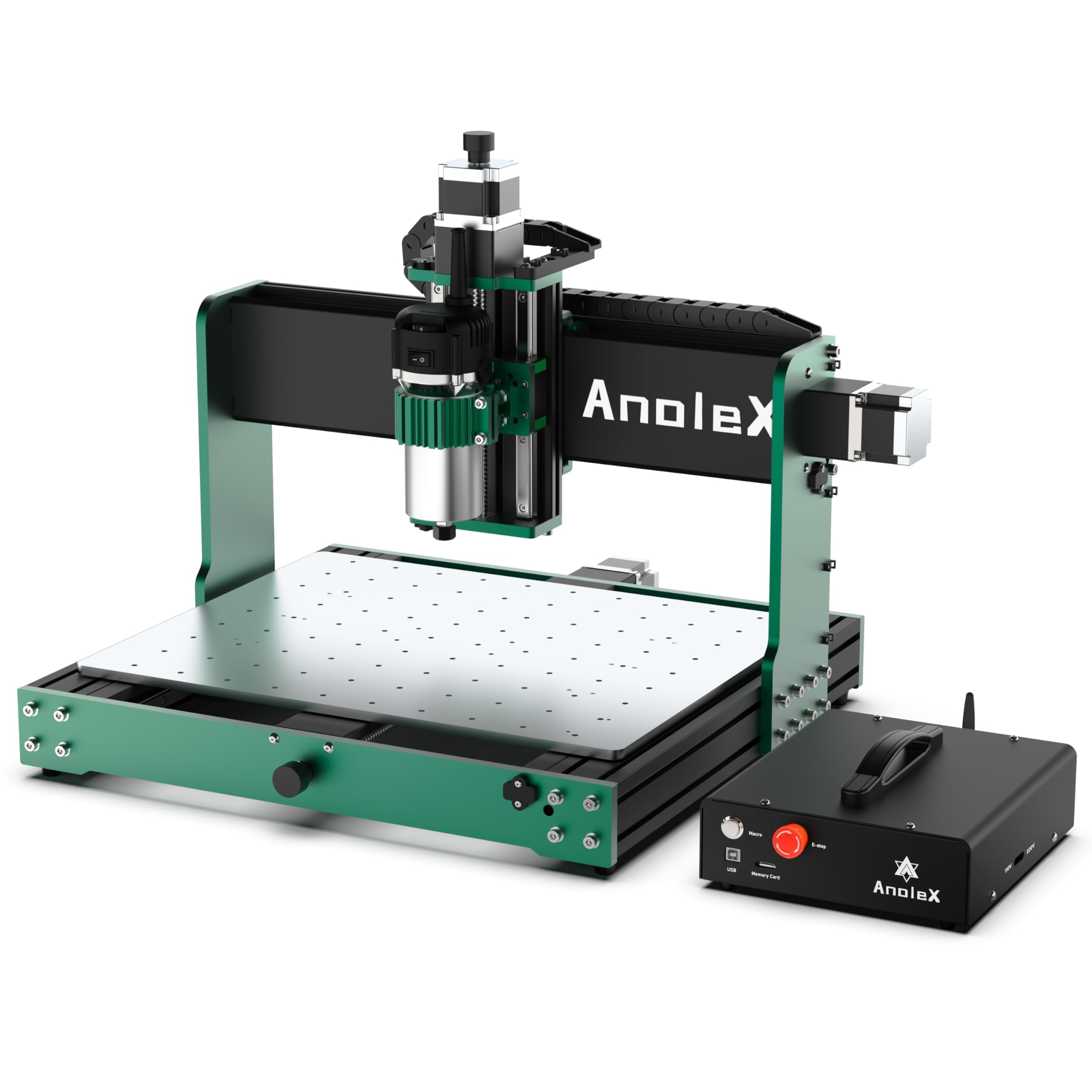
Its noise is louder than the Genmitsu 3030-PROVer Ultra, but its 800W trim router cuts 6061 aluminum to ±0.02mm accuracy.
An 800W trim router with six speed settings from 8000 to 24000 RPM drives this machine. Each axis uses HGH-15 dual linear rails and 1204 ball screws with dual-bearing ends, so the precision holds over long cutting sessions. The repeatability accuracy is rated at ±0.005mm, and the maker says actual cutting accuracy on 6061 aluminum reaches ±0.02mm. One buyer described it as the sturdiest CNC they have used, cutting to 0.001mm.
The control box runs GRBL 1.3a on an ESP32 chip, which gives you a built-in web UI you can access from a PC, smartphone, or tablet without plugging in a USB cable. Customers note the web GUI has a substantial delay and could not connect via Windows for one user, but it works reliably through Grbl Candle via USB. A few noted that the limit switches are not detected individually, and hitting an emergency stop loses the zero position.
Precision Engineering
- 800W trim router with 6-speed dial (8000-24000 RPM)
- Dual HGH-15 linear rails and ball screws on every axis
- WiFi control via ESP3D Web UI from any device
- Supports 4th axis, coolant control, and closed-loop motors
Real Trade-offs
- Web GUI has connection lag; some users default to USB
- Limit switches not detected individually in software
- Emergency stop resets zero position
For the precision-focused maker: if you need sub-0.01mm accuracy for metal and you want the convenience of wireless control, this is a step up from anything else at this price tier.
Heads up: the limit switch behavior and the web UI lag are things you will need to work around rather than fix.
3. FoxAlien CNC Router Machine XE-PRO
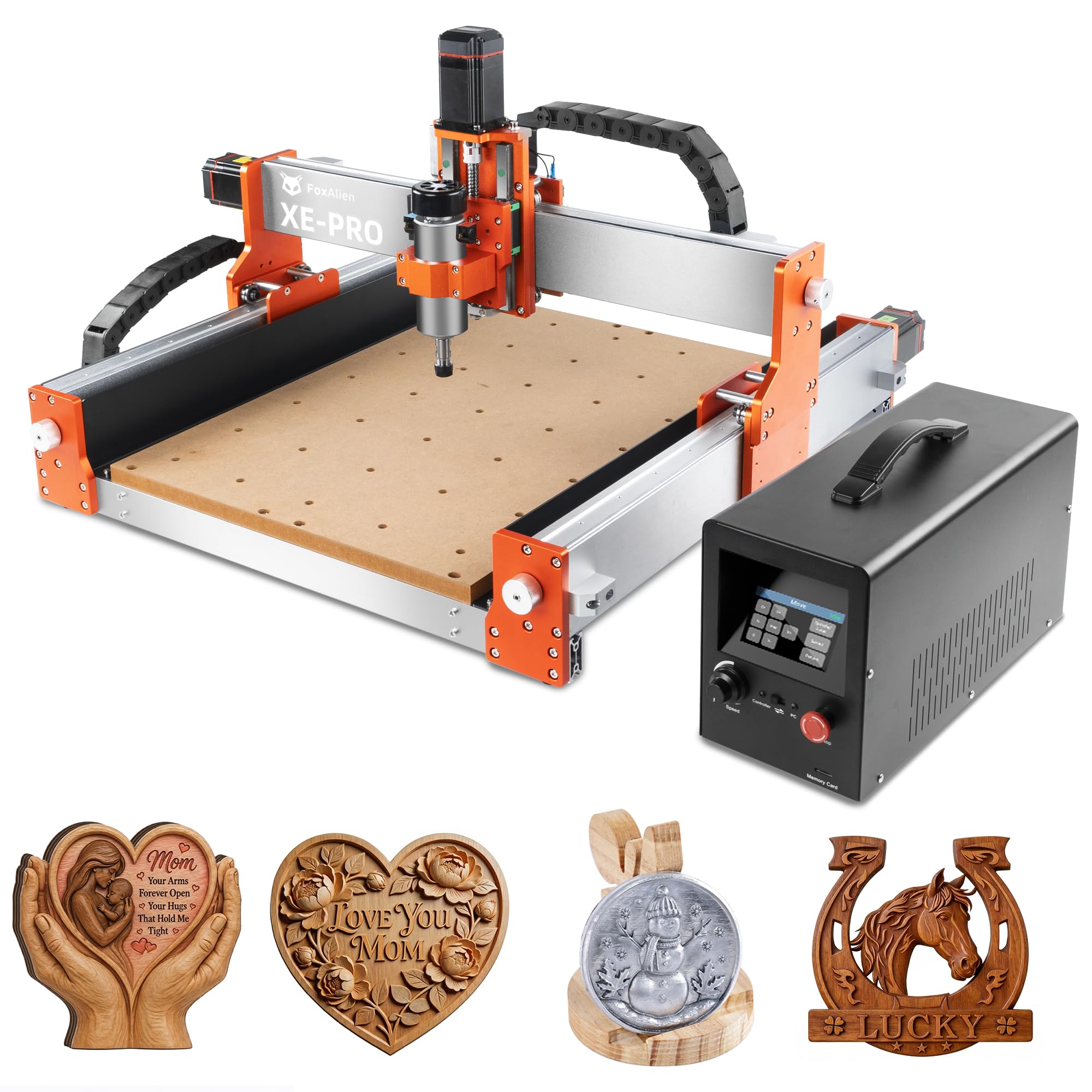
At 38.46kg, it weighs more than any other pick here, so it soaks up vibration while cutting wood or light aluminum.
Four NEMA23 closed-loop stepper motors drive this machine at a maximum moving speed of 5000mm/min — the manufacturer says it is 2.5 times faster than open-loop designs. The 1204 ball screws on XYZ axes with dual linear rails on the Z axis give rigid motion for wood, acrylic, and light aluminum cutting. A 400W spindle comes standard, and the package includes three spindle clamps (52mm, 65mm, and 69mm) so you can swap in a trim router or a larger spindle later.
The design is unique for its upgrade path: you can change the X and Y axes to linear rails, turning it into what the maker calls an industrial-grade home use machine. At 38.46 kilograms, this is the heaviest machine on the list, and that mass helps dampen vibration. One reviewer noted the Y-axis rod detached from the stepper motor adapter after less than 30 minutes of runtime due to a failed set screw.
Built to Expand
- Closed-loop NEMA23 steppers for skip-free precision
- 1204 ball screws on all three axes
- Comes with three spindle clamps for future upgrades
- First CNC buyer said setup was easy and Z-axis has ample room for thick carvings
Real Trade-offs
- Y-axis set screw failure reported by one buyer within 30 minutes
- Software not included; requires separate purchase (Vcarve Desktop around extra)
- Offline controller screen is small but functional
Ideal for the planner: if you want a heavy, solid foundation that you can upgrade to linear rails and a bigger spindle without buying a whole new machine, this is your pick.
Check early: inspect all set screws on arrival — a loose one can ruin your first project.
4. Twotrees TTC450 Pro CNC Router Machine

A 460 x 460 x 80mm work area gives you room for furniture panels, but the 80W brushed spindle is only for light engraving.
This machine gives you a square working area of 460 x 460 x 80 mm, which is large enough for furniture panels and signage. The Z-axis is driven by a NEMA 57 stepping motor, and the positioning accuracy is spec’d at 0.0025 mm. The control box has a 4th-axis rotation port, a laser module port, and a 500W spindle speed control port, which means you can upgrade later into a 4-axis machine or a combined wood-laser engraver.
Reviewers point out it is a huge machine, built “like a tank”, and easy to set up and use. One noted the USB cord caused disconnects until they swapped it for a better cable. Another buyer had a problem with the on/off switch not working, and the seller sent replacement parts. The 775 brushed spindle motor is rated at 80 Watts, which is modest compared to other options on this list.
Expandable Workhorse
- Large 460 x 460 x 80mm working area for bigger projects
- 3.5-inch IPS capacitive touch screen for intuitive control
- Ports for 4th axis, laser module, and spindle speed control
- Uses open-source GRBL; works with ArtCam, Fusion 360, Easel
Real Trade-offs
- Brushed 775 spindle at 80W is underpowered for heavy cuts
- USB cord is prone to disconnects; needs a better replacement
- Some buyers had switch issues resolved by replacement parts
For the big-project dreamer: if you want a massive work area and the option to add a rotary axis later, the TTC450 Pro gives you room to grow.
Plan a spindle upgrade: the 80W motor is fine for light engraving but will struggle with dense materials.
5. Genmitsu CNC Router Machine PROVerXL 4030

Weighing 31kg with a C-beam frame, it is much more rigid than tubular rail machines, but shoppers say the stock spindle is too weak for heavy cuts.
This machine has a working area of 400 x 300 x 110 mm, driven by precision NEMA 23 stepper motors on a rigid C-beam frame with Y-axis dual screw drive. The Z-axis uses an optical axis drive instead of a traditional V-slot, which the maker says delivers more stability. At 31 kilograms, it weighs more than three times the entry-level 3018 machines. You get XYZ limit switches, an emergency stop, speed control, and a Z-probe all included in the box.
The package includes a 3-month Carveco Maker subscription. Buyers report the supplied spindle is too weak for heavy cuts, and many recommend upgrading to a Dewalt DWP611 trim router. One reviewer had the initial power wire burn due to a manufacturing defect — the company replaced the entire drag chain assembly quickly. Assembly is rated at about 2.5 hours.
Built for Stability
- Rigid C-beam frame with dual lead screws on Y-axis
- Includes limit switches, emergency stop, speed control, Z-probe
- Works with wood, MDF, plastics, foams, vinyl, and aluminum
- Upgrade kits available for 600x600mm and 1000x1000mm versions
Real Trade-offs
- Stock spindle underpowered; buyers swap for Dewalt DWP611
- One buyer mentioned a power wire defect causing a short
- Laptop driver issues caused slow performance with many vectors
For the woodworker who outgrows small: if you need a 400mm working area on a heavy frame and you plan to swap in a trim router for real cutting, this is a well-supported platform.
Factor in the upgrade: budget for a router like the Dewalt DWP611 — the stock spindle is for engraving, not cutting.
6. FoxAlien Masuter Pro 3-Axis CNC Router Machine

You can be cutting in 15 minutes, but one owner reported the 300W spindle failed after weeks of use.
This machine is engineered with an all-aluminum structure and a linear rail Z-axis for stability. The working area is 15.75 x 15.75 x 2.36 inches (400 x 400 x 60 mm), which is a generous square footprint for sign makers. It includes two spindle clamps (52mm and 65mm) so you can use a 60W or 300W spindle, or upgrade to a 65mm trim router or even a 1.5KW spindle later. The 300 Watt spindle spins up to 10000 RPM.
Owners mention assembly takes around 15 to 30 minutes thanks to pre-wired components. One buyer making guitars from maple, ebony, and mahogany praised its accuracy. Another buyer reported the spindle failed after weeks of use, and customer support required a voltage test and sent a replacement spindle cable from China instead of a new spindle, which took time.
Hobbyist Friendly
- 15-minute assembly with pre-wired components
- Large 400 x 400mm square working area
- Includes 52mm and 65mm spindle clamps for upgrades
- Dust-proof controller with accessible emergency stop
Real Trade-offs
- Spindle failure reported by one buyer after several weeks
- Customer support for hardware issues could be slow
- Limited work area for large projects, though Y-axis extension available
Perfect for the impatient beginner: if you want to unbox, assemble in one evening, and make your first cut the same day, the Masuter Pro is the fastest path.
Be aware: spindle reliability is a risk — consider having a backup router on hand if you run production hours.
7. LUNYEE 3018 PRO MAX CNC Machine 500W
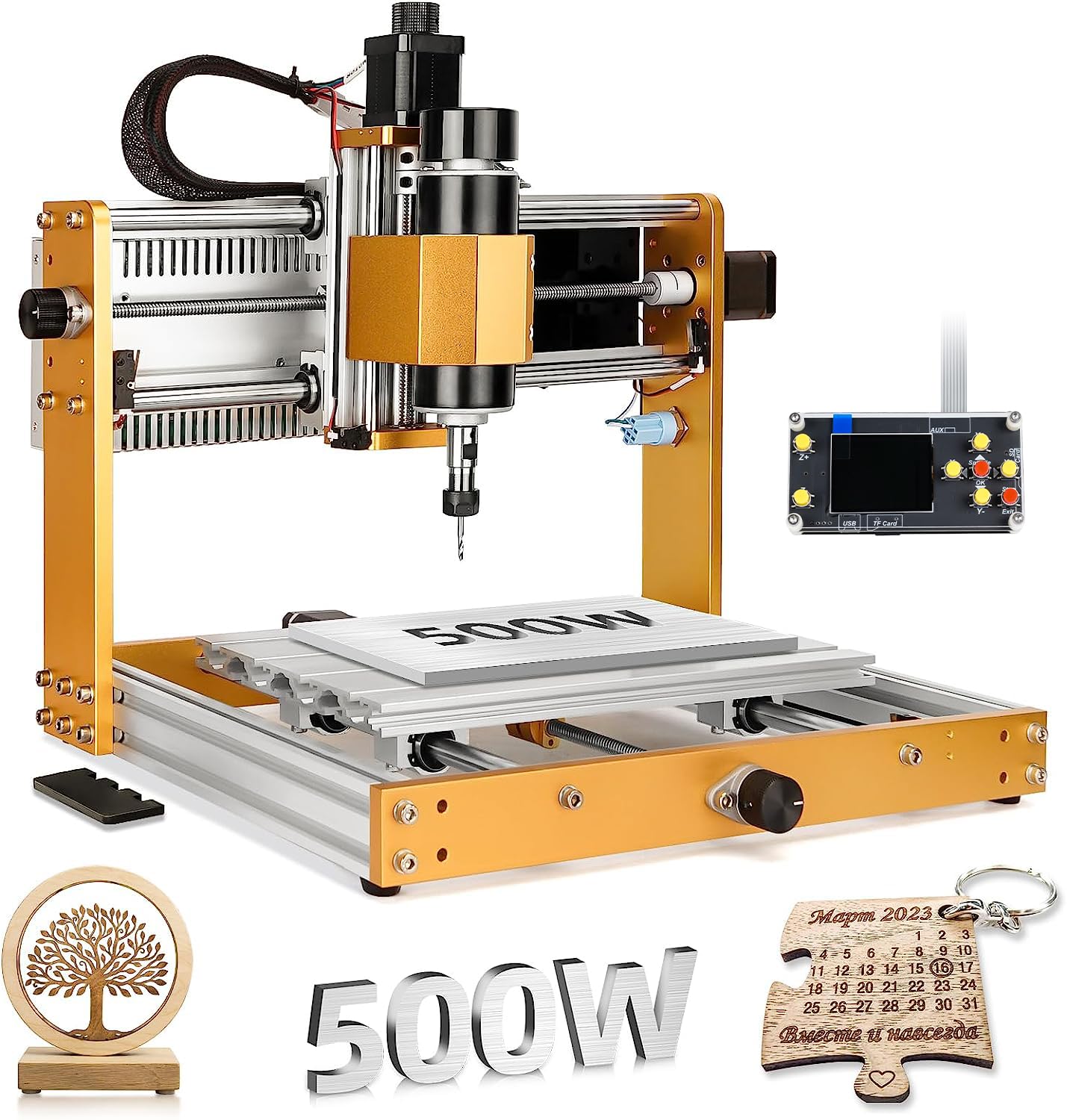
A 500W spindle with an 80mm Z-axis travel handle light metals, at a price lower than the Genmitsu 3018-PROVer V2.
This machine uses an all-metal frame reinforced with aluminum profiles instead of plastic brackets, giving it durability for cutting wood, acrylic, MDF, and light metals. The 500W spindle has a speed range of 0-12000 RPM and the maximum movement speed reaches 5000mm/min. The Z-axis travel is 80mm, which is the longest among standard 3018 models on the market according to the manufacturer.
It comes with six limit switches, an emergency stop button, and manual handwheels on all three axes for precise positioning. Customers note quick assembly around one hour and excellent accuracy from the start. One reviewer described it as quiet and smooth, excellent for PCB drilling. Another buyer reported missing screws initially, and a separate reviewer said the included 10W laser is very weak for engraving or cutting.
Metal-Bodied Value
- 500W spindle with 0-12000 RPM range and 5000mm/min speed
- All-metal construction with aluminum profiles
- Longest Z-axis travel at 80mm among standard 3018 models
- Six limit switches plus emergency stop for safety
Real Trade-offs
- Included 10W laser is too weak for practical engraving
- Some buyers received units with missing screws
- Customer support responsiveness varied between buyers
Budget buy that can cut: if you want a metal-framed machine with a 500W spindle for under the mid-range mark and you are okay with less-than-perfect accessories, this is the best value on the list.
Skip the laser module: the 10W laser is not worth using — plan to use the spindle exclusively.
8. Genmitsu 3018-PROVer V2 CNC Milling Machine

Buyers call it the best entry-level tool because the 9.24kg frame and Toshiba TB6S109 drivers make learning quieter and smoother.
This is the machine to learn G-code, wood carving, and even laser etching, according to one buyer. The working area is 284 x 180 x 40mm, which is the smallest on the list, but that keeps the price accessible. It uses Toshiba TB6S109 drivers with 32-bit chips, which are quieter and more powerful than the drivers in earlier models. The Z-axis carriage has been redesigned for better engraving accuracy, and the one-piece machined aluminum spoilboard replaces the old MDF board.
Assembly is rated at about 35 minutes thanks to semi-preinstallation. It is compatible with Easel, Fusion360, and Carveco. One buyer received a unit with missing wires and dead Y/Z motors, but customer service rep Skye resolved it with a gift card and exchange. The documentation is outdated for Windows XP/7 COM port setup, which may confuse beginners on modern computers.
Learn CNC Here
- Includes limit switches and emergency stop for safe learning
- Toshiba TB6S109 32-bit drivers are quieter and smoother
- One-piece aluminum spoilboard replaces MDF
- 35-minute assembly with semi-preinstalled parts
Real Trade-offs
- Small 284 x 180mm working area limits project size
- Outdated instructions for COM port setup on new computers
- One customer observed defective unit but support resolved it
For the absolute beginner: if you have never touched a CNC and want the lowest-risk way to learn G-code and toolpaths, this machine is the right classroom.
Outgrow it fast: the small work area and limited spindle power mean you will want to upgrade within a year if you catch the bug.
Understanding the Specs
Spindle Power and Speed
The spindle is the motor that spins the cutting bit. More watts means you can cut harder materials faster. A 300W spindle is fine for engraving wood and acrylic. A 500W unit handles light aluminum. Machines above 700W with variable speed control give you the flexibility to run slow for metals and fast for wood.
Motion System — Leadscrews vs Ball Screws
The motion system drives the cutting head along each axis. Leadscrews are simple threaded rods — affordable but have some backlash and friction. Ball screws use recirculating balls inside the nut, which cuts friction and gives you repeatability around 0.01mm. If you precision-cut aluminum or do detailed 3D relief work, ball screws are the upgrade to look for.
Frame Material and Weight
An all-metal frame with aluminum extrusions resists the cutting forces that cause vibration. Heavier machines are generally more stable because mass dampens resonance. A machine that weighs 9 kilograms can work fine for wood engraving, but 31 kilograms or more will produce cleaner cuts when the bit is under load.
Controller and Software Ecosystem
Most hobby CNCs run open-source GRBL firmware. This works with free software like Candle and UGS, or paid options like Vcarve and Fusion 360. The controller board determines what features you get: limit switches for homing, emergency stop input, support for a 4th axis, and laser or coolant control. A board with a 32-bit chip is generally faster and smoother than older 8-bit designs.
FAQ
What does working area measure in a CNC machine?
Do I need a dedicated computer to run a hobby CNC?
Can a budget 3018 CNC cut aluminum?
What is the difference between open-loop and closed-loop stepper motors?
How long does it take to assemble a hobby CNC machine?
What software do I need to design files for my CNC?
Why do some machines include limit switches and an emergency stop?
Is a 80W spindle on the Twotrees TTC450 Pro enough for wood cutting?
Final Thoughts: The Verdict
If you want one dependable pick, the cnc machine for hobbyists winner is the Genmitsu 3030-PROVer Ultra because it combines a powerful 710W digital spindle with dual linear rails and ball screws on every axis, giving you professional-grade precision on a hobby budget. If you want the largest build volume and a touch-screen controller, grab the Twotrees TTC450 Pro. And for the absolute lowest entry price with room to learn, the standout is the Genmitsu 3018-PROVer V2.
How We Picked
We do not accept paid placement. Every pick is matched to a real buyer and a real use-case; we do not hands-on test units.
Sources & Methodology
Specifications: manufacturer listings and product documentation. Review insights: verified customer reviews, as of July 2026. Pricing: not shown on this page (it changes often); check the current price via the retailer link.
As an Amazon Associate, WellFizz earns from qualifying purchases. This does not affect which products we feature.

Mo Maruf
I created WellFizz to bridge the gap between vague wellness advice and actionable solutions. My mission is simple: to decode the research and give you practical tools you can actually use.
Beyond the data, I am a passionate traveler. I believe that stepping away from the screen to explore new environments is essential for mental clarity and physical vitality.