Our readers keep the lights on and my smoothie glass nicely filled. As an Amazon Associate, I earn from qualifying purchases.
Specs are compiled from manufacturer listings and verified buyer reviews and can change over time — please confirm the key details on the product page before buying.
A cheap home printer looks like a steal, but the trap is that you can spend more on ink in a few months than you did on the machine itself. This guide cuts through the low price tags to show you which budget-friendly all-in-one (print, scan, copy) gives you solid pages without forcing you into expensive cartridges or breaking after a few dozen sheets.
I’m Mohammad Maruf — the founder and writer behind WellFizz. This guide is built by comparing the manufacturers’ published specifications and the patterns across verified customer reviews, so you get each pick’s real strengths and trade-offs instead of marketing spin.
You want the most reliable machine for the least long-term cost — here is everything you need to pick the cheapest printer for home that does not burn you on refills.
Quick Picks
- Brother Work Smart 1410 Wireless Color Inkjet All-in-One — Best Overall
- Brother Work Smart 1360 Wireless Color Inkjet All-in-One — Reliable Pick
- Canon PIXMA TS7720 Wireless All-in-One Color Inkjet Printer — Speed Leader
- HP Envy 6155 Wireless All-in-One Color Inkjet Printer — Smart Home Pick
- HP DeskJet 4327 Wireless All-in-One Color Inkjet Printer — Budget Balance
- Epson Workforce WF-2930 Wireless All-in-One Printer — Fax Friendly
- Canon PIXMA TR4720 All-in-One Wireless Printer — Minimum Budget
How To Choose The Best Cheapest Printer For Home
A low-priced printer looks like a steal, but the real cost comes from the ink cartridges you replace over and over. If you pick a machine with expensive, tiny starter cartridges, you might pay more in six months than you saved on the upfront price. Focus on these three things to avoid that trap.
Watch the Starter Ink Yield
Most budget printers ship with “setup” cartridges that hold far less ink than the standard replacements. Some give you only 75–120 pages of color before you need new ones. If you see a printer at a very low price, look for a warning in reviews about how fast the included ink runs out—that is the first sign your cheap printer is about to get expensive.
Print Speed vs. Your Actual Use
The spec sheet shows you black-and-white pages per minute (ppm) and color ppm. A home printer that prints 8–10 black pages per minute is plenty fast for letters and school projects. You only need a 15 ppm or higher machine if you regularly print long documents. Speed numbers are handy for comparison but do not overpay for a speed you will never use.
Auto Duplex Saves Paper (and Time)
Automatic two-sided printing means you print on both sides of the page without flipping the paper yourself. It cuts your paper bill in half and makes multi-page handouts look professional. Always check if the duplex is automatic or manual—manual duplexing (where you have to flip and reload) feels like a chore after the first few times.
Quick Comparison
| Model | Best For | Black Print Speed | Color Print Speed | Display Type | Amazon |
|---|---|---|---|---|---|
| Brother MFC-J1410DW | Home Office Value | 16 ppm | 9 ppm | 2.7″ Color Touchscreen | Amazon |
| Brother MFC-J1360DW | Reliable All-in-One | 16 ppm | 9 ppm | 1.8″ Color Display | Amazon |
| Canon PIXMA TS7720 | Fast Home Printing | 15 ppm | 10 ppm | 2.7″ LCD Touchscreen | Amazon |
| HP Envy 6155 | Photo & Document Mix | 10 ppm | 7 ppm | 2.4″ Touchscreen | Amazon |
| HP DeskJet 4327 | Basic Home Use | 8.5 ppm | 5.5 ppm | Icon LCD | Amazon |
| Epson WF-2930 | Home Office Fax Need | 10 ppm | 5 ppm | 1.4″ Color Display | Amazon |
| Canon PIXMA TR4720 | Minimal Budget | 8.8 ppm | 4.4 ppm | LCD | Amazon |
In‑Depth Reviews
1. Brother Work Smart 1410 Wireless Color Inkjet All-in-One Printer (MFC-J1410DW)

The fastest home printer here that keeps ink affordable with a crisp 2.7-inch touchscreen.
The Brother MFC-J1410DW prints black documents at up to 16 pages per minute and color at 9 ppm—noticeably faster than the Canon PIXMA TR4720 at 8.8 black and 4.4 color. You get automatic duplex (two-sided) printing, a 20-sheet automatic document feeder (ADF), and a 150-sheet paper tray, so you load once and leave it. The 2.7-inch color touchscreen makes navigating settings and cloud app printing from Google Drive, Dropbox, or OneDrive a simple tap, not a button-mashing hunt.
Buyers report the setup is quick, but a few mention the initial printer-to-app connection can be a little fiddly if you skip the full driver package. The small screen is clear enough for everyday use, though some wish it were larger. Brother Genuine LC501 ink is reasonably priced, and owners mention the cartridges last six months or more with moderate home use. If you need a home printer that handles speed, ink cost, and smart features while staying affordable, this is your machine.
What Stands Out
- Fastest black print speed in this lineup at 16 ppm.
- Large 150-sheet paper tray reduces refills.
- 2.7-inch color touchscreen for easy navigation.
One Trade-Off
- Some buyers found the initial setup app finicky without the full driver download.
The right call if: you want the blend of fast printing, a large touchscreen, and low ongoing ink costs for a home office.
Look elsewhere if: your budget absolutely cannot stretch past the rock-bottom price—the cheapest options below cost less upfront.
2. Brother Work Smart 1360 Wireless Color Inkjet All-in-One Printer (MFC-J1360DW)

Same fast 16 ppm engine as the top pick, but with a practical 1.8-inch color display and a slightly lower entry price.
The MFC-J1360DW matches its sibling’s black print speed of 16 pages per minute and 9 ppm color, giving you the same quick output for homework and documents. It also packs automatic duplex printing, a 20-sheet ADF, and a 150-sheet paper tray. The smaller 1.8-inch color display is still easy to read and navigate via the Brother Mobile Connect app, which lets you print from and scan to cloud services like Google Drive. Unlike the TR4720, this Brother has a noticeably sturdier build, though some reviewers mention the power cord fits loosely and can fall out if bumped.
Buyers consistently note the wireless connection stays reliable and the print quality for both black-and-white and color is crisp for everyday home use. A few people found the initial setup frustrating because the EasySetup software failed to detect the printer at first—a full driver and firmware update fixed it. For a printer that prints fast, handles thick paper, and uses affordable ink without locking you into subscriptions, the MFC-J1360DW is a strong choice.
What You Get
- Fast 16 ppm black and 9 ppm color speeds.
- Reliable wireless connection with cloud app support.
- Affordable ink refills compared to many rivals.
What to Watch
- Loose power cord reported by several buyers—needs careful placement.
Reach for this if: you want Brother’s fast printing and low ink costs but are fine with a smaller color display to save a bit of money.
Consider the alternative if: you absolutely need the larger 2.7-inch touchscreen or integrated fax function—that is the MFC-J1410DW.
3. Canon PIXMA TS7720 Wireless All-in-One Color Inkjet Printer

A zippy 15 ppm black printer with an intuitive touchscreen that feels more premium than the price tag suggests.
The Canon PIXMA TS7720 hits black prints at 15 pages per minute and color at 10 ppm—a step faster than many at this price, and a big jump from the HP DeskJet 4327 at 8.5 black and 5.5 color. It comes with a 2.7-inch LCD touchscreen, so you can select settings and preview print jobs without digging through tiny buttons. The two-cartridge system (PG-285 black and CL-286 color, the standard replacement cartridges) makes replacement simple and mess-free. Buyers describe it as a solid, easy-to-use, reliable home printer.
Customers note that the included “setup” ink is limited, so initial color photos may appear muted or hazy until you buy standard cartridges. A few users also mention that the wireless connection can be temperamental with iPhones and that the printer defaults to a 4-hour auto-off timer you need to disable manually if you want wake-on-print. Still, for fast everyday text and occasional color, the TS7720 delivers a surprisingly polished experience at a mid-range price.
Why It Stands Out
- Fast 15 ppm black, 10 ppm color—quickest for speed-focused home users.
- 2.7-inch touchscreen makes navigation smooth.
- Two-cartridge system is mess-free to replace.
The Catch
- Starter ink cartridges are very limited; plan to buy replacements soon after setup.
Choose this for: fast document printing with a touchscreen that makes every task feel straightforward.
skip it if: you print high-quality photos—color from the trial ink is hazy, and the TS7720 is better suited to text and graphics.
4. HP Envy 6155 Wireless All-in-One Color Inkjet Printer

A well-rounded home printer with a color touchscreen that also handles borderless photos thanks to HP’s P3 color technology.
The HP Envy 6155 prints black at up to 10 pages per minute and color at 7 ppm—slower than the Brother models at 16 ppm, but paired with a 2.4-inch color touchscreen that gives you a smooth, tablet-like control panel. It includes automatic duplex printing (two-sided) and a 100-sheet input tray. With HP’s Instant Ink subscription trial included for 3 months, you get ink delivered before you run out. Print quality for both text and photos uses HP’s P3 wide-gamut technology, making colors look vibrant and true to your screen.
Reviewers point out that the initial setup is simple—one reviewer noted they got it running in about 20 minutes—and the wireless connection stays stable. On the downside, the starter cartridges are small (the black yields about 120 pages, color about 75, according to buyer reports), so you will likely subscribe to Instant Ink or buy standard cartridges within the first month. A few people struggled with connectivity, but most found the HP app straightforward. For low-volume homes that want a mix of crisp documents and quality color photos, the Envy 6155 is a smart bet.
Best Features
- 2.4-inch color touchscreen for easy printing and scanning.
- HP P3 color technology for vibrant, screen-like photo prints.
- Instant Ink subscription saves money if you print regularly.
Watch Out For
- Starter cartridges run out fast—budget for replacements quickly.
Grab this if: you print a mix of documents and photos at home and like the idea of never running out of ink with Instant Ink.
Pass if: you want the fastest black text speed—the Brother models above hit 16 ppm while the Envy runs at 10 ppm.
5. HP DeskJet 4327 Wireless All-in-One Color Inkjet Printer
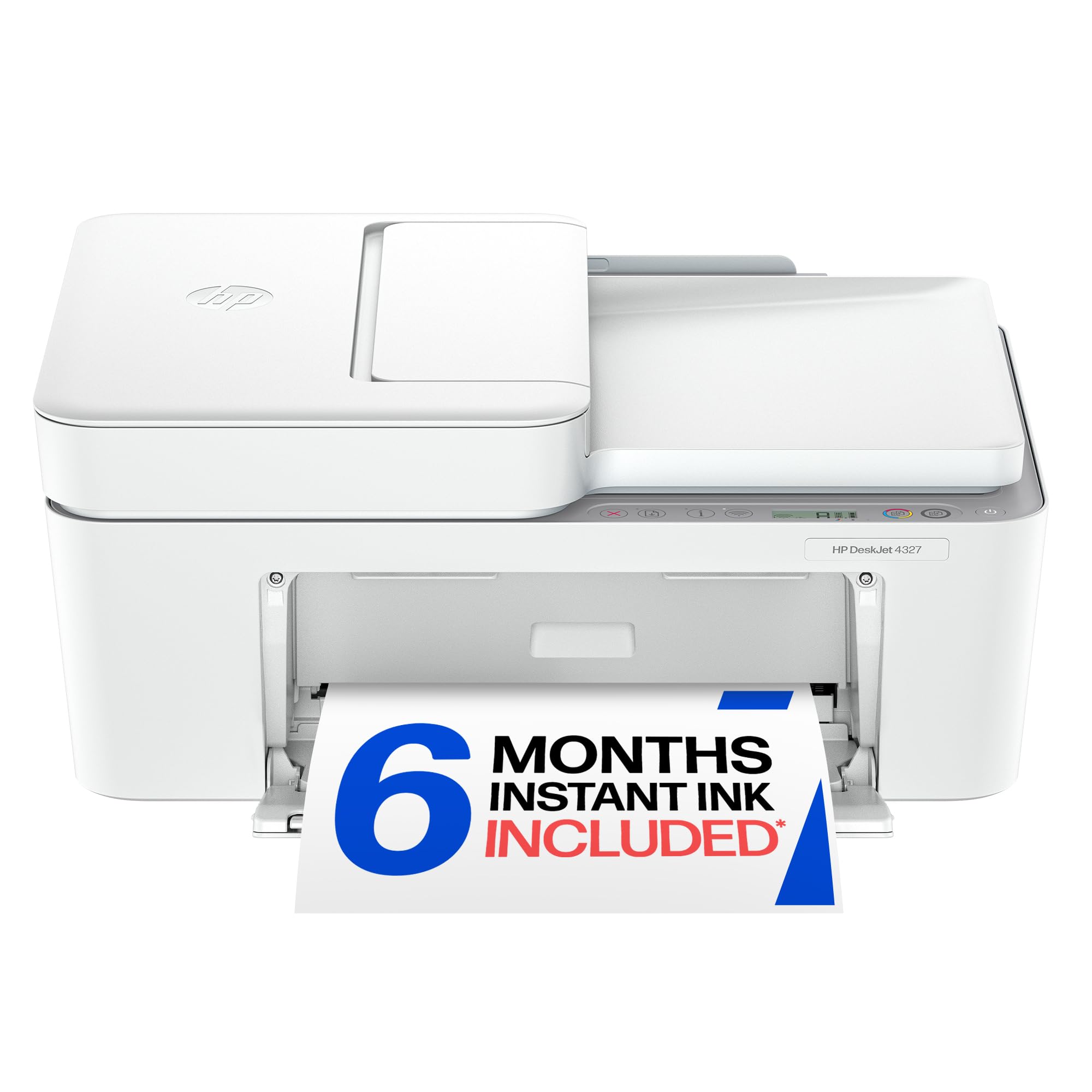
A solid entry-level choice that prints color documents at 5.5 ppm—a bit faster than the TR4720 for color tasks.
The HP DeskJet 4327 is a no-frills all-in-one that focuses on the basics: it prints at 8.5 pages per minute in black and 5.5 in color, putting it ahead of the Canon PIXMA TR4720 on color speed (5.5 ppm vs 4.4 ppm). You get a 35-sheet auto document feeder (ADF), a 60-sheet input tray, and support for HP’s Instant Ink subscription trial for 6 months, which can reduce your per-page cost if you print often. The “Icon LCD” is simple—just basic symbols for navigation, not a full screen.
Buyers rave about the easy setup, with one saying it took about 20 minutes and praised the high quality printing. A few people had a rough start with error messages about low ink from the very first use, and the manual duplex means you must flip pages yourself. But for a home that prints letters, to-do lists, and occasional color pages, the DeskJet 4327 keeps the upfront cost low and the ongoing ink manageable thanks to the HP 68 cartridge series.
Good Points
- Faster color speed (5.5 ppm) than several comparably priced rivals.
- 35-sheet ADF for hands-free multi-page scanning and copying.
- 6-month Instant Ink trial helps cut ink costs early.
Missing
- Manual duplex printing only—you flip pages by hand for two-sided.
Pick this if: you are on a tight budget and want a reliable basic printer with an ADF and a trial that saves on ink.
Look at the Canon TS7720 instead if: you want automatic duplex and a faster overall speed without a subscription push.
6. Epson Workforce WF-2930 Wireless All-in-One Printer

A fax-capable all-in-one with fast black printing at 10 ppm and a small footprint that fits tight desks.
The Epson Workforce WF-2930 prints black at 10 pages per minute and color at 5 ppm—slightly ahead of the HP DeskJet 4327 on black speed (10 ppm vs 8.5 ppm). It includes a 1.4-inch color display, automatic duplex printing, and a 30-sheet auto document feeder. The key differentiator here is the built-in fax, plus voice-activated printing via Alexa or Siri (a feature that lets you start a print job by speaking to a smart speaker). The Epson Smart Panel app makes setup from your phone straightforward, and shoppers say the hardware is well-built and fits perfectly on a short desk.
There is a major catch: reviewers report that Epson firmware updates can cause the printer to reject third-party ink cartridges, forcing you to buy the more expensive Epson genuine cartridges. One buyer warned to avoid updating firmware altogether unless you are prepared for that lock-in. If you stick with Epson-brand ink, the WF-2930 is dependable and delivers professional-quality text and graphics. It is a great option for a home office that needs fax and does not mind being tied to proprietary cartridges.
What Impresses
- Built-in fax, plus Alexa/Siri voice-activated printing.
- Compact size fits small desks while still including an ADF.
The Risk
- Firmware updates may block third-party ink, locking you into pricier Epson cartridges.
Buy if: you need fax capability in a compact machine and plan to use only Epson genuine ink cartridges.
Skip if: you want the freedom to use third-party ink to save money—this printer fights that choice.
7. Canon PIXMA TR4720 All-in-One Wireless Printer

The most affordable way to get an auto document feeder and two-sided printing, but buyer feedback warns of a fragile build.
The Canon PIXMA TR4720 is a 4-in-1 (print, copy, scan, fax) wireless printer that prints black at 8.8 pages per minute and color at 4.4 ppm—the slowest color output here, but fine for very occasional use. It includes an auto document feeder (ADF), automatic duplex printing, and a 100-sheet capacity. The LCD screen helps with basic navigation, and it supports smart reorders through Alexa so you do not forget ink. This is the cheapest way to get an ADF on your desk, and the 1-year limited warranty provides some confidence.
Buyer feedback is mixed and sharp. One reviewer wrote that theirs broke after about 50 pages, labeling it a “flimsy build” with “hard-to-read screen” and “faded/pastel colors.” Another user said after 16 months it became unusable because the starter ink depletes fast and the cartridges do not last. On the positive side, several people found the setup easy and the print quality good for occasional text. The trade-off is clear: you can buy this for a rock-bottom entry price, but there is a real risk the investment does not last.
Advantages
- Lowest upfront cost among printers with an ADF and auto duplex.
- Smart reorder with Alexa so you never forget ink.
Common Complaints
- Buyers report flimsy build quality and failure after few pages.
- Color output described as faded or pastel; starter ink runs out very fast.
Consider it only if: your budget is extremely tight and you absolutely need an ADF and auto duplex for very light, occasional printing—but be ready for possible early failure.
Spend a bit more on the HP DeskJet 4327 or Canon TS7720 if: you want a machine that buyers consistently report holds up better for daily use.
Understanding the Specs
Pages Per Minute (ppm)
This is the printer’s speed rating—how many pages it can churn out in one minute. A printer rated at 8 ppm will take about 15 seconds to print a single page, while a 16 ppm machine cuts that in half. For home use, 8–10 ppm is perfectly fine for letters and school projects; you only need 15+ if you regularly print long documents and get impatient waiting. Remember these are top speeds for simple black text; color and photos are slower.
Auto Document Feeder (ADF)
The ADF is a tray on top of the scanner that grabs multiple pages one by one and feeds them through the scanner automatically. If you ever need to scan or copy a multi-page document (contracts, reports, homework), an ADF frees you from placing each page on the glass manually. Look for at least a 20-sheet or 35-sheet ADF if you scan regularly. Without an ADF, scanning a 10-page document means ten separate lifts of the lid—it gets old fast.
Starter vs. Standard Ink Cartridges
Most new printers ship with “setup” cartridges that contain a fraction of the ink a full replacement cartridge holds. A starter black cartridge may yield about 120 pages, while a standard one could do 300–600 pages. When comparing printer costs, look up the page yield of the included cartridges. A very cheap printer often uses tiny starter cartridges that empty quickly, making your second purchase of ink far more expensive than the printer was.
Duplex Printing (Automatic vs. Manual)
Duplex simply means printing on both sides of the paper. Automatic duplex does this without you doing anything—the printer flips the page internally. Manual duplex means you have to remove the paper, flip it over, and feed it back in. If you print multi-page handouts, reports, or study materials, automatic duplex cuts paper use in half and is worth the few extra dollars.
FAQ
How much does it really cost to run a cheap home printer each year?
Is a cheaper printer with a higher ppm always better?
Do I need an automatic document feeder for home printing?
Can I use third-party ink cartridges in any cheap printer?
How long should a cheap home printer last?
Should I buy a printer with fax if I rarely fax?
What is the difference between “setup” ink cartridges and standard ones?
Is wireless printing reliable on these budget printers?
Final Thoughts: The Verdict
If you want one dependable pick, the cheapest printer for home that balances low cost, fast speed, and reasonable ink expenses is the Brother Work Smart 1410 (MFC-J1410DW) because it prints at 16 ppm black, includes a 2.7-inch touchscreen, and uses affordable LC501 cartridges. If you want a compact machine with fax and a small footprint, grab the Epson Workforce WF-2930. And for the absolute rock-bottom price with an auto document feeder and auto duplex, the Canon PIXMA TR4720 fits the bill—just go in knowing the build is flimsy and the start ink vanishes fast.
How We Picked
We do not accept paid placement. Every pick is matched to a real buyer and a real use-case; we do not hands-on test units.
Sources & Methodology
Specifications: manufacturer listings and product documentation. Review insights: verified customer reviews, as of July 2026. Pricing: not shown on this page (it changes often); check the current price via the retailer link.
As an Amazon Associate, WellFizz earns from qualifying purchases. This does not affect which products we feature.
Related Guides

Mo Maruf
I created WellFizz to bridge the gap between vague wellness advice and actionable solutions. My mission is simple: to decode the research and give you practical tools you can actually use.
Beyond the data, I am a passionate traveler. I believe that stepping away from the screen to explore new environments is essential for mental clarity and physical vitality.