Our readers keep the lights on and my smoothie glass nicely filled. As an Amazon Associate, I earn from qualifying purchases.
A dedicated e-reader replaces the backlit glare, the social-media pings, and the dead battery by noon with a screen that reads like paper and a charge that lasts for weeks. For anyone who tears through a book a week, the wrong choice means eye strain, slow page turns, or a locked-down library you cannot actually own. The gap between a decent reading tool and a frustrating one comes down to three specs: display technology, file-format support, and storage capacity. An LCD tablet drains your eyes and your battery; an E Ink display feeds you text the way ink on paper does, with zero blue-light bombardment.
I’m Mohammad Maruf — the founder and writer behind WellFizz. I’ve spent dozens of hours comparing refurbished units, niche brands, and retail flagships, mapping every spec against real reading habits so you can skip the trial-and-error phase.
This guide breaks down the seven most compelling devices at the low end of the price spectrum, from like-new tablets that pull double duty as media players to dedicated E Ink readers built purely for pages. The result is a clear, honest look at the best cheapest e-reader options available right now.
How To Choose The Best Cheapest E-Reader
The budget e-reader market is a trap of compromises. Some devices ship with low-resolution screens that make text look jagged; others lock you into a single bookstore with no way to load EPUB files from your local library. To pick the right one for your reading habits, you need to weigh four things: display quality, storage size, file-format flexibility, and whether you need a front light.
Display Quality: E Ink vs. LCD
E Ink (electronic ink) displays use microcapsules that flip black and white particles to form text, requiring zero backlight. The result is a paper-like reading experience with no glare in direct sunlight and dramatically lower eye strain. LCD panels, like those on the Amazon Fire tablets, use constant backlighting, which causes faster battery drain and more eye fatigue during long reading sessions. For anyone who reads more than 30 minutes a day, the E Ink advantage is decisive.
Storage and Expandability
Budget devices typically offer 8GB, 16GB, or 32GB of internal storage. An 8GB e-reader holds roughly 6,000 ebooks with no audiobooks, but if you plan to load audiobooks or manga, 16GB or 32GB becomes important. Some tablets, like the Amazon Fire 7 and Fire HD 8, support microSD cards that add up to 1TB of extra space — a huge advantage for media-heavy users.
File Format Support and Ecosystem Lock-in
The biggest trap in the budget e-reader market is file-format restrictions. Amazon’s Kindle line uses the proprietary AZW/KFX format and does not natively support EPUB, the standard format used by most libraries and independent bookstores. Kobo and Nook readers natively support EPUB and PDF, making it easier to borrow from public libraries via OverDrive or Libby. OBOOK and other open-platform readers accept multiple formats including MOBI, DOCX, and HTML, giving you maximum freedom.
Front Light vs. No Front Light
A built-in front light lets you read in complete darkness without disturbing a partner. Many budget e-readers include an adjustable front light (usually with multiple brightness levels), but the cheapest models sometimes omit it. If you read before bed — and most dedicated readers do — a front light is not optional; it is the difference between using a clip-on book light and having a seamless nighttime reading experience.
Quick Comparison
On smaller screens, swipe sideways to see the full table.
| Model | Category | Best For | Key Spec | Amazon |
|---|---|---|---|---|
| Amazon Kindle 16GB (Matcha) | E Ink | Dedicated readers who want the lightest device | 6-inch 300 ppi E Ink display | Amazon |
| Kobo Clara BW | E Ink | Library borrowers and EPUB ecosystem users | 6-inch E Ink Carta 1300 HD | Amazon |
| Amazon Kindle Kids 16GB | E Ink | Parents buying a safe device for young readers | 6-inch glare-free display with cover | Amazon |
| Amazon Fire HD 8 (Renewed) | LCD Tablet | Mixed-use reading, streaming, and gaming | 8-inch 1280×800 LCD display | Amazon |
| OBOOK5 | E Ink | Ultra-portable pocket-sized reading and audiobooks | 4.26-inch 219 ppi E Ink display | Amazon |
| Nook Glowlight 4e (Renewed) | E Ink | Physical button lovers and EPUB readers | 6-inch LED front-lit display | Amazon |
| Amazon Fire 7 (Renewed) | LCD Tablet | Ultra-budget users who also watch video | 7-inch 1024×600 LCD display | Amazon |
In‑Depth Reviews
1. Amazon Kindle 16GB (Matcha)

The 2024 Kindle refresh dropped the weight to 158 grams — lighter than a paperback and barely noticeable in one hand. The 6-inch 300 ppi E Ink display delivers crisp, newspaper-quality text with no backlight bleed. The adjustable front light is now 25 percent brighter at max setting compared to the previous generation, making it comfortable to read in direct sunlight and in pitch-black rooms alike. The 16GB storage holds roughly 12,000 ebooks, and the battery lasts up to six weeks on a single USB-C charge.
Amazon’s ecosystem is both a strength and a limitation. Kindle Store access is seamless, and Kindle Unlimited gives you a massive library for a flat monthly fee, but you cannot natively load EPUB files — you must convert them using Amazon’s Send to Kindle service. The device lacks waterproofing and a warm-light setting, two features found on the pricier Paperwhite. Still, for the price, this is the lightest, sharpest, most portable dedicated e-reader available.
Real-world usage reports confirm the battery exceeds a week even with daily reading, and the page-turn speed feels instantaneous on the newest hardware. The Matcha green color is polarizing but visually distinct from every black slab on the market. If you want a pure reading tool with no distractions, this is the benchmark every other budget e-reader is measured against.
Why it’s great
- Lightest Kindle ever at 158 grams
- Sharp 300 ppi E Ink display with no glare
- Six-week battery life on a single charge
Good to know
- No waterproofing or warm-light mode
- Does not natively support EPUB files
- Smaller screen than Paperwhite
2. Kobo Clara BW

The Kobo Clara BW offers the most reading-friendly feature set in this price tier — native EPUB support, IPX8 waterproofing, and ComfortLight PRO that adjusts both brightness and color temperature. The 6-inch E Ink Carta 1300 HD display has a 300 ppi resolution that matches the Kindle, but Kobo’s software is more open: you can borrow library books via OverDrive directly from the device, load EPUB and PDF files via USB, and organize your library without a proprietary conversion tool.
Bluetooth support means you can pair wireless headphones for Kobo Audiobooks, a feature the cheapest Kindle lacks entirely. The IPX8 rating is rare at this price point — you can read in the bath or by the pool without worrying about a splash killing the device. The battery is rated for weeks, and the USB-C charging port matches modern standards. The only catch is that Kobo’s bookstore has a smaller catalog than Amazon’s, though pricing for most bestsellers is identical.
Owners consistently praise the warm-light adjustment for nighttime reading: shifting from cool blue light to warm amber reduces eye strain and helps maintain natural sleep cycles. The 16GB storage holds ample books and audiobooks, and the device weighs only 174 grams — not quite as light as the Kindle, but close enough that the added waterproofing and file-format freedom make it the better choice for readers who want to escape Amazon’s walled garden.
Why it’s great
- IPX8 waterproof up to 2 meters for 60 minutes
- Natively supports EPUB and PDF files
- ComfortLight PRO with warm-light adjustment
Good to know
- No physical page-turn buttons
- Kobo bookstore has fewer titles than Amazon
- No expandable storage
3. Amazon Kindle Kids 16GB

The Kindle Kids edition is the same hardware as the standard 2024 Kindle but bundles three things parents need: a protective cover, a 6-month Amazon Kids+ subscription, and a 2-year worry-free guarantee that replaces the device for free if it breaks. The 6-inch glare-free display, 16GB storage, and six-week battery life are identical to the adult version. What changes is the software environment: the Parent Dashboard lets you set reading goals, adjust age filters, and schedule a bedtime when the device locks.
The Kids+ subscription unlocks thousands of age-appropriate books, including popular series like Diary of a Wimpy Kid and Percy Jackson. After the six-month trial, the subscription renews at the standard rate, but you can cancel anytime. The device itself is ad-free, which is a nice upgrade over the ad-supported base Kindle. The Space Whale cover design is playful without being childish, and the overall build feels durable enough to survive a drop on a school bus floor.
The lack of a warm-light setting and waterproofing are the same omissions as the base Kindle, but the included case and replacement warranty offset those concerns for most families. For the price, this is the safest way to give a child unlimited access to books without handing them a phone or a full tablet.
Why it’s great
- Includes protective cover and 2-year replacement warranty
- Ad-free reading experience with parental controls
- Six-month Kids+ subscription included
Good to know
- No warm-light adjustment or waterproofing
- Parent Dashboard setup takes time to configure
- Touch response can feel slower than a phone
4. Amazon Fire HD 8 (Renewed)
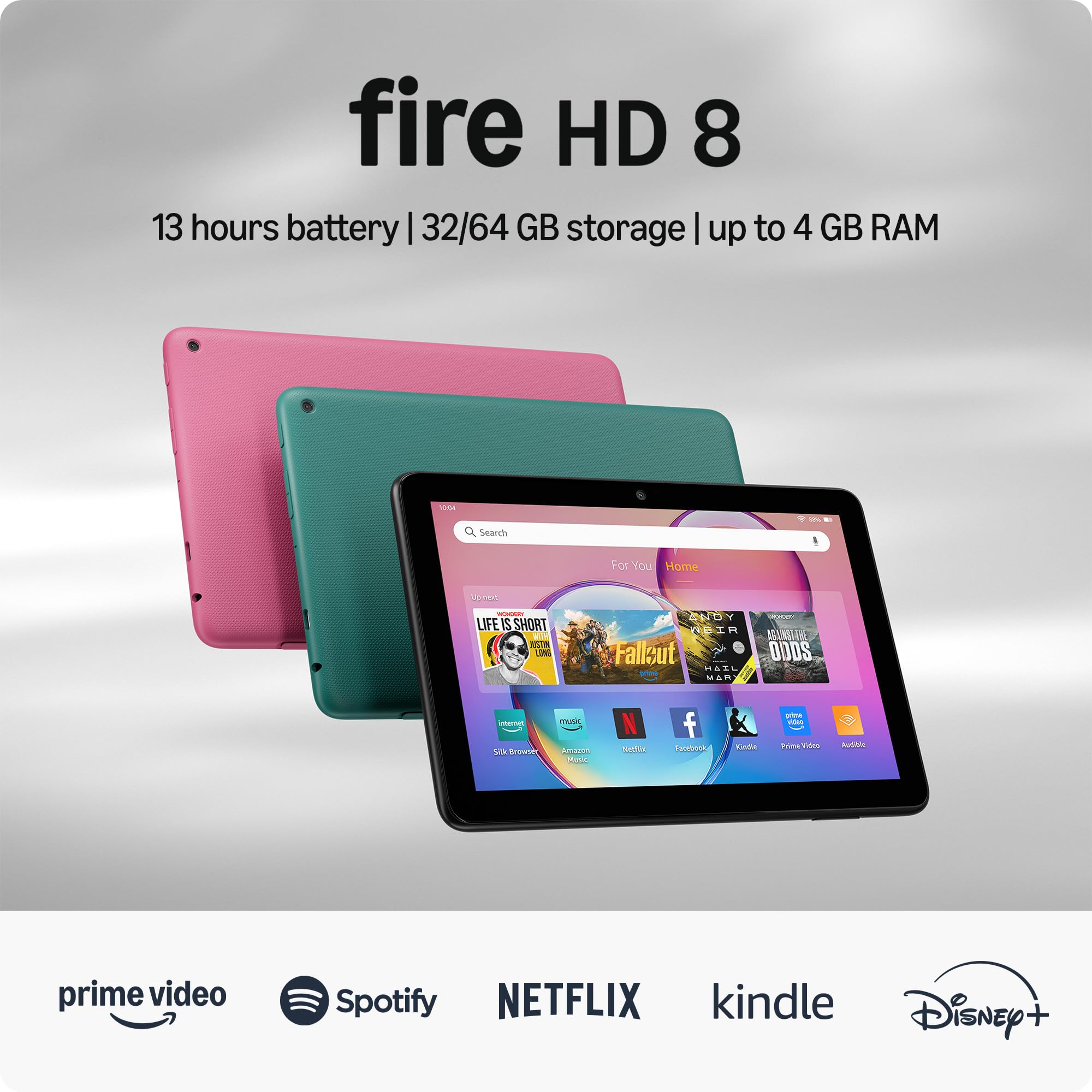
The Fire HD 8 is an LCD tablet, not a dedicated e-reader, but it earns a spot here because of its aggressive pricing and dual-purpose value. The 8-inch 1280×800 HD display is excellent for streaming video, browsing the web, and casual gaming.
The trade-off is the LCD screen: reading on it for long sessions causes more eye fatigue than an E Ink panel, and the battery life (rated at 13 hours) is far shorter than any dedicated e-reader. The Fire OS skin over Android blocks Google Play Store access, so you are limited to Amazon’s Appstore — a significant restriction if you need apps like Libby or Audible. The Like-New refurbished certification means the device has been tested and cleaned, and it ships in a generic box with the same warranty as a new unit.
For someone who wants one device for reading, watching, and light productivity, the Fire HD 8 delivers the most screen per dollar in this list. The 5MP rear camera is useful for document scanning, and Alexa integration adds hands-free controls. Just do not expect the paper-like reading feel of an E Ink device — this is a tablet that can read books, not a reader that does anything else.
Why it’s great
- Largest screen in this budget comparison at 8 inches
- MicroSD slot supports up to 1TB of expandable storage
- 3GB RAM for smoother app switching
Good to know
- LCD panel causes more eye strain for long reading
- No Google Play Store access
- Battery life is 13 hours, not weeks
5. OBOOK5
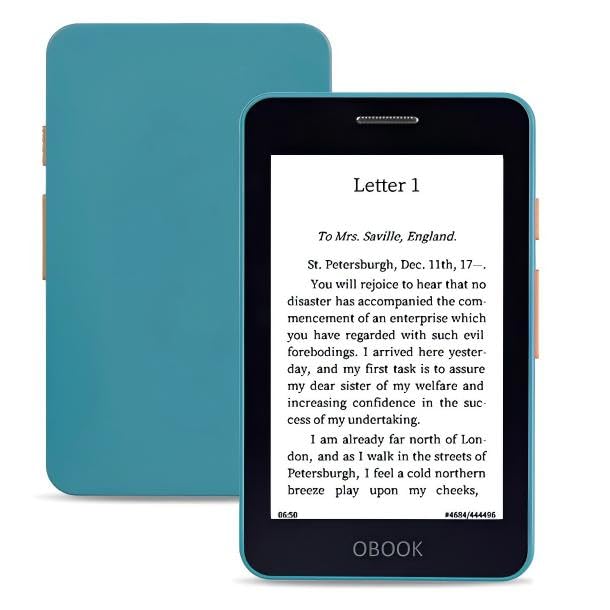
The OBOOK5 is the smallest e-reader on this list at 4.26 inches — small enough to slip into a jeans pocket or a small clutch. The 219 ppi E Ink display is lower resolution than the 300 ppi panels on the Kindle and Kobo, but the compact size makes it disappear in your hand. Physical page-turn buttons, a built-in speaker for audiobooks, and a USB-C charging port make it a surprisingly feature-dense device for the price. The 32GB storage is double what the base Kindle offers, giving you room for thousands of books plus downloaded audiobooks.
The OBOOK5 runs a closed, ad-free operating system. It supports multiple file formats including EPUB, MOBI, DOCX, and TXT, and you load content by dragging and dropping files over USB — no proprietary software or conversion required. The adjustable front light lets you read in the dark, and the battery is rated for weeks of typical use. The biggest drawback is the screen quality: some users report that text can look pixelated, especially on smaller fonts or when viewing graphics-heavy content.
Customer reviews are split between readers who adore the portability and those who find the screen quality unacceptable for long-form reading. For commuters, travelers, or anyone who wants a secondary reading device that fits in a front pocket, the OBOOK5 is a unique option. It pairs well with audiobooks via Bluetooth, and the simple interface has no ads, no store recommendations, and no distractions — just your files and a button to turn the page.
Why it’s great
- Ultra-compact 4.26-inch size fits in any pocket
- 32GB storage and Bluetooth for audiobooks
- Ad-free, distraction-free interface
Good to know
- 219 ppi screen can look pixelated on small fonts
- Closed system with no app store
- File transfer can be buggy on some computers
6. Nook Glowlight 4e (Renewed)

The Nook Glowlight 4e is a physical-button e-reader, a rare feature in 2024 when most devices have moved to touch-only navigation. The 6-inch LED touchscreen is functional, but the real draw is the pair of page-turn buttons on the bezel — you can advance pages with either thumb without lifting your grip or smudging the screen. The 8GB storage holds around 6,000 ebooks, and the adjustable front light makes reading comfortable in any lighting condition. Nook supports EPUB and PDF natively, so library borrowing via OverDrive works smoothly.
This is a renewed unit from Barnes & Noble, meaning it has been tested and certified to work like new. The lithium-ion battery is rated for 10 hours of active use, which is lower than the Kindle’s six-week rating but still sufficient for a week of moderate reading. The device lacks Bluetooth, so no audiobook playback via wireless headphones, and the 8GB storage is half what the base Kindle offers. Cloud storage is available through Barnes & Noble, but it requires an account and an internet connection to access.
Readers who grew up using physical page-turn buttons or who find touchscreens annoying during one-handed reading will appreciate the Glowlight 4e’s ergonomic design. The soft-touch finish feels premium in the hand, and the device is light enough to hold for hours without fatigue. Just be aware that the refurbished packaging from third-party sellers can be hit-or-miss — one reviewer reported a poorly packed unit that arrived without damage only by luck. For button lovers on a budget, this is your best option.
Why it’s great
- Physical page-turn buttons for one-handed reading
- Supports EPUB and PDF natively
- Renewed certification with warranty
Good to know
- Only 8GB storage with no expandable slot
- No Bluetooth for audiobooks
- Battery life is 10 hours, not weeks
7. Amazon Fire 7 (Renewed)

The Fire 7 is the cheapest device in this lineup, and it shows in every dimension: the 7-inch 1024×600 LCD display has low resolution compared to any E Ink reader, the quad-core processor is slower than the Fire HD 8, and the battery life is 10 hours instead of weeks. But for the entry-level price, you get a full-color touchscreen that can run Netflix, Hulu, Zoom, and the Amazon Kids ecosystem alongside the Kindle reading app. The microSD slot supports up to 1TB of expandable storage, making it a viable budget media tablet for kids or casual users.
The Like-New certification means this refurbished unit has been tested and cleaned; some buyers report minor cosmetic issues like a stiff power button, but the device functions as advertised. The 2GB RAM is sufficient for light browsing and reading, though multitasking feels sluggish compared to any modern smartphone. The biggest limitation is the lack of Google Play Store — you are locked into Amazon’s Appstore, which has fewer apps and less consistent updates than the main Android ecosystem.
For a dedicated reader who only wants books, the Fire 7 is a poor choice: the LCD backlight strains eyes, and the 10-hour battery means you will charge it every day. But for a parent who wants a cheap tablet for a child to read, watch, and play on, or for someone who needs a secondary device for reading in color (comics, magazines, cookbooks), the Fire 7 is the absolute cheapest way into the Amazon ecosystem. It is a jack of all trades, master of none — and at this price, that is exactly the right compromise.
Why it’s great
- Lowest price of any device on this list
- MicroSD slot supports up to 1TB storage
- Color display for comics, magazines, and video
Good to know
- Low-resolution 1024×600 LCD display
- Only 10 hours of battery life
- No Google Play Store access
FAQ
Can I borrow library books on a budget e-reader?
Is a refurbished e-reader worth it?
Can I read in the dark without a front light?
Which file format is best for e-readers?
Final Thoughts: The Verdict
For most users, the best cheapest e-reader winner is the Amazon Kindle 16GB because it combines the lightest hardware, the sharpest 300 ppi E Ink display, and the longest battery life at a price that undercuts every serious competitor. If you want ecosystem freedom with native EPUB support and waterproofing, grab the Kobo Clara BW. And for a parent buying a distraction-free device for a young reader, nothing beats the bundled cover and replacement warranty of the Amazon Kindle Kids 16GB.

Mo Maruf
I created WellFizz to bridge the gap between vague wellness advice and actionable solutions. My mission is simple: to decode the research and give you practical tools you can actually use.
Beyond the data, I am a passionate traveler. I believe that stepping away from the screen to explore new environments is essential for mental clarity and physical vitality.