Our readers keep the lights on and my smoothie glass nicely filled. As an Amazon Associate, I earn from qualifying purchases.
Specs are compiled from manufacturer listings and verified buyer reviews and can change over time — please confirm the key details on the product page before buying.
A weak WiFi signal that drops in the middle of a video call or buffers during a show isn’t something you have to live with. This guide compares seven budget-friendly options to help you find the one that actually works for your space, ignoring the marketing hype and focusing on real specs and real owner experiences.
I’m Mohammad Maruf — the founder and writer behind WellFizz. This guide is built by comparing the manufacturers’ published specifications and the patterns across verified customer reviews, so you get each pick’s real strengths and trade-offs instead of marketing spin.
If your WiFi drops out in the garage, basement, or far end of a large house, a cheap wifi extender can fix that without forcing you to buy a new router.
Our Picks at a Glance


How To Choose The Best Cheap WiFi Extender
Buying a cheap WiFi extender is simple if you focus on a few key specs. Ignore the marketing claims and look at the numbers that actually matter for your home.
Coverage vs. Reality
The claimed coverage area (like 1,500 sq. ft. or 10,000 sq. ft.) is measured in perfect lab conditions. In your home, walls, floors, and interference from appliances will cut that range down. Use the manufacturer’s number as a rough ceiling, not a guarantee.
Dual-Band vs. Single-Band
A dual-band extender operates on both the 2.4 GHz band (better for range, slower speeds) and the 5 GHz band (faster speeds, shorter range). Always choose a dual-band model. It lets you keep streaming and gaming on the fast 5 GHz band while cameras and smart home gear use the 2.4 GHz band.
The Ethernet Port Advantage
A cheap extender with an Ethernet port gives you a wired connection for a device that needs a stable link, like a smart TV or a game console. This bypasses the wireless hop and gives you a more reliable connection than using the extender’s own WiFi signal.
Quick Comparison
| Model | Best For | Speed | Coverage | Device Limit | Amazon |
|---|---|---|---|---|---|
| TP-Link RE315★ Best Overall | Budget Reliability | 1.2 Gbps | 1,500 sq. ft. | 32 devices | Amazon |
| TP-Link RE550Top Performer | Premium Performance | 1.9 Gbps | 2,100 sq. ft. | 32 devices | Amazon |
| JoyLantern AX3000 | Max Device Capacity | 3.0 Gbps | 18,999 sq. ft. | 150+ devices | Amazon |
| Speed Wave ExtendTecc Pro | WiFi 6 Value | 1.2 Gbps | 2,100 sq. ft. | 64 devices | Amazon |
| Cyseed 2026 Booster | Pure 2.4 GHz Range | — | 10,000 sq. ft. | 65+ devices | Amazon |
| ROQRL AC1200 | Extreme Coverage Claim | 1.2 Gbps | 10,000 sq. ft. | — | Amazon |
| NETGEAR EX6120 | Compact & Simple | 1.2 Gbps | 1,500 sq. ft. | 25 devices | Amazon |
In‑Depth Reviews
1. TP-Link AC1200 WiFi Extender RE315
A proven, reliable choice that extends WiFi to a detached garage without fuss.
The TP-Link RE315 is the benchmark for a reliable, no-nonsense budget extender. It offers dual-band speeds of up to 867 Mbps on the 5 GHz band and 300 Mbps on the 2.4 GHz band for a total of 1.2 Gbps. It covers up to 1,500 sq. ft. and handles 32 devices. Reviewers point out that it successfully “extends Wi-Fi to a detached garage 40 ft away,” with only about a 20% speed loss, which was sufficient for streaming and browsing. That kind of real-world feedback is exactly what a buyer needs to hear. It uses Adaptive Path Selection to keep you connected to the strongest signal as you move around.
One key feature is EasyMesh compatibility, which lets you add other EasyMesh devices for smooth roaming (your device stays connected as you move). One shopper added the default mode is a repeater (creates a new network but can double latency), but you can switch to access point mode for lower latency. Setup uses the TP-Link Tether app, and it includes a Fast Ethernet port (100 Mbps max) for connecting a wired device. The TP-Link RE315 weighs 6.1 ounces, while the Speed Wave ExtendTecc Pro weighs 2.7 ounces, so it feels substantial in your hand.
Why It’s a Winner
- Proven track record with over 43,000 ratings.
- Reliably extends signal to a garage 40 ft away.
- EasyMesh compatible for future network expansion.
- Adaptive Path Selection for a stable connection.
Things to Note
- Heavier than other compact options at 6.1 ounces.
- Default repeater mode can double latency; switching to AP mode is advised.
Who it’s for: anyone who needs a dependable, widely-reviewed extender for a single dead zone like a garage or a far bedroom.
If you pass: you need to cover a very large area or a very high number of devices, the options above are better suited.
2. TP-Link AC1900 WiFi Range Extender RE550
The premium pick that doubles your speeds with a real wired backbone.
This TP-Link RE550 is the top performer on this list for a reason. It delivers a total bandwidth of 1.9 Gbps — that is up to 1300 Mbps on the 5 GHz band and 600 Mbps on the 2.4 GHz band. The three adjustable external antennas help push that signal through walls. The real standout is the Gigabit Ethernet port; one reviewer noted that when using it as an access point via ethernet, their speeds jumped to 300-400 Mbps. This gives you the option to wire a device directly into the extender for a rock-solid connection.
The RE550 also works with EasyMesh (a standard that lets different WiFi devices work together as one network), so you can pair it with a compatible router for smooth whole-home coverage. It handles up to 32 devices, but TP-Link notes it is designed to improve coverage, not boost your internet plan’s raw speed.
Why It Leads
- Top speeds of 1.9 Gbps total bandwidth.
- Gigabit Ethernet port for wired connections.
- Covers 2,100 sq. ft. with 3 external antennas.
- EasyMesh compatible for whole-home mesh.
The Setup Hurdle
- Setup requires more steps than a simple plug-and-play extender.
- Does not increase your internet speed; it extends coverage.
Reach for it if: you want the best speeds on the list and plan to use the Gigabit Ethernet port for a console or TV.
Look elsewhere if: you want the absolute simplest “press-a-button” setup from the start.
3. JoyLantern AX3000 WiFi 6 Extender
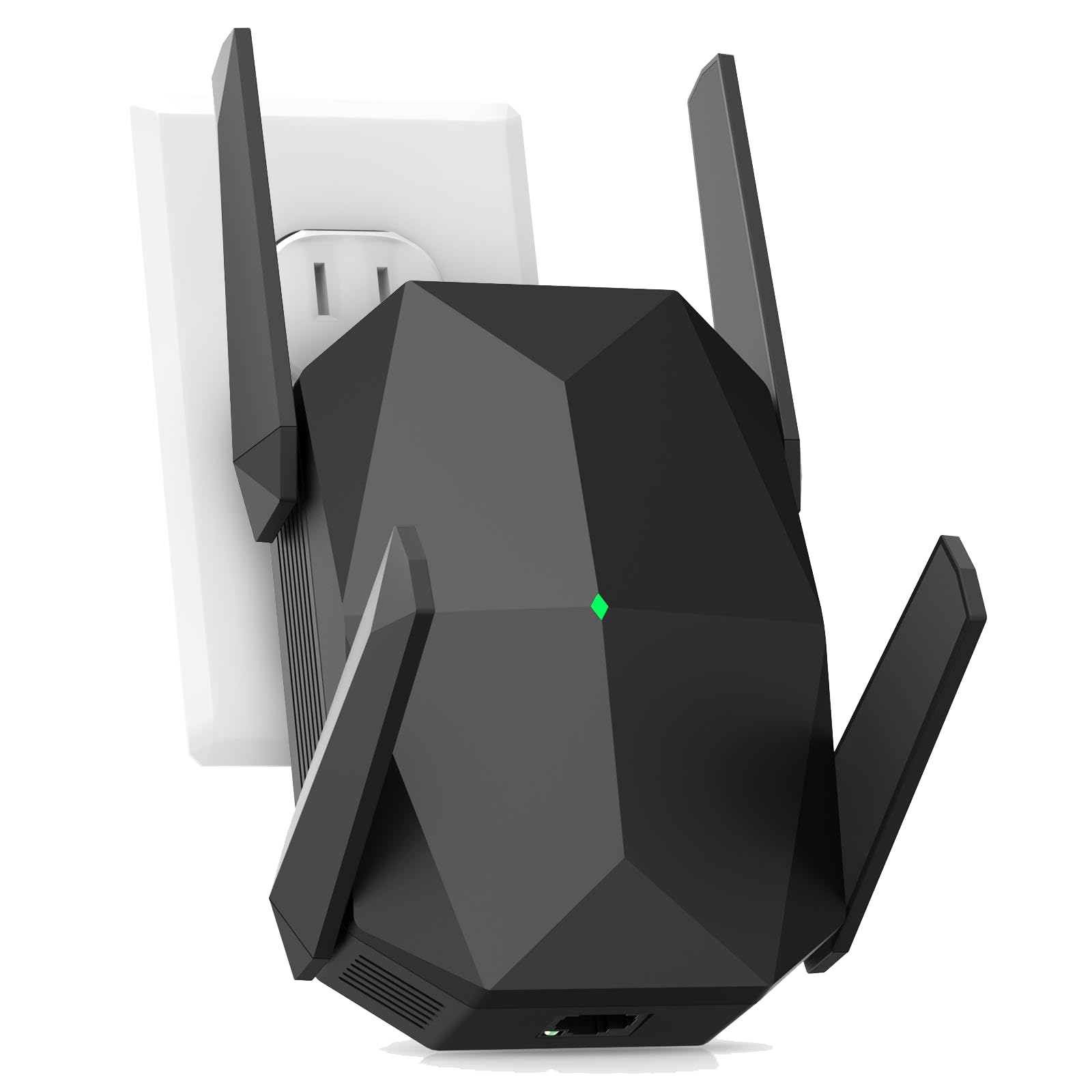
A WiFi 6 beast built for huge homes and gadget-packed households.
The JoyLantern AX3000 is a different class of extender. It uses the newer WiFi 6 standard (AX3000). You get theoretical speeds up to 2400 Mbps on the 5.8 GHz band and 600 Mbps on the 2.4 GHz band. The headline feature is its ability to connect over 150 devices simultaneously, making it the only real option on this list for a very busy smart home. It claims to cover up to 18,999 sq. ft., which is a massive jump from the 1,500 sq. ft. of a unit like the NETGEAR EX6120. The Gigabit Ethernet port is another strong inclusion, which one buyer mentioned made their wired TV connection stable and fast.
Buyers report that setup is quick and that the extender “eliminated dead zones” for multiple devices without lag. The package includes a 3-month warranty, which is shorter than what many competitors offer. It also supports WPA/WPA2-PSK security protocols. For its price point, the AX3000 gives you WiFi 6 technology and an absurd device capacity, making it the pick for a house full of gadgets.
Massive, but cautious: The 18,999 sq. ft. claim is the highest on this list, but real-world results depend heavily on your home’s construction. The 3-month warranty is short, so check the return policy.
Ideal for: a large home with over 30 connected devices where you need the latest WiFi 6 standard.
A better fit elsewhere: if you have a modest apartment and don’t need the capacity, the simpler extenders below will save you some money.
4. Speed Wave WiFi Extender 2025 ExtendTecc Pro
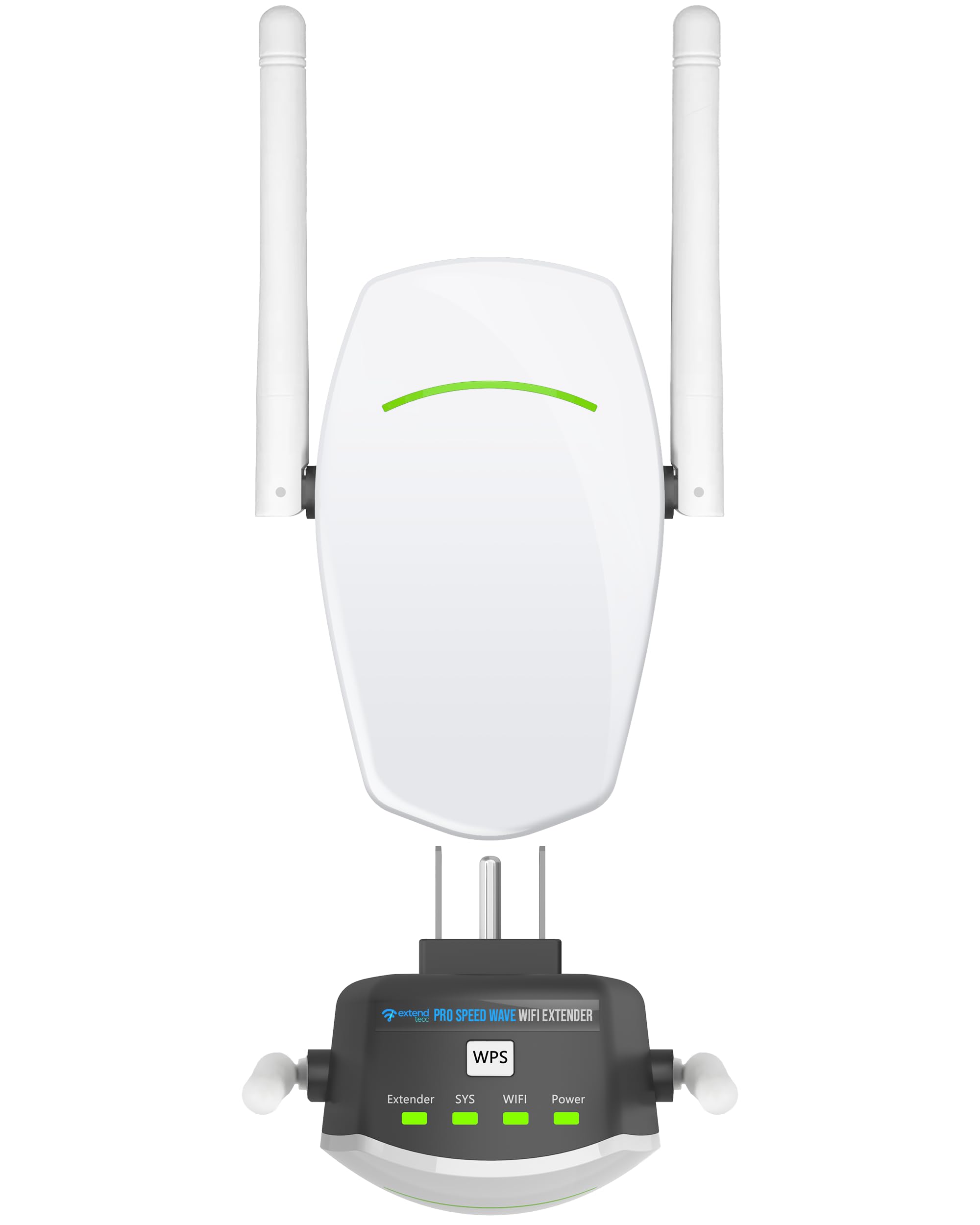
The compact powerhouse that handles significantly more devices than a typical budget extender.
The Speed Wave ExtendTecc Pro is small and light at just 2.7 ounces — much lighter than the TP-Link RE315 (6.1 ounces). Despite its size, it delivers dual-band speeds up to 867 Mbps on the 5 GHz band and 300 Mbps on the 2.4 GHz band. Its standout feature is device capacity: it supports up to 64 devices, compared to the 32-device limit of the TP-Link AC1200 RE315. Owners mention that the quick WPS (WiFi Protected Setup, a one-button pairing method) and dual antennas provide a strong signal to areas like a garage or patio without noticeable speed loss.
It includes an Ethernet port for connecting a wired device, and its MU-MIMO firmware helps share bandwidth fairly across all connected gadgets. One owner reported using the Ethernet port for a smart TV and getting smooth, dropout-free streaming. While the brand is less established than NETGEAR or TP-Link, the hardware spec sheet puts it well ahead of the true budget options. It is a strong value pick for a family home with many devices.
Strengths
- Supports 64 devices.
- Very light at 2.7 ounces, easy to plug in without sagging.
- MU-MIMO for better bandwidth sharing.
- Strong WPS setup and dual antennas.
Limitations
- Newer brand with a smaller long-term track record.
Who it’s for: a household with many phones, tablets, and smart home devices that needs a compact, capable extender.
If you skip it: you prefer a brand with a longer, proven history like NETGEAR or TP-Link.
5. Cyseed 2026 WiFi Extender Internet Booster
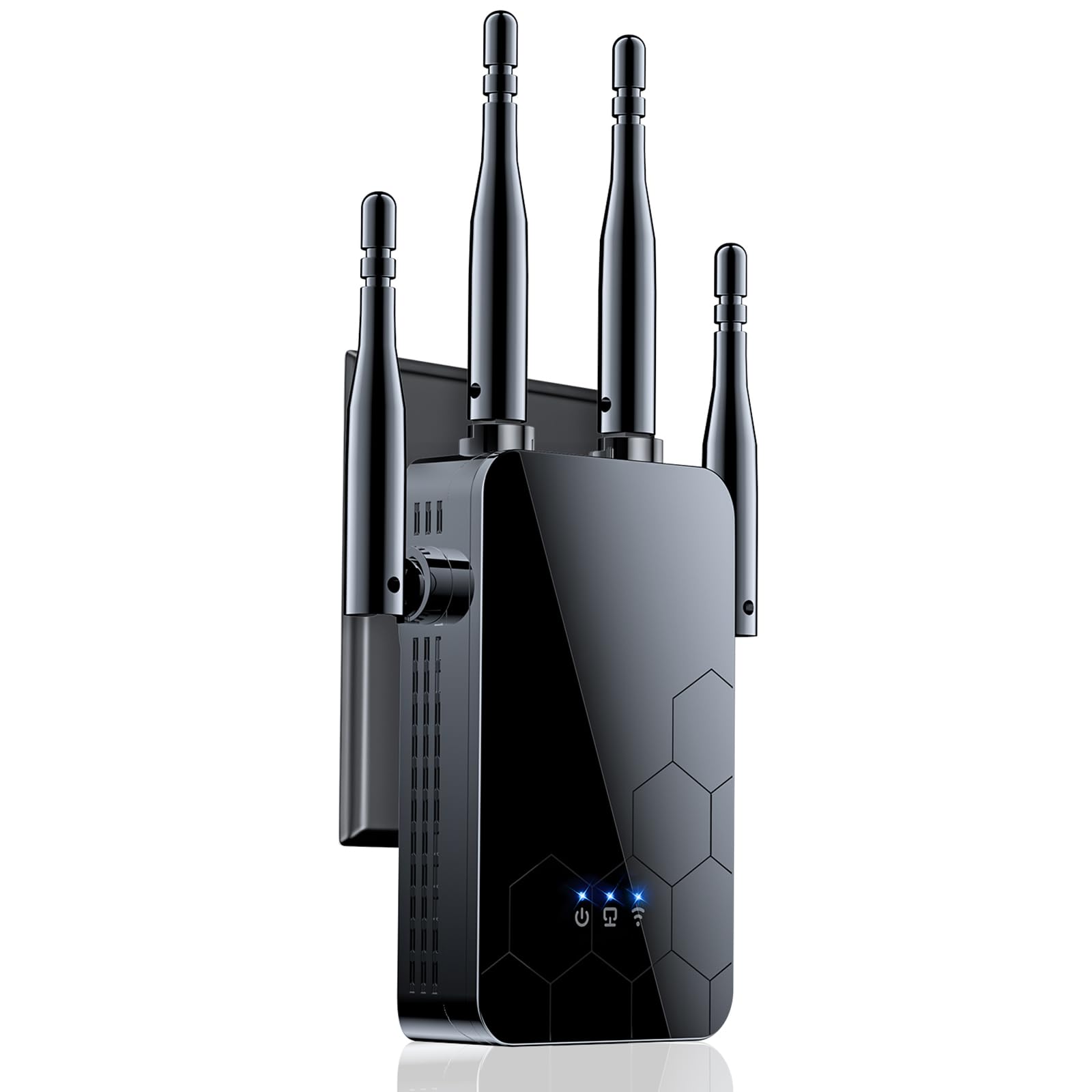
A range-focused extender that pushes a stable 2.4 GHz signal across large properties.
The Cyseed 2026 Booster is built for distance over speed. It uses four external antennas to cover a claimed 10,000 sq. ft., which one customer observed connected “immediately 300 ft away on the 3rd floor” through walls and doors. This unit operates exclusively on the 2.4 GHz band, which gives it better penetration through walls and longer reach. It supports 65+ devices, making it a good fit for a home with many smart cameras and sensors that only need a 2.4 GHz connection. The maker says the 2.4 GHz ultra-core processor provides a strong and reliable WiFi signal to avoid delays.
Setup is done via a WPS button or a QR code, which customers note takes less than 5 minutes. One user highlighted using it in an auto repair shop on a separate floor, saying the connection was strong and steady with no lag. The extender also includes multiple smart modes (Repeater, Client, AP, Bridge, Router) and an Ethernet port for wired connections. It supports WPA/WPA2 security protocols and comes with an 18-month warranty, according to one buyer’s report.
Pure Range: This is not about raw speed. It is about getting a stable, usable connection to the farthest corners of your property using the more penetrating 2.4 GHz band.
Best for: reaching a detached garage, backyard, or workshop where signal penetration is more important than ultra-fast streaming.
Skip it for: streaming 4K video or online gaming, where the 5 GHz band’s faster speeds are needed.
6. ROQRL AC1200 WiFi Extender

An aggressive coverage claim in a slim plug-in design that one buyer took several hundred feet.
The ROQRL AC1200 claims coverage up to 10,000 square feet. It packs four antennas into a unit just 1.19 inches wide It delivers dual-band speeds of 1200 Mbps (on the 5.8 GHz and 2.4 GHz bands). One reviewer noted moving it to their garage “several hundred feet from my router,” where it stayed connected and extended WiFi to their entire back yard “several hundred more feet away.” That real-world result suggests the four-antenna array pushes a signal over distance effectively.
The extender offers three operation modes: WiFi Repeater Mode, AP Mode, and Ethernet Port Mode. It uses WPA/WPA2 security protocols. The setup process, however, received mixed feedback. While the instructions suggest completing a phone setup before plugging it in, one reviewer found the procedure slightly confusing and had to watch a YouTube video. Another buyer found it “fast and simple” and highly recommended it. At this price point, the massive coverage potential is its biggest draw.
Big reach, smaller trust: The 10,000 sq. ft. claim is a huge selling point, and the buyer review about the garage is compelling. But the brand is less known, and the setup process is not as polished as the TP-Link options.
Reach for it if: you have a very large property and want an extender that can survive being placed hundreds of feet from the router.
Stick with a name brand if: you value a proven, friction-free setup process more than a massive coverage claim.
7. NETGEAR WiFi Range Extender EX6120

A tiny, no-app-required extender from a brand name you can trust.
The NETGEAR EX6120 is the most compact unit on this list, measuring just 1.54 inches deep by 2.17 inches wide. It is designed for the user who wants the simplest possible setup: press the WPS button on your router and then on this extender. No app or CD is required. It delivers dual-band AC1200 speeds (up to 300 Mbps on 2.4 GHz and 900 Mbps on 5 GHz) and covers up to 1,500 sq. ft. for up to 25 devices. It has a single 10/100Mbps Ethernet port, which is slower than the Gigabit ports on the pricier picks, but fine for a basic wired connection.
Shoppers say easy setup and no more buffering in back bedrooms. One buyer mentioned it pushed a strong signal through three walls, showing a “Very Strong” connection on their Fire TV. However, there are quirks. It creates a new SSID (network name) instead of merging with your existing network, so you may need to switch networks manually as you move around. Another buyer reported an initial setup failure with the web interface, though they got it working with their phone. For a simple, known-brand solution, it gets the job done.
What Works
- Very compact wall-plug design.
- Easy WPS button setup with no app required.
- Strong signal penetration through multiple walls.
- Affordable price from a trusted brand.
Watch Out For
- Creates a new SSID, not smooth roaming.
- Ethernet port is 10/100Mbps, not Gigabit.
- Some buyers encountered initial setup hurdles.
Best for: a non-techy user who wants a cheap, compact extender from a reliable brand and can live with a new network name.
Not for you if: you want smooth mesh roaming or the fastest possible wired connection through the Ethernet port (it uses Fast Ethernet, not Gigabit).
Understanding the Specs
Mbps & Coverage Claims
The “Mbps” number (Megabits per second) is the theoretical maximum speed of the extender. You will never get that exact number in real life. The coverage area (like 1,500 sq. ft.) is measured in a lab with no walls. In your home, a unit that claims 10,000 sq. ft. will realistically cover a large house but not a whole football field. Use these numbers to compare units to each other, not as a guarantee of real-world performance.
Dual-Band & 2.4 GHz vs. 5 GHz
A dual-band extender creates two WiFi networks. The 2.4 GHz band travels further and goes through walls better, but is slower and more prone to interference from microwaves and cordless phones. The 5 GHz band is faster and less crowded, making it ideal for streaming and gaming, but its range is shorter. A good extender lets you use both bands, keeping your TV on 5 GHz and your smart plug on 2.4 GHz.
FAQ
Will a cheap WiFi extender slow down my internet speed?
What is the difference between a WiFi extender and a WiFi repeater?
How far from my router should I place the extender?
Can I use a cheap extender with any router?
What is EasyMesh or OneMesh?
Does every cheap extender have an Ethernet port?
What does 2.4 GHz only mean for coverage?
How many devices can a cheap WiFi extender handle?
Final Thoughts: The Verdict
Across the board, the cheap wifi extender winner is the TP-Link RE315 — it balances proven reliability, EasyMesh compatibility, and a low price, backed by over 43,000 ratings. If you want top speeds and a wired backbone for a console, grab the TP-Link RE550. For a massive household with dozens of devices needing the latest WiFi 6 technology, the JoyLantern AX3000 offers the highest device capacity on this list.
How We Picked
We do not accept paid placement. Every pick is matched to a real buyer and a real use-case; we do not hands-on test units.
Sources & Methodology
Specifications: manufacturer listings and product documentation. Review insights: verified customer reviews, as of July 2026. Pricing: not shown on this page (it changes often); check the current price via the retailer link.
As an Amazon Associate, WellFizz earns from qualifying purchases. This does not affect which products we feature.
Related Guides

Mo Maruf
I created WellFizz to bridge the gap between vague wellness advice and actionable solutions. My mission is simple: to decode the research and give you practical tools you can actually use.
Beyond the data, I am a passionate traveler. I believe that stepping away from the screen to explore new environments is essential for mental clarity and physical vitality.