Our readers keep the lights on and my smoothie glass nicely filled. As an Amazon Associate, I earn from qualifying purchases.
A prebuilt gaming PC under a strict budget usually means one thing: compromise. You trade cutting-edge ray tracing for the ability to actually launch a game without your old laptop sounding like a jet engine. But the gap between a machine that chokes on a browser and one that runs Fortnite at 60 frames per second is smaller than most people think—provided you know which specific components separate a daily driver from an e-waste ornament. The core challenge isn’t the price tag; it’s finding a configuration where the GPU, CPU, and RAM are balanced enough that no single part drags the whole system down.
I’m Mohammad Maruf — the founder and writer behind WellFizz. I’ve spent countless hours cross-referencing generational CPU benchmarks, GPU memory bandwidth, and real-world failure reports to separate the genuinely capable budget prebuilts from the ones that rely on marketing fluff and dated hardware.
This guide breaks down eleven specific configurations tested against real gaming loads, office multitasking, and longevity concerns to help you identify the right cheap prebuilt pc for your actual use case without falling for inflated spec sheets.
How To Choose The Best Cheap Prebuilt PC
Buying a cheap prebuilt PC is a minefield of reused enterprise hardware, underpowered power supplies, and graphics cards that were obsolete when the Xbox One launched. The key is to look past the RGB and the “i7” sticker and focus on three specific pillars: the GPU’s architecture, the storage interface, and the upgrade potential of the chassis.
Graphics First, CPU Second
In this price bracket, the graphics card determines everything. A GTX 1050 Ti or RX 590 will let you play modern titles at 1080p medium settings, while a GT 1030 or RX 550 will struggle with anything released after 2020. Always check the GPU’s VRAM: 4GB is the bare minimum for modern textures, and 6-8GB is preferable for open-world games.
Watch for Proprietary Power Supplies
Many cheap prebuilts, especially those converted from office desktops like the Dell OptiPlex, use non-standard power supplies and motherboards. This makes upgrading the GPU nearly impossible without replacing the entire platform. A standard ATX PSU and motherboard layout offer a much longer usable life because you can swap individual parts as your budget grows.
Storage Type Matters More Than Size
A 512GB NVMe SSD is substantially faster than a 1TB SATA SSD, and both are leagues ahead of a mechanical hard drive. Avoid any prebuilt that still relies on an HDD as the primary boot drive—Windows 11 will feel sluggish from day one. NVMe Gen 3 is adequate for gaming loads, but Gen 4 support gives you a future-proof edge.
Quick Comparison
On smaller screens, swipe sideways to see the full table.
| Model | Category | Best For | Key Spec | Amazon |
|---|---|---|---|---|
| CyberPowerPC Gamer Master | Premium | 1080p high-refresh gaming | RTX 5060 Ti 8GB + AMD Ryzen 7 8700F | Amazon |
| MSI Codex Z2 | Premium | AAA gaming + content creation | RTX 5070 12GB + 32GB DDR5 | Amazon |
| ZER-LON GTX 1050 Ti | Mid-Range | Esports and light AAA | GTX 1050 Ti 4GB + Core i7-4770 | Amazon |
| abytespark RX 590 | Mid-Range | 1080p medium settings | RX 590 8GB + Core i7-4770 | Amazon |
| Kroteaup i7 RX 550 | Mid-Range | Casual gaming + office | Radeon RX 550 4GB + 512GB NVMe | Amazon |
| BTO HP G3 + Monitor | Mid-Range | All-in-one starter bundle | GT 1030 2GB + 22-inch monitor | Amazon |
| Dell OptiPlex 7070 | Mid-Range | Office and productivity | i7-9700 8-core + 32GB DDR4 | Amazon |
| HP RGB GTX 750 Ti | Budget | Esports and retro gaming | GTX 750 Ti 4GB + Core i5-6500 | Amazon |
| STGAubron i5 RX 550 | Budget | Light gaming and study | RX 550 4GB + Core i5 3.6GHz | Amazon |
| STGAubron Xeon RX 550 | Budget | Entry-level gaming | Xeon E5 3.0GHz + RX 550 4GB | Amazon |
| Dell OptiPlex GT 1030 | Budget | Teen’s first gaming setup | GT 1030 2GB + Core i7-4770 | Amazon |
In‑Depth Reviews
1. CyberPowerPC Gamer Master (GMA2900A3)

The CyberPowerPC Gamer Master is the rare cheap prebuilt that doesn’t force you to compromise on the platform’s longevity. It pairs the AMD Ryzen 7 8700F on the AM5 socket—meaning future CPU upgrades are possible without replacing the motherboard—with an RTX 5060 Ti that delivers 8GB of GDDR7 VRAM. That video memory buffer is enough to handle texture-heavy titles like Call of Duty at 1080p high settings and still push past 60 FPS.
The 1TB PCIe 4.0 NVMe drive ensures game loads are nearly instant, and the 16GB of DDR5 RAM keeps multitasking smooth even with Discord, a browser, and a game running simultaneously. The tempered glass side panel and included keyboard and mouse round out the package, but the real highlight is the 650-watt gold-rated PSU, which leaves headroom for a GPU upgrade down the line.
Customer feedback reflects some early BIOS bugs—specifically random restarts that required enabling Deep Sleep mode on the USB ports—but once resolved, the system ran quietly and consistently. For anyone who wants a no-nonsense rig that can handle modern AAA titles without immediately needing an overhaul, this is the most balanced pick in the list.
Why it’s great
- AM5 socket with DDR5 support means easy future CPU upgrades
- RTX 5060 Ti 8GB handles 1080p high settings in modern games
- Gold-rated 650W PSU provides realistic upgrade headroom
Good to know
- Occasional USB power issues requiring a BIOS setting tweak
- Customer support can be slow to respond to email inquiries
2. MSI Codex Z2 (A8NVP-436US)

The MSI Codex Z2 sits at the premium end of what most people would still call a “cheap prebuilt PC” when the alternative is building from scratch or buying an overpriced laptop. Under the hood, you get the AMD Ryzen 7 8700F paired with an RTX 5070 that carries 12GB of VRAM—enough to handle 1440p gaming at high settings and even light 4K workloads. The 32GB of DDR5 RAM and 2TB NVMe SSD make this a true workstation-gaming hybrid.
MSI thoughtfully placed four ARGB cooling fans (three intake, one exhaust) that keep thermals in check even during extended sessions. The chassis is compact for a full-size tower, and the side panel lets the RGB lighting shine without feeling gaudy. The RTX 5070’s Blackwell architecture delivers a noticeable generational leap in both rasterization and ray tracing, so games like Frostpunk 2 and Cyberpunk 2077 run significantly smoother than on previous-gen cards.
The most common user complaint is the integrated Bluetooth module, which some found unreliable for controllers. A simple PCIe Bluetooth card upgrade solves it. A few units experienced SSD failure, but MSI’s support handled RMAs, and registering for the extended warranty is recommended. This is the machine to buy if you want high-end performance without crossing into enthusiast pricing territory.
Why it’s great
- RTX 5070 12GB handles 1440p high and entry-level 4K gaming
- 32GB DDR5 and 2TB NVMe for heavy multitasking and storage
- Compact tower with four ARGB fans runs cool and quiet
Good to know
- Stock Bluetooth module may need replacement for consistent connectivity
- Some units experienced early SSD failure, warranty registration is advised
3. ZER-LON Gaming PC (GTX 1050 Ti)
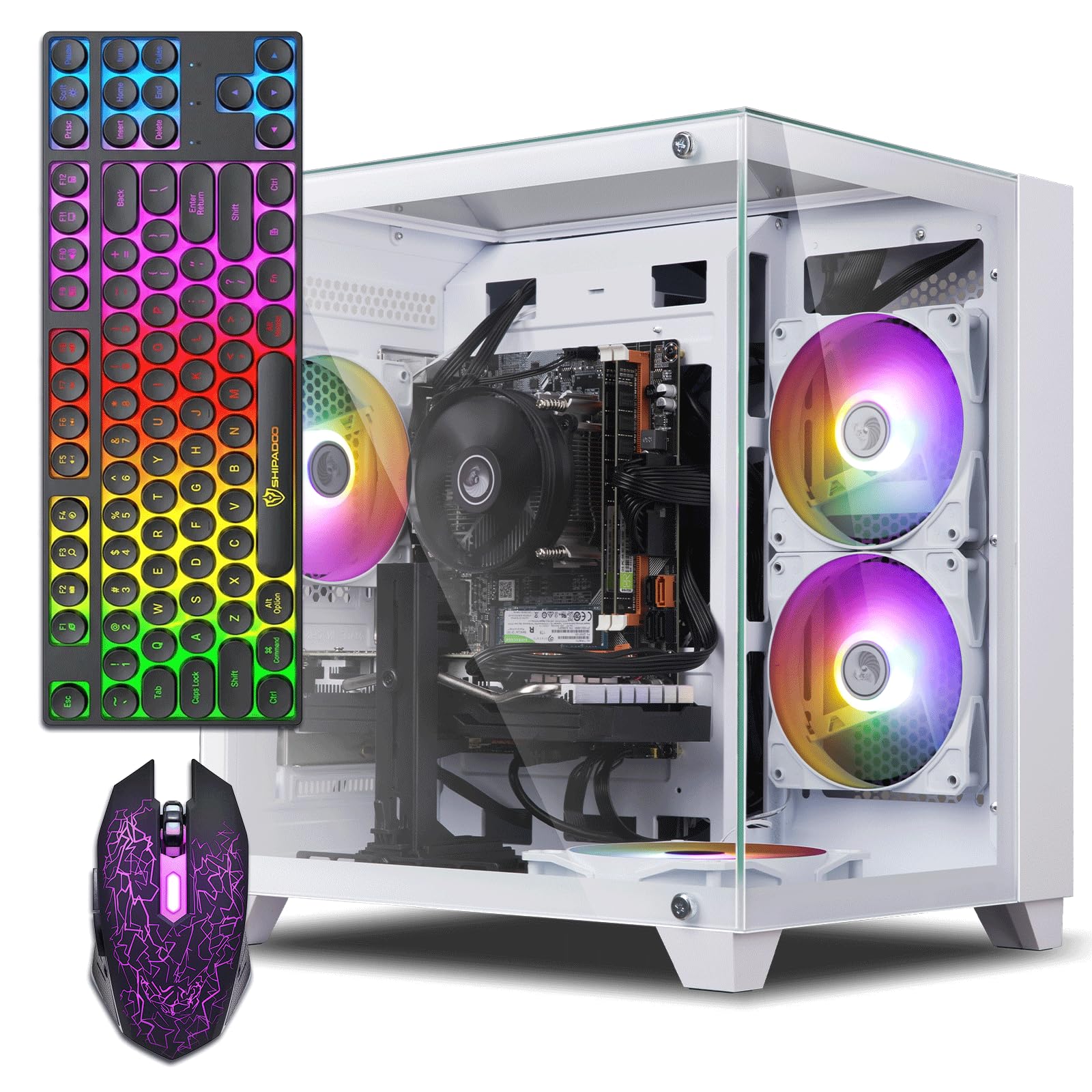
The ZER-LON Gaming PC bridges the gap between entry-level and solid 1080p performance by pairing a Core i7-4770 with a GTX 1050 Ti 4GB. The 1050 Ti remains the most reliable budget GPU on the market because its 4GB of GDDR5 VRAM is sufficient for esports titles like Valorant, Overwatch, and CS2 at high settings, and it can even handle GTA V and Fortnite at medium settings without stuttering.
The 16GB of DDR3 RAM and 512GB SSD provide enough memory and speed for everyday multitasking, and the included RGB keyboard, mouse, and mouse pad make this a true turnkey setup. The tower has a transparent side panel and four RGB fans, which gives it a much more premium aesthetic than its price suggests. Users report that the system runs cool and quiet, with the CPU rarely exceeding 60°C under load.
Some customers experienced no video output on arrival—a sign that the refurbished units can be hit or miss—but those with working units praise the fast boot speeds and dual-monitor support via HDMI and DVI. If you find a unit that boots correctly, the ZER-LON offers the best price-to-performance ratio for light gaming without forcing you into obsolete integrated graphics.
Why it’s great
- GTX 1050 Ti 4GB handles esports titles at high settings easily
- Full accessory bundle with RGB keyboard, mouse, and pad
- Compact chassis with good airflow and quiet fans
Good to know
- Some units arrive with no video output (GPU failure risk)
- Core i7-4770 is a 4th-gen chip with no upgrade path on this motherboard
4. abytespark Prebuilt Gaming PC (RX 590)

The abytespark RX 590 configuration is notable for its white “sea view” tower design, which stands out in a sea of black boxes. More importantly, it ships with an RX 590 8GB—a GPU that outperforms the GTX 1050 Ti by a wide margin and comes close to the GTX 1060 6GB in raw rasterization. The 8GB of VRAM gives it enough headroom for texture-heavy open-world games like Hogwarts Legacy and The Division 2 at 1080p medium settings.
The Core i7-4770 CPU and 16GB of DDR3 RAM handle multitasking well, and the 512GB SSD keeps boot times short. The package includes four RGB fans, a keyboard, a mouse, and a mouse pad, so you can start gaming right out of the box. The RX 590’s 8GB buffer also makes it a decent candidate for light 1440p gaming in older titles, which is rare at this price point.
The primary downside is the 4th-gen i7 processor—while still capable for gaming, it lacks official Windows 11 support, and some users reported game crashes and display issues as a result. One owner documented spending an additional amount to replace the motherboard, CPU, and RAM with modern equivalents, effectively doubling the total cost. If you’re comfortable staying on Windows 10 or using a workaround, the RX 590’s raw power makes this a compelling build.
Why it’s great
- RX 590 8GB outperforms most budget GPUs at this price point
- Distinctive white tower with four RGB fans for a clean look
- 8GB VRAM buffer handles high-resolution textures well
Good to know
- Core i7-4770 lacks official Windows 11 support
- No built-in CD/DVD drive despite the spacious case
5. Kroteaup Gaming PC (RX 550)
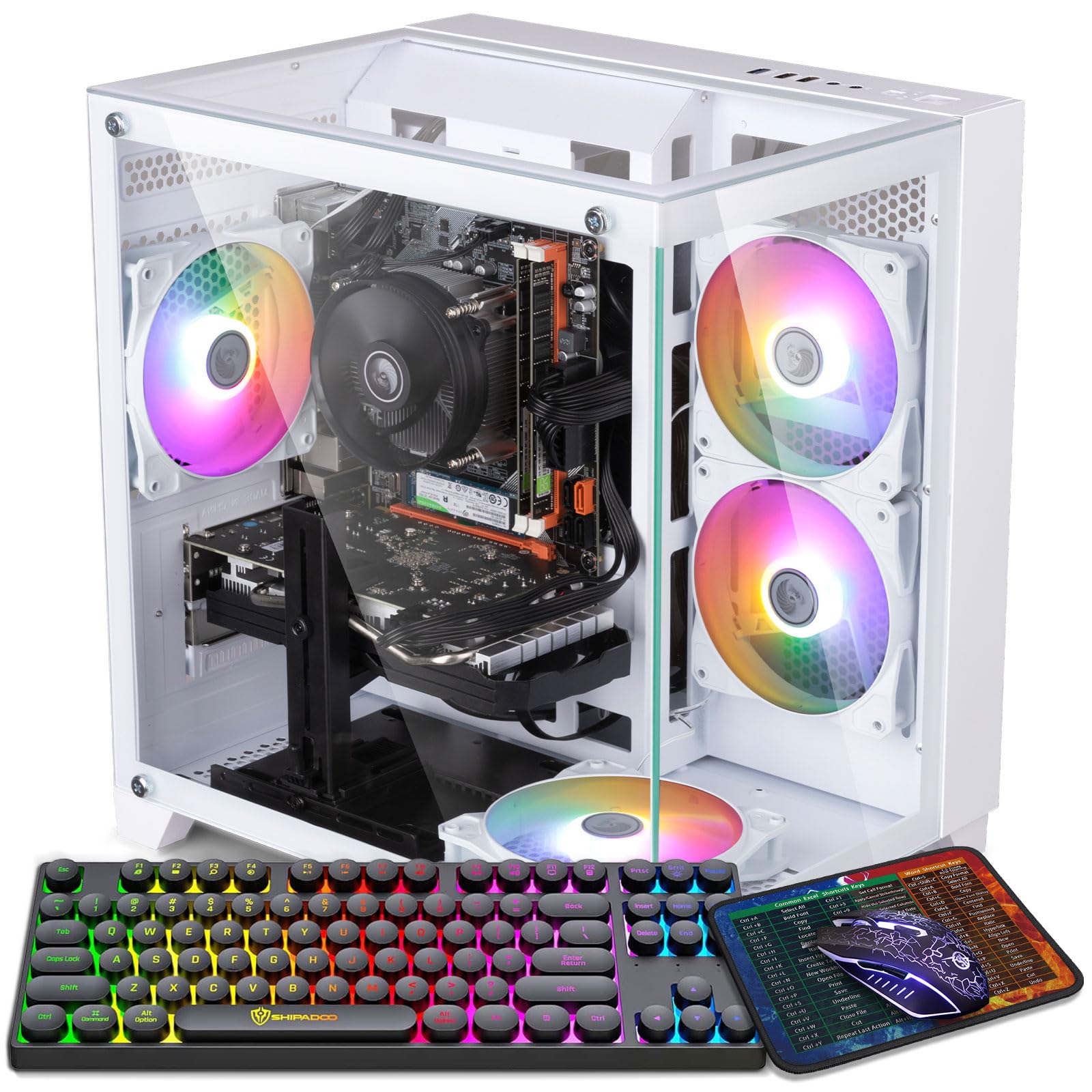
The Kroteaup Gaming PC targets parents looking for a first gaming rig for their kids, and it hits that mark well. The Radeon RX 550 4GB GPU is modest, but it runs Roblox, Minecraft, Fortnite, and The Sims 4 at comfortable frame rates without crashing. The Core i7-4770 provides enough single-threaded performance to avoid major CPU bottlenecks in these lighter titles.
The 16GB of DDR3 RAM and a 512GB NVMe SSD ensure the system feels snappy during everyday use, and the built-in WiFi 6 and Bluetooth 5.0 eliminate the need for dongles. The white tower with five RGB fans looks playful and modern, and the included keyboard and mouse mean no additional purchases are required. Parents report that their children had the system up and running within 20 minutes of unboxing.
The main risk is the GPU’s age—the RX 550 is roughly equivalent to a GT 1030, so it will not run newer AAA titles like Elden Ring or Starfield. One customer received a unit that booted straight to BIOS with no OS installed, suggesting quality control is inconsistent. For casual gaming and schoolwork, though, the Kroteaup provides a reliable, quiet, and visually appealing entry point.
Why it’s great
- Five RGB fans and white case design appeal to younger gamers
- WiFi 6 and Bluetooth 5.0 built-in for wireless connectivity
- NVMe SSD provides fast boot and load times for everyday use
Good to know
- RX 550 cannot run modern AAA games at acceptable frame rates
- Some units arrive without an operating system installed
6. BTO Windows 11 Pro Gaming Desktop (GT 1030 + Monitor)

The BTO bundle includes a Core i5-6500, 16GB of DDR4 RAM, a 512GB SSD, an NVIDIA GT 1030 2GB, and a 22-inch 1080p monitor. The GT 1030 is a very low-power card—it runs on passive cooling in many builds—so it won’t play graphically demanding titles, but it excels at older games (CS:GO, League of Legends, Sims 4) and general desktop productivity. The included monitor, keyboard, mouse, and speakers make this a true plug-and-play setup.
The i5-6500 is a 6th-gen Skylake processor that still holds up well for web browsing, office work, and streaming video. The 512GB SSD provides ample storage for the OS and a handful of games, and the 16GB of RAM ensures you won’t run into memory limits during multitasking. Windows 11 Pro is pre-installed, which adds business-friendly features like BitLocker encryption.
The downsides are significant: multiple customers reported that the actual hardware did not match the listing photos, with missing accessories and a tower latch that wouldn’t close. The GT 1030’s 2GB VRAM is a hard cap that will cause texture pop-in in any game made after 2020. For a kid’s first computer or a secondary office machine, the all-in-one convenience is appealing, but gaming expectations must be kept very low.
Why it’s great
- Complete bundle with monitor, keyboard, mouse, and speakers
- Windows 11 Pro with BitLocker for business use
- 16GB DDR4 RAM and 512GB SSD provide snappy desktop performance
Good to know
- GT 1030 2GB cannot run modern games at playable settings
- Multiple reports of product not matching listing photos
7. Dell OptiPlex 7070 SFF (i7-9700)

The Dell OptiPlex 7070 SFF is not a gaming PC by any stretch—it lacks a dedicated GPU and relies on Intel UHD Graphics 630. But if your primary need is raw CPU performance for video encoding, compiling, or heavy multitasking, the 8-core i7-9700 paired with 32GB of DDR4 RAM and a 1TB NVMe SSD makes this an absolute productivity monster. The 9th-gen processor boosts to 4.7 GHz and handles 4K video playback without a hitch.
This is a refurbished enterprise machine that has been cleaned, tested, and repackaged. The small form factor saves desk space, and the inclusion of a wireless keyboard and mouse makes it easy to set up anywhere. The AX210 WiFi 6E card delivers fast wireless speeds, and the combination of 5 USB 3.1 and 4 USB 2.0 ports covers nearly any peripheral setup.
The trade-off is the lack of GPU expansion—the SFF chassis cannot fit a full-height graphics card, so gaming is not a realistic option. Some units arrived without a power cord or with minor cosmetic marks, and a few customers experienced failure after a few months. If you need a cheap prebuilt PC strictly for office work, coding, or as a home server, the sheer CPU firepower for the price is unmatched.
Why it’s great
- 8-core i7-9700 delivers exceptional CPU performance for productivity
- 32GB DDR4 and 1TB NVMe SSD for heavy multitasking and storage
- WiFi 6E and a wide array of USB ports for peripheral connectivity
Good to know
- Integrated graphics cannot play modern PC games
- SFF case prevents installing a full-height dedicated GPU
8. HP RGB Gaming Desktop (GTX 750 Ti)

The HP RGB Gaming Desktop is a refurbished office workstation—likely an HP EliteDesk—that has been fitted with a GTX 750 Ti 4GB and RGB lighting to give it a gaming aesthetic. The Core i5-6500 runs at up to 3.6 GHz, and the 16GB of DDR4 RAM provides enough memory for virtual machines and development tools. The 512GB SSD is standard but gets the job done for boot and game loads.
The GTX 750 Ti is a legendarily efficient GPU from 2014 that draws only 60 watts. It runs Xbox 360/PS3-era games perfectly and handles esports titles like CS2 at low settings with good frame rates. Customers have reported that it plays The Witcher 3, Fortnite, and GTA V at lowered settings, but it cannot handle Cyberpunk 2077 or Elden Ring. The compact tower includes an optical drive, which is rare in modern builds and useful for ripping CDs or installing legacy software.
The main reliability concern is the power supply—several units failed after extended daily use, likely due to a low-wattage PSU being stressed by the added GPU. The included keyboard is dated, and the mouse is merely functional. For a retro gaming emulation station or a secondary PC for light gaming, the HP is a solid bargain, but the refurbished nature means quality varies between units.
Why it’s great
- GTX 750 Ti runs older games and esports titles efficiently
- Compact tower with an optical drive for legacy software
- 16GB DDR4 RAM supports multitasking beyond gaming
Good to know
- Low-wattage power supply may fail under extended gaming loads
- Cannot run modern AAA games at playable settings
9. Dell OptiPlex GT 1030 Bundle

This Dell OptiPlex bundle takes an old business desktop and adds a GT 1030 2GB, a 24-inch monitor, keyboard, mouse, and headset to create a complete starter kit. The Core i7-4770 processor is the same 4th-gen chip found in several other builds on this list—it’s old but still capable of running Windows 11 and basic applications smoothly. The 16GB of RAM and 512GB SSD are standard budget fare.
The included 24-inch monitor is a genuine 1080p display that’s perfectly adequate for schoolwork and media consumption. The RGB front panel light strip can be controlled with a remote, which adds a fun visual touch for younger users. The GT 1030 2GB handles games like Roblox, Fortnite at lowest settings, and older titles well, but it struggles with anything released after 2021.
The biggest red flag is the power supply—one customer reported their 60W PSU failing after extended daily use, which is dangerously underpowered for a system with a dedicated GPU, even a low-power one. Some users also noted that the included accessories (headphones, mouse) felt cheap and broke quickly. For a teen’s first desktop that prioritizes a full bundle over raw performance, this works, but plan to replace the PSU and peripherals soon.
Why it’s great
- Complete bundle with 24-inch monitor, keyboard, mouse, and headset
- RGB front panel lighting adds visual appeal for younger gamers
- Core i7-4770 handles basic productivity and multitasking well
Good to know
- 60W power supply is underpowered and may fail under gaming load
- Included accessories feel cheap and may break quickly
10. STGAubron i5 RX 550

The STGAubron i5 RX 550 is a straightforward entry-level build that prioritizes getting you into PC gaming at the lowest possible cost. The Core i5 processor (likely a 4th-gen) runs at up to 3.6 GHz, and the RX 550 4GB provides enough VRAM for textures in games like Roblox, Sims 4, and Fortnite at low settings. The 16GB of RAM and 512GB SSD are adequate for light gaming and schoolwork.
The system includes two RGB fans, a keyboard, and a mouse, and it comes with Wi-Fi 6 and Bluetooth 5.0, which is a nice touch for cord-free peripherals. Customers who had a positive experience praised the easy setup and smooth performance for casual games. The tower is compact and quiet when not under heavy load, making it suitable for a shared room or dorm.
The negative reviews paint a different picture: some users described the components as “cheap generic parts” with a no-name power supply and inadequate cooling. The RX 550 is a rebadged entry-level card that performs similarly to integrated graphics from a few generations ago—it will not run Call of Duty Warzone or Escape from Tarkov at a stable frame rate. One user had their system die within days, though customer service resolved it quickly. It’s a gamble, but when it works, it works for very light use.
Why it’s great
- Low entry cost for getting into PC gaming
- WiFi 6 and Bluetooth 5.0 built-in for convenient connectivity
- Quiet operation during light gaming and productivity tasks
Good to know
- RX 550 performs like old integrated graphics, no AAA gaming
- No-name PSU and generic components may have reliability issues
11. STGAubron Xeon E5 RX 550
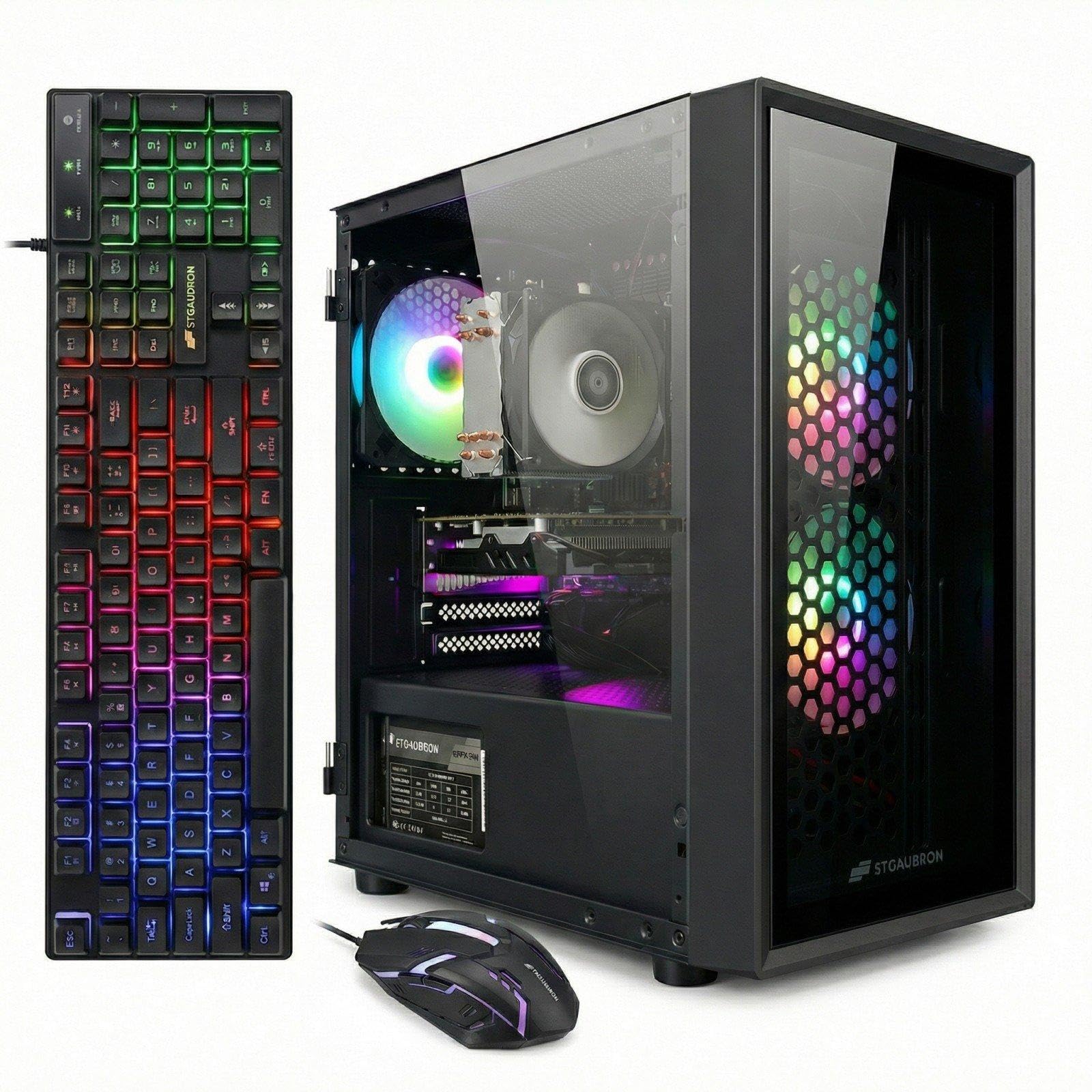
The STGAubron Xeon E5 configuration is the most unusual entry in this list: it uses an Intel Xeon E5 server processor running at 3.0 GHz, paired with an RX 550 4GB GPU. The Xeon E5 chips are typically found in old server racks—they offer many cores but low clock speeds and limited single-threaded performance. This makes them a poor match for gaming, which relies heavily on single-core speed.
The system includes 16GB of RAM, a 512GB SSD, three RGB fans, and a full accessory kit (keyboard, mouse, mouse pad). The appeal is the perceived “i7-class” performance from the Xeon branding, but in practice, games like World of Warcraft run at 60-100 FPS in crowded areas, while anything more demanding will struggle. The 12MB cache is generous, but the 3.0 GHz base clock is low by modern standards.
Reliability is a major concern: one customer reported a GPU failure within a week, and others noted that the system quickly felt inadequate and required upgrades. The Xeon platform uses a server motherboard with proprietary connectors, making upgrades difficult.
Why it’s great
- Xeon E5 offers many cores for multi-threaded tasks
- RGB fans and full accessory kit included in the box
- Can run older games like World of Warcraft at 60+ FPS
Good to know
- Low single-core clock speed hurts gaming performance
- Server motherboard uses proprietary parts, limiting upgrades
- GPU failure rate appears higher than average in user reviews
FAQ
Can a cheap prebuilt PC with an old i7 still run modern games?
Why do some cheap prebuilts use Xeon server processors?
How important is the power supply in a budget gaming PC?
Is it worth buying a refurbished business PC and upgrading it?
Final Thoughts: The Verdict
For most users, the cheap prebuilt pc winner is the CyberPowerPC Gamer Master because it combines a modern AM5 platform with an RTX 5060 Ti, giving you a genuine upgrade path and solid 1080p performance without immediately needing to replace components. If you want the highest raw gaming power in this price bracket, the MSI Codex Z2 with its RTX 5070 and 32GB of DDR5 is the clear choice. And for a pure productivity machine that devours CPU workloads, nothing beats the Dell OptiPlex 7070 SFF for the money.

Mo Maruf
I created WellFizz to bridge the gap between vague wellness advice and actionable solutions. My mission is simple: to decode the research and give you practical tools you can actually use.
Beyond the data, I am a passionate traveler. I believe that stepping away from the screen to explore new environments is essential for mental clarity and physical vitality.