Our readers keep the lights on and my smoothie glass nicely filled. As an Amazon Associate, I earn from qualifying purchases.
A cheap prebuilt gaming PC sounds like a gamble — you are worried you will get a box of outdated parts that can’t run anything recent. The truth is you can get a solid 1080p gaming machine for a few hundred dollars if you know exactly which specs matter and which ones are just marketing fluff. This guide walks you through nine real budget gaming PCs, covering what each one does well and where it cuts corners so you can pick the one that actually fits your games and your wallet.
I’m Mohammad Maruf — the co-founder and writer behind WellFizz. This guide is built by comparing the manufacturers’ published specifications and the patterns across verified customer reviews, so you get each pick’s real strengths and trade-offs instead of marketing spin.
You will learn the specific CPU, GPU, and RAM combos that actually deliver smooth gameplay at 1080p, and which prebuilt systems are worth your money when shopping for a cheap prebuilt gaming pc.
How To Choose The Best Cheap Prebuilt Gaming PC
When you are buying a budget gaming PC, the goal is to get the most gaming performance for your money without ending up with a system that feels obsolete in a year. You want a dedicated graphics card (GPU), a reasonably modern processor (CPU), and enough memory (RAM) to run today’s games. Here is what to look for.
The Graphics Card (GPU) is Everything
For gaming, your GPU does almost all the heavy lifting. A dedicated graphics card like an NVIDIA GeForce GTX 1050 Ti or an AMD Radeon RX 560 is the minimum you need to play modern titles at 1080p with decent settings. Avoid any PC that relies on integrated graphics (graphics built into the CPU) — it will struggle with almost any 3D game.
CPU Generations Matter
A newer generation CPU (like an Intel 6th-gen i7 or an AMD Ryzen 5) will run games more smoothly than an ancient one, even if the old one has a higher “i7” badge. Some budget PCs use server CPUs (like Intel Xeon) which can be powerful but often lack the single-core speed modern games depend on. Check the exact model number, not just the “i7” or “Ryzen 5” label.
RAM and Storage: The Right Amount
16GB of RAM is the sweet spot for gaming today — 8GB will cause stuttering in newer titles. For storage, a 512GB SSD (Solid State Drive) is much faster than an old hard drive, meaning your games load in seconds instead of minutes. Avoid any PC that still uses a mechanical hard drive as its main drive.
Quick Comparison
On smaller screens, swipe sideways to see the full table.
| Model | Category | Best For | Key Spec | Amazon |
|---|---|---|---|---|
| NOVATECH Phantom 2.0 | Best Overall | 1080p gaming with highest FPS | RX 580 8GB GPU | Amazon |
| ZER-LON Core i7 | Premium Pick | Fast boot & dual monitors | GTX 1050 Ti 4GB | Amazon |
| WIWB Ryzen 5 | Best for Students | Esports & light multitasking | Ryzen 5 3500X 4.1GHz | Amazon |
| suevery Ryzen 5 | Best Value | Unity dev & casual gaming | AMD Ryzen 5 6-core | Amazon |
| abytespark Core i5 | Budget Champion | VR-ready entry gaming | RX 550 4GB | Amazon |
| Kroteaup Core i5 | Cost-Effective | Streaming & family use | RX 560 4GB | Amazon |
| STGAubron Core i5 | Starter Pick | Entry-level 60+ FPS | RX 560 4GB | Amazon |
| STGAubron Xeon i7 | Light Gamer | WoW & older titles | RX 550 4GB | Amazon |
| Dell OptiPlex RGB | Best for esports | Valorant & Overwatch | GTX 1050 Ti 4GB | Amazon |
In‑Depth Reviews
1. NOVATECH Phantom 2.0

The NOVATECH Phantom 2.0 packs an AMD Radeon RX 580 with 8GB of video memory (VRAM) — twice the VRAM of most rivals at this price point — making it the top pick for anyone who wants to run modern AAA titles like God of War or Cyberpunk 2077 at higher settings rather than sticking to esports titles.
Buyers report that after some in-game tweaks, most games run between 70 and 200 FPS, with one reviewer noting God of War hit a smooth 76 FPS on high settings. The 512GB M.2 SSD and 16GB DDR4 RAM ensure fast loading and smooth multitasking, while the Xeon E3 V6 processor (a server-grade i7 equivalent) handles streaming and work tasks reliably.
The catch is that the Xeon CPU has only 4 cores and 8 threads — less than modern desktop chips — so very CPU-heavy games might not run their best. Still, for casual to mid-level gaming at 1080p, this is the box that gives you the most gaming performance for your dollar.
Why it’s great
- AMD RX 580 with 8GB VRAM — beats the 4GB RX 560 and GTX 1050 Ti cards found in rivals below
- Runs God of War at 76 FPS and most games between 70-200 FPS after tweaks
- Exceptionally well-packaged with foam and a GPU bracket, per buyer reviews
Good to know
- Xeon CPU has only 4 cores — less future-proof than a modern Ryzen 5 or Core i5
- A few buyers received defective GPUs requiring replacement or repair
2. ZER-LON Core i7 Gaming Desktop
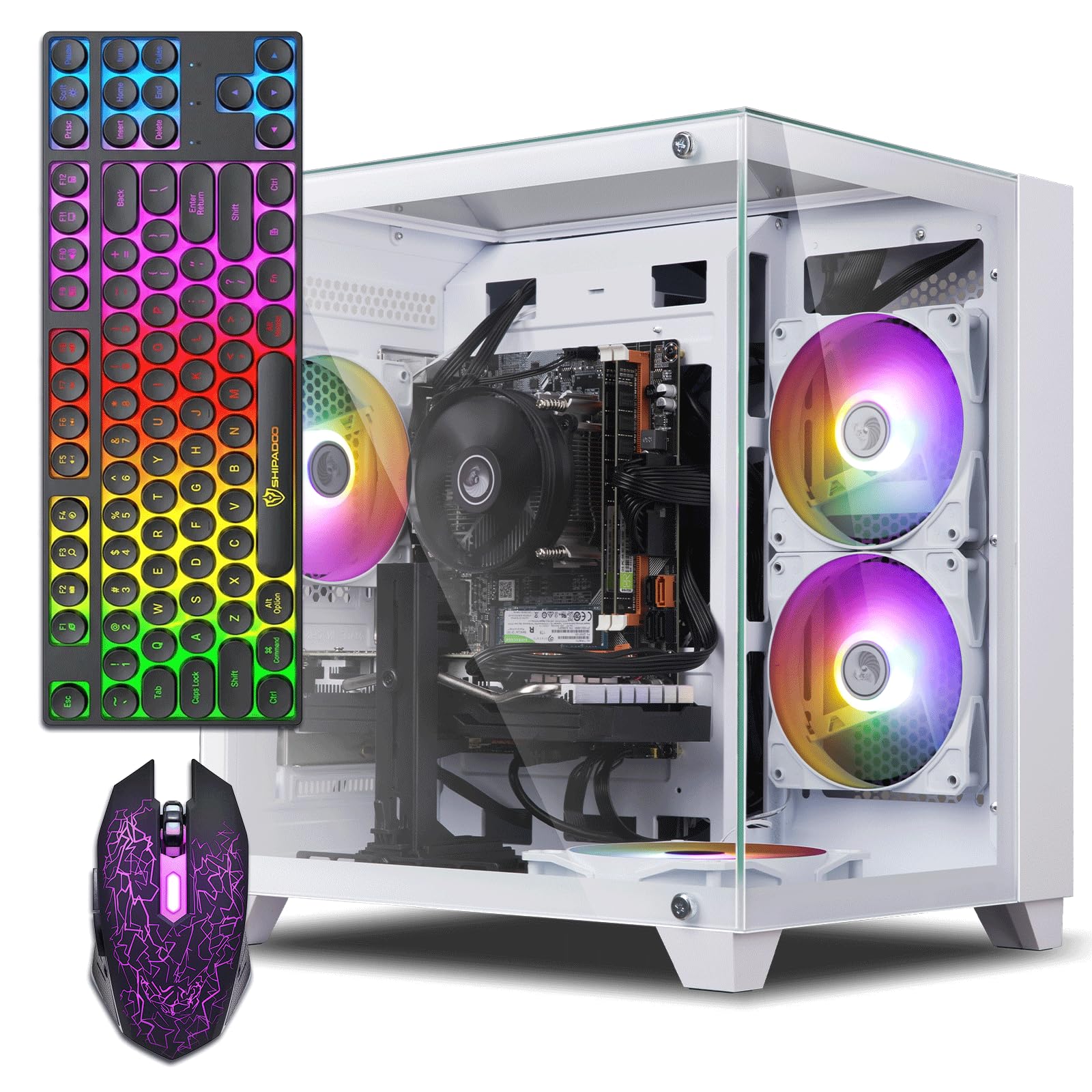
Compared to the NOVATECH Phantom, the ZER-LON trades blows on GPU but falls short on graphics memory — its GTX 1050 Ti has 4GB VRAM versus the NOVATECH’s 8GB, so you will need to lower texture quality in newer games. On the other hand, its Core i7-4770 CPU can boost up to 3.9GHz, which gives it a slight edge in single-core speed over the Xeon chip.
Buyers highlight that this PC boots fast, supports dual monitors out of the box, and includes five RGB fans plus a full glass side panel for a stylish look. The 16GB RAM and 512GB SSD keep the experience snappy for everyday tasks and gaming.
If you care more about a complete setup with RGB peripherals (keyboard, mouse, mouse pad) and a quieter fan system, and you primarily play older or less demanding titles, choose the ZER-LON over the NOVATECH.
Where it shines
- Fast boot times and quiet operation, as noted in multiple buyer reviews
- Supports two monitors via HDMI and DVI/DisplayPort simultaneously
- Comes with a full set of RGB peripherals — keyboard, mouse, mouse pad
Worth noting
- GTX 1050 Ti with 4GB VRAM will struggle with ultra textures in modern AAA games
- Some units had no video output on arrival, requiring return or troubleshooting
3. WIWB Prebuilt Gaming PC (White)
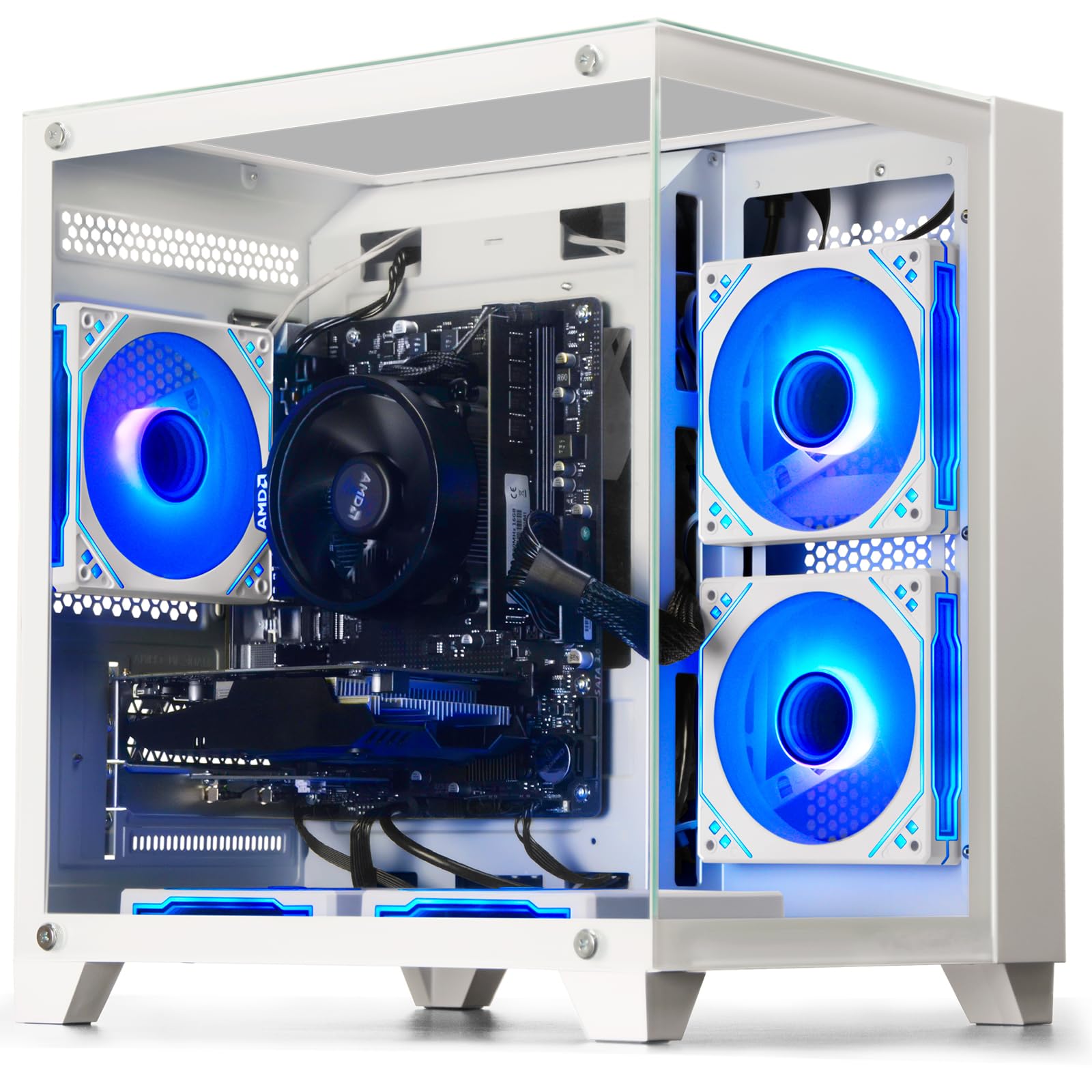
The WIWB PC is built for a college student who wants to play League of Legends or CS:GO between classes and also needs a reliable machine for homework. Its Ryzen 5 3500X processor (6 cores, up to 4.1GHz boost) is a genuinely modern chip that handles multitasking better than older Intel or Xeon alternatives.
The AMD Radeon RX 560 4GB graphics card delivers smooth performance in esports titles at high settings, though it will struggle with heavier games like Cyberpunk or Starfield. Owners mention it works great for casual gaming and that the Wi-Fi 6 connection is fast and stable. The white case stands out on a desk, and the included peripherals get you started immediately.
One standout feature is the upgrade path — the motherboard has extra RAM slots and an M.2 SSD slot, so you can add more storage or memory later without buying a whole new PC.
What stands out
- Ryzen 5 3500X is a modern 6-core processor — faster and more efficient than older Xeon or i7 chips in this price range
- Wi-Fi 6 built-in provides faster and more stable wireless internet than older Wi-Fi 5
- White case with a clean look — one of the few stylish options at this price
The trade-offs
- RX 560 4GB is an entry-level GPU — don’t expect high settings in AAA titles
- A buyer reports tech support is mail-in only from a non-US company
4. suevery Ryzen 5 Gaming Desktop

The single number that matters most here is the Ryzen 5’s maximum boost clock of 4.1GHz across 6 physical cores — that gives you genuine modern multi-core performance for gaming and productivity, unlike the older quad-core chips in cheaper builds. This combination makes it the best value pick for someone who wants good all-around speed without overspending.
The downside is the same RX 560 4GB GPU that appears in several other budget builds — it is enough for esports and older games but not for maxing out new releases. The 16GB of DDR4 3200MHz RAM (a fast memory speed) and the M.2 PCIe NVMe SSD mean the PC feels snappy during everyday use and when loading games.
Customers note it is smaller than expected, runs quietly, and handles tasks like Unity game development without issues. For the price, you get a balanced system that leans more on CPU performance than the GPU-heavy NOVATECH, but it is a fine middle ground for a casual gamer who also edits photos or codes.
The upsides
- Ryzen 5 processor with 6 cores and 4.1GHz boost — best CPU performance in this budget bracket
- Reviewers point out running games like Apex at 150+ FPS on high settings
- Customizable RGB lighting and decent cable management for a budget case
Keep in mind
- RX 560 4GB GPU is the weakest link — the bottleneck for demanding games
- Single stick of RAM limits dual-channel memory performance for some tasks
5. abytespark Core i5 Gaming PC
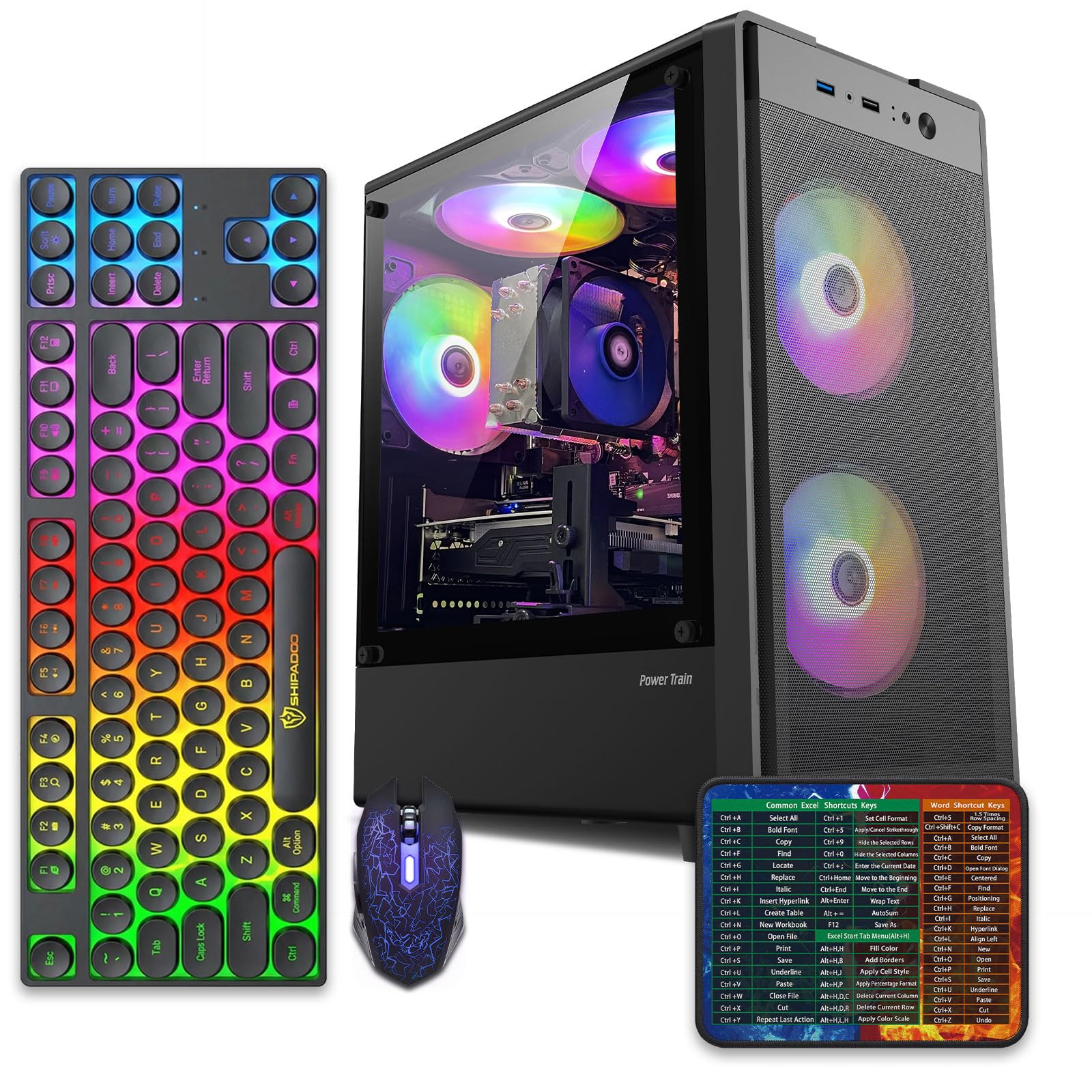
At this price, what you actually get is a PC that can run VR games like BONEWORKS according to one buyer — that is genuinely impressive for an entry-level machine. The Core i5-3470 processor (up to 3.6GHz) combined with the AMD Radeon RX 550 4GB GPU and 16GB RAM gives you a playable 1080p experience in most older and esports titles, with frame rates above 50 FPS in games like Fortnite and Overwatch.
What you give up is modern hardware — the i5-3470 is a CPU from 2012, and some shoppers say the PC lacks Bluetooth out of the box (you may need a USB adapter). The description promises Windows 11, but the hardware is technically too old to support it normally, which is a red flag for future updates. One reviewer also reported the PC auto-booting to BIOS on arrival.
This is the exact budget buy for someone who wants a cheap prebuilt gaming PC specifically for light, older games like CS:GO or Minecraft and does not plan to play the newest AAA titles. If you need something more modern, save up for the Ryzen-based options above.
Why we’d pick it
- Included peripherals (keyboard, mouse, mouse pad) plus 4 RGB fans keep the setup cost low
- One buyer confirmed it runs BONEWORKS VR, showing surprising capability for the price
- 512GB SSD and 16GB RAM are good specs for smooth everyday use
A few caveats
- CPU is from 2012 — no official Windows 11 support and limited performance in modern games
- Several buyers report issues with product misrepresentation and missing Bluetooth
6. Kroteaup Core i5 Gaming PC
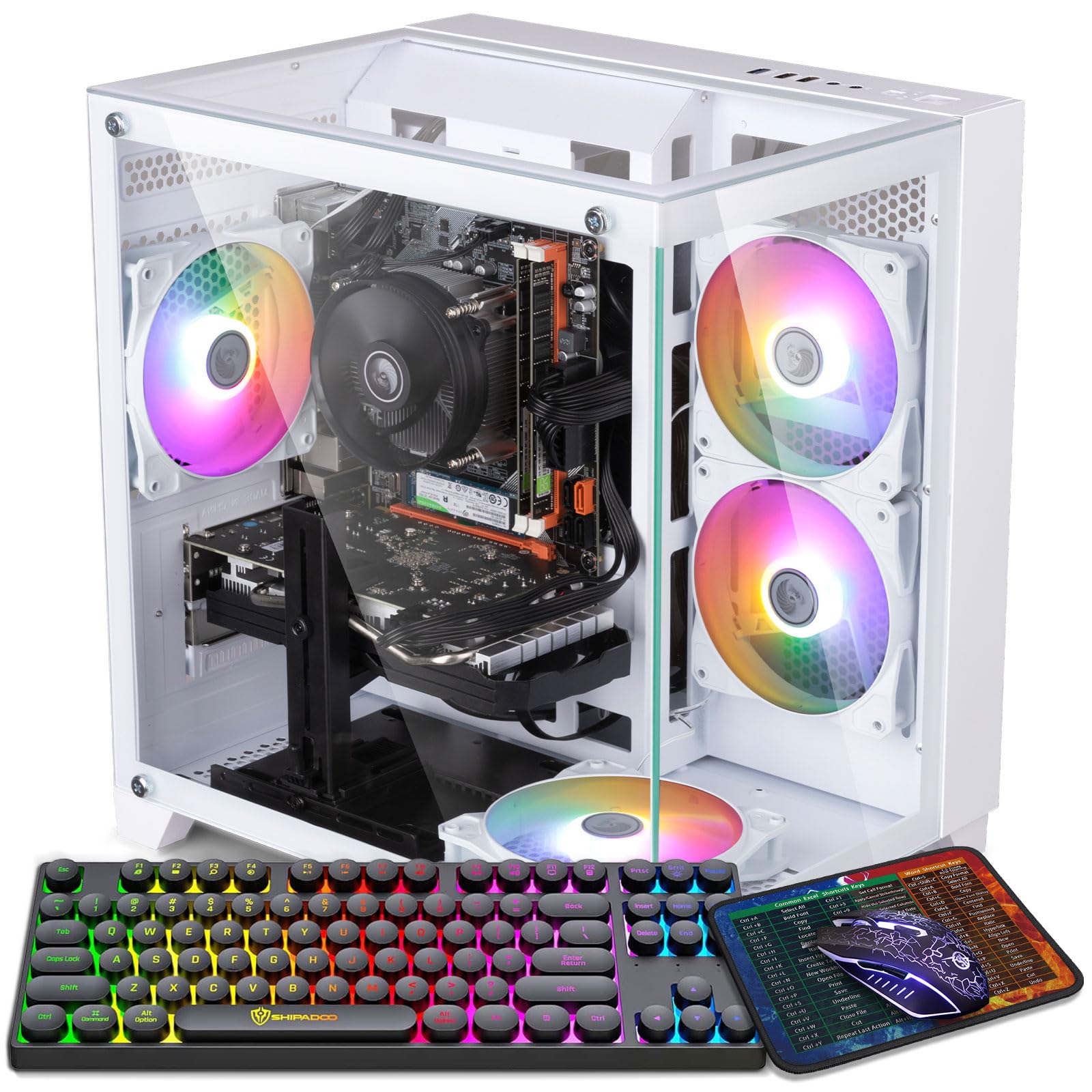
This Kroteaup system is perfect for a family that wants a single PC for streaming Netflix, doing homework, and playing light games like Minecraft or Roblox with the kids. It uses the same Core i5-3470 CPU from 2012 as the abytespark, but pairs it with a slightly better GPU — the Radeon RX 560 4GB — which gives you a bit more headroom for gaming at 1080p.
The 16GB DDR3 RAM and 512GB NVMe SSD handle multitasking well, and the RGB cooling fan keeps the system quiet during use. One buyer called it “great for all my son’s gaming needs” and noted it runs quickly and stays cool. The PC supports 4K output (3840×2160) via its HDMI port, so you can connect it to a modern TV for media streaming.
An honest weakness is the older DDR3 memory — it is slower than the DDR4 found in the Ryzen builds and limits the system’s overall speed. If you just need a reliable, quiet desktop for light gaming and entertainment, this is a solid, cost-effective choice that won’t break the bank.
Strong points
- Quiet operation and low heat output make it good for a living room or shared space
- Supports 4K resolution output for streaming on a modern TV
- Owners mention it works great for kids’ gaming and daily tasks right out of the box
Before you buy
- DDR3 RAM is a generation behind and slower than DDR4 in other budget picks
- Some units arrived with the GPU loose or the PC auto-booting to BIOS
7. STGAubron Core i5 Gaming PC

This STGAubron model sits between the Kroteaup and the abytespark on value, offering a Core i5 processor that boosts up to 3.7GHz with 16GB of RAM and a 512GB SSD for entry-level gaming. It promises 60+ FPS in over a dozen popular titles including Fortnite, GTA V, and Apex Legends, which is accurate for medium-to-low settings at 1080p.
Buyers have mixed experiences — one reviewer called it a “good budget PC” for small games with fast downloads, while another reported that the system failed after about two years due to cheap generic parts including a poor power supply. That is a common story with these ultra-budget machines: they work fine initially but may not last long-term. Another buyer praised the customer service after receiving a replacement for a faulty unit.
If you only need a cheap prebuilt gaming PC to play Fortnite and Roblox for the next year or two and you are comfortable with the risk of early failure, the one clear reason to choose this STGAubron is its lower upfront cost compared to more reliable alternatives.
What we like
- Claims 60+ FPS in over 15 popular games including God of War and Minecraft
- Comes with Wi-Fi 6 and Bluetooth 5.0 for modern wireless connectivity
- Some customers note good customer service with replacements for defective units
The downsides
- Some units failed after 2 years due to cheap power supplies and cooling, per buyer reports
- Older Core i5 and outdated RX 550/560 architecture limit upgrade potential
8. STGAubron Xeon i7 Gaming PC
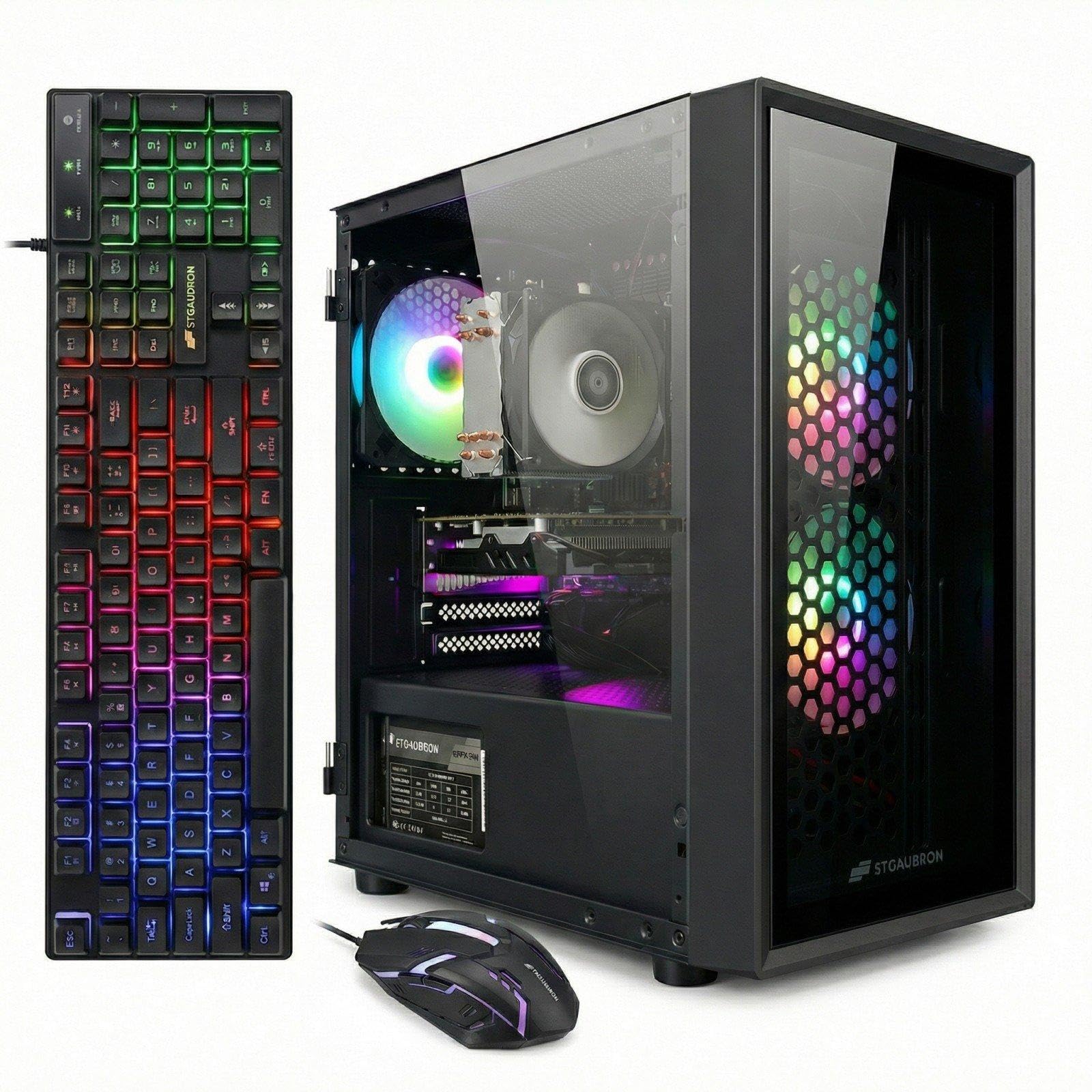
Its 12MB CPU cache is the largest in this guide, making this STGAubron Xeon i7 Gaming PC the top pick for players whose library is built on older MMOs and indie titles rather than modern AAA games.
Compared to the Dell RGB tower (which uses the more modern GTX 1050 Ti), this STGAubron Xeon system falls short on GPU performance — the Radeon RX 550 is a 2% gap behind the RX 560 in many cases, and significantly weaker than the GTX 1050 Ti. Where it loses on GPU, it tries to make up with a larger 12MB CPU cache, but that Xeon E5 chip is a server processor that lacks single-core speed for gaming.
Reviewers point out that this PC runs World of Warcraft flawlessly at 60-100 FPS, which confirms it is fine for older MMOs and indie games. The system includes Wi-Fi 6, Bluetooth 5.0, an RGB mouse pad, and a keyboard. One reviewer noted it shipped well and was easy to set up for WoW. If your game collection is mostly classics like WoW, League of Legends, or Terraria and you want a cheap prebuilt gaming PC that includes a full set of RGB peripherals, this STGAubron will serve you fine.
Why it’s great
- Runs World of Warcraft at 60-100 FPS, per verified buyer reports
- Comes with Wi-Fi 6, Bluetooth 5.0, and an RGB mouse pad included in the box
- Larger 12MB cache helps with specific server-side workloads
Good to know
- RX 550 is the weakest GPU in this roundup — far behind the RX 560 and GTX 1050 Ti
- Some shoppers say freezing on boot and unreliable performance due to outdated components
9. Dell RGB Gaming Tower Computer

The Dell RGB Gaming Tower trades the top pick’s newer-generation CPU for a 6th-gen Intel Core i7-6700 (3.4GHz) paired with a GTX 1050 Ti 4GB, where the top pick uses a Xeon or a 2012-era i5; verified buyers report 120+ FPS in Overwatch 2 and Valorant on low settings, and 60+ FPS in The Witcher 3 on high.
The system includes 16GB DDR4 RAM, a 512GB SSD, built-in Wi-Fi, and a full RGB set including keyboard, mouse, and speakers. One buyer mentioned the PC works great after fixing a beeping issue by reseating the GPU in the BIOS — a minor hiccup common with refurbished systems. The Dell OptiPlex form factor means this is built on a business-grade chassis, which is usually more reliable than generic cases.
This is the budget option that actually feels like a real gaming PC rather than a hacked-together office machine. It won’t run the newest games at ultra settings, but for the price it delivers the best price-to-performance ratio among the budget-tier options in this guide. Choose this over the top pick if you want a modern entry-level CPU and a dedicated GTX 1050 Ti 4GB that can handle esports and older AAA titles without the compromises of a Xeon or older i5.
Where it shines
- 6th-gen Core i7 (i7-6700) is the most modern CPU in the budget-tier picks here
- 120+ FPS in Overwatch 2 and Valorant on low, 60+ FPS in Witcher 3 on high, per verified reviews
- Includes RGB keyboard, mouse, speakers, and built-in Wi-Fi — a complete starter setup
Worth noting
- Some units may need a simple BIOS fix to recognize the GPU properly on first boot
- One owner reported the unit shipped with a reused Windows 10 license, not true Windows 11
Understanding the Specs
Graphics Card (GPU)
The graphics card is the most important part of a gaming PC. It renders the images you see on screen. A dedicated GPU (a separate card, not built into the CPU) is essential for gaming. For budget builds, the AMD Radeon RX 560 4GB or NVIDIA GeForce GTX 1050 Ti 4GB are the minimum you want for 1080p gaming. More VRAM (video memory) lets you use higher texture settings without stuttering.
Processor (CPU)
The CPU handles game logic, AI, and physics. For gaming, single-core speed matters more than having many cores. A modern chip like the AMD Ryzen 5 3500X (6 cores, 4.1GHz boost) outperforms older quad-core server Xeons in most games. Look for at least 4 cores with a clock speed above 3.5GHz for a decent experience.
Memory (RAM)
RAM holds data your PC needs to access quickly. 16GB is the new standard for gaming — 8GB will cause stuttering in modern titles. DDR4 is faster and more power-efficient than the older DDR3 found in some budget builds. Faster RAM speeds (like 3200MHz) can improve minimum frame rates in CPU-heavy games.
Storage (SSD vs HDD)
An SSD (Solid State Drive) loads games and Windows in seconds, while an old HDD (Hard Disk Drive) takes minutes. A 512GB NVMe M.2 SSD is the fastest common option and gives you enough space for Windows, a few large games, and all your apps. Avoid any PC that still uses a mechanical hard drive as its primary drive.
FAQ
Can a cheap prebuilt gaming PC run modern AAA games like Cyberpunk 2077?
Is a Xeon CPU good for gaming in a budget PC?
Should I buy a cheap prebuilt gaming PC or save up for a better one?
Final Thoughts: The Verdict
If you want one dependable pick, the cheap prebuilt gaming pc winner is the NOVATECH Phantom 2.0 because its RX 580 8GB GPU provides the best gaming performance in this budget range for modern titles. If you want a newer CPU and a stylish case for school or work, grab the WIWB Ryzen 5 PC. And for the best value on esports gaming with a complete RGB setup, the standout is the Dell RGB Gaming Tower.

Mo Maruf
I created WellFizz to bridge the gap between vague wellness advice and actionable solutions. My mission is simple: to decode the research and give you practical tools you can actually use.
Beyond the data, I am a passionate traveler. I believe that stepping away from the screen to explore new environments is essential for mental clarity and physical vitality.