Our readers keep the lights on and my smoothie glass nicely filled. As an Amazon Associate, I earn from qualifying purchases.
Specs are compiled from manufacturer listings and verified buyer reviews and can change over time — please confirm the key details on the product page before buying.
Finding a cheap mouse usually means bracing for a flimsy scroll wheel, a sensor that skips, or a battery that dies mid-task.
I’m Mohammad Maruf — the founder and writer behind WellFizz. This guide is built by comparing the manufacturers’ published specifications and the patterns across verified customer reviews, so you get each pick’s real strengths and trade-offs instead of marketing spin.
The seven models below span wired and wireless, ergonomic and gaming, all under real-world scrutiny — letting you pick the right cheap mouse without wasting cash on one that feels like a terrible purchase by lunchtime.
Our Picks at a Glance


How To Choose The Best Cheap Mouse
A cheap mouse can still feel fantastic if you prioritize the right specs. The biggest mistake is getting dazzled by a low price and ignoring how the mouse actually connects, tracks, and fits your hand for hours each day.
Wired vs. Wireless vs. Bluetooth
Wired mice (like the Logitech G203) give you zero input lag and no batteries to manage, but cable drag can be annoying on a cramped desk. USB dongle wireless mice (the Amazon Basics or Acer) offer plug-and-play freedom with a stable 2.4GHz connection, but you need a free USB-A port. Bluetooth mice (WL300 and UGREEN) let you skip the dongle and switch between devices like a laptop and tablet, though they drain batteries slightly faster and can wake up with a small delay.
DPI and Sensor Accuracy
DPI (dots per inch) measures how far the cursor moves per inch of physical mouse travel. A 800 DPI setting feels slow and precise for detail work, while 4000 DPI zips across a big monitor with a tiny wrist flick. A cheap mouse with at least three DPI levels (800–1600–2400) gives you flexibility for both browsing and editing.
Size, Grip, and Button Layout
Your hand size and grip style (palm vs. claw vs. fingertip) dictate comfort more than any other spec. A 4.9-inch length suits most medium-to-large hands, while a vertical mouse like the UGREEN shifts your wrist into a handshake position, reducing fatigue. Side buttons for forward/back navigation are a huge convenience boost — look for at least two extra buttons if you browse many web pages or files.
Quick Comparison
| Model | Best For | Connection | DPI Range | Buttons | Amazon |
|---|---|---|---|---|---|
| Amazon Basics Wireless Mouse★ Best Overall | Basic budget reliability | 2.4GHz USB | — | 3 | Amazon |
| Logitech G203Also Great | Entry-level gaming & precision | Wired USB | 8,000 | 6 | Amazon |
| INFINMIND Wireless Side Scroll | Multi-device productivity | 2.4G + BT | 1,000 – 3,000 | 7 | Amazon |
| WL300 Bluetooth Mouse | Silent office work | Bluetooth 5.0 | 800 – 1,600 | 6 | Amazon |
| UGREEN Vertical Mouse | Ergonomic wrist relief | BT 5.4 + 2.4G | 1,000 – 4,000 | 6 | Amazon |
| Razer DeathAdder Essential | Casual gaming & durability | Wired USB | 6,400 | 5 | Amazon |
| acer Wireless Mouse | Large hands & adjustable DPI | 2.4GHz USB | 800 – 4,000 | 6 | Amazon |
In-Depth Reviews
1. Amazon Basics 2.4 GHz Wireless Optical Mouse
The lowest-cost wireless mouse you can buy that actually works — no fuss, no frills, just a cursor that moves.
This is the definition of no-nonsense: 3 buttons (left, right, scroll wheel click), a 2.4GHz wireless connection, and an ambidextrous shape that works equally well for left- or right-handed users. It is the most basic option here — far fewer buttons than the INFINMIND’s 7 (a 2.3x gap) and no DPI adjustment — but for someone who just needs a functional wireless mouse for a secondary computer or a child’s first setup, this does the job without a single extra feature to confuse or break.
The nano-receiver stores inside the mouse when not in use, so you will not lose it in a bag. Batteries are included, which is rare at this price. More than 69,300 ratings averaging 4.5 stars suggest that for pure basic reliability, this simple design has satisfied a huge number of buyers. Just be aware that compatibility only goes up to Windows 10 (the data lists Windows 2000 through 10), so newer Windows 11 systems might need a check first.
The good
- Works with both hands — truly ambidextrous
- Batteries included, so it is ready to use from the start
- Nano-receiver stores inside the mouse for travel
The limits
- Only 3 buttons — no forward/back navigation or DPI control
- Listed compatible up to Windows 10 — verify before using on Windows 11
Reach for this if: you need the absolute lowest-cost wireless mouse that still tracks reliably, for a spare machine or a young user.
Hold back if: you need side buttons, DPI flexibility, or Bluetooth multi-device pairing — the extra few dollars for the acer or WL300 go a long way.
2. Logitech G203 Wired Gaming Mouse
Gaming-grade precision without the gaming price tag — this is the cheapest way to get a truly great sensor.
You get an 8,000 DPI optical sensor with zero filtering and smoothing, meaning the cursor tracks exactly what your hand does with no artificial lag or acceleration. That is a spec you normally see on mice costing twice as much, and it makes a real difference whether you are editing a photo or lining up a headshot in a game.
Six programmable buttons let you assign keyboard shortcuts or complex macros through the Logitech G HUB software, and the mechanical primary switches use metal tension springs for crisp, reliable clicks that feel far more expensive than the price suggests. Buyers report the LIGHTSYNC RGB lighting can sync with other Logitech gear or react to screen colors, adding a bit of fun without inflating the cost.
Why it stands out
- 8,000 DPI sensor with no smoothing — accurate and responsive
- Metal-spring mechanical switches for a satisfying click
- Customizable RGB lighting via Logitech G HUB
The trade-offs
- Wired connection means cable management is part of the deal
- Right-hand-only design — lefties may find it uncomfortable
Reach for this if: you want the most precise sensor available at this price and don’t mind a USB cable tethering you to your laptop or PC.
Look elsewhere if: you need wireless freedom or a completely silent click for a shared office environment.
3. INFINMIND Wireless Side Scroll Mouse
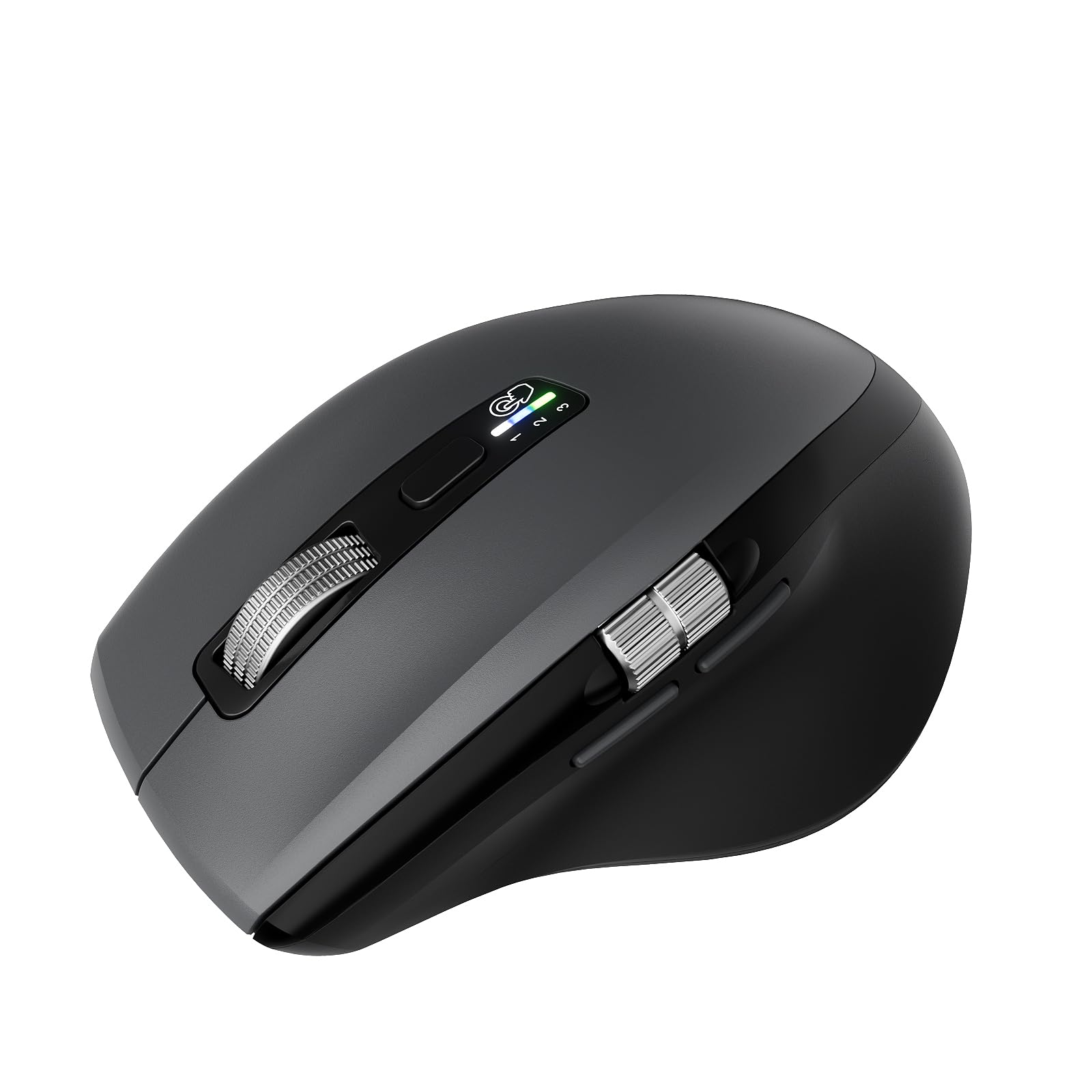
A single mouse that connects to three devices and survives years between battery swaps.
It connects to three devices (one via the 2.4G USB dongle and two via Bluetooth), and you switch between them with one button click, which is a huge time-saver if you work across a laptop, a desktop, and a tablet.
Battery life is the standout here: the data claims a single AA battery lasts up to 20 months, and with two batteries installed you get up to 40 months. That is a massive gap over the UGREEN’s 12-month rating — a 3.3x advantage. The Smart Flying Scroll feature also adapts scrolling speed without needing to toggle between Windows and Mac modes manually, a small convenience that adds up over a workday.
Strengths
- 7 buttons with dedicated side-scroll wheel
- Connect to 3 devices and switch instantly
- Up to 40-month battery life with two AA batteries
Considerations
- Heavier than the acer at 150 grams versus 85 grams
- Right-hand sculpted shape — ambidextrous users may prefer a symmetrical mouse
Best for: anyone juggling multiple computers who hates constantly re-pairing or unplugging dongles — the multi-device switching is its killer feature.
One real caution: the added weight and right-handed ergonomics may not suit small hands or left-handed users.
4. WL300 Bluetooth Mouse Silent Wireless Mice
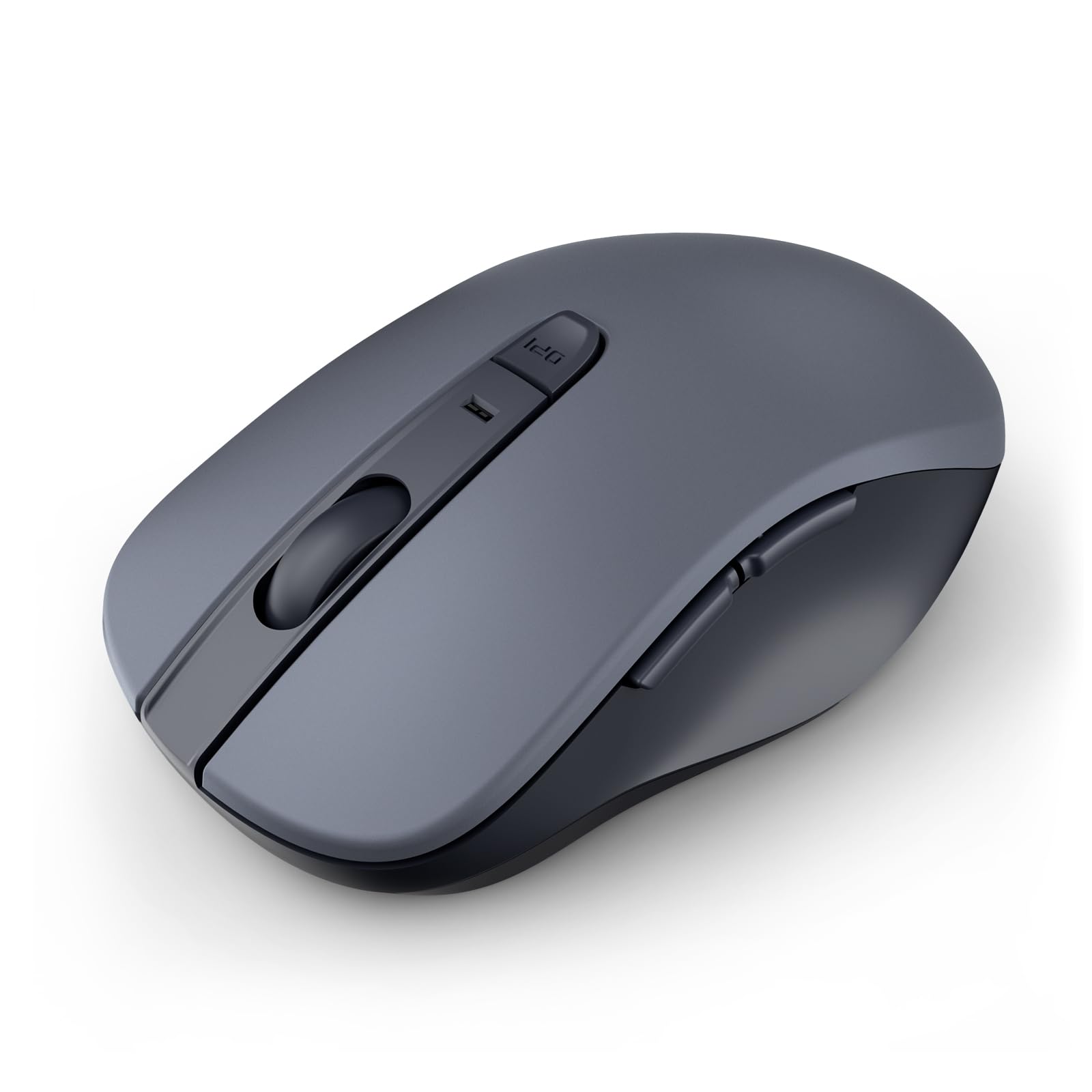
Near-silent clicks and a 24-month battery make this the low-noise champion for shared workspaces.
This is the mouse you want in a library, a cubicle, or a late-night study session. The left, right, and scroll wheel buttons are designed to be quiet, so you do not annoy anyone nearby. It connects via Bluetooth 5.0 with Microsoft Swift Pair for quick setup, and the 6 buttons include forward/back navigation (though the WL300 data notes these extra buttons are not recognized on Mac).
The sculpted grip molds to your hand’s natural contours, and the battery promises up to 24 months on a single AA battery — a middle ground between the INFINMIND’s 40 months and the UGREEN’s 12 months. After 30 seconds of inactivity the mouse enters sleep mode, then wakes when you move it, conserving power without a noticeable delay. Reviewers confirm the scroll wheel remains smooth even on varied surfaces like wood, fabric, and resin.
What works well
- Silent clicks and scroll for quiet environments
- 24-month battery life on one AA battery
- Bluetooth 5.0 with Swift Pair for easy setup
What to watch
- Max DPI is 1,600 — lower than the 4,000 offered by the acer or UGREEN
- Forward/back buttons do not function on macOS
Go for this if: you need a genuinely quiet click that won’t disturb a shared office or late-night roommates, and you prefer dongle-free Bluetooth pairing.
skip it if: you need high DPI for gaming or you are a Mac user who relies on side navigation buttons.
5. UGREEN Vertical Mouse, Wireless Bluetooth Ergonomic Mouse
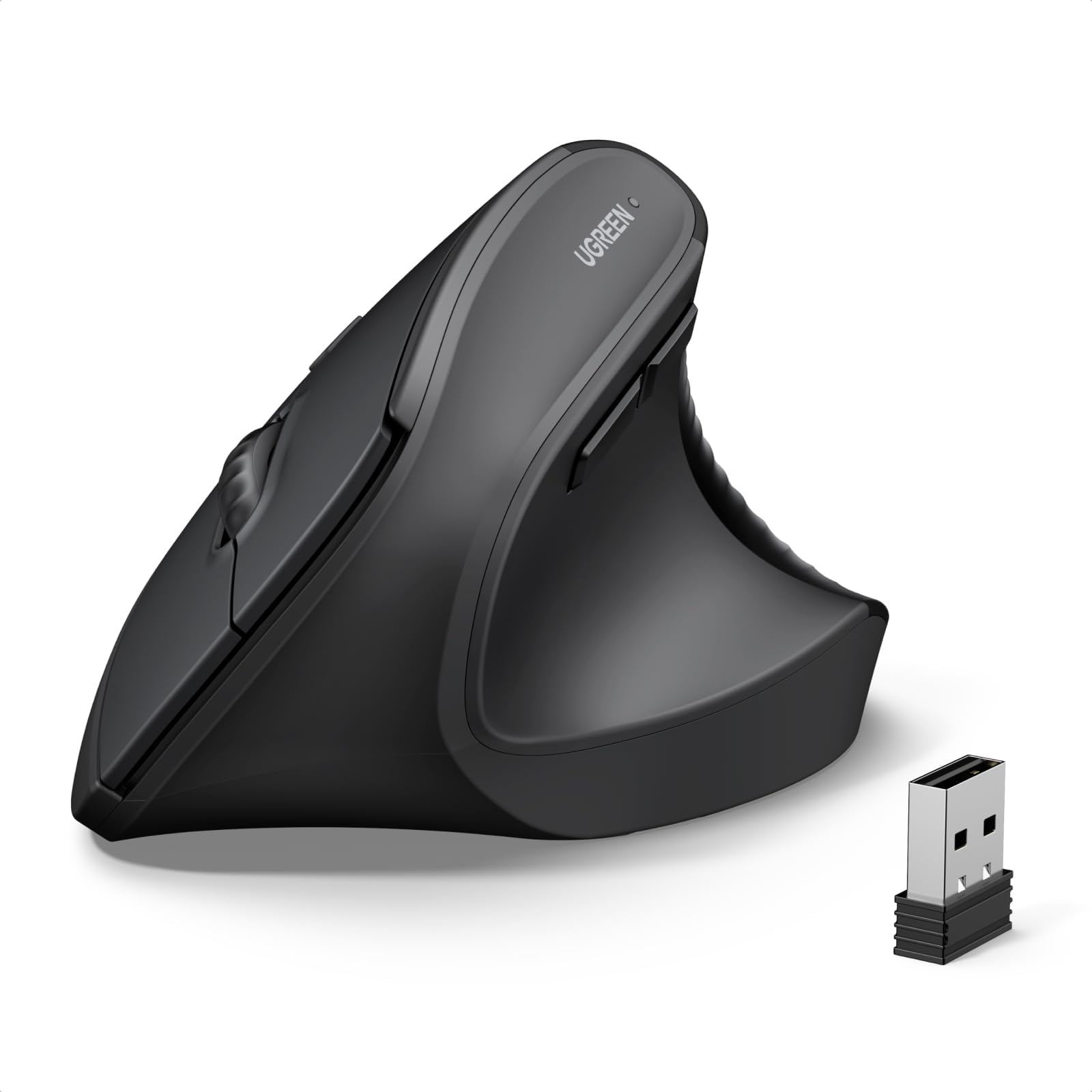
A vertical handshake grip that reduces wrist strain — especially for larger hands and long work sessions.
Unlike a flat mouse that forces your forearm to twist, the UGREEN positions your hand in a natural handshake angle. This reduces rotation in the wrist and can ease discomfort during long hours of scrolling. At 170 grams, it is double the weight of the acer (85 grams), so it feels substantial in the hand but may tire out smaller hands faster.
You get dual-mode connectivity (Bluetooth 5.4 and 2.4G wireless) with a 10-meter range, and you can switch between up to three paired devices. The data specifies 4 adjustable DPI levels at 1000, 1600, 2000, and 4000 — a wider top-end than the WL300, giving you more control for fast cursor movement across larger screens. The 12-month battery life from one AA battery is shorter than the INFINMIND’s 40 months, but the UGREEN includes Teflon (PTFE) glide feet for smooth, quiet tracking on any desk surface.
What it does well
- Vertical design reduces wrist rotation and muscle strain
- Dual-mode wireless (BT 5.4 & 2.4G) with 3-device switching
- PTFE glide feet for low-friction movement
What to note
- At 170 grams, it is roughly twice as heavy as the acer wireless mouse
- Not ideal for small hands or left-handed users
Best suited for: anyone starting to feel wrist fatigue from a standard flat mouse — the vertical angle is a genuine ergonomic upgrade.
A note on fit: it is definitely on the larger and heavier side, so smaller hands may find it cumbersome for quick, daily use.
6. Razer DeathAdder Essential Gaming Mouse

A trusted classic that brings durable mechanical switches and a high-precision 6,400 DPI sensor to the budget tier.
The DeathAdder Essential is a stripped-down version of Razer’s iconic shape, keeping the ergonomic right-handed body and rubber side grips that have made the series a staple. Its 6,400 DPI optical sensor allows on-the-fly sensitivity adjustments through dedicated DPI buttons — so you can slow down for precise aiming and speed up for menu navigation without opening any software.
The mechanical switches are rated for up to 10 million clicks, backed by a 2-year warranty, and the ridged, rubberized scroll wheel gives extra tactile grip during fast-paced scrolling. With 5 programmable buttons through Razer Synapse, you can remap controls or assign macros. Reviewers consistently mention the shape feels natural after long sessions, though the wired connection and lack of RGB lighting (compared to the Logitech G203) keep the price low.
Why people love it
- 6,400 DPI sensor with on-the-fly sensitivity adjustment
- Mechanical switches rated for 10 million clicks
- Iconic ergonomic shape with rubber side grips
What it lacks
- No RGB lighting or customizable aesthetics
- Wired only — no wireless option if you prefer a clean desk
Ideal for: budget-conscious gamers who want a proven, durable shape and a sensor that punches well above its price class.
Consider skipping if: you require wireless freedom or want flashy RGB lighting — the G203 offers more flair at a similar cost.
7. acer Wireless Mouse for Laptop
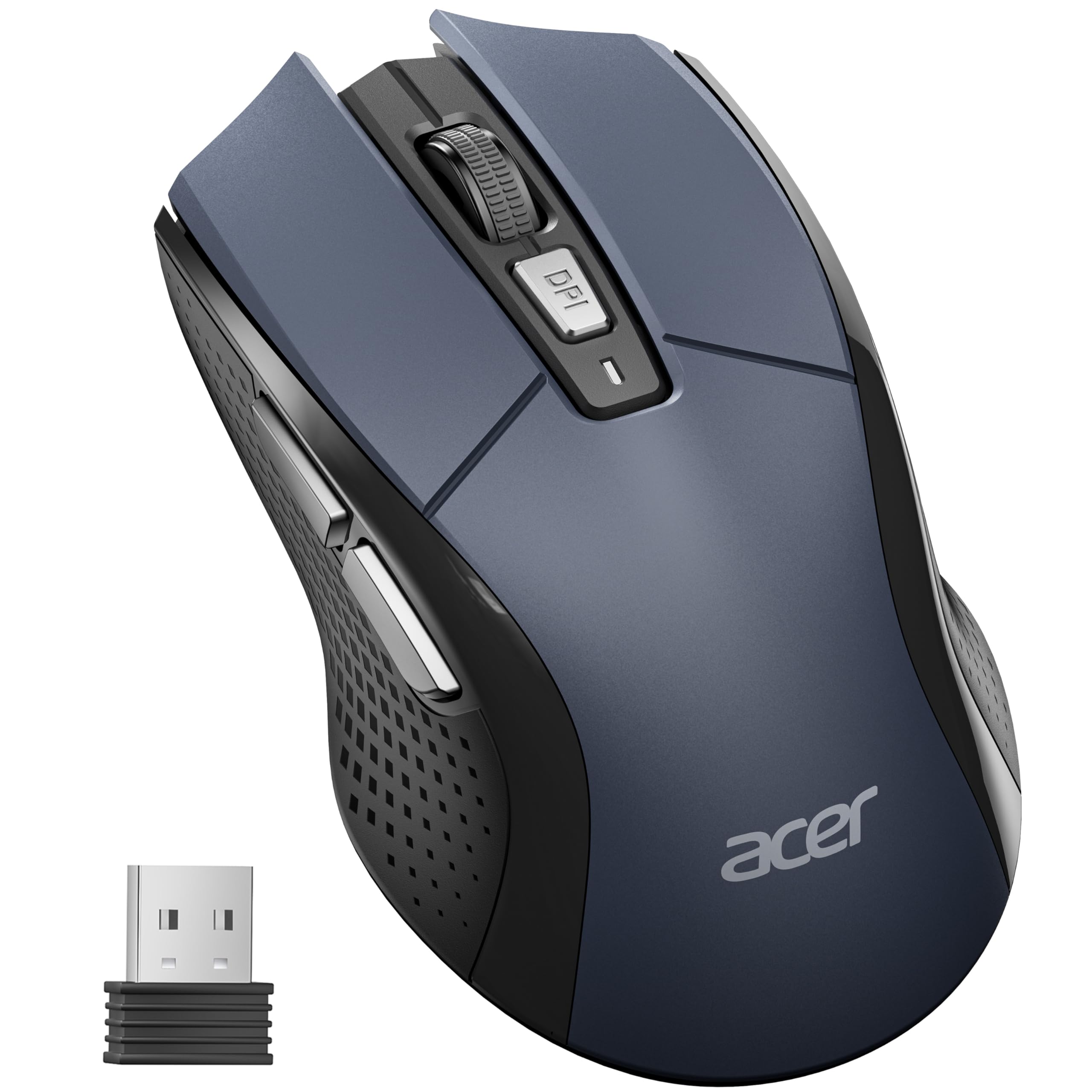
A lightweight, full-featured wireless mouse for medium-to-large hands with a generous 4,000 DPI ceiling.
At just 85 grams, the acer is half the weight of the UGREEN — making it a strong candidate for tossing in a backpack or using on the go without feeling a drag. It is designed specifically for medium to large hands, and the data confirms a length of 4.9 inches and width of 2.7 inches, which gives your palm a full resting surface rather than a cramped pinch grip.
You get 5 adjustable DPI levels (800, 1200, 2400, 3200, and 4000), and the visual indicator light flashes a specific number of times to show which mode you are in — helpful when switching between detailed design work and fast browsing. The 6 buttons include forward and backward navigation for efficient web browsing, and the “Click to Wake” feature puts the mouse into standby after 10 minutes of inactivity, then wakes with 2–3 clicks. One thing a buyer should note: the AA battery is not included, so plan for that.
What works
- Lightweight at 85 grams — easy to carry
- 5 DPI levels up to 4,000 for flexible sensitivity
- Visual indicator for current DPI setting
What to know
- AA battery not included in the box
- Requires a USB-A port — no Bluetooth option
Good for: laptop users who want a lightweight wireless mouse with plenty of DPI range and a comfortable size for bigger hands.
Downside to consider: you will need to buy your own battery, and there is no Bluetooth if your device lacks a free USB port.
Understanding the Specs
DPI: Sensitivity and Speed
DPI (dots per inch) is the number of pixels your cursor moves across the screen for every inch you physically move the mouse. A low setting like 800 DPI feels slow and deliberate, good for precise photo editing or selecting small cells in a spreadsheet. A high setting like 4,000 DPI lets you zip across a large monitor with just a small flick of the wrist, useful for fast-paced gaming or multitasking on multiple screens. Most cheap mice with adjustable DPI let you cycle through 3–5 preset levels, so you can switch between tasks without opening software.
Wireless Technology: Dongle vs. Bluetooth
A 2.4GHz wireless mouse uses a tiny USB dongle to communicate with your computer, providing a stable, low-latency link that works the instant you plug it in — you never have to pair or re-pair. Bluetooth mice skip the dongle entirely, saving your USB port and letting you easily switch between devices like a laptop and tablet. The trade-off: Bluetooth can introduce a slight wake-up delay (a second or two after inactivity) and the connection range is typically shorter than 2.4GHz.
FAQ
Will a cheap wireless mouse work with a Chromebook or iPad?
How long does a cheap wireless mouse battery usually last?
Is a cheap gaming mouse ok for regular office work?
What does a vertical mouse actually fix?
Can I use a 2.4GHz wireless mouse with a MacBook?
Why does the acer mouse not include batteries?
How many buttons do I actually need for daily use?
Are silent click mice quieter than normal mice for video calls?
Will the Logitech G203 work on a Mac?
Is a cheaper mouse always less durable?
Final Thoughts: The Verdict
For most people, the cheap mouse winner is the Logitech G203 because it delivers the highest sensor accuracy, durable metal-spring switches, and customizable RGB lighting at a price that undercuts most basic office mice. If you want wireless multi-device convenience, grab the INFINMIND Wireless Side Scroll Mouse with its unbeatable 40-month battery and side-scroll wheel. And for a near-silent office companion, the WL300 Bluetooth Mouse offers the quietest clicks plus Bluetooth convenience.
How We Picked
We do not accept paid placement. Every pick is matched to a real buyer and a real use-case; we do not hands-on test units.
Sources & Methodology
Specifications: manufacturer listings and product documentation. Review insights: verified customer reviews, as of July 2026. Pricing: not shown on this page (it changes often); check the current price via the retailer link.
As an Amazon Associate, WellFizz earns from qualifying purchases. This does not affect which products we feature.
Related Guides

Mo Maruf
I created WellFizz to bridge the gap between vague wellness advice and actionable solutions. My mission is simple: to decode the research and give you practical tools you can actually use.
Beyond the data, I am a passionate traveler. I believe that stepping away from the screen to explore new environments is essential for mental clarity and physical vitality.