Our readers keep the lights on and my smoothie glass nicely filled. As an Amazon Associate, I earn from qualifying purchases.
Specs are compiled from manufacturer listings and verified buyer reviews and can change over time — please confirm the key details on the product page before buying.
When you are hunting for a gaming mouse under forty bucks, the worry is you are giving up something critical — sensor precision, build quality, or responsive wireless connectivity. The good news is that the gap between budget and premium has never been smaller, and there are several genuine gaming-grade picks that would have cost twice as much five years ago.
I’m Mohammad Maruf — the founder and writer behind WellFizz. This guide is built by comparing the manufacturers’ published specifications and the patterns across verified customer reviews, so you get each pick’s real strengths and trade-offs instead of marketing spin.
The goal here is to find a cheap mouse for gaming that does not make you compromise on the things that actually win rounds — sensor accuracy, consistent polling, and a comfortable shape for those long sessions
Our Picks at a Glance

How To Choose The Best Cheap Mouse For Gaming
A cheap price tag does not mean you are stuck with a bad sensor or a rattly build. Here is what separates a true budget gaming mouse from a generic office mouse that happens to have RGB lights.
Sensor and DPI
The sensor is the heart of a gaming mouse. A cheap gaming mouse today can pack an optical sensor with 8,000 DPI or higher, which is more than enough sensitivity for 1080p and even 1440p monitors. What matters more is that the sensor tracks without skipping or jittering — look for models that advertise a dedicated gaming-grade sensor like the PAW3311 or HERO rather than vague “high precision” claims.
Wireless vs Wired on a Budget
Budget wireless gaming mice are now genuinely competitive with wired ones because of how far 2.4 GHz wireless technology has come. A true 2.4 GHz connection with a nano dongle gives you sub-millisecond latency, which is indistinguishable from a wire during gameplay. Bluetooth is fine for desktop work but introduces too much input lag for competitive shooters — so if you plan to game wirelessly, prioritize a mouse with a dedicated dongle.
Weight and Build
The mouse weight spectrum under forty dollars runs from an absurdly light 43 grams all the way up to 99 grams. A lighter mouse (under 70g) makes flick shots and rapid movement feel easy, but it can also feel a bit cheap in the hand if you are coming from a heavier mouse. A mid-weight mouse around 85-99g is more forgiving for palm grip users and usually carries a more solid-feeling shell.
Quick Comparison
| Model | Best For | Weight | DPI | Connection | Amazon |
|---|---|---|---|---|---|
| Redragon M725★ Best Overall | Airy honeycomb design | 49g | 8,000 DPI | Tri-Mode BT5.1/2.4G/USB-C | Amazon |
| Logitech G502 HeroAlso Great | Customizable ergonomics | Adjustable (5 x 3.6g) | 25,600 DPI | Wired USB | Amazon |
| Razer Basilisk V3 | Feature-rich scroll wheel | — | 26,000 DPI | Wired USB | Amazon |
| Logitech G305 Lightspeed | Extreme battery life | 99g | 12,000 DPI | 2.4 GHz Wireless | Amazon |
| RK ROYAL KLUDGE RK M30 | Ultra-lightweight speed | 43g | 24,000 DPI | Tri-Mode 2.4G/BT/USB-C | Amazon |
| Redragon M814 | Triple-click rapid fire | — | 8,000 DPI | Tri-Mode 2.4G/BT/USB-C | Amazon |
| Aula SC620 | Customizable macro fire button | 67g | 12,000 DPI | Tri-Mode 2.4G/BT5.3/USB-C | Amazon |
In‑Depth Reviews
1. Redragon M725 Honeycomb
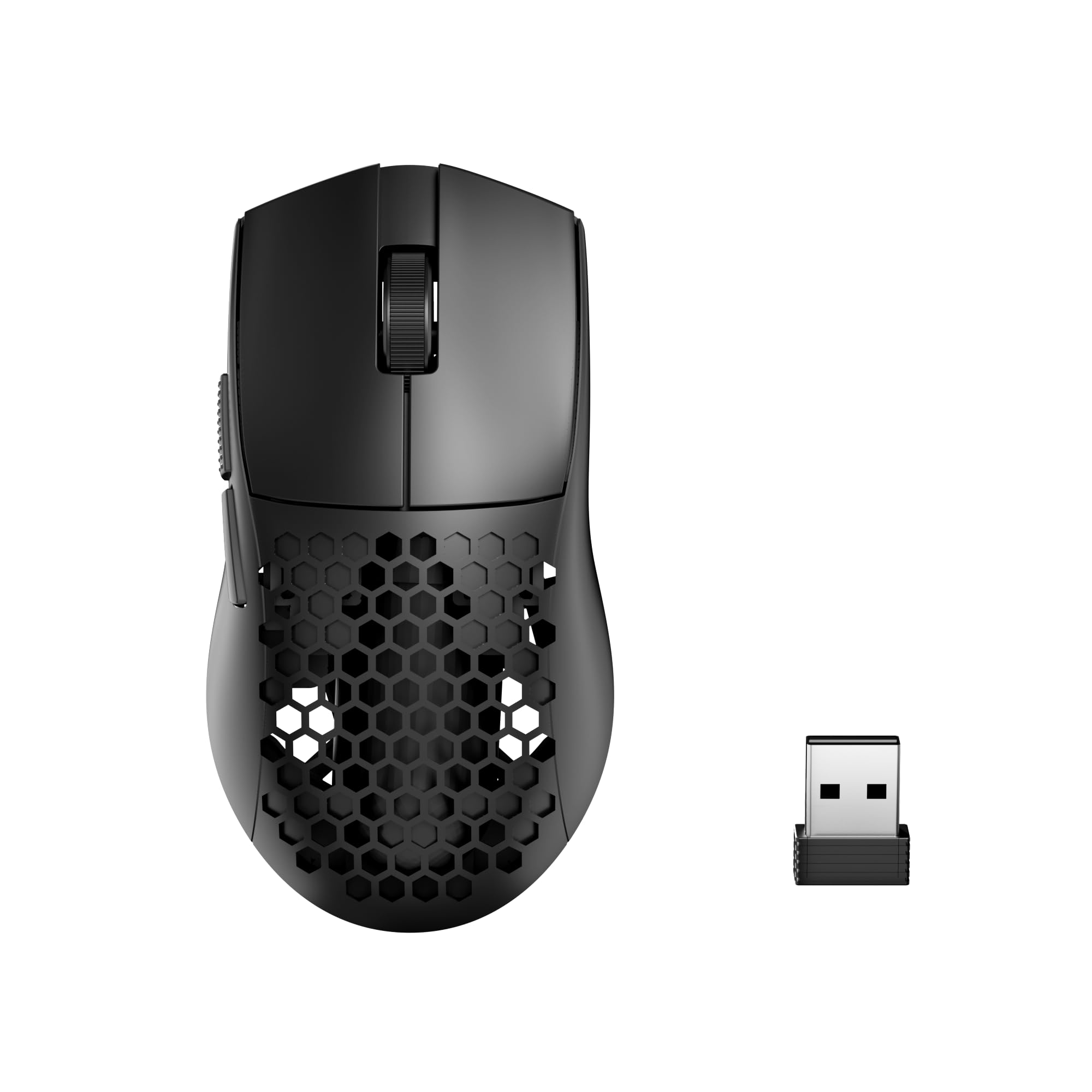
The honeycomb ultralight that somehow squeezes tri-mode wireless, a solid build, and a welcoming price into one shell.
At 49g, the M725 is barely heavier than the 43g RK M30 but comes with a honeycomb shell that helps with airflow and keeps the weight down. The 8,000 DPI sensor is paired with an 8000 DPI limit — a 3.0x gap compared to the RK M30’s 24000 DPI, but still plenty for high-sens gamers who do not need extreme precision. It offers 5 adjustable DPI levels that default to 400/800/1600/2400/4000 DPI.
The tri-mode connection (BT5.1, 2.4GHz, USB-C) works well within 10 meters, and buyers report that the mouse is “responsive, quiet” with “good build quality” that survives drops. The symmetrical shape works for both right- and left-handed use (though the side buttons are on the left only). The 5-button layout is simpler than the competition, but the software lets you assign macros and remap everything.
The material does reflect the price — the plastic shell is not premium-feeling, but it does not hold back performance. Owners mention it is one of the best budget-friendly mice they have used, noting how easy the DPI adjustment is without needing to dive into software.
Lightweight simplicity: The honeycomb design keeps hands dry and weight down to 49g, while the tri-mode wireless works reliably from the start.
Reach for this if: you want a very light, well-ventilated wireless mouse at the absolute lowest price.
Consider the alternatives if: you need more than 5 programmable buttons or want a higher DPI ceiling than 8,000.
2. Logitech G502 Hero
The wired legend that gives you specialist-level custom tuning without the specialist price.
The G502 Hero earns its top spot because it solves the fit problem most cheap mice ignore. You can arrange up to five 3.6g weights inside the chassis, so you are not stuck with one feel — you tune the balance and total heft to match your grip style and the game you are playing. That is a feature you usually have to spend twice as much to get.
At its core sits the HERO 25K sensor, which tracks up to 25,600 DPI with zero smoothing. The 11 programmable buttons give you enough real estate for complex macro sequences in MMOs or fast DPI shifts in shooters. The Hyper-fast scroll wheel is a handy bonus for browsing — it spools freely with one click.
The obvious catch: this is a wired mouse. If you are determined to cut the cord, the G502 Hero cannot do that. It is also heavier than the ultra-light mice in this list — which some players prefer for stability and some do not. But if you want a mouse that feels like a premium peripheral at a budget price, this is the one.
Tuning freedom that wins: The adjustable weight system (five 3.6g weights) lets you dial in the exact heft and balance, so your aim does not fight the hardware.
Reach for this if: you like a mouse with some heft, want to fine-tune its balance, and prefer a reliable wired connection to save money.
Look elsewhere if: you want a wireless setup or you are chasing the featherweight trend under 70g.
3. Razer Basilisk V3

The wired mouse that packs in 11 buttons and a free-spinning wheel while staying affordable.
The Basilisk V3 lands in a different lane from the G502 Hero — instead of weights, it offers the HyperScroll tilt wheel. That wheel flicks between a precise tactile mode and a frictionless free-spin. You can fly through long web pages or weapon wheels with one push, then snap back to notched scrolling for weapon selection.
Razer packed in a Focus+ 26K DPI optical sensor and second-gen optical switches that actuate at 0.2ms. The 11 programmable buttons include a dedicated thumb paddle, and the whole thing gets 11 independent Chroma RGB zones. The ergonomics are contoured for larger hands, and the thumb rest is deep enough to stay comfortable over many hours.
The trade-off is clear: like the G502, this is wired only. It also lacks adjustable weights, so you cannot change its overall heft. The build quality is high, but a few users found that the scroll wheel can loosen slightly over time. For wired-only fans who want a feature-rich competitor to the G502, this is the alternative to consider.
The scroll-wheel ace: HyperScroll free-spin saves real time in browsing and inventory management, while the 26K DPI sensor tracks with no smoothing.
Reach for this if: you want the most versatile scroll wheel on the market and need a comfortable ergonomic shape for a larger hand.
Think twice if: adjustable weight tuning or a wireless connection is a priority for you.
4. Logitech G305 Lightspeed

The wireless classic that runs for months on a single AA without any noticeable lag.
Logitech’s Lightspeed wireless technology set the standard for lag-free gaming on a budget, and the G305 is still the reference point. It delivers a 1ms report rate (the same as a wired connection) and the HERO sensor tracks up to 12,000 DPI with 400 IPS precision. The battery life is the headline feature: up to 250 hours of continuous gameplay on one AA battery, or up to 9 months in Endurance mode via the G Hub software.
The shell is compact and weighs 99g with the battery inside — heavier than the ultra-light entries but still nimble enough for competitive play. It has six programmable buttons and onboard memory so your settings travel with the mouse. The nano receiver stores inside the body, which makes it very portable.
The catch is that it runs on a single AA battery rather than a built-in rechargeable pack — some people prefer that because battery swaps are instant, but it adds a touch of weight up front. The shell also lacks RGB (colored lighting effects) if you want lighting effects on your desk. For a low-maintenance wireless experience with recharge intervals measured in months, this is the standard.
low-maintenance battery: 250 hours on one AA means you charge it maybe twice a year, and the Lightspeed connection feels identical to a wire.
Pick this if: you want no-compromise wireless performance without ever needing to plug a cable in to recharge.
skip it if: you want RGB lighting, a rechargeable internal battery, or a weight under 80g.
5. RK ROYAL KLUDGE RK M30

The airy 43-gram speedster that makes every flick feel easy, but asks for a short tether.
The RK M30 is absurdly light at 43g — that is 56% lighter than the Aula SC620’s 67g. If you play fast-paced shooters like Overwatch or Apex where a flick shot is half the game, that weight difference is real. It uses the PAW3311 sensor with up to 24,000 DPI (the manual notes it reaches 20,000 DPI, which is still extreme by any measure) and a 1000Hz polling rate for a 1ms response time.
Connectivity is tri-mode: 2.4GHz with a dongle, Bluetooth 5.1, and USB-C wired. The 250mAh rechargeable battery is the weak link — it lasts about 24 hours at the 1000Hz report rate or up to 36 hours at 125Hz, which means a weekly charge. The shell is plastic and some owners note it feels a little hollow, but that is the cost of shaving weight down to 43g.
What wins people over is the weight above all — 24 owners single it out as the best thing about this mouse. If you are coming from a 90g+ mouse, the M30 feels like it is not there at all. The trade-off is battery frequency and a slightly plasticky build. For pure speed on a budget, nothing in this list beats its weight class.
Featherweight champion: At 43g, the M30 is the lightest mouse here by a wide margin, making it the go-to pick for slide-cancelling flicks and low-sens players.
Reach for this if: you prioritize the lightest possible mouse for competitive shooters and are okay with weekly charging.
Look elsewhere if: you want a solid, dense feel or a battery that lasts longer than a couple of full gaming sessions.
6. Redragon M814

The tri-mode mouse with a built-in triple-click key that gives you a real edge in firefights.
Redragon’s M814 sets itself apart with a dedicated Rapid Fire key that sends three clicks for every one press from the start — an advantage in semi-auto weapons in Fortnite or Valorant. It has nine buttons total (seven programmable plus the Rapid Fire key and the left/right click), so you have plenty of room for macros and shortcuts.
It runs in tri-mode (2.4GHz, Bluetooth, USB-C) and claims up to 250 hours of battery life in 2.4G mode with the RGB off. The 8,000 DPI sensor is paired with a 1000Hz polling rate, so tracking feels responsive. The ergonomic shape suits medium to large hands and includes textured side grips.
The software is Windows-only, so Mac users cannot customize buttons or lighting. A few owners noted that the battery life drops noticeably with RGB on. But for FPS players who want that built-in rapid-fire advantage, the M814 delivers a feature you simply cannot find elsewhere at this tier.
Rapid Fire advantage: The pre-configured triple-click key gives you a real, instant edge in games that reward fast tapping — no macro setup needed.
Pick this if: you want a dedicated rapid-fire key for shooters and need tri-mode wireless connectivity.
pass on it if: you are on a Mac, as the customization software does not support macOS.
7. Aula SC620
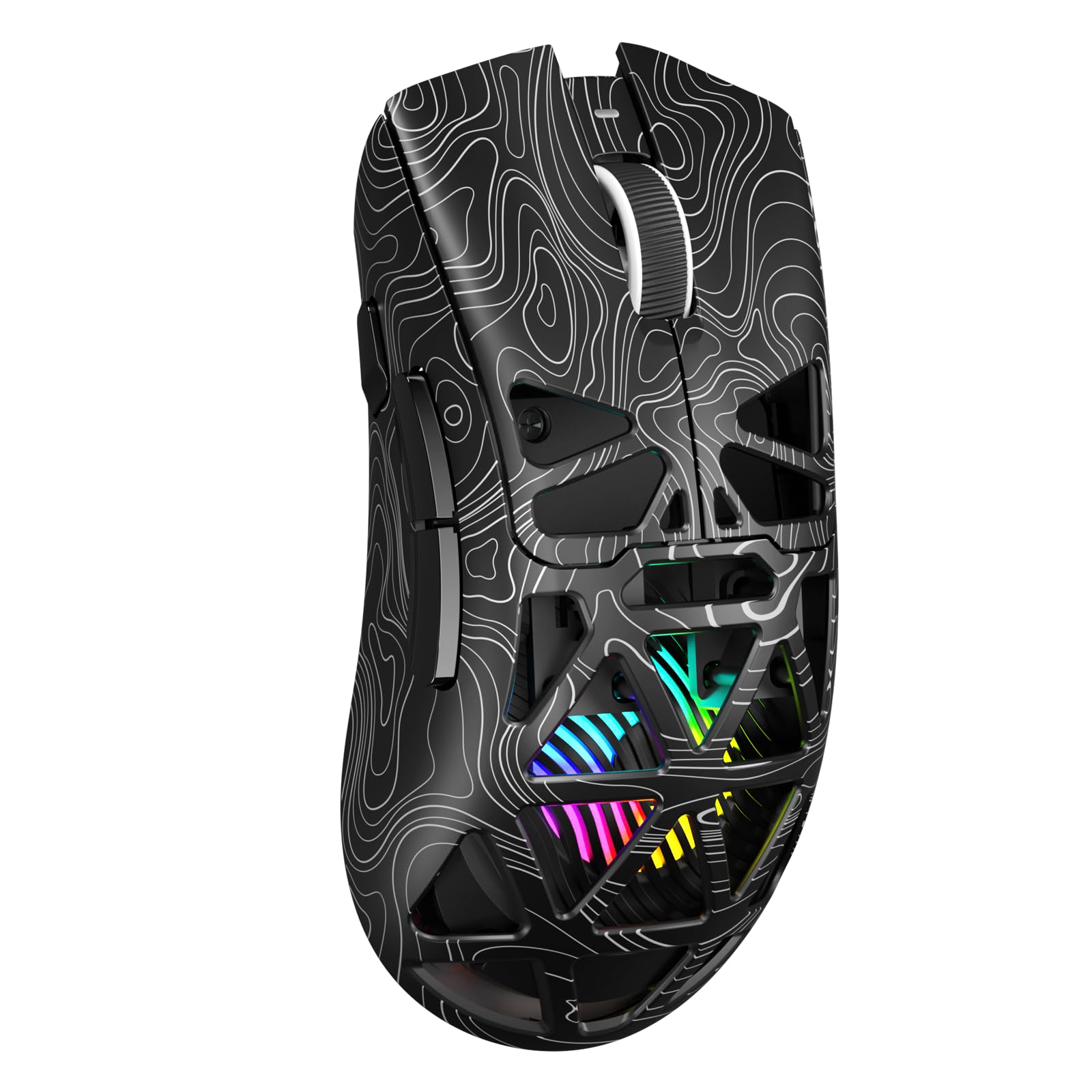
The 7-button macro machine that adds a dedicated fire key without adding much weight.
The Aula SC620 sits at 67g — heavier than the honeycomb mice but still light enough for long sessions. It steps up to 12,000 DPI with 6 adjustable levels (800/1600/3200/4800/8000/12000 DPI) and a 1000Hz polling rate. Where it shines is the 7 programmable buttons, including a dedicated Rapid Fire key for one-click burst commands. The software (AULA driver) lets you remap everything, set macros, and adjust polling rate and sleep time.
Connectivity is tri-mode: 2.4GHz, BT5.3, and USB-C wired, and it can store up to 4 devices for quick switching. The hollowed-out shell highlights vibrant RGB lighting, which customers note looks “amazing” and adds to the gaming atmosphere. Build quality and responsiveness are the most praised aspects — 13 and 12 mentions respectively — and it works on PS5 with custom sensitivity, according to some owners.
The few nits: the RGB color cannot be changed discreetly (you can adjust how it moves and transitions, but not the color itself), and a small number of owners mentioned Bluetooth connectivity quirks. If you want a macro-friendly mouse with a satisfying side-button feel and a dedicated fire key, the SC620 is a well-rounded choice.
Button flexibility: With 7 programmable buttons plus a dedicated Rapid Fire key, the SC620 gives you serious macro power in a 67g wireless package.
Pick this if: you want a programmable macro mouse with a dedicated burst key and responsive 12,000 DPI performance.
Think twice if: exact RGB color control matters to you, or you need consistent Bluetooth reliability.
Understanding the Specs
DPI and Sensor Quality
DPI (dots per inch) is how far your cursor moves for every inch you slide the mouse. A higher DPI means a smaller hand movement moves the cursor further on screen. For gaming, 8,000 DPI is plenty for most people, and 12,000 DPI is overkill for all but the highest-resolution monitors. What matters more is the sensor itself — an optical sensor from a known gaming brand (like the PAW3311 or HERO) will track more accurately with less jitter (shaky cursor movement) than a generic sensor, even if the DPI numbers look similar on paper.
Polling Rate and Latency
The polling rate (measured in Hz) is how often your mouse reports its position to your computer. A 1000Hz polling rate sends data every 1 millisecond, which feels instant in fast games. Some budget mice drop to 500Hz or even 125Hz in Bluetooth mode — that is fine for browsing but introduces noticeable lag in shooters. When a mouse mentions a “1ms response time,” it is basically referring to its 1000Hz polling rate. Always check that the mouse supports 1000Hz in whatever wireless mode you plan to game in.
FAQ
Is a cheap gaming mouse actually good enough for competitive shooters?
What is the difference between a 2.4 GHz wireless gaming mouse and a Bluetooth gaming mouse for gaming?
How long should the battery last in a cheap wireless gaming mouse?
Does mouse weight really matter for gaming performance?
What does the DPI button on a gaming mouse actually do?
Are the extra programmable buttons on a cheap gaming mouse worth it?
Can I use a cheap gaming mouse for work?
Will these mice work with my console?
How do I know if a cheap gaming mouse has a good sensor?
Final Thoughts: The Verdict
Across the board, the cheap mouse for gaming winner is the Logitech G502 Hero because it gives you the adjustable weight tuning and top-tier sensor of a premium mouse at a genuinely budget price. If you want wireless with a battery that lasts months, grab the Logitech G305 Lightspeed. And for sheer featherweight speed in competitive shooters, the RK ROYAL KLUDGE RK M30 at 43g is the one to reach for.
How We Picked
We do not accept paid placement. Every pick is matched to a real buyer and a real use-case; we do not hands-on test units.
Sources & Methodology
Specifications: manufacturer listings and product documentation. Review insights: verified customer reviews, as of July 2026. Pricing: not shown on this page (it changes often); check the current price via the retailer link.
As an Amazon Associate, WellFizz earns from qualifying purchases. This does not affect which products we feature.
Related Guides

Mo Maruf
I created WellFizz to bridge the gap between vague wellness advice and actionable solutions. My mission is simple: to decode the research and give you practical tools you can actually use.
Beyond the data, I am a passionate traveler. I believe that stepping away from the screen to explore new environments is essential for mental clarity and physical vitality.