Our readers keep the lights on and my smoothie glass nicely filled. As an Amazon Associate, I earn from qualifying purchases.
Specs are compiled from manufacturer listings and verified buyer reviews and can change over time — please confirm the key details on the product page before buying.
Your budget used to lock you out of smooth gaming. A cheap monitor meant blurry motion and a refresh rate so slow enemies seemed to jump across the screen. That is no longer true. Today’s budget models include features like a 180Hz (images drawn per second), 240Hz, or even 280Hz refresh rate with adaptive sync (tech that stops the screen from tearing). These specs cost three times as much just a few years ago. The real trick is knowing which shortcuts to take and which ones will hurt your gameplay.
I’m Mohammad Maruf — the founder and writer behind WellFizz. This guide is built by comparing the manufacturers’ published specifications and the patterns across verified customer reviews, so you get each pick’s real strengths and trade-offs instead of marketing spin.
Your goal is the smoothest, clearest picture your budget allows. This roundup of the best cheap monitors for gaming cuts through the clutter. You will see exactly which models deliver a real frame-rate boost and which cut the wrong corners.
Our Picks at a Glance


How To Choose The Best Cheap Monitors For Gaming
When you shop for a budget gaming screen, a few specs decide if you get a real speed boost or a frustrating lag. Here is what to look for.
Refresh Rate and Response Time
The refresh rate, measured in Hz (Hertz), tells you how many new images the screen draws each second. Switching from a standard 60Hz panel to a 180Hz or 240Hz one is the single biggest upgrade you can feel — enemies that stuttered now move smoothly. Pair that with a fast response time, measured in milliseconds (ms), which is how fast a pixel changes color. A 1ms or 0.3ms rating reduces ghosting (the faint trail behind a fast-moving object). For competitive shooters like Valorant or Overwatch, a higher number here beats a higher resolution every time.
Panel Type: IPS vs VA vs TN
The panel technology (the layer of liquid crystals inside the screen) determines how colors look and how wide the viewing angle is. An IPS (In-Plane Switching) panel gives you the best color accuracy and wide viewing angles, so the image does not wash out when you lean sideways. A VA (Vertical Alignment) panel gives you deeper blacks and higher contrast — ideal for dark horror games — but colors shift if you sit off-center. TN (Twisted Nematic) panels are rare now at this price, but they are the fastest for response time at the cost of poor viewing angles. Most budget gamers are best served by an IPS panel today.
Adaptive Sync (FreeSync and G-Sync)
Screen tearing happens when your graphics card (GPU) sends frames at a different pace than the monitor can refresh them, splitting the image horizontally. Adaptive sync technologies like AMD FreeSync and NVIDIA G-Sync Compatible sync the two together for smooth, tear-free motion. FreeSync Premium adds Low Framerate Compensation (LFC), which keeps motion smooth when your frame rate dips below the monitor’s range. If you have a modern graphics card from either company, make sure your monitor supports one of these standards.
Quick Comparison
| Model | Best For | Refresh Rate | Response Time | Contrast Ratio | Amazon |
|---|---|---|---|---|---|
| LG 27GS50F-B★ Best Overall | Entry-level 180Hz speed | 180Hz | 1ms MBR | 3000:1 | Amazon |
| Dell SE2726HGTop Performer | 240Hz with best color accuracy | 240Hz | 0.5ms | 1000:1 | Amazon |
| AOC 27G4H | 200Hz IPS with ergonomic stand | 200Hz | 0.3ms MPRT | 1200:1 | Amazon |
| AOC C27G4ZH | Curved 280Hz immersion | 280Hz | 0.3ms MPRT | 3000:1 | Amazon |
| ASUS VG259QM5A | Compact 24.5″ esports choice | 240Hz | 0.3ms GTG | 1000:1 | Amazon |
In‑Depth Reviews
1. LG 27GS50F-B 27-inch Ultragear
The crowd’s favorite 180Hz entry point, and it costs about the same as a dinner out.
The LG Ultragear 27GS50F-B is the monitor people mention most in this price range. Over 50 owners specifically praise its build and image quality. The consensus is that it is a near-perfect first step into serious PC gaming. A 180Hz refresh rate is a massive leap over a standard 60Hz office screen. With AMD FreeSync (adaptive sync that stops screen tearing), you get smooth motion in fast shooters. Buyers report it is “Perfect for first time gaming monitor.”
This monitor is tough to top because of its contrast ratio — 3000:1. That ratio means dark scenes in games like Resident Evil or Diablo have real depth, not washed-out gray shadows. The Dell SE2726HG, in comparison, has a 1000:1 contrast ratio. That means blacks appear much deeper on the LG. The color gamut is narrower at 72% sRGB (standard color space for web and graphics), so if you edit photos on the same screen, you will see less vibrancy. For pure gaming value, the black levels here are noticeably deeper than the Dell.
The honest trade-off is color quality. Many owners find the picture crisp and clear for gaming and YouTube. A few report that blacks can feel too dominant. The reliability track record is still building. The three-side borderless design makes it a good partner for a dual-monitor setup later.
The Speed You Can Feel
- Deep 3000:1 contrast ratio makes dark games look rich, not foggy
- 180Hz refresh rate at this price is a genuine steal for competitive play
- Three-side borderless design looks clean and works well in multi-monitor rigs
The Corners Cut
- 72% sRGB color gamut falls behind rivals for photo or video work
- Mixed reliability feedback from a small number of buyers
- Only tilt adjustment — no height or swivel on the stand
Grab it for: the best all-around entry into high-refresh-rate gaming without stretching your budget. The deep blacks make single-player worlds rich while the 180Hz keeps you competitive in multiplayer.
Think twice if: color-accurate work (design, video editing) shares this monitor — you will want a panel with better gamut coverage like the Dell SE2726HG.
2. Dell 27 240Hz Gaming Monitor – SE2726HG
The sharpest picture in the budget bracket, and it runs at a blistering 240Hz.
The Dell SE2726HG beats its price tag on image quality. While the LG 27GS50F-B focuses on contrast, this monitor leads on color. The 99% sRGB coverage means vivid, accurate tones that make games and desktop work pop. The Dell runs at 240Hz, while the LG runs at 180Hz, a noticeable gap in fast-twitch moments, like tracking a strafing enemy in Apex Legends. With a 0.5ms response time, motion stays crisp with almost no ghosting.
Owners are overwhelmingly positive. Many praise the sharp, vibrant image from the start and the smooth 240Hz gameplay with no tearing. The Fast IPS panel (a type that combines speed with wide viewing angles) gives you excellent viewing angles, so the image stays true whether you lean in or sit back. It also supports FreeSync Premium, which includes Low Framerate Compensation to smooth out dips. The TÜV Rheinland 3-star eye comfort certification (a German standard for reduced blue light) is a practical bonus — it lowers blue light without a yellow wash.
The catch is a lower contrast ratio at 1000:1. In a dark room, blacks look more gray than on the LG or the curved AOC. A few buyers received a unit with no power cord. The build feels less sturdy than pricier options. If you want the fastest refresh and best color in one affordable package, this is the one.
Real-world color champ: the 99% sRGB gamut lets this monitor work for gaming by night and design work by day, unlike the more gaming-tuned LG.
Reach for this if: you want the smoothest motion at this price and need accurate color for other tasks. The 240Hz and 99% sRGB is a rare combo in this tier.
Look elsewhere if: you play mostly dark, atmospheric single-player games. The 1000:1 contrast will leave you wanting deeper blacks.
3. AOC 27 Inch Gaming Monitor 200Hz IPS – 27G4H
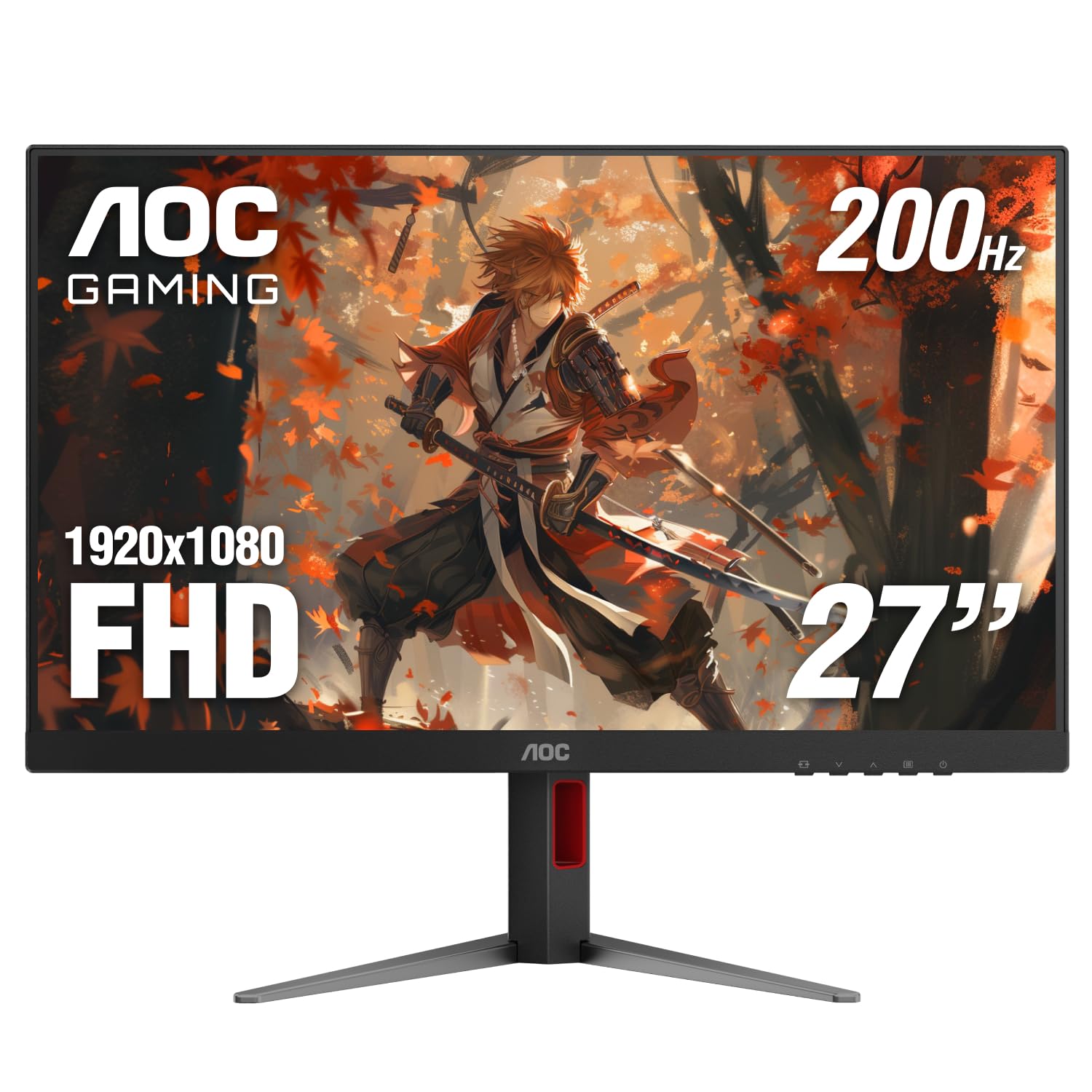
A 200Hz IPS panel with a proper height-adjustable stand — a rare find at this price.
The AOC 27G4H covers basics that many budget monitors skip. A fully ergonomic stand lets you adjust height, swivel, tilt, and pivot into portrait mode for coding or reading long documents. The 200Hz refresh rate sits between the LG’s 180Hz and Dell’s 240Hz. The 0.3ms MPRT (Moving Picture Response Time) response time is among the fastest here, so fast motion stays clean. The IPS panel covers 121% sRGB, which overshoots the standard gamut slightly for a punchier look.
Buyers emphasize the excellent build quality and easy assembly. Adaptive sync works well with both PC and console — owners using Xbox confirm VRR (Variable Refresh Rate) pairs smoothly. The matte finish helps with glare in bright rooms. The honest downside is the display quality, which gets mixed marks. Review pages note: “Black ghosting is bad for an IPS screen, but for the price it seems like a good monitor, no noticeable blur when actually gaming.” You will see some black smearing in test patterns, but during live gameplay it rarely shows.
The stand legs are wide. You will need a desk with some depth. For the money, you get the most adjustable stand in this list and a very competitive refresh rate.
Pick this for: the standout ergonomic stand — if you spend long hours at your desk, the height and tilt adjustability saves your neck in a way the fixed-angle LG and Dell do not.
skip it if: you are sensitive to even minor black ghosting in dark transitions, or your desk is shallow.
4. AOC 27 Inch Curved Gaming Monitor 280Hz – C27G4ZH

The highest refresh rate of the bunch at 280Hz, wrapped in an rich 1500R curve.
The AOC C27G4ZH is the speed king of this roundup, pushing 280Hz over DisplayPort (a digital video connection standard for high speed) with a 0.3ms MPRT response time. The 1500R curvature (a curve radius of 1500 millimeters) wraps the 27-inch screen around your field of vision, making FPS games feel more enveloping. Unlike the flat IPS panels above, this uses a VA panel with a 3000:1 contrast ratio, matching the LG’s deep blacks. The difference shows in dimly lit scenes — shadows have real weight that a 1000:1 panel cannot reproduce.
Owner reactions are enthusiastic. The most-discussed aspect is overall quality (47 mentions) and value for money (23 mentions). One summary captures the feeling: the 280Hz over DisplayPort gives you ultra-smooth motion you can actually feel in-game. The height-adjustable stand is a welcome inclusion at this price tier. The monitor works at 240Hz over HDMI for console players. The downside: the VA panel can show slower pixel transitions in very dark shades, and a small number of owners mention units failing after a few months. Color calibration from the start takes some tweaking — as one owner put it: “calibrating colors is a pain.”
If raw speed and rich contrast matter more than out-of-box color accuracy, this is the cheap monitor that genuinely performs like a premium one.
rich Speed
- 280Hz refresh rate is the highest in this price bracket — a genuine competitive advantage over the 240Hz options
- VA panel delivers deep 3000:1 contrast for cinematic single-player games
- Height, swivel, and tilt adjustable stand is a rare luxury here
The Setup Reality
- Color calibration takes manual effort from the start
- Mixed reliability feedback — a few early failures reported
- VA black smearing visible in some dark transitions during desktop use
Choose this for: maximum competitive frame rates in a curved rich format. The 280Hz is a genuine differentiator for esports.
Hold off if: you want plug-and-play color accuracy or need absolute long-term reliability confidence from day one.
5. ASUS TUF Gaming VG259QM5A 24.5″
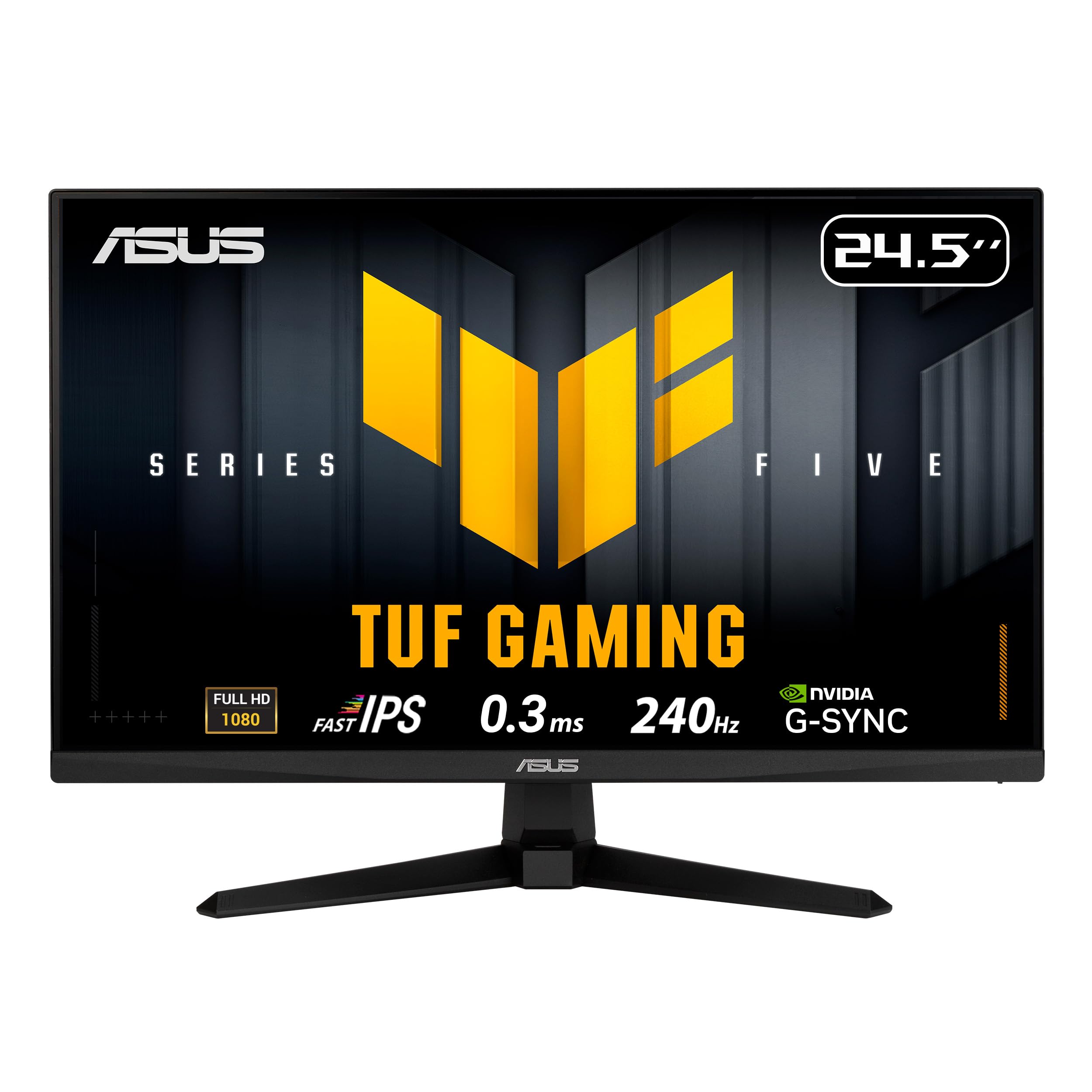
A smaller 24.5-inch Fast-IPS panel that prioritizes pixel density and esports precision over screen size.
The ASUS TUF Gaming VG259QM5A takes a different approach. Instead of a 27-inch screen, it uses a 24.5-inch Fast-IPS panel at 1920×1080 resolution. This gives you a higher pixel density — around 92 PPI (pixels per inch) — for a sharper image than the 27-inch 1080p models. The 240Hz refresh rate and 0.3ms GTG (Grey-to-Grey response time) match the Dell’s top-tier motion, but ASUS adds ELMB SYNC (Extreme Low Motion Blur Sync). This technology lets you use motion blur reduction at the same time as variable refresh rate, something most monitors at this price cannot do.
Buyers consistently highlight the high quality and amazing clarity. They note the monitor works great for both console and PC use. The 99% sRGB gamut means accurate colors. Several owners mention excellent performance with no ghosting in fast games. A unique bonus: built-in 2W x 2 speakers (two 2-watt speakers), saving desk space if you do not use external audio. It supports both FreeSync Premium and G-Sync Compatible, covering both graphics card brands.
The trade-off is the stand — it only offers tilt adjustment, not height or swivel. A few owners find the input selection process cumbersome. The 24.5-inch size is ideal for competitive play where you want everything in your immediate field of view. It feels small for rich single-player titles. If you value sharpness and speed in a compact frame, this is the one.
Grab this for: a tighter, more competitive viewport. The 24.5-inch size and ELMB SYNC technology make it a dedicated esports tool that fits smaller desks perfectly.
Pick a 27-inch alternative if: you prefer a larger screen for cinematic games or split-screen productivity.
Understanding the Specs
Refresh Rate (Hz) and Response Time
Refresh rate is the number of times per second your monitor redraws the image, measured in Hertz (Hz). A 60Hz display refreshes 60 times a second, which is fine for office work but feels sluggish in games — motion blurs and fast turns feel choppy. Jumping to 180Hz, 200Hz, or 240Hz makes everything look fluid, like the difference between a flipbook and real motion. Response time (measured in milliseconds, or ms) tells you how quickly a pixel switches from one color to another. A 1ms or 0.3ms response time reduces “ghosting,” where a fast-moving object leaves a faint trail. For competitive shooters, prioritize the highest refresh rate your budget allows. For slower story-driven games, good contrast matters more.
Panel Technology: IPS vs VA vs Fast-IPS
The panel type determines how colors, contrast, and viewing angles behave. IPS (In-Plane Switching) panels offer the best color accuracy and widest viewing angles — the image stays true even when you sit off-center. VA (Vertical Alignment) panels deliver much higher contrast ratios (typically 3000:1 compared to 1000:1 on IPS), meaning blacks look truly black in a dark room. The downside of VA is that colors shift slightly if you are not centered, and very dark transitions show some smearing. Fast-IPS is ASUS’s branding for an IPS panel with an accelerated response time, combining vivid colors with speed. For general use and competitive play, IPS or Fast-IPS is the safest choice. For dark-room immersion, VA wins.
FAQ
Can I use a cheap gaming monitor with my PS5 or Xbox Series X?
Does a higher refresh rate always mean a better gaming experience?
What is the difference between FreeSync and G-Sync Compatible?
Is a 27-inch monitor too big for 1080p gaming?
How important is the response time number (0.3ms vs 1ms vs 5ms)?
Can I use these monitors for work and school?
What does HDR10 mean on a cheap gaming monitor?
Does a curved monitor help with gaming?
What does “1ms MBR” mean on the LG monitor spec?
Can I mount these monitors on a VESA arm?
Final Thoughts: The Verdict
For the majority of shoppers, the best cheap monitor for gaming is the LG 27GS50F-B because it delivers the deepest blacks (3000:1 contrast ratio), a fast 180Hz refresh rate, and the highest owner satisfaction in this bracket. If you want ultimate motion clarity and the best color accuracy for mixed use, the Dell SE2726HG with its 240Hz and 99% sRGB coverage is the stronger performer. For the absolute highest frame rates and rich contrast, the curved AOC C27G4ZH at 280Hz is the one to reach for.
How We Picked
We do not accept paid placement. Every pick is matched to a real buyer and a real use-case; we do not hands-on test units.
Sources & Methodology
Specifications: manufacturer listings and product documentation. Review insights: verified customer reviews, as of July 2026. Pricing: not shown on this page (it changes often); check the current price via the retailer link.
As an Amazon Associate, WellFizz earns from qualifying purchases. This does not affect which products we feature.
Related Guides

Mo Maruf
I created WellFizz to bridge the gap between vague wellness advice and actionable solutions. My mission is simple: to decode the research and give you practical tools you can actually use.
Beyond the data, I am a passionate traveler. I believe that stepping away from the screen to explore new environments is essential for mental clarity and physical vitality.