Our readers keep the lights on and my smoothie glass nicely filled. As an Amazon Associate, I earn from qualifying purchases.
The hunt for an affordable desktop often ends with a bulky tower that takes up half your desk. A cheap mini PC flips that script, delivering a full Windows experience in a chassis small enough to mount behind a monitor. The challenge isn’t finding a tiny computer — it’s finding one that won’t choke on your daily workload.
I’m Mohammad Maruf — the founder and writer behind WellFizz. I’ve spent hundreds of hours analyzing specs and market data to identify the real performance thresholds that separate usable budget machines from frustrating paperweights.
This guide is built around the best cheap mini pc, giving you clear, data-backed advice on which models deliver genuine value and which cut corners you can’t afford.
How To Choose The Best Cheap Mini PC
Cheap mini PCs come in two distinct flavors: refurbished business-class machines from Dell, HP, and Lenovo, or brand-new ultra-compact boxes from brands like Bmax, GMKtec, and GEEKOM. Each camp has strengths and trade-offs. Here’s how to sort through them.
The Refurbished Advantage
Business mini PCs like the Dell OptiPlex and HP EliteDesk were built for corporate fleets. They use desktop-grade CPUs (Intel Core i3, i5) and socketed RAM, meaning you can upgrade them later. The trade-off is older platform generations — many are on 6th or 7th-gen Intel silicon — and ports that may lack modern standards like USB-C.
New Budget Designs vs. Performance
Newer cheap mini PCs often pack low-power mobile chips like the Intel N95 or Celeron J3355. These sip electricity and run cool and quiet, but they cannot match the raw multi-core grunt of even a 6th-gen Core i5. If your tasks include heavy browser tab loads, spreadsheets, or light photo editing, a refurbished business mini PC with an i5 and 16GB of RAM will outrun a fresh N95 unit with 8GB of RAM.
Storage and RAM: Soldered vs. Socketed
Always check whether the RAM is soldered to the motherboard or socketed. LPDDR3 or LPDDR4 memory is often soldered and cannot be upgraded. Socketed DDR4 SO-DIMM slots — found on most Lenovo ThinkCentre and Dell OptiPlex units — let you double your memory for around 20 dollars. Similarly, M.2 NVMe slots are preferable to eMMC storage, which is slower and prone to wearing out faster under heavy write loads.
Display Outputs and Multi-Monitor Support
If you plan on running two or three monitors, check the video outputs carefully. Many cheap mini PCs include HDMI and DisplayPort, but some older models like the Lenovo ThinkCentre M710q only offer DisplayPort and VGA — forcing you to buy adapters. For a dual 4K setup, ensure the unit explicitly supports 4K @60Hz via HDMI 2.0 or DisplayPort.
Quick Comparison
On smaller screens, swipe sideways to see the full table.
| Model | Category | Best For | Key Spec | Amazon |
|---|---|---|---|---|
| GEEKOM A5 | Premium | Demanding office + 8K media | AMD Ryzen 5 7430U / 16GB DDR4 | Amazon |
| wo-we P6 Lite | Mid-Range | Multi-tasking + light gaming | AMD Ryzen 5 3500U / Vega 8 | Amazon |
| Dell OptiPlex 7050 | Mid-Range | Home office with dual monitors | Intel i5-6500T / 16GB RAM | Amazon |
| HP EliteDesk 800 G2 | Mid-Range | Linux server / headless projects | Intel i5-6500T / 16GB DDR4 | Amazon |
| HP ProDesk 600 G3 | Mid-Range | General productivity + 4K | Intel i5-6500 / 8GB DDR4 | Amazon |
| GMKtec G3S | Mid-Range | Quiet home office / HTPC | Intel N95 / 8GB DDR4 | Amazon |
| Dell OptiPlex 3060 | Value | Light office / Plex server | Intel i3-8100T / 8GB DDR4 | Amazon |
| Lenovo ThinkCentre M710q | Value | Streaming / home automation | Intel i3-6100T / 8GB DDR4 | Amazon |
| Bmax B1 Plus | Budget | Basic browsing + document editing | Intel Celeron J3355 / 6GB LPDDR3 | Amazon |
In‑Depth Reviews
1. GEEKOM A5 2026 Edition

The GEEKOM A5 sits in a class above the competition with its AMD Ryzen 5 7430U processor, a chip that delivers desktop-grade multi-threading for heavy spreadsheet work, video conferencing, and light creative projects. The 16GB of dual-channel DDR4 RAM is socketed — not soldered — meaning you can expand to 64GB down the line, a feature almost unheard of in this price bracket.
Storage flexibility is outstanding: a 512GB PCIe NVMe SSD ships standard, plus you get an extra M.2 2242 slot and a 2.5-inch drive bay for up to 10TB total capacity. The Radeon Vega 7 graphics drive up to four displays, including an 8K output via USB-C, making this a legitimate workstation for multi-monitor productivity.
Build quality matches the internal specs. GEEKOM pairs a reinforced ABS+PC shell with a metal mid-frame that doubles as a heatsink. The 3-year limited warranty and 24/7 technical support add a layer of security that most refurbished units cannot match. Fan noise is near-silent during normal office use, and the unit runs cool even under sustained load.
Why it’s great
- Socketed dual-channel RAM upgradable to 64GB
- Triple storage expansion options (M.2 NVMe, M.2 2242, 2.5-inch bay)
- 8K visual output via USB-C with 4-screen support
- 3-year warranty outpaces most budget mini PC coverage
Good to know
- Premium cost places it at the top of the budget tier
- Supplied power adapter is external, not internal
- No Ethernet port faster than 1Gb
2. wo-we P6 Lite
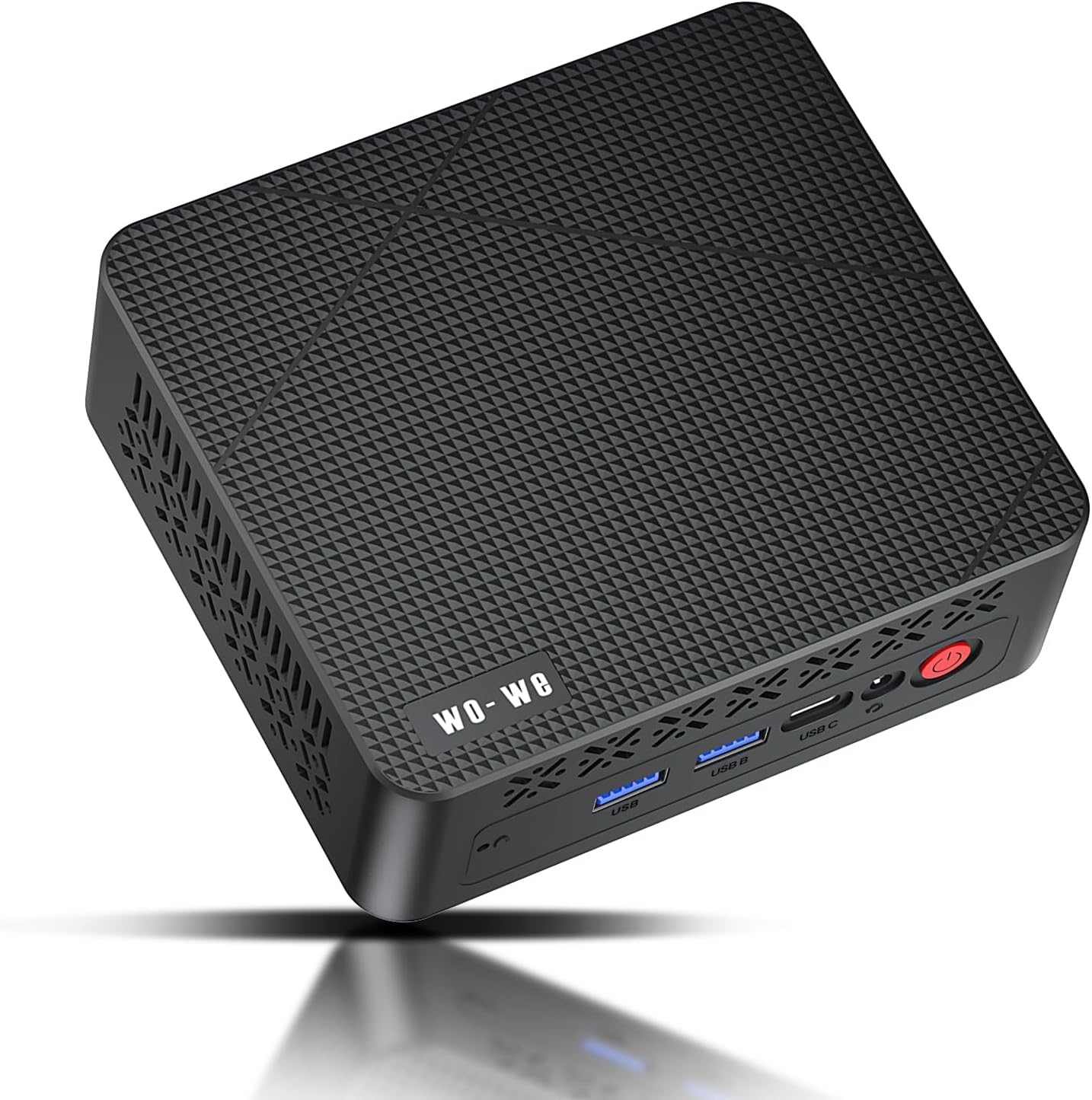
The wo-we P6 Lite punches well above its price point thanks to the AMD Ryzen 5 3500U and its integrated Vega 8 graphics. With 4 cores and 8 threads clocking up to 3.7GHz, this chip outpaces budget Intel N-series processors in both multi-threaded productivity and GPU-accelerated tasks. The Vega 8 delivers steady framerates in esports titles and handles 4K video decoding without dropped frames.
Triple display support is the headline feature here. Two HDMI 2.0 ports plus a USB-C port with DisplayPort functionality let you run three independent 4K monitors at 60Hz simultaneously — a setup that typically requires a dedicated GPU. The 256GB M.2 PCIe SSD delivers snappy boot times, and an included SATA cable lets you add a secondary 2.5-inch drive for bulk storage.
Dual copper heat pipes and a smart fan keep thermals in check without audible whine. The 8GB RAM variant has a known caveat: approximately 3.25GB is pre-allocated to the Vega 8 iGPU in Windows, leaving 4.75GB for the OS. If your workflow demands more headroom, the 16GB version solves this limitation entirely.
Why it’s great
- Vega 8 graphics outperform Intel UHD for light gaming and media
- Triple 4K@60Hz output via dual HDMI and USB-C
- Upgradable to 32GB dual-channel RAM
- Whisper-quiet cooling under normal loads
Good to know
- 8GB version has limited usable RAM due to iGPU allocation
- Power adapter is external, adding a brick to your desk
- WiFi 5 instead of WiFi 6
3. Dell OptiPlex 7050 Micro

The Dell OptiPlex 7050 Micro represents the sweet spot in refurbished business mini PCs. Its Intel Core i5-6500T quad-core processor, while a generation older, still outperforms newer low-power Celeron and N-series chips in sustained workloads. The 16GB of DDR4 RAM is socketed and easily upgradable to 32GB — a critical advantage over laptops and soldered ultra-compacts.
Storage is handled by a 256GB SSD, and a free M.2 slot gives you room to add a second drive without replacing the original. Port selection is generous: one HDMI, one DisplayPort, and six USB 3.0 ports, plus an RJ-45 Gigabit Ethernet jack. Dual 4K display support at 3840×2160 makes this a legitimate option for financial traders, developers, and content managers.
The fan noise is the most common customer complaint — the stock cooling profile runs aggressive. However, users report that limiting the CPU to 70% in Windows power settings and switching to passive cooling drops the noise to near-silent without noticeable performance loss for office tasks. The unit ships with a USB WiFi dongle, not built-in WiFi, so plan your placement accordingly.
Why it’s great
- 16GB RAM standard — double most competitors at this tier
- Socketed RAM and free M.2 slot for future upgrades
- Dual 4K display support via HDMI and DisplayPort
- Six USB 3.0 ports for peripherals
Good to know
- No built-in WiFi or Bluetooth; USB dongle included
- Fan can be audible under load without tweaking
- CPU generation limits official Windows 11 compatibility (workaround available)
4. HP EliteDesk 800 G2

The HP EliteDesk 800 G2 is a favorite among the Linux and homelab community for good reason. Its Intel Core i5-6500T processor, 16GB of DDR4 RAM, and 240GB SSD provide a rock-solid foundation for headless servers, Home Assistant installations, and Bitcoin node deployments. The quad-core CPU handles containerized workloads with ease, and the 16GB of memory leaves room for multiple virtual machines.
I/O includes two DisplayPort outputs, a VGA port, a USB Type-C port, and six USB 3.0 jacks. The dual DisplayPort connectors allow for dual 4K display support, though you will need an adapter for HDMI monitors. Internal WiFi and Bluetooth are present, but the external antennas are often missing on refurbished units — a cheap replacement solves the issue.
One notable quirk: the BIOS does not officially support Windows 11 due to the CPU generation, though a registry override workaround is documented and widely used. For Linux users, this is irrelevant; the hardware runs Ubuntu, Debian, and Proxmox flawlessly. The fan is quieter than the Dell equivalents, and the compact chassis fits easily into network racks or behind monitors.
Why it’s great
- 16GB RAM standard for heavy containerized workloads
- Internal WiFi and Bluetooth (antennas may be missing)
- USB Type-C port for modern peripherals
- Quiet fan operation out of the box
Good to know
- CPU not officially Windows 11 compatible
- No HDMI ports — DisplayPort and VGA only
- Some units ship with generic keyboards and mice
5. HP ProDesk 600 G3

The HP ProDesk 600 G3 occupies a comfortable middle ground between entry-level refurbished units and more premium options. Its Intel Core i5-6500 processor — with a base clock of 2.5GHz and boost up to 3.1GHz — delivers snappy performance for office applications, web browsing, and media consumption. Paired with 8GB of DDR4 RAM and a 256GB PCIe SSD, this system boots in seconds and handles a dozen Chrome tabs without stuttering.
4K dual display support sets the G3 apart from older business mini PCs that cap out at 1080p. The integrated Intel HD Graphics 530 drives two 4K monitors at 3840×2160 via HDMI and DisplayPort, making this a viable option for stock traders, video editors previewing timelines, or anyone who needs screen real estate. The built-in USB-C port simplifies peripheral connections and adds future-proofing.
Owners consistently praise the build quality and reliability. The included USB WiFi and Bluetooth adapter works well, though enthusiasts often swap in a dedicated internal card. The small form factor — roughly 7 inches square — fits neatly on a crowded desk or mounts behind a monitor using the included VESA bracket. The unit runs Windows 11 Pro, which is pre-installed and activated.
Why it’s great
- Dual 4K display support via HDMI and DisplayPort
- USB-C port included for modern accessories
- Snappy PCIe SSD standard
- Pre-installed Windows 11 Pro
Good to know
- Only 8GB RAM — may need upgrading for heavy multitasking
- WiFi adapter is external USB dongle
- CPU is desktop-grade i5-6500 (higher TDP than T-series)
6. GMKtec G3S

The GMKtec G3S is a new-in-box mini PC powered by the 12th-generation Intel N95 processor. With 4 cores, 4 threads, and a burst frequency of 3.4GHz, the N95 delivers up to 36% better overall performance than the older N5105 and N5095 chips. This makes the G3S a legitimate daily driver for office work, web browsing, and streaming — not just a secondary machine.
Dual HDMI 2.0 ports output 4K at 60Hz, and the Intel UHD Graphics handles AV1 decoding for smooth YouTube and Netflix playback. The 8GB of DDR4 memory and 256GB M.2 2242 SSD are sufficient for basic productivity, though power users will wish for the 16GB variant. WiFi 5 and Bluetooth 5.0 round out the connectivity, and the Gigabit Ethernet jack ensures wired reliability for video calls and file transfers.
Thermal performance is impressive for the size. The fan is practically inaudible during document editing and YouTube streaming, and the idle CPU temperature hovers around 39°C. The VESA mount is included, and the chassis measures barely 4.5 inches across. One common issue: packaging can be minimal, and some buyers have received units with loose or non-functional USB ports — inspect carefully upon arrival.
Why it’s great
- New unit, not refurbished — full warranty coverage
- N95 processor beats older N-series chips significantly
- Dual HDMI 2.0 with 4K@60Hz output
- Near-silent fan at idle and light load
Good to know
- 8GB RAM may feel tight with many browser tabs
- Only one M.2 slot — no SATA or second SSD bay
- Some reports of loose USB ports on early units
7. Dell OptiPlex 3060

The Dell OptiPlex 3060 Micro PC represents an excellent entry point into the cheap mini PC market. Its 8th-generation Intel Core i3-8100T processor, though not the newest, still delivers solid quad-core performance for everyday tasks. The 8GB of DDR4 RAM and 128GB SSD are sufficient for a Plex media server, home automation hub, or light office machine — exactly what most buyers in this segment need.
Port selection is one of the strongest selling points. You get six USB 3.0 ports, one HDMI, one DisplayPort, and one RJ-45 Ethernet jack, enabling dual 4K display output at 3840×2160. The included keyboard and mouse are functional but basic — expect to replace them quickly. A USB WiFi dongle is typically included, as built-in wireless is not standard on these refurbished units.
Customer feedback consistently highlights the value. Users report successful deployments as security camera systems, Plex servers, and even headless Linux boxes outperforming Raspberry Pis. Build quality is typical Dell — sturdy metal chassis, easy to open, and well-ventilated. The main trade-off is the 128GB SSD, which fills quickly with Windows updates and applications. Plan for a storage upgrade soon after purchase.
Why it’s great
- 8th-gen Core i3 outperforms low-power Celeron and N-series chips
- Six USB 3.0 ports for maximum peripheral connectivity
- Dual 4K support via HDMI and DisplayPort
- Reliable Dell build quality in a small footprint
Good to know
- 128GB SSD is small — budget for a larger drive
- No built-in WiFi or Bluetooth
- Included keyboard and mouse are low quality
8. Lenovo ThinkCentre M710q
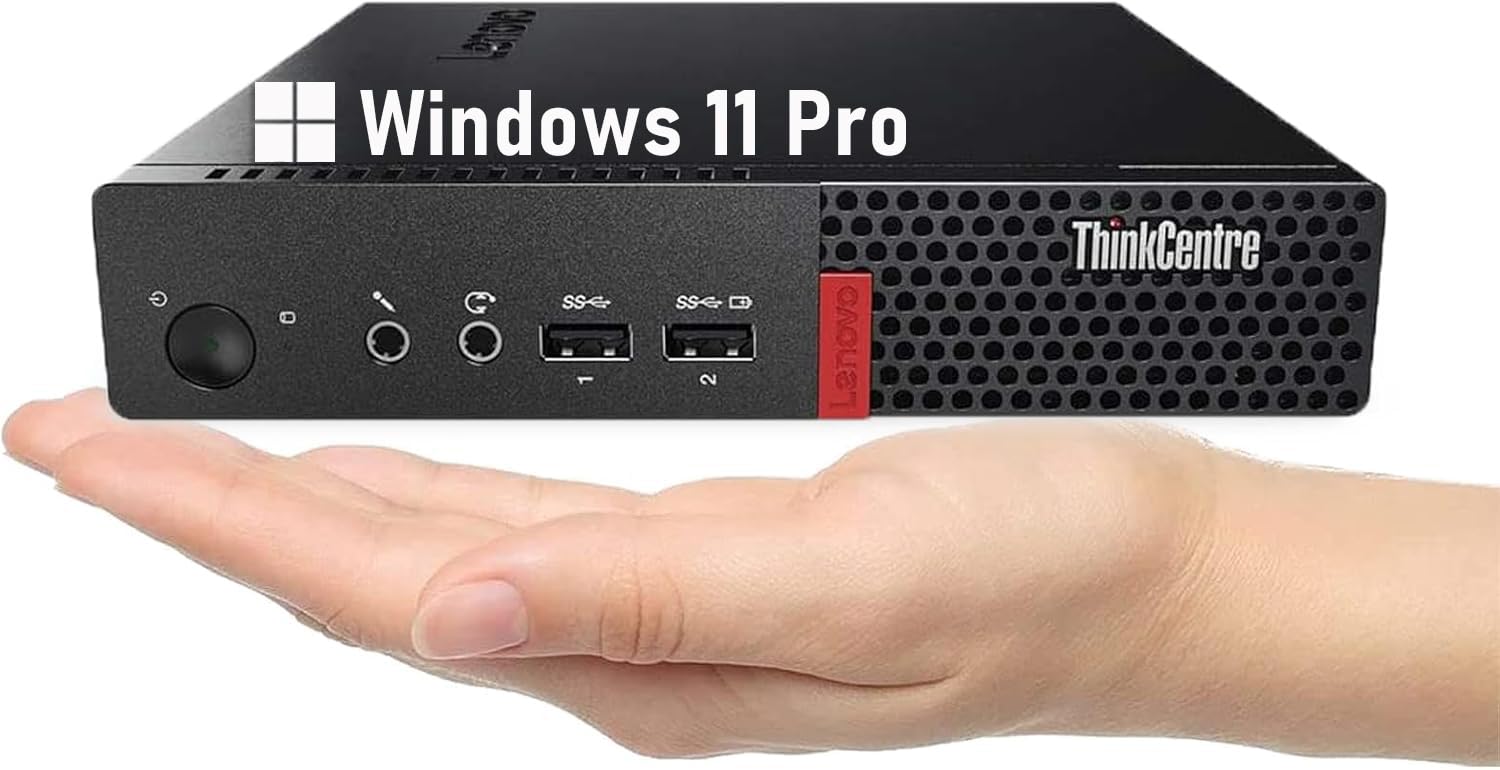
The Lenovo ThinkCentre M710q is engineered for the specific use case of a dedicated streaming box or a lightweight office companion. The 6th-generation Intel Core i3-6100T is a low-power dual-core chip with a 3.2GHz boost clock, making it perfectly adequate for Windows 11, web browsing, and 1080p video playback — but not much more. The 8GB of DDR4 RAM and 256GB SSD provide enough storage and memory for essential applications and media libraries.
Connectivity is where you need to pay close attention. The M710q ships with DisplayPort and VGA outputs, but no HDMI. If your monitors rely on HDMI, you will need an active DisplayPort-to-HDMI adapter. WiFi and Bluetooth are supported via a USB dongle included in the box, though the quality of these dongles varies between sellers. A separate WiFi antenna kit may be required for reliable long-distance connections.
Where this unit truly shines is as a home automation hub. Users report flawless operation with Home Assistant OS (HAOS) and Linux-based smart home platforms. The low idle power draw — under 15 watts — makes it ideal for 24/7 operation. The included keyboard and mouse are basic but functional for initial setup. The unit ships with Windows 11 Pro pre-installed, running smoothly with no bloatware.
Why it’s great
- Very low power draw — perfect for 24/7 operation
- 256GB SSD provides decent storage out of the box
- No bloatware on the Windows 11 Pro installation
- Compact and sturdy Lenovo build
Good to know
- No HDMI port — DisplayPort and VGA only
- 6th-gen i3 is showing its age for multitasking
- WiFi adapter and antenna may need separate purchase
9. Bmax B1 Plus
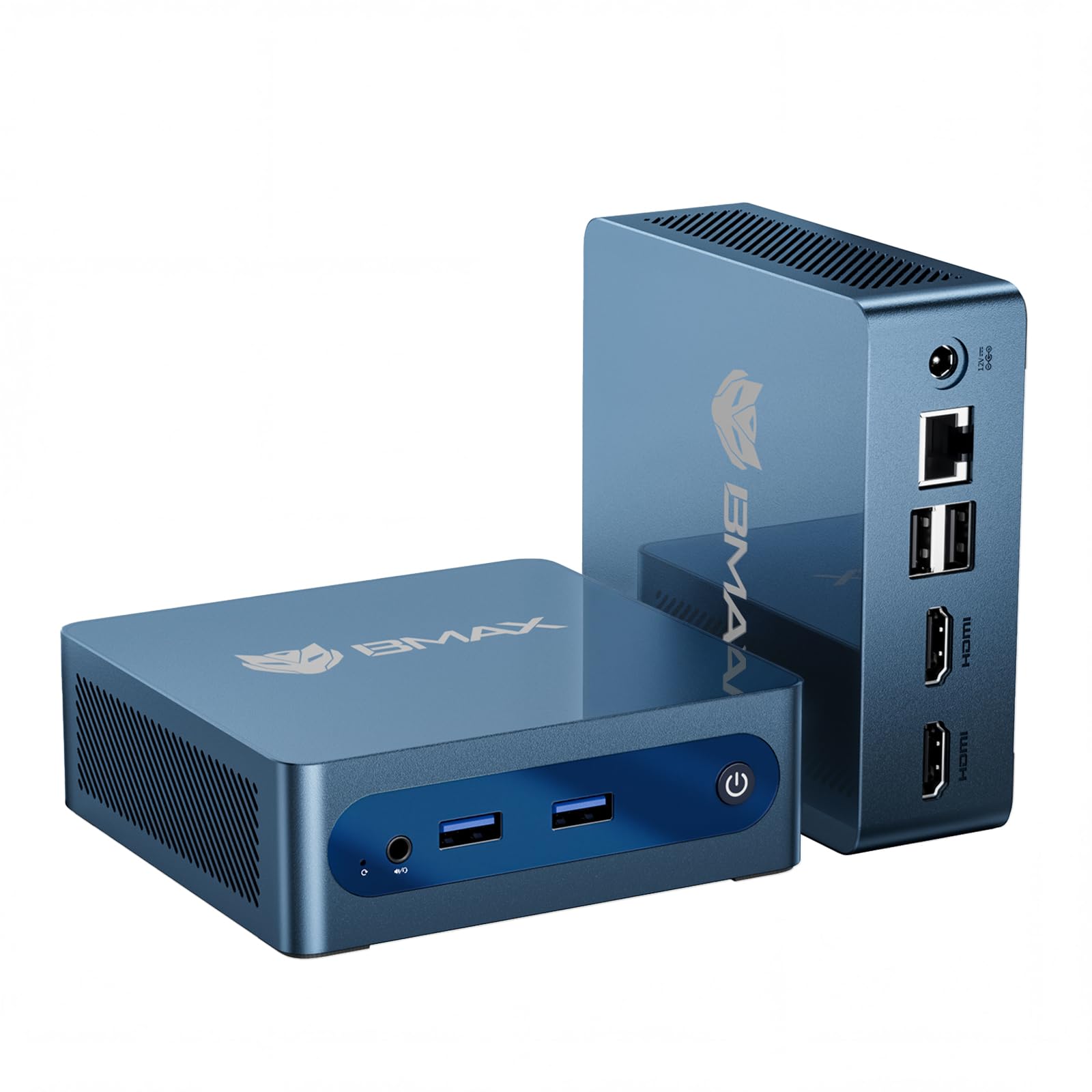
The Bmax B1 Plus is the smallest and lightest unit in this lineup — measuring just 4.2 x 4.1 x 1.4 inches and weighing under half a pound. Its Intel Celeron J3355 processor and 6GB of soldered LPDDR3 RAM are designed for the most basic computing needs: document editing, web browsing, and media playback. It is not a machine for heavy multitasking or demanding applications.
Dual HDMI 2.0 ports support 4K output at 60Hz, which is impressive for a unit this cheap and small. The dual M.2 SSD slot design (one SATA, one NVMe) provides genuine expandability — unusual at this price point — allowing you to add up to 2TB of storage. The included VESA mount lets you tuck it behind a monitor for a completely clean desk setup. WiFi 5 and Bluetooth 5.0 handle wireless connectivity.
The smart cooling fan and heatsink system keep noise levels low, though the unit can get warm under sustained load. The One-Click Restore feature via the F9 key is a genuinely useful safety net for novice users. However, buyer complaints about the Celeron’s speed (some call it slower than ten-year-old hardware) and reports of WiFi modules failing after a few power cycles are worth noting. This is purpose-built for lightweight, stationary roles.
Why it’s great
- Extremely compact and lightweight — truly palm-sized
- Dual M.2 SSD slots for storage expansion (SATA + NVMe)
- Dual HDMI 4K@60Hz output
- One-Click Restore feature for easy system recovery
Good to know
- Celeron J3355 is noticeably slow for modern web browsing
- 6GB LPDDR3 RAM is soldered — no upgrade possible
- Some units report WiFi failure after few uses
FAQ
Can a cheap mini PC handle Windows 11 properly?
How much RAM do I really need for office work and streaming?
Is a refurbished business mini PC better than a new budget mini PC?
Final Thoughts: The Verdict
For most users, the best cheap mini pc winner is the GEEKOM A5 because it delivers a modern AMD Ryzen processor, 16GB of socketed RAM, triple storage expansion options, and a 3-year warranty — all in a compact chassis that supports 8K output. If you want raw CPU power for multi-threaded office work and Linux projects, grab the wo-we P6 Lite for its Vega 8 graphics and triple 4K display support. And for the absolute best value in a refurbished business mini PC, nothing beats the Dell OptiPlex 7050 Micro — 16GB of DDR4 RAM and a quad-core i5 in a package smaller than a book.

Mo Maruf
I created WellFizz to bridge the gap between vague wellness advice and actionable solutions. My mission is simple: to decode the research and give you practical tools you can actually use.
Beyond the data, I am a passionate traveler. I believe that stepping away from the screen to explore new environments is essential for mental clarity and physical vitality.