Our readers keep the lights on and my smoothie glass nicely filled. As an Amazon Associate, I earn from qualifying purchases.
Specs are compiled from manufacturer listings and verified buyer reviews and can change over time — please confirm the key details on the product page before buying.
Finding a cheap laser cutter that actually engraves cleanly and cuts through plywood without catching fire feels like a real gamble. Most budget models promise high power but deliver blurry lines, wobbly frames, and software that fights you at every step. This guide cuts through the noise to find the machines that deliver real results without wrecking your budget.
I’m Mohammad Maruf — the founder and writer behind WellFizz. This guide is built by comparing the manufacturers’ published specifications and the patterns across verified customer reviews, so you get each pick’s real strengths and trade-offs instead of marketing spin.
We sifted through the specs and real owner experiences to find the honest, reliable machines that belong on any list of the cheap laser cutter worth your time and money.
Our Picks at a Glance

How To Choose The Best Cheap Laser Cutter
A cheap laser cutter is a trade-off game: you save money upfront, but you have to pick your priorities carefully. Here’s what to focus on so you don’t end up with a paperweight.
Laser Power: Why 5W and 10W Matter More Than You Think
Laser power is measured in milliwatts (mW) or watts (W), where 1000 mW equals 1W. Many machines claim laser power that is actually the electrical draw, not the optical output. For a cheap laser cutter, 5W (5000 mW) is the real starting point for cutting 3mm basswood in a single pass. Jumping to 10W lets you handle thicker plywood and acrylic up to 8mm. If you plan on cutting more than just thin veneers, look for a 7W or 10W output.
Work Area: The Room You Actually Have to Create
Your work area (measured in millimeters, like 300×300 mm) defines the maximum size of a single piece you can engrave or cut. A 100×100 mm area is fine for coasters and keychains, while 400×400 mm lets you tackle larger signs, cutting boards, or multiple items in one job. Many cheaper models push you to a 300×300 mm area — it’s the balance for most hobbyists. If you upgrade later, a larger work area saves you from constant repositioning and material waste.
Software and Connectivity: The Hidden Gatekeeper
A machine is only as good as the software that drives it. LightBurn is the industry standard (it works on Windows, macOS, and Linux) and has a steep learning curve but immense control. LaserGRBL is simpler and free for Windows. If you are on a Mac or prefer a tablet, look for machines that support native apps or Wi-Fi control. The cheapest models often only work with a USB cable and a Windows PC, so check compatibility before you buy to avoid a frustrating setup.
Quick Comparison
| Model | Best For | Laser Power | Work Area | Engraving Speed | Amazon |
|---|---|---|---|---|---|
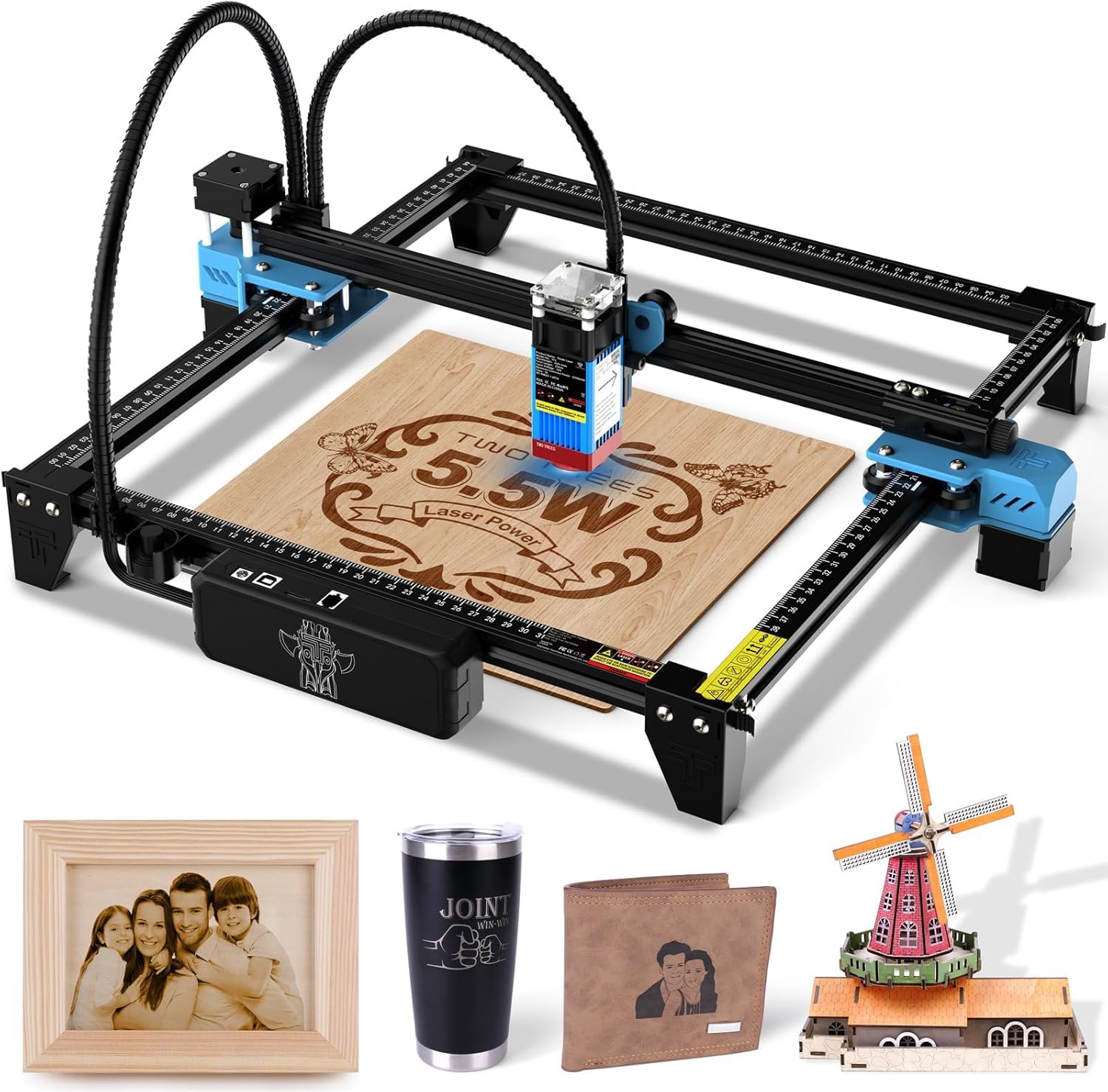
| Twotrees TTS-55 Pro★ Best Overall | Speed & Value | 5500 mW | 300 x 300 mm | 30,000 mm/min | Amazon |
| LONGER Ray5 5WLarge Format | Large Work Area | 5000 mW | 400 x 400 mm | 10,000 mm/min | Amazon |
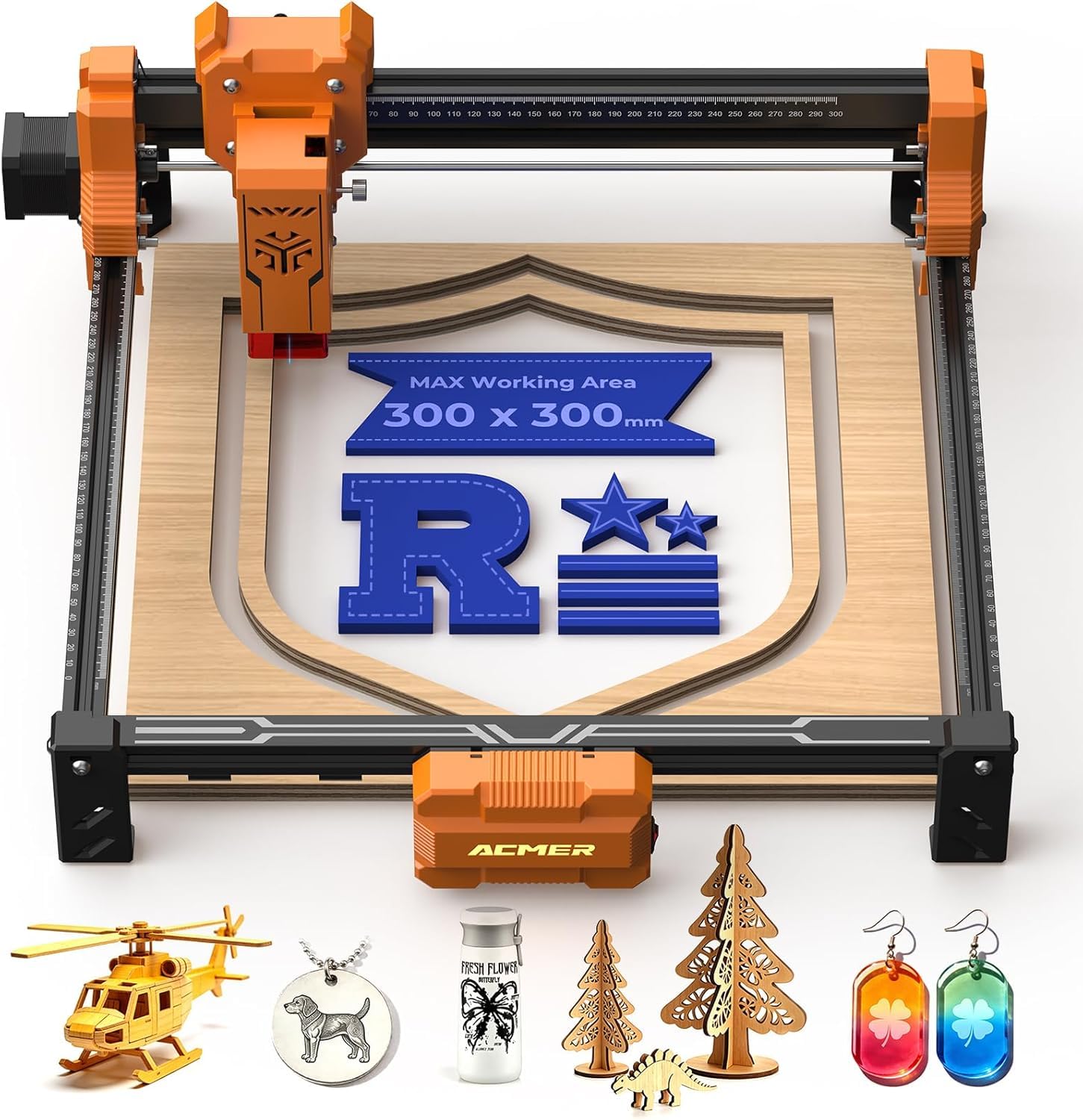
| ACMER S2 7WPrecision Pick | Precision Engraving | 7000 mW | 300 x 300 mm | 10,000 mm/min | Amazon |
| Ortur R1 5W | Portability & Safety | 5000 mW | 100 x 100 mm | 5,000 mm/min | Amazon |
| WIZMAKER 12W | High Power Budget | 12,000 mW | 300 x 300 mm | 10,000 mm/min | Amazon |
| Creality Falcon 10W | Beginner Package | 10,000 mW | 400 x 415 mm | 10,000 mm/min | Amazon |
| Carverall A1 Pro 5W | Smart Features | 5000 mW | 100 x 100 mm | 12,000 mm/min | Amazon |
| LONGER RAY5 10W | Heavy Cutting | 10,000 mW | 400 x 400 mm | 10,000 mm/min | Amazon |
In-Depth Reviews
1. Twotrees TTS-55 Pro Laser Engraver 5500mW
The speed demon that breezes through plywood while the others are still warming up.
You get engraving speeds of 30,000 millimeters per minute (mm/min) — so large jobs finish in minutes, not hours. The 5500 mW (milliwatt) laser provides 5500 mW, which helps you cut 3mm basswood in fewer passes. A built-in air-assist nozzle (a tube that blows air to clear smoke and debris) keeps cuts cleaner, and the 300×300 mm work area fits most hobby projects like signs and smaller cutting boards. A 32-bit control board (the machine’s brain) keeps movement steady during long sessions. Buyers report it “works good so far” as they dial in settings in LightBurn software.
The honest catch is the assembly. While the instructions are in a nice book, several owners mention the x-axis bracket is easy to install backward, so you need to double-check hole locations. The included USB cable is also short, so plan on either moving your computer closer or grabbing a longer printer cable from the start.
Fast & Capable
- Blazing 30,000 mm/min engraving speed
- Air-assist nozzle included for deeper cuts
- Built-in Wi-Fi for wireless control from your phone or PC
Assembly Hurdles
- Lacks detail on some assembly steps; x-axis is tricky
- Short included USB cable
- You will need an enclosure or a vacuum for smoke
Why pick it: A fantastic first laser for hobbyists who want the fastest engraving speeds in the budget tier while staying affordable.
One thing to know: The 5500 mW laser cuts well but won’t slice through very thick wood in a single pass.
2. LONGER Laser Engraver Ray5 5W
The spacious workhorse that gives you room to create without constant repositioning.
The biggest reason to pick the LONGER Ray5 5W over the Twotrees is the 400×400 mm work area — vastly larger than the 100×100 mm Ortur R1. You can fit a full cutting board or a large sign in one go. It uses a 240MHz ESP32 chipset (a fast processor for smooth movement) and a 5000 mW laser with a 0.08 mm spot (the width of the laser beam) for clean detail on wood, leather, and acrylic. A 3.5-inch touch screen lets you run jobs without a computer after you load the file via TF card or Wi-Fi. Owners mention it is a “great beginner engraver; easy 50-min assembly, clear instructions.”
On the downside, some units ship with a defective touch screen that shows “no hard limits set,” and the company’s support is based in China, creating a 12-hour time difference that slows troubleshooting. The 5W laser also cannot engrave directly onto bare metal — you need coated metal for any results.
Spacious & Smart
- Large 400×400 mm work area for bigger projects
- Touch screen and offline control for cable-free use
- Crisp engraving on wood, leather, and acrylic
Reliability Risk
- Some units have screen defects (‘no hard limits set’)
- Support team in China means slow response times
- 5W laser struggles with thick materials and bare metal
Best placed: Perfect if your projects need the extra real estate of a 400×400 mm bed and you want a screen-based workflow.
Consider instead: If your desk is small, the larger footprint might be tight; the Twotrees TTS-55 Pro is more compact.
3. ACMER S2 Laser Engraver Machine for Beginners, 7W
The detailed engraver that makes text and logos look crisp, not blurry.
At 7W, the ACMER S2 offers 7W of laser power, a step up from the 5W models for cutting 1/8-inch (3mm) basswood cleanly. The 0.01mm precision and fine laser spot produce sharper text, smoother lines, and clearer image engraving than most budget rivals. The 300×300 mm work area matches the Twotrees, but the ACMER sits at 7.83 pounds, compared to the LONGER Ray5’s 8.26 pounds, making it slightly easier to move around. Buyers confirm it is an “easy build and setup; works perfectly with 1/16 and 1/8 basswood, cuts cleanly.”
The honest trade-off is software trouble on Mac computers. Several customers note that the CH340 driver (a small program that lets your computer talk to the machine) is blocked by macOS, and Windows S-mode also causes conflicts. If you are a Mac user without access to a Windows PC, you may find the machine unusable from the start. Support has been described as unhelpful with driver issues.
Power & Detail
- 7W laser cuts 1/8 basswood in a single pass
- 0.01mm precision for detailed, sharp text and logos
- Supports rotary attachment for tumbler engraving
Mac Compatibility
- Driver issues on macOS (CH340 blocked) and Windows S-mode
- Unhelpful customer support for driver problems
- Build quality feels sturdy but assembly is not the quickest
Grab it for: Windows or Linux users who want the precision and cutting power of 7W without spending premium money.
skip it if: You own only a Mac — you will almost certainly hit the driver wall on day one.
4. Ortur R1 5000mW Portable Laser Engraver (Misty Blue)
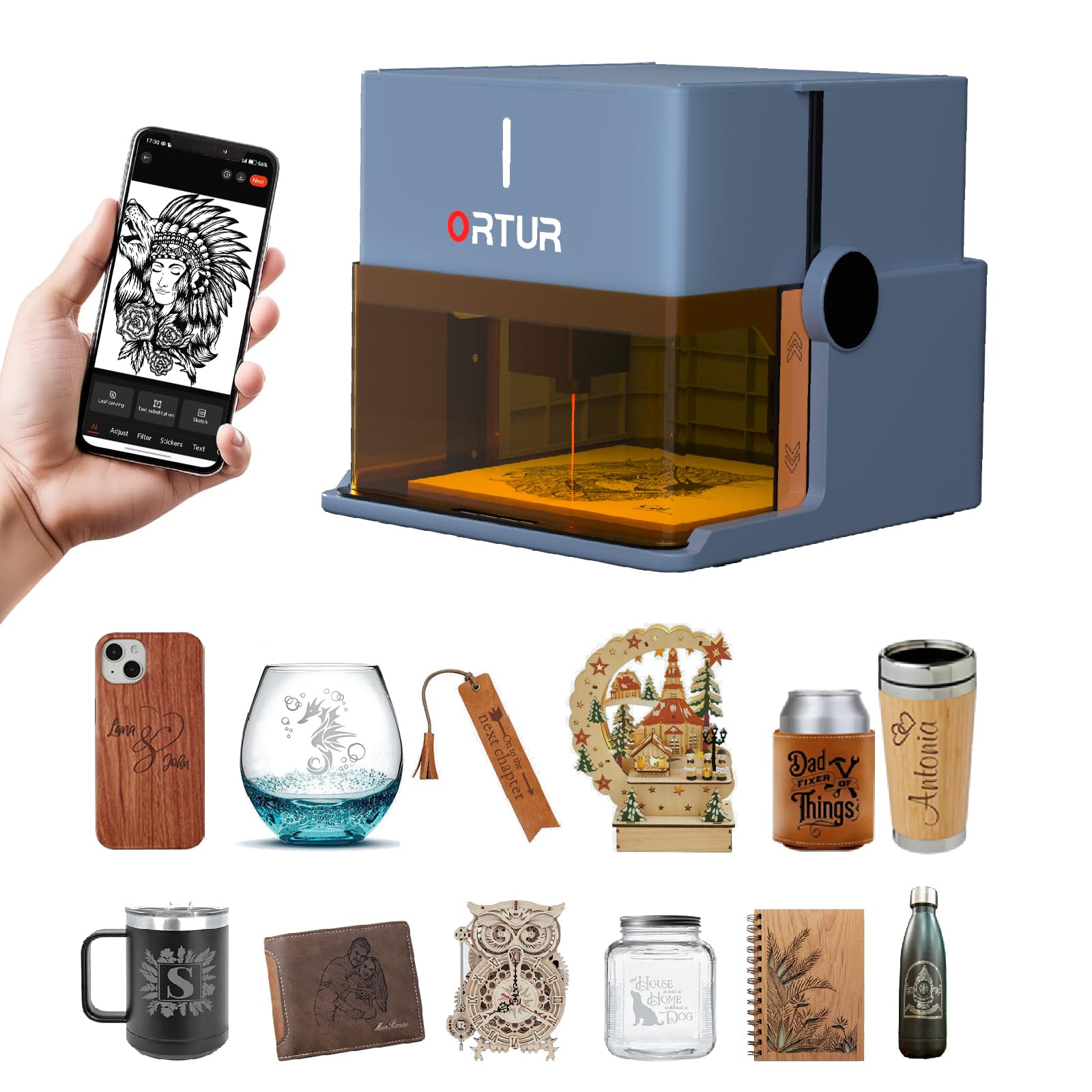
The toy-like machine that is serious about portability and safety for beginners and kids.
The Ortur R1 is the most kid-friendly option here — it is a Class 1 laser device (fully enclosed, no special goggles needed, and the laser cannot escape the box) with a foldable design that takes 15 seconds to set up. The 100×100 mm work area is tiny compared to the 400×400 mm of the LONGER Ray5, but it is a perfect size for coasters, keychains, and teacher gifts. It runs at 5000 mm/min and 5000 mW power, which is enough to cut 3mm basswood. The Ortur app includes AI image generation and a QR-code engraver, so you do not need any design skills to get started. One reviewer says it is “sturdy, easy setup, works in 15 min” and works with LightBurn software for more advanced control.
The hidden problem is durability. One reviewer noted the fan stopped working after just one week of ownership, and the machine became unusable. The 100×100 mm area also feels very limiting if you ever want to move beyond small trinkets. If you need larger projects, the Twotrees TTS-55 Pro’s 300×300 mm work area is a far better fit.
Safe & Simple
- Class 1 laser safety rating — no goggles needed for operation
- Foldable, unpack-and-go design with zero assembly
- Free app with AI design generation and QR-code tools
Small & Brittle
- 100×100 mm work area is very limiting for larger projects
- Reported fan failure after one week of use
- Low power limits it to thin materials only
Best for: Absolute beginners, classrooms, or anyone wanting a low-risk, portable engraver for very small gifts.
Watch out: The tiny work area and some reports of early failure make it a risky choice for serious hobbyists.
5. WIZMAKER 12W Laser Engraver Machine
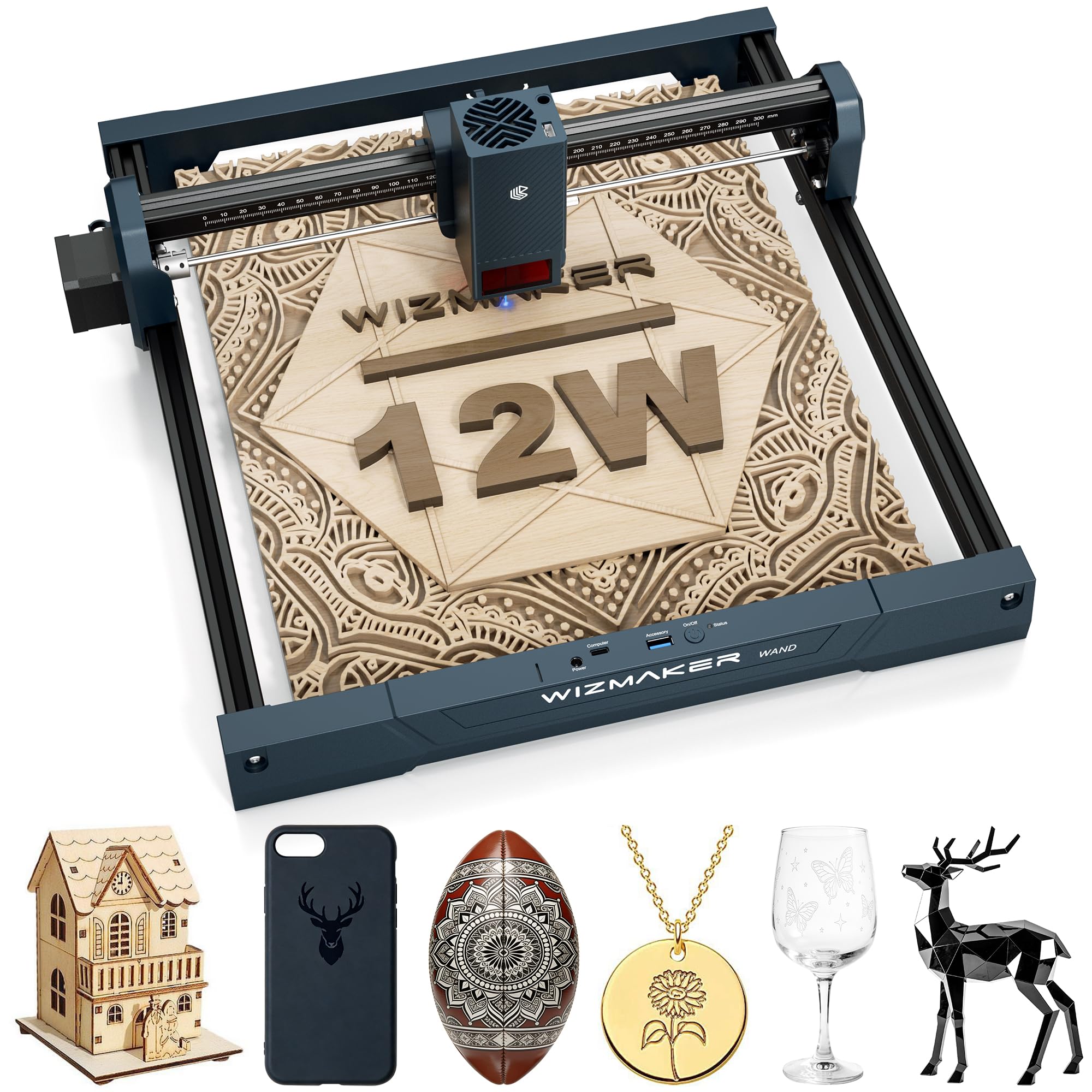
The power-heavy contender that punches above its budget-class weight.
At 12,000 mW, the WIZMAKER delivers significantly more raw power than the Twotrees’ 5500 mW, putting it closer to premium territory for a budget price. The 300×300 mm work area matches the ACMER, but the 12W laser can cut through thicker woods and acrylics that leave the 5W machines stalling. It supports tilt detection and flame detection for safety (the machine shuts off if it tips or detects fire), and the assembly is genuinely quick — the maker claims it can be up and running in 10 minutes. It works with Windows, macOS, Android, and iOS via Wi-Fi or hotspot.
The real-world issue is that some units ship with a lower-power laser module than advertised. One buyer received a 3.5W unit even though they expected a 12W model, so you need to verify the exact model number upon arrival. The flame detection is a safety plus, but if the machine ships incorrectly, the hassle of a return erodes the value. Compared to the reliable Twotrees TTS-55 Pro, this machine offers more power but a higher risk of a wrong delivery.
Raw Power
- 12,000 mW laser cuts thicker wood and acrylic with ease
- Fast installation — claimed 10-minute setup time
- Safety features include tilt and flame detection
Unreliable Specs
- Some units ship with 3.5W laser instead of 12W
- Documentation is sparse, especially for advanced users
- Support team can be slow to resolve mix-ups
Reach for this if: You need maximum cutting power on a tight budget and are willing to verify the unit’s specs immediately.
Look elsewhere if: You want a machine that delivers exactly what is advertised on day one without extra checks.
6. Creality Falcon 10W Laser Engraver Machine

The beginner-friendly bundle that gets you cutting within 15 minutes, no prior experience needed.
The Creality Falcon 10W is the closest thing to “from the start and engraving” you will find in this price range. It cuts 1.5 to 6mm basswood in a single pass thanks to the 10W (10,000 mW) laser, and the 400×415 mm work area is the largest in this lineup — slightly bigger than even the LONGER Ray5’s 400×400 mm. The machine is pre-assembled, taking about 15 minutes to get running, and comes with free Design Space software. One buyer notes it is “low price, pre-assembled, complete package with free software, easy to use, good customer support.”
The major downside is that the included green goggles are unsafe for diode lasers (they do not block the right wavelength). You absolutely need to buy orange or red ANSI/EN certified glasses before the first job. Some units have also arrived defective, and the Creality support team stopped responding to those customers after the replacement also failed. If you want a simpler safety setup, the Class-1 enclosed Ortur R1 removes the goggle issue entirely.
Starter Package
- Large 400×415 mm work area for big projects
- Almost pre-assembled — 15-minute setup
- Cuts 6mm basswood in a single pass with 10W laser
Safety & Quality
- Included green goggles are NOT safe for this laser
- Some units arrive defective; support unreliable for replacements
- Software (Design Space) is user-friendly but limited for advanced users
For the beginner who wants to jump right in: The ease of use and large work area make it a top contender, but budget for proper safety glasses immediately.
The risk: Defective units and inconsistent customer support mean you should buy with a credit card that offers purchase protection.
7. Carverall A1 Pro 5W Desktop Laser Engraver with Camera
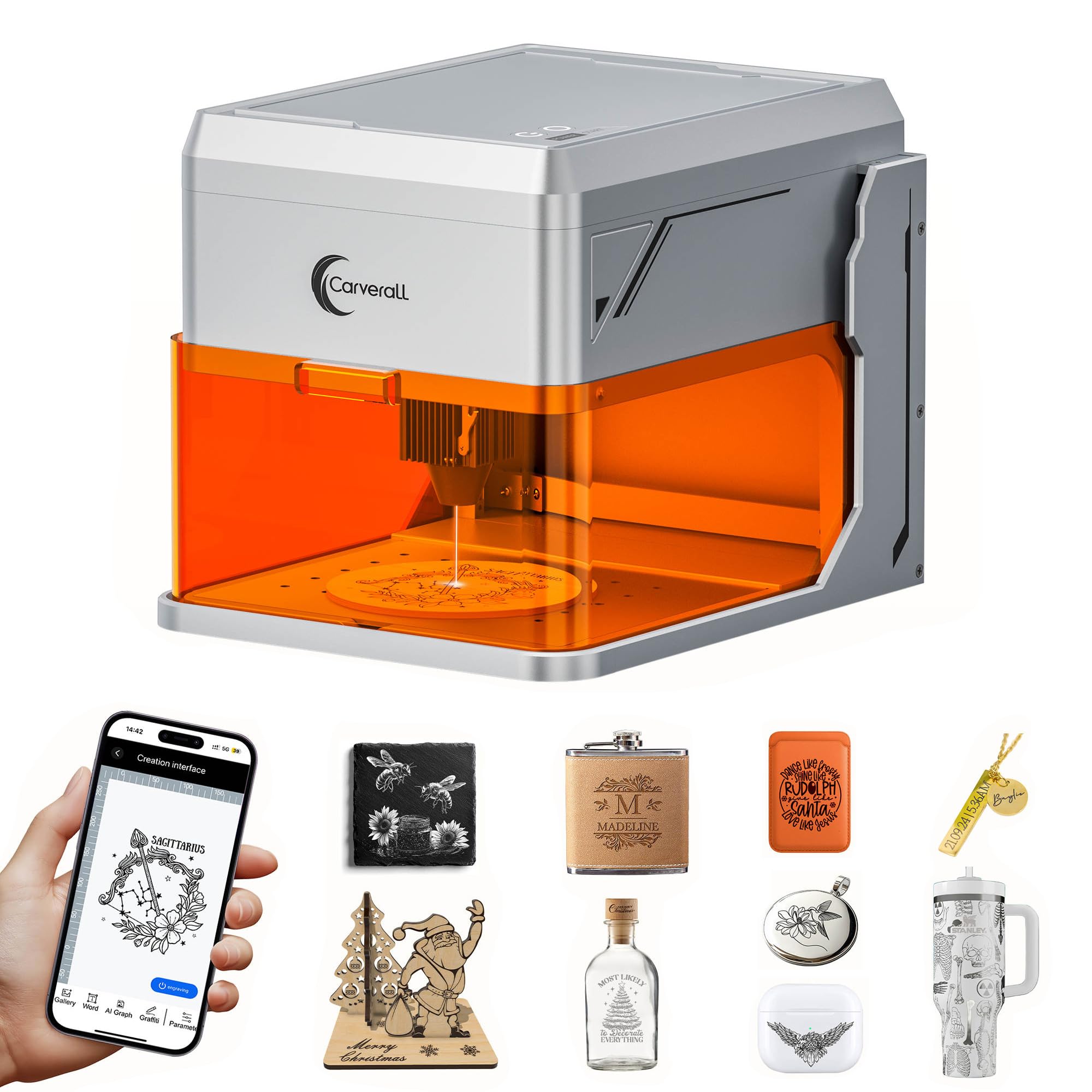
The compact brainiac that uses a camera to align your designs perfectly every time.
The Carverall A1 Pro is the most technologically interesting machine in this list. It includes an HD camera that lets you snap a picture of your material, then drag your design to the exact spot — eliminating the guesswork of manual alignment. The 5000 mW laser is Class 1 enclosed (fully shielded, safe to use without goggles), and it runs at a high 12,000 mm/min speed. The 100×100 mm work area is tiny, matching the Ortur R1, but the machine can adjust height up to 10.63 inches to handle thicker items. It works with the free CutLabX software on any device, and supports LightBurn for advanced users.
The trade-offs are real. Several buyers mention driver installation issues, with the machine not being recognized on COM3, forcing a switch to COM5. The orange shield that provides Class 1 safety also distorts the camera preview (the tint changes colors in the view), making precise placement harder. The small work area means you cannot do any project larger than a coaster or keychain — a major limitation versus the 400×400 mm LONGER Ray5. One reviewer sums it up: “good for engraving, but for cutting, no.”
Smart & Safe
- Built-in HD camera for precise design placement
- Class 1 enclosure with tilt shutoff for safety
- Free CutLabX software works on computers, tablets, and phones
Limited Cut
- 100×100 mm work area is too small for larger projects
- Driver and COM-port issues on initial setup
- Camera preview distorted by the orange safety shield
Best for: Tech-savvy beginners who prioritize design accuracy through a camera and want a fully enclosed, safe machine for small crafts.
Avoid if: You plan to do any cutting beyond very thin wood — it is strictly an engraver at its heart.
8. LONGER RAY5 Laser Engraver, 10W Output

The expandable workhorse that cuts 20mm wood and 30mm acrylic without breaking a sweat.
This is the ceiling of the cheap category — the LONGER RAY5 10W is what you step up to when you outgrow 5W machines. It cuts through 20mm thick wood boards and 30mm thick acrylic sheets, cutting thicknesses that a 5W machine cannot manage. The standard 400×400 mm work area can be expanded with a kit to 850×400 mm, giving you extra space (so you can handle extra-large signs or multiple items in one pass). The 32-bit core motherboard and 3.5-inch touch screen run smoothly, and it supports Wi-Fi, USB, TF card, and app control. One regular user says: “I use this laser everyday… it does a great job, often without using all the available power.”
The notable issue is that the assembly is quite involved — one buyer described “a lot of assembly” — and you will need to buy LightBurn software separately to open up the full power of the machine. The included software is functional but limiting for complex jobs. For the price, the Twotrees TTS-55 Pro is much easier to set up if you want instant gratification.
Cutting Power
- 10W laser cuts 20mm wood and 30mm acrylic
- Expandable work area up to 850×400 mm
- Multiple connectivity options: Wi-Fi, USB, App, TF card
Assembly & Software
- Significant assembly time from the start
- Requires LightBurn purchase for best results
- Error messages can be confusing for beginners
For the serious hobbyist: If you know you need to cut thick materials regularly, this 10W machine pays for itself in capability versus any 5W model.
The caveat: The learning curve with LightBurn and the assembly time mean it is not the best instant-gratification pick.
Understanding the Specs
Laser Power (mW or W)
Laser power is the engine of your cutter. It is measured in milliwatts (mW) or watts (W), where 1000 mW = 1W. This number tells you how deeply and how quickly the machine can cut. A 5000 mW (5W) laser is the baseline for cutting 3mm craft wood. A 10,000 mW (10W) laser can cut through 6mm wood and thicker acrylic. Some cheap machines advertise ‘laser power’ that is actually the electrical input, not the optical output — always check the laser module’s stated output power, not the ‘max power’ wattage.
Work Area (mm x mm)
The work area defines the maximum physical dimensions of a single item you can place inside the machine. A 100×100 mm work area fits a coaster or keychain perfectly. A 300×300 mm area fits a small sign or a cutting board. A 400×400 mm area fits larger projects without needing to move the material mid-job. If you are making products to sell, aim for 300×300 mm or larger so you are not constantly repositioning pieces.
FAQ
Can a cheap laser cutter burn through 1/4 inch plywood in a single pass?
Will these machines work with a Mac computer?
Do I need to buy a separate air assist system?
How long does a cheap laser cutter typically last before breaking?
Can I engrave on metal with a cheap laser cutter?
Is it safe to use a cheap laser cutter indoors without ventilation?
What is the difference between LaserGRBL and LightBurn software?
Can I use a cheap laser cutter to start a small business on Etsy?
How do I align my design on the material without a camera?
What is the real world difference between a 0.08 mm spot size and a 0.06 mm spot size?
Final Thoughts: The Verdict
For most people, the best cheap laser cutter winner is the Twotrees TTS-55 Pro because it balances blazing 30,000 mm/min speed with a 5500 mW laser and useful features like Wi-Fi control and an air-assist nozzle at a very accessible price. If you want a huge 400×400 mm work area without spending premium money, grab the LONGER Ray5 5W. For serious cutting power that rivals machines costing twice as much, the expandable LONGER RAY5 10W is the pick that grows with your skills.
How We Picked
We do not accept paid placement. Every pick is matched to a real buyer and a real use-case; we do not hands-on test units.
Sources & Methodology
Specifications: manufacturer listings and product documentation. Review insights: verified customer reviews, as of July 2026. Pricing: not shown on this page (it changes often); check the current price via the retailer link.
As an Amazon Associate, WellFizz earns from qualifying purchases. This does not affect which products we feature.
Related Guides

Mo Maruf
I created WellFizz to bridge the gap between vague wellness advice and actionable solutions. My mission is simple: to decode the research and give you practical tools you can actually use.
Beyond the data, I am a passionate traveler. I believe that stepping away from the screen to explore new environments is essential for mental clarity and physical vitality.