Our readers keep the lights on and my smoothie glass nicely filled. As an Amazon Associate, I earn from qualifying purchases.
Specs are compiled from manufacturer listings and verified buyer reviews and can change over time — please confirm the key details on the product page before buying.
You used to have to pay a lot or gamble on a blurry panel to get smooth 144Hz motion on a budget. That is no longer true. The latest cheap 144Hz screens now give you real IPS color (a panel type that keeps colors vivid from any angle), adaptive sync (technology that stops the image from tearing during fast gameplay), and response times fast enough for competitive shooters — all at prices that feel like a bargain.
I’m Mohammad Maruf — the founder and writer behind WellFizz. This guide is built by comparing the manufacturers’ published specifications and the patterns across verified customer reviews, so you get each pick’s real strengths and trade-offs instead of marketing spin.
These nine models represent the best value right now in the cheap gaming monitor 144hz segment, where you no longer need a premium budget to get a high refresh rate.
Our Picks at a Glance
How To Choose The Best Cheap Gaming Monitor 144Hz
Picking a budget high-refresh monitor means focusing on the specs that actually affect your daily experience. The panel type determines how colors look from different angles. The connectivity tells you whether your PC or console can run the screen at its full potential. And adaptive sync is the technology that keeps the image from tearing apart during fast gameplay. Here is how to weigh each one.
Panel Type: IPS vs VA vs TN
The panel technology inside the monitor decides image quality. IPS (In-Plane Switching) is the most popular choice today because it gives you vivid colors and wide 178-degree viewing angles. You can sit off to the side and still see the screen clearly. VA (Vertical Alignment) panels offer a higher contrast ratio — blacks appear deeper — which some people prefer for darker games or movies. TN (Twisted Nematic) panels are fast but wash out color when viewed from an angle, so they are rarely recommended at this price anymore. For a cheap gaming monitor, prioritize IPS or VA depending on whether you prize color or contrast more.
Refresh Rate and Response Time
Refresh rate is how many times the screen updates per second, measured in hertz (Hz). A 144Hz monitor redraws the image 144 times every second, making motion appear much smoother than a standard 60Hz display. That difference is immediately obvious when you swing the camera around in a shooter or scroll a long webpage. Response time, often listed as 1ms MPRT, is a measure of how quickly each pixel changes color. Lower numbers mean less ghosting behind fast-moving objects. Note that claimed response times vary by measurement method, so treat them as a rough guide.
Connectivity and Resolution
Getting the full 144Hz output depends on your cable and port. HDMI 1.4 can handle 144Hz at 1080p, but DisplayPort 1.2 is more reliable for hitting that refresh rate without issues. Most budget monitors stick to 1920 x 1080 resolution (Full HD), which is a smart match — your graphics card can push high frame rates at 1080p, and the image stays sharp on 24-inch or 27-inch screens. A step up to 1440p, if the monitor offers it, demands significantly more GPU power.
Quick Comparison
| Model | Best For | Panel / Size | Contrast Ratio | Color Gamut | Amazon |
|---|---|---|---|---|---|
| KOORUI 24″ FHD IPS★ Best Overall | Best Overall Value | IPS / 24″ | 3000:1 | 99% sRGB | Amazon |
| MSI PRO MP273L E14Color Pro | Premium Color Accuracy | IPS / 27″ | 1500:1 | 102% sRGB | Amazon |
| Acer Nitro KG271Slim Frame | Slim Bezels | IPS / 27″ | 1000:1 | 99% sRGB | Amazon |
| LG 27G414B-B Ultragear | Best Ergonomics | IPS / 27″ | 1500:1 | 99% sRGB | Amazon |
| LG 27GS50F-B Ultragear | 180Hz Speed | LCD / 27″ | 3000:1 | 72% color gamut | Amazon |
| ASUS TUF Gaming VG279Q3A | ELMB Sync Tech | LED / 27″ | 1000:1 | 99% sRGB | Amazon |
| Samsung Odyssey G3 G30D | Fully Adjustable Stand | LED / 27″ | 3000:1 | — | Amazon |
| KOORUI G2421V | 1440p Upgrade | IPS / 24″ | — | 90% DCI-P3 | Amazon |
| Dell S2725HSM | Built-in Speakers | LCD / 27″ | 1500:1 | 99% sRGB | Amazon |
In‑Depth Reviews
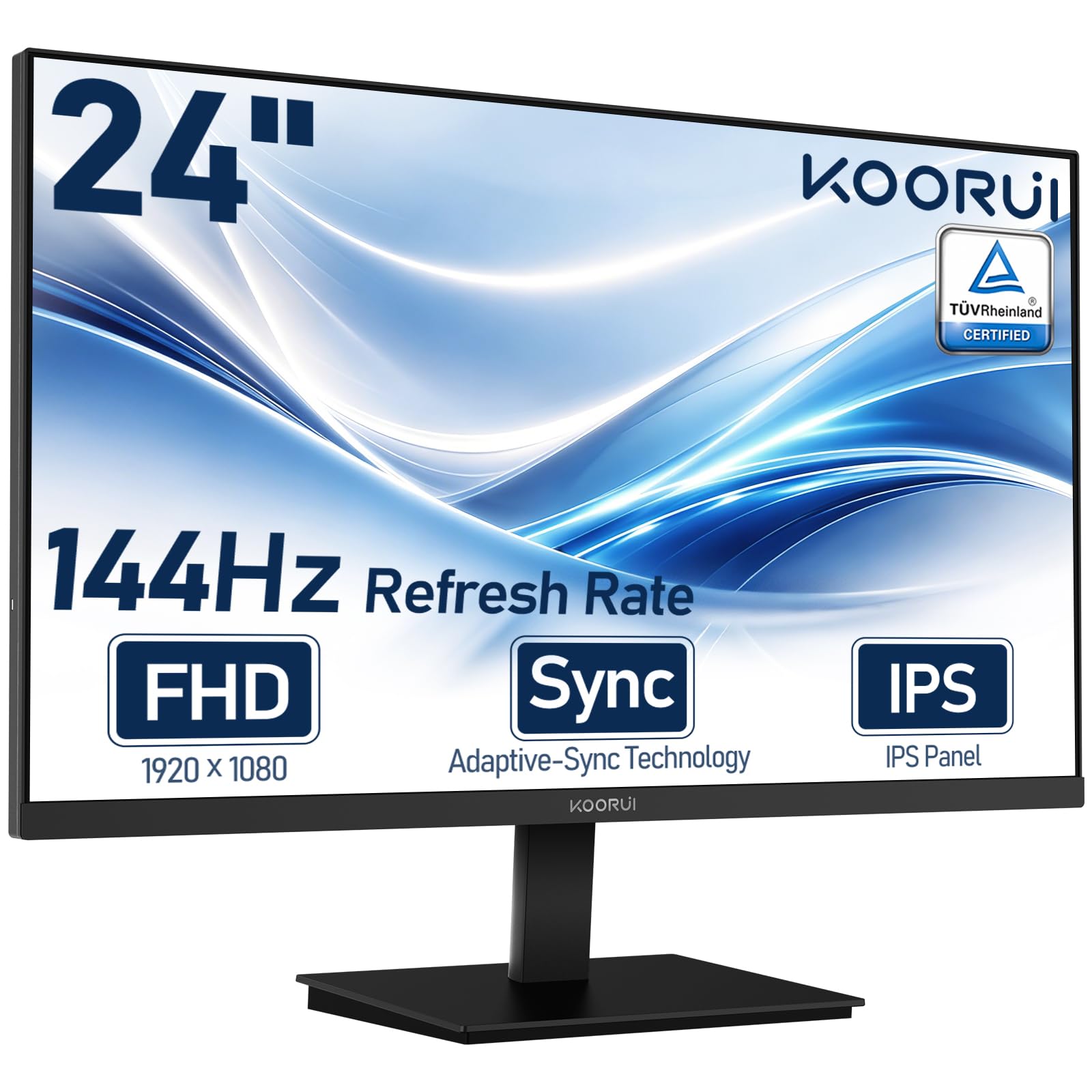
1. KOORUI 24″ FHD IPS PC Monitor
The 24-inch champ that proves you can have 144Hz, IPS color, and reliability without the premium price tag.
This KOORUI is the crowd favorite for a reason — more than 15,000 ratings back it up, and the buying consensus is that the quality and value for money stand out above everything else in this price range. The 24-inch IPS panel delivers a 3000:1 contrast ratio, which is noticeably richer than the 1500:1 you see on many similarly priced 27-inch models. That means blacks look deeper and scenes in darker games carry more punch. It is also TÜV Rheinland certified with flicker-free and low blue light technology, so long study sessions or work days are easier on the eyes.
The 144Hz refresh rate with Adaptive Sync (FreeSync) keeps motion smooth and tear-free during casual gaming. The slim 24-inch frame and VESA mount compatibility (100x100mm) make it a natural fit for small desks or dual-screen setups. At this price, the KOORUI is the pick that balances everything most buyers need.
The most common honest trade-off here is reliability — about 131 owners flagged it as a concern, with some reporting units that stopped working. That is a higher rate than the MSI or Samsung entries on this list, so it is worth noting. But for sheer value and picture quality relative to cost, this monitor still wins the day.
Why It Wins
- Excellent 3000:1 contrast ratio for deeper blacks compared to rivals
- TÜV Rheinland eye-care certification for flicker-free, low-blue-light comfort
- Compact 24-inch size with VESA mount works perfectly in small spaces
The Honest Caveat
- Reliability reports are mixed — a segment of owners experienced failures
- Pixel density at 24-inch 1080p is fine but not as crisp as higher-resolution panels
Reach for this if: you want the best blend of price, picture quality, and high refresh rate in a compact size that fits any desk.
Think twice if: absolute long-term reliability is your top priority and you prefer a larger 27-inch screen.
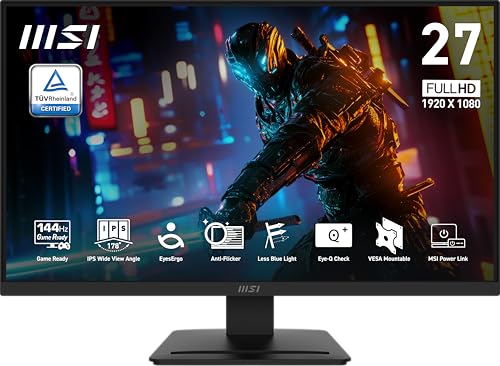
2. MSI PRO MP273L E14 27-inch Gaming Office Monitor
A 27-inch IPS screen with 102% sRGB color gamut that pulls ahead of the KOORUI on color accuracy and size.
You get the most accurate colors in the budget group with the MSI PRO MP273L. Its 102% sRGB color gamut beats the 99% sRGB on the KOORUI, making it a better match if you do photo editing or video work in addition to gaming. The 1500:1 contrast ratio here is standard for IPS panels — deeper than the Acer Nitro’s 1000:1 but less dramatic than the KOORUI’s 3000:1 — so you get balanced, accurate colors rather than extreme contrast.
With a 144Hz refresh rate and FreeSync support, it handles fast-paced FPS and racing games without tearing. The monitor is also TÜV Rheinland certified for flicker-free and low blue light, which helps during those long editing sessions. Its tilt-adjustable stand (-5° to 20°) and VESA 100x100mm compatibility give you flexible placement options. Early buyers specifically praise its picture quality — six owners call it excellent, and several describe it as an absolute steal for the price.
The catch is that this model has a small number of ratings so far, so its long-term reliability story is less proven than the more established KOORUI or Samsung entries. If you prioritize color accuracy and a larger 27-inch screen over the deepest possible contrast, this MSI is the sharper play.
Standout Spec: 102% sRGB color gamut — the highest among the budget IPS picks here.
Who It Fits: creative users who game and work on the same monitor and value accurate color over raw contrast.
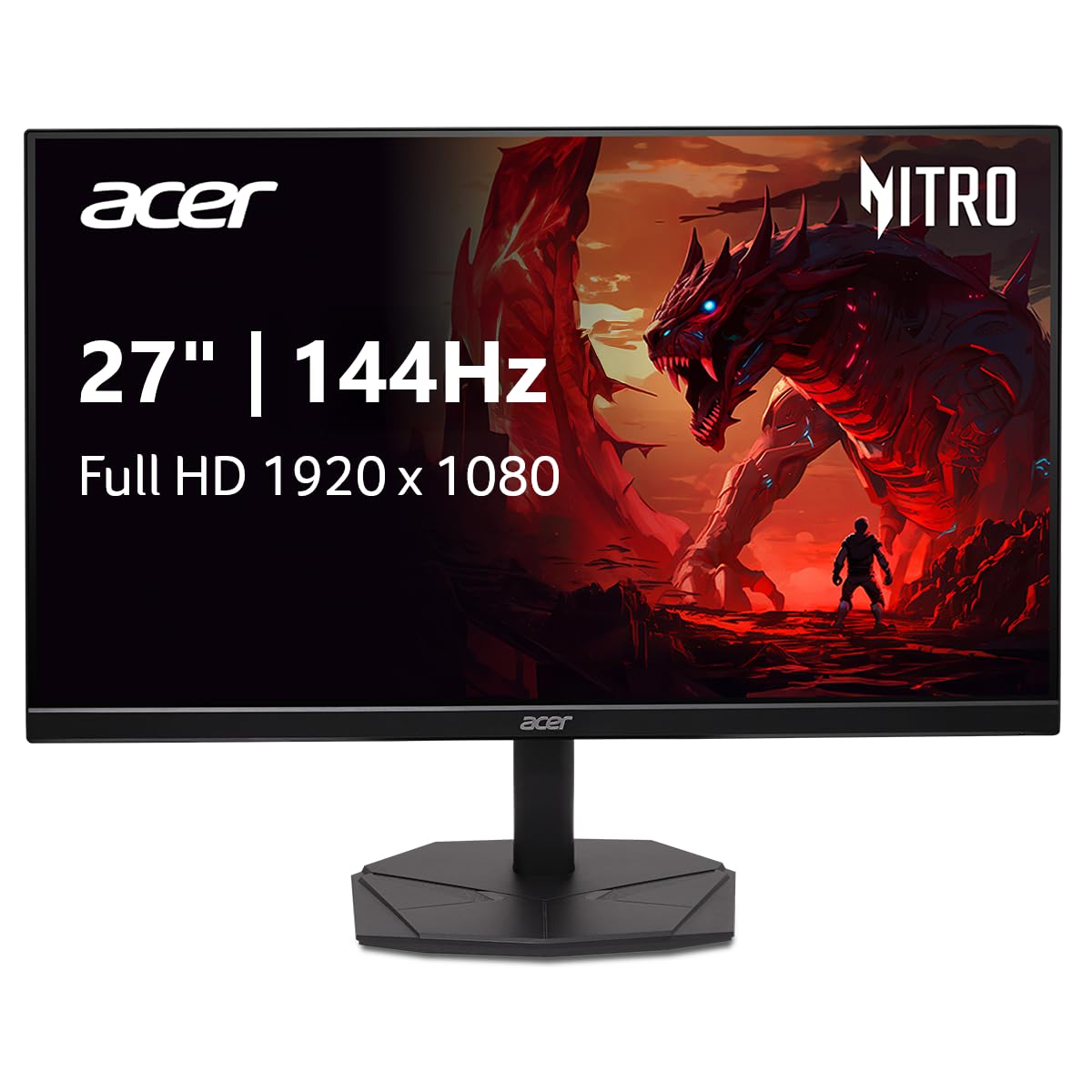
3. Acer Nitro KG271 P6bip 27-inch Gaming Monitor
A 27-inch IPS screen with a ZeroFrame design that boost viewing area without the bezel bulk.
The Acer Nitro stands out for its nearly borderless design, which makes the 27-inch screen feel even bigger when sitting on your desk. The IPS panel delivers 1920×1080 resolution with 99% sRGB color gamut and a 1000:1 contrast ratio. While that contrast figure is lower than the KOORUI’s 3000:1 or the LG Ultragear’s 1500:1, the overall image remains sharp and color-accurate for both gaming and productivity.
AMD FreeSync support keeps the 144Hz gameplay free of tearing and stuttering. The ZeroFrame design also makes this monitor an excellent candidate for multi-monitor setups, where thick bezels can be distracting. Owners consistently highlight the value, with one calling it perfect for a budget 1080p build and another noting the thin bezel boost screen real estate. The included stand is compact, which is a bonus when you are tight on desk space.
The main trade-off is the 1000:1 contrast ratio — it is the lowest on this list, so scenes in dark games won’t look as rich as they do on the KOORUI or Samsung models. If your primary use is bright, fast-paced shooters and office work, this is a solid choice. If you watch a lot of dark movies or play horror games, one of the higher-contrast panels will serve you better.
What Stands Out
- Ultra-thin bezels for rich viewing and smooth multi-monitor setups
- 1ms response time (VRB) for smooth fast-motion rendering
- Compact stand footprint saves desk space in dual-monitor arrangements
One Thing to Know
- 1000:1 contrast ratio is the lowest among the budget picks here
4. LG 27G414B-B 27-inch Ultragear Gaming Monitor
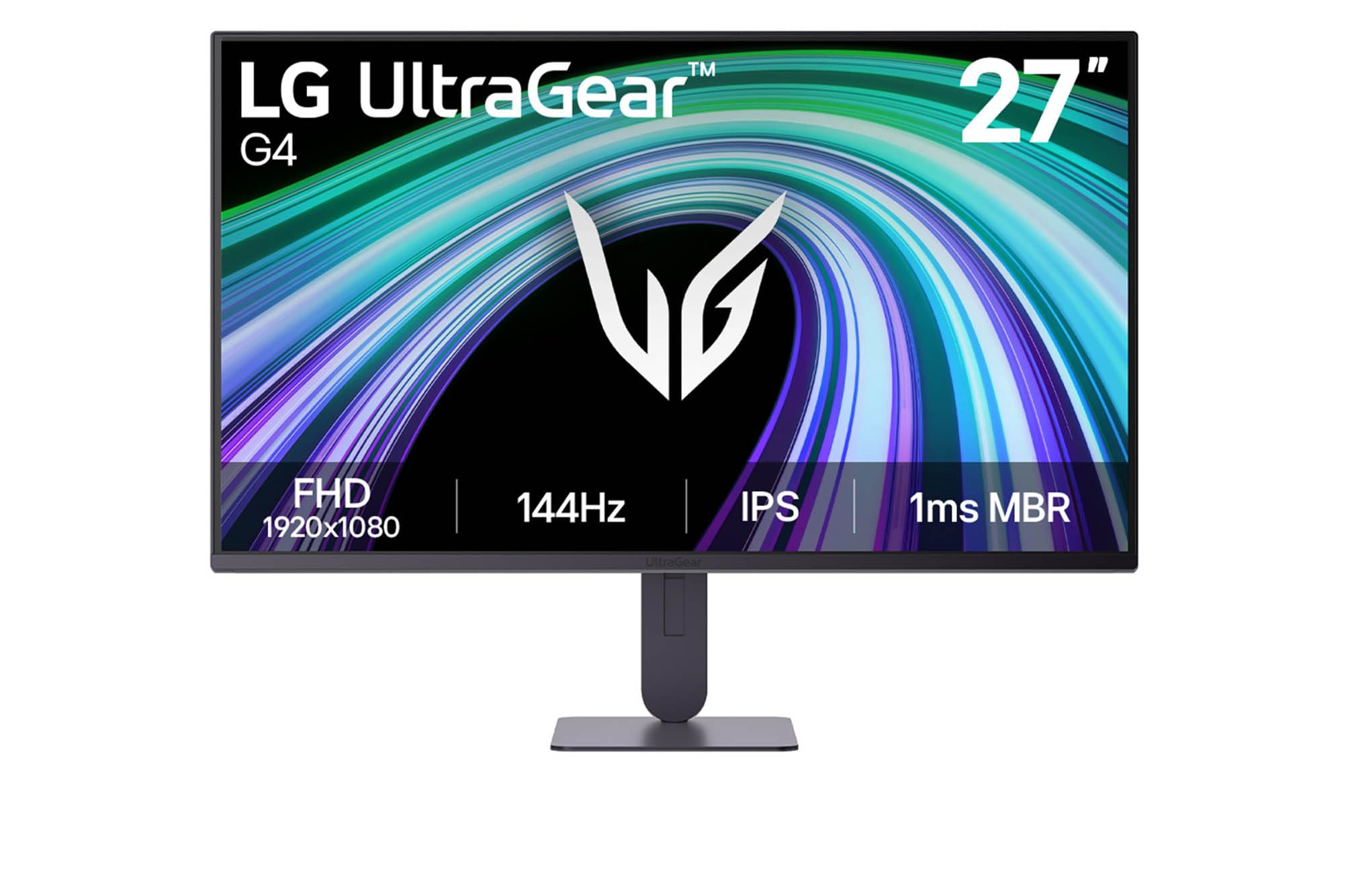
The LG Ultragear brings a height-adjustable stand and HDR10 support to the budget arena — a rare combination.
LG’s 27-inch Ultragear punches above its price bracket with features usually reserved for more expensive monitors. The stand offers height and tilt adjustment, so you can position the screen exactly at eye level without propping it on books. The IPS panel covers 99% sRGB color gamut with a 1500:1 contrast ratio and supports HDR10, which makes games and videos look punchier. It also supports both NVIDIA G-Sync Compatible and AMD FreeSync, giving you tear-free motion no matter which GPU brand you run.
The 144Hz refresh rate paired with a 1ms MBR (Motion Blur Reduction) keeps fast action sharp during competitive play. Built-in stereo speakers mean you can game without external speakers or headphones right away. Owners describe the screen as vibrant and crisp, with one calling it a great value that levels up a desk setup while staying affordable. Dynamic Action Sync and Black Stabilizer are extra gaming features that reduce input lag and brighten dark scenes.
The honest limit here is that the built-in speakers are adequate for casual use but not for rich gaming audio — plan on using your own speakers or a headset for the full experience. If you want the best ergonomics and a fully-featured stand at this price point, this LG is the one.
The Defining Feature: height and tilt adjustment that few budget monitors offer, letting you dial in perfect posture.
Ideal Buyer: someone who games and works at the same desk and needs flexible positioning to avoid neck strain.
5. LG 27GS50F-B 27-inch Ultragear Gaming Monitor

An 180Hz refresh rate pushes past 144Hz for even smoother motion, all while keeping the price firmly in the budget zone.
The LG 27GS50F is the speedster of the group. Its 180Hz native refresh rate (faster than the standard 144Hz on most of this list) gives you an extra 36 frames per second of smoothness, which competitive gamers will notice immediately in fast-twitch shooters. The 3000:1 contrast ratio is tied with the KOORUI for the best on this list, so blacks look deep and scenes have strong depth. AMD FreeSync ensures minimal tearing during rapid gameplay.
Owners consistently point to the 180Hz refresh rate and crisp 1080p resolution as the standout features, with many calling it a great budget display that makes gaming and video feel smooth. The three-side virtually borderless design keeps the desk setup clean. Black Stabilizer and Dynamic Action Sync are built-in tools that improve visibility in dark spots and reduce input lag. HDR10 support adds a bit of extra color depth when viewing supported content.
The mixed feedback here centers on color quality — the 72% color gamut is lower than the 99% sRGB coverage on most other picks, so colors may look less saturated from the start. A few owners also noted occasional random shutdowns. If pure speed and smoothness are your priority and you aren’t doing color-sensitive work, this monitor delivers more frames than anything else in its price range.
Why It’s Fast
- 180Hz refresh rate outpaces the 144Hz competition for smoother action
- 3000:1 contrast ratio provides deep blacks and strong scene depth
- Gamer-centric features like Black Stabilizer and Dynamic Action Sync
One Trade-Off
- 72% color gamut means colors look less vibrant compared to 99% sRGB panels
- A small number of buyers report reliability concerns
6. ASUS TUF Gaming VG279Q3A 27-inch Monitor

ASUS packs its Extreme Low Motion Blur Sync technology into a budget 27-inch 180Hz panel — a rarity at this price.
The ASUS TUF Gaming monitor is built for competitive play. The headline feature is ELMB Sync, which lets you use the variable refresh rate (FreeSync Premium and G-Sync Compatible) simultaneously with motion blur reduction. Normally you have to choose one or the other; this monitor lets you have both, eliminating ghosting and tearing at the same time. The 180Hz refresh rate and 99% sRGB color gamut on the Fast IPS panel keep frames fluid and colors accurate.
Shadow Boost is a practical extra that brightens dark areas without washing out the bright spots, making it easier to spot enemies hiding in shadows. The three-month Adobe Creative Cloud subscription included is a bonus for content creators. Owners generally praise the performance, with one calling it the best 27-inch IPS gaming monitor for the money and another noting it works great without any issues. The build quality and aesthetics get consistent appreciation.
The image quality feedback is mixed — some owners mention noticeable blurriness at certain settings, so you may need to spend time dialing in the display configuration. This monitor rewards those who are willing to tweak settings. If you want the smoothest possible motion with blur reduction active, the ASUS is the technical winner here.
Standout Technology: ELMB Sync that enables blur reduction and variable refresh rate to work at the same time.
Best For: gamers who prioritize motion clarity and are comfortable fine-tuning display settings.
7. Samsung 27″ Odyssey G3 G30D Gaming Monitor

Samsung’s Odyssey G3 gives you swivel, tilt, pivot, and height adjustment — a fully articulated stand that rivals cost more for.
The Samsung Odyssey G3 is the most adjustable monitor in the budget group. The stand lets you swivel, tilt, pivot, and change the height, which is a level of ergonomic flexibility you normally find on monitors that cost significantly more. The 180Hz refresh rate and 3000:1 contrast ratio make it a strong performer for both gaming and productivity. Black Equalizer is a useful gaming feature that brightens dark areas so you can spot enemies hiding in shadows.
AMD FreeSync keeps the motion smooth and tear-free. Eye Saver Mode reduces blue light, and the flicker-free technology helps reduce eye strain during long sessions. The 3-sided borderless design is clean and works well for multi-monitor setups. With nearly 1,800 ratings and a strong quality score (148 owners call it out positively), this is among the most trusted picks on the list. Owners describe it as a solid entry-level option with deep colors and easy setup.
The only real downside is the absence of built-in speakers, so you will need external audio. Also, the 1080p resolution on a 27-inch screen means the pixel density is lower than a smaller 24-inch at the same resolution — some people find text slightly less sharp than on a 24-inch 1080p panel. If you want the best ergonomic stand in this price range and don’t mind supplying your own speakers, the Odyssey G3 is the clear choice.
Why It’s the Stand-Out
- Full height, swivel, tilt, and pivot adjustment (rare at this price)
- 180Hz refresh rate with 3000:1 contrast ratio for smooth, deep visuals
- Large, satisfied owner base with high quality ratings
What It Lacks
- No built-in speakers — you will need external ones
- 1080p resolution at 27-inch means lower pixel density than smaller screens
8. KOORUI G2421V 24-inch Gaming Monitor
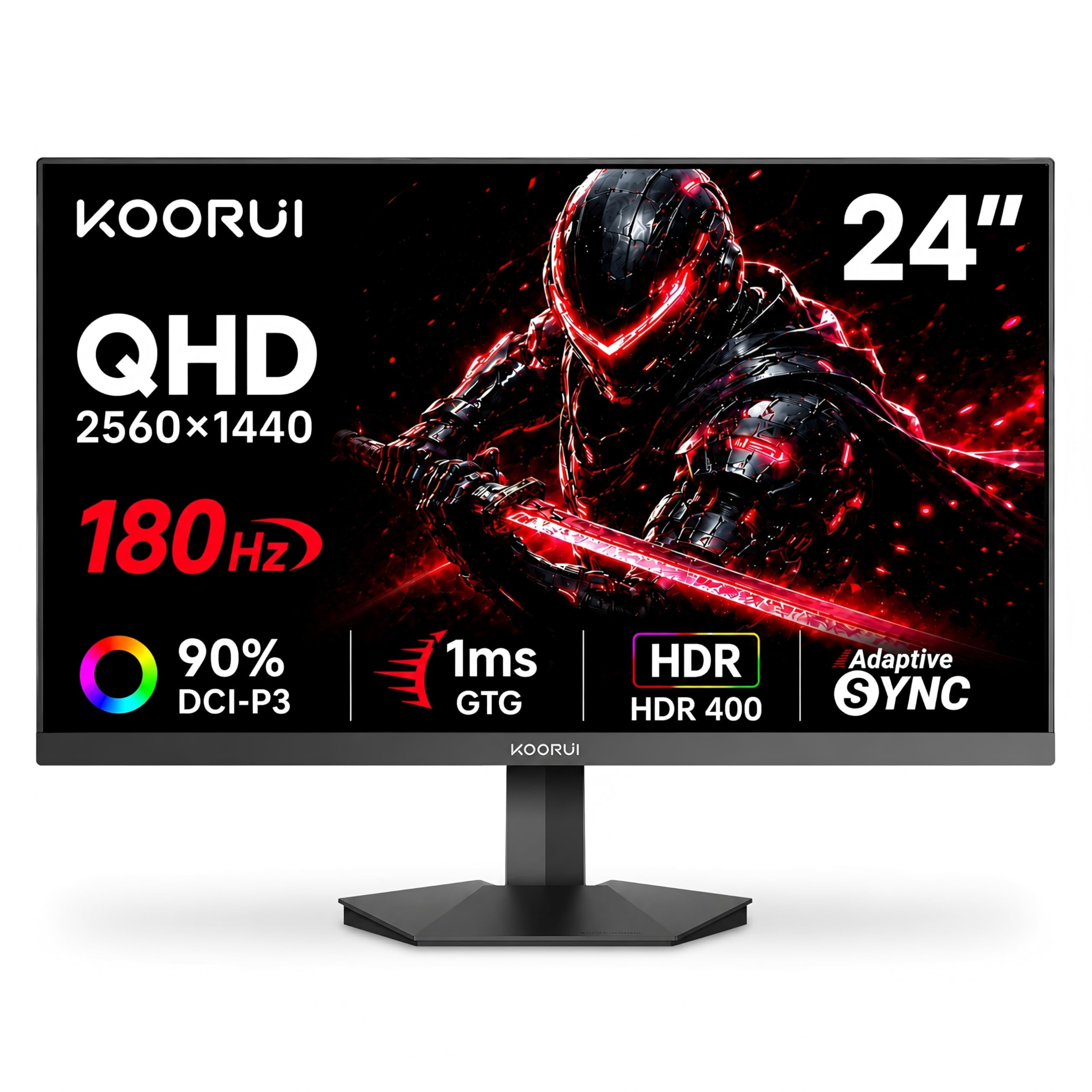
A 24-inch 1440p monitor with 180Hz and HDR400 — the only budget option that jumps to QHD resolution for sharper detail.
The KOORUI G2421V is the one pick on this list that escapes 1080p. Its 2560×1440 (QHD) resolution on a 24-inch screen delivers noticeably sharper text and images than any Full HD monitor here, which makes a real difference for productivity and rich gaming. The 180Hz refresh rate with Smart Adaptive Sync keeps motion fluid, and the HDR400 certification means it handles a wider brightness range than standard SDR monitors. The 90% DCI-P3 color gamut is a step above the typical 99% sRGB coverage — more vibrant reds and greens that content creators will appreciate.
The Fast IPS panel eliminates the ghosting and blurring common on older panel technologies. A 5-way joystick makes navigating the on-screen menu quick. The monitor also includes a Timer and Crosshair overlay for competitive gaming. Over 12,000 ratings give it a strong track record, and owners praise the graphics and clarity, calling it a great monitor for the price.
Because this is a 1440p monitor, you will need a more powerful graphics card to push high frame rates at this resolution — a budget GPU may struggle to hit 180Hz in demanding games. Also, a few early owners noted a chemical odor from the exhaust during the first few weeks, which eventually dissipated. If your PC can handle 1440p and you want a sharper image, this is the best-value upgrade path.
The Big Upgrade: QHD resolution at 2560×1440 delivers substantially crisper detail than every 1080p pick here.
Best For: gamers with mid-range or better GPUs who want sharper visuals and richer color (90% DCI-P3).
9. Dell 27 Plus Monitor S2725HSM

Dell’s 27-inch Plus monitor blends 144Hz gaming smoothness with dual 3W speakers and a fully adjustable ergonomic stand.
If you need a single monitor that handles both work and gaming without compromise, Dell’s 27 Plus is the most well-rounded package. It includes integrated dual 3W speakers that deliver a fuller sound than the thin speakers on most office monitors, plus a full ergonomic stand with height, tilt, pivot, and swivel adjustment — matched only by the Samsung Odyssey G3 on this list. The 1500:1 contrast ratio produces a balanced picture, and the 99% sRGB color gamut ensures accurate colors for productivity tasks.
The 144Hz refresh rate with AMD FreeSync gives you smooth tear-free motion during gaming. The 4-star TÜV certification for low blue light means you can work long hours without eye fatigue, and the anti-glare screen reduces reflections in bright rooms. The ash white color is a refreshing alternative to the sea of black monitors. Owners consistently highlight the sharp display, vibrant colors, and easy setup, with one calling it perfect for a home office where spreadsheets and pixel editing are the daily norm.
The only real limitation here is the connectivity — it relies solely on HDMI, with no DisplayPort. That is fine for most setups, but it may limit your ability to hit full 144Hz on older hardware. If you want a monitor that works beautifully for productivity all day and then switches to gaming at night, the Dell 27 Plus is the most complete package.
Complete Package
- Dual 3W built-in speakers deliver real room-filling sound
- Full ergonomic stand with height, tilt, pivot, and swivel
- 4-star TÜV low blue light certification for all-day comfort
One Check
- Limited to HDMI connectivity — no DisplayPort for potentially higher bandwidth
Understanding the Specs
Contrast Ratio
Contrast ratio is the difference between the brightest white and the darkest black a monitor can display at the same time. A ratio like 3000:1 means white is three thousand times brighter than black. Higher numbers make dark scenes in games and movies look deeper and more rich. On this list, the KOORUI 24-inch and Samsung Odyssey G3 both hit 3000:1, while the other IPS panels typically sit at 1000:1 or 1500:1. If you play dark horror games or watch a lot of movies, prioritize the higher contrast models.
Color Gamut (sRGB and DCI-P3)
Color gamut tells you how many colors the screen can show. The most common measurement is sRGB, and 99% is the standard for accurate color reproduction in this class. The MSI PRO MP273L goes a step beyond with 102% sRGB, which means it can show slightly more vivid reds and greens than most. The KOORUI G2421V uses the wider DCI-P3 standard (90% coverage), which is even more vibrant and is the preferred color space for HDR content and professional video editing. A lower number like 72% on the LG 27GS50F means colors will look less saturated.
FAQ
Can I run a 144Hz monitor with an HDMI cable?
What is the difference between 144Hz and 180Hz refresh rate?
Will a cheap 144Hz monitor work with my PS5 or Xbox?
Do I need a special graphics card for FreeSync or G-Sync?
Is a 27-inch 1080p monitor too blurry for daily use?
How important is the response time for a gaming monitor?
What does HDR10 do on a budget monitor?
Can I wall-mount a cheap 144Hz monitor?
Which port should I use for the best 144Hz performance?
How long do budget gaming monitors typically last?
Final Thoughts: The Verdict
Across the board, the cheap gaming monitor 144hz winner is the KOORUI 24-inch because it delivers the best combination of IPS color, high contrast ratio, eye-care certification, and proven owner satisfaction at the lowest possible price. If you want a larger 27-inch screen with a fully adjustable ergonomic stand and deep contrast, grab the {“@context”: “https://schema.org”, “@graph”: [{“@type”: “ItemList”, “name”: “9 Best Cheap Gaming Monitor 144Hz”, “url”: “https://wellfizz.com/best-cheap-gaming-monitor-144hz/”, “numberOfItems”: 9, “itemListElement”: [{“@type”: “ListItem”, “position”: 1, “name”: “KOORUI 24\” FHD IPS PC Monitor”, “url”: “https://wellfizz.com/best-cheap-gaming-monitor-144hz/#product-1”}, {“@type”: “ListItem”, “position”: 2, “name”: “MSI PRO MP273L E14 27-inch Gaming Office Monitor”, “url”: “https://wellfizz.com/best-cheap-gaming-monitor-144hz/#product-2”}, {“@type”: “ListItem”, “position”: 3, “name”: “Acer Nitro KG271 P6bip 27-inch Gaming Monitor”, “url”: “https://wellfizz.com/best-cheap-gaming-monitor-144hz/#product-3”}, {“@type”: “ListItem”, “position”: 4, “name”: “LG 27G414B-B 27-inch Ultragear Gaming Monitor”, “url”: “https://wellfizz.com/best-cheap-gaming-monitor-144hz/#product-4”}, {“@type”: “ListItem”, “position”: 5, “name”: “LG 27GS50F-B 27-inch Ultragear Gaming Monitor”, “url”: “https://wellfizz.com/best-cheap-gaming-monitor-144hz/#product-5”}, {“@type”: “ListItem”, “position”: 6, “name”: “ASUS TUF Gaming VG279Q3A 27-inch Monitor”, “url”: “https://wellfizz.com/best-cheap-gaming-monitor-144hz/#product-6”}, {“@type”: “ListItem”, “position”: 7, “name”: “Samsung 27\” Odyssey G3 G30D Gaming Monitor”, “url”: “https://wellfizz.com/best-cheap-gaming-monitor-144hz/#product-7”}, {“@type”: “ListItem”, “position”: 8, “name”: “KOORUI G2421V 24-inch Gaming Monitor”, “url”: “https://wellfizz.com/best-cheap-gaming-monitor-144hz/#product-8”}, {“@type”: “ListItem”, “position”: 9, “name”: “Dell 27 Plus Monitor S2725HSM”, “url”: “https://wellfizz.com/best-cheap-gaming-monitor-144hz/#product-9”}]}, {“@type”: “Product”, “position”: 1, “name”: “KOORUI 24\” FHD IPS PC Monitor”, “image”: “https://m.media-amazon.com/images/I/71rAnNlq7KL.jpg”, “brand”: {“@type”: “Brand”, “name”: “KOORUI”}, “url”: “https://www.amazon.com/dp/B09G6TX7L5/?tag=wellfizzmo-20”, “offers”: {“@type”: “Offer”, “url”: “https://www.amazon.com/dp/B09G6TX7L5/?tag=wellfizzmo-20”}}, {“@type”: “Product”, “position”: 2, “name”: “MSI PRO MP273L E14 27-inch Gaming Office Monitor”, “image”: “https://m.media-amazon.com/images/I/51dkL3ern5L.jpg”, “brand”: {“@type”: “Brand”, “name”: “MSI”}, “url”: “https://www.amazon.com/dp/B0FKVGTDWX/?tag=wellfizzmo-20”, “offers”: {“@type”: “Offer”, “url”: “https://www.amazon.com/dp/B0FKVGTDWX/?tag=wellfizzmo-20”}}, {“@type”: “Product”, “position”: 3, “name”: “Acer Nitro KG271 P6bip 27-inch Gaming Monitor”, “image”: “https://m.media-amazon.com/images/I/61KW7F6jsiL.jpg”, “brand”: {“@type”: “Brand”, “name”: “Acer”}, “url”: “https://www.amazon.com/dp/B0FJS2BVXS/?tag=wellfizzmo-20”, “offers”: {“@type”: “Offer”, “url”: “https://www.amazon.com/dp/B0FJS2BVXS/?tag=wellfizzmo-20”}}, {“@type”: “Product”, “position”: 4, “name”: “LG 27G414B-B 27-inch Ultragear Gaming Monitor”, “image”: “https://m.media-amazon.com/images/I/71vqAj7P+4L.jpg”, “brand”: {“@type”: “Brand”, “name”: “LG”}, “url”: “https://www.amazon.com/dp/B0GX78512M/?tag=wellfizzmo-20”, “offers”: {“@type”: “Offer”, “url”: “https://www.amazon.com/dp/B0GX78512M/?tag=wellfizzmo-20”}}, {“@type”: “Product”, “position”: 5, “name”: “LG 27GS50F-B 27-inch Ultragear Gaming Monitor”, “image”: “https://m.media-amazon.com/images/I/812BlhGXVLL.jpg”, “brand”: {“@type”: “Brand”, “name”: “LG”}, “url”: “https://www.amazon.com/dp/B0D1VW3JBM/?tag=wellfizzmo-20”, “offers”: {“@type”: “Offer”, “url”: “https://www.amazon.com/dp/B0D1VW3JBM/?tag=wellfizzmo-20”}}, {“@type”: “Product”, “position”: 6, “name”: “ASUS TUF Gaming VG279Q3A 27-inch Monitor”, “image”: “https://m.media-amazon.com/images/I/71kTUcpt0eL.jpg”, “brand”: {“@type”: “Brand”, “name”: “ASUS”}, “url”: “https://www.amazon.com/dp/B0C7BMXV18/?tag=wellfizzmo-20”, “offers”: {“@type”: “Offer”, “url”: “https://www.amazon.com/dp/B0C7BMXV18/?tag=wellfizzmo-20”}}, {“@type”: “Product”, “position”: 7, “name”: “Samsung 27\” Odyssey G3 G30D Gaming Monitor”, “image”: “https://m.media-amazon.com/images/I/71EHzBNhdOL.jpg”, “brand”: {“@type”: “Brand”, “name”: “Samsung”}, “url”: “https://www.amazon.com/dp/B0D5ZKSR9C/?tag=wellfizzmo-20”, “offers”: {“@type”: “Offer”, “url”: “https://www.amazon.com/dp/B0D5ZKSR9C/?tag=wellfizzmo-20”}}, {“@type”: “Product”, “position”: 8, “name”: “KOORUI G2421V 24-inch Gaming Monitor”, “image”: “https://m.media-amazon.com/images/I/81toULvrpXL.jpg”, “brand”: {“@type”: “Brand”, “name”: “KOORUI”}, “url”: “https://www.amazon.com/dp/B0F7XT62XB/?tag=wellfizzmo-20”, “offers”: {“@type”: “Offer”, “url”: “https://www.amazon.com/dp/B0F7XT62XB/?tag=wellfizzmo-20”}}, {“@type”: “Product”, “position”: 9, “name”: “Dell 27 Plus Monitor S2725HSM”, “image”: “https://m.media-amazon.com/images/I/71P5Rv9+DwL.jpg”, “brand”: {“@type”: “Brand”, “name”: “Dell”}, “url”: “https://www.amazon.com/dp/B0G4MVZMT6/?tag=wellfizzmo-20”, “offers”: {“@type”: “Offer”, “url”: “https://www.amazon.com/dp/B0G4MVZMT6/?tag=wellfizzmo-20”}}, {“@type”: “FAQPage”, “mainEntity”: [{“@type”: “Question”, “name”: “Can I run a 144Hz monitor with an HDMI cable?”, “acceptedAnswer”: {“@type”: “Answer”, “text”: “Yes, but it depends on the HDMI version. HDMI 1.4 and newer can handle 144Hz at 1080p resolution without issue. Some monitors on this list only include an HDMI cable, which works fine. If you have an older GPU, make sure it supports HDMI 1.4 or use a DisplayPort cable for the most reliable connection.”}}, {“@type”: “Question”, “name”: “What is the difference between 144Hz and 180Hz refresh rate?”, “acceptedAnswer”: {“@type”: “Answer”, “text”: “Refresh rate is the number of times the screen updates per second. 144Hz updates 144 times per second, while 180Hz updates 180 times. The extra 36 frames per second makes motion feel slightly smoother and reduces input lag. The difference is subtle to most users but noticeable to competitive gamers in fast-paced shooters like Valorant or Overwatch.”}}, {“@type”: “Question”, “name”: “Will a cheap 144Hz monitor work with my PS5 or Xbox?”, “acceptedAnswer”: {“@type”: “Answer”, “text”: “Yes, these monitors work with consoles that support 120Hz output, like the PS5 and Xbox Series X. The monitor’s 144Hz (or 180Hz) refresh rate covers the console’s 120Hz cap. Note that at this price point, most monitors are 1080p, so you won’t get 4K resolution. A few, like the KOORUI G2421V, support 1440p, which the PS5 also supports.”}}, {“@type”: “Question”, “name”: “Do I need a special graphics card for FreeSync or G-Sync?”, “acceptedAnswer”: {“@type”: “Answer”, “text”: “FreeSync works with AMD graphics cards and some newer NVIDIA cards that support the open standard. G-Sync Compatible works with NVIDIA cards. All monitors on this list that specify FreeSync will work with a modern AMD GPU from the start, and most will also work with a recent NVIDIA GPU over DisplayPort. Checking your GPU’s compatibility is always recommended.”}}, {“@type”: “Question”, “name”: “Is a 27-inch 1080p monitor too blurry for daily use?”, “acceptedAnswer”: {“@type”: “Answer”, “text”: “Not at all — it depends on your viewing distance. At a normal desk distance of about arm’s length, a 27-inch 1080p screen looks crisp for gaming and general use. The pixel density is lower than a 24-inch 1080p monitor, so text will appear slightly less sharp if you lean in close. Some people find the 24-inch size a bit sharper for text work, while others prefer the larger 27-inch screen for immersion.”}}, {“@type”: “Question”, “name”: “How important is the response time for a gaming monitor?”, “acceptedAnswer”: {“@type”: “Answer”, “text”: “Response time matters for fast-moving action. Lower numbers reduce ghosting — the blurry trail behind moving objects. The monitors on this list typically advertise 1ms MPRT (Moving Picture Response Time). Keep in mind that response time measurements vary by manufacturer, so they are a rough guide rather than an exact comparison. In real-world use, any modern IPS or VA panel will handle most games well.”}}, {“@type”: “Question”, “name”: “What does HDR10 do on a budget monitor?”, “acceptedAnswer”: {“@type”: “Answer”, “text”: “HDR10 (High Dynamic Range) allows the monitor to accept an HDR signal from your PC or console, theoretically showing a wider range of brightness and color. On budget monitors with 250-300 nits of brightness, HDR is less dramatic than on expensive HDR-certified screens. You will see a slight improvement in color depth, but do not expect the same visual leap as a premium HDR display.”}}, {“@type”: “Question”, “name”: “Can I wall-mount a cheap 144Hz monitor?”, “acceptedAnswer”: {“@type”: “Answer”, “text”: “Most budget monitors include VESA mount compatibility, typically in 100x100mm or 75x75mm patterns. Check the individual product spec before buying. The KOORUI 24-inch and MSI PRO MP273L both list VESA mount support. Monitors like the Dell 27 Plus also support VESA mounting, giving you the flexibility to use a monitor arm or wall bracket.”}}, {“@type”: “Question”, “name”: “Which port should I use for the best 144Hz performance?”, “acceptedAnswer”: {“@type”: “Answer”, “text”: “DisplayPort is generally the most reliable for hitting the full 144Hz (or 180Hz) refresh rate at 1080p or 1440p. Most budget monitors include at least one DisplayPort connection. If you only have an HDMI port on your GPU, HDMI 1.4 or newer can still deliver 144Hz at 1080p. The monitor’s manual will tell you which ports support which refresh rates.”}}, {“@type”: “Question”, “name”: “How long do budget gaming monitors typically last?”, “acceptedAnswer”: {“@type”: “Answer”, “text”: “A well-built budget monitor from a reputable brand like LG, Dell, or Samsung can last several years with normal use. The KOORUI monitor has owners reporting reliable operation after over a year of use. Some budget models may have higher failure rates, so checking the owner feedback on a specific model is the best way to gauge long-term reliability. Most come with at least a one-year warranty.”}}]}]}
Related Guides

Mo Maruf
I created WellFizz to bridge the gap between vague wellness advice and actionable solutions. My mission is simple: to decode the research and give you practical tools you can actually use.
Beyond the data, I am a passionate traveler. I believe that stepping away from the screen to explore new environments is essential for mental clarity and physical vitality.