Our readers keep the lights on and my smoothie glass nicely filled. As an Amazon Associate, I earn from qualifying purchases.
Bringing your digital sketches to life on a screen you can actually see under your pen tip — without emptying your wallet — feels like a contradiction. Most affordable display tablets force you to accept dim colors, laggy cursors, or plastic build that creaks after a month. But the budget segment has quietly matured, and the gap between “cheap” and “usable” has narrowed to a hairline.
I’m Mohammad Maruf — the founder and writer behind WellFizz. I’ve spent hundreds of hours cross-referencing spec sheets, pressure curves, color gamut reports, and real-user durability notes to isolate the models that actually deliver a true drawing experience at an entry-level price.
After comparing every critical metric from parallax depth to driver stability on Mac, Windows, and Linux, these are the picks that survive scrutiny. This is the definitive guide to the best cheap drawing tablet with screen for artists who need performance without the premium markup.
How To Choose The Best Cheap Drawing Tablet With Screen
When your budget sits below the premium tier, every spec trade-off matters. Picking a display tablet at this price level means knowing which corners to cut and which features are absolute dealbreakers. Here are the three filters you should apply before adding anything to your cart.
Full Lamination Or Visible Parallax
The single biggest difference between a cheap screened tablet that feels natural and one that feels like a pane of glass over a phone screen is full lamination. Laminated displays bond the cover glass directly to the LCD panel, eliminating the air gap. That gap causes parallax — the visual offset where your pen tip appears to float a hair away from the actual cursor. Non-laminated budget tablets make fine linework frustrating. If a listing doesn’t mention “full lamination” or “bonded display,” expect a disconnect between your hand and the stroke.
Pressure Sensitivity vs. Initial Activation Force
Manufacturers love to boast about 8192 or even 16384 pressure levels, but that number is almost meaningless if the pen requires heavy pressure to register a first mark. The real spec to hunt for is initial activation force (IAF) — ideally 2 to 3 grams. A low IAF means featherlight sketch lines and natural brush tapering. Without it, high pressure levels just give you more gradations of heavy-handed strokes. Always check user reports on how light the pen feels on the first touch.
Standalone vs. Computer-Tethered Displays
A confusing fork in the road at this price point: some cheap screen tablets run Android independently (standalone), while others must be plugged into a PC or Mac to function as a secondary monitor. Standalone models like the Frunsi RubensTab T8 give you portability and pre-installed apps but often cap out at 2048 pressure levels and lower resolution. Tethered pen displays deliver higher pressure sensitivity, better color accuracy, and full software compatibility — but you’re tied to a laptop or desktop. Choose based on whether you need a mobile sketchbook or a studio-grade input device.
Quick Comparison
On smaller screens, swipe sideways to see the full table.
| Model | Category | Best For | Key Spec | Amazon |
|---|---|---|---|---|
| HUION Kamvas Pro 16 V2 | Pen Display | Serious semi-pro work with wide color | 15.6″ 120% sRGB / 16K PenTech 4.0 | Amazon |
| HUION Kamvas 13 Gen 3 | Pen Display | Color-critical illustration on a 13″ canvas | 13.3″ ΔE<1.5 / Dual Dial | Amazon |
| XP-Pen Artist 12 3rd | Pen Display | Ultra-portable sketching with etched glass | 11.9″ AG Glass / X-Dial + 8 Keys | Amazon |
| XPPen Artist 13.3 Pro V2 (16K) | Pen Display | High pressure sensitivity on a 13″ screen | 13.3″ Full Laminated / Red Dial | Amazon |
| XP-PEN Artist 13.3 Pro V2 | Pen Display | USB-C single cable / dual-mode tablet | 13.3″ 95% P3 / Foldable Stand | Amazon |
| UGEE UE16 | Pen Display | Wide color space switching on a big screen | 15.4″ 143% sRGB / 16K Level | Amazon |
| Artisul D16 | Pen Display | Beginner-friendly with physical dial control | 15.6″ Full Laminated / 8192 Levels | Amazon |
| RubensTab T11 Pro | Standalone | Computer-free drawing on Android 13 | 10.1″ FHD IPS / 5800mAh Battery | Amazon |
| Frunsi RubensTab T8 | Standalone | Entry-level standalone with pre-loaded apps | 8″ FHD / 2048 Pressure Levels | Amazon |
In‑Depth Reviews
1. HUION Kamvas Pro 16 V2
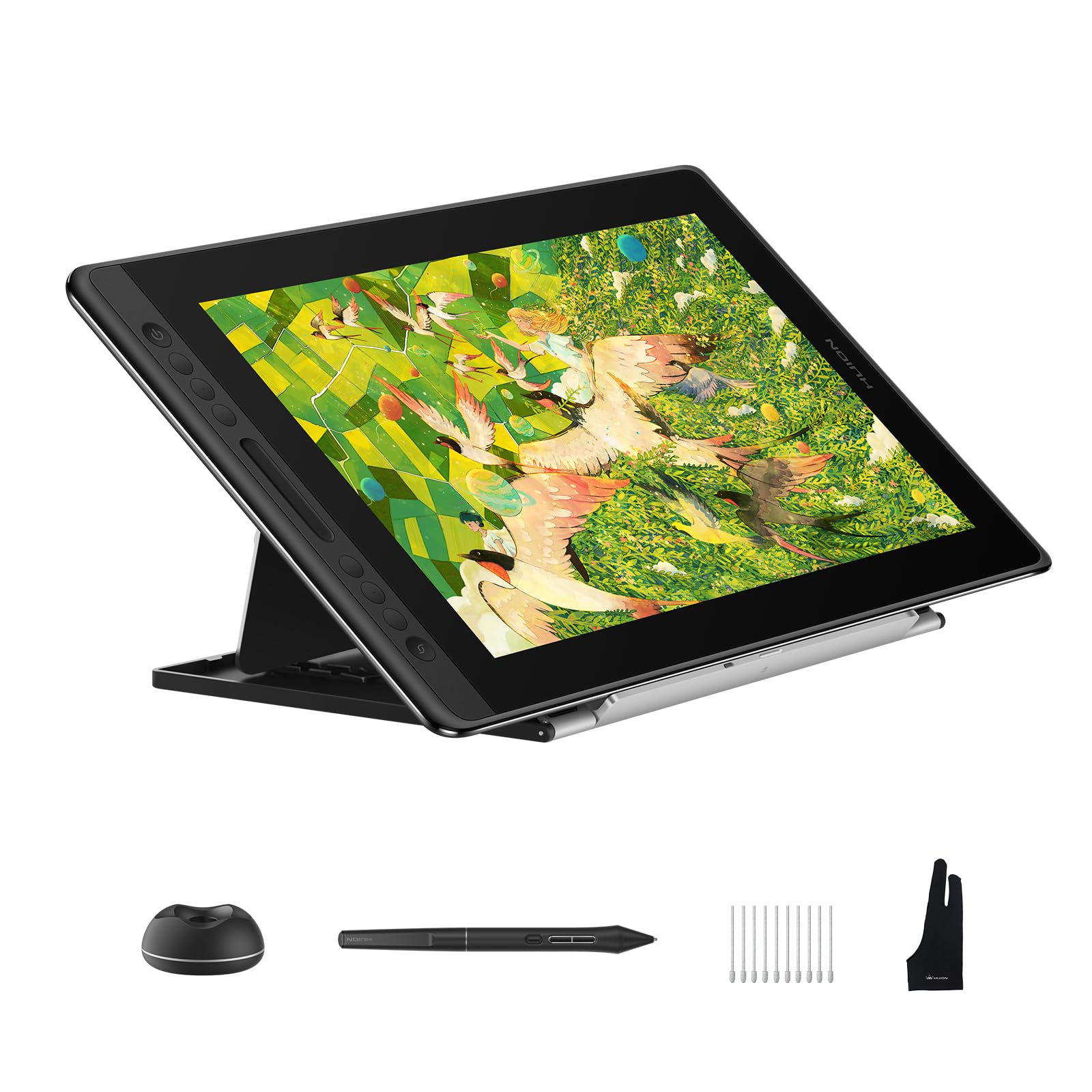
The Kamvas Pro 16 V2 sits at the top of this list because it delivers semi-professional color and pressure performance at a price that undercuts every other 15.6‑inch competitor. The 120% sRGB coverage paired with 99% Rec.709 means your export colors match what you see on screen — an edge that matters if you ever send work to print or a client. The 16,384 pressure levels are driven by PenTech 4.0, which drops the initial activation force low enough to capture the lightest hatching and flick gestures.
Its full-laminated anti-glare Canvas Glass 2.0 eliminates parallax almost entirely, while the recessed USB-C port on the 3‑in‑1 cable locks in securely to prevent disconnects mid-stroke. The Smart Touch Bar and six express keys give you brush size and zoom control without reaching for a keyboard. At 2.65 pounds and 0.453 inches thick, it’s also slimmer and lighter than the older Kamvas Pro 16, making it actually portable for co-working or classroom use.
The one catch: this is not a standalone tablet. You need a computer running Windows, macOS, or Linux. Some users report the screen runs at roughly 200 nits, which is adequate indoors but struggles under bright ambient light. Still, for a 15.6‑inch screen at this price bracket, the combination of color accuracy, pen feel, and durable build is hard to beat.
Why it’s great
- Wide 120% sRGB gamut with factory calibration report
- Ultra-low 2g IAF captures feather-light strokes
- Recessed USB-C connector prevents accidental unplug
- Includes sturdy aluminum ST200 stand with six angles
Good to know
- Screen brightness sits around 200 nits — dim for bright rooms
- Requires a computer; not a standalone device
- 3‑in‑1 cable can be bulky for tight laptop ports
2. HUION Kamvas 13 Gen 3

The Kamvas 13 Gen 3 strikes the ideal balance for most digital artists looking for a cheap drawing tablet with screen. Its 13.3‑inch fully laminated display uses Huion’s new Anti-Sparkle Canvas Glass 2.0, which cuts glare significantly while adding a subtle paper-like texture that gives the pen a controlled drag. Color accuracy hits ΔE<1.5 out of the box — rare at this price — so you can trust your gradient transitions and skin tones without third-party calibration.
PenTech 4.0 drives 16,384 pressure levels with only 2 grams of activation force, and the included PW600L pen features three customizable side buttons plus a tilt sensor. The dual dial wheels and five programmable shortcut keys keep your most-used functions (undo, brush size, zoom) within thumb reach. A single USB-C connection option simplifies cable management, though the port is not recessed like the Pro model.
Some users note the display gets slightly warm near the connection port after extended sessions, and the maximum brightness is moderate rather than blinding. On Linux, button mapping can be hit-or-miss depending on your distribution. But for Photoshop, Clip Studio Paint, and Krita on Windows or macOS, this is the most complete 13‑inch package under the premium threshold.
Why it’s great
- Factory ΔE<1.5 calibration for accurate color
- Anti-Sparkle glass reduces eye strain on long sessions
- Dual dial wheels plus five express keys for workflow speed
- Single USB-C cable option for clean desk setup
Good to know
- Warm near the port after 3+ hours of use
- Not a standalone tablet — requires a computer
- Button support on Linux can be inconsistent
3. XP-Pen Artist 12 3rd
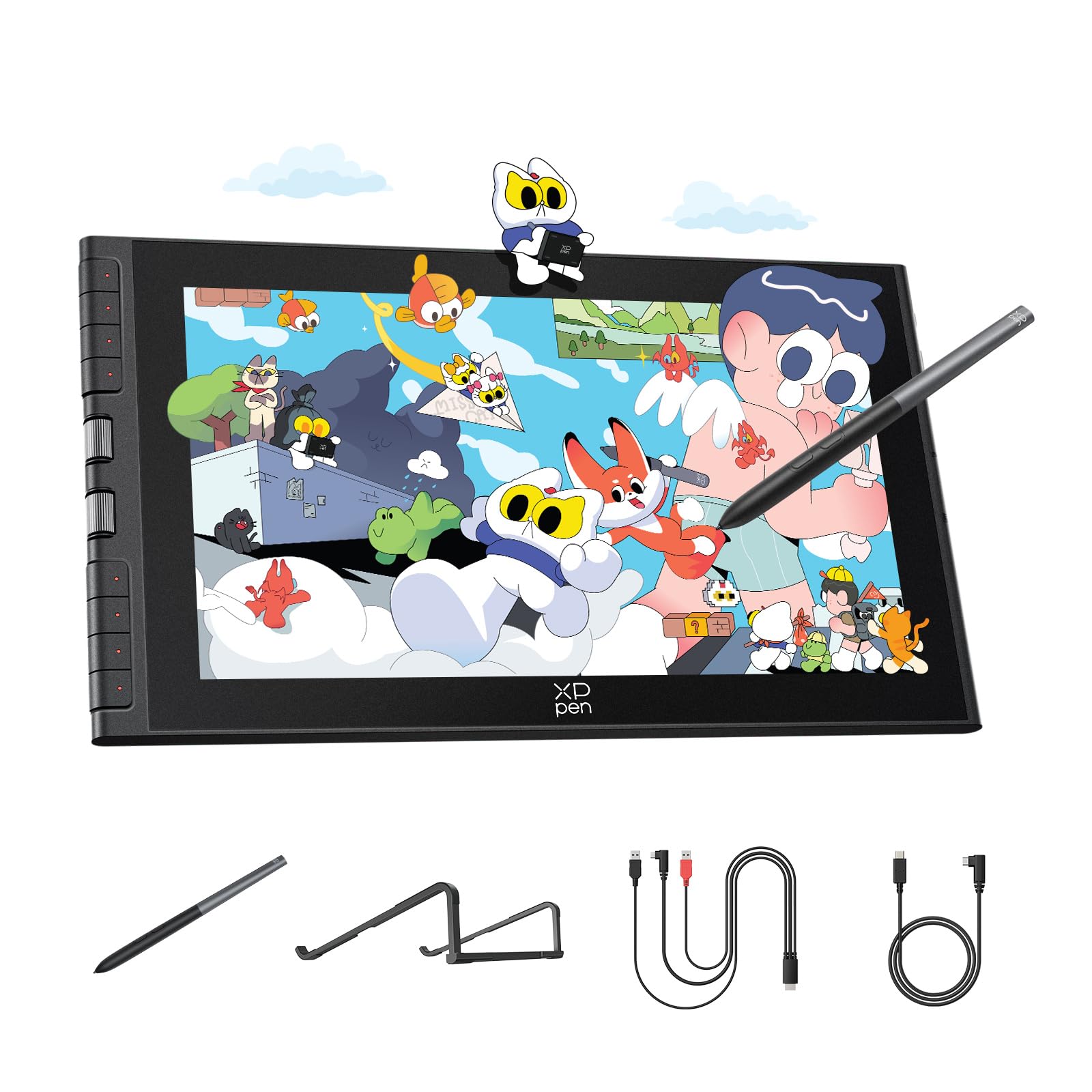
If your backpack space is tight and you still want a full display under your pen, the Artist 12 3rd is a serious contender. Its 11.9‑inch screen shaves size and weight down to 1.58 pounds, and the AG etched glass surface reduces 85% of glare while offering a consistent drag that feels like a fine-tooth paper pad. Full lamination keeps the cursor practically glued to the pen tip, so small linework remains precise even at this smaller size.
The dual X-Dial wheels are the standout productivity feature — one controls brush size, the other canvas zoom, and they both save significant time compared to menu-hunting. Color accuracy hits 99% sRGB with a ΔE<1.5 factory calibration, which is exceptional for an 11.9‑inch display at this price. The magnetic X4 pen supports 60° tilt and 16,384 pressure levels, and it attaches magnetically to the tablet body for storage.
On the downside, some users report that the shortcut keys and dials do not function properly on Chromebook or Android because the driver hasn’t shipped full support for those platforms yet. The screen size also feels cramped for complex multi-layer compositions. But for portrait illustration, gesture drawing, and on-the-go photo editing, this is a remarkably mature device for its footprint.
Why it’s great
- Ultra-portable 1.58 lb with AG etched glass display
- Dual X-Dial wheels speed up zoom and brush control
- Magnetic X4 pen with 16K pressure and 60° tilt
- Factory ΔE<1.5 calibration for print-ready color
Good to know
- Shortcut keys may not work on Chromebook/Android
- 11.9″ screen feels small for full-page illustrations
- Requires a firmware update for some PC setups
4. XPPen Artist 13.3 Pro V2 (16K)

XPPen’s 13.3 Pro V2 with the X3 Pro smart chip achieves a genuinely impressive 16,384 pressure levels, and the difference shows in how smoothly the pen handles rapid cross-hatching and ultra-thin line work. The 125% sRGB and 95% DCI-P3 coverage mean vibrant color reproduction that holds up against much more expensive monitors. A rubberized red dial wheel plus eight customizable keys put brush and navigation controls at your thumb without cluttering the canvas.
Full lamination with an AG film cuts parallax to nearly zero and keeps reflections under control even in moderate lighting. The included foldable stand is sturdy enough for 13‑inch tablets, and the USB-C single-cable connection simplifies desk setup considerably. The X3 Pro stylus supports 60° tilt and includes a built-in digital eraser on the rear — a feature that reduces tool switching during a long session.
However, the screen has a slightly glossy feel under certain angles that some artists may find distracting. Nib wear can be faster than average if you press hard, and the driver occasionally requires a reinstall after Windows updates. For the price, this is one of the most feature-dense 13‑inch pen displays available, especially if you work in Adobe Creative Suite or Clip Studio Paint.
Why it’s great
- 16K pressure with X3 Pro chip for smooth stroke transition
- Red dial and 8 keys reduce reliance on keyboard shortcuts
- Integrated digital eraser on the pen tail
- Wide color gamut (125% sRGB, 95% P3)
Good to know
- Nib wear is faster than some competitors
- Driver may need reinstalling after OS updates
- Glossy surface can show reflections in bright rooms
5. XP-PEN Artist 13.3 Pro V2
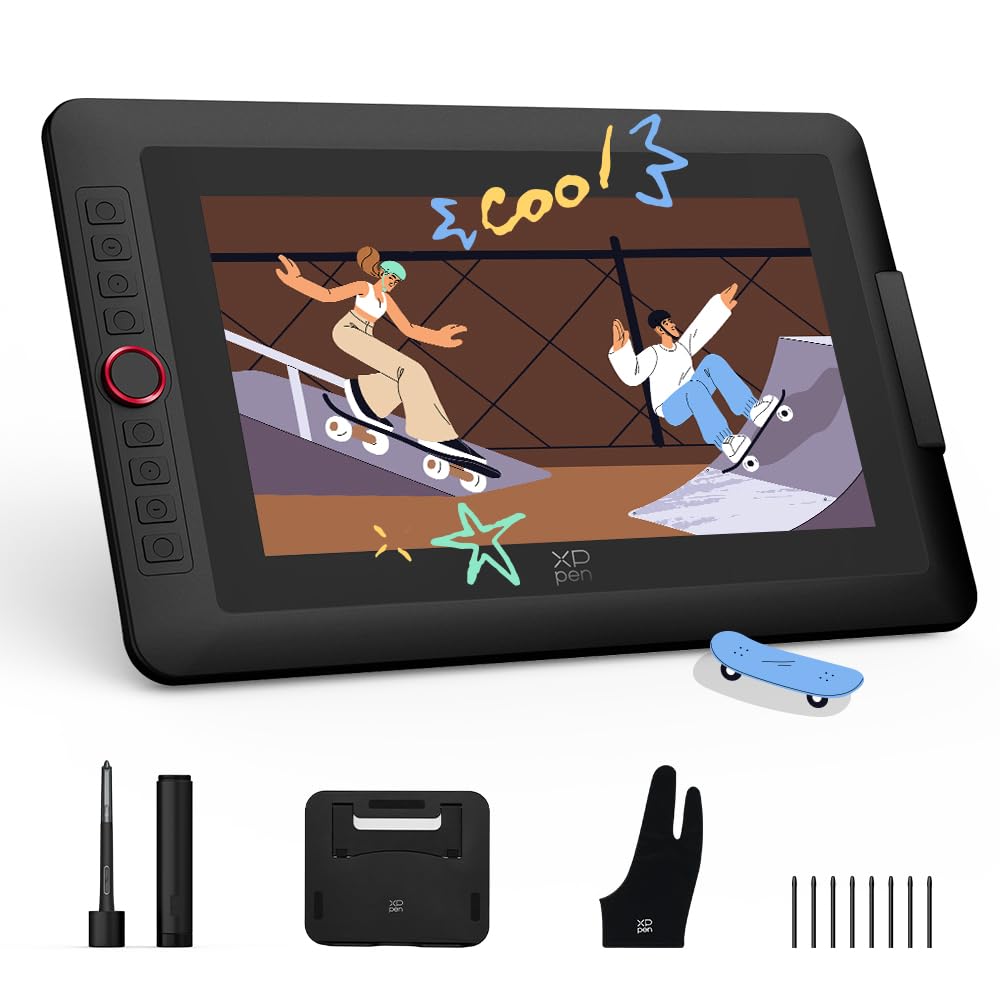
This sibling version of the Artist 13.3 Pro V2 shares the same 13.3‑inch fully laminated display and 16K X3 Pro stylus, but it adds a dual‑mode feature that lets you toggle between pen display mode (screen on) and pen tablet mode (screen off) to save battery and reduce neck strain when you just need cursor input. The metal back panel dissipates heat more effectively than plastic-shell tablets, keeping the surface cooler during desk-bound marathons.
The cinema-grade 95% P3 color coverage and 99% sRGB give you a rich palette that matches professional monitor output well enough for freelance work. The USB-C single-cable connection is fully supported on compatible devices, and the unit also retains the legacy 3‑in‑1 HDMI port for older systems. An adjustable foldable stand is bundled in the box, so you don’t need to buy one separately.
Some users have noted a pen-to-cursor misalignment issue when using dual monitors with different resolutions — both monitors need to be set to 1080p for perfect alignment. The screen is also slightly thicker than some competing models. These are manageable quirks given the overall build quality and the dual-mode flexibility that few tablets in this price range offer.
Why it’s great
- Dual-mode (display + tablet) saves laptop battery
- Metal back panel for faster heat dissipation
- 95% P3 color gamut for cinema-grade accuracy
- USB-C single cable plus legacy 3‑in‑1 support
Good to know
- Pen alignment drifts if monitors have different resolutions
- Not a standalone device — requires a computer
- Slightly thicker than some 13″ competitors
6. UGEE UE16

The UGEE UE16 earns its spot with a 15.4‑inch screen that delivers 143% sRGB color gamut — an unusually wide color space for a budget pen display. This makes it a strong pick for illustrators or concept artists who work in vibrant palettes and need accurate color transitions. The full-laminated anti-glare glass keeps parallax low, and the 16K pressure sensitivity (with 60° tilt support) is competitive with name-brand alternatives costing significantly more.
Four color-space presets (sRGB, Adobe RGB, DCI-P3, and Black & White) let you switch modes depending on your workflow — reading in monochrome or grading video in P3. The 8 physical shortcut keys plus a scroll wheel give you tactile control without on-screen menus. The battery-free pen mimics a pencil grip well, with two custom hotkeys and a pressure-sensing eraser on the tail.
Complaints from real users include a faint electrical buzzing sound near the power port and a 3‑in‑1 cable that can feel awkward. Some Linux users report that the tilt function works fine but driver support is limited to X11 — Wayland is not recognized as of the latest driver release. If you’re on Windows or macOS and prioritize color range over brand prestige, the UE16 delivers exceptional value for its screen real estate.
Why it’s great
- 143% sRGB gamut — widest in this price range
- Four color-space presets for different workflows
- 8 shortcut keys plus scroll wheel for quick access
- Battery-free pen with tilt and eraser tail
Good to know
- Faint power-port buzzing reported by some users
- 3‑in‑1 cable connector feels bulky
- Linux driver limited to X11 only
7. Artisul D16

The Artisul D16 targets beginners who want a 15.6‑inch canvas without navigating complex software setups. The full-laminated display offers 1920×1080 resolution with 76% Adobe RGB — not the widest coverage, but sufficient for most learning-phase projects. The battery-free P58B stylus provides 8192 pressure levels with a reading rate of 223 reports per second, which keeps the lines feeling responsive even during quick gestural sketching.
Seven programmable shortcut keys and a quick dial wheel give you undo, brush size, and zoom at hand without memorizing keyboard shortcuts. The stand adjusts to six different angles, and the anti-glare film on the screen resists fingerprints effectively. At 3.42 pounds, it’s easy to move between desk and studio space. The D16 also supports dual-monitor setups, so it can double as a secondary display for photo editing or video review.
On the downside, the D16 is HDMI-only — it cannot run over a single USB-C cable — and the included cables are on the short side. Some users report that the side keys feel slightly stiff and that the pen lacks an eraser button on the tail. If you need Linux compatibility, you may face driver loading issues on multi-monitor configurations. It’s a solid entry-level device for Windows or Mac users who prefer a larger screen area over cutting-edge pressure specs.
Why it’s great
- Large 15.6″ full-laminated screen for open canvas feel
- Quick dial and 7 keys for easy shortcut access
- Battery-free pen with 8192 pressure levels
- Adjustable stand included for ergonomic angles
Good to know
- HDMI only — no single USB-C connection
- Cables are shorter than average
- No eraser button on the pen tail
8. RubensTab T11 Pro
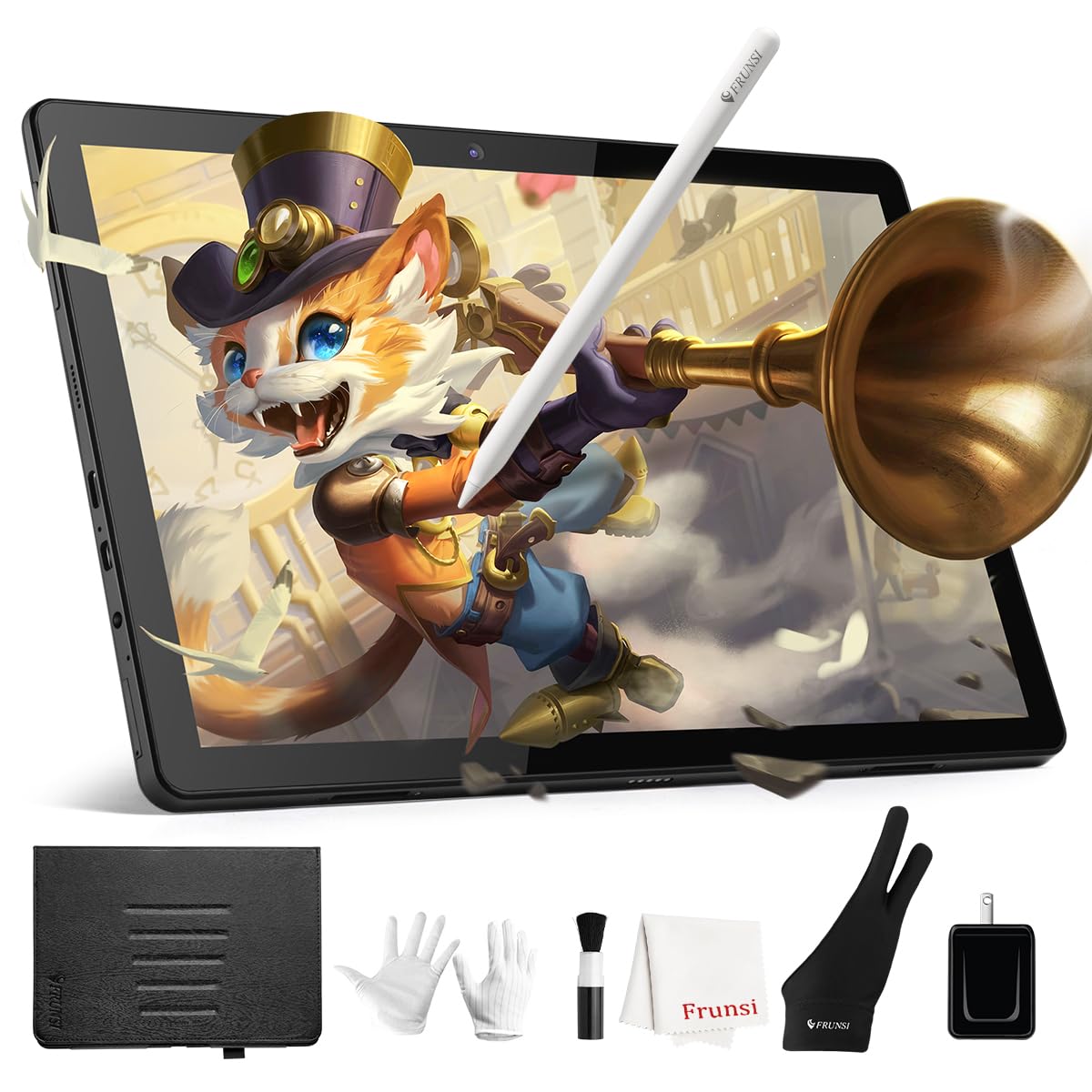
For artists who want zero computer dependency, the RubensTab T11 Pro is a standalone Android 13 tablet with a 10.1‑inch 1920×1200 IPS display. The 5800mAh battery delivers up to 5 hours of continuous drawing, and the USB-C charging supports mobile power banks for extended outdoor sessions. Pre-installed apps include Krita and Adobe SketchBook, so you can start drawing immediately without scouring app stores.
The battery-free stylus offers 1024 pressure levels with tilt support — a step down from the 8192 and 16384 levels found on tethered pen displays, but perfectly adequate for beginners and casual sketching. The display is fully laminated with a paper-like anti-glare coating, which noticeably reduces parallax compared to non-laminated standalone tablets. The adjustable stand case keeps the tablet propped at comfortable viewing angles.
The main trade-offs are the pressure resolution ceiling (1024 levels) and the slight latency that appears when using heavy brush engines in apps like Krita. Some users also report that the pen tip struggles with very thin, consistent lines without enabling a ruler tool. For the price, however, it delivers a complete drawing ecosystem out of the box — no HDMI cables, no driver updates, no laptop required.
Why it’s great
- Fully standalone — no computer needed
- Pre-installed Krita and SketchBook for instant use
- 5-hour battery with USB-C power bank charging
- Paper-like anti-glare laminated display
Good to know
- Only 1024 pressure levels — limited for pro work
- Slight pen latency with complex brush engines
- Thin lines may appear wobbly without ruler assist
9. Frunsi RubensTab T8
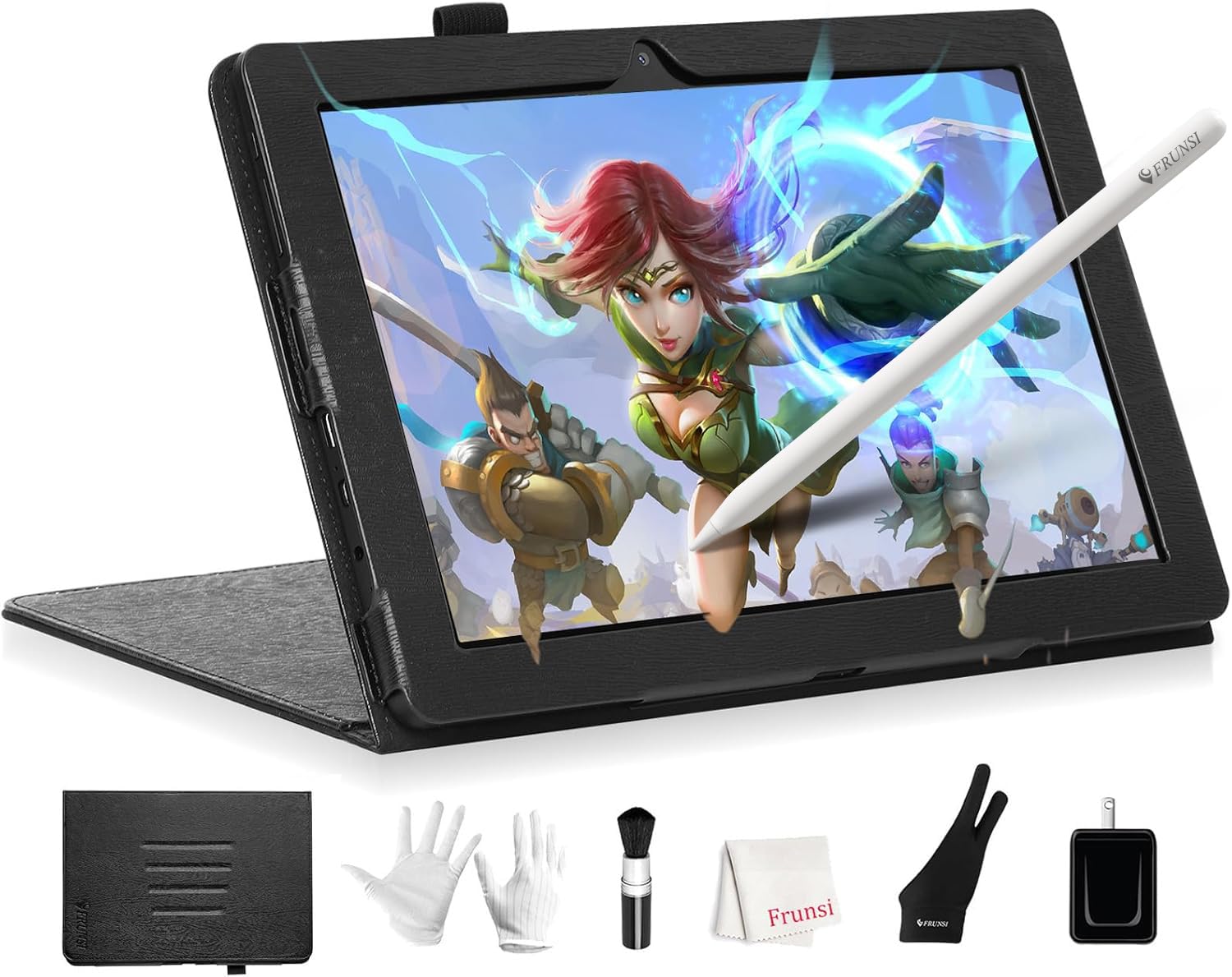
The RubensTab T8 is the most affordable entry point in this roundup, and it’s a true standalone Android 13 tablet with an 8‑inch FHD display. Its 2048 pressure levels, while modest by modern standards, are a genuine step up from the 1024 found on the T11 Pro, and they handle applications like Ibis Paint X and SketchBook with reasonable responsiveness. The 4000mAh battery is rated for up to 20 hours of use, though real-world drawing sessions tend to yield closer to 3.5 hours under load.
The device ships with a detachable keyboard, screen protector, cleaning cloth, stylus pen, and a protective case — an accessory bundle that rivals tablets costing twice as much. The MTK quad-core CPU and 4GB RAM keep the Android interface snappy, and the 64GB storage is expandable to 256GB via microSD. The included drawing apps and tutorials make this a genuinely welcoming device for first-time digital artists.
The biggest compromises are the 1200×800 resolution (noticeably less sharp than the T11 Pro’s 1920×1200 panel) and the reported lack of palm rejection, which forces you to wear the included glove to avoid accidental marks. Some users also mention a slight drawing delay that worsens as the battery drains. It’s a true budget option that works best as a training wheel into digital art, not as a daily driver for seasoned illustrators.
Why it’s great
- Lowest price tier with standalone Android functionality
- 2048 pressure levels for its price — genuine pen feel
- Generous accessory bundle (case, keyboard, screen protector)
- Expandable storage up to 256GB
Good to know
- 1200×800 resolution is noticeably soft
- No palm rejection — requires glove to avoid marks
- Pen delay increases when battery is low
FAQ
Can you use a cheap drawing tablet with screen without a computer?
What does 16K pressure sensitivity actually mean for a cheap tablet?
Can a cheap pen display be used as a second monitor?
Final Thoughts: The Verdict
For most users, the best cheap drawing tablet with screen winner is the HUION Kamvas 13 Gen 3 because it combines a fully laminated 13.3‑inch screen, factory ΔE<1.5 color accuracy, and 16K pressure with dual-dial workflow controls — all at a price that leaves room in your budget for a good stylus grip and a drawing glove. If you want a larger 15.6‑inch canvas with the widest color gamut, grab the UGEE UE16. And for a fully standalone experience that doesn’t require a laptop or a single cable, nothing beats the RubensTab T11 Pro.

Mo Maruf
I created WellFizz to bridge the gap between vague wellness advice and actionable solutions. My mission is simple: to decode the research and give you practical tools you can actually use.
Beyond the data, I am a passionate traveler. I believe that stepping away from the screen to explore new environments is essential for mental clarity and physical vitality.