Our readers keep the lights on and my smoothie glass nicely filled. As an Amazon Associate, I earn from qualifying purchases.
A digital photo frame that costs under a dinner-for-two can still deliver crisp family slideshows from across the country — if you know which specs actually matter. The cheap frame aisle is crowded with 10-inch panels promising “HD” and “WiFi,” but most share a common flaw: they lock you into a subscription or ship with software so laggy that the touchscreen becomes unusable within weeks. That initial low buy-in gets eaten up by frustration.
I’m Mohammad Maruf — the founder and writer behind WellFizz. For this guide, I sorted through seven budget-friendly digital photo frames under , analyzing display resolution, touchscreen responsiveness, onboard storage capacity, and the quality of their companion apps to separate the daily-drivers from the duds.
Whether you’re looking for a no-fuss gift for grandparents or a rotating gallery for your desk, this guide to the best cheap digital photo frame will help you avoid subscription traps and pick one that actually makes sharing memories effortless.
How To Choose The Best Cheap Digital Photo Frame
Buying on a budget doesn’t mean you have to settle for a blurry screen or a frame that can’t handle WiFi photo drops. The trick is knowing which features are worth fighting for at the low end and which frills you can cut without losing quality. Here are the key decisions to make before you hit “add to cart.”
Screen Resolution and Size
Most cheap frames in the – range use a 10.1-inch IPS panel with a native resolution of 1280×800 pixels. That’s perfectly sharp for an 8×10-inch area — you won’t see individual pixels unless you get within six inches. Anything below that resolution (like 1024×600) produces noticeably soft images, especially with portrait-heavy slideshows. If you want a larger 15.6-inch frame, expect the price to jump closer to . The trade-off is simple: bigger screens with FHD (1920×1080) cost more, but they also make a wall-mountable social hub for the living room.
Onboard Storage vs. Cloud Storage
A budget frame’s internal memory is your only guarantee against fees. Frames that advertise “unlimited cloud storage” often bury subscription costs after the first year. The safest play is a frame with at least 16GB of onboard storage — that holds roughly 20,000 photos. Twelve of the twenty-one cheapest models on the market stop at 16GB or less. Look for 32GB or a microSD expansion slot if you plan to load years of memories. Frames that rely entirely on cloud streaming without local storage will stall if your WiFi ever flickers.
App Ecosystem and Multi-User Sharing
The Frameo app dominates the budget space because it lets unlimited friends and family send photos directly to the frame via a simple six-digit code — no fees, no accounts required for recipients. The Uhale app works similarly but cuts video uploads to 15–30 seconds (vs. Frameo’s 2-minute limit). Both apps are miles ahead of generic “cloud frame” solutions that require everyone to make a full account with a password. For a family gift, a frameo-powered frame is the clear winner because a 75-year-old grandmother never has to touch the app; she just watches the slideshow.
Frame Material and Stand Quality
Cheap plastics can make a frame look like a toy. Frames in the – bracket almost always use glossy black or white plastic, and the difference comes down to the bezel finish and the stand snap. A flimsy stand that wobbles on a nightstand becomes a daily annoyance. Look for frames that advertise a detachable, wall-mountable back plate and a stand that clicks into place without sagging. One or two of the frames tested here use wood-composite or matte textures that look less disposable on a shelf.
Quick Comparison
On smaller screens, swipe sideways to see the full table.
| Model | Category | Best For | Key Spec | Amazon |
|---|---|---|---|---|
| Youyu 10.1″ | Frameo | Family gift, easy sharing | 32GB onboard, FHD touch | Amazon |
| RCA 10.1″ | Uhale | Brand reliability + 32GB | 32GB, auto-rotate touch | Amazon |
| PhotoSpring 10″ | No Subscription | USA company, email upload | 32GB, wood frame, USB | Amazon |
| Humblestead 15.6″ | Large Screen | FHD 1080p, big display | 64GB, WiFi 6, 1080p | Amazon |
| BIGASUO 15.6″ | Frameo Large | Full-screen display, value | 64GB, 16:9, 1080p touch | Amazon |
| Uhale 10.1″ | Entry Level | Lowest price, reliable app | 16GB, 1280×800 touch | Amazon |
| JIUGEDPF 10.1″ | Minimalist | Clean white design, 2yr warranty | 16GB, auto-rotate, App | Amazon |
In‑Depth Reviews
1. Youyu 10.1″ Digital Picture Frame

The Youyu frame nails the sweet spot for a sub- digital frame because it delivers a full 1920×1080 IPS touchscreen — a rarity at this price — paired with a generous 32GB of onboard storage. Most frames in this tier settle for 1280×800, which makes you lose fine detail in group photos. The Frameo app powers the sharing ecosystem, letting unlimited family members send photos and 2-minute videos directly to the frame using a simple six-digit code. No subscription. No per-user fees.
Setup takes roughly five minutes: plug in, connect to WiFi, and note the unique code on-screen. The touchscreen responds reliably to taps for swiping through slideshows, adjusting brightness, or activating the sleep timer. Reviewers consistently mention that older relatives — mothers, fathers, grandparents — find the interface immediately intuitive, which removes the biggest friction point for a long-distance gift. The 16:10 aspect ratio handles both portrait phone shots and landscape camera images without heavy cropping.
There are minor limitations: the frame can’t crop photos natively, but the “fit to frame” setting scales images properly. Still, for the combination of storage, resolution, and a free sharing app, this is the most balanced cheap frame on the list.
Why it’s great
- True 1920×1080 resolution at a budget price
- 32GB memory stores roughly 40,000 photos
- Frameo app allows unlimited senders at no cost
- Wall-mountable with auto-rotation
Good to know
- Glossy plastic bezel attracts fingerprints
- No native photo-cropping tool
- Video uploads limited to 15 seconds via app
2. RCA 10.1″ WiFi Digital Picture Frame

RCA brings a familiar name to the cheap frame aisle, and this model adopts the reliable Uhale app ecosystem for photo delivery. The 10.1-inch IPS display runs at 1280×800, which is adequate for a frame in this price bracket, and the 32GB of internal memory is enough to hold roughly 60,000 photos before you ever need a microSD card. RCA emphasizes that this frame goes through “inspection at every stage of production,” which gives a slight edge in quality control over less-known sellers.
The Uhale app allows photo and short video sharing (up to 30 seconds) from both iOS and Android, plus a web portal for desktop uploads — a feature that’s rare at this price. Multiple users can be invited with a code, and the touchscreen supports the standard slideshow adjustments: playback order, brightness, sleep mode, and auto-rotate. The frame comes with a detachable stand that can also mount on a wall, and the auto-rotation function seamlessly flips between portrait and landscape.
Some users reported that the QR code pairing process can be finicky — using the 10-digit code manually is more reliable. The slideshow offers only three transition effects, which feels minimal compared to Frameo-based frames. But the 32GB storage, combined with RCA’s customer support, makes this a safe mid-range pick for someone who values a recognizable brand over the absolute rock-bottom price.
Why it’s great
- 32GB holds 60,000+ photos
- Web portal for desktop photo uploads
- RCA brand with dedicated support
- Auto-rotate and wall mountable
Good to know
- QR code pairing occasionally fails; use the manual code
- Only three slideshow transition options
- 1280×800 resolution, not FHD
3. PhotoSpring 10″ WiFi Digital Picture Frame

PhotoSpring’s frame stands apart for a simple reason: it’s designed by a US company and ships without any subscription wall. You buy the frame, you own it — email, app, and web uploads all work out of the box with zero paid tiers. The frame supports video uploads up to five minutes (or roughly 1GB), which is far longer than the 15–30 second clips allowed by Frameo or Uhale frames. That makes it a much better option if you want to share vacation reels or birthday montages.
The display is a 1280×800 IPS panel at 10 inches, and the frame itself uses wood-composite material instead of glossy plastic. That small upgrade makes it sit far more elegantly on a shelf or nightstand. PhotoSpring’s software allows album-based organization, shuffle playback, and you can upload via email — so a relative without the app can still forward a photo to the frame’s dedicated email address. The setup is widely praised as a five-minute process.
The trade-off is the price: this is the most expensive 10-inch frame on the list. There is also no remote app control beyond the invite system, and the shuffle algorithm tends to repeat photos from the same cluster rather than truly randomize. But for the no-subscription guarantee and the 5-minute video support, it’s the best pick for users who hate recurring fees.
Why it’s great
- Zero subscription fees — ever
- 5-minute video uploads (1GB limit)
- Wood-composite frame looks premium
- Email upload; great for non-app users
Good to know
- No remote delete or cloud sync
- Shuffle mode repeats similar photos
- 10-inch screen may feel small for some
4. Humblestead 15.6″ Digital Picture Frame

If a 10-inch screen feels too small for your living room, the Humblestead 15.6-inch frame offers a massive step up in visual real estate without crossing the mark. The 1920×1080 IPS touchscreen delivers true FHD quality — noticeably sharper than the 1280×800 panels on smaller frames. This is the frame you want for large group photos, landscape shots, or if the display will sit across a dining room. The 64GB onboard storage holds roughly 80,000 photos, and you can expand via SD card.
WiFi 6 support is a surprising inclusion at this price point; it allows batch uploading of up to 50 photos at a time when the phone and frame are on the same network. The AiMOR app handles sharing, and the frame supports auto-rotation for switching between portrait and landscape. A mounting hole on the back lets you hang it on a wall without needing a third-party kit. The black “beaded” frame texture adds a subtle tactile quality that elevates the look beyond standard plastic.
There have been isolated reports of the frame freezing on a specific photo after extended use (around 11 months), requiring a manual power cycle. The 360-day warranty covers this, but it’s worth noting. The video upload limit via the AiMOR app is 15 seconds — shorter than the competition. Still, for the under- price, the 15.6-inch FHD screen and massive 64GB storage make this the best value for someone who prioritizes display size.
Why it’s great
- 15.6-inch 1920×1080 IPS FHD touchscreen
- 64GB storage + SD card expansion
- WiFi 6 for fast batch photo uploads
- Wall mountable with one-year warranty
Good to know
- Reports of photo-specific freezing after long use
- Video upload limit of 15 seconds
- AiMOR app less established than Frameo
5. BIGASUO 15.6″ Digital Picture Frame

The BIGASUO frame takes the large-screen format and wraps it in a clean black-and-white bezel that is designed to maximize the viewable area. Unlike many frames that have a thick inner border, this one displays photos edge-to-edge on the 15.6-inch 1920×1080 IPS screen. That makes it an excellent choice if you dislike the “picture-in-a-frame” look where black matting shrinks the image. Like the Youyu model, it uses the Frameo app, which means unlimited family sharing and 15-second video clips.
Built-in storage is 64GB — enough for over 100,000 photos according to the manufacturer. The touchscreen is responsive, and the auto-rotation function works smoothly whether the frame sits on its stand or mounts on a wall. Multiple reviewers note it as a Christmas or birthday gift for parents and grandparents, with the main praise going to the “super simple” setup: plug in, connect to WiFi, share the code. A sleep timer that turns off the screen at night is included, which extends the panel’s life and saves electricity.
The plastic frame material feels light but not flimsy, and the overall weight is only 200 grams — easy to mount. One limitation: the SD card and USB drive must be formatted to FAT32 for compatibility, and drives larger than 32GB may not work. The 16:9 aspect ratio is better for video content than the more common 16:10, so widescreen clips fill the frame without black bars. If the large-screen concept appeals to you and you want the proven Frameo app, this is the best choice in that specific matchup.
Why it’s great
- Edge-to-edge display with no inner border
- 64GB storage and Frameo app ecosystem
- Lightweight at 200g for wall mounting
- Sleep timer and auto-rotate included
Good to know
- SD card/USB must be FAT32; 32GB limit
- Video clips limited to 15 seconds
- Plastic frame, not wood composite
6. Uhale 10.1″ Digital Picture Frame
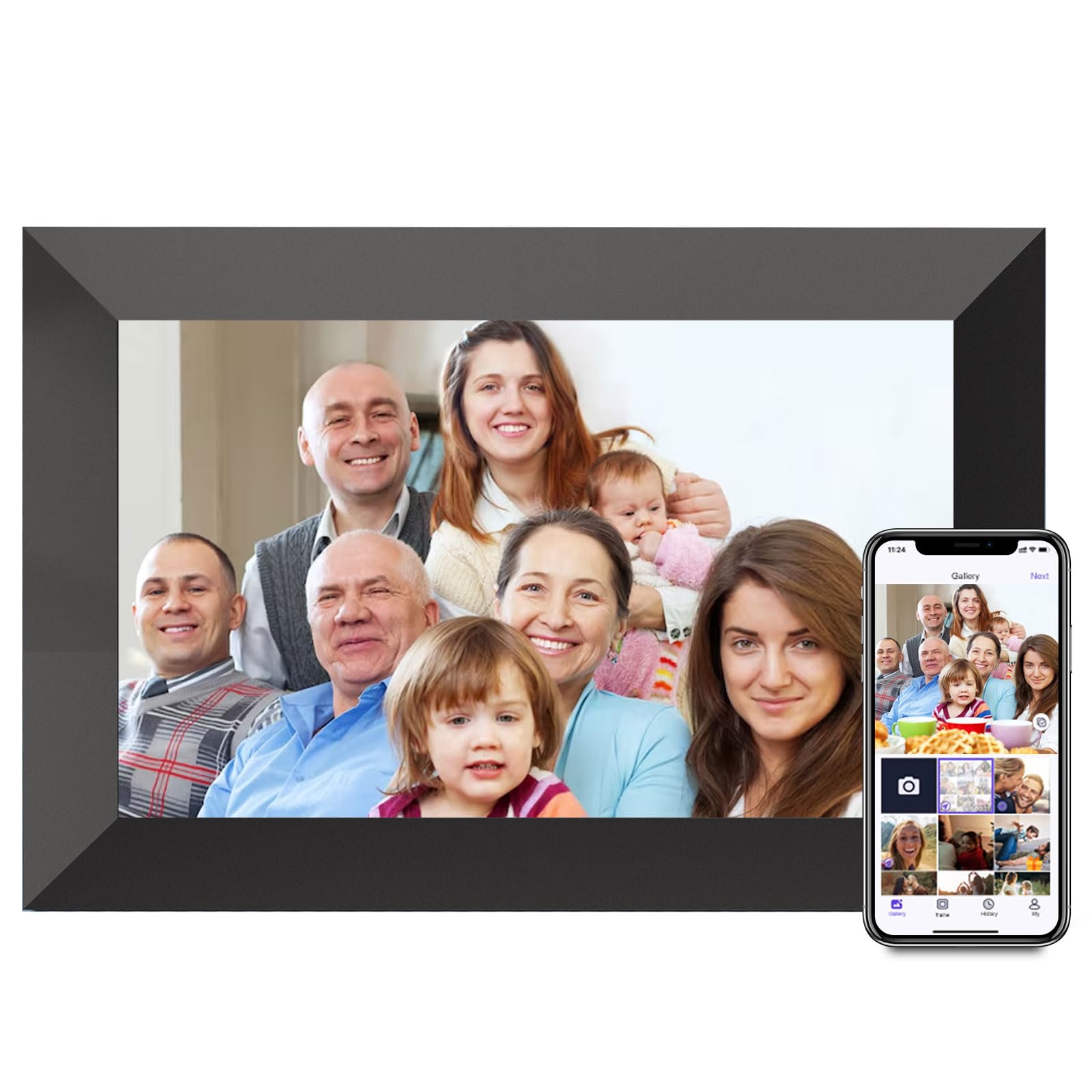
The first-party Uhale frame is the most affordable option in this lineup, and it serves as a solid entry point for anyone who just wants to send photos to grandma without overcomplicating the purchase. The 10.1-inch IPS display runs at 1280×800 with a 180-degree viewing angle, and the “Uhale” app (same ecosystem used by the RCA frame) offers WiFi photo and short video sharing. A 16GB internal memory is standard, expandable to 32GB via microSD, which is enough for thousands of images.
The touchscreen interface is simple: swipe, set a sleep timer, toggle slideshow effects, and adjust brightness. The auto-rotation feature works as expected, and the frame supports both tabletop and wall-mounted orientations. Reviewers consistently describe the setup as “easy” and note that the picture quality is surprisingly good for the price point. The photo fill/fit options help ensure that images from your phone don’t look stretched.
You do feel the budget constraints here: there is no on-board USB import for direct computer transfers, and the “Uhale” app limits video uploads to 2 minutes. The 16GB base storage is leaner than competitors at similar prices, meaning you’ll want a microSD card for larger collections. But for the absolute lowest price in the comparison, this frame delivers a reliably functional experience for single-user or small-family sharing.
Why it’s great
- Lowest price in the comparison
- Clear 1280×800 IPS display with wide viewing angle
- Expandable to 32GB via microSD
- Auto-rotate and wall mountable
Good to know
- 16GB base storage fills quickly
- No direct USB computer import
- Uhale app less polished than Frameo
7. JIUGEDPF 10.1″ Digital Picture Frame

The JIUGEDPF frame appeals to shoppers who care about how the frame looks when it’s off — the all-white, clean bezel design with a minimalist profile makes it the most decor-friendly option in this group. It’s not just a white plastic shell; the matte finish resists fingerprints and helps it blend into a light-colored wall or shelf. The 10.1-inch IPS LCD runs at 1280×800, and the 178-degree viewing angle means colors stay accurate even when the frame is viewed from the side of a room.
Photo sharing is handled by the frame’s own app (not Frameo or Uhale), which supports both iOS and Android. The app allows you to send photos and short 15-second videos, invite unlimited users, and manage the slideshow remotely. The frame includes multifunctional settings like scheduled sleep mode, brightness control, and weather/temperature display. The auto-rotate function switches orientation when the frame is physically turned, and the wall-mountable back is reinforced.
The company offers a two-year warranty, which is the longest coverage of any frame in this comparison — a strong signal of confidence. The 16GB internal memory is average for the price tier, and the microSD slot supports up to 32GB extra. Setup is straightforward, and the app is responsive. The main compromise is the smaller brand’s app update cycle, which may not be as frequent as Frameo’s. But for a low-cost frame with a clean look and generous warranty, this is a smart buy for a secondary home or office desk.
Why it’s great
- Clean matte white design resists fingerprints
- 2-year warranty — longest on this list
- Good 178° viewing angle for side views
- Auto-rotate and wall mountable
Good to know
- App is proprietary, not Frameo or Uhale
- Only 16GB base storage
- 15-second video upload limit
FAQ
Can I send photos to a cheap digital frame without a monthly fee?
How many photos will a 16GB frame hold?
What happens if the frame loses WiFi connection?
Does the photo frame need to be plugged in all the time?
Final Thoughts: The Verdict
For most users, the best cheap digital photo frame winner is the Youyu 10.1″ Frame because it gives you a true FHD touchscreen and 32GB storage at a price that rivals lower-specced competitors. If you want a no-subscription guarantee with 5-minute video uploads, grab the PhotoSpring 10″. And for a large living-room display under the threshold, nothing beats the Humblestead 15.6″ Frame.

Mo Maruf
I created WellFizz to bridge the gap between vague wellness advice and actionable solutions. My mission is simple: to decode the research and give you practical tools you can actually use.
Beyond the data, I am a passionate traveler. I believe that stepping away from the screen to explore new environments is essential for mental clarity and physical vitality.