Our readers keep the lights on and my smoothie glass nicely filled. As an Amazon Associate, I earn from qualifying purchases.
The search for cheap computer headphones usually means wading through muddy audio, flimsy headbands, and microphones that make you sound like you’re calling from a wind tunnel. The real challenge isn’t finding a pair under a tight budget — it’s finding one that doesn’t force you to sacrifice clear voice pickup, all-day comfort, and reliable build quality.
I’m Mohammad Maruf — the founder and writer behind WellFizz. I’ve spent dozens of hours combing through frequency response charts, driver sizes, microphone polar patterns, and user durability reports to separate the genuine bargains from the instant returns.
This guide breaks down the five best models available right now, focusing on what actually matters when your computer is your command center. If you need a reliable set of cheap computer headphones that won’t embarrass you on a conference call or crumble after three months, this is your starting point.
How To Choose The Best Cheap Computer Headphones
A low price tag doesn’t automatically mean poor quality, but it does mean you have to prioritize what matters most for your specific computer usage. Whether you’re taking Zoom calls, late-night gaming, or listening to music while working, these three factors will steer you toward the right pair.
Connectivity: USB vs. 3.5mm
A USB connection (USB-A or USB-C) delivers digital audio directly to the headset, often featuring built-in sound processing that provides cleaner microphone pickup and consistent volume. The Logitech H390 and H391 are good examples of this approach — just plug in and the computer recognizes it as a full audio device with no driver installation. The 3.5mm standard, while universal across phones and older laptops, relies on your computer’s internal sound card which can introduce static or lower output volume on some systems.
Microphone Quality and Type
A boom microphone mounted on an adjustable arm is the gold standard for voice clarity on a budget. It physically positions the pickup element closer to your mouth, capturing your voice while rejecting ambient keyboard clatter or HVAC noise. On-board noise cancellation in budget models like the Logitech H390 can filter out low-frequency room rumble, but it’s not meant to replace active noise cancellation. In-line microphones fixed to the cable often sound distant and muffled by comparison.
Comfort for Extended Wearing
Over-ear designs with leatherette or protein cotton padding spread the clamping force evenly, which prevents the hot spots and ear soreness that on-ear or cheap foam pads create after an hour. The headband adjustment range is another detail — models that accommodate larger head sizes without excessive pressure reduce the need to readjust during calls. Lightweight builds (under 8 ounces) also make a noticeable difference across a full workday.
Quick Comparison
On smaller screens, swipe sideways to see the full table.
| Model | Category | Best For | Key Spec | Amazon |
|---|---|---|---|---|
| Logitech H391 | USB-C Headset | Work calls & Chromebook | USB-C digital audio, 6.23 ft cable | Amazon |
| Logitech H390 | USB-A Headset | Contact center & long shifts | USB-A, rotating noise-cancelling mic | Amazon |
| OneOdio Pro-10 | Studio Monitor | Music production & DJ monitoring | 50mm drivers, 1/4 & 3.5mm jack | Amazon |
| JBL Quantum 100M2 | Gaming Headset | PC gaming & spatial audio | 40mm drivers, detachable boom mic | Amazon |
| AILIHEN C90 | 3.5mm Stereo | Portable listening & Chromebook | 40mm DLC driver, foldable design | Amazon |
In‑Depth Reviews
1. Logitech H391 Wired Headset
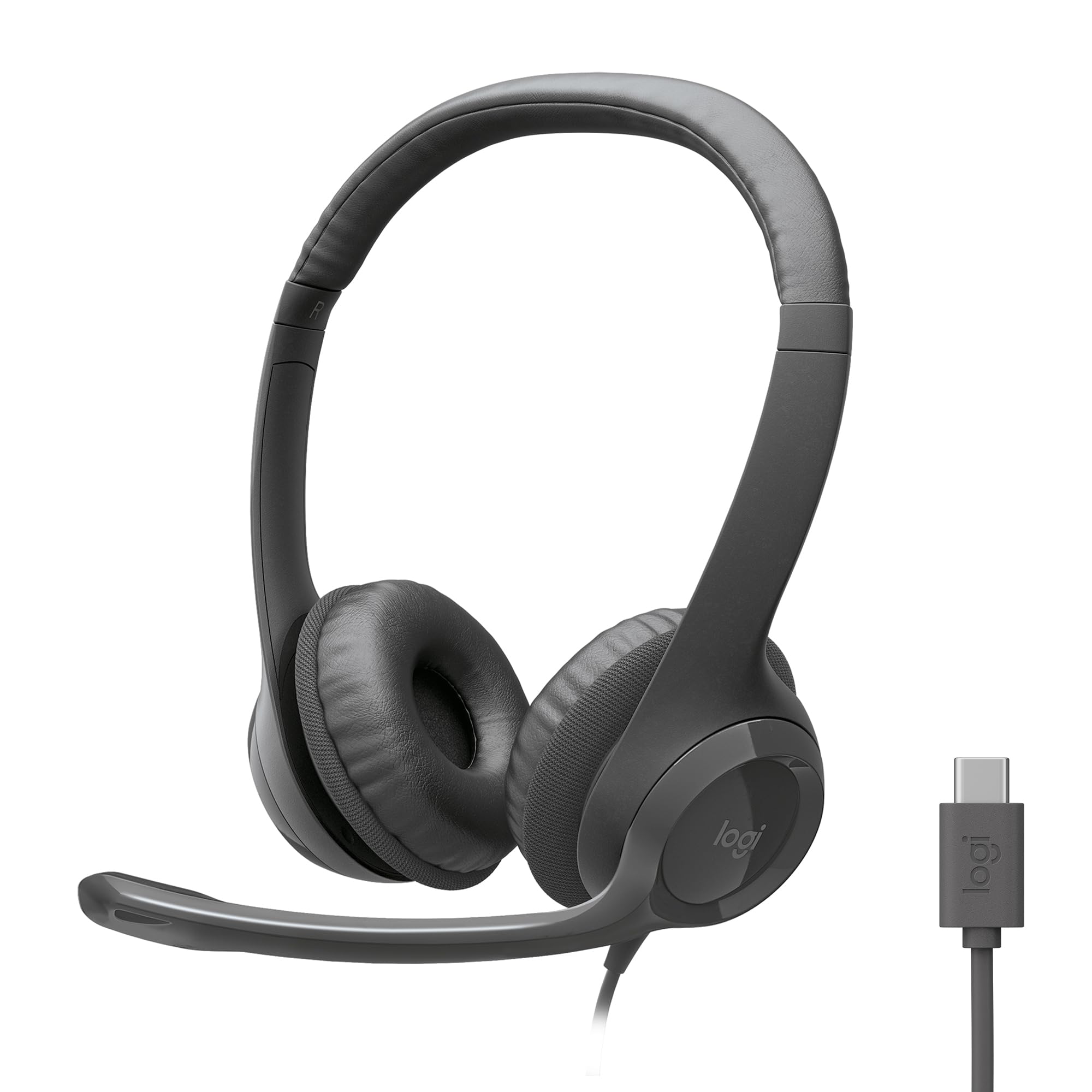
The Logitech H391 brings USB-C connectivity to the under-seventy-dollar headset market, delivering digital stereo sound and inline mute controls without requiring any additional drivers. Its 20 Hz to 20,000 Hz frequency range covers the full audible spectrum, making it suitable for both music playback and voice calls, while the rotating noise-cancelling boom arm minimizes background chatter from open-plan offices.
Comfort is handled by leatherette ear cushions and an adjustable headband, though a few reviewers note the clamping force feels tight during marathon sessions. The 1.9-meter cable provides enough slack to stand and stretch, and the Graphite color way blends discreetly into most desk setups. It also carries Works With Chromebook certification, which is a bonus for education or hybrid work environments.
Sustainability-minded buyers will note that plastic parts in the H391 contain 53% post-consumer recycled content. The microphone, while effective for speech, does pick up some ambient wind noise during calls — not a dealbreaker, but something to consider if you work in a noisy environment. For the price, the clarity and build consistency make it the most balanced all-rounder in this selection.
Why it’s great
- True USB-C plug-and-play with digital audio clarity
- Rotating boom mic cancels most environmental hum
- Sustainable build with high recycled content
Good to know
- Clamping force may feel tight on larger heads
- Mic picks up ambient wind noise in breezy rooms
2. Logitech H390 Wired Headset

The H390’s recipe is proven: a USB-A plug, rotating noise-cancelling microphone, and fine-tuned digital stereo drivers packed into a lightweight Rose-colored chassis. It mirrors the general design language of the newer H391, but uses the older USB-A connector — which means it works on most office PCs and older laptops without an adapter. The microphone employs a cardioid pickup pattern that actively filters out keyboard noise and HVAC rumbles.
In-line controls for volume and mute sit on the 1.9-meter cable, and the leatherette earpads can be wiped clean after heavy daily use. Users who wear glasses report some pressure after a few hours due to the clamping force, but the overall comfort rating remains high for a budget headset. One surprising piece of feedback: several long-term contact center workers say the H390 outlasted premium models costing five times as much.
The FSC-certified paper packaging is a nice environmental touch, and the plug-and-play reliability means you can unbox and join a call in under a minute. The primary trade-off here is that the audio stage is somewhat narrow — fine for speech, but less immersive for music than the OneOdio Pro-10. For pure call quality and durability at this tier, it’s hard to beat.
Why it’s great
- Reliable noise cancelling mic filters background thoroughly
- Plug-and-play USB-A works with any standard office PC
- Proven durability for daily contact-center use
Good to know
- Tight clamping can irritate glasses wearers
- Music soundstage is average, focused on voice
3. OneOdio Pro-10 Studio Monitor Headphones

The OneOdio Pro-10 is a different species of cheap computer headphone — it was designed for studio monitoring and DJ mixing, which means its 50mm neodymium drivers produce a bass-forward sound signature with clear mids and crisp highs. That larger driver surface area allows for greater dynamic range than typical 40mm budget drivers, making it the best choice in this lineup for anyone using headphones for music production, editing, or just enjoying richer audio.
The earcups swivel 90 degrees for single-ear monitoring, and the self-adjusting headband distributes weight evenly across the crown. The kit includes both a standard 3.5mm cable and a 6.35mm adapter for pro audio interfaces, plus a detachable cable that reduces the risk of a frayed cord killing the whole headset. A share port allows a second listener to plug in, which is handy for collaborative listening sessions.
Build quality receives mixed notes — the earcup coating can flake after a year or two, and the included cables are the weakest link in terms of material feel. However, several user reports claim four to five years of service life with only a cheap replacement cable needed. There’s no integrated microphone, so you’ll need to use your computer’s built-in mic or a separate desktop microphone for calls.
Why it’s great
- 50mm drivers deliver powerful bass and clear mids
- 90-degree swivel cups for single-ear DJ monitoring
- Includes share port for dual listening
Good to know
- Ear cushion coating may peel over extended use
- No built-in microphone, not for voice calls
4. JBL Quantum 100M2 Gaming Headset

JBL brings its signature sound tuning to the budget gaming segment with the Quantum 100M2, featuring 40mm dynamic drivers tuned for the JBL QuantumSOUND Signature profile that emphasizes footsteps and environmental cues. The lightweight design — paired with breathable fabric-covered memory foam ear cushions — makes it one of the most comfortable options for extended play sessions, and the detachable omnidirectional boom mic ensures your callouts don’t pick up room echo.
Compatibility stretches across PC, PlayStation, Xbox, Nintendo Switch, and mobile devices via a standard 3.5mm jack, and it supports Windows Sonic spatial sound for virtual surround placement. The detachable mic includes a mute switch on the cable, which is convenient for quickly silencing yourself without fumbling through software. The oval earcups fit most ear sizes without contact pressure.
The most common durability complaint involves the 3.5mm connector — some units experience intermittent audio cutout when the cable is bumped or twisted, indicating a weak jack-to-cable joint. This is a known failure point for this price tier, but for many users the headset works flawlessly for months. If you prioritize lightweight gaming comfort and clear spatial audio over absolute build toughness, this is a strong option.
Why it’s great
- JBL-tuned audio makes footsteps and effects pop
- Memory foam fabric cushions stay cool during long sessions
- Detachable boom mic with mute for clear comms
Good to know
- 3.5mm jack joint can be prone to cutout issues
- Plastic construction feels lightweight, not premium
5. AILIHEN C90 Wired Headphones
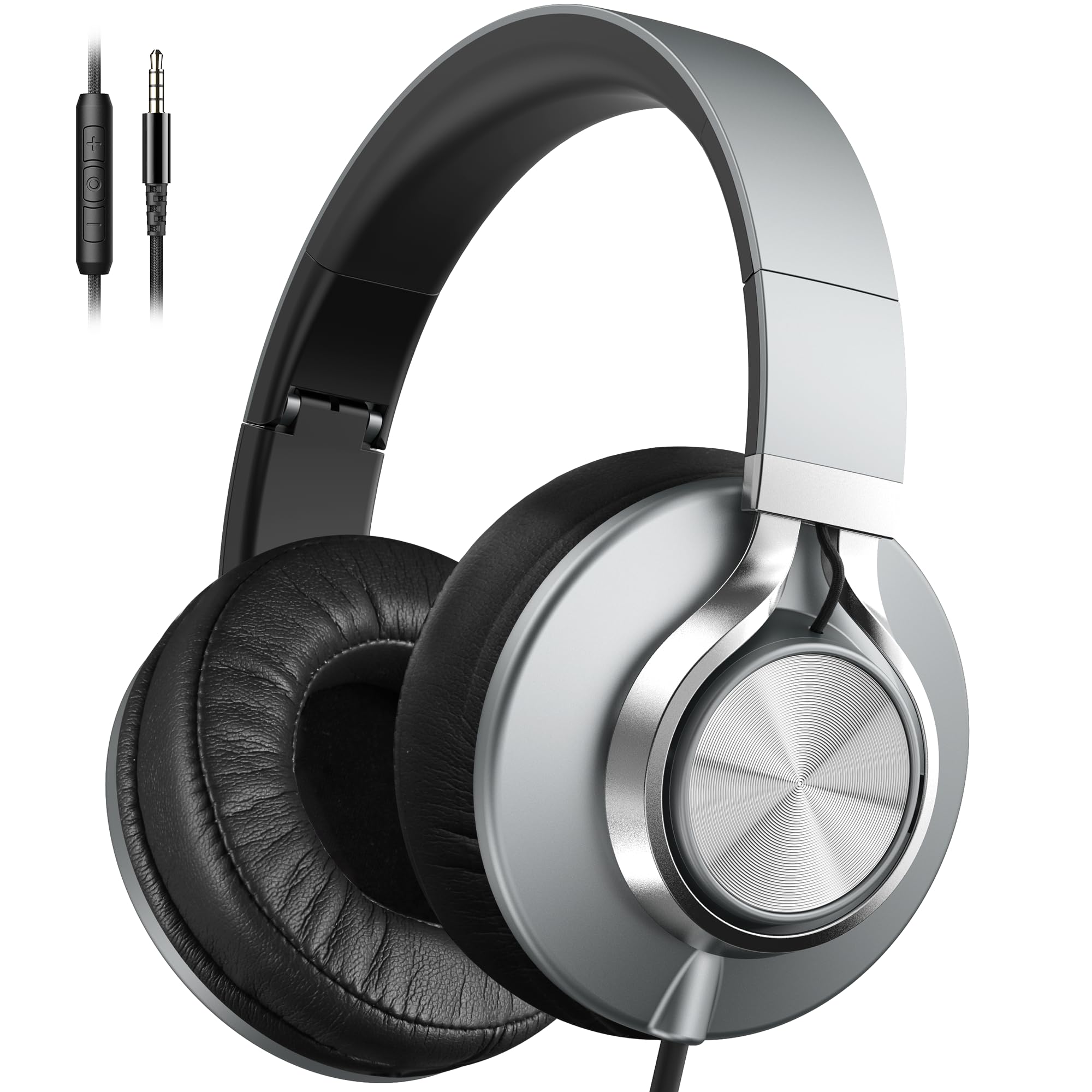
The AILIHEN C90 leverages a 40mm DLC (Diamond-Like Carbon) driver to produce a balanced frequency response with a slight bass tilt, wrapped in a foldable over-ear design that weighs just seven ounces. Its 3.5mm gold-plated plug ensures broad compatibility with phones, tablets, Chromebooks, and laptops, and the protein cotton ear cushions are more breathable than standard leatherette — a meaningful detail for all-day wear in a warm room.
The inline microphone and volume control work reliably with mobile devices, though some users report the volume buttons are not recognized by desktop computers — a quirk of the analog wiring. The nylon braided cable resists tangling and adds a layer of physical toughness compared to standard rubber-jacketed cords. Noise isolation from the over-ear cups is effective for passive blocking, cutting out around 90% of ambient chatter.
Reviewers consistently highlight the surprising sound quality for the cost and the comfortable fit, though a few mention the cable length is excessive for desktop use (more suited to living room listening). The foldable joints and included carry bag make it easy to toss into a backpack for commuting. If you want a portable, good-sounding pair that prioritizes comfort over advanced features, the C90 delivers outstanding per-dollar value.
Why it’s great
- DLC drivers produce articulate, balanced sound
- Protein cotton cushions are soft and breathable
- Foldable design with tangle-free braided cable
Good to know
- Volume control may not work on desktop PCs
- Cord is very long, can drag on desk surface
FAQ
Will a 3.5mm headset work with a modern laptop that only has USB-C ports?
Why does my cheap headset sound quiet on some computers and loud on others?
Are budget computer headphones good for music production or mixing?
Final Thoughts: The Verdict
For most users, the cheap computer headphones winner is the Logitech H391 because it delivers clean USB-C digital audio, a rotating noise-cancelling microphone, and sustainable build quality at a price that undercuts most alternatives. If you want studio-grade bass and isolation without a microphone, grab the OneOdio Pro-10. And for immersive PC gaming with a comfortable memory foam fit, nothing beats the JBL Quantum 100M2.

Mo Maruf
I created WellFizz to bridge the gap between vague wellness advice and actionable solutions. My mission is simple: to decode the research and give you practical tools you can actually use.
Beyond the data, I am a passionate traveler. I believe that stepping away from the screen to explore new environments is essential for mental clarity and physical vitality.