Our readers keep the lights on and my smoothie glass nicely filled. As an Amazon Associate, I earn from qualifying purchases.
Specs are compiled from manufacturer listings and verified buyer reviews and can change over time — please confirm the key details on the product page before buying.
Color printing at home should not feel like a financial gamble each time you refill ink. You want a machine that prints crisp documents and the occasional photo without draining your wallet. This guide helps you find the best budget-friendly color printers that keep long-term costs low, so you print what you need without dreading the next cartridge replacement.
I’m Mohammad Maruf — the founder and writer behind WellFizz. This guide is built by comparing the manufacturers’ published specifications and the patterns across verified customer reviews, so you get each pick’s real strengths and trade-offs instead of marketing spin.
The right cheap color printer balances its upfront price with lasting value. It also keeps the hassle of refills to a minimum.
Our Picks at a Glance


How To Choose The Best Cheap Color Printer
Buying a color printer on a budget means weighing more than just the purchase price. The real cost lives in the ink or toner you buy after day one. A cheap model with expensive cartridges will cost you more over a year than a slightly pricier machine with lower running costs. Look at the page yield (how many pages a cartridge prints) of the starter cartridges and the price of replacements before you decide.
Print Speed — Pages Per Minute
Print speed is measured in pages per minute (ppm). For black-and-white documents, 8 to 10 ppm is fine for light home use. If you print multi-page reports or school packets, aim for 15 ppm or higher to avoid standing around waiting. Color print speeds are always slower — around 4 to 10 ppm — so a faster color speed matters if you print a lot of presentations or flyers.
Paper Handling and Tray Capacity
A standard input tray holds 100 sheets. That is enough for a few days of casual printing. If you print more frequently, a 200-sheet or larger tray saves you the hassle of constantly refilling. An auto document feeder (ADF) (a slot that feeds a stack of pages through the scanner automatically) lets you scan or copy a stack of pages without feeding each one by hand — a big time-saver for home offices.
Connectivity and Mobile Printing
Almost every modern printer includes Wi-Fi, letting you print from your phone or laptop without plugging in. Look for support for Apple AirPrint or the Canon PRINT App / Brother Mobile Connect App so you can send documents wirelessly. Dual-band Wi-Fi (which can use either 2.4GHz or 5GHz signals) gives a more stable connection if your router is in another room.
Quick Comparison
| Model | Best For | B&W Speed | Color Speed | Paper Capacity | Amazon |
|---|---|---|---|---|---|
| Canon PIXMA TR4720★ Best Overall | Budget entry-level all-in-one | 8.8 ppm | 4.4 ppm | 100-sheet | Amazon |
| HP OfficeJet Pro 8125Also Great | Fast home office work | 20 ppm | 10 ppm | 225-sheet | Amazon |
| HP OfficeJet Pro 9125 | Office-level speed & features | 22 ppm | 18 ppm | 250-sheet | Amazon |
| Brother Work Smart 1410 | Productivity with Cloud apps | 16 ppm | 9 ppm | 150-sheet | Amazon |
| Canon PIXMA TR7120 | Versatile home & hybrid work | 14 ppm | 9 ppm | — | Amazon |
| Epson EcoTank ET-2400 | Lowest long-term ink cost | 10 ppm | 5 ppm | — | Amazon |
| HP Envy 6155 | Everyday home color printing | 10 ppm | 7 ppm | 100-sheet | Amazon |
In‑Depth Reviews
1. Canon PIXMA TR4720 All-in-One Wireless Printer, Home Use with Auto Doc Feeder, Mobile Printing and Built-in Fax, Black
The most affordable all-in-one that still packs a fax machine and auto document feeder.
The Canon PIXMA TR4720 is the cheapest color printer on this list, and it still delivers a surprising set of features for the price. It is a wireless 4-in-1 (print, copy, scan, fax) with an auto document feeder (ADF), so you can scan or copy a stack of papers without standing at the machine. The 100-sheet paper tray is the standard for entry-level models, and automatic 2-sided printing helps keep paper use down.
At 8.8 ppm black and 4.4 ppm color, it is the slowest printer here — documents take more than twice as long to print compared to the HP OfficeJet Pro 8125 (20 ppm black, 10 ppm color). But if your printing is occasional and speed is not a priority, that trade-off is easy to live with. The printer is ENERGY STAR certified, uses a modest 7W while printing (0.8W standby, 0.3W off), and can produce a borderless 4 x 6 photo in about 65 seconds, according to the manufacturer. You can connect it to Alexa for smart reorders on ink, so you never run out unexpectedly. Reviewers point out the low price and the included fax functionality are big selling points, though the slow color speed can be frustrating for anything longer than a few pages.
What you get for the money
- Includes fax, ADF, and auto 2-sided printing at a very low entry price
- Alexa-enabled smart ink reordering
- ENERGY STAR certified with low power consumption
Where it falls short
- Slow print speeds — 8.8 ppm black and 4.4 ppm color
- Small 100-sheet tray needs frequent refills
Best for: very light home printing where keeping the upfront cost as low as possible is the priority.
Avoid if: you need to print more than a few pages at once or want faster color output.
2. HP OfficeJet Pro 8125 Wireless All-in-One Color Inkjet Printer
The speed demon that keeps a home office moving without the premium price tag.
The HP OfficeJet Pro 8125 prints 20 pages per minute (ppm) in black and 10 ppm in color. That is a 2.3x speed advantage over entry-level models like the Canon PIXMA TR4720 (8.8 ppm black, 4.4 ppm color), according to the manufacturers’ published specs. You get your documents fast, so you do not wait around for school packets or work reports.
The 225-sheet input tray holds more than double the 100-sheet capacity found on budget-focused printers, so you refill less often. A built-in auto document feeder (ADF) makes scanning or copying a stack of pages hands-free. The 2.7-inch touchscreen lets you navigate settings without hunting through a manual, and dual-band Wi-Fi keeps the connection stable even when your router is in another room. The printer comes with a 3-month trial of Instant Ink, which HP claims can lower ink costs, but the printer only works with HP-branded cartridges that have original HP chips. Buyers report the setup is straightforward and the print quality on business documents looks sharp, though the printer is larger than a basic home model.
Why it gets the top spot
- Fast 20 ppm black / 10 ppm color — one of the quickest in this price range
- 225-sheet paper tray cuts down on refill interruptions
- Auto document feeder for multi-page copying and scanning
A couple of things to know
- Large footprint — needs dedicated desk space
- Locks out non-HP ink cartridges with firmware updates (only works with HP-branded cartridges)
Grab it if: you need a fast, feature-rich color printer for a home office with frequent multi-page jobs.
Look elsewhere if: you want the absolute smallest footprint or plan to use third-party ink.
3. HP OfficeJet Pro 9125 Wireless All-in-One Color Inkjet Printer
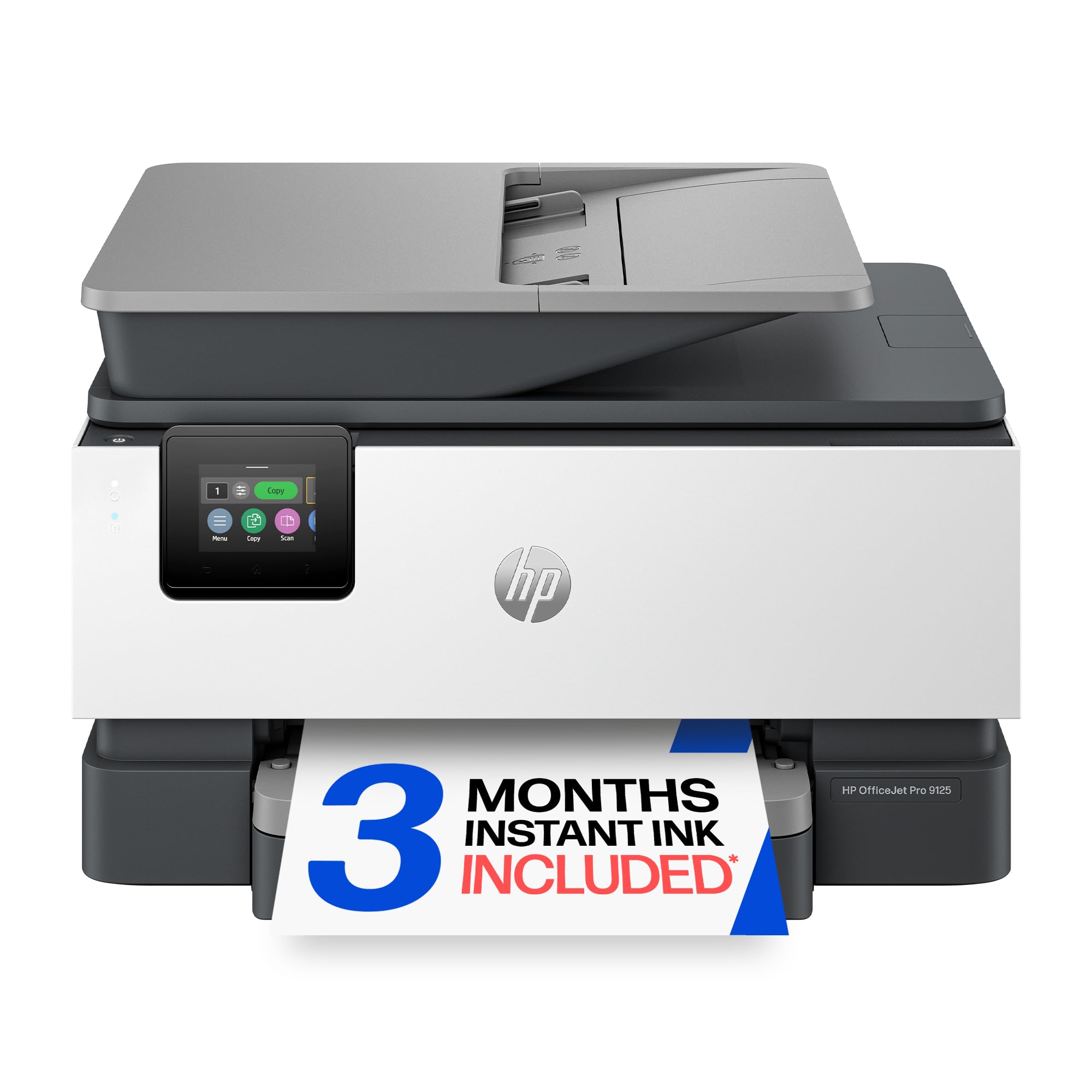
Office-grade speed and color output that handles presentations and flyers with ease.
If you routinely print color brochures or client-ready materials, the HP OfficeJet Pro 9125 brings the highest speed in this lineup. It prints 22 ppm in black and 18 ppm in color — a clear step up from the 8125 (20 ppm black, 10 ppm color) and far beyond any entry-level model. That means color reports or flyers come out nearly twice as fast as the 8125. The 250-sheet input tray is the largest in this group, so you can load a full ream and stay productive.
This model adds fax capability alongside print, scan, and copy, plus automatic duplex printing (prints on both sides of the page automatically) and scanning. The 2.7-inch color touchscreen feels phone-like and responsive. HP Wolf Pro Security is designed to help protect your network, which matters if the printer sits in a shared office. The 3-month Instant Ink trial gives a lower-cost entry, but like all HP printers here, it only accepts cartridges with original HP chips or circuitry. Owners mention the initial setup is smooth and the color quality on glossy paper is noticeably vibrant, though some mention the printer is on the heavier side.
The speed advantage
- Fastest color print speed here at 18 ppm
- 250-sheet tray holds a full ream for fewer refills
- Includes fax, auto duplex scanning, and security features
The trade-offs
- Higher upfront cost than most budget picks
- Locks out non-HP ink cartridges with firmware updates
Reach for this if: color print speed and professional output quality are your top priorities in a busy home office.
Pass if: you only print a few pages a week and want to spend less upfront.
4. Brother Work Smart 1410 Wireless Color Inkjet All-in-One Printer (MFC-J1410DW)

Cloud-savvy printing that blends speed and low running costs in one smart package.
The Brother Work Smart 1410 prints 16 pages per minute (ppm) in black and 9 ppm in color — noticeably faster than the average entry-level printer. For a small office that prints moderate volumes, the 20-sheet auto document feeder (ADF) and 150-sheet paper tray are practical without needing the largest tray. Automatic duplex printing is standard, so you save paper on two-sided documents.
What sets this model apart is the 2.7-inch color touchscreen with direct Cloud app connections. You can print from or scan to Google Drive, Dropbox, OneDrive, and Box right from the screen, no computer needed. The Brother Mobile Connect App lets you manage print jobs and monitor ink levels from your phone. The printer uses Brother Genuine LC501 ink, and the first page prints in roughly 6.2 seconds black and 9.6 seconds color according to the manufacturer. Buyers like the fast setup and the intuitive touchscreen interface, though some mention the lack of Ethernet as a drawback for those who prefer a wired connection.
Cloud-first features
- Print and scan directly to/from Cloud apps from the touchscreen
- 16 ppm black / 9 ppm color is a solid mid-range speed
- Auto duplex printing and a 20-sheet ADF included
What it gives up
- No Ethernet port — relies on Wi-Fi or USB
- 150-sheet tray is smaller than the 225+ options from HP
Pick this for: an easy-to-use printer that integrates with Google Drive and Dropbox for scanning and printing.
Skip if: you need a wired Ethernet connection or a very large paper tray.
5. Canon PIXMA TR7120 Wireless Color Inkjet Printer for Duplex Printing, White

A modern, space-saving design that still delivers sharp color and duplex printing.
The Canon PIXMA TR7120 prints at 14 ppm black and 9 ppm color, which beats the slowest entry-level models while keeping the price accessible. The auto document feeder (ADF) makes light work of multi-page copies or scans, saving you from standing at the machine.
Wireless connectivity is handled by dual-band Wi-Fi (2.4GHz or 5GHz) for stable connections, and you can print from smartphones using the Canon PRINT App, Apple AirPrint, or Mopria Print Service. The 1.42-inch monochrome OLED display (a small screen that uses very little power) gives you a clear readout of ink levels and printer status — a thoughtful upgrade from the basic LCD screens on many budget printers. Automatic 2-sided printing saves paper, and the printer supports borderless prints up to 8.5 x 11 inches, so your photos can be edge-to-edge. Customers note the setup is quick and the print quality for photos is surprisingly good for the price, though the compact design means the paper tray is not as large as bulkier models.
Why it stands out
- Dual-band Wi-Fi for reliable wireless performance
- Monochrome OLED display for easy status checks
- Auto duplex printing and an ADF in a compact body
One limitation
- Starter ink cartridges have modest page yields — budget for replacements sooner than later
Best suited for: someone who wants a stylish, space-saving printer with modern connectivity and solid all-around features.
Not for: high-volume printing where a bigger paper tray and lower per-page ink cost matter more.
6. Epson EcoTank ET-2400 Wireless Color All-in-One Cartridge-Free Supertank Printer

The printer that kills the cartridge cycle with refillable ink tanks and massive page yields.
The Epson EcoTank ET-2400 flips the budget printer model on its head. Instead of cartridges, it comes with four 65 mL ink bottles (one each of black, cyan, magenta, and yellow) that fill a built-in tank. Epson claims each bottle set is equivalent to about 80 individual ink cartridges, and the printer can produce up to 4,500 black pages and 7,200 color pages before you need new bottles. For someone who prints a lot, that changes the math completely — you refill ink maybe once a year instead of every few weeks.
The trade-off is speed — this model prints at 10 ppm black and 5 ppm color, which is notably slower than the HP OfficeJet Pro models. It also lacks automatic duplex printing (only manual 2-sided is supported), and there is no auto document feeder. The Micro Piezo Heat Free technology is designed to produce sharp text and solid color graphics, and since there are no cartridges, you generate less plastic waste. The printer connects via the Epson app for mobile printing from your phone or tablet. Buyers frequently mention the confidence that comes from rarely worrying about running out of ink, though the slower speed is a common note for those printing large reports regularly.
The long-run advantage
- Up to 4,500 black and 7,200 color pages per ink set, according to Epson
- No cartridges to replace — just refill the tanks
- Lower waste and fewer interruptions for out-of-ink moments
Where it cuts corners
- Slower print speeds (10 ppm black, 5 ppm color) than HP models
- No auto duplex printing and no ADF
Perfect for: high-volume home printing where keeping per-page ink costs ultra-low matters more than speed.
Not ideal for: anyone who needs fast color output or automatic 2-sided printing as a core feature.
7. HP Envy 6155 Wireless All-in-One Color Inkjet Printer

A well-rounded home printer with a helpful touchscreen and AI-powered formatting.
The HP Envy 6155 prints at 10 ppm black and 7 ppm color — adequate for light to moderate home use. The 100-sheet input tray is standard for this tier, and automatic 2-sided printing helps save paper without any extra steps.
The 2.4-inch color touchscreen is one of the more intuitive interfaces you will find on a budget model, making it easy to start a copy, check ink levels, or connect to Wi-Fi. HP’s AI feature is designed to tune web page and email formatting before printing, which cuts down on wasted pages. You also get a 3-month trial of Instant Ink, though after the trial a monthly fee applies unless you cancel. The printer uses HP 68 setup cartridges (rated for about 120 pages black, 75 pages color), so plan for replacements sooner rather than later. Like other HP models, it blocks non-HP cartridges through firmware updates, meaning you must use HP-branded ink. Buyers appreciate the simple wireless setup and the photo print quality, though some wish the starter cartridges lasted longer.
Everyday ease
- Intuitive 2.4-inch color touchscreen for easy navigation
- HP AI reformats web pages to avoid wasted pages
- Auto 2-sided printing and borderless photo support
Things to watch
- Starter cartridges have low page yields (~120 black, ~75 color) — plan for quick replacements
- Firmware blocks third-party ink cartridges
Choose this for: a simple, touchscreen-driven home printer that handles color documents and photos without fuss.
Skip if: you print heavy volumes and want lower long-term ink costs from the start.
Understanding the Specs
Pages Per Minute (ppm)
This is the number of pages a printer can produce in one minute. Black-and-white (mono) speed is always listed first, followed by color speed. For light home printing, 8-10 ppm black is fine. If you print school packets or office reports, look for 15 ppm or higher so you are not waiting around. Color speed is typically half or less of the mono speed on budget printers.
Auto Document Feeder (ADF)
An ADF is a slot on top of the printer that feeds multiple pages through the scanner automatically. Without it, you have to lift the lid and place each page by hand for every scan or copy. For anyone scanning or copying multi-page documents regularly, an ADF is a massive time-saver. The number tells you how many pages it holds at once — a 20-sheet ADF can handle a small report, while larger ADFs suit higher volumes.
Duplex (Automatic 2-Sided Printing)
Duplex printing means the printer flips the page and prints on the other side automatically. This cuts your paper usage roughly in half. Manual duplex means you have to flip the stack yourself. For any home office or school printer, automatic duplex is well worth having — it saves money on paper and means you do not have to stand at the printer waiting to flip pages.
Paper Tray Capacity
This is how many sheets the input tray can hold before you need to refill it. A 100-sheet tray might last a few days for light printing. A 225 or 250-sheet tray holds a full ream and can go a week or longer for a busy household. If you hate reloading paper, look for a larger tray. Some printers also have a separate photo paper tray.
FAQ
Is it worth buying a cheap color printer if the ink costs are high?
Which cheap color printer has the fastest print speed?
Do budget color printers work with third-party ink cartridges?
What is the difference between an inkjet and a laser printer for color?
How many pages can I print with the starter ink cartridges?
Can I print from my phone with a cheap color printer?
What does an auto document feeder (ADF) do for a home printer?
Is automatic 2-sided printing worth paying extra for?
How long does a cheap color printer typically last?
Which cheap color printer is the best for photos?
Final Thoughts: The Verdict
For the majority of shoppers, the cheap color printer winner is the HP OfficeJet Pro 8125 because it combines fast print speeds (20 ppm black, 10 ppm color), a generous 225-sheet tray, and an auto document feeder at a price that still feels like a deal. If you want the absolute lowest long-term ink cost, grab the Epson EcoTank ET-2400 with its refillable tanks and up to 7,200 color pages per bottle set, according to Epson. And for a simple, affordable all-in-one that includes fax and Alexa ink reordering, the Canon PIXMA TR4720 makes the most sense for very light home printing.
How We Picked
We do not accept paid placement. Every pick is matched to a real buyer and a real use-case; we do not hands-on test units.
Sources & Methodology
Specifications: manufacturer listings and product documentation. Review insights: verified customer reviews, as of July 2026. Pricing: not shown on this page (it changes often); check the current price via the retailer link.
As an Amazon Associate, WellFizz earns from qualifying purchases. This does not affect which products we feature.
Related Guides

Mo Maruf
I created WellFizz to bridge the gap between vague wellness advice and actionable solutions. My mission is simple: to decode the research and give you practical tools you can actually use.
Beyond the data, I am a passionate traveler. I believe that stepping away from the screen to explore new environments is essential for mental clarity and physical vitality.