Our readers keep the lights on and my smoothie glass nicely filled. As an Amazon Associate, I earn from qualifying purchases.
Specs are compiled from manufacturer listings and verified buyer reviews and can change over time — please confirm the key details on the product page before buying.
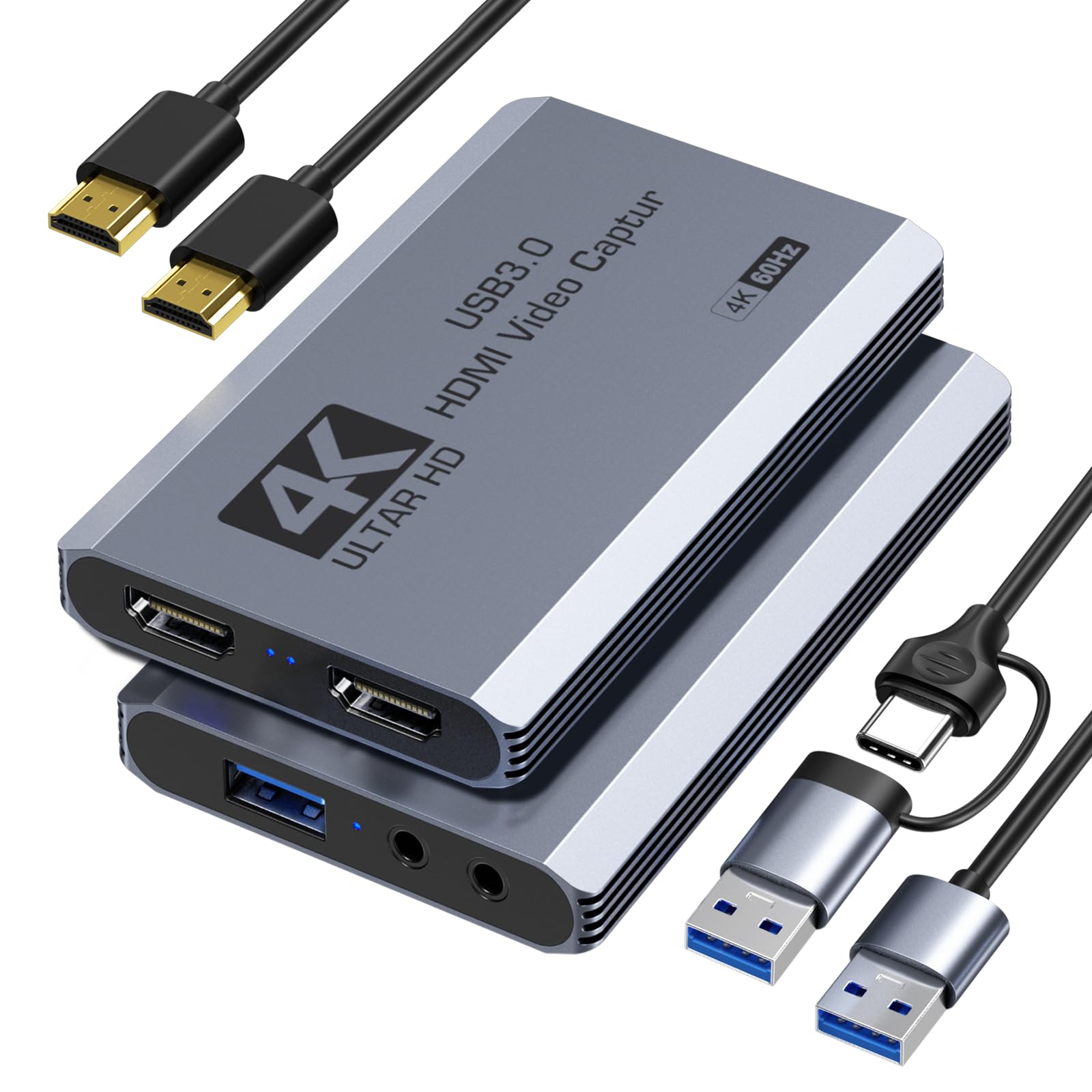
When you are trying to stream or record gameplay, dropping hundreds on a capture card feels risky. The real trick is finding a cheap capture card that delivers a steady 1080p at 60fps (frames per second) without adding a noticeable delay, wrecking your audio sync, or going black in the middle of your stream. The XIIXMASK Capture Card is the one that handles high frame rates up to 240FPS on a budget, and you will see why it tops the list.
I’m Mohammad Maruf — the founder and writer behind WellFizz. This guide is built by comparing the manufacturers’ published specifications and the patterns across verified customer reviews, so you get each pick’s real strengths and trade-offs instead of marketing spin.
Whether you are pulling footage from your Nintendo Switch or setting up a dual-PC stream, the right cheap capture card keeps your broadcast looking sharp and your wallet intact by focusing on what matters most at this price: stable latency (the delay between your console and your computer), solid build quality, and easy plug-and-play setup.
Our Picks at a Glance

How To Choose The Best Cheap Capture Card
Every low-cost capture card looks the same in product photos. The real difference is the internal chipset and small design choices that decide whether your stream runs smoothly or crashes. Here are the things that separate a usable budget card from one that will frustrate you.
Look for uncompressed video formats like YUY2
A cheap capture card often defaults to MJPEG, a compressed format that saves bandwidth but loses color detail and makes your gameplay look washed out. Cards that support YUY2 (an uncompressed video format that preserves richer color data) give you a sharper, more accurate picture. That matters most when you are streaming fast-moving games where color depth keeps the image looking natural.
USB 3.0 is not optional for 1080p 60fps
If a card plugs into a USB 2.0 port, it physically cannot transfer enough data to maintain a steady 1080p at 60fps feed. You will see frame drops, stuttering, or a forced resolution drop. Always check that the card requires USB 3.0 — the faster blue-colored port standard — because this is the bare minimum for smooth HD capture.
Metal builds beat plastic for heat management
When a capture card runs for hours during a stream, the internal chipset gets hot. A full aluminum alloy housing — a metal case that acts as a heat sink — pulls heat away from the electronics. This prevents thermal throttling, where the card slows itself down to avoid overheating and causes frame drops or sudden disconnects mid-broadcast.
Quick Comparison
| Model | Best For | Max Capture | Video Format | Build Material | Amazon |
|---|---|---|---|---|---|
| Dcyfol ozc3★ Best Overall | Extreme budget pick | 1080p 60FPS | YUY2 | Full metal | Amazon |
| XIIXMASK Capture CardAlso Great | High framerate gaming | 1080p 240FPS | MJPEG, YUY2, NV12, XRGB | Metal chassis | Amazon |
| Guermok 4K@60FPS | High FPS passthrough | 1080p 240FPS | MJPEG, YUY2, NV12, XRGB | Plastic | Amazon |
| Swudloe C7-01 | Beginner streaming | 1080p 60FPS | YUY2 | Plastic | Amazon |
| SUDTREEV C7 | Nintendo Switch streaming | 1080p 60FPS | MJPEG, YUY2 | Aluminum alloy | Amazon |
| Acer OCB5B0 | Compatibility & commentary | 1080p 60FPS | MJPEG, YUY2 | Aluminum alloy | Amazon |
| Hagibis UHC10 | Quest 3 & mobile streaming | 1080p 60FPS | MJPEG, YUY2 | Plastic | Amazon |
In‑Depth Reviews
1. Dcyfol 4K HDMI Capture Card
You get a full metal body and YUY2 output on the Dcyfol at a price that feels too low for the build.
This card surprises everyone who picks it up expecting cheap plastic. It has a full metal build — not the hollow plastic shell you usually find at this budget tier — and outputs video in YUY2 format for better color accuracy. It captures at 1080p 60FPS and supports 4K 60fps input, so you can play on a 4K screen while recording at HD quality. Customers note it works well for streaming PS5 to Discord via OBS and describe it as an absolute steal.
The card is plug-and-play with no drivers needed and works with OBS Studio, Streamlabs, and XSplit. It is compact and lightweight at 0.21 kilograms, so it fits easily in a laptop bag for LAN parties or travel. Buyers mention there is no HDR passthrough (a feature that preserves high dynamic range color for brighter images), and the headphone output is very loud with no volume control, so you may need an inline volume adjuster.
The Big Upside
- Full metal chassis instead of cheap plastic at this low price point
- YUY2 video format for sharper, more accurate color reproduction
- Lightweight and compact at 0.21 kilograms for easy portability
The Trade-Offs
- No HDR passthrough — colors may look less vibrant on your main display
- Headphone output is very loud with no volume control knob
Grab it for the metal build and price: This is the cheapest reliable entry-point for getting into streaming without worrying about a flimsy plastic card breaking in your bag.
skip it if: You need adjustable audio monitoring — the unchangeable loud headphone output will annoy you without an external volume solution.
2. XIIXMASK Video Capture Card
The XIIXMASK captures at 1080p 240FPS so your high-refresh-rate monitor feels just as smooth on stream as it does in-game.
If you play competitive shooters where every millisecond counts, this card keeps up with your monitor. It accepts input at 1920×1080 up to 240FPS and also handles 2560×1440 at 144FPS — so you can play at a high refresh rate (how many times your screen updates per second) while still capturing in HD. Unlike cheaper alternatives that lock you into 60Hz, this one keeps your gaming feel smooth and responsive.
The card supports multiple video formats: MJPEG (compressed, saves bandwidth), YUY2 (uncompressed, better color), NV12 (a common format for video conferencing), and XRGB (another raw video format). That gives you flexibility depending on whether you prioritize color accuracy or smaller file sizes. Buyers report the build feels solid, and the included USB-C cable makes hooking it up to modern laptops simple. It also includes a 3.5mm microphone output port, which is a rare feature at this price.
Why It Leads the Pack
- Captures at 1080p 240FPS for high-refresh-rate gaming
- Supports multiple video formats including NV12 and XRGB
- Comes with a USB-C cable for easy connection to modern laptops
One Real Limitation
- Owners mention a 50/50 chance of receiving a glitchy unit on the first try
Who it fits: Gamers who play at 144Hz or 240Hz and want their capture card to match the screen’s speed without jumping to a high-end brand.
The trade-off: Quality control seems inconsistent — a few buyers had to exchange their first unit for a fully working one.
3. Guermok 4K@60FPS Capture Card
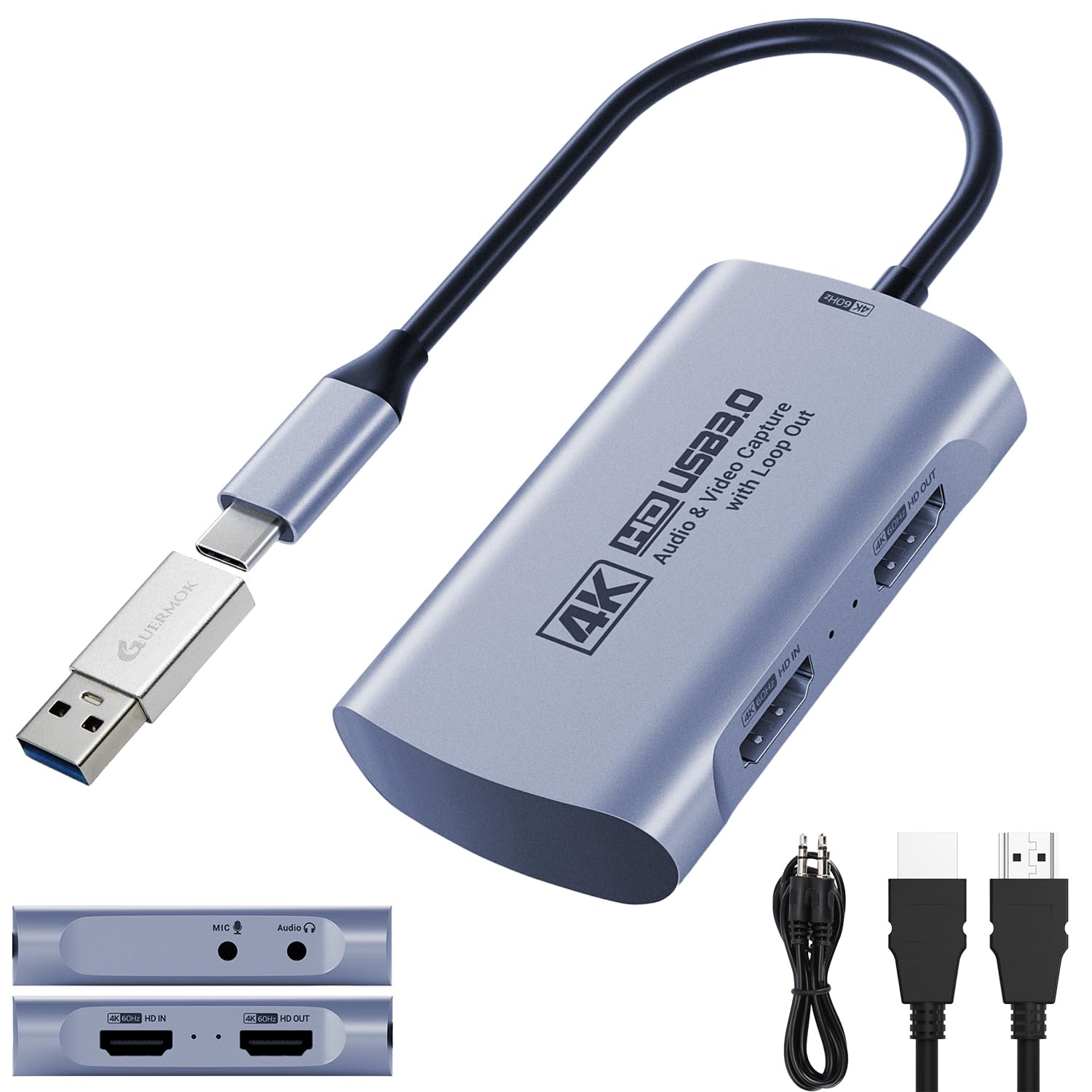
The Guermok gives you uncompressed YUV2 4:4:4 color at 1080p 60fps, so your stream looks richer than the XIIXMASK’s compressed output.
Where many cheap cards compress the color signal to save bandwidth, the Guermok delivers uncompressed YUV2 4:4:4 (a video format that retains full color information without chroma subsampling) at 1080p 60fps. That means the colors on your stream look as rich as they do on your gaming monitor. It also handles high frame rate input up to 2560×1440 at 144FPS and 1920×1080 at 240FPS, giving competitive players a solid option.
The card supports EDID (Extended Display Identification Data — a standard that lets your console and monitor communicate about resolutions) for a reliable handshake, so you are less likely to get a black screen. Customers note it works smoothly for streaming Nintendo Switch 2 games on Discord. The included USB-A to USB-C adapter means you can plug it into an iPad or MacBook without hunting for a dongle.
The Big Strengths
- Delivers uncompressed YUV2 4:4:4 color at 1080p 60fps
- Supports high frame rates up to 1440p 144FPS input
- Includes a USB-A to USB-C adapter for wide compatibility
The Drawback
- HDMI ports are very close together, and the plastic sleeves around the cables feel fragile
Reach for this if: Color accuracy matters to you and you want a card that passes clean video to OBS without muddying the picture.
Look elsewhere if: You need a rugged cable setup — the port spacing and thin sleeves on the connectors are not built for frequent plugging and unplugging.
4. Swudloe C7-01 HDMI Capture Card
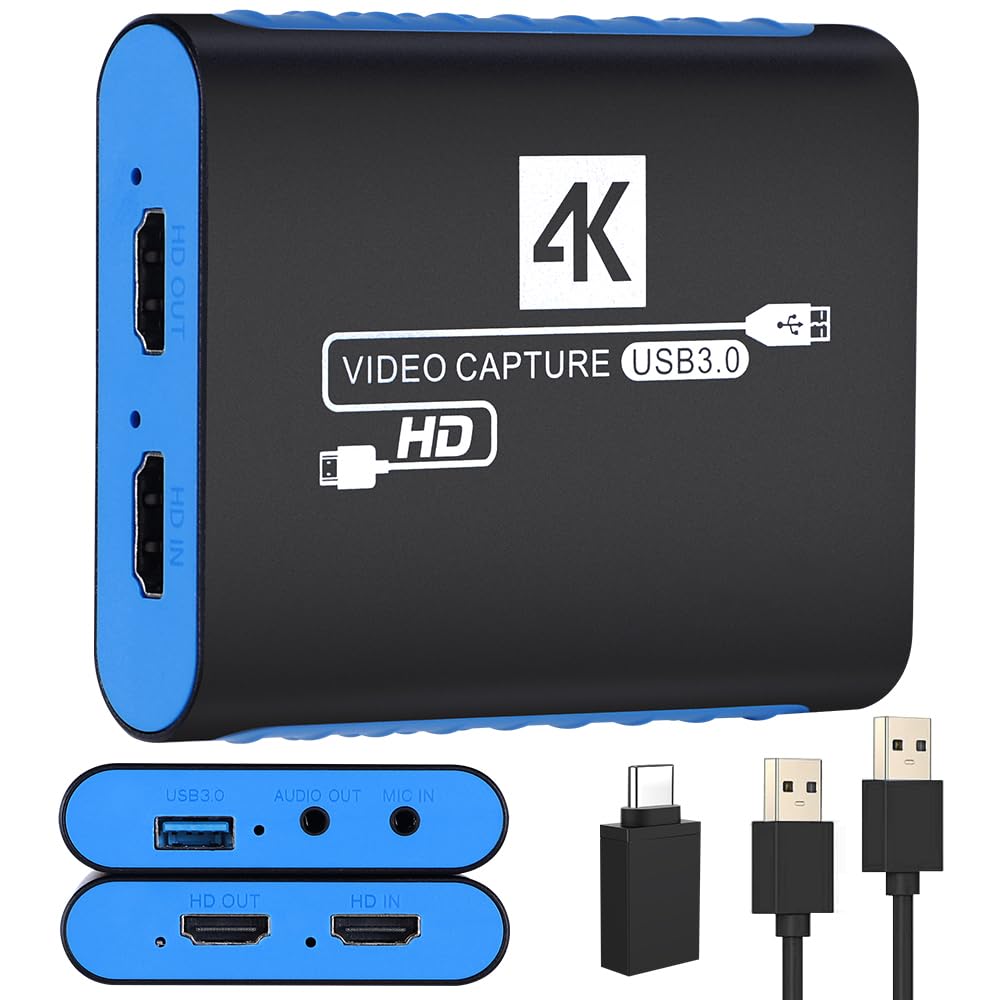
Plug the Swudloe C7-01 in, open OBS, and you are live — no drivers or complicated software to install.
If the idea of installing complicated software makes you hesitate, this card is the answer. It records in YUY2 at 1080p 60FPS (the uncompressed format that keeps your video crisp) and supports a maximum HDMI input and pass-through resolution of 4K at 30Hz. That means you can play on your 4K TV while capturing at a standard HD resolution. Reviewers point out it works better than expected for the price, with one long-time user noting it was more reliable and had fewer compression artifacts than a capture device they had used for 15 years.
The included 16-page instruction manual with screenshots for OBS and PotPlayer setup is a helpful touch for first-timers. It also has a 3.5mm audio input and output port (the standard headphone jack size), so you can plug in a microphone for live commentary or headphones for lag-free monitoring. The card comes with a 1-year manufacturer warranty, which is uncommon at this price point.
What Makes It Easy
- True plug-and-play — no drivers needed, works like a webcam
- Includes a detailed 16-page instruction manual with screenshots
- Comes with a 1-year manufacturer warranty for confidence
The Catch
- Some shoppers say a slight static background noise in the audio
Best for first-time streamers: The zero-setup design and detailed manual make this the easiest way to get a stream running without technical headaches.
Only if you need clean audio: The minor static noise is a known trade-off at this price tier, so consider a separate USB microphone if you are serious about audio quality.
5. SUDTREEV C7 HDMI Capture Card
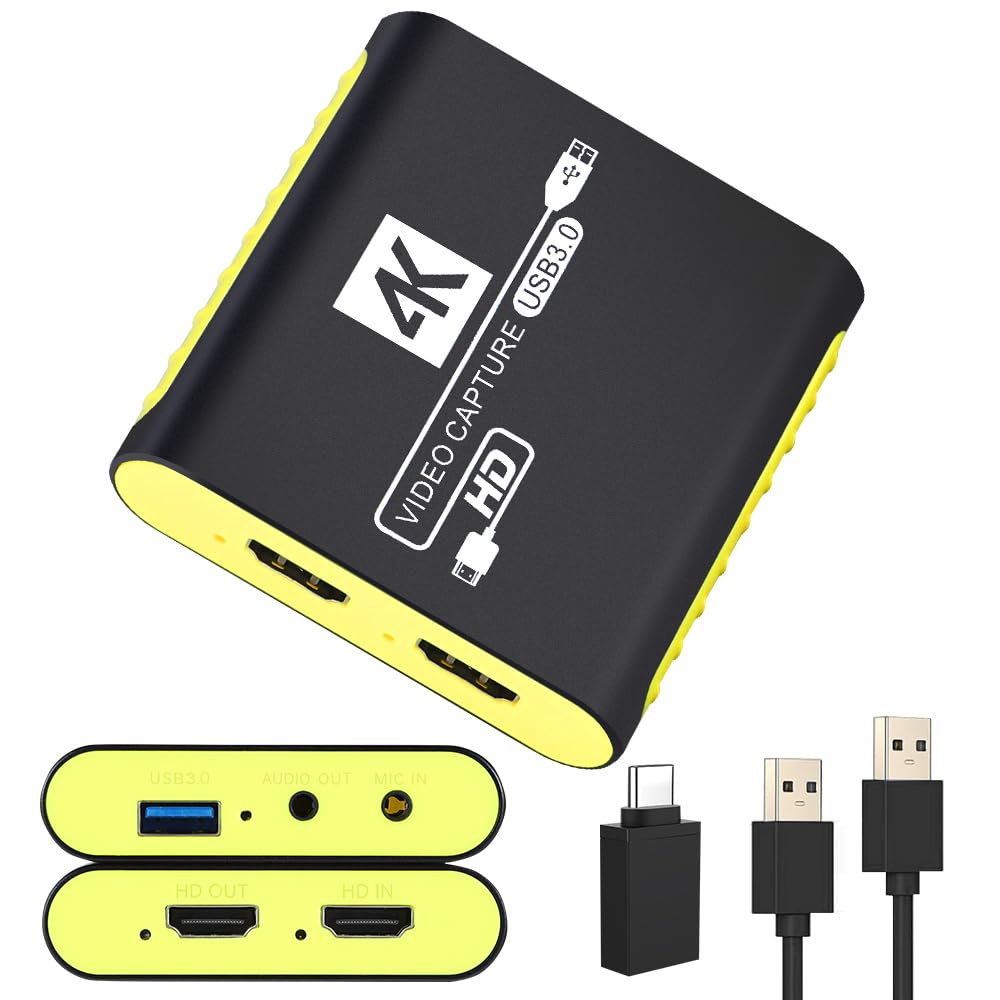
The SUDTREEV C7 uses a full aluminum alloy body that draws heat away, so your Nintendo Switch stream stays stable through long gaming sessions.
Streaming from a Nintendo Switch can be tricky because budget cards often drop the signal mid-session. The SUDTREEV C7 is built to handle long hours. It records crisp 1080p at 60FPS while passing a full 4K signal at 30Hz to your monitor, so you play in high resolution without the capture software dragging down the feed. The full aluminum alloy housing actively draws heat away from the chipset, preventing thermal throttling — the card slowing itself down to avoid overheating — which is a common cause of frame drops in plastic-cased rivals.
It includes a dedicated 3.5mm microphone input port that blends your voice commentary directly with game audio into a single OBS track, so you do not have to sync audio later. Buyers report instant recognition in OBS on Windows PCs, with one reviewer noting it works without any complicated driver installations. The included USB-A to USB-C adapter means you can plug it directly into a MacBook or iPad without an extra dongle.
Why It Stands Out
- Full aluminum alloy housing prevents overheating during long streams
- 4K 30Hz passthrough lets you play in high resolution while capturing in 1080p
- USB-A to USB-C adapter included for modern laptops and tablets
The Limitation
- Owners mention a tiny bit of delay in the video feed, so it is not fully zero-latency
Ideal for Nintendo Switch streamers: The metal build and stable heat management keep your stream running through marathon gaming sessions without crashes.
Not for competitive latency needs: The slight delay means it is better for casual streaming than for playing fighting games where frame-timing matters.
6. Acer OCB5B0 Video Capture Card
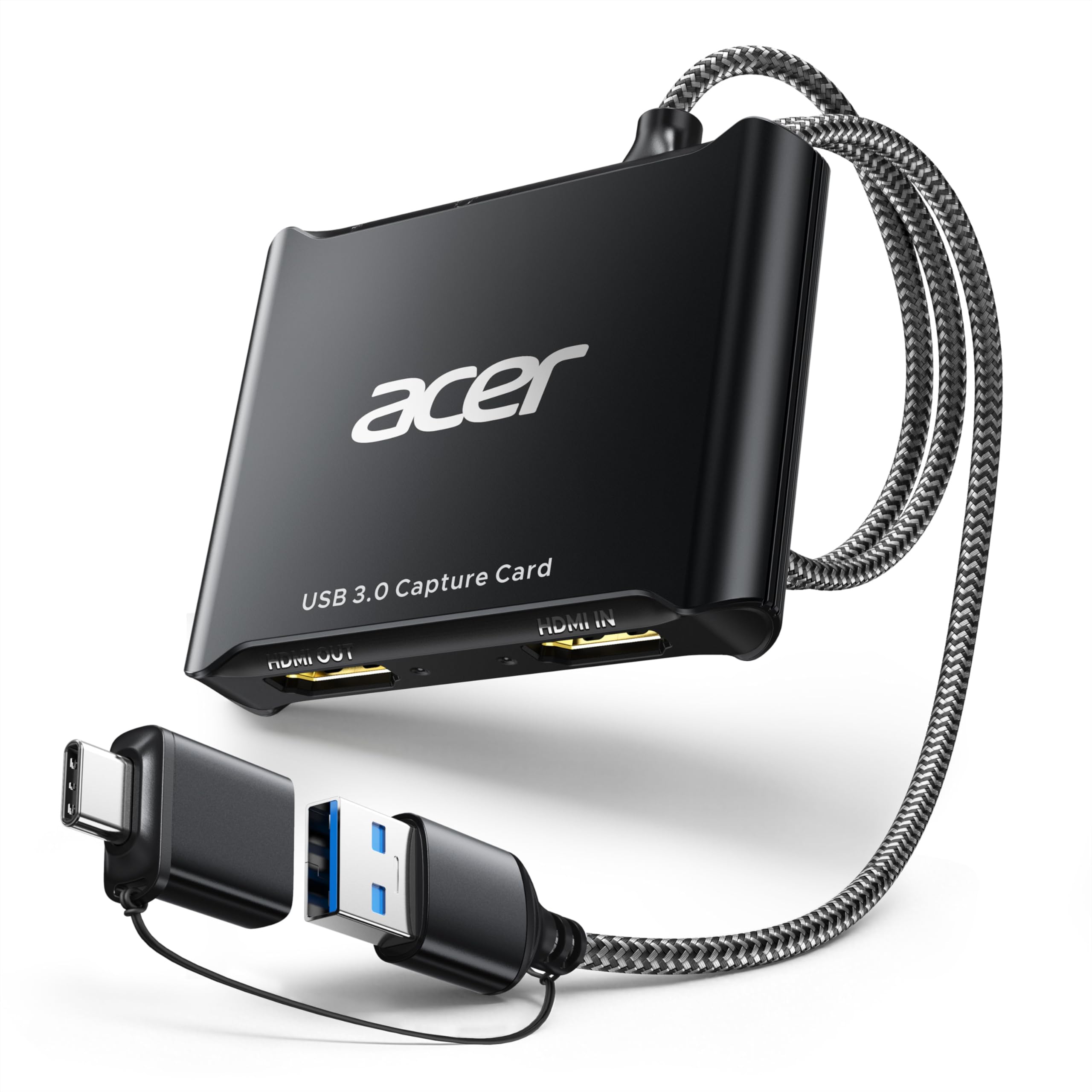
Acer’s OCB5B0 uses an aluminum metal chassis that doubles as a heatsink, the same heat-management trick as the pricier SUDTREEV C7.
Acer is not chasing the flashiest numbers here, but they nailed the things that frustrate most budget card buyers. It offers 4K passthrough and 1080p 60FPS capture via YUY2 over USB 3.0. The key differentiator is the dedicated 3.5mm microphone input port, which lets you plug in a headset or mic directly to stream or record voice without needing an external audio adapter.
Reviewers point out it is plug-and-play on Windows 11 for both Switch 1 and Switch 2, and that it captures HDMI input along with a 3.5mm mic audio signal simultaneously. Shoppers say that you may experience audio crackling when using YUY2, which can be fixed by switching the software to MJPEG format. The card also offers adjustable brightness, contrast, hue, and saturation settings — a surprising degree of fine-tuning for such an affordable unit.
What Acer Does Right
- Aluminum metal chassis acts as a heatsink for stable long-term use
- Plug-and-play on Windows 11 with no driver installation required
- Adjustable brightness, contrast, hue, and saturation settings
What to Watch For
- YUY2 mode can cause audio crackling; switching to MJPEG fixes it
- Captured video quality is slightly lower than a pricier card due to bitrate limits
Pick this for the brand reliability: Acer’s support and the metal build make this a solid choice if you want a recognizable name without paying a premium.
Only if you do not need top-tier image quality: The bitrate limit means the picture is not as sharp as a pricier card, but it is fine for casual streaming and online classes.
7. Hagibis UHC10 Video Capture Card

The Hagibis UHC10 supports 100W PD fast charging so your tablet or Quest 3 stays powered while you capture.
If you use a Quest 3, iPad, or a USB-C laptop, this card solves a problem none of the others do: battery drain. It supports 100W PD fast charging (Power Delivery — a standard for sending power over a USB-C connection at high wattage), so you can capture video from your VR headset or tablet while it charges at full speed. The card uses the MS2130 chipset (a popular budget capture chip known for reliability) and offers dual USB-A and USB-C interface compatibility.
Buyers report that 1080p 60fps capture is smooth with no lag when using OBS, and that the 100W PD passthrough is a standout feature for anyone using a tablet as a portable monitor. One catch: the included cable is short, and some users needed an extension. It also does not work with the Nintendo Switch due to HDCP (High-bandwidth Digital Content Protection — a copy protection standard that blocks recording from some devices), so it is best for VR and mobile setups rather than console streaming.
The Unique Advantage
- 100W PD fast charging lets you capture and charge your tablet or phone at the same time
- Dual USB-A and USB-C interface works with a wide range of modern devices
- Smooth 1080p 60fps capture with no lag for VR and mobile streaming
The Dealbreakers
- Does not work with the Nintendo Switch due to HDCP restrictions
- The included cable is very short and many users need an extension
Perfect for Quest 3 and iPad streamers: The 100W PD charging is a standout for mobile setups where battery life is the main obstacle.
Not for console gamers: The Switch incompatibility and short cable make this a niche pick for VR and tablet users only.
Understanding the Specs
YUY2 vs. MJPEG
YUY2 and MJPEG are two ways your capture card sends video to your computer. MJPEG compresses each frame like a JPEG photo, saving data speed but washing out colors. YUY2 sends the video without compression, keeping the color data intact so your stream looks richer. Cards that support YUY2 are generally better for capturing fast-moving games where color accuracy keeps the image looking natural.
4K Passthrough
This is a feature that lets your console or PC send a 4K signal straight to your TV or monitor, while the capture card only records at 1080p. You get to play on your high-resolution screen without any lag from the recording software. Without it, your gaming display would be forced down to the same 1080p resolution as your recording software.
FAQ
Will a cheap capture card add noticeable lag to my gameplay?
Can I use a cheap capture card with a Nintendo Switch 2?
Do I need a special USB port for a capture card to work?
Why does my capture card audio sound crackly or out of sync?
Is a metal capture card body better than a plastic one?
Do I need a capture card with a microphone input port?
Will a cheap capture card work with my MacBook or iPad?
How do I fix a black screen when connecting my capture card to OBS?
Final Thoughts: The Verdict
If you want one dependable pick, the best cheap capture card is the XIIXMASK Capture Card because it handles high frame rates up to 240FPS while still being affordable enough for beginners. If you want uncompressed color and a compact design for VR streaming, grab the Guermok 4K@60FPS. And for absolute beginners who just want to plug and play with zero driver headaches, the Swudloe C7-01 gets you streaming in under two minutes.
How We Picked
We do not accept paid placement. Every pick is matched to a real buyer and a real use-case; we do not hands-on test units.
Sources & Methodology
Specifications: manufacturer listings and product documentation. Review insights: verified customer reviews, as of July 2026. Pricing: not shown on this page (it changes often); check the current price via the retailer link.
As an Amazon Associate, WellFizz earns from qualifying purchases. This does not affect which products we feature.
Related Guides

Mo Maruf
I created WellFizz to bridge the gap between vague wellness advice and actionable solutions. My mission is simple: to decode the research and give you practical tools you can actually use.
Beyond the data, I am a passionate traveler. I believe that stepping away from the screen to explore new environments is essential for mental clarity and physical vitality.