Our readers keep the lights on and my smoothie glass nicely filled. As an Amazon Associate, I earn from qualifying purchases.
Specs are compiled from manufacturer listings and verified buyer reviews and can change over time — please confirm the key details on the product page before buying.
A dim camera monitor ruins more shots than a shaky tripod — you cannot frame, focus, or expose a scene you cannot actually see in broad daylight. The fix is a cheap camera monitor that delivers enough brightness and the right assist tools without emptying your gear fund.
I’m Mohammad Maruf — the founder and writer behind WellFizz. This guide is built by comparing the manufacturers’ published specifications and the patterns across verified customer reviews, so you get each pick’s real strengths and trade-offs instead of marketing spin.
The right cheap camera monitor gives you a brighter, sharper view of every frame, plus the exposure and focus aids your camera’s tiny built-in screen hides. It saves you time on set and in the edit.
Quick Picks
- NEEWER F700 7″ Camera Field Monitor, 2000nit HD 1920×1080 IPS Touch Screen — Best Overall
- VILTROX DC-550 Touch Screen DSLR Camera Field Monitor 1200 Nits — Daylight King
- VILTROX 5.5 Inch 1200nits 4Kp30 HDMI Video Field Monitor — Great Value
- osee T5+ 5.5 Inch 1000nits Camera Monitor, Customizable False Color Field Monitor — Custom Color Tool
- FEELWORLD F5 Pro V4 6 Inch Touch Screen DSLR Camera Field Monitor — Gimbal Ready
- FEELWORLD T7 7 Inch IPS 4K HDMI Camera Field Monitor Video Assist Full HD 1920×1200 — Solid Build
- FEELWORLD S55E 5.5 Inch 500nit On Camera Field DSLR Monitor Ultra Lightweight — Ultra Light
- NEEWER F100 7″ Camera Field Monitor Updated Version, 450nit HD Video Assist IPS 1280×800 — Budget Champion
How To Choose The Best Cheap Camera Monitor
A cheap camera monitor is your window into a correctly exposed and focused shot, but the wrong one wastes money on a screen you cannot see outdoors or tools you never use. Focus on the three specs that matter most in the field: brightness, resolution, and assist features.
Brightness — Nits Aren’t Just a Number
A monitor’s brightness is measured in nits, and this single number decides whether you can see your image on a sunny day. For indoor or shaded work, 450 to 500 nits is enough. If you shoot outside under direct sun, aim for 1000 nits or higher so you are not squinting or relying on a sun hood to see your framing.
Resolution and Screen Size — What You See Is What You Get
Higher resolution means you can judge focus more accurately without zooming in. A 1920×1080 panel gives you a crisp image for critical focus, while 1280×800 screens are cheaper but noticeably softer. Screen size is a physical trade-off: 5.5-inch models slip onto a gimbal easily, while 7-inch screens give you more real estate for monitoring tools alongside the image.
Assist Tools — The Features That Save Your Edit
Not every budget monitor packs the same tools. Focus peaking shows you which parts of the image are in sharp focus by highlighting edges. Zebras and false color alert you to blown-out highlights or crushed shadows. Waveform and histogram give you a graph-based view of exposure. If you shoot in a flat Log picture profile, 3D LUT support lets you preview a corrected look right on set. Pick the monitor that matches how you actually shoot.
Quick Comparison
| Model | Best For | Brightness | Resolution | Screen Size | Amazon |
|---|---|---|---|---|---|
| NEEWER F700 | Bright outdoor / touch control | 2000 nits | 1920×1080 | 7 in | Amazon |
| VILTROX DC-550 Touch | Daylight viewable / touchscreen | 1200 nits | 1920×1080 | 5.5 in | Amazon |
| VILTROX DC-550 | Portable outdoor monitor | 1200 nits | 1920×1080 | 5.5 in | Amazon |
| osee T5+ | Custom false color / LOG workflow | 1000 nits | 1920×1080 | 5.5 in | Amazon |
| FEELWORLD F5 Pro V4 | Touch / F970 power kit | 500 nits | 1920×1080 | 6 in | Amazon |
| FEELWORLD T7 | Large 7‑in / aluminum build | 450 nits | 1920×1200 | 7 in | Amazon |
| FEELWORLD S55E | Ultra lightweight / gimbal rigs | 500 nits | 1920×1152 | 5.5 in | Amazon |
| NEEWER F100 | Budget entry / long battery life | 450 nits | 1280×800 | 7 in | Amazon |
In‑Depth Reviews
1. NEEWER F700 7″ Camera Field Monitor, 2000nit HD 1920×1080 IPS Touch Screen

The brightest monitor here that you can actually see under direct sunlight, no squinting required.
If you shoot outdoors, the NEEWER F700 solves the single biggest problem of cheap camera monitors — visibility. Its 2000-nit IPS touchscreen is more than four times brighter than a 450-nit panel, so you frame and pull focus confidently even at high noon. The 1920×1080 resolution gives you sharp detail for checking focus, and the 4K HDMI loop in/out keeps your signal clean on set. You also get manual and automatic backlight adjustment (1-100) so the screen dims when you step indoors without digging through menus.
Buyers report the dual included 4400mAh NP-F750 batteries deliver hours of runtime together, though the monitor gets heavy — 30.2 ounces with both batteries installed. It packs professional assist tools (false color, zebras, waveform, vectorscope, and focus peaking) and supports up to 60 custom 3D LUT files via SD card for previewing Log footage. The built-in cooling fan keeps it from overheating during long takes, and the touch interface works smoothly alongside the physical shortcut buttons (F1, F2, F3) on top.
Why It Earns the Top Spot
- 2000 nits brightness makes it fully usable in direct sunlight without a sun hood.
- Includes two 4400mAh NP-F750 batteries and all HDMI cables you need.
- Touchscreen with auto backlight and shortcut buttons for quick adjustments.
What to Weigh Before Buying
- Weighs 30.2 oz with both batteries — noticeably heavy on a gimbal.
- Micro HDMI cable included is reportedly flimsy; buyers recommend buying a high-quality 90-degree cable separately.
Reach for this if: You shoot outdoors under bright sun and need a screen you can read at a glance, or you want a touchscreen with LUT support and dual-battery runtime.
Look elsewhere if: You need the lightest possible monitor for a small gimbal and are willing to trade brightness for weight.
2. VILTROX DC-550 Touch Screen DSLR Camera Field Monitor 1200 Nits

A 1200-nit touchscreen that keeps your framing sharp and visible when the sun is relentless.
The VILTROX DC-550 packs its 1200-nit brightness into a compact 5.5-inch body that is built for outdoor location work. The 1920×1080 IPS panel with a 1200:1 contrast ratio and REC-709 color calibration gives you an image that is both bright and color-accurate for judging exposure. The touchscreen interface makes navigating its professional tools — waveform, vector graph, histogram, focus peaking, false color, and audio column — far faster than a joystick or button system. You can import custom 3D LUTs via SD card to preview Log footage in real time.
The monitor accepts three power sources: the included NP-F550 battery, DC 12-18V input, or a Type-C 5V 3A power bank, so you can keep shooting without hunting for a wall outlet. The package includes a sunshade hood, cold shoe adapter, standard and mini HDMI cables, and a carry case. One thing to note — at 1200 nits, this is still 800 nits dimmer than the NEEWER F700 above, so in the absolute brightest desert conditions the F700 pulls ahead.
What Stands Out
- 1200 nits brightness with a 1200:1 contrast ratio is excellent for outdoor shooting.
- Touchscreen controls and three power options (NP-F, DC, Type-C) for flexible setups.
- Comes with an NP-F550 battery, sunshade, cables, and a carry case right in the box.
One Trade-Off
- Not as bright as 2000-nit options — but still far brighter than 450-nit budget screens.
Best for: Videographers who need a very bright, touch-controlled monitor for outdoor shoots and want a complete kit from the start.
skip it if: You prioritize maximum brightness over everything and are willing to pay more for a 2000-nit panel.
3. VILTROX 5.5 Inch 1200nits 4Kp30 HDMI Video Field Monitor

Same bright 1200-nit screen as the touch version, but with a dial-controlled menu for a lower price.
If you do not need a touchscreen and want to put every dollar into brightness and image quality, this VILTROX DC-550 (non-touch) delivers the same 1200-nit, 1920×1080 IPS panel and 1200:1 contrast ratio as its touch sibling at a friendlier price. The 5.5-inch screen is daylight-viewable, and the front-mounted sunshade cuts glare without adding bulk. You get the full professional video OS: waveform, parade, vectorscope, histogram, audio meter, focus peaking, zoom, zebra, false color, frame guides, and safe area markers. The 3D LUT implementation lets you load.cube files via SD card or use built-in LOG to Rec.709 conversion.
The control dial on the left side is responsive, and the button-menu system is straightforward once you learn the layout. It includes an NP-F550 2200mAh battery, standard and mini HDMI cables, a cold shoe adapter, a sunshade, and a storage box. One detail buyers appreciate: the anamorphic de-squeeze monitoring support, which is rare at this price. The package is slightly lighter than the touch version, making it a solid pick for gimbal rigs where every gram counts.
Why It Wins on Value
- 1200 nits brightness at a lower price than the touch version — same excellent panel.
- Full pro OS with waveform, vectorscope, false color, and anamorphic de-squeeze support.
- Includes battery, sunshade, cables, and a storage case for a complete start.
What You Give Up
- No touchscreen — you navigate with a control dial and button menu.
Choose this if: You want 1200-nit brightness and professional monitoring tools without paying extra for a touch interface.
It saves you money for the same core brightness and tools as the VILTROX DC-550 Touch.
4. osee T5+ 5.5 Inch 1000nits Camera Monitor, Customizable False Color Field Monitor

A 1000-nit monitor with customizable false color that rivals monitors twice its price on feature depth.
The osee T5+ stands out in the cheap camera monitor category because it packs a 1000-nit panel with a feature set that normally belongs on screens costing double. Its key differentiator is the customizable false color tool — you can set separate min/max thresholds for black clip, white clip, tone 1, and tone 2, and then save those as presets for your specific camera model. The 8 MySets (3 with factory defaults for frame, exposure, and focus) let you switch between complete tool configurations with a single joystick toggle, which speeds up location work considerably.
The 1920×1080 display delivers 1.06 billion colors and a 1000:1 contrast ratio for vivid, accurate image preview. The LOG/HDR processing handles common camera log curves and PQ/HLG, and you can upload custom 3D LUTs via SD card. Owners mention excellent value under but note one limitation: the live view to image review transition is slow (around 10 seconds), which makes it frustrating for still photographers. The plastic housing keeps weight down but feels less rugged than an aluminum body. No battery is included, though it works with affordable Sony NP-F batteries.
Unique Strengths
- Customizable false color with independent black/white clip and tone sliders — rare at this price.
- 1000 nits brightness and 1.06B color depth for vivid outdoor monitoring.
- 8 MySets with one-joystick switching for fast on-location workflow.
Real Drawbacks
- Slow live view to image review transition (~10 seconds) is frustrating for stills, customers note.
- Plastic joystick feels slightly cheap, no touchscreen; battery not included.
Grab this for: Advanced color control with customizable false color presets and a fast MySets workflow that rivals pricier monitors.
Pass if: You shoot a mix of stills and video and cannot tolerate the slow photo review transition.
5. FEELWORLD F5 Pro V4 6 Inch Touch Screen DSLR Camera Field Monitor

A 6-inch touchscreen monitor with an integrated F970 power kit, designed for clean gimbal and handheld rigs.
The FEELWORLD F5 Pro V4 carves out its own angle with a 6-inch 1920×1080 touchscreen and a unique F970 external power kit that lets you power a wireless transmitter or even your camera (via DC 8.4V output) directly from the monitor. This makes it a central power hub on a small rig, reducing cable clutter. At 245g (about 0.64 pounds), it is very light for a 6-inch touchscreen monitor and comfortable on a gimbal. The 500 nits brightness is well-suited for indoor and shaded outdoor shoots, and the 16:9 aspect ratio matches most modern camera sensors.
You get the full suite of professional assist tools: 3D LUT preview for Log shooting, waveform, vector, histogram, focus peaking, and false color. The touchscreen interface is responsive and makes navigating menus faster than button-based systems. The package includes a micro HDMI cable, sunshade, tilt arm, and a disassemble wrench, but does not include an NP-F battery or power adapter — you need to buy those separately or choose a bundle. Unlike the larger 7-inch monitors, this 6-inch size hits a balance for gimbal balancing without giving up too much screen real estate.
What Makes It Different
- F970 power kit lets you power wireless transmitters or your camera from the monitor.
- Ultra-light 245g design is gimbal-friendly and easy to mount on small rigs.
- Responsive 6-inch touchscreen with waveform, vector, and 3D LUT support.
What to Note
- 500 nits brightness is fine for indoor use but struggles in direct sunlight.
- Battery and power adapter are not included — factor that into your total cost.
Ideal for: Runners and gunners who want a lightweight touchscreen monitor that can power other gear on a compact rig.
Not for: Anyone who needs to monitor outdoors in full sun without a hood — 500 nits will feel dim.
6. FEELWORLD T7 7 Inch IPS 4K HDMI Camera Field Monitor Video Assist Full HD 1920×1200

A larger 7-inch aluminum monitor with a 1920×1200 resolution that beats the NEEWER F100 by 50% more pixels.
The FEELWORLD T7 is built around a 7-inch IPS panel with a 1920×1200 resolution, which gives you noticeably more screen real estate and sharper text and fine details than the 1280×800 NEEWER F100 — a significant advantage for judging fine focus without zooming. At 450 nits brightness and a 1200:1 contrast ratio, it delivers a nice contrast between bright and dark areas, though it is a monitor best suited for studio, indoor, or shaded outdoor work. The aluminum metal frame feels solid and durable compared to the plastic housings on many budget monitors, and the 18mm ultra-thin profile keeps it from being a brick on your rig.
It accepts 4K HDMI input and output (3840x2160p up to 30Hz and 4096x2160p at 24Hz). Professional color calibration using the Rec.709 color standard gives you accurate colors straight from the box. It includes a mini HDMI cable, sunshade, F970 battery plate, and hot shoe mount — but critically, no NP-F battery is included. You need to buy that separately or pick a bundle. At 1.83 pounds, it is heavier than the smaller 5.5-inch options, so plan your gimbal balance accordingly.
Key Advantages
- 1920×1200 resolution provides 50% more pixels than the NEEWER F100 for sharper focus checking.
- Aluminum metal frame and 18mm thickness give it a premium, durable feel.
- Rec.709 color standard calibration ensures accurate color from the start.
Trade-Offs
- 450 nits brightness means it is not a great choice for direct sunlight without a hood.
- No battery included; weight at 1.83 pounds is on the heavier side for gimbals.
Pick this if: You want a large 7-inch aluminum monitor with a higher 1920×1200 resolution for indoor or controlled-light studio work.
pass on it if: You need an all-day outdoor monitor or something light enough for a small gimbal.
7. FEELWORLD S55E 5.5 Inch 500nit On Camera Field DSLR Monitor Ultra Lightweight
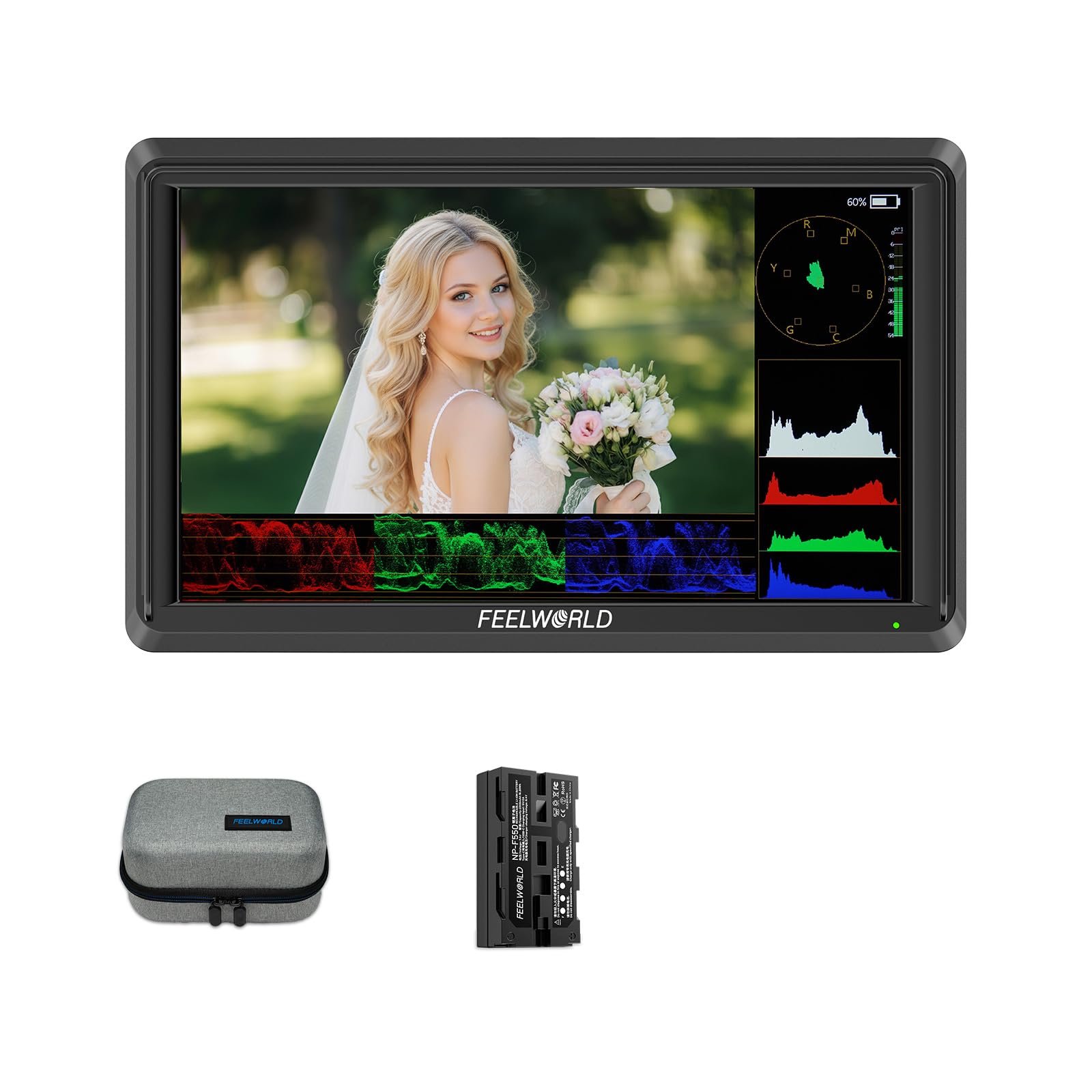
A featherlight 175g monitor you can attach to a gimbal without rebalancing your rig.
At just 175g (about 0.39 pounds), the FEELWORLD S55E is the lightest monitor in this roundup — nearly half the weight of the FEELWORLD T7. This makes it a fantastic match for gimbal and handheld rigs where every extra gram affects motor performance and your arm fatigue at the end of the day. The 5.5-inch 1920×1152 Full HD IPS display delivers 500 nits of brightness, which is good for indoor and overcast outdoor conditions. Despite its small size, it packs 4K HDMI input and output (up to 4K@60Hz), so you can pass a clean signal to a second monitor or recorder.
Professional tools include waveform, vectorscope, RGB histogram, focus peaking, zebra pattern, false color, and HDR support. It supports up to 32 custom 3D LUTs for previewing Log footage. One critical point from buyers: “No battery included but works with cheap 3rd-party batteries,” and the same reviewer notes the included HDMI cable may not fit all cameras. The package does include an F550 battery, bag, micro HDMI cable, sunshade, and tilt arm, but as multiple reviews caution, you should verify it works with your specific camera model before relying on it for a shoot. It is designed for beginners and runs on NP-F or LP-E6 batteries with DC 8.4V camera power output.
Why It Stands Out
- Ultra-light 175g design is perfect for gimbals and small rigs where weight matters most.
- 4K HDMI input/output at 60Hz and 3D LUT support in a very compact body.
- Affordable entry point with professional tools like waveform, vectorscope, and false color.
Important Caveats
- 500 nits brightness is not ideal for bright outdoor shooting conditions.
- Some reviewers point out no battery or incompatible HDMI cable; verify your camera model and buy a quality 90-degree cable.
Best for: Vloggers and gimbal shooters who prioritize lightweight gear and do most of their work indoors or under clouds.
Avoid if: You mostly shoot outdoors in sunlight or need a monitor that works fully from the start without extra purchases.
8. NEEWER F100 7″ Camera Field Monitor Updated Version, 450nit HD Video Assist IPS 1280×800
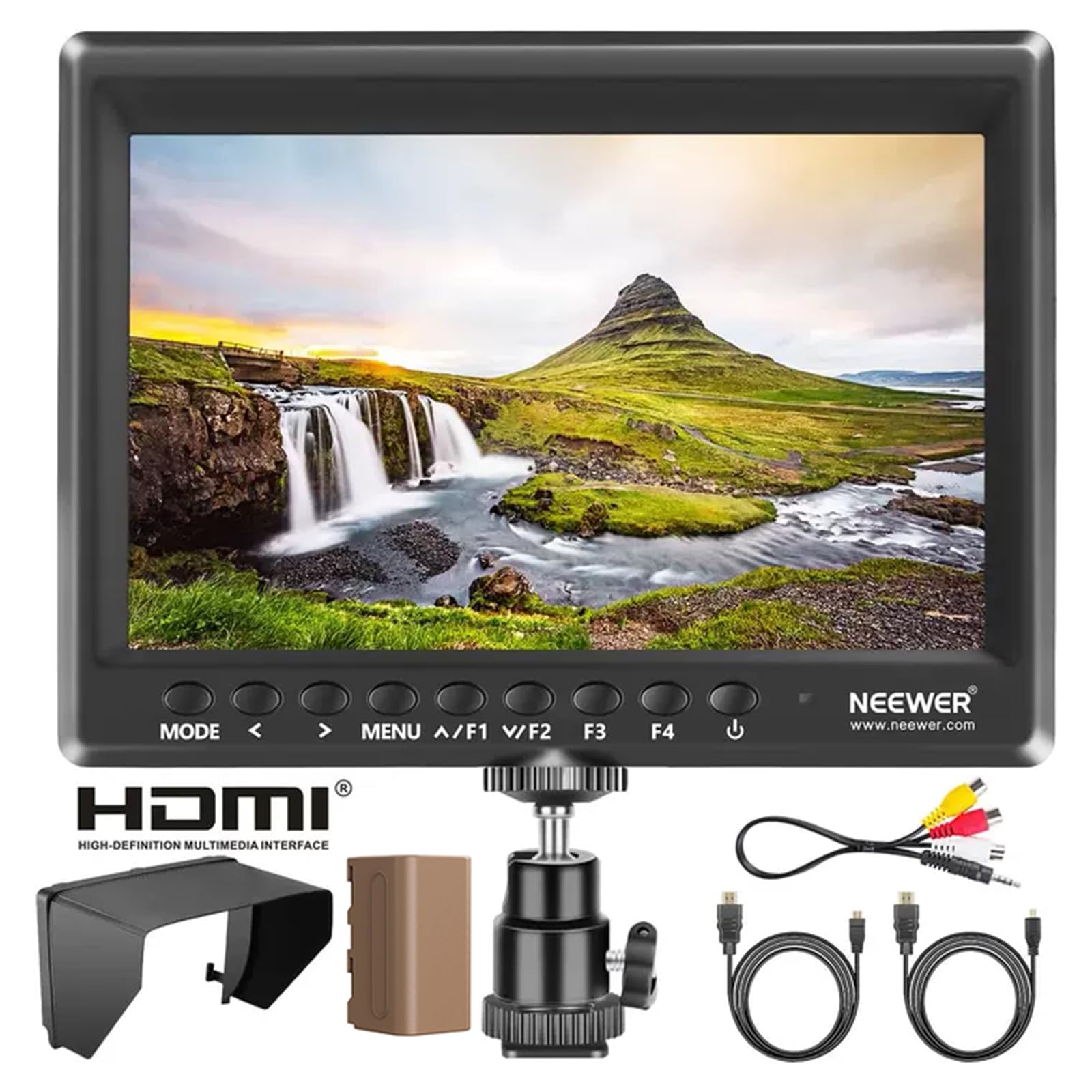
A very affordable 7-inch monitor with a 4400mAh battery that gives you 3.5 hours of runtime right from the start.
The NEEWER F100 is the most budget-friendly entry point on this list, and it leans hard into value without cutting essential features. Its 7-inch IPS panel (1280×800 resolution) is significantly larger than the 5.5-inch options, giving you a bigger canvas for framing. The 450 nits brightness and 1200:1 contrast ratio produce a decent image for indoor or shaded work, but it falls short of the high-nit outdoor monitors at 2.2x less brightness than the 1000-nit osee T5+. The standout feature here is the included 4400mAh F750 battery, which powers the monitor for 3.5 hours, and you can also run it via USB power from a laptop or portable charger.
The monitor supports a wide range of HDMI formats up to 1080p and includes professional assist features: peaking focus assist, check field, pixel-to-pixel, center marker, safe frames (with six preset ratios), image flip, image freeze, grid overlay, histogram, and custom color temperature. The package is generous: the monitor, battery, sunshade hood, mini ball head with 360° rotation, HDMI to mini HDMI and HDMI to micro HDMI cables, and an AV cable. The 1280×800 resolution is softer than the 1920×1080 or 1920×1200 panels on the more expensive monitors, so precise focus pulling requires a bit more attention.
Why Buy This
- Lowest price point with a large 7-inch screen and a 3.5-hour battery included.
- Comes with all cables (HDMI to Mini/Micro), sunshade, and a 360° ball head for mounting.
- Volume control for quiet recording and USB power flexibility for extended use.
What You Compromise
- 1280×800 resolution is noticeably less sharp than 1920×1080 monitors for critical focus.
- 450 nits brightness makes outdoor use difficult; best for indoor or shaded locations.
Choose this for: The best price-to-inch ratio — you get a 7-inch screen, a long-running battery, and a complete mount kit without stretching your budget.
Look past it if: You need high resolution for critical focus or enough brightness to shoot in full sun.
Understanding the Specs
Brightness (Nits)
Measured in nits, this tells you how bright the monitor can get. A 450-nit screen works fine indoors or in deep shade. At 1000 nits you can shoot under a cloudy sky without a hood. At 1200 to 2000 nits you can see your image clearly even in direct sunlight. The higher the number, the less you rely on a sunshade to frame your shot.
Resolution and Screen Size
Resolution (like 1280×800 or 1920×1080) determines how sharp the picture looks. Higher resolution makes it easier to see if your focus is slightly soft without zooming in. Screen size (5.5 to 7 inches) balances portability with viewing area — larger screens show more monitoring tools alongside your image but add weight to your rig.
3D LUT Support
A LUT (Look Up Table) is a file that applies a color correction to your video signal in real time. When you shoot in a flat Log picture profile, loading a 3D LUT onto the monitor lets you preview a finished-looking color grade on set, so you know exactly what your final footage will look like before you hit the edit bay.
Power Options
Most cheap camera monitors run on NP-F series batteries (F550, F750, F970). Some include a battery in the box, others do not. A few monitors also accept DC input or USB-C power from a power bank, which is handy for long shoots. Battery life varies widely — check runtime estimates from the manufacturer or reviews.
FAQ
Can I use a cheap camera monitor with any camera?
How many nits do I need for outdoor shooting?
Does a cheap camera monitor include a battery?
What is the difference between 1280×800 and 1920×1080 resolution?
Can I charge the monitor while using it?
What does false color do on a camera monitor?
Do I need 3D LUT support on a budget monitor?
Will a 2000-nit monitor drain the battery faster?
Is a touchscreen monitor worth paying extra for?
How do I mount a cheap camera monitor to my rig?
Final Thoughts: The Verdict
For most people, the cheap camera monitor winner is the NEEWER F700 because its 2000 nits of brightness, touchscreen control, and dual-battery setup solve the real problem of seeing your screen outdoors without adding premium-tier cost. If you want a lightweight, 1200-nit touchscreen with great color calibration, grab the VILTROX DC-550 Touch. And for the tightest budget that still gets you a large 7-inch screen and a battery included, the standout is the NEEWER F100.
How We Picked
We do not accept paid placement. Every pick is matched to a real buyer and a real use-case; we do not hands-on test units.
Sources & Methodology
Specifications: manufacturer listings and product documentation. Review insights: verified customer reviews, as of July 2026. Pricing: not shown on this page (it changes often); check the current price via the retailer link.
As an Amazon Associate, WellFizz earns from qualifying purchases. This does not affect which products we feature.

Mo Maruf
I created WellFizz to bridge the gap between vague wellness advice and actionable solutions. My mission is simple: to decode the research and give you practical tools you can actually use.
Beyond the data, I am a passionate traveler. I believe that stepping away from the screen to explore new environments is essential for mental clarity and physical vitality.