Our readers keep the lights on and my smoothie glass nicely filled. As an Amazon Associate, I earn from qualifying purchases.
Scrolling through enemy lines in a competitive FPS, every millisecond of input lag and every frame of screen tear can be the difference between a victory screen and a respawn timer. A cheap 1080P gaming monitor is the foundation of a responsive gaming rig, yet choosing the wrong one can leave you with ghosting, washed-out colors, and a wobbly stand that undermines your entire setup.
I’m Mohammad Maruf — the founder and writer behind WellFizz. I’ve spent countless hours analyzing refresh rate specifications, panel types, response time measurements, and adaptive sync compatibility across the budget monitor market to identify which displays actually deliver on their promises.
Whether you’re building a secondary streaming station or a primary battlestation on a strict budget, finding the best cheap 1080p gaming monitor requires balancing raw speed with color accuracy and build quality without breaking your bank.
How To Choose The Best Cheap 1080P Gaming Monitor
Navigating budget-friendly monitors means cutting through marketing hype to focus on the metrics that actually affect your gameplay. The key is knowing which corners manufacturers typically cut and which specs are non-negotiable for a satisfying experience.
Refresh Rate and Response Time
The refresh rate, measured in Hertz (Hz), dictates how many times the screen updates per second. For competitive gaming, 144Hz is the baseline, but the best value picks now push to 240Hz or even 280Hz at this resolution. Response time (usually listed in milliseconds) measures how quickly a pixel changes color — lower numbers reduce ghosting. Look for 1ms MPRT or 1ms GTG, and note that “0.5ms” or “0.3ms” claims often use MPRT measurement which includes motion blur reduction technology.
Panel Technology: IPS vs. VA
IPS (In-Plane Switching) panels are dominant in this price tier for their superior color accuracy and wide 178-degree viewing angles, but often have lower contrast ratios around 1000:1. VA (Vertical Alignment) panels offer deeper blacks with contrast ratios up to 4000:1, making dark scenes in horror games or single-player titles more immersive, though they may suffer from slower response times in dark transitions. Fast VA panels, like those used by KTC, attempt to bridge this gap with 1ms GTG ratings.
Adaptive Sync Technology
Screen tearing occurs when the monitor’s refresh rate and GPU’s frame rate are out of sync. AMD FreeSync and NVIDIA G-Sync Compatible technologies eliminate this. FreeSync Premium adds low framerate compensation (LFC), which is beneficial when your frame rate dips below the monitor’s minimum range. Always check customer reviews — some budget monitors with FreeSync can exhibit flicker with certain graphics cards, a quirk less common on premium-tier adaptive sync implementations.
Ergonomics and Build Quality
The stand is often the first place budget monitors cut costs. Many entry-level models only offer tilt adjustment, with no height, swivel, or pivot capability. A wobbly stand can be a genuine distraction during intense gaming sessions. If ergonomic adjustability is critical, look for models with height-adjustable stands or factor in the cost of a VESA-compatible monitor arm. VESA 100x100mm mounting holes are standard across nearly all products on this list.
Quick Comparison
On smaller screens, swipe sideways to see the full table.
| Model | Category | Best For | Key Spec | Amazon |
|---|---|---|---|---|
| Dell SE2726HG | Mid-Range | 240Hz competitive IPS with color accuracy | 240Hz / 0.5ms / IPS / 99% sRGB | Amazon |
| LG 27GS50F-B | Mid-Range | 180Hz VA gaming with deep contrast | 180Hz / 1ms MBR / VA / 3000:1 Contrast | Amazon |
| Acer Nitro KG251Q | Mid-Range | 280Hz performance for fast-paced shooters | 280Hz / 1ms VRB / LCD / 3000:1 Contrast | Amazon |
| KTC H27E22P | Mid-Range | 280Hz Fast VA with deep blacks and high brightness | 280Hz / 1ms GTG / Fast VA / 4000:1 Contrast | Amazon |
| KTC H27F7 | Premium | 240Hz IPS with full ergonomic stand (height/pivot) | 240Hz / 1ms MPRT / Fast IPS / 131% sRGB | Amazon |
| Amazon Basics 27 | Premium | 165Hz IPS simplicity at an accessible price | 165Hz / 1ms / IPS / 1000:1 Contrast | Amazon |
| Samsung Odyssey G4 | Premium | 240Hz IPS with built-in G-Sync Compatibility | 240Hz / 1ms GTG / IPS / 400 nits Brightness | Amazon |
| AOC C27G4ZH | Premium | 280Hz curved VA with height-adjustable stand | 280Hz / 0.3ms MPRT / VA / 1500R Curve | Amazon |
In‑Depth Reviews
1. Dell SE2726HG
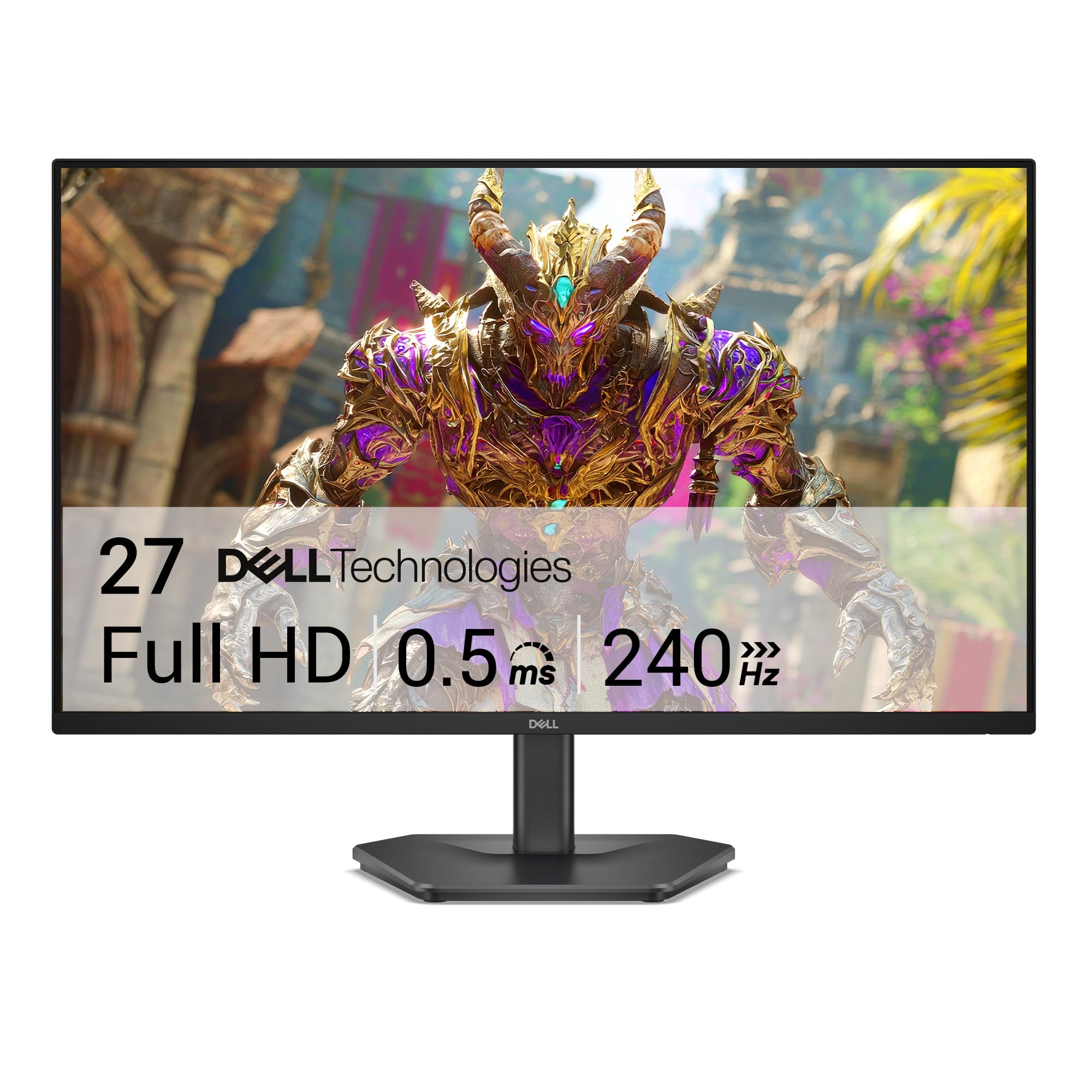
The Dell SE2726HG delivers a rare combination of a 240Hz refresh rate and a true IPS panel at a price point where most manufacturers cut corners to 180Hz or use slower VA panels. With AMD FreeSync Premium and HDMI VRR support, the display stays tear-free across both PC and modern console gaming. The 99% sRGB color coverage and 300-nit brightness produce vivid colors that hold up well for both gaming and media consumption.
Build quality is typical of budget-tier Dell monitors — the stand offers tilt adjustment only and can feel wobbly due to the 27-inch chassis. The joystick-based OSD navigation takes some acclimation, but provides access to multiple gaming presets and color profiles. Input connectivity is generous for this tier with two HDMI 2.0 ports and one DisplayPort 1.4.
The 0.5ms response time claim uses MPRT measurement — real-world GTG performance is closer to 4-6ms, which is still excellent for a sub- IPS panel. Ghosting is minimal with the overdrive setting engaged, and the anti-glare coating effectively handles ambient light. A monitor arm is highly recommended to replace the basic stand.
Why it’s great
- 240Hz IPS at budget pricing is a rare and compelling value proposition
- Excellent 99% sRGB color accuracy out of the box
- FreeSync Premium and HDMI VRR provide broad adaptive sync compatibility
Good to know
- Stand offers only tilt adjustment — expect a wobbly base on desks without monitor arms
- Built-in HDR implementation is limited and not recommended for use with Windows 11
- No built-in speakers; audio output requires external devices
2. LG 27GS50F-B
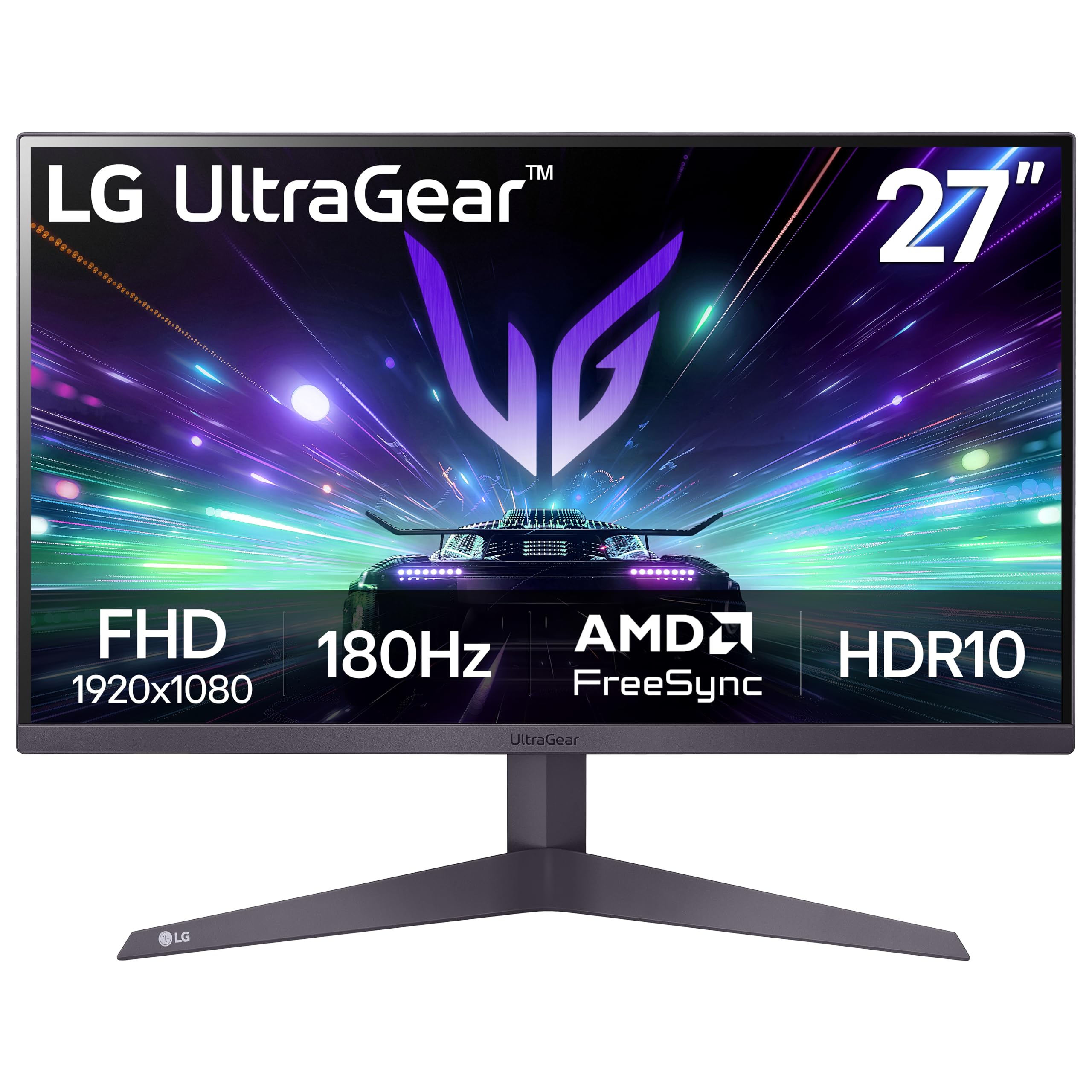
The LG UltraGear 27GS50F-B leans into a VA panel architecture, achieving a 3000:1 contrast ratio that delivers noticeably deeper blacks than any IPS monitor in this price bracket. The 180Hz refresh rate with 1ms MBR (Motion Blur Reduction) provides smooth motion for most competitive titles, though the VA panel may exhibit minor dark-level smearing in very fast transitions. The three-side virtually borderless design gives it a modern aesthetic that fits multi-monitor setups.
Color performance is solid at 72% color gamut coverage, which is standard for budget VA panels — less vibrant than premium IPS but more than acceptable for gaming. The HDR10 support adds some dynamic range, though the 250-nit peak brightness limits HDR effectiveness. AMD FreeSync works effectively with both NVIDIA and AMD GPUs.
Gaming-specific features like Dynamic Action Sync, Black Stabilizer, and the on-screen Crosshair provide competitive advantages in FPS and RTS titles. Tilt adjustment is the only ergonomic option available. LG includes both HDMI and DisplayPort cables in the box, a welcome convenience for first-time buyers.
Why it’s great
- 3000:1 contrast ratio provides deep blacks ideal for dark-themed games and movies
- 180Hz with AMD FreeSync delivers smooth gameplay with minimal tearing
- Included gaming GUI modes (FPS, RTS) with Black Stabilizer for dark scene visibility
Good to know
- 250-nit brightness is on the lower side for well-lit rooms
- VA panel may show slight black-smearing in extremely fast transitions
- 72% color gamut coverage is less saturated than IPS competitors
3. Acer Nitro KG251Q

The Acer Nitro KG251Q pushes the budget boundary to 280Hz over DisplayPort 1.4, making it the most aggressive refresh-rate option for competitive gamers who prioritize frame-rate fluidity over color fidelity. The 24.5-inch size and 1920 x 1080 resolution produce a slightly higher pixel density than 27-inch 1080p monitors, meaning sharper text and less visible pixel structure during desktop use. The ZeroFrame design minimizes bezel distractions for multi-monitor gaming arrays.
User reviews consistently note that the stock color calibration is poor — colors appear washed out and require driver-level adjustments through AMD Adrenalin software or profile tweaking to become acceptable. Setting brightness to 100% and adjusting contrast yields much better results. The included DisplayPort cables have been reported to cause artifacting on some units, prompting users to replace them with higher-quality cables for reliable 280Hz operation.
The stand is basic (tilt only) with no height or swivel adjustment. The monitor is also physically thicker than many competitors due to the LCD panel design. AMD FreeSync Premium ensures a tear-free experience, and the 1ms VRB response time keeps motion blur under control. The warm light setting has been noted to cause ghosting in some units, so standard mode is recommended for most gamers.
Why it’s great
- 280Hz refresh rate is class-leading for entry-level pricing
- 24.5-inch size offers sharper pixel density than 27-inch 1080p alternatives
- AMD FreeSync Premium provides smooth, tear-free motion at high frame rates
Good to know
- Stock color calibration requires software adjustment for acceptable image quality
- Included DP cables may cause artifacts — budget for replacements
- Stand offers only tilt; monitor is thicker and heavier than IPS competitors
4. KTC H27E22P

The KTC H27E22P makes a strong argument for VA panels in the budget gaming space with its 280Hz refresh rate, 1ms GTG response time, and a 4000:1 contrast ratio that leaves IPS monitors in the dust for dark-scene visibility. The 350-nit peak brightness and 126% sRGB color gamut volume produce punchy colors, though VA panels can exhibit gamma shift at off-center viewing angles. The Fast VA panel technology aims to minimize the dark-level smearing that historically plagued VA monitors.
The 27-inch 1080p resolution sits at a lower pixel density (roughly 81 PPI) than 24-inch options, so text may appear slightly less sharp — but in gaming, the trade-off for the immersive size and deep blacks is well worth it. G-Sync and FreeSync dual compatibility provides flexibility across GPU ecosystems. The included DP cable supports the full 280Hz refresh rate.
Build quality is decent for the price point with tilt adjustment only and no height or pivot options. The on-screen menu is operated via a joystick that takes some getting used to. A VESA 100x100mm mount is available for those who need better ergonomics. Blue Light Filter and HDR support round out the feature set for lengthy gaming sessions.
Why it’s great
- 4000:1 contrast ratio delivers deep blacks and excellent shadow detail
- 280Hz plus 1ms GTG response is competitive even against premium-tier monitors
- 350-nit brightness and 126% sRGB volume provide strong HDR-like punch
Good to know
- VA panel has narrower optimal viewing angle than IPS; gamma shifts off-center
- 27-inch 1080p resolution results in lower pixel density for desktop tasks
- Stand is limited to tilt only; no ergonomic height or pivot adjustment
5. KTC H27F7
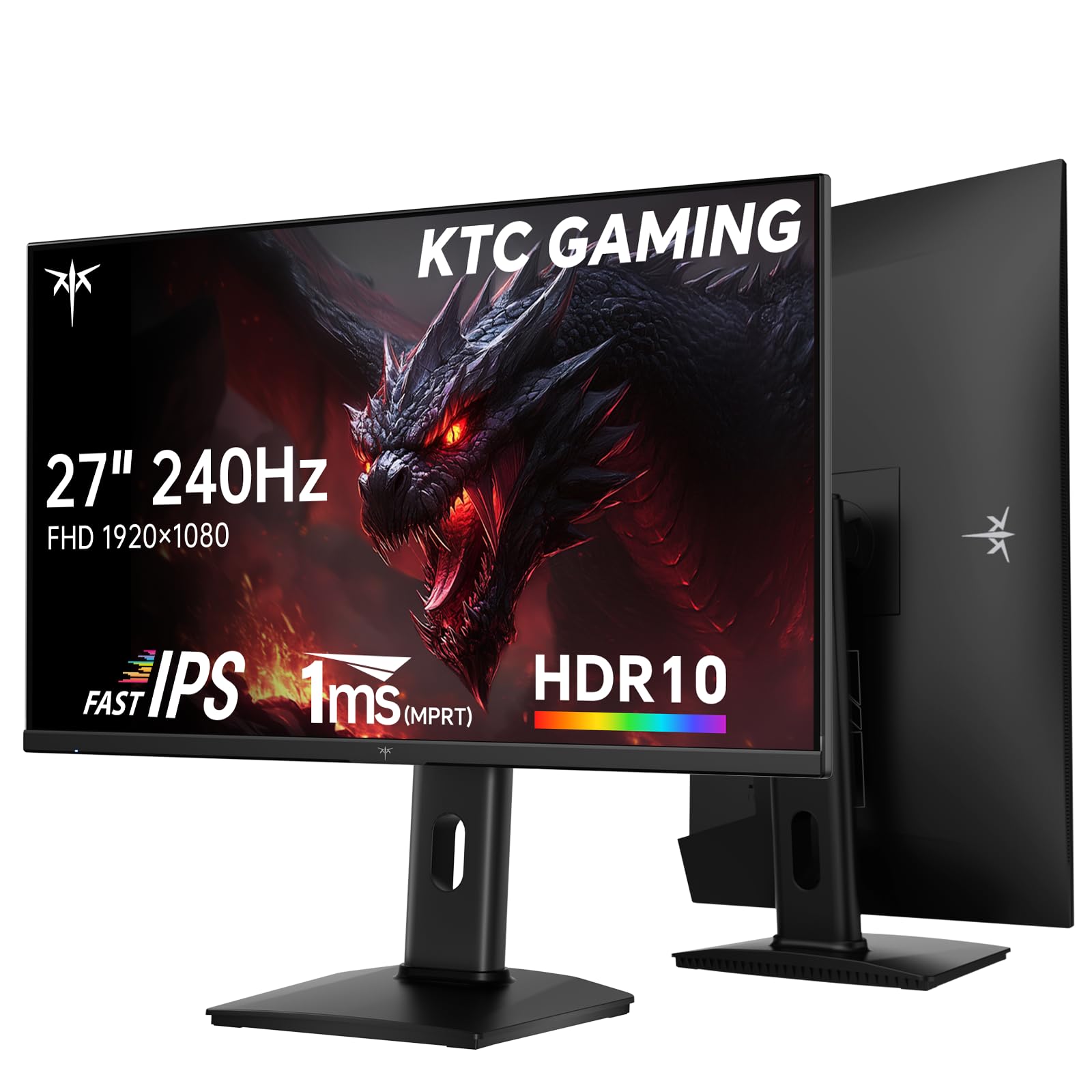
The KTC H27F7 stands out in the budget monitor landscape for its premium ergonomic capabilities — a height-adjustable, pivot, and tilt stand that competes with monitors costing twice as much. The 27-inch Fast IPS panel delivers 240Hz refresh rate with 1ms MPRT response time, offering the wide viewing angles and color consistency IPS enthusiasts expect. The 131% sRGB color gamut area and ΔE < 2 color accuracy make this monitor a strong candidate for mixed-use scenarios like gaming and creative work.
Color performance is excellent for this price tier, with the 8-bit panel and 350-nit brightness producing vibrant images that pop in both HDR and SDR content. The thin bezel design and USB 2.0 port (primarily for firmware updates) add convenience. Adaptive Sync supports both FreeSync and G-Sync Compatible, providing broad GPU compatibility without screen tearing.
Some users have reported that after the monitor wakes from rest mode, the OSD settings become unresponsive except for input switching. This appears to be a firmware issue that KTC may resolve with future updates. The included cable is DisplayPort only — HDMI is not included in the box. The VESA 100x100mm mount gives flexibility for monitor arm setups if desired.
Why it’s great
- Full ergonomic stand with height, pivot, and tilt adjustment is rare at this price point
- 240Hz Fast IPS with 131% sRGB gamut and Delta E < 2 color accuracy
- Dual adaptive sync (FreeSync + G-Sync Compatible) for flexible GPU pairing
Good to know
- Some units experience OSD unresponsiveness after wake from sleep/rest mode
- Only DisplayPort cable included; HDMI cable must be purchased separately
- USB 2.0 port limited to firmware updates only, not data transfer
6. Amazon Basics 27
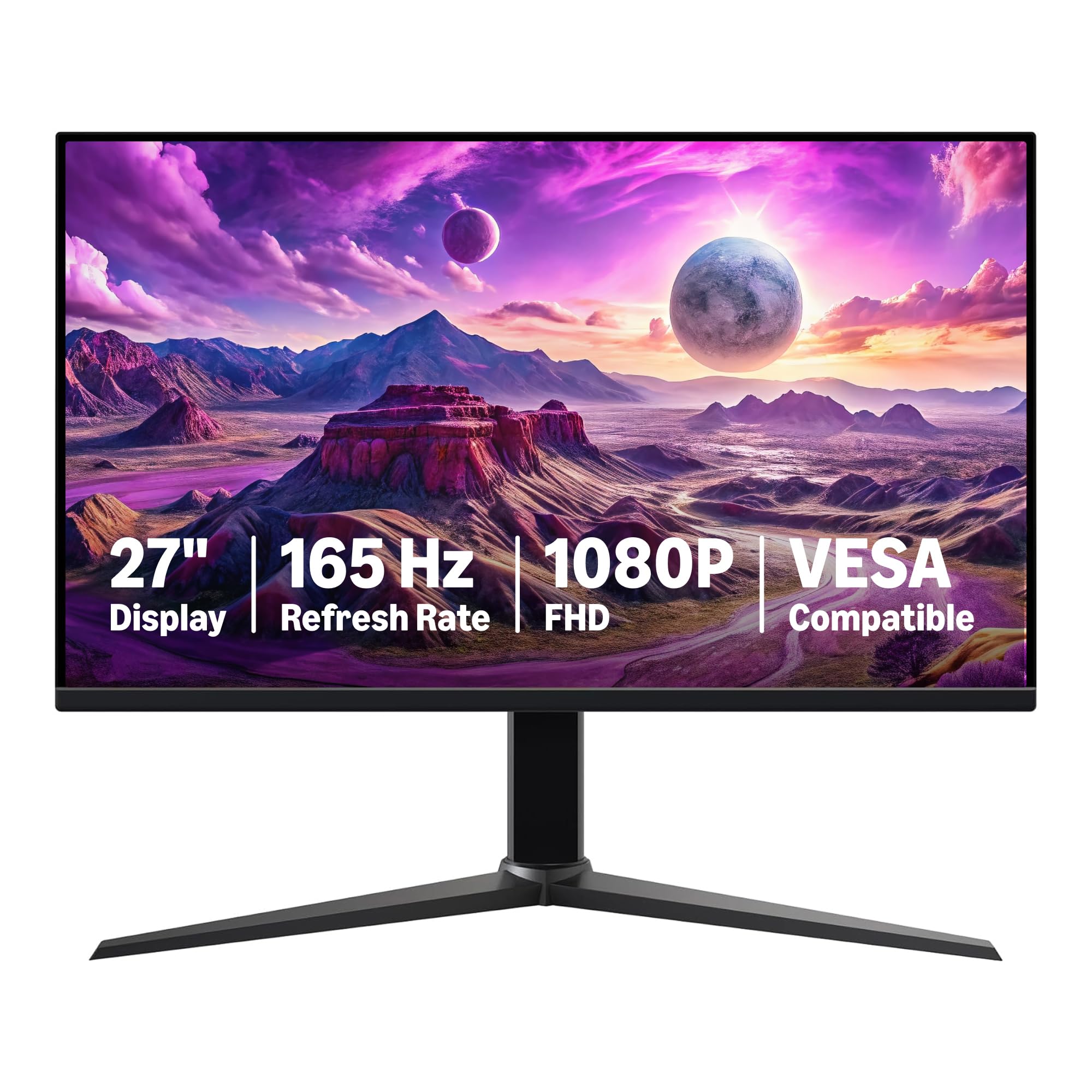
The Amazon Basics 27-inch Gaming Monitor strips away all complexity — no aggressive gaming aesthetics, no complex OSD menus — and delivers a straightforward 165Hz IPS experience at a price that undercuts most name-brand competition. The 1ms response time and Adaptive Sync support keep gameplay smooth and responsive. Users report that the monitor is initially dim out of the box; enabling HDR mode via the joystick menu dramatically increases brightness and color saturation for a much better visual experience.
The 27-inch IPS panel provides decent 1000:1 contrast and 170-degree viewing angles, making it suitable for both gaming and productivity. The VESA 100x100mm mount compatibility allows easy attachment to monitor arms, which is recommended since the included stand offers only tilt adjustment. The protective film with a date code must be removed from the panel surface before use — a step many users initially miss.
Connectivity includes HDMI 2.0 and DisplayPort 1.4 ports, though the DisplayPort cable is recommended for achieving the full 165Hz refresh rate. Amazon provides a solid one-year warranty through their Basics brand. For entry-level gamers or those building a second machine, this monitor provides exactly the core specs needed without paying for unnecessary extras.
Why it’s great
- Aggressively priced 165Hz IPS panel for entry-level gaming builds
- HDR mode dramatically improves the default dim image quality
- VESA compatible and easy to install with a monitor arm
Good to know
- Stand is basic tilt-only with no ergonomic adjustments
- Requires HDR mode to achieve best image quality — not great out of box
- Protective film must be removed before use; easily overlooked
7. Samsung Odyssey G4

The Samsung Odyssey G4 brings genuine G-Sync Compatible certification — not just “works with G-Sync” — combined with AMD FreeSync Premium support, making it the most validated adaptive sync monitor on this list. The 25-inch 1920 x 1080 IPS panel delivers a higher pixel density (roughly 88 PPI) than 27-inch competitors, producing sharper text and finer detail in games. The 240Hz refresh rate and 1ms GTG response time keep motion perfectly fluid.
Color quality is consistently praised across user reviews as the best in this class for sRGB coverage and color accuracy. The 400-nit peak brightness gives it a real advantage in well-lit rooms compared to 250-300 nit competitors. The Ultrawide Game View mode simulates a 21:9 aspect ratio, useful for spotting enemies in supported games. The Auto Source Switch+ feature detects connected devices and automatically switches inputs — a convenience feature rarely seen at this price point.
The fully adjustable stand with tilt, swivel, and height adjustment provides premium ergonomics that reduce neck strain during long gaming sessions. The 25-inch size is ideal for competitive gamers who prefer a compact field of view that reduces eye movement. No built-in speakers are included; audio passes through a 3.5mm headphone jack. The Odyssey G4 uses an external power brick rather than an internal power supply.
Why it’s great
- Certified G-Sync Compatible plus FreeSync Premium for guaranteed adaptive sync quality
- 400-nit brightness outperforms most competitors in this price tier
- Fully ergonomic stand with tilt, swivel, and height adjustments
Good to know
- 25-inch size may feel small for users accustomed to 27-inch displays
- No built-in speakers; headphone jack is the only audio output
- External power brick adds clutter to desk or cable management
8. AOC C27G4ZH

The AOC C27G4ZH brings a curved 1500R VA panel to the budget market, offering the deepest immersion at this price tier. The 280Hz refresh rate over DisplayPort 1.4 paired with a 0.3ms MPRT response time delivers exceptionally smooth motion that feels perceptibly better than 144Hz monitors. The 3000:1 contrast ratio ensures deep blacks and excellent shadow detail in dimly lit game environments, while the 300-nit brightness maintains good visibility in average room lighting.
The VA panel is combined with AMD FreeSync Premium for tear-free gaming. Users report the curve enhances spatial awareness in racing and FPS titles, providing a more wraparound visual field. The height-adjustable, tilt, and swivel stand is a significant upgrade from budget-tier tilt-only stands, allowing for precise positioning. The 27-inch 1080p resolution delivers a comfortable viewing experience for 1500R curvature, though pixel density is lower than 24-inch 1080p panels.
AOC includes both HDMI and DP cables in the box. The monitor is flicker-free and features an anti-glare screen coating to reduce eye strain during extended gaming sessions. HDR readiness is included, though the 300-nit brightness limits the true HDR experience. The 0.3ms MPRT uses motion blur reduction technology to achieve its impressive response time claim, and ghosting is well-controlled with the overdrive setting active.
Why it’s great
- 1500R curve delivers immersive wrap-around visual field for racing and FPS games
- 280Hz with 0.3ms MPRT offers one of the smoothest desktop experiences available
- Full ergonomic stand with height, tilt, and swivel adjustments
Good to know
- 1080p at 27 inches has lower pixel density, text appears less sharp
- VA panel exhibits gamma shift and color desaturation at extreme off-axis viewing angles
- HDR performance is limited by the 300-nit peak brightness
FAQ
Do I need DisplayPort or HDMI for 240Hz at 1080p?
Is a 27-inch 1080p monitor too blurry for gaming?
What causes screen tearing and how does FreeSync fix it?
Final Thoughts: The Verdict
For most users, the best cheap 1080p gaming monitor winner is the Dell SE2726HG because it uniquely combines a 240Hz IPS panel, 99% sRGB color accuracy, and FreeSync Premium at a price that undercuts competitors. If you want the deepest blacks and a curved immersive experience for racing or cinematic games, grab the AOC C27G4ZH. And for a fully adjustable ergonomic stand with exceptional color accuracy in a compact package, nothing beats the Samsung Odyssey G4.

Mo Maruf
I created WellFizz to bridge the gap between vague wellness advice and actionable solutions. My mission is simple: to decode the research and give you practical tools you can actually use.
Beyond the data, I am a passionate traveler. I believe that stepping away from the screen to explore new environments is essential for mental clarity and physical vitality.