Our readers keep the lights on and my smoothie glass nicely filled. As an Amazon Associate, I earn from qualifying purchases.
Eight-hour coding sprints don’t break your rhythm—they break your spine. That dull ache between your shoulder blades, the numbness in your right hand, the constant micro-adjustments every ten minutes—these aren’t signs of a bad day. They are symptoms of sitting in a chair that was never designed for the way programmers actually sit: leaning forward into two monitors, one elbow propped on an armrest, legs at odd angles during a debug trance.
I’m Mohammad Maruf — the founder and writer behind WellFizz. After spending hundreds of hours mapping seat-depth ranges, lumbar contact points, armrest articulation patterns, and recline geometries across the market, I have built the research-backed shortlist of chairs that genuinely support the programmer’s static-yet-twisted posture.
Your chair is your most critical tool—more important than your monitor or your keyboard. This guide dissects the ergonomic specs that actually matter for sustained desk work so you can confidently choose the best chair for programmers that will keep you productive and pain-free for years.
How To Choose The Best Chair For Programmers
Programmers sit differently than general office workers—longer durations, more static posture, more forward lean toward the primary monitor, and less variation in leg position. A chair built for task-switching in a corporate cubicle will fail a programmer by lunchtime. Here is what to prioritize.
Lumbar Support That Adapts to Leaning
Programmers tilt forward to read code, then recline to think. A static lumbar pad works for neither extreme. Look for dynamic lumbar support that moves with your spine—preferably height-adjustable and depth-adjustable. The lower back curve changes as you shift from upright coding to reclined debugging, so the support mechanism must follow, not fight, that movement.
Armrests That Track With Your Arms
Most programmers keep one hand on the keyboard and one on the mouse, often with elbows hovering or resting at different heights. Standard 2D armrests (up-down only) force you to hunch. Target 3D or 4D armrests that adjust for height, width, depth, and pivot angle. This allows you to park your elbows exactly where they naturally fall without lifting your shoulders.
Seat Depth and Waterfall Edge
If the seat pan is too long, the front edge presses against the back of your knees, cutting circulation. If it is too short, your thighs lack support. A seat depth range of at least two to three inches is ideal so you can dial in the correct contact point. The waterfall front edge (a downward curve) reduces pressure on the underside of your thighs—critical during eight-hour sessions.
Recline Lock with Forward Posture Support
A chair that only locks upright or fully reclined is useless for programming. You need a multi-position tilt lock that lets you set the back angle at 90, 100, or even 110 degrees, coupled with tilt tension that supports your weight when you lean forward to type without collapsing backward.
Quick Comparison
On smaller screens, swipe sideways to see the full table.
| Model | Category | Best For | Key Spec | Amazon |
|---|---|---|---|---|
| Ergohuman Eurotech ME7ERG | Mid-Range | All-day back pain relief | Synchronous tilt + depth-adjustable seat | Amazon |
| Steelcase Leap | Premium | Spine-mimicking support | LiveBack tech + 4D arms | Amazon |
| Steelcase Gesture | Premium | Device-neutral posture | 360° Core Arms + full recline | Amazon |
| Herman Miller Aeron Size C | Premium | Pelvic tilt correction | PostureFit SL sacral support | Amazon |
| Hbada X7 Smart | Mid-Range | Auto-adapting lumbar + cooling | 3D auto lumbar + dual fans | Amazon |
| FLEXISPOT ErgoX-PRO | Mid-Range | Deep adjustability + 551-lb capacity | 5D lumbar + 7D arms | Amazon |
| WorkPro Quantum 9000 | Mid-Range | 6-year durability on a budget | Ratchet back height + tilt lock | Amazon |
| Branch Ergonomic Chair | Entry-Level | Petite users and quick setup | 8 adjustment points, 27 lbs | Amazon |
| FLEXISPOT ErgoX | Budget | Best value with footrest | 3D arms + dynamic lumbar | Amazon |
In‑Depth Reviews
1. Ergohuman Eurotech ME7ERG Gen 2

The Ergohuman ME7ERG earned its reputation the hard way—by surviving a decade of daily use. Owners report 8-10 hour days with zero back soreness, even programmers with herniated discs. The synchronous tilt mechanism keeps your feet planted as the backrest reclines, which prevents the forward-slide feeling that ruins posture in cheaper chairs.
Seven ergonomic adjustments cover everything from seat depth (five inches of travel) to back height and arm height. The headrest articulates in three directions, supporting both upright coding and reclined thinking positions. The US-manufactured mesh backing is notably sturdier than imported alternatives—it does not sag after years of use.
The main compromise is the seat foam: users above 235 pounds may find the cushion firm initially, with a break-in period of about three weeks. Armrests pivot easily and some owners wished for a lock mechanism. But with a limited lifetime warranty and documented 10-15 year service life, this chair pays for itself in avoided chiropractor visits.
Why it’s great
- Synchronous tilt keeps feet flat during recline
- 5-inch seat depth range fits short and tall programmers
- Limited lifetime warranty, proven 10+ year lifespan
Good to know
- Seat cushion needs 2-3 weeks to break in
- Armrests pivot easily with no lock
- Heavy unit at 30 lbs during assembly
2. Steelcase Leap Office Chair

The Leap is built around a concept that matters more to programmers than any other feature: a backrest that mimics the natural S-curve of your spine. The 3D LiveBack technology uses a flexible exoskeleton rather than a static shell, so the chair contours to your lumbar region whether you are hunched over a keyboard or leaning back to review architecture diagrams.
Seven points of adjustability include a lower back firmness dial—a rare feature that lets you dial in the exact pressure against your lumbar curve. The seat glides forward and backward as you recline (Natural Glide System), which keeps your eye distance to the monitor constant during posture changes. No assembly is required out of the box.
The seat cushion is thinner than some competitors, with owners noting a break-in period that can take several weeks. The lumbar prominence may feel aggressive at first for users with mild or no back issues. Steelcase relies on authorized dealers for warranty support, so verify your seller if purchasing on Amazon to avoid counterfeit complications.
Why it’s great
- LiveBack flex exoskeleton adapts to spinal curve
- Adjustable lumbar firmness dial
- Natural Glide System maintains eye level during recline
Good to know
- Seat padding feels firm for initial weeks
- Lumbar support may feel too prominent for some
- Warranty support requires authorized dealer purchase
3. Steelcase Gesture with Headrest
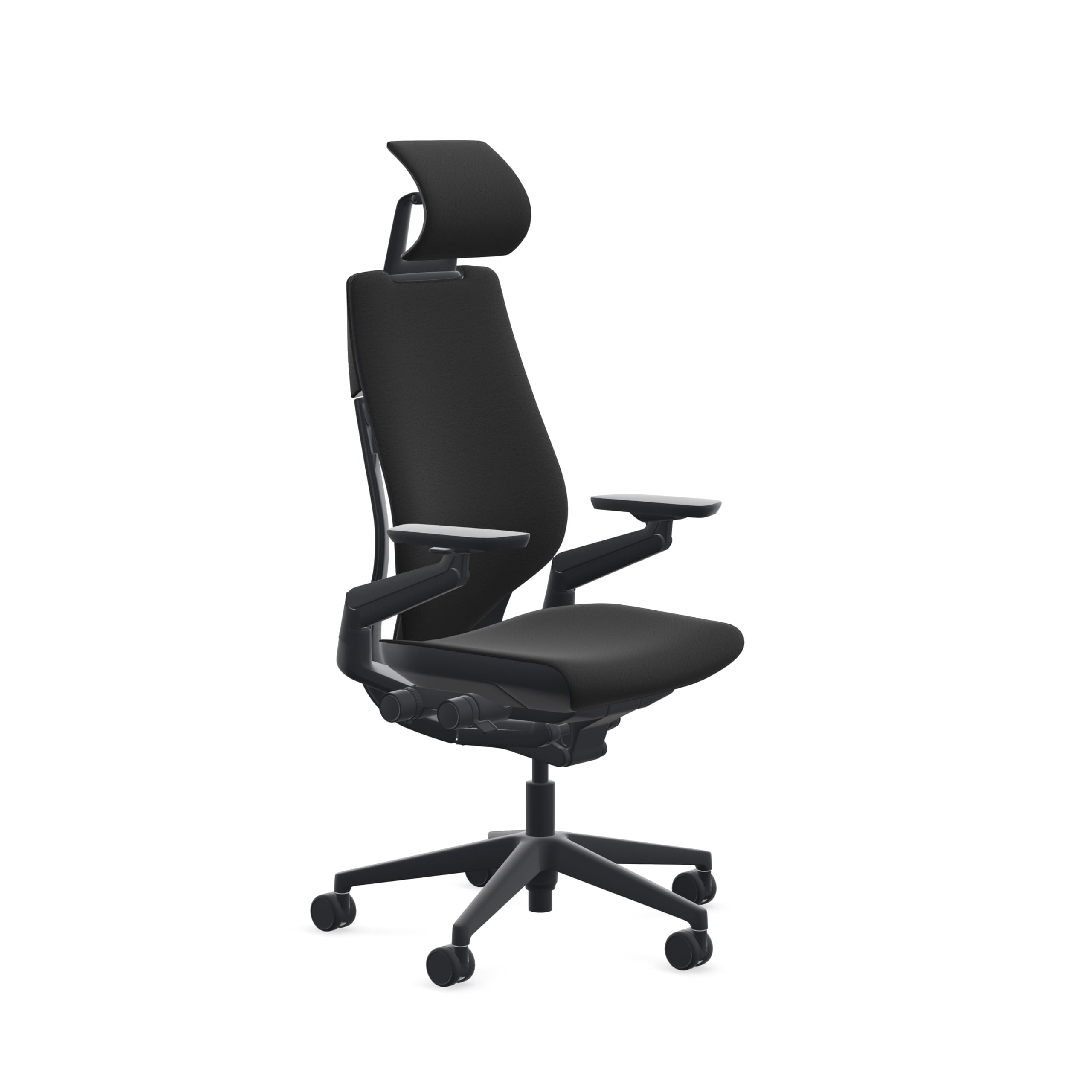
The Gesture was designed for the post-iPad era—a chair that supports the way people actually hold phones, tablets, and yes, multiple monitors. The 360-degree Core Arms are the star feature: they move through a full circular range, allowing you to position your elbows exactly where they fall whether you are typing, mousing, or scrolling on a phone held in your lap.
The contoured back follows the spine’s natural shape, and the intuitive adjustment levers are all clustered on the right side—reachable without contorting. The headrest is height- and depth-adjustable, supporting programmers who lean far back while reading documentation or thinking through logic. The full recline range has three locking settings plus an upright lock.
The seat cushion is notably firm and requires a break-in period of about three weeks before it softens to comfortable. Some shorter programmers (under 5’6″) report the seat height minimum is too tall. The headrest articulation, while versatile, is over-engineered for users who rarely recline. At roughly 70 lbs, moving the chair for floor cleaning or desk rearrangement is a two-person job.
Why it’s great
- 360° armrests adjust to every typing/mousing posture
- Intuitive clustered controls within arm’s reach
- Headrest supports reclined reading and thinking
Good to know
- Very firm seat requires 3-week break-in
- Min seat height too tall for petite users
- Heavy (70 lbs), hard to move solo
4. Herman Miller Aeron Size C

The Aeron is the chair that programmers either love or hate—and the difference is almost always sizing. Size C supports taller and heavier users (up to about 350 lbs) with a seat height range of 16 to 20.5 inches and a wider frame. The Pellicle mesh suspends the body rather than compressing foam, which eliminates hot spots and tailbone pressure during marathon sessions.
The PostureFit SL sacral support uses two independent pads that adjust to support the pelvis from below, naturally tilting it forward to maintain the spine’s S-curve. This is a fundamentally different approach from lumbar pillows: it corrects anterior pelvic tilt—the primary driver of lower back pain in programmers who sit for 12 hours straight.
The absence of a height-adjustable lumbar mechanism is a deliberate design choice that frustrates some buyers seeking granular mid-back control. The mesh edges can dig into the thighs of users near the weight capacity. Fully adjustable arms are standard, but the arm pads are fixed-width—wide-shouldered programmers may find the armrests too close together. The 12-year warranty is best-in-class, provided you purchase from an authorized dealer.
Why it’s great
- PostureFit SL corrects pelvic tilt—root cause of back pain
- Pellicle mesh is infinitely breathable, no heat buildup
- 12-year warranty, proven 20-year lifespan
Good to know
- No height-adjustable lumbar
- Armrests are fixed width, narrow for broad shoulders
- Mesh edges may dig into thighs at max weight
5. Hbada X7 Smart Ergonomic Chair
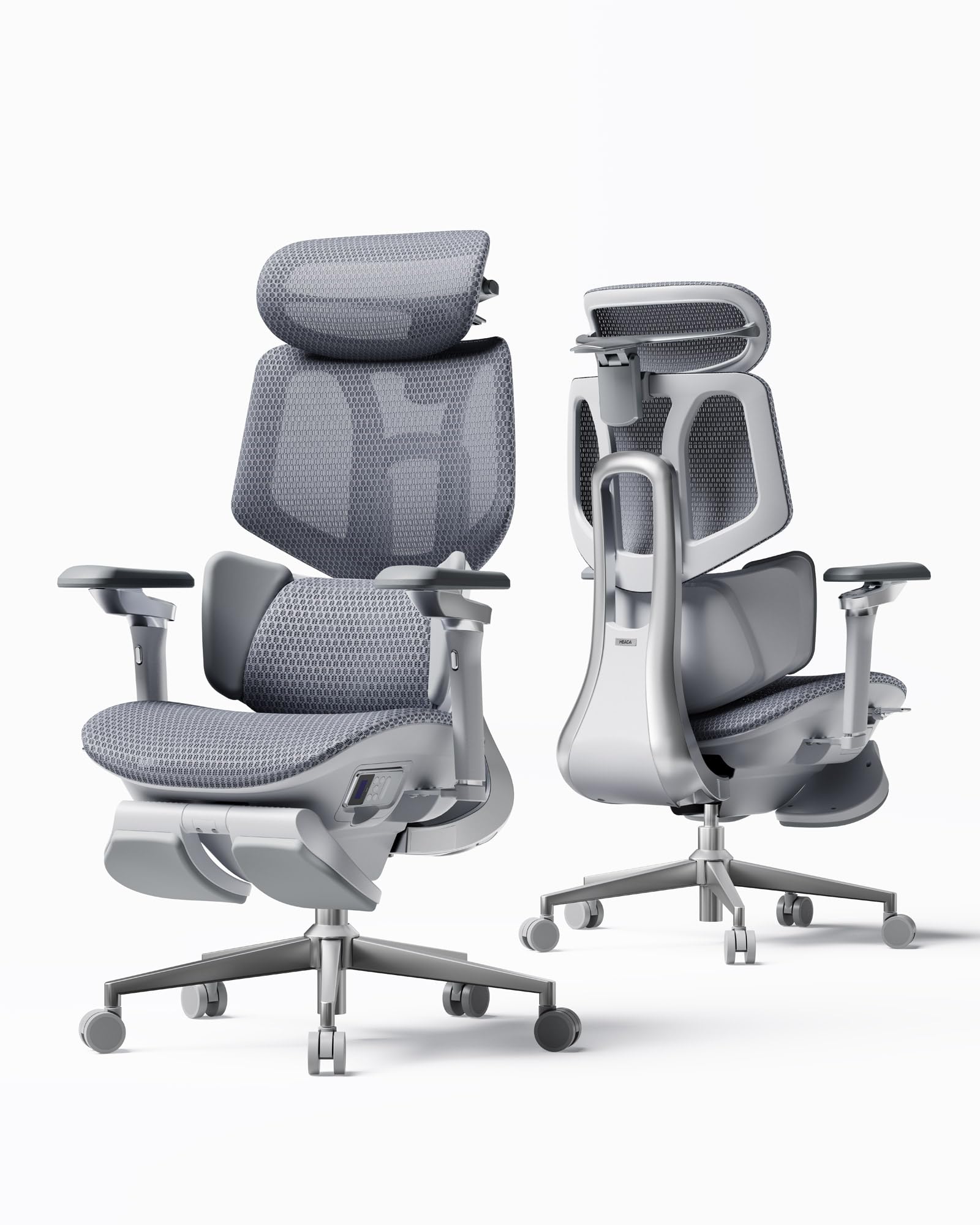
The Hbada X7 pushes into smart-chair territory with a gravity-sensing base that auto-adjusts lumbar support intensity as you shift weight. It pairs this with 8D massage rollers and three-level heating (40-50°C) that target erector spinae muscles during breaks—useful for programmers who grind through full 8-hour sessions without stretching.
The dual-fan ventilated seat is a category standout: three-speed airflow (Silent, Balanced, Turbo) actively pulls hot air away from the thighs, dramatically reducing sweat buildup even in warm environments. The 720° omni-directional armrests rotate a full 360 degrees, extend 110mm forward, and lift 50mm, offering more articulation than most triple-priced competitors.
Users above 6 feet tall report that the included gas cylinder prevents optimal leg positioning—the seat sits too low even at max height. Replacing the cylinder solves this, but the need to do so at this price point is a frustration. The massage function is effective but generates noticeable noise at higher intensity levels. The X7 is best suited for programmers under 6 feet who want both cooling and active lumbar adaptation.
Why it’s great
- Auto-adjusting lumbar adapts to posture shifts
- Dual-fan seat eliminates thigh sweat during long sessions
- 720° armrests articulate more than any competitor
Good to know
- Standard cylinder too short for users over 6ft
- Massage motors generate audible noise
- Smart features add complexity and potential failure points
6. FLEXISPOT ErgoX-PRO
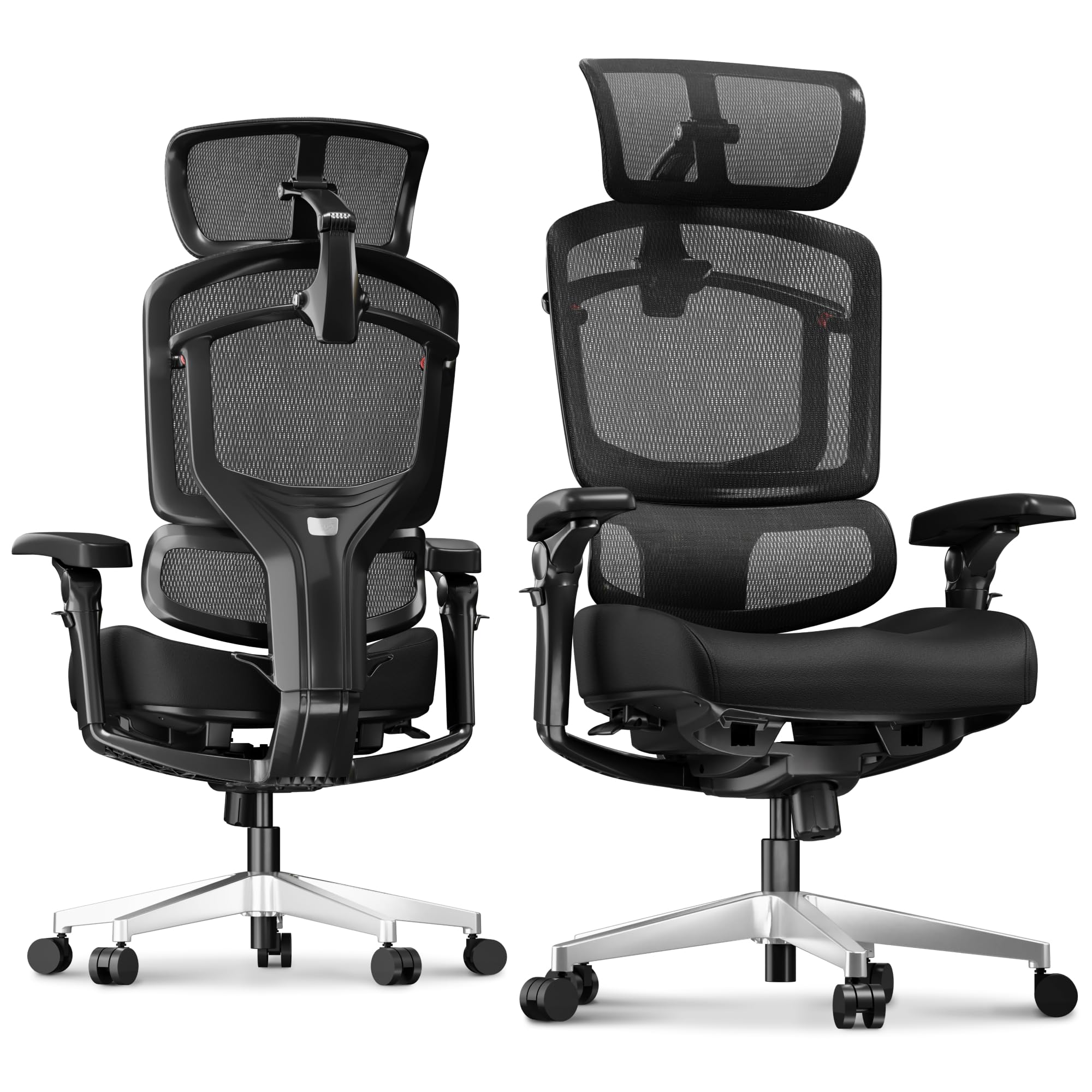
The ErgoX-PRO is adjustability-first engineering with a 5D lumbar mechanism that extends horizontally and vertically plus tilts to match the lordotic curve. The 7D linkage armrests move with your body during recline—they maintain elbow contact as you transition from upright typing to reclined reading, eliminating the dropped-arm feeling that causes shoulder shrugging.
The Cloudtech cushion option uses responsive foam that supports hips without bottoming out, while the AeroWeave 5.0 mesh alternative prioritizes breathability for hotter climates. The 12-level fine-tuned backrest offers spring cushioning, and the 3-position tilt base (90°/115°/135°) locks in specific recline angles for focused work, relaxed reading, or full recline during code compilation waits.
The weight capacity of 551 lbs makes this one of the most inclusive options on the market. Some users note the headrest requires adjustment when switching between upright and reclined positions—it is not a set-it-and-forget design. The build quality is solid for the price tier but the plastics do not match the rigidity of Steelcase or Herman Miller aluminum frames. Best for programmers who prioritize range of motion over material prestige.
Why it’s great
- 5D lumbar supports every spinal curve dimension
- 7D arms track elbows during recline
- 551-lb capacity and 3-position tilt lock
Good to know
- Headrest needs readjustment between sitting positions
- Plastic frame less rigid than premium steel chairs
- Footrest takes up under-desk legroom
7. WorkPro Quantum 9000

At under half the price of the Leap or Aeron, the WorkPro Quantum 9000 delivers 80% of the ergonomic function. Multiple owners report using this chair for over six years of daily work-from-home use with only armrest cushion wear. The ratchet back height adjustment is mechanical and click-solid—no slippage over time.
The seat depth slide (approximately three inches of travel) pairs with a waterfall front edge to prevent the knee-pressure problem that causes leg numbness in longer programmers. The tilt tension and lock mechanism supports forward-leaning posture during active coding while still allowing full recline for thinking breaks. The mesh seat is cooler than foam but firmer—programmers who prefer plush seats will feel the frame after 6 hours.
The armrests are adjustable in height, width, and depth but the padding is thin and wears down after four to five years. The limited lifetime warranty covers the frame and mechanisms but not the upholstery. This chair makes most sense for programmers on a mid-range budget who plan to keep it for half a decade or more and do not mind replacing arm pads down the line.
Why it’s great
- Proven 6+ year lifespan with consistent comfort
- Ratchet back height adjustment stays locked
- Mesh seat promotes airflow during long sessions
Good to know
- Armrest pads wear out after 4-5 years
- Mesh seat feels firm—less forgiving than foam
- No headrest included on mid-back model
8. Branch Ergonomic Chair
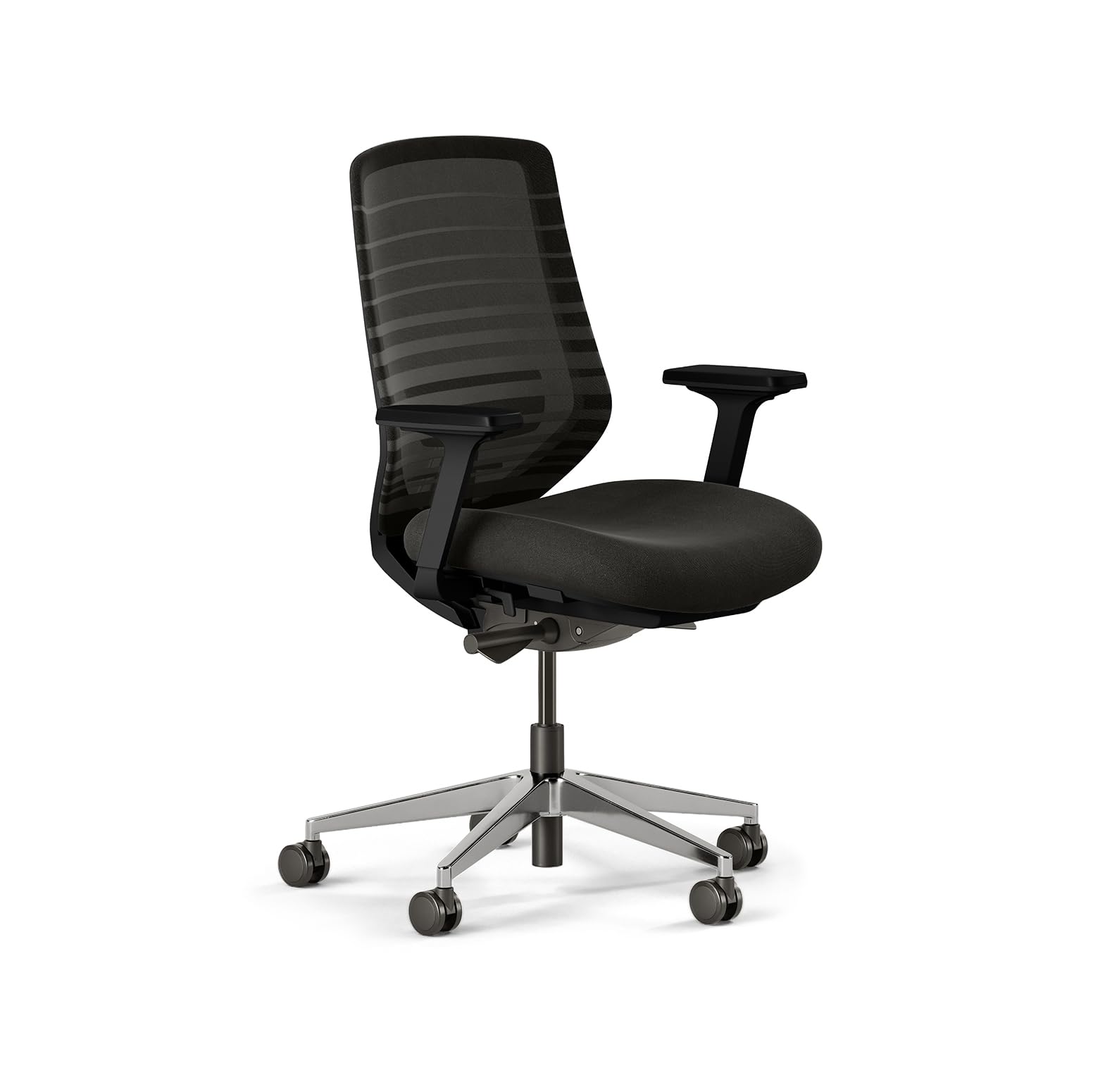
Branch designed this chair with smaller programmers in mind—the seat height adjusts low enough for users who are 5’0″ tall, a range that most ergonomic chairs fail to reach. The eight adjustment points include seat depth, lumbar height, armrest angle, and tilt tension, giving petite programmers the same level of fine-tuning that tall users expect from premium chairs.
The breathable mesh back keeps the spine cool, and the aluminum frame provides a sturdy foundation despite the chair weighing only 27 pounds—easily movable for floor cleaning or desk reconfiguration. Smooth-rolling dual-wheel casters work well on both hardwood and carpet without scratching. Assembly takes about 30 minutes with one person.
The armrests slide forward unintentionally on some units if not tightened fully during assembly—crank the bolts to maximum torque. The seat cushion is firm and does not offer the plush comfort of thicker foam seats. The absence of seat tilt (the ability to angle the front of the seat up or down) limits pelvic positioning options. Best suited for programmers under 5’6″ who want robust adjustability without the bulk or cost of full-sized ergonomic chairs.
Why it’s great
- Seat height range fits programmers as short as 5’0″
- Lightweight 27 lbs, easy to reposition
- Dual-wheel casters roll smoothly on hard floors
Good to know
- Armrest bolts loosen if not fully tightened
- No seat tilt function
- Firm cushion not ideal for very long sessions
9. FLEXISPOT ErgoX
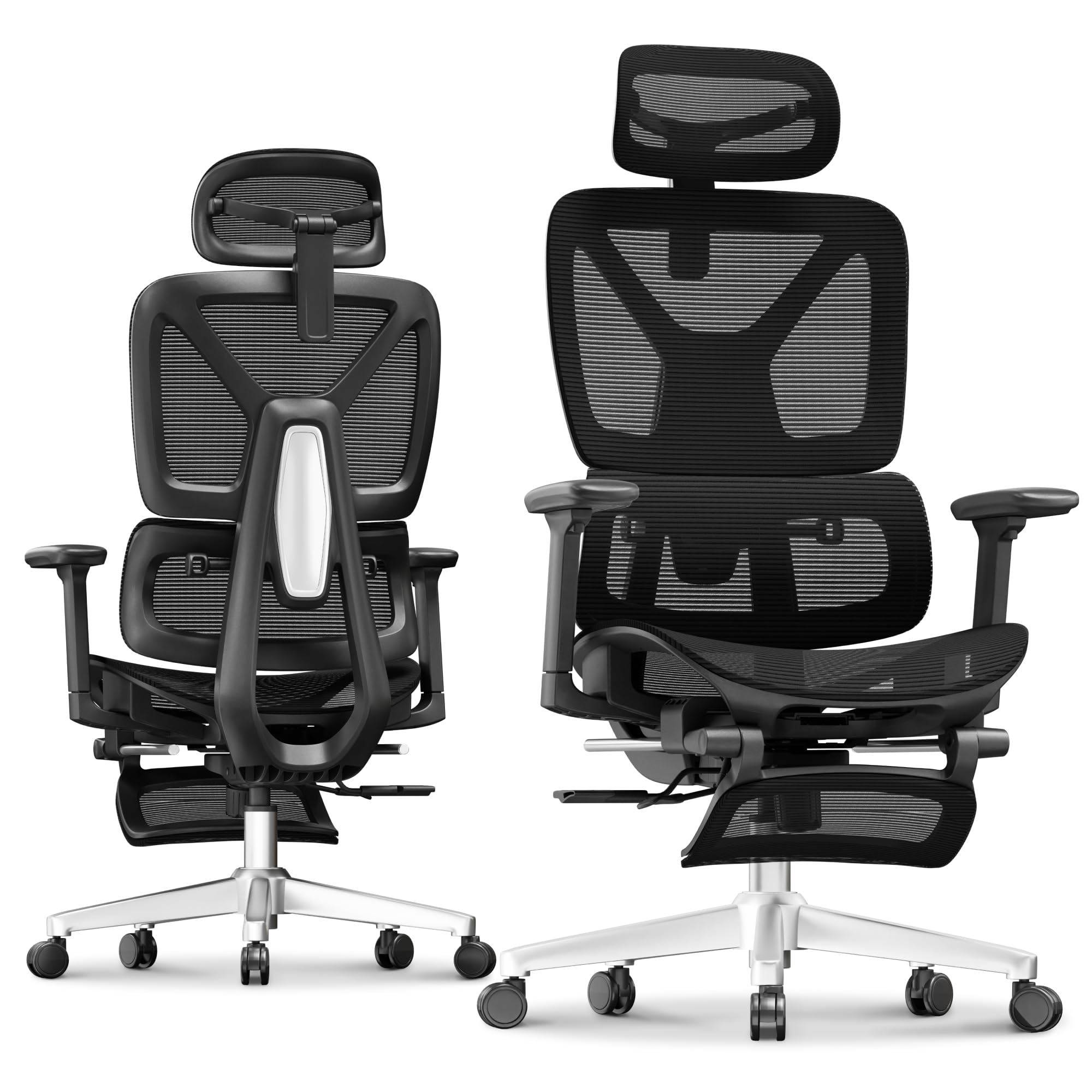
The FLEXISPOT ErgoX delivers programmable-level adjustability at a budget-friendly entry point. The dynamic lumbar support is height-adjustable with five levels, and the 3D armrests move in height, forward/back, and swivel planes—matching the articulation of chairs costing much more. The included retractable footrest offers genuine value for programmers who take micro-breaks during compile or deploy cycles.
Choose between a mesh seat for breathability or a cushioned foam seat (Cloudtech) for pressure relief—both options are included depending on variant. The Class 4 gas lift supports up to 400 lbs, and the reinforced nylon frame resists torsional flex during active fidgeting. Users between 5’1″ and 6’2″ report good fit across the seat depth and height range.
The footrest, while padded and comfortable, protrudes slightly under the desk when stored, which can interfere with leg room if the chair is at max height. The armrests lack the fore-aft lock that prevents them from sliding forward during heavy typing sessions. The headrest requires manual readjustment when switching between upright and reclined positions. A strong value pick for programmers who need ergonomic basics plus a footrest without overspending.
Why it’s great
- Dynamic lumbar with 5 height levels
- Retractable footrest for code review breaks
- Class 4 lift supports up to 400 lbs
Good to know
- Footrest reduces under-desk clearance when stored
- Armrests lack fore-aft lock, slide forward
- Headrest needs manual adjustment per position
FAQ
Is mesh better than foam for a programmer’s chair?
What seat height range should a programmer look for?
Can a mid-range chair really match a premium chair for programming?
Final Thoughts: The Verdict
For most users, the best chair for programmers winner is the Ergohuman Eurotech ME7ERG because it delivers synchronous tilt, deep seat depth range, and a proven 10-year lifespan at a price that undercuts premium rivals. If you want active spinal contouring, grab the Steelcase Leap. And for a budget-friendly entry point with a built-in footrest, nothing beats the FLEXISPOT ErgoX.

Mo Maruf
I created WellFizz to bridge the gap between vague wellness advice and actionable solutions. My mission is simple: to decode the research and give you practical tools you can actually use.
Beyond the data, I am a passionate traveler. I believe that stepping away from the screen to explore new environments is essential for mental clarity and physical vitality.