Our readers keep the lights on and my smoothie glass nicely filled. As an Amazon Associate, I earn from qualifying purchases.
Living with a weak cell signal means accepting dropped calls, spinning load wheels, and the constant frustration of walking from room to room searching for a usable bar. A proper home booster fixes this by capturing the faint signal outside, amplifying it, and rebroadcasting it indoors—giving your whole household reliable voice and data again.
I’m Mohammad Maruf — the founder and writer behind WellFizz. I’ve spent hundreds of hours analyzing the real-world specs and performance claims of cellular boosters, matching technical specifications with actual user outcomes to find what truly works.
This guide cuts through the marketing noise to deliver a practical, spec-driven comparison that helps you find the right cellular booster for home based on your square footage, carrier, and the strength of the signal available outside your walls.
How To Choose The Best Cellular Booster For Home
Choosing a booster starts with understanding your specific situation: the square footage you need to cover, the carriers you use, and the strength of the signal that reaches your outdoor antenna. A booster that works miracles in a 1,500 sq ft house with a strong outside signal may barely get you one bar in a 4,000 sq ft metal building in a rural valley.
Coverage Area & Gain
Coverage estimates from manufacturers are optimistic. Real-world coverage depends heavily on the signal strength at the outdoor antenna location. A booster rated for 4,000 sq ft might only cover 1,000 sq ft if the outside signal is marginal. Look for the gain spec (measured in dB)—higher gain generally means stronger amplification, but it also increases the risk of oscillation if antennas are too close.
Antenna Type: Yagi vs. Panel vs. Omni
A directional Yagi antenna offers the highest gain and is best when you know the direction of the nearest cell tower. It focuses energy like a flashlight, rejecting noise from other directions. An omnidirectional antenna picks up signal from all directions, useful if towers are scattered, but it captures more noise. Panel antennas offer a middle ground with wider beamwidth than a Yagi. For most homes with a known tower location, a directional Yagi is the best choice.
Carrier & Frequency Band Support
Not all boosters support every frequency band. If you use T-Mobile, you need a booster that supports band 71 (600 MHz) for low-band coverage. Verizon and AT&T rely heavily on bands 12/13 (700 MHz), 5 (850 MHz), and 4 (1700/2100 MHz). Check the booster’s supported bands against your carrier’s primary frequencies in your area. Some high-end boosters like the CEL-FI G41 can only amplify two bands at once, which may conflict with carrier aggregation.
FCC Certification & Legal Operation
All boosters sold for consumer use in the US must be FCC certified. This ensures the booster won’t interfere with carrier networks or cause oscillation that degrades service for your neighbors. Avoid uncertified “signal repeaters” from unknown brands—they can cause more harm than good and may be illegal to operate. Every product on this list is FCC certified.
Quick Comparison
On smaller screens, swipe sideways to see the full table.
| Model | Category | Best For | Key Spec | Amazon |
|---|---|---|---|---|
| weBoost Home Studio | Premium | Reliable all-carrier coverage up to 3,000 sq ft | 70 dB max gain | Amazon |
| SureCall Flare 3.0 | Premium | Homes with moderate outdoor signal | Up to 3,500 sq ft coverage | Amazon |
| Waveform QuadPro 4×4 MIMO | Specialty | T-Mobile/Verizon/AT&T 5G home internet | 4×4 MIMO, 9.1 dBi gain | Amazon |
| HiBoost 10K SL | Premium | Large homes up to 5,500 sq ft | 70 dB gain, LCD + App | Amazon |
| HiBoost 8K (2 Indoor Antennas) | Premium | Multi-room coverage up to 8,000 sq ft | 70 dB gain, 2 indoor antennas | Amazon |
| HiBoost 4K Mate | Mid-Range | Homes up to 4,500 sq ft with LCD display | 65 dB gain, LCD touchscreen | Amazon |
| ZORIDA 5S Pro | Mid-Range | Multi-room homes up to 4,000 sq ft | 72 dB gain, App support | Amazon |
| qishun Home Booster | Value | Budget-friendly basic coverage | AGC, Yagi + Omni antennas | Amazon |
| CEL-FI GO G41 | Enterprise | Very large homes/offices up to 15,000 sq ft | 100 dB gain, 5G-ready chipset | Amazon |
In‑Depth Reviews
1. weBoost Home Studio

The weBoost Home Studio is the gold standard for reliable, drop-in performance. Designed for homes up to 3,000 sq ft, it includes a directional outside antenna, a compact booster, and an indoor whip antenna. Users regularly report jumping from one bar or SOS signals to two or three solid 5G bars on AT&T, Verizon, and T-Mobile—even in remote cabins and rural homes. The 70 dB gain is sufficient for many moderate-signal scenarios.
Installation is straightforward: mount the outdoor antenna as high as possible (many users attach it to a flagpole or existing satellite dish mount), aim it at the nearest tower using a tower-finding app, and run the included low-loss cables inside. The booster itself runs warm, so ensure ventilation. A small number of users report limited range in very large spaces or difficult terrain, but for most homes, it delivers consistent, drama-free results.
Customer support from Wilson Electronics (the parent company) is responsive, and the three-year warranty adds peace of mind. The main downside is the price point—it sits firmly in the premium tier—but the build quality, made-in-USA assembly, and proven performance justify the investment for anyone who needs reliable connectivity for work or safety.
Why it’s great
- Proven consistent performance across all major US carriers
- Easy DIY installation with clear instructions and included mounting bracket
- Made in the USA with strong build quality and 3-year warranty
Good to know
- Coverage is realistically around 3,000 sq ft; not ideal for very large homes
- Some users found the range insufficient for multi-floor layouts
- Booster runs hot, so placement needs good airflow
2. SureCall Flare 3.0
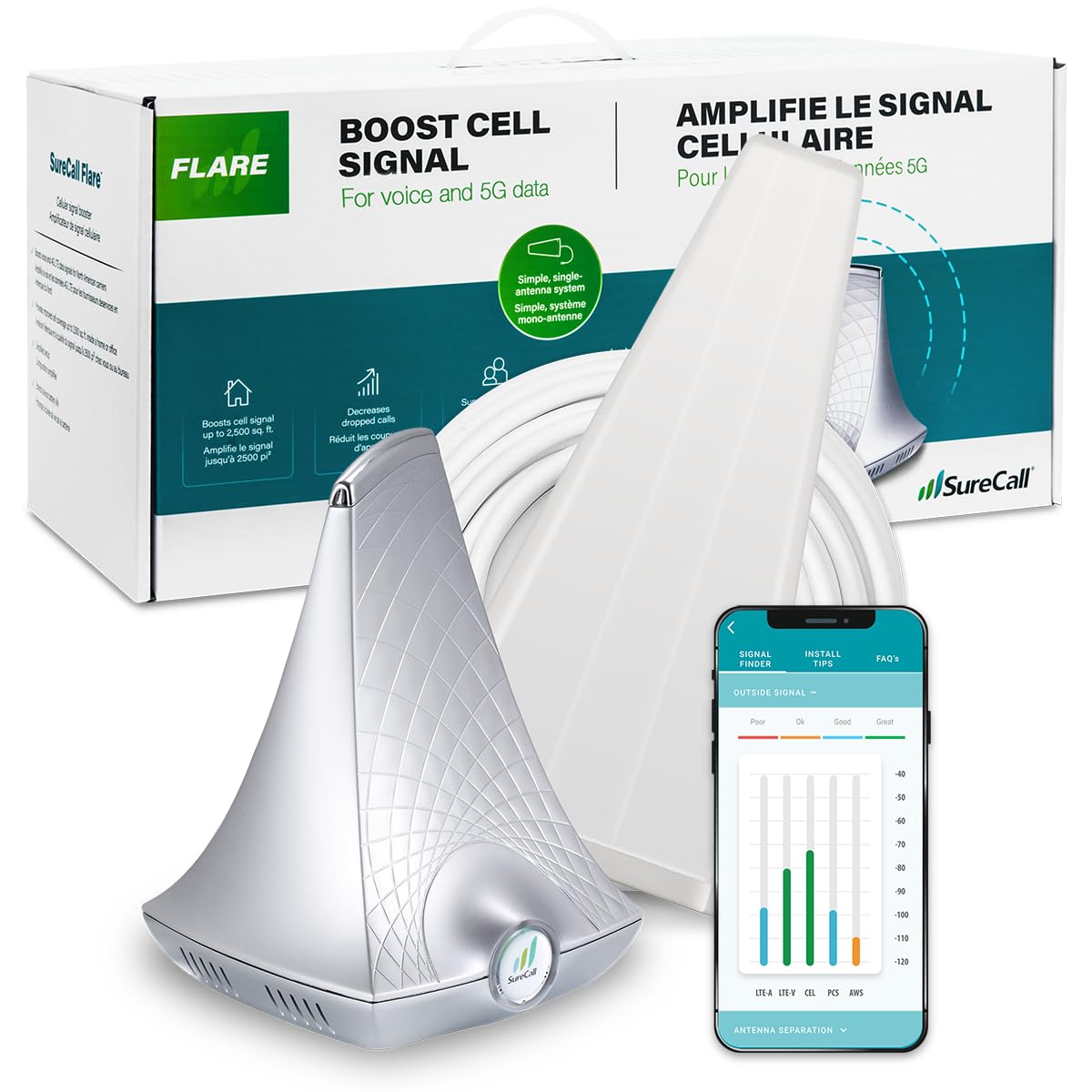
The SureCall Flare 3.0 strikes an excellent balance between price and performance, offering up to 3,500 sq ft of coverage depending on your outdoor signal. It ships with a Yagi directional antenna, 50 feet of coax cable, and a free SureCall app for aiming the antenna. Users consistently report going from one bar to four bars on AT&T and T-Mobile, with noticeably faster data speeds and no dropped calls.
Installation requires some patience—aiming the Yagi antenna is critical, and you need at least 18-20 feet of vertical separation between the outdoor and indoor antennas to avoid oscillation. The SureCall app helps measure signal in real time, and many users found it effective after using a third-party tower finder like OpenSignal. The booster also supports multiple devices simultaneously, making it a good fit for families.
Some users experienced reliability issues, with the booster dying after a few weeks of use, though customer service replaced units promptly. The Flare 3.0 is also very dependent on a usable outdoor signal—if you have zero bars outside, it won’t help. For those with a weak but present signal, it’s a reliable mid-range solution that outperforms many cheaper options.
Why it’s great
- Good coverage for most homes with moderate outdoor signal
- App helps with antenna aiming and signal measurement
- Supports multiple users and devices at once
Good to know
- Requires careful antenna placement to avoid oscillation
- Some units have reported power failures within weeks
- Performance varies significantly depending on outdoor signal strength
3. Waveform QuadPro 4×4 MIMO

The Waveform QuadPro is a specialty product designed specifically for users with 5G home internet gateways from T-Mobile, Verizon, or AT&T. It is a 4×4 MIMO panel antenna kit—not a traditional booster—that connects directly to your LTE/5G router. It supports all 4G and 5G bands from 600 to 6000 MHz and delivers up to 9.1 dBi gain, dramatically improving signal-to-interference-plus-noise ratio (SINR) and data speeds.
Real-world results are impressive. Users on T-Mobile Home Internet report going from unusable 1 Mbps connections to consistent 300 Mbps downloads after proper aiming. The kit includes everything you need for a no-drill installation: a window entry cable, weatherproofing boots, a FlexMount, and detailed guides for connecting to every major gateway model. The build quality is exceptional, with thick cables and solid connectors.
Installation is not for the faint of heart—it requires disassembling your gateway to attach tiny U.FL connectors, and cable routing takes planning. Waveform provides exceptional customer support and detailed documentation. This is the best option for anyone who uses fixed wireless home internet and needs to maximize speed and reliability.
Why it’s great
- Dramatically improves 5G home internet speeds (200+ Mbps gains reported)
- Full 4×4 MIMO support for maximum data throughput
- Outstanding build quality and comprehensive installation kit
Good to know
- Requires gateway disassembly and delicate connector handling
- Only works with compatible routers/gateways, not regular cell phones
- Expensive compared to standard phone boosters
4. HiBoost 10K SL

The HiBoost 10K SL is a premium booster designed for larger homes, rated to cover up to 5,500 sq ft. It features a built-in LCD screen and a dedicated “SignalSupervisor” app that provides real-time signal diagnostics and remote booster monitoring—a rare and useful feature for fine-tuning your setup. Users in rural areas consistently report going from no data or dropped calls to 50+ Mbps 5G on Verizon and 15+ Mbps on T-Mobile.
The booster supports bands 12/13/17 (700 MHz), 5 (850 MHz), 2/25 (1900 MHz), and 4 (1700/2100 MHz), covering the essential frequencies for all major US carriers. It includes a high-gain directional outdoor antenna, two outdoor cables, a window pass-through cable, and all mounting accessories. Installation is made easier by the LCD that shows gain and signal strength, though some users found the manual poorly translated.
Customer support from HiBoost is notably responsive, with live chat and phone support available. The 3-year warranty is solid. However, the booster does not support band 71 (600 MHz), which is critical for T-Mobile users in very rural areas. If you need 600 MHz support, look elsewhere.
Why it’s great
- LCD screen and app provide real-time signal diagnostics
- Excellent coverage for large homes up to 5,500 sq ft
- Responsive US-based customer support and 3-year warranty
Good to know
- Does not support T-Mobile band 71 (600 MHz)
- Manual can be poorly translated and confusing
- Some users felt coverage was overhyped for multi-floor homes
5. HiBoost 8K (2 Indoor Antennas)

The HiBoost 8K is essentially a more powerful sibling to the 10K SL, designed to cover up to 8,000 sq ft with the help of two indoor antennas—one built into the main unit and one external panel antenna. This multi-antenna approach is ideal for spreading coverage across 5-6 rooms or multiple floors. The 70 dB gain is sufficient for moderately weak outdoor signals.
Users in rural forested areas report going from one bar of 4G/5G to 3-4 bars across the entire house, with usable data speeds of 25 Mbps down and 9 Mbps up. The included LCD display and HiBoost app simplify antenna aiming and real-time signal monitoring. Like the 10K SL, customer support is excellent, with proactive follow-up from the team.
The main drawback is that coverage claims are optimistic—many users found the booster covers closer to 4,000-5,000 sq ft in real-world conditions, especially in homes with metal roofs or dense interior walls. It also lacks band 71 support, which may affect T-Mobile customers in deep rural areas. Still, for large homes with moderate outside signal, it’s a top contender.
Why it’s great
- Two indoor antennas provide better multi-room coverage
- LCD and app enable precise antenna alignment
- Exceptional US-based customer support
Good to know
- Real-world coverage often falls short of the 8,000 sq ft claim
- No support for T-Mobile band 71 (600 MHz)
- Installation can be complex for multi-floor setups
6. HiBoost 4K Mate
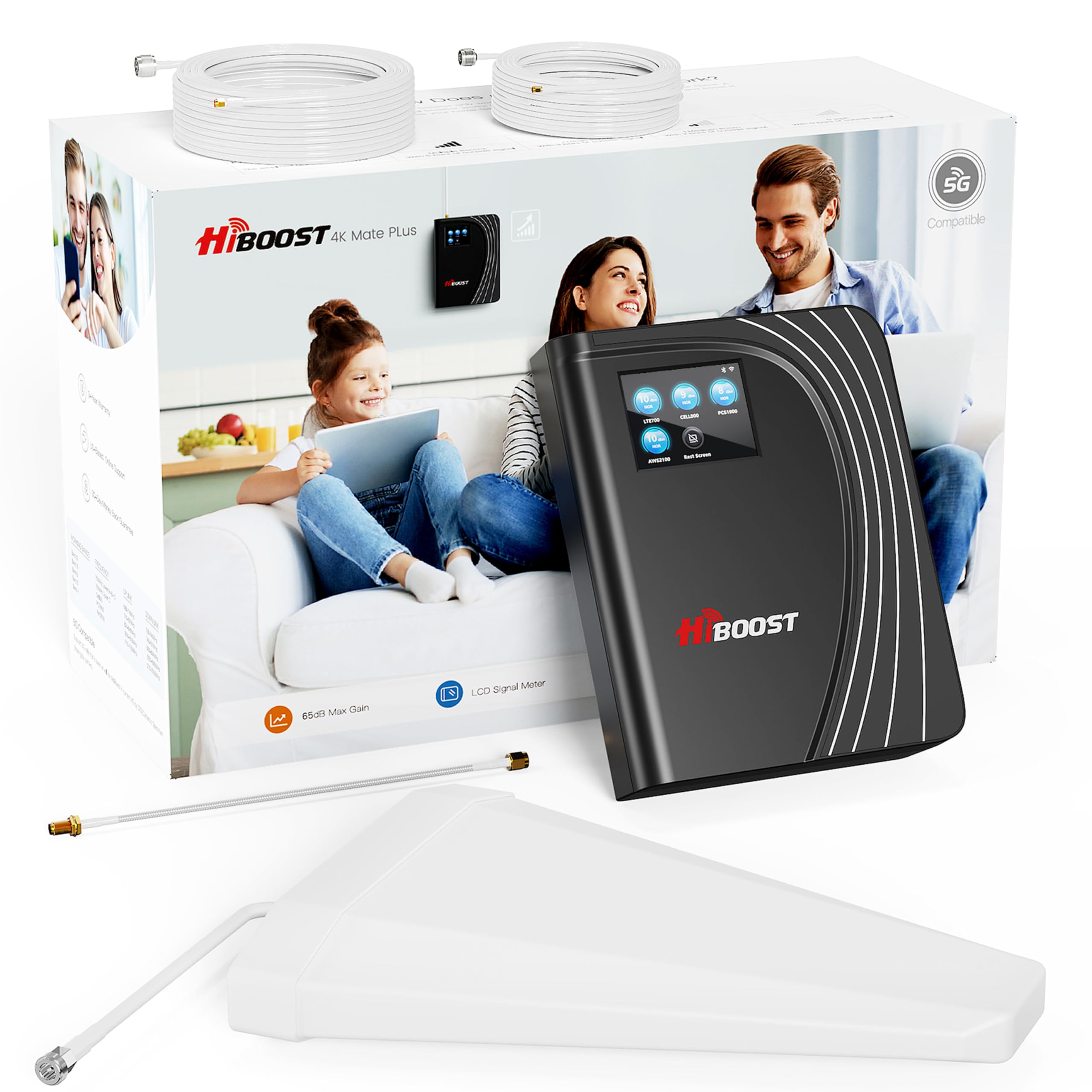
The HiBoost 4K Mate is a well-rounded mid-range booster with a distinctive feature: a built-in LCD touchscreen that shows signal strength, gain levels, and helps guide installation. Rated for 4,500 sq ft, it uses a 65 dB amplifier and supports all major US carriers across bands 2, 4, 5, 12, 13, 17, and 25. It also supports 5G via DSS (Dynamic Spectrum Sharing).
User reports from rural mountain homes show a move from zero signal to 4 bars of 4G LTE on Verizon after careful antenna aiming. The touchscreen simplifies the setup process, and the corresponding HiBoost app offers real-time monitoring and remote support. The booster ships with an outdoor directional antenna, cables, and a window pass-through, making installation drill-free for most setups.
Some users noted that the manual is poorly written, with grammar errors and technical inaccuracies. The booster also requires an existing outdoor signal to work—it will not create signal from nothing. For those with a weak but present signal, the 4K Mate is a solid performer that offers a good balance of features and price.
Why it’s great
- LCD touchscreen simplifies installation and real-time monitoring
- Support for 5G via DSS and all major US carrier bands
- Drill-free window cable pass-through
Good to know
- Manual has poor grammar and technical inaccuracies
- Requires an existing outdoor signal to function
- Coverage may be less than stated in difficult terrain
7. ZORIDA 5S Pro
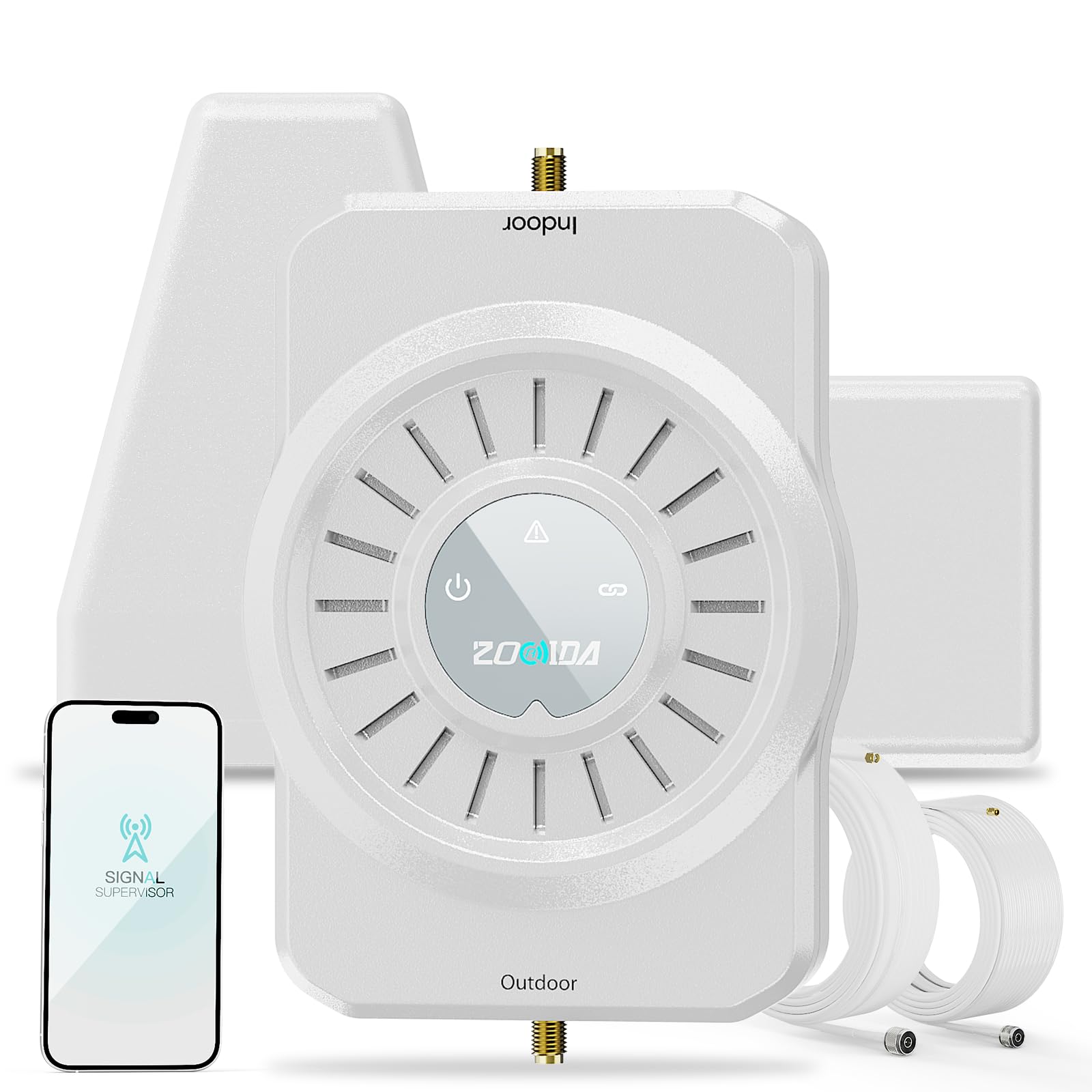
The ZORIDA 5S Pro offers one of the highest gain ratings in the mid-range category at 72 dB, covering up to 4,000 sq ft. It includes a comprehensive app that guides installation with step-by-step instructions and real-time signal measurement. Users in remote areas report transforming a completely unusable signal into reliable streaming, with boosts from 1-2 bars to 5 bars after proper setup.
The booster supports all US carriers and all frequency bands from 700 MHz to 2700 MHz, covering 2G, 3G, 4G, and 5G. The package includes a directional Yagi antenna, an indoor panel antenna, and all necessary cables. The 3-year warranty and lifetime US-based tech support are notable advantages over cheaper competitors.
However, setup requires careful antenna aiming and vertical separation to avoid oscillation. Some users reported receiving the wrong hardware revision during shipping, though customer service resolved the issue. The ZORIDA 5S Pro is a strong value proposition for anyone needing high gain without stepping into premium pricing.
Why it’s great
- Highest gain in its class at 72 dB for strong amplification
- Comprehensive app with step-by-step installation guidance
- 3-year warranty and lifetime US-based support
Good to know
- Shipping issues with wrong hardware revisions reported
- Requires careful antenna separation to avoid oscillation
- Some users found the app’s Bluetooth connectivity problematic
8. qishun Home Booster

The qishun Home Booster is an entry-level option that covers the basics: it boosts 5G and 4G LTE for all US carriers, includes an outdoor Yagi antenna and an indoor omni-directional antenna, and features Automatic Gain Control (AGC) to adjust performance in real time. Users report improvements from 0-1 bars to 3-5 bars indoors, with data speeds jumping from 17/1 Mbps to 40/5 Mbps.
The booster is FCC certified and comes with a 30-day money-back guarantee and a 1-year warranty. Installation is straightforward: mount the Yagi antenna, aim it at the nearest tower, run the included 50ft coax cable inside, and place the omni antenna in the desired room. The AGC feature helps manage oscillation automatically, which reduces the need for precise separation distances.
Some users note that it does not work well with Verizon, and others experienced a power plug failure within the first week. The build quality is noticeably lower than premium brands, and the long-term reliability is unproven. For the price, it is a functional starter booster, but those with more demanding needs should consider a higher-tier option.
Why it’s great
- Very affordable entry point into cell boosting
- AGC helps manage oscillation automatically
- Works with all major US carriers (except some Verizon issues)
Good to know
- Some users report it doesn’t work well with Verizon
- Power supply failure reported within first week by some
- Build quality and long-term reliability are lower than premium options
9. CEL-FI GO G41
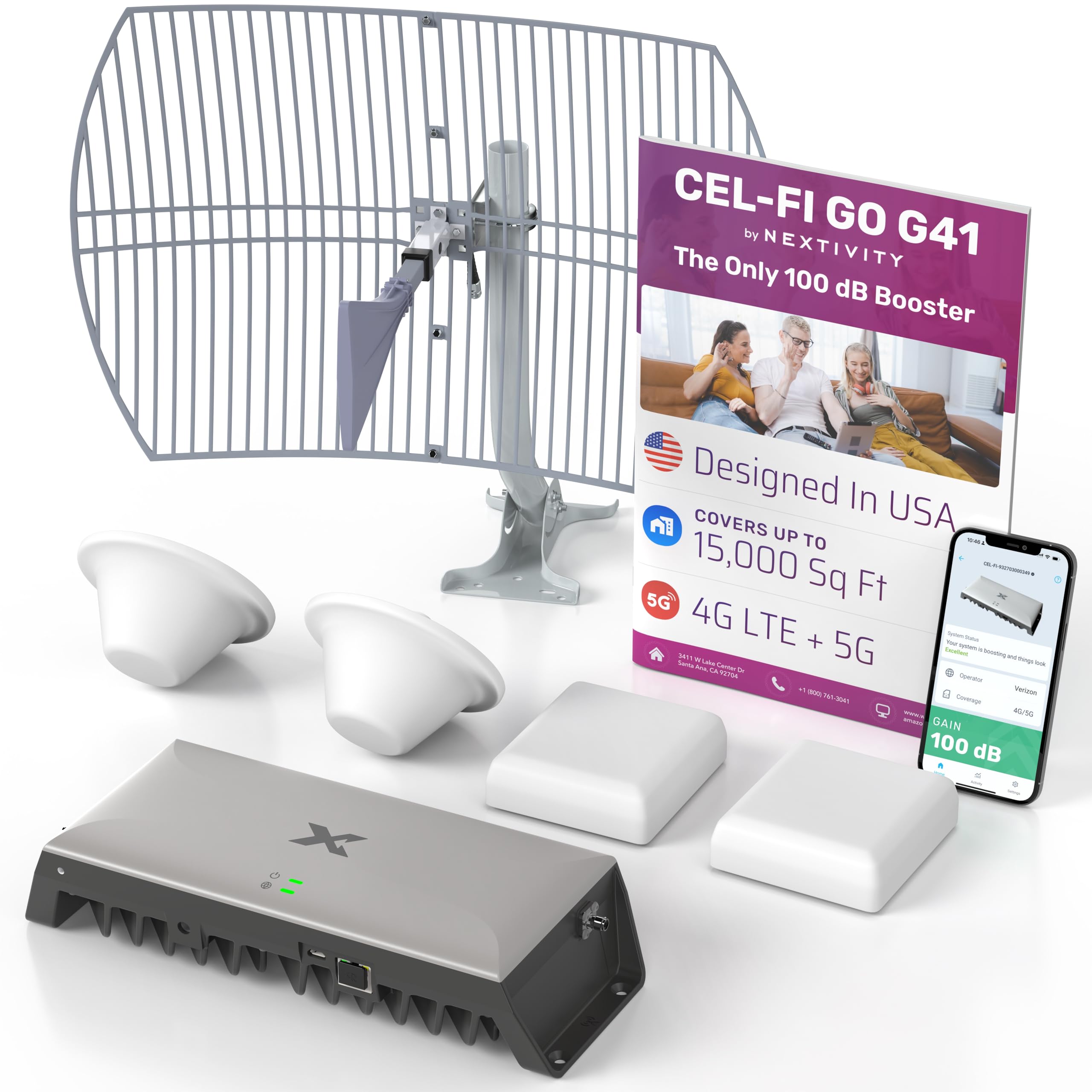
The CEL-FI GO G41 from Nextivity is the most powerful consumer booster on the market, delivering 100 dB of gain—30 dB more than typical competitors. It is rated to cover up to 15,000 sq ft, making it the only option suitable for very large homes, offices, or commercial spaces. It uses the latest 4th generation IntelliBoost chipset and supports 4G LTE, 5G-DSS, and 5G NR technology.
This kit comes with two indoor antennas (both dome and panel options), so you can choose the best configuration for your space. Users in extremely remote areas report going from zero service to 3-4 consistent 4G bars across a 2,000 sq ft farmhouse, with fast enough speeds for streaming and hotspot use. The WAVE app helps with antenna placement, and customer support is responsive and knowledgeable.
The major limitations are the price and a technical nuance: the booster only amplifies up to two frequency bands at a time (e.g., bands 2 and 12). In areas where your phone sees multiple bands (carrier aggregation), it may not always lock onto the boosted signal. This can result in inconsistent performance if your carrier uses many bands in your area. For most users in deep fringe zones, however, it is the most effective solution available.
Why it’s great
- Highest consumer gain at 100 dB for extreme coverage
- Rated for up to 15,000 sq ft coverage
- Advanced chipset with 5G NR support
Good to know
- Only amplifies two bands simultaneously, may conflict with carrier aggregation
- Extremely expensive; only justified for large spaces or deep fringe areas
- Installation can be complex and time-consuming
FAQ
Will a cellular booster work if I have zero signal outside my home?
How do I find the direction of the nearest cell tower?
What is oscillation and how do I prevent it?
Can a booster work with T-Mobile Home Internet or Verizon 5G Home Internet?
How many devices can a cellular booster support?
Final Thoughts: The Verdict
For most users, the cellular booster for home winner is the weBoost Home Studio because it delivers the most consistent, reliable performance across all major US carriers with straightforward installation and proven hardware. If you want a higher gain and advanced app-based diagnostics for a large home, grab the HiBoost 10K SL. And for those using 5G home internet, the Waveform QuadPro 4×4 MIMO is the only antenna that can transform a sluggish connection into a high-speed internet line.

Mo Maruf
I created WellFizz to bridge the gap between vague wellness advice and actionable solutions. My mission is simple: to decode the research and give you practical tools you can actually use.
Beyond the data, I am a passionate traveler. I believe that stepping away from the screen to explore new environments is essential for mental clarity and physical vitality.