Our readers keep the lights on and my smoothie glass nicely filled. As an Amazon Associate, I earn from qualifying purchases.
Specs are compiled from manufacturer listings and verified buyer reviews and can change over time — please confirm the key details on the product page before buying.
Building a live stream that actually looks professional depends on one thing: the camera. A blurry, poorly-lit feed kills viewer trust faster than anything else, and the wrong autofocus can make you look like you are wrestling the lens all day. This guide cuts through the sensor jargon to show you which cameras keep you sharp, what specs actually matter for a live feed, and where to spend your money for the best on-screen result.
I’m Mohammad Maruf — the founder and writer behind WellFizz. This guide is built by comparing the manufacturers’ published specifications and the patterns across verified customer reviews, so you get each pick’s real strengths and trade-offs instead of marketing spin.
Whether you are upgrading from a laptop webcam or building a multi-camera rig for a studio, finding the right camera for live streaming means understanding sensor size, reliable autofocus, and clean HDMI output — this article covers the top options across every budget tier.
Our Picks at a Glance



How To Choose The Best Camera For Live Streaming
Three specs define how good you look on stream: sensor size, autofocus type, and video output. A camera with a large 1/1.3-inch sensor or a full-frame sensor will handle dim lighting much better than a tiny sensor, keeping your face clean and sharp. Phase-detection autofocus (PDAF) is key — it locks onto you instantly and stays locked as you move, unlike older contrast-detection systems that hunt and blur. Finally, look for clean HDMI or UVC output so your camera feeds straight into your computer or switcher without extra capture cards or compression hassle.
Quick Comparison
| Model | Best For | Sensor | Max Video | Autofocus | Amazon |
|---|---|---|---|---|---|
| Sony FX30★ Best Overall | Cinema-grade streams | APS-C (Super 35) | 4K 120fps | 495-point PDAF | Amazon |
| OBSBOT Tiny 3 LiteCompact AI Tracker | Compact AI PTZ | 1/2-inch CMOS | 4K 30fps | PDAF | Amazon |
| Jabra PanaCast 20Business Conferencing | Business conferencing | 13MP sensor | 4K UHD | AI Intelligent Zoom | Amazon |
| YOLOLIV YoloCam S3 | DSLR-like webcam | 1/1.3-inch CMOS | 4K 30fps | PDAF | Amazon |
| Elgato Facecam 4K | Streamer ecosystem | Sony STARVIS 2 | 4K 60fps | Auto & Manual | Amazon |
| Insta360 Link 2 Pro | AI tracking & bokeh | 1/1.3-inch CMOS | 4K 30fps | Manual-and-Auto | Amazon |
| AVKANS LV20N | Church/event PTZ | 1/2.8-type CMOS | 1080p 60fps | Gen-3 AI Tracking | Amazon |
| Hollyland VenusLiv Air | All-in-one streaming | 1/1.3-inch CMOS | 4K 30fps | Auto Focus | Amazon |
| Canon EOS R50 | Beginner vloggers | APS-C CMOS | 4K 30fps | Dual Pixel AF II | Amazon |
| Canon 5D Mark IV | Pro DSLR reliability | 30.4MP Full-Frame | 4K 30fps | Dual Pixel CMOS AF | Amazon |
| Sony A7 IV | Hybrid photo/video | 33MP Full-Frame | 4K 60fps 10-bit | 693-point PDAF | Amazon |
In‑Depth Reviews
1. Sony Cinema Line FX30 Super 35 Camera
Our pick — over 4.5★ from 550+ verified ratings; the strongest balance of quality and price.
The cinema sensor that delivers pro-level streaming image quality without the usual five-figure price tag.
The Sony FX30 is built around a 20.1 MP APS-C (Super 35mm) sensor that uses Exmor R technology for a wide dynamic range, meaning your shadows stay detailed and your highlights don’t blow out. It records oversampled 4K from a 6K readout, giving you exceptionally sharp video that handles complex scenes without breaking a sweat. The 495-point phase-detect autofocus system (PDAF) is fast and reliable in real use, locking onto faces and keeping focus even as you move around in front of the camera.
This camera includes S-Cinetone color science straight from the start, which gives your live feed a cinematic look without needing color grading skills. Buyers report the battery life is around 1-2 hours, but you can solve that by plugging in via USB-C while streaming. The body is compact and rugged, and it has a full-size HDMI port, so you get a clean signal to your capture card or switcher. The biggest trade-off is the battery life, which is shorter than DSLR-style cameras, so plan on external power for long sessions.
The FX30 also features active cooling to prevent overheating during long streams, dual card slots for backup recording, and Cine EI, S-Log3, and LUT support for advanced users. The crowd favorite is the clear choice for anyone serious about stream quality.
Why it wins for streaming
- 6K oversampled 4K video for exceptional sharpness and detail
- 495-point phase-detect autofocus keeps you in focus reliably
- S-Cinetone color profile for a cinematic look without grading
- Active cooling prevents overheating during long streaming sessions
- Full-size HDMI for clean, uncompressed video output
The honest caveats
- Battery life around 1-2 hours; needs external power for long streams
- Requires a capture card for UVC output (not plug-and-play like a webcam)
- Learning curve for menus and cinema settings for beginners
Top streaming pick: Best for streamers and content creators who want cinema-level quality and reliable autofocus.
Think twice if: You need a simple plug-and-play USB webcam; this rig needs basic streaming gear knowledge.
2. OBSBOT Tiny 3 Lite 4K Webcam
The tiny PTZ that tracks your every move with a full 4K image and spatial audio.
The OBSBOT Tiny 3 Lite packs a powerful 1/2-inch CMOS sensor that delivers sharp 4K video at 30fps or smooth 1080p at 120fps. The AI Tracking 2.0 system is the star here — it physically pans and tilts to follow you, a single person, a group, or even over 200 types of objects. The precision PDAF (phase-detect autofocus) keeps every frame sharp by intelligently switching focus modes based on the lighting environment, and the wide ISO range of 100-6400 helps in dim rooms.
The triple-mic array captures spatial audio with an omnidirectional mic for the full scene and two MEMS directional mics that pinpoint voices, plus five specialized audio modes for noise reduction. You can control the camera via voice commands or hand gestures — wake it up, zoom in, switch presets — without touching a button. However, some owners mention that after 1-2 weeks, a firmware update can cause autofocus and exposure to hunt constantly, and the app can use excessive PC resources. The general praise is for image quality (21 mentions) and video quality (20 mentions), with the AI tracking being a top feature for streamers who move around.
Best for mobile streamers: Reach for this if you want a compact PTZ camera with reliable AI tracking and great built-in audio for the price.
Worth noting: The software reliability can be hit-or-miss post-update, so check recent firmware reviews before buying.
3. Jabra PanaCast 20 Conferencing Camera
The webcam that thinks like a cameraperson, keeping you perfectly framed through every meeting.
Jabra built the PanaCast 20 around a 13-megapixel sensor and AI that delivers crisp 4K Ultra-HD images in real time with no latency. Its Intelligent Zoom feature tracks your movements automatically, so you stay perfectly centered even as you lean in or gesture during a presentation. The intelligent lighting optimization analyzes your room and adjusts the image in real time for perfect exposure, even in poorly lit home offices.
This webcam works with all major UC platforms and is certified for Microsoft Teams and Zoom, meaning it integrates smoothly into your existing workflow. Setup is truly plug-and-play: clip it on your monitor, connect the USB cable, and you are live in under a minute. The build quality is solid with a metal construction, and it comes with a protective carry case for travel. However, the auto-zoom can sometimes place your head too low in the frame, and the camera does run noticeably hot during extended use — it is a trade-off for the AI processing. The top praise is for picture quality (8 mentions) and overall build quality (9 mentions).
Pick this for: Professionals doing daily video calls who want automatic framing and lighting correction without touching any settings.
Consider the heat: It gets warm to the touch after an hour; this is normal but worth knowing if you keep it in a small enclosed space.
4. YOLOLIV YoloCam S3 4K Streaming Webcam

A webcam with a sensor larger than most, giving you true DSLR-like depth of field for streaming.
The YoloCam S3 is one of the few webcams using a 1/1.3-inch sensor, which is what gives it that cinematic background blur and excellent low-light performance. It shoots uncompressed 4K video at 30fps and 1080p at 60fps, with fast PDAF (phase-detection autofocus) that locks on instantly and tracks your face with zero lag. The magnetic mount lets you attach it to your monitor or a tripod via the 1/4-inch-20 thread, making it flexible for different streaming setups.
The free YoloCam Compose software gives you full DSLR-like manual control over exposure, white balance, contrast, sharpness, saturation, and color grading. The AI-enhanced imaging system improves face clarity in low light, and the all-aluminum body doubles as a heat sink to prevent overheating during 24/7 streaming. Most buyers praise the overall quality (43 mentions) and image quality (40 mentions), though connectivity gets mixed feedback from some. Note that the Pro Color Grading feature (Picasso Resolve) is currently only available on Windows, with Mac support coming later.
Ideal for solo streamers: The best option if you want a simple USB setup with real DSLR-like image control and depth of field.
Check your OS: Mac users will miss the color grading engine for now, though it still works fine from the start.
5. Elgato Facecam 4K

The 4K60 webcam with a Sony STARVIS 2 sensor and a lens thread for real camera filters.
The Elgato Facecam 4K delivers stunning 4K resolution at 60fps using a premium Sony STARVIS 2 CMOS sensor and Elgato Prime Lens technology, which gives you sharp detail and vibrant color. Unlike most webcams, it supports standard 49mm lens filters — just like a DSLR — so you can screw on an ND filter to control exposure in bright rooms or a diffusion filter for a softer look. The free Camera Hub software gives you full DSLR-like control over settings including shutter speed, ISO, and white balance.
This webcam supports HDR for better dynamic range in mixed lighting and works with all major streaming software like OBS. The 82-degree field of view is wide enough for a single person but may require positioning for group shots. One key detail: it does not have a built-in microphone, so you will need a separate USB or XLR mic. The picture is crisp and handles low light pretty well for a webcam, thanks to the STARVIS 2 sensor. Some users found it picky about USB cables — it needs a high-speed direct connection to your PC, not a hub. The built-in AI subject tracking works, but eye-tracking stability has room for improvement.
Great for established streamers: If you already have a good microphone and want the best 4K60 image quality in a simple USB form factor.
Remember: No built-in mic means you need separate audio gear, and it can be sensitive to USB hubs.
6. Insta360 Link 2 Pro PTZ Webcam

A PTZ webcam that combines a large sensor with smooth AI tracking and professional bokeh.
The Insta360 Link 2 Pro captures 4K video with a large 1/1.3-inch sensor that delivers clean video and excellent low-light performance — a big step up from most PTZ webcams. Its AI physically pans and tilts to follow your movements around the room, keeping you perfectly in frame whether you’re standing at a whiteboard or walking to a desk. The natural bokeh effect is generated in software, giving you that DSLR-like depth of field without needing a separate lens.
The dual-mic system uses beamforming directional pickup for clearer voice isolation and background noise reduction, making it solid for both streaming and video calls. It integrates with Elgato Stream Deck for one-button mode switching, and you can control it with hand gestures or a smartphone app. The companion Link Controller software gives you fine-tuned control over settings. The AI tracking is smooth, but does require good lighting to work at its best. Some users find the tracking “spooky” at first, but it becomes a comfortable part of the workflow quickly. The Link 2 Pro also has specialized modes like DeskView and Whiteboard mode for different presentation needs.
Best for hybrid presenters: If you move around during streams or need to switch between a desk shot and a whiteboard, this is the camera.
Optical note: The digital zoom maxes out at 4x, so it is not a replacement for a long-throw optical PTZ lens.
7. AVKANS LV20N NDI PTZ Camera

The budget NDI PTZ with 20x zoom that brings pro-grade tracking to houses of worship and live events.
The AVKANS LV20N is a purpose-built PTZ camera for live streaming church services, worship events, and other productions, featuring a 20x optical zoom lens that brings distant speakers close. It supports NDI HX3 and NDI HX2, which means you can send high-quality 1080p 60fps video over a single Ethernet cable with less latency than older NDI systems. It has multiple video outputs: HDMI, 3G-SDI, and USB, so it is compatible with ATEM switchers, OBS, vMix, and ProPresenter.
The Gen-3 AI auto-tracking is the highlight, with adjustable tracking area, sensitivity, speed, and three modes: Presenter, Zone, and Hybrid. It can track one person reliably at distances over 50 feet, which works perfectly for a speaker on a stage. The built-in tally light turns green when the camera is in preview and red when live — very useful for multi-camera productions. The camera is easy to set up via a free CMS software (Windows) or Web Interface (Windows and Mac), and the customer support is praised as excellent. The hardware is a good value for budget productions, though the video is not as sharp as higher-end PTZs. Note that NDI HX3 mode disables RTSP, which you might need for joystick preview functions.
Built for houses of worship: The ideal budget-friendly PTZ for churches and small event venues that need NDI, long zoom, and reliable AI tracking.
Resolution cap: This camera runs at 1080p 60fps, not 4K, so it splits the difference between affordability and image quality.
8. Hollyland VenusLiv Air Streaming Camera
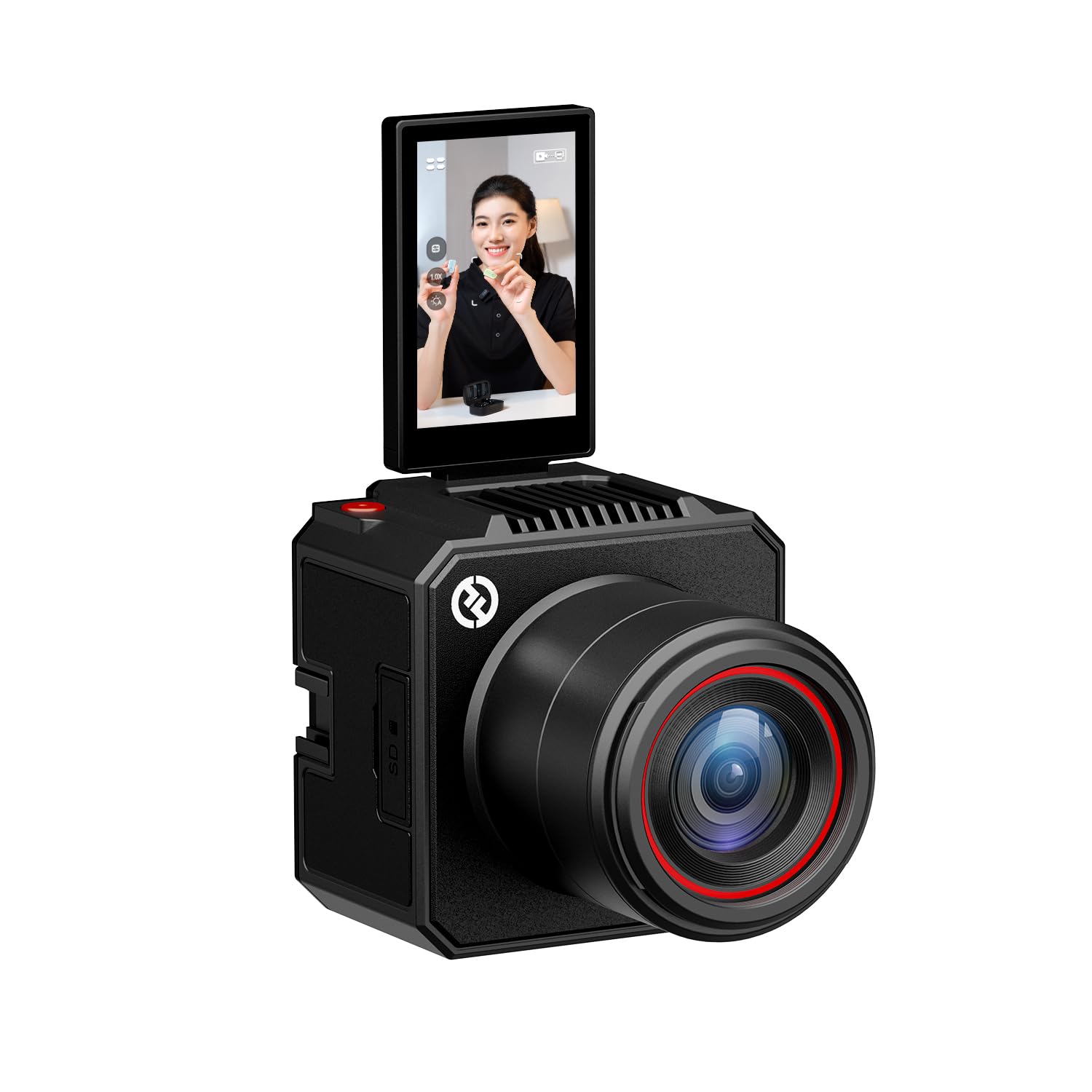
The streaming camera that handles green screen and skin beauty inside the camera itself.
The Hollyland VenusLiv Air is built specifically for 24/7 live streaming, combining an F1.05 large-aperture custom lens with a 1/1.3-inch 50-megapixel CMOS sensor to deliver enhanced video quality with rich contrast and soft background blur. Its standout feature is the built-in green screen keying technology — you can get clean, professional-level keying with one tap, even around fine hair and complex edges, without needing a separate software plugin. The skin beauty algorithm intelligently detects your face, separates you from the background, and smooths skin tone in real time.
It outputs 4K30 video via both UVC over USB-C (no capture card needed) and HDMI for professional switcher workflows. The free HollyStudio software gives you full control over color correction, image overlay, and exposure lock, while the VenusCam mobile app allows remote monitoring and control. The advanced air-cooling system prevents overheating during long streams. The trade-off is the fixed focal length lens — it is ideal for a single talking-head shot but tight for side angles in a multi-camera podcast setup unless you have enough distance. Quality (8 mentions) and ease of use (5 mentions) are the most praised aspects.
Perfect for solo streamers: If you want built-in green screen, beauty filters, and a simple USB setup, this is your camera.
Not for multi-angle: The fixed lens makes it hard to use as a side camera in a multi-person podcast without a lot of room.
9. Canon EOS R50 Mirrorless Camera Kit
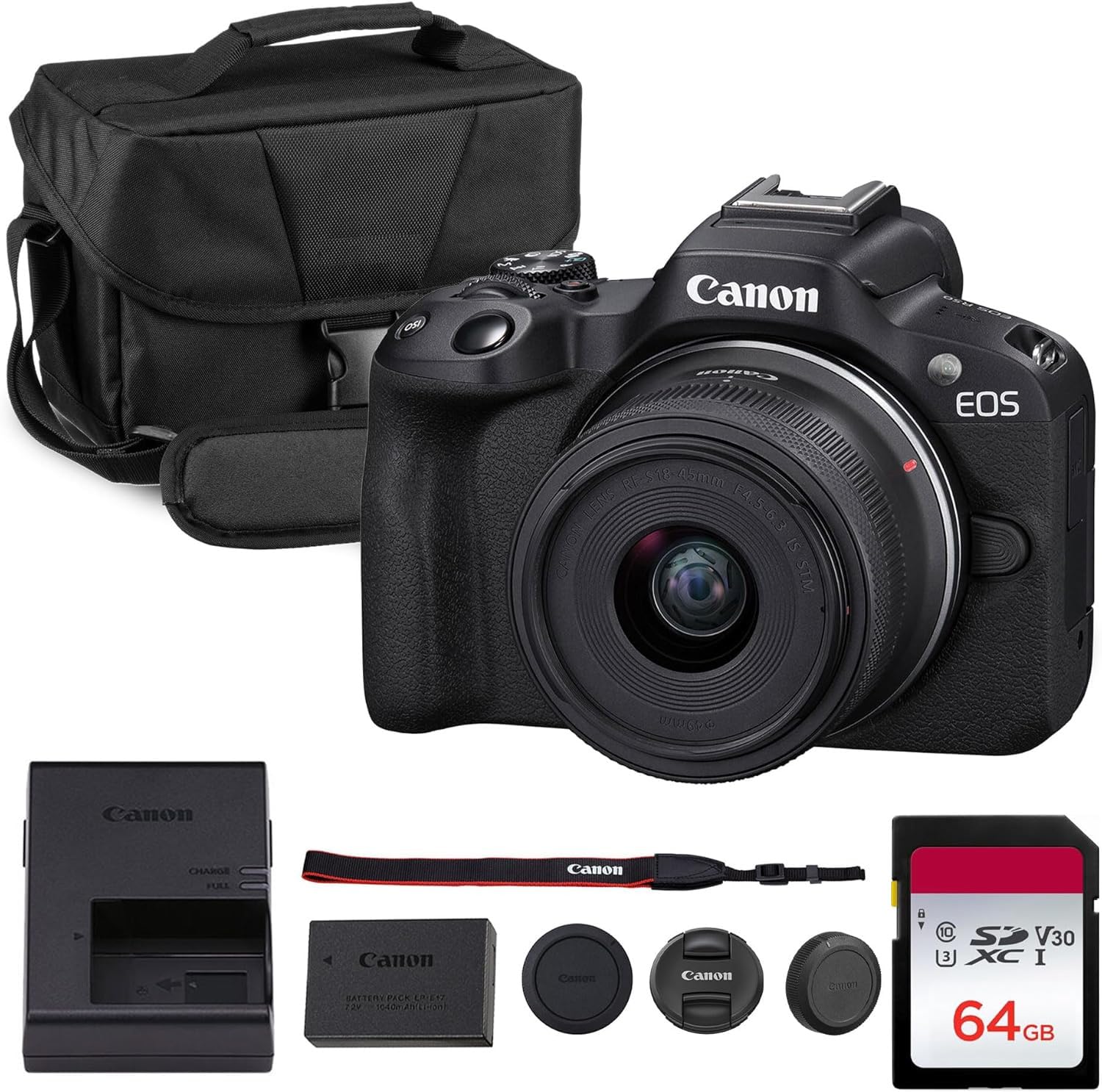
The lightweight Canon mirrorless that makes professional-looking 4K video easy for anyone.
The Canon EOS R50 is a compact APS-C mirrorless camera that packs Canon’s Dual Pixel CMOS AF II technology, giving you fast and reliable autofocus with face and eye detection that locks onto you smoothly for streaming. It shoots oversampled 4K video from the full sensor readout, which means sharp, detailed footage with minimal aliasing. The kit includes the RF-S 18-45mm f/4.5-6.3 IS STM lens, which is versatile for daily content, portraits, and general streaming use.
This camera is designed with beginners in mind — it has Creative Assist guides that teach you how different settings affect the image, and it supports vertical video shooting for social media. The vari-angle touchscreen makes it easy to frame yourself whether you are in front or behind the lens. It is lightweight (about 13.6 oz body-only), small enough to slip into a bag, and the battery charges relatively quickly. The biggest limitation for streaming is that it lacks a clean HDMI output in all modes, and the small buffer for continuous shooting means it is more suited to shorter takes. The R50 is a great entry point into the Canon RF ecosystem.
For new creators: The best affordable mirrorless camera to learn on, with excellent autofocus and 4K video.
Check your output: It has limited clean HDMI support, so look at a capture card and test your setup before a live stream.
10. Canon EOS 5D Mark IV DSLR Camera
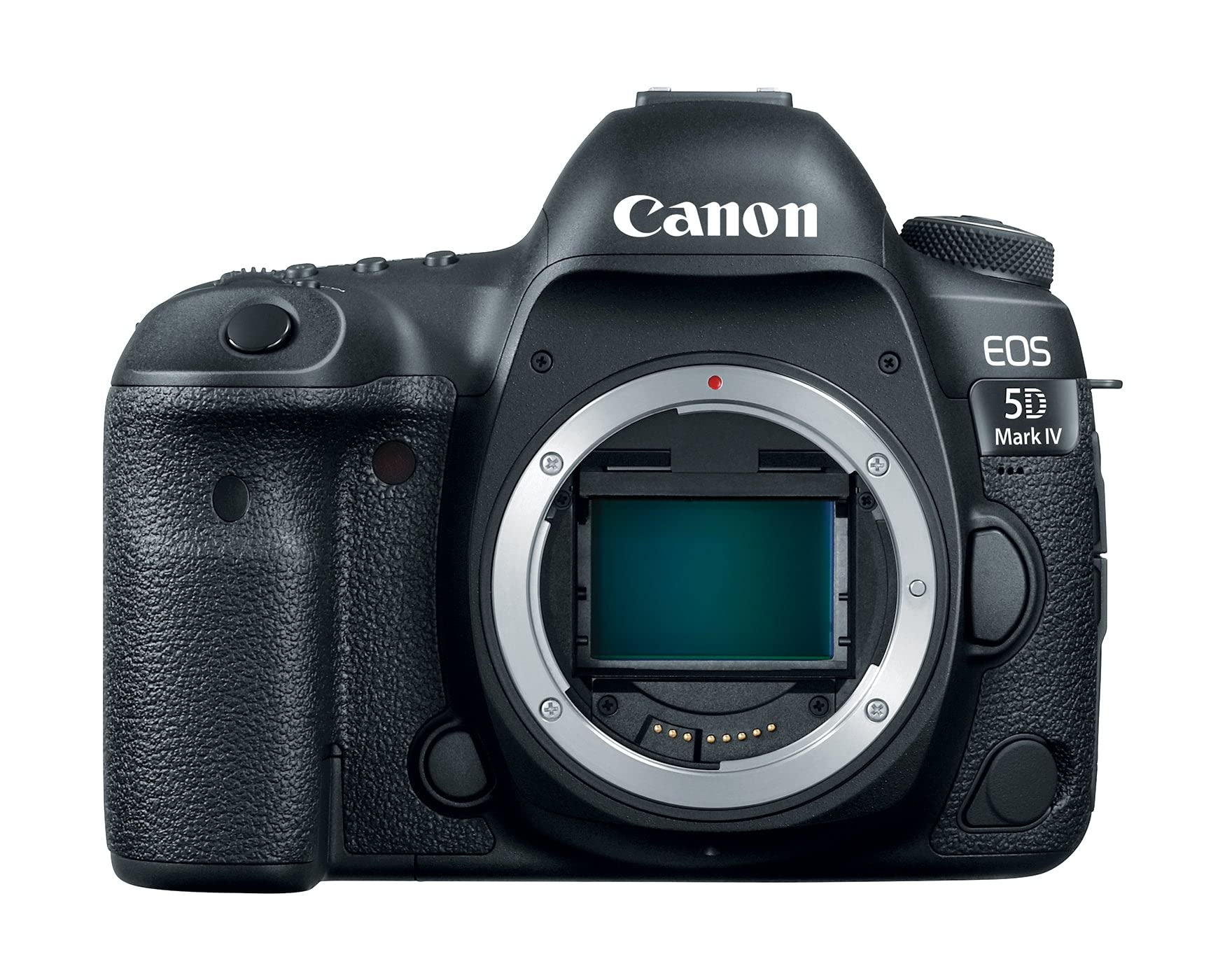
The legendary full-frame DSLR that has been the backbone of professional streaming for years.
The Canon EOS 5D Mark IV is a proven workhorse built around a 30.4MP full-frame CMOS sensor that delivers exceptional image quality in nearly any light, with a native ISO range of 100-32000 (expandable to 50-102400). It records 4K Motion JPEG video at 30fps or 24fps, with clean HDMI output that feeds directly into capture cards for live streaming. The Dual Pixel CMOS AF system provides responsive and smooth autofocus during live view, making it reliable for keeping a moving subject in focus.
The built-in Wi-Fi allows easy file sharing to your smartphone via the Canon Camera Connect app. The 61-point autofocus system and DIGIC 6+ processor give it solid speed for streaming, and the dual card slots (CF + SD) provide backup options. The 5D Mark IV has been a trusted choice for wedding shoots and studio work, so it is built to withstand long streaming sessions. However, it uses a fixed LCD monitor, not a vari-angle screen, which makes it harder to frame yourself from the front of the camera. The 4K video also has a 1.74x crop factor, and the Motion JPEG format creates large file sizes. The 5D Mark IV is still a reliable option for those invested in Canon EF glass.
Reliable for pro work: Worth it if you already own Canon EF lenses and need a sturdy full-frame streaming camera.
Consider the crop: The 4K crop factor is significant, so you will need a wider angle lens for your talking head shot.
11. Sony Alpha 7 IV Full-frame Mirrorless Camera

The full-frame hybrid that shoots up to 4K 60fps in 10-bit color with 693 AF points.
The Sony Alpha 7 IV uses a 33MP full-frame Exmor R back-illuminated CMOS sensor with a BIONZ XR image processing engine that is 8x more powerful than the previous generation. This allows it to shoot 4K 60p in 10-bit 4:2:2 with full pixel readout in all recording formats, and full-frame 4K 30p from a 7K oversample with no pixel binning — meaning the image is exceptionally sharp and detailed. The 693-point phase-detection autofocus system covers most of the frame and includes real-time Eye AF for humans and animals, making it the best autofocus system for streaming in this list.
The S-Cinetone color profile gives you beautiful, cinematic color expression straight out of the camera. The in-body image stabilization (IBIS) works effectively to smooth out handheld streaming. The camera has a comfortable, weather-sealed build, an articulating screen that flips out for self-shooting, and dual card slots (CFexpress Type A SD). The battery life is solid at over 2000 shots, and it handles long streaming sessions well. The main drawback for streaming is that 4K 60p and 120p modes have an APS-C crop, so you lose the full-frame field of view at those frame rates. It is also a more complex camera with a learning curve, especially for beginners. Quality (55 mentions) and image quality (35 mentions) are the loudest praise from owners.
The ultimate hybrid streamer: Ideal for creators who shoot both photo and video and want the best full-frame 4K 10-bit image for streaming.
Crop at high frame rates: 4K 60p and 120p use an APS-C crop, so factor that into your lens choice.
Understanding the Specs
Sensor Size
Sensor size is the single most important factor for video quality and low-light performance. A full-frame sensor is about 35mm across and captures the most light, giving you the best image and shallowest depth of field. APS-C (Super 35mm) sensors are smaller but still excellent, and they are common in dedicated video cameras. Webcams tend to use smaller sensors, typically 1/1.3-inch or 1/2-inch. A larger sensor means better low-light performance and a more natural blur between you and your background — perfect for a professional-looking stream.
Autofocus Type
Two main types of autofocus matter for streaming: Phase Detection (PDAF) and Contrast Detection. PDAF uses dedicated pixels on the sensor to detect focus instantly, so it is fast and reliable for tracking movement. This is what you want for a talking head that gestures and shifts around. Contrast detection is slower and can “hunt” (search back and forth) in dim light. Look for Dual Pixel AF (Canon) or phase-detection AF (Sony, Insta360, YOLOLIV) — these are the most reliable for keeping you sharp during a live stream.
Video Output Options
How your camera connects to your streaming setup matters a lot. Clean HDMI output sends an uncompressed, sharp video signal to a capture card (like an Elgato Cam Link), ideal for mirrorless and DSLR cameras. UVC (USB Video Class) means the camera is recognized as a webcam by your computer without any extra software or capture card — plug in and go. NDI sends video over Ethernet, which is great for multi-camera productions or using a single cable for power, control, and video. Choose the output that fits your current gear.
NDI and Network Streaming
NDI (Network Device Interface) is a technology that sends high-quality video over a standard Ethernet network. The latest standard, NDI HX3, provides low-latency 1080p video with good quality. If you have a multi-camera setup, NDI allows you to route video from all your cameras to your streaming computer using just Ethernet cables and a switch. This simplifies your setup and reduces cable clutter. Not all cameras support NDI, but it is a huge advantage for churches, events, and higher-end productions.
FAQ
Will a webcam work for professional live streaming?
Can I use a DSLR or mirrorless camera as a webcam without a capture card?
What size sensor do I need for good low-light streaming?
What is the difference between NDI and HDMI for live streaming?
Do I need a camera that supports 4K 60fps for live streaming?
What is the most important feature for a streaming camera?
Can I use my smartphone as a streaming camera?
How important is built-in microphone quality in a streaming camera?
Will a camera overheat if I stream for hours?
What is the best budget option for a multi-camera streaming setup?
Final Thoughts: The Verdict
For most people, the camera for live streaming winner is the Sony FX30 because it delivers 6K oversampled 4K with reliable phase-detect autofocus and active cooling at a price that undercuts most cinema cameras. If you need a plug-and-play PTZ with excellent tracking and a large sensor, the Insta360 Link 2 Pro is an outstanding choice. And for a budget-friendly church or event PTZ with 20x optical zoom and NDI, the AVKANS LV20N is the one to reach for.
How We Picked
We do not accept paid placement. Every pick is matched to a real buyer and a real use-case; we do not hands-on test units.
Sources & Methodology
Specifications: manufacturer listings and product documentation. Review insights: verified customer reviews, as of July 2026. Pricing: not shown on this page (it changes often); check the current price via the retailer link.
As an Amazon Associate, WellFizz earns from qualifying purchases. This does not affect which products we feature.
Related Guides

Mo Maruf
I created WellFizz to bridge the gap between vague wellness advice and actionable solutions. My mission is simple: to decode the research and give you practical tools you can actually use.
Beyond the data, I am a passionate traveler. I believe that stepping away from the screen to explore new environments is essential for mental clarity and physical vitality.