Our readers keep the lights on and my smoothie glass nicely filled. As an Amazon Associate, I earn from qualifying purchases.
Time becomes an abstract concept for a person living with dementia or Alzheimer’s — yesterday, tomorrow, and right now can blur into one confusing fog. A standard clock or calendar shows the date but offers no orientation, no structure to anchor the day, and no gentle nudge to take medication or eat a meal. The right digital calendar clock replaces that fog with a clear, steady view of the present moment and what comes next.
I’m Mohammad Maruf — the founder and writer behind WellFizz. I’ve spent thousands of hours analyzing hardware specs and user feedback for over 1,500 health-related products, with a deep focus on assistive technologies that support aging and memory-impaired individuals. My research targets real-world usability metrics like display contrast ratios, alarm reliability, and power-outage memory retention.
After evaluating screen readability, alarm flexibility, dimming behavior, and setup simplicity across leading models, I recommend the best calendar for dementia patients to be the Pastigio 7-inch digital clock for its high-resolution IPS display, intuitive icon-based reminders, and automatic brightness that works round the clock.
How To Choose The Best Calendar For Dementia Patients
A dementia calendar clock is not a decorative gadget — it is a daily orientation tool. The wrong one adds confusion with tiny abbreviations, complex menus, or manual DST resets. Below are the non-negotiable criteria for selecting a model that actually helps.
Display Clarity and Non-Abbreviated Text
The single most important feature is the display’s ability to show full weekday names — “Thursday” not “Thu” — and the full date, month, and year without abbreviations. Large, high-contrast characters (black text on white background works best) ensure the information is readable from across the room and by users with moderate vision loss. IPS panels offer wider viewing angles than standard LCDs.
Alarm and Reminder Flexibility
A calendar for dementia patients must have multiple daily alarms that can be paired with distinct icons for medication, meals, hydration, and appointments. Look for a minimum of 6 to 12 customizable alarms. Adjustable volume levels and multiple alarm sounds help differentiate urgency — a soft chime for hydration versus a louder tone for medication.
Automatic Brightness and DST Management
Auto-dimming prevents the clock from blasting bright light during nighttime bathroom trips while remaining readable under strong daylight. Models that support automatic daylight saving time adjustment remove an annual point of confusion. Manual DST switches are a common frustration point reported by caregivers in real user reviews.
Power Backup and Setup Simplicity
Power-outage memory retention is critical — the clock must resume showing the correct time and date without requiring a full reset after a flicker or blackout. Simple “plug and play” setup with clear, large-font instructions is equally important because many caregivers are not tech-savvy. A remote control for operation can be a significant advantage when the clock is wall-mounted.
Quick Comparison
On smaller screens, swipe sideways to see the full table.
| Model | Category | Best For | Key Spec | Amazon |
|---|---|---|---|---|
| Pastigio 7 | Premium Digital | High-contrast clarity and icon-based reminders | 1024×600 IPS, 12 reminders | Amazon |
| AINFTIME 10.1 | Premium Digital | Multi-display modes and automatic DST | 10.1″, 12 alarms, digital frame | Amazon |
| CAZOKASI 10.1 | Premium Digital | Wide-angle viewing and 3 UI modes | 10.1″, 12 alarms, auto dim | Amazon |
| La Crosse C86279 | Atomic Clock | Atomic time self-setting and temperature display | Extra-large digits, atomic sync | Amazon |
| Aowasi 7 | Budget Digital | Basic large display with multi-language support | 7″ IPS, 12 alarms, 8 languages | Amazon |
In‑Depth Reviews
1. Pastigio 7-Inch Digital Calendar Clock
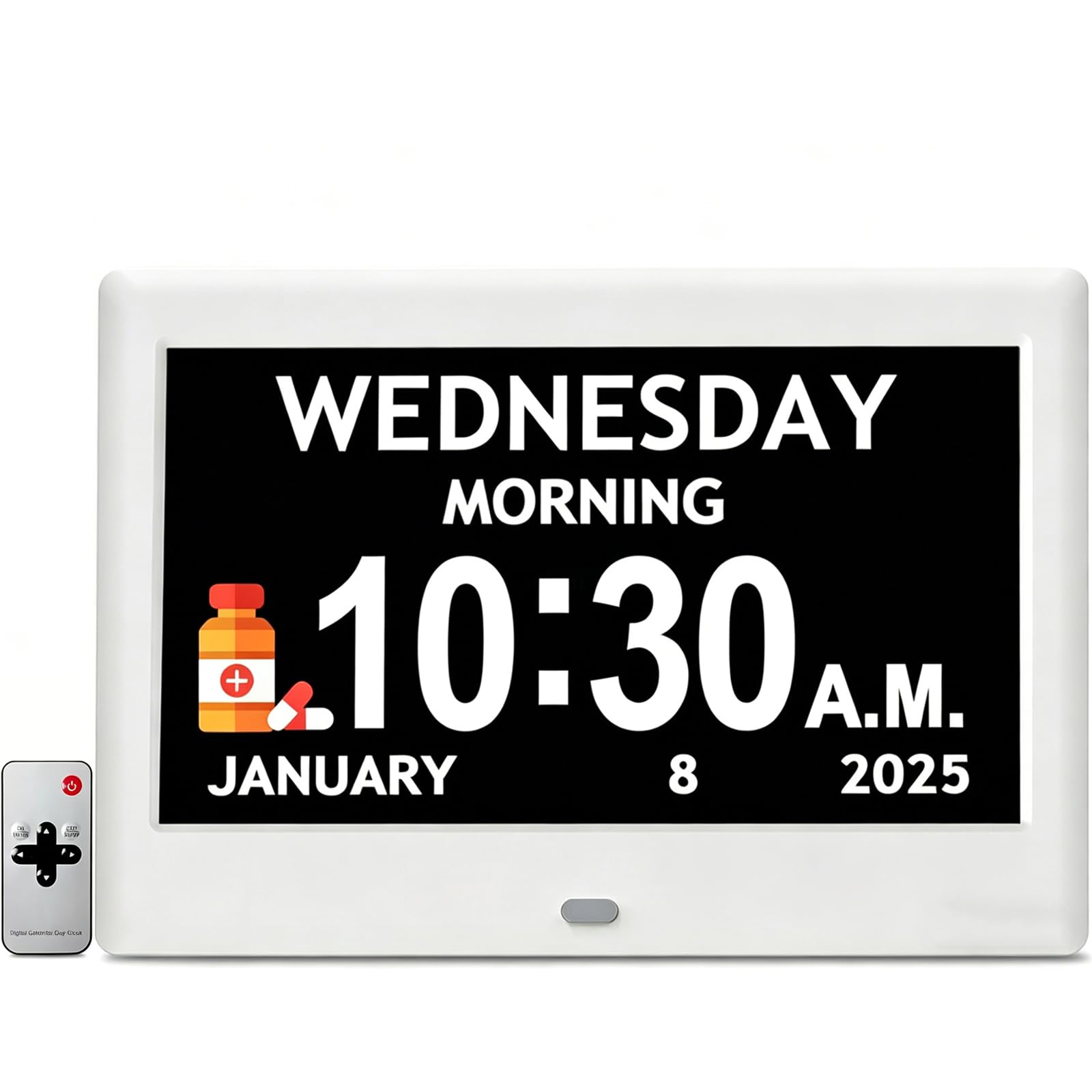
This model delivers the highest resolution IPS screen in this group at 1024×600, making every character — day, date, month, and year — razor sharp and readable from across a living room. The screen avoids abbreviations entirely, so a dementia patient sees “Monday” instead of “Mon,” reducing cognitive friction. Auto-dimming adjusts brightness smoothly based on the time of day, and the five font colors let caregivers tailor the contrast to the user’s specific vision needs.
The 12 personalized reminders are what truly separate this clock from simpler alternatives. Each reminder can be paired with a built-in theme icon — a pill bottle for medication, a water glass for hydration, a shower head for hygiene. These icons provide a visual trigger that reinforces the verbal alarm, a proven strategy for memory-impaired users. The remote control is a standout convenience for wall-mounted setups, eliminating the need to reach behind the unit to adjust settings.
Power-outage memory retention keeps the clock accurate even after a blackout, so caregivers don’t have to re-enter the schedule. Real users consistently praise the “bright, clear display” and “easy programming,” noting that the remote makes initial setup seamless. The only minor limitation is the remote’s interference with certain space heaters, but this does not affect daily use for most households.
Why it’s great
- High-resolution 1024×600 IPS screen with no abbreviations
- 12 icon-based reminders for medication, hydration, and tasks
- Remote control simplifies operation when wall-mounted
- Automatic brightness adjustment for day/night comfort
Good to know
- Remote may interfere with nearby space heaters
- Batteries are not included for backup
2. AINFTIME 10.1-Inch Digital Calendar Clock
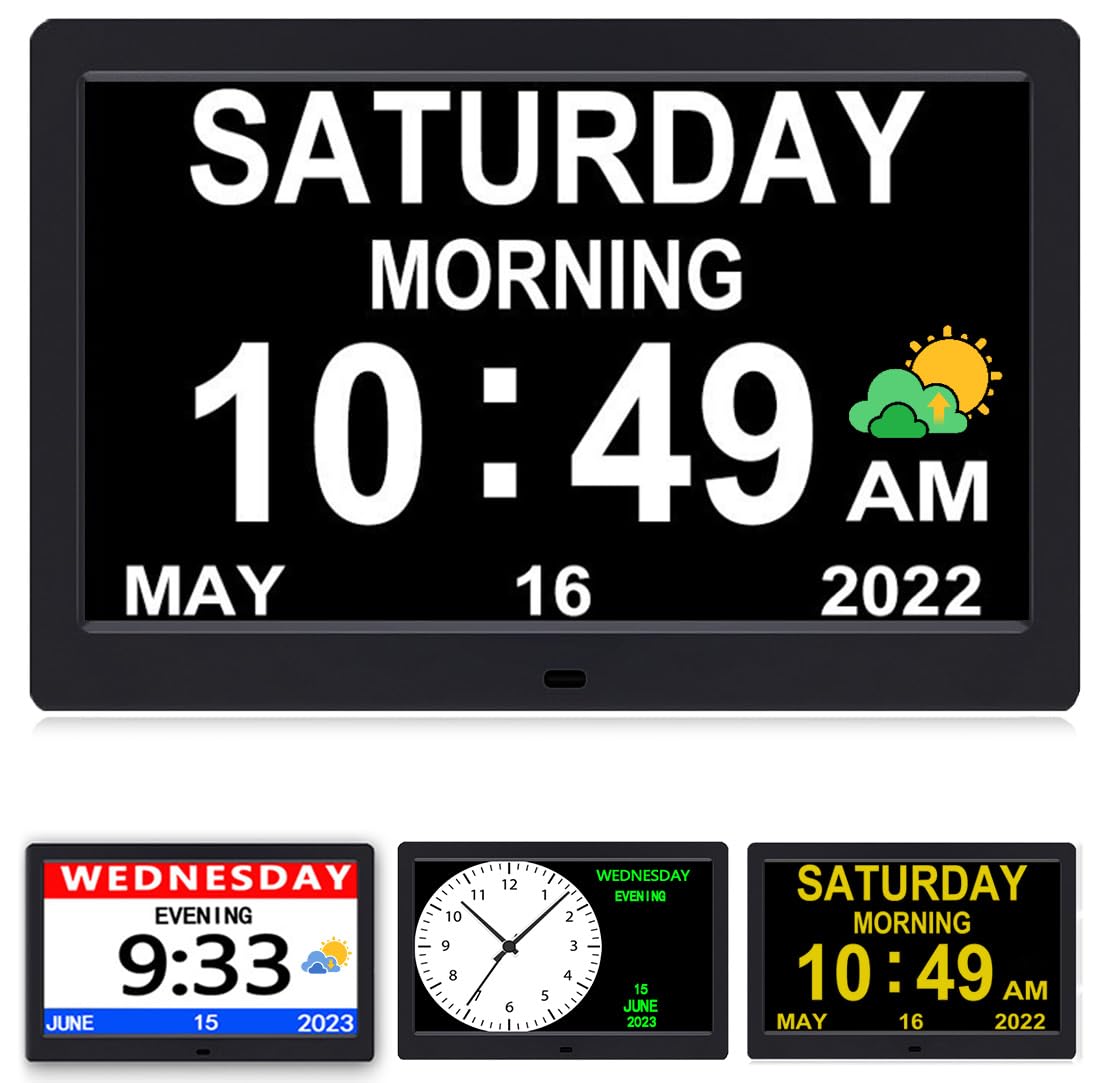
The AINFTIME steps up the size game with a 10.1-inch diagonal display that makes the day, date, and time visible from well across the room. It includes three UI modes: a dedicated elderly clock with large non-abbreviated fonts, a standard wall clock mode, and a colorful display for younger users. This versatility is practical for households where multiple generations share the same clock. The high-contrast LED panel delivers excellent readability without blue light strain.
A major time-saver for caregivers is the automatic daylight saving time adjustment, which supports North American, UK, and EU regional settings. No more manual spring-forward or fall-back resets that can confuse the user. The 12 daily alarms cover medication, meals, and appointments, and the built-in digital photo frame feature provides an unexpected emotional boost — caregivers can load family photos onto the screen, creating a familiar visual environment that can help calm agitation.
Batteries are included for memory backup, so the clock retains its settings during a power outage. Customer feedback highlights the large legible face and the sun/moon icons that clearly indicate whether it is day or night — a subtle but powerful orientation cue for dementia patients. The single hanging hole on the back can cause the unit to sit slightly crooked on the wall due to the cord weight, but this is easily solved with a dual-hanger bracket.
Why it’s great
- 10.1-inch display with three customizable UI modes
- Automatic DST adjustment for North America, UK, and EU
- Digital photo frame supports family photo display
- Sun/moon icons provide clear daytime orientation
Good to know
- Single hanging hole may cause crooked wall mounting
- Alarms cannot be assigned to specific days of the week
3. CAZOKASI 10.1-Inch Extra Large Display Clock
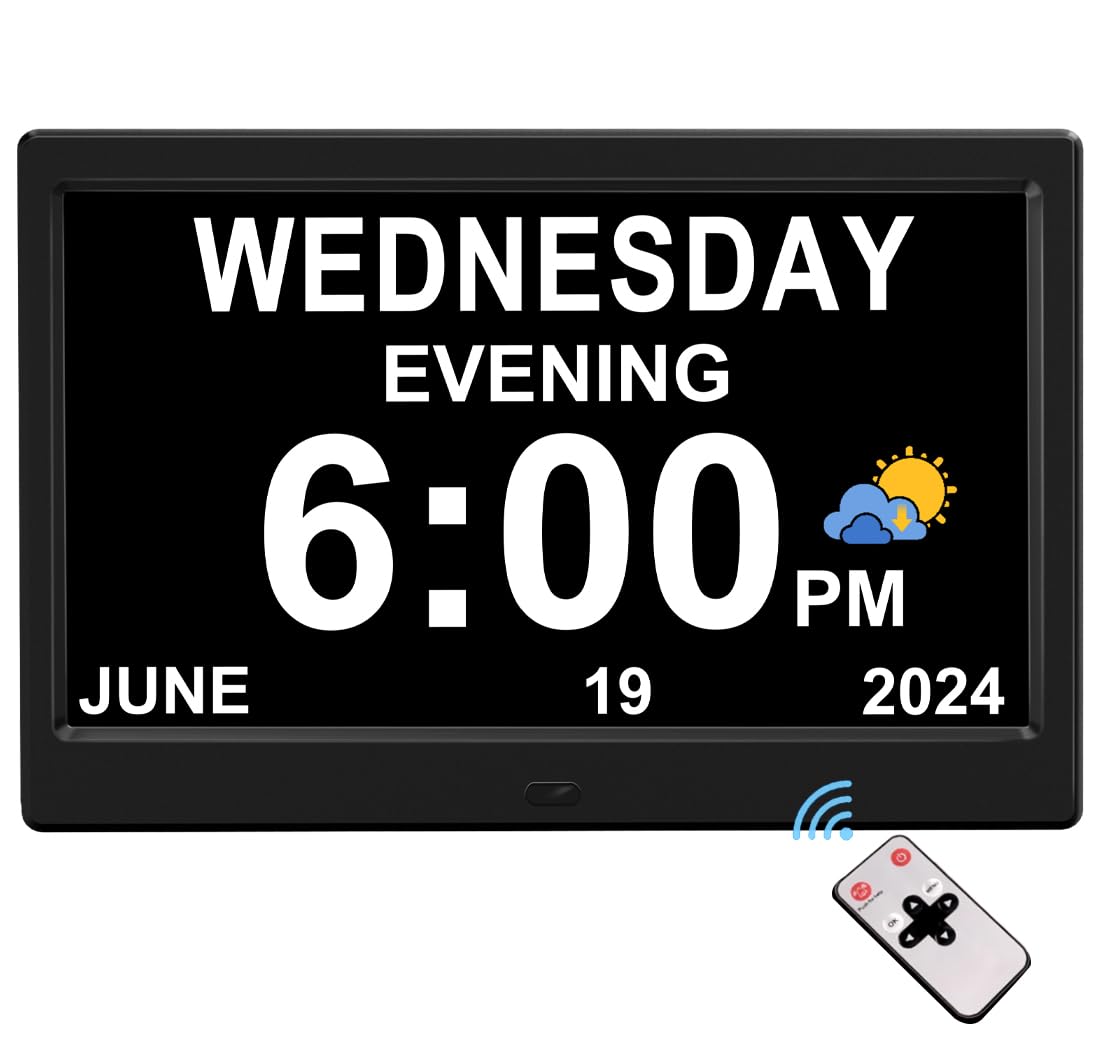
The CAZOKASI mirrors the AINFTIME in display size at 10.1 inches but differentiates itself with an ultra-wide viewing angle that stays crisp and legible even when viewed from extreme angles — a common real-world scenario when the clock is placed on a side table or kitchen counter rather than directly in front of the user. The high contrast and large non-abbreviated font ensure that the day, date, month, and year are unmistakably clear.
It also offers three UI modes similar to the AINFTIME, including a dedicated elderly interface that shows “Thursday” rather than “Thu.” Automatic brightness adjusts from bright mode during daytime hours to dim mode from 8:00 pm to 6:59 am, preventing nighttime glare. The plug-in design means no batteries are required for daily operation, and the power-outage memory holds the settings when the power flickers.
With 12 alarms and three reminder categories, this clock provides comprehensive scheduling support for caregivers. User reviews frequently mention how the “large numbers and letters” and the ability to change background and font colors make the display easily adaptable to individual preferences. The lightweight plastic frame at 0.4 kg makes wall mounting straightforward, though some users note that AM/PM display cannot be disabled.
Why it’s great
- Ultra-wide viewing angle maintains clarity from any position
- Three UI modes including a dedicated elderly interface
- Automatic brightness transition at 7:00 am and 8:00 pm
- Lightweight design simplifies wall mounting
Good to know
- AM/PM indicator cannot be removed from the display
- No icon-based reminders — text alarms only
4. La Crosse Technology C86279 Atomic Calendar Clock
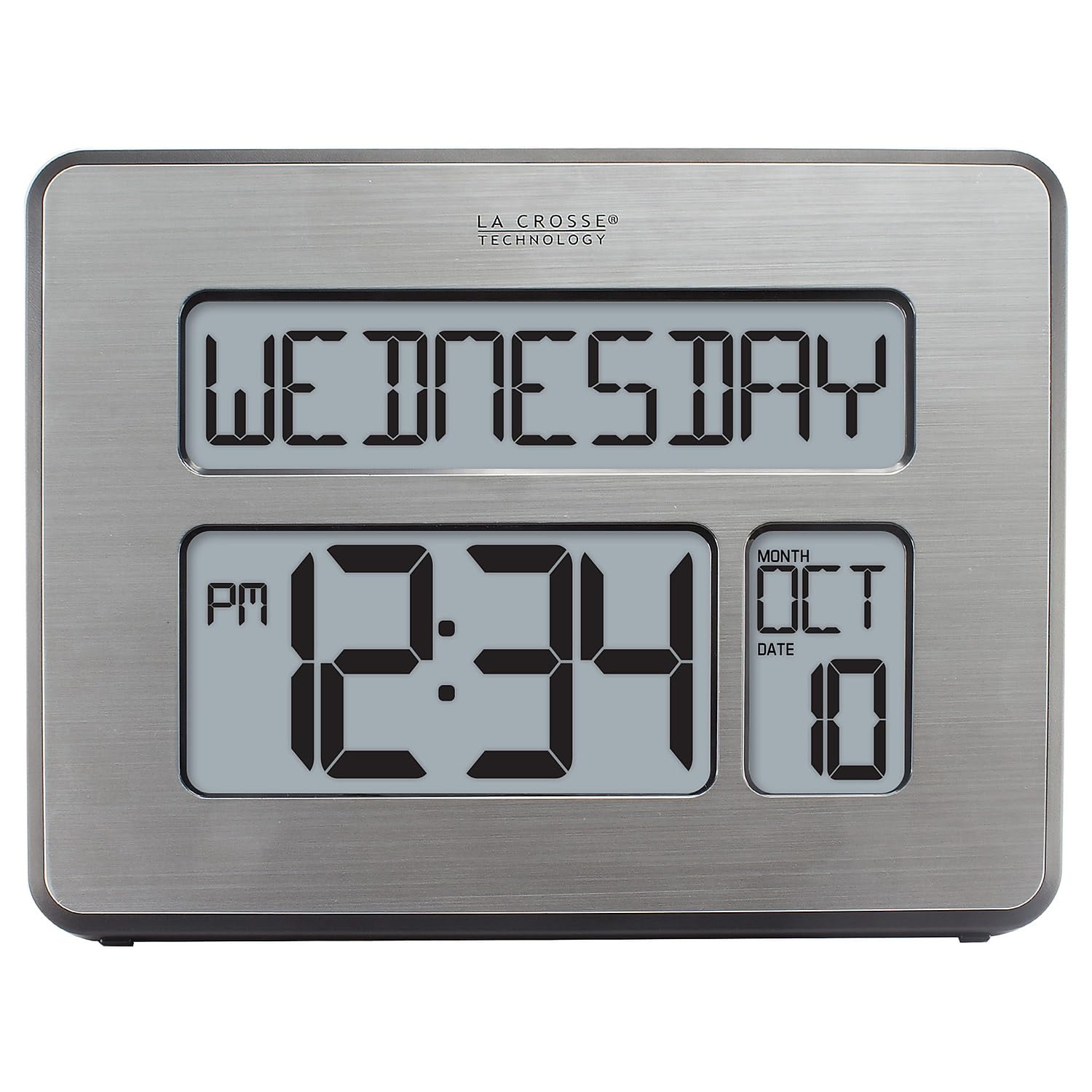
Unlike the plug-in digital models above, the La Crosse C86279 is an atomic clock that self-sets the time by syncing with the WWVB radio signal from Fort Collins, Colorado. This is a unique advantage for caregivers who want absolute time accuracy without any manual adjustment — no DST resets, no battery replacements for timekeeping. The extra-large digits are undeniably readable, and the adjustable display mode can show the full weekday, weekday plus date, seconds, or indoor temperature.
The trade-off is significant. This clock uses a light blue-on-black LCD that offers far lower contrast than the white-backlit IPS screens of the Pastigio or AINFTIME models. Multiple users report a very narrow viewing angle — the display is only legible when looking directly at it from straight ahead. The backlight works only when the unit is plugged into the AC adapter, and even then the brightness is modest. For a dementia patient who may not always sit directly in front of the clock, this reduces usability.
The alarm is loud with a 10-minute snooze, and the display can show indoor temperature in Fahrenheit or Celsius, which is useful for monitoring the room environment. Real-world feedback is polarized: customers who need an atomic-synced clock for general timekeeping love it, while those using it as a dementia orientation tool often mention the poor legibility from an angle and the too-small AM/PM indicator.
Why it’s great
- Atomic time self-sets without any manual adjustment
- Extra-large digits for basic time readability
- Displays indoor temperature as an added utility
- Runs on batteries or AC adapter for flexible placement
Good to know
- Very narrow viewing angle — must be viewed straight on
- Light blue-on-black LCD has poor contrast compared to IPS
- PM indicator is too small for dementia users to see clearly
5. Aowasi 7-Inch Digital Calendar Clock
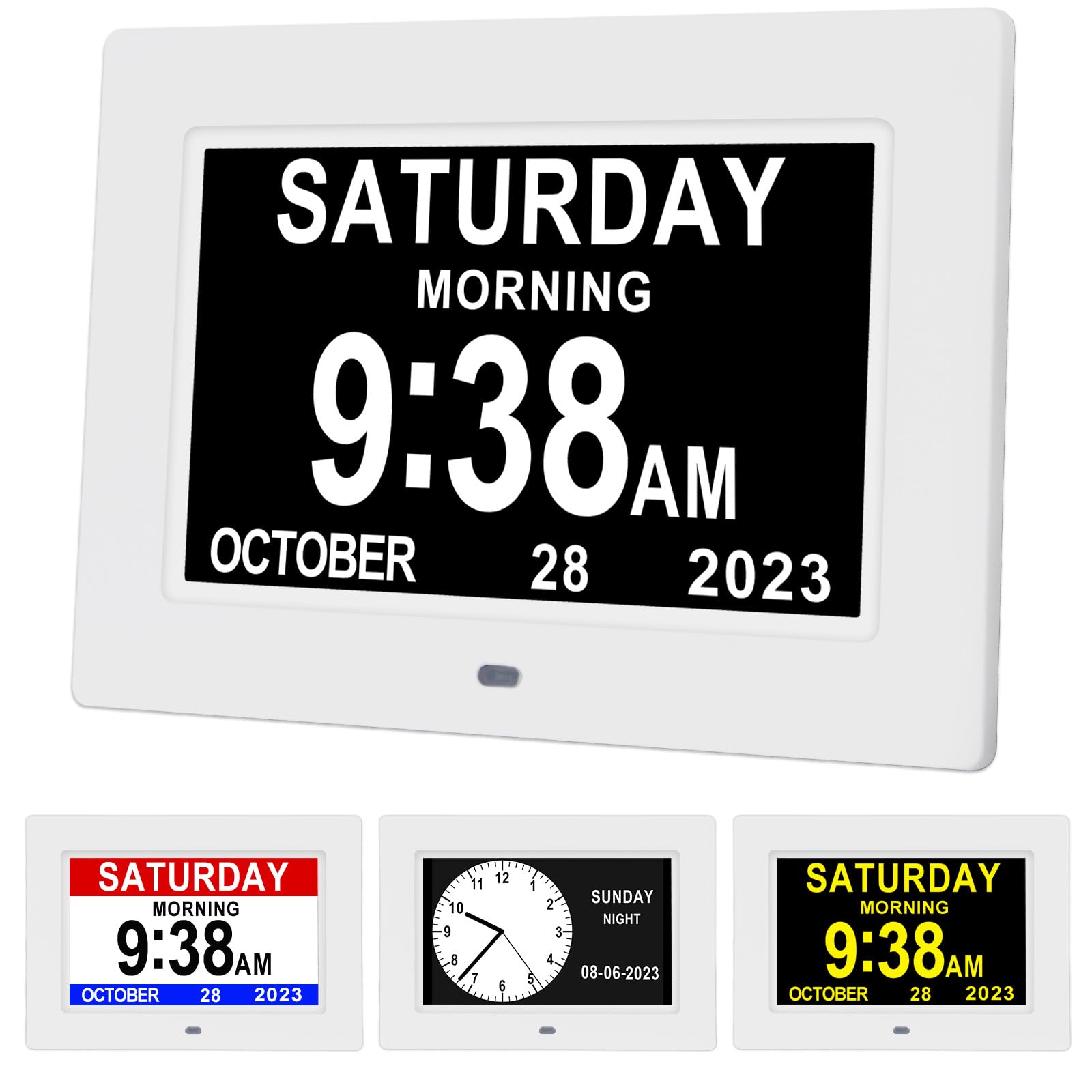
The Aowasi provides a solid entry-level option for caregivers on a tighter budget. Its 7-inch high-resolution IPS screen displays the time, date, month, and year without abbreviations, matching the readability standard of pricier models. The high white-to-black contrast ensures the text is visible even in bright rooms, and the auto-dimming function dims the screen from 7:00 pm to 7:00 am for nighttime comfort. Eight language options — including English, French, German, and Spanish — make it suitable for multilingual households.
With 12 alarms, it matches the upper-tier models in scheduling capacity, though the alarms are text-based rather than icon-based. The built-in battery backup saves the date and time during a power outage, but the unit requires AC power for normal operation — no batteries are included. The 5-foot cord offers adequate placement flexibility for most countertops or desks. Setup is straightforward, as noted by multiple users who report the clock “worked right out of the box.”
The main drawbacks are the manual daylight saving time adjustment — this model does not auto-switch, which means a caregiver must remember to change it twice a year — and the absence of a remote control, so all settings are adjusted via the device buttons. Real-world users consistently praise its “clear display” and “helpful” orientation benefit for dementia patients, but some note the lack of DST automation as a recurring minor hassle.
Why it’s great
- Low cost entry with high-contrast 7-inch IPS display
- 12 alarms cover a full day of medication and meal reminders
- 8 language options for multilingual caregivers
- Battery backup retains settings during power outages
Good to know
- Manual DST adjustment — no automatic daylight saving sync
- No remote control — all settings via device buttons
- Alarms are text-only without built-in icons
FAQ
Why does a dementia calendar clock need to show the full weekday name?
How many alarms are necessary for a dementia patient’s daily routine?
Can a clock with manual DST adjustment still work for dementia patients?
Final Thoughts: The Verdict
For most users, the best calendar for dementia patients winner is the Pastigio 7-inch because it combines the highest contrast IPS screen among the models tested with 12 icon-cued reminders and a remote control that simplifies caregiver operation. If you want automatic DST and a larger 10.1-inch display that also doubles as a digital photo frame, grab the AINFTIME. And for a budget-friendly entry point that still delivers a non-abbreviated display and 12 alarms, nothing beats the Aowasi 7-inch.

Mo Maruf
I created WellFizz to bridge the gap between vague wellness advice and actionable solutions. My mission is simple: to decode the research and give you practical tools you can actually use.
Beyond the data, I am a passionate traveler. I believe that stepping away from the screen to explore new environments is essential for mental clarity and physical vitality.