Our readers keep the lights on and my smoothie glass nicely filled. As an Amazon Associate, I earn from qualifying purchases.
The moment you stand up from a sitting desk, your knee brushes against a nest of charging bricks, power strips, and loose cables that have colonized the floor beneath you. That tangled mess isn’t just ugly — it collects dust, trips feet, and makes every plug-unplug dance a guessing game. A proper rail or channel below the desktop transforms that chaos into a single, invisible layer, letting you focus on the screen instead of the spaghetti.
I’m Mohammad Maruf — the founder and writer behind WellFizz. I’ve spent hundreds of hours analyzing under-desk tray dimensions, clamp thickness tolerances, steel gauges, and self-adhesive peel strengths so you don’t have to guess which organizer actually holds a chunky surge protector without sagging.
Whether you work from a standing desk, a glass table, or a heavy wooden workbench, the right hardware hides your cables cleanly and keeps them accessible. Read on to find your ideal cable management for desk.
How To Choose The Best Cable Management For Desk
Picking the right organizer depends entirely on your desk’s underside geometry, the bulk of your power bricks, and whether you’re willing to drill holes or need a rental-friendly no-drill solution. Focus on three factors before buying anything.
Mounting Method — Clamp, Screw, or Adhesive
Clamp-on trays (adjustable jaw) work on desks up to about two inches thick and leave zero marks when removed — ideal for standing desks and rented spaces. Screw-mount trays offer the strongest hold, supporting heavier loads without sagging, but require drilling. Self-adhesive options are quick and tool-free but typically cap out around four to six pounds; the tape needs a clean, flat, dust-free surface and a full 24-hour cure before loading cables.
Tray Width, Depth, and Weight Capacity
A tray must be wide enough to fit your surge protector or power strip lengthwise — standard strips run 12–14 inches, so a 15.7-inch interior is a common sweet spot. Depth matters for bulky laptop bricks: a 4.7-inch deep channel can hold most adapters, while a 7-inch wide tray provides extra headroom. Check the rated load — cheap trays buckle under 10 pounds, while premium steel models handle 15–20 pounds without bending.
Material and Airflow Design
Powder-coated carbon steel resists rust and stays rigid over time; avoid thin aluminum that flexes under heavy bricks. Open mesh or slotted designs let heat dissipate from power strips and adapters, reducing fire risk inside an enclosed space. A solid tray traps heat and dust, so look for perforations or a honeycomb pattern if you plan to run power-hungry devices.
Quick Comparison
On smaller screens, swipe sideways to see the full table.
| Model | Category | Best For | Key Spec | Amazon |
|---|---|---|---|---|
| REFLYING No Drill Tray | Under-Desk Tray | All-around clean setup | 15.7″ L x 6.3″ W, Powder-coated steel | Amazon |
| LOVJOYSE 25.3″ Tray | Under-Desk Tray | Extra-long setups, 15 lb load | 25.3″ L x 4.72″ W, Clamp mount, 15 lb capacity | Amazon |
| G.Sumiker Extra-Wide Tray | Under-Desk Tray | Bulky power strips, 20 lb needs | 13.55″ L x 7″ W, Clamp/screw, 20 lb capacity | Amazon |
| REFLYING Raceway Duct Kit | Raceway Channel | Individual cable hiding along walls | 8 x 15.4″ L pieces, 1.97″ H x 1.97″ W, polymer | Amazon |
| Delamu 2-Pack U-Channel | Under-Desk Channel | Compact desk, dual tray value | 15.75″ L x 4.72″ W each, Alloy steel, tape/screw mount | Amazon |
In‑Depth Reviews
1. REFLYING Under Desk Cable Management Tray

This REFLYING tray nails the balance of size, ease, and rigidity that most setups need. The powder-coated carbon steel body spans 15.7 inches wide and 6.3 inches deep — enough room to seat a standard power strip plus a couple of laptop bricks side by side without forcing cables into a crimp. The hollow curved design underneath the desk leaves an open channel that prevents dust from settling and lets heat from adapters dissipate naturally.
Installation is genuinely tool-free: adjustable clamps with soft rubber pads grip desk edges up to about two inches thick, leaving no marks on wood, glass, or metal surfaces. The clamps lock securely without needing a screwdriver, and the tray holds steady under the weight of a fully loaded surge protector. Five included cord organizers snap onto the edge to route individual cables cleanly out of sight.
Multiple customer builds confirm this tray fits double-row power strips and bulky PC bricks without sagging. Some users noted the clamps require a clean, flat underside with at least 0.6 inches of clearance for the jaw; if your desk has a cross-support beam near the edge, measure first. It’s the most versatile single-tray solution for standard home and office desks.
Why it’s great
- Sturdy steel holds power strips and heavy bricks without flexing
- No-drill clamps install in under a minute and won’t scratch surfaces
- Hollow curved design improves airflow and minimizes dust collection
Good to know
- Desk edge must be free of support strips for clamp fit
- Only available in white — may not match dark desks
2. LOVJOYSE Under Desk Cable Management Tray
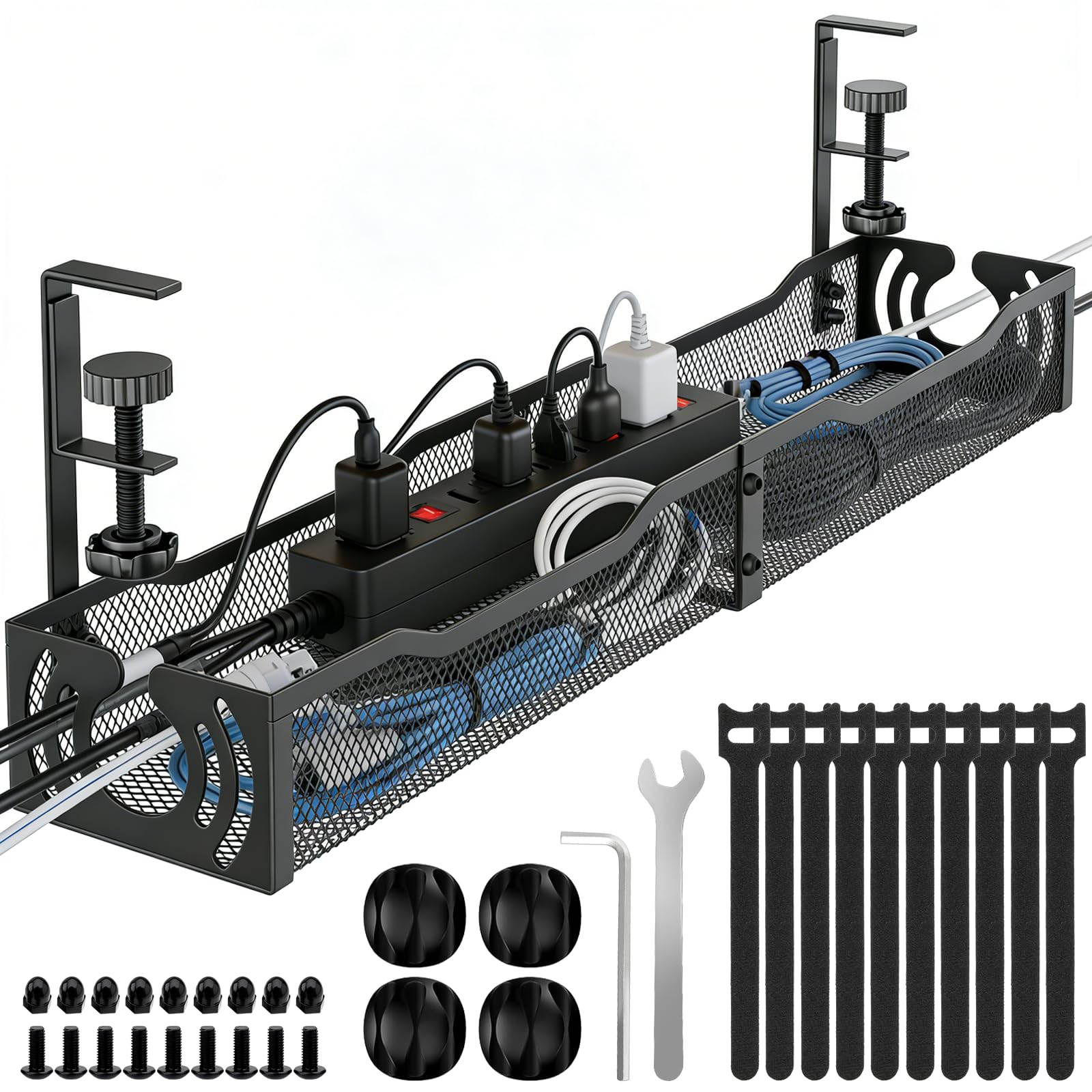
If your desk spans 60 inches or more and you need to wrangle cables from a multi-monitor workstation, this 25.3-inch tray from LOVJOYSE gives you the longest continuous channel in this lineup. The open mesh steel construction can support up to 15 pounds, so you can load it with multiple power strips, USB hubs, and adapter bricks without worrying about the tray bowing in the middle.
The clamp-on mount uses a twist-lock mechanism with soft rubber pads rated for desks up to two inches thick. No drilling, no tape — just tighten the knobs by hand. Two large access holes on either end of the tray let you feed cables from both sides, making it easy to route a central power strip toward a left-mounted PC or a right-mounted monitor arm. The 4.72-inch depth is standard, so oversized laptop bricks will fit as long as they aren’t taller than the side lip.
User reviews consistently praise the solid build and the clean look it gives to sprawling office setups. A few people with thick desktop surfaces (over 2 inches) found the clamp jaw too shallow to grip securely, and because this tray is wider than standard, it may overhang a narrow desk’s underside. Measure your desk thickness and width before ordering.
Why it’s great
- Extra-long 25.3-inch span holds entire office cable load in one tray
- 15-pound weight capacity handles heavy adapters without sagging
- Twist-lock clamps install quickly and require zero tools
Good to know
- Clamp depth maxes out at 2 inches — not for extra-thick desktops
- Open mesh design exposes cables to dust if not vacuumed occasionally
3. G.Sumiker Extra Wide Cable Management Tray
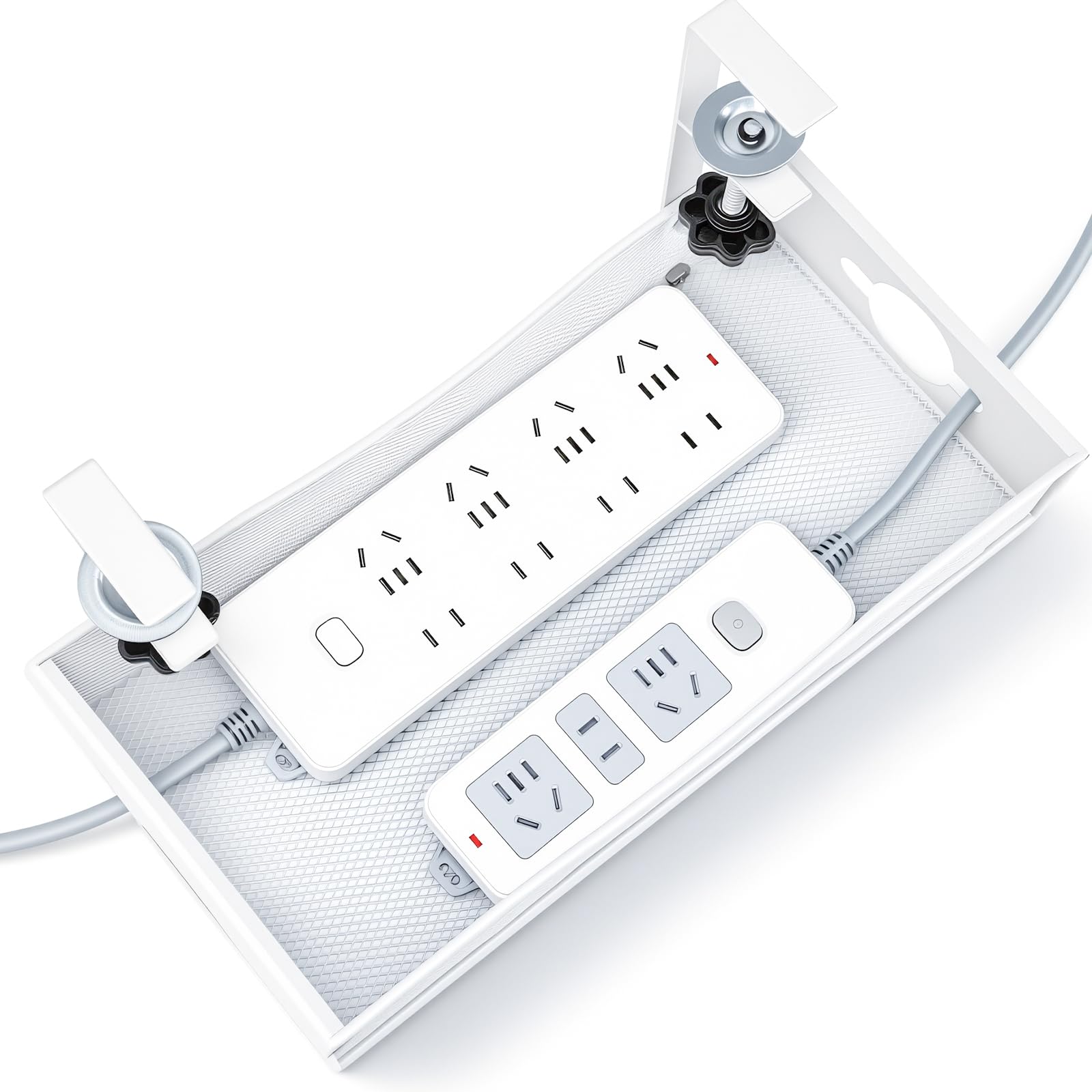
Standard trays at 4.7 inches deep can feel cramped when you need to cram in a wide surge protector, a router, or multiple thick charging cubes. G.Sumiker’s tray stretches 7 inches wide — roughly 30 percent more horizontal storage than typical models — so you can drop in a bulky power strip and still have room to tangle-free route cables above and below it. Rated at 20 pounds, this is the strongest load-bearing tray in the group.
The installation is flexible: adjustable clamps accommodate desk thickness from 0.4 to 2 inches for a no-drill approach, or you can screw the tray directly into wood for a permanent mount. The premium thick steel is reinforced to prevent sagging even under heavy loads, and the white powder-coat finish blends with light-colored desks. The 13.55-inch length is shorter than some competitors, but the extra width compensates by letting you store power strips sideways.
Most reviewers found the clamp grip reliable on standard desks. The one recurring issue is compatibility with desks that have a support strip or crossbar running flush along the underside edge — the clamps need a clean, flat surface to bite. If your desk has an apron, measure the offset distance first.
Why it’s great
- 7-inch wide design accommodates oversized surge protectors and routers
- 20-pound capacity handles the heaviest desk setups
- Dual clamp and screw mounting options for permanent or rental use
Good to know
- Short 13.55-inch length may not cover long cable runs in one tray
- White color only; black desks may show contrast
4. REFLYING Open Slot Wiring Raceway Kit
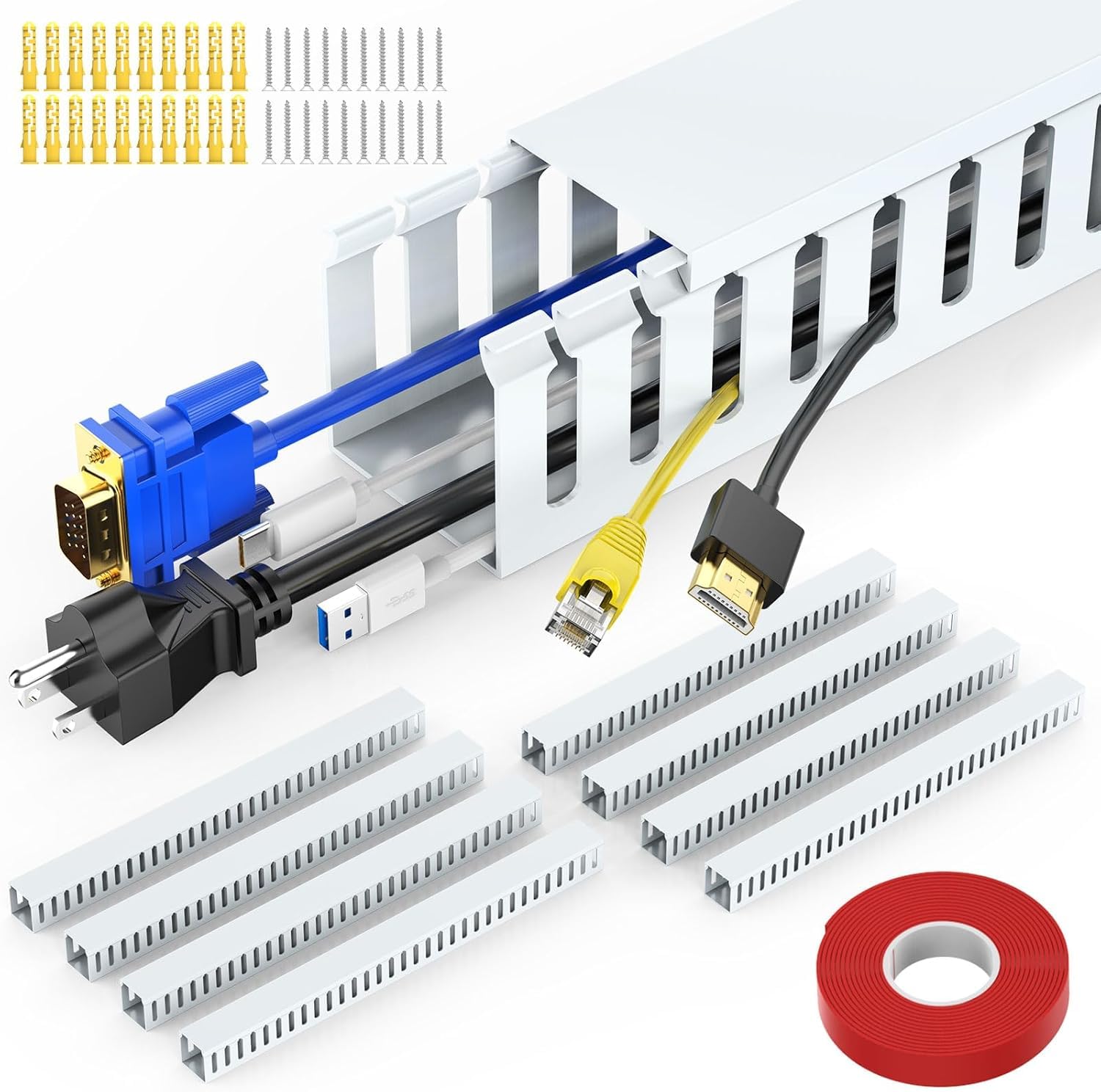
Not every cable mess lives under the desk surface — sometimes you need to run individual cords along a wall, a desk leg, or the back of a monitor stand. This REFLYING raceway kit gives you eight polymer channels, each 15.4 inches long, with a 1.97 by 1.97-inch interior cross-section. That’s enough space to run up to 13 Cat6 cables or a mix of HDMI, USB, and power cords inside a single enclosed track.
Installation is straightforward: peel the 3M adhesive backing and press the base channel onto a clean, flat surface, then snap the cover on. Screws are also included for a more permanent hold on wood or drywall. The polymer material is rigid but can be cut with a hacksaw to any custom length. The white color is paintable, so you can match the duct to your wall or desk finish.
Users highlight the strong adhesive — once applied, it doesn’t peel off — but note that the 15.4-inch sections can feel short if you need to cover a long vertical drop. You’ll need multiple packages for a full wall-length cable cover. A few people mentioned that the cover snaps are tight, making later adjustments slightly fiddly.
Why it’s great
- Enclosed channel hides individual cables completely, leaving a clean wall surface
- Adhesive and screw dual mount works on walls, desks, and furniture
- Paintable white polymer blends with most wall colors
Good to know
- Each 15.4-inch section is short for long vertical runs — you’ll need multiple packs
- Snap-on cover can be tedious to remove once installed
5. Delamu 2 Pack Metal Under Desk Cable Management Tray
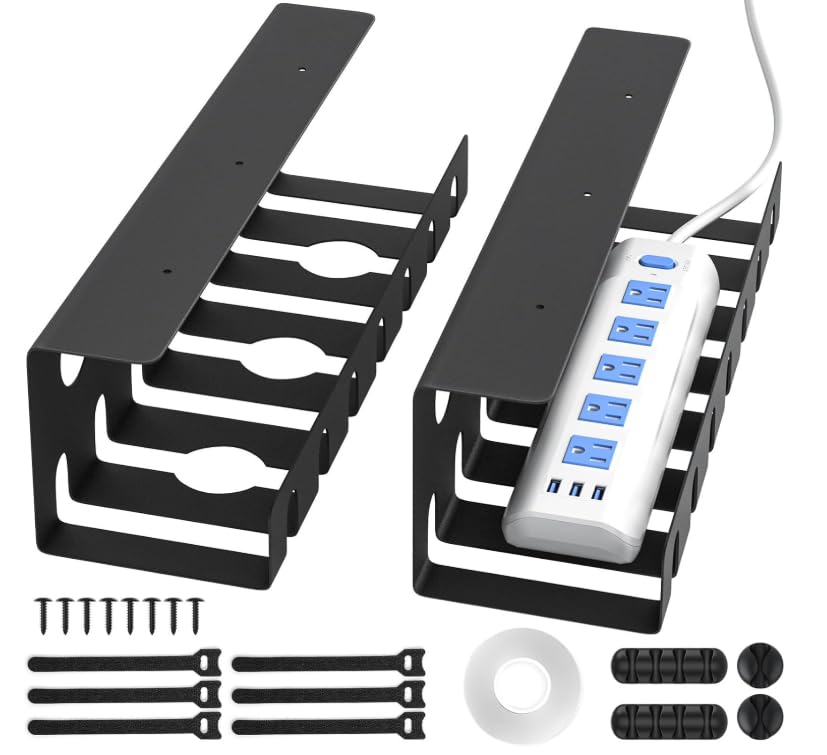
If you have two separate zones under your desk — one for the PC and one for peripherals — this twin-pack of U-shaped steel channels from Delamu gives you dedicated drop zones without paying for a single long tray. Each channel measures 15.75 inches long and 4.72 inches deep, made from alloy steel with rounded corners and a powder-coated black finish. Multiple pre-drilled holes and grooves improve heat dissipation from power bricks.
The kit includes two mounting options: self-adhesive nano tape for tool-free installation (rated to hold 4 pounds per tray) or screws for a more secure hold that supports up to 11 pounds. You also get cable ties, single-hole and four-hole cord holders, and screws. The tape method is the quicker route, but many users found the tape didn’t hold on textured or dusty surfaces after a few days, eventually switching to screws — which are short and may not penetrate thick hardwood.
Reviewers consistently praise the metal build quality for the price point. The U-shape works well for standard power strips and laptop bricks, but the tape adhesion reliability is the main compromise. If you’re comfortable drilling two small pilot holes, this is an excellent value.
Why it’s great
- Two separate trays let you organize left and right desk zones independently
- Alloy steel build feels heavier and more rigid than budget plastic alternatives
- Includes cable ties and cord holders for complete cable routing
Good to know
- Self-adhesive tape may fail on textured surfaces; screws provide a more reliable hold
- Included screws are short — not ideal for extra-thick wood desktop
FAQ
Will a clamp-on tray scratch or damage my desk surface?
How do I measure my desk to know which tray fits?
Can I install a cable management tray on a glass desk?
Final Thoughts: The Verdict
For most users, the cable management for desk winner is the REFLYING Under Desk Cable Management Tray because it combines a sturdy steel build, no-drill clamp installation, and a spacious 15.7 x 6.3-inch platform that fits standard power strips and bricks without sagging. If you need to cover a long multi-monitor setup, grab the LOVJOYSE 25.3-inch tray for its extra length and 15-pound capacity. And for a budget-friendly dual-zone solution, the Delamu 2-Pack U-Channel offers solid metal quality at a low entry cost.

Mo Maruf
I created WellFizz to bridge the gap between vague wellness advice and actionable solutions. My mission is simple: to decode the research and give you practical tools you can actually use.
Beyond the data, I am a passionate traveler. I believe that stepping away from the screen to explore new environments is essential for mental clarity and physical vitality.