Our readers keep the lights on and my smoothie glass nicely filled. As an Amazon Associate, I earn from qualifying purchases.
Outdated laptops tether you to the desk, while consumer-grade tablets leave you juggling a keyboard that never quite feels right. The search for a single device that handles spreadsheets, video calls, and note-taking without compromise usually ends in disappointment. A business-ready tablet changes that equation.
I’m Mohammad Maruf — the founder and writer behind WellFizz. My focus is on dissecting hardware specifications and real-world workflow performance for professionals who need their devices to keep pace, not become another project.
Whether you need a precision stylus for contract annotations, a rugged chassis for field work, or a detachable laptop replacement that runs full desktop software, this guide will help you find the right business tablet for your specific daily demands.
How To Choose The Best Business Tablet
Business tablets sit at the intersection of mobile convenience and desktop capability. Your choice should hinge on the operating system that runs your core applications, the physical durability your job site demands, and the input method—stylus, keyboard, or touch—that defines your daily workflow. Start with what software you cannot live without, and let that steer every other decision.
Operating System: The Non-Negotiable Foundation
Windows tablets run full desktop applications like AutoCAD, Microsoft Office with macros, and proprietary enterprise software. Android tablets offer a vast consumer app library with strong stylus support for note-taking and media but lack native full-featured desktop apps. iPadOS bridges the gap with powerful creative tools and tight Apple ecosystem integration but can feel restrictive for file management and multi-window workflows compared to Windows.
Input Method: Keyboard Feel and Stylus Precision
If typing lengthy reports is your main task, a detachable keyboard with decent key travel is mandatory. For architects, designers, and notetakers, a stylus with at least 4,096 pressure levels, low latency, and palm rejection is essential. Look for systems that offer both without compromise—a magnetic keyboard cover and a battery-free pen stored on the device.
Performance and Portability Balance
Raw CPU speed helps, but for business tablets, RAM (8GB minimum, 12-16GB ideal) and storage type (UFS 3.0 or NVMe SSD) matter more for real-world multitasking. A 10-12 inch display with a 16:10 or 3:2 aspect ratio provides a good balance of screen real estate for documents and portability for travel. Battery life should realistically exceed a full workday—8 hours minimum under mixed use.
Quick Comparison
On smaller screens, swipe sideways to see the full table.
| Model | Category | Best For | Key Spec | Amazon |
|---|---|---|---|---|
| Microsoft Surface Pro (2025) | 2-in-1 Laptop | Full Windows desktop apps on the go | Snapdragon X Plus, 16GB RAM | Amazon |
| Samsung Galaxy Tab S10+ Plus | Android Premium | Note-taking and Samsung Notes AI | 12.4″ AMOLED, 10,090mAh battery | Amazon |
| Samsung Galaxy Tab S11 | Android Premium | Stylus precision and portability | 11″ Dynamic AMOLED 2X, 12GB RAM | Amazon |
| Wacom MovinkPad Pro 14 | Creative Pro | All-in-one portable digital art studio | 14″ OLED, 8,192 pen pressure | Amazon |
| MUNBYN Rugged Tablet IRT08 | Industrial Rugged | Heavy-duty field work and construction | MIL-STD-810G, 4G LTE, hot-swap battery | Amazon |
| Fusion5 FWIN232 PRO N5 | USA Assembled | Rugged Windows with 2-year warranty | Intel N100, 12GB RAM, 512GB SSD | Amazon |
| ONERugged M80J | Compact Rugged | One-handed field mobility | 8″ FHD, IP65, hot-swap battery | Amazon |
| Lenovo Idea Tab Pro | Mid-Range Android | Media consumption and light study | 12.7″ 3K LCD, MediaTek Dimensity 8300 | Amazon |
| TCL NXTPAPER 14 | Eye Care Creative | Long reading sessions and sheet music | 14.3″ anti-glare, 10,000mAh battery | Amazon |
| TABWEE T60 | Value Bundle | Budget-friendly all-in-one kit | 12.2″ 2.5K display, 48GB total RAM | Amazon |
| QAZIPO 2-in-1 | Entry-Level Windows | Detachable Windows with Office license | 12″ 2K touch, Intel 6500Y, 12GB RAM | Amazon |
In‑Depth Reviews
1. Microsoft Surface Pro 2-in-1 Laptop/Tablet (2025)

The Surface Pro remains the gold standard for professionals who need a full Windows desktop operating system in a tablet form factor. Powered by the Snapdragon X Plus processor with a dedicated AI engine, this 12-inch 2-in-1 delivers up to 45 trillion operations per second, handling complex Excel models, multiple browser windows, and video conferencing simultaneously without stutter. The PixelSense touchscreen at 12 inches provides crisp detail, and the built-in kickstand allows for stable lap use or desk setup without an external stand.
Performance is genuinely laptop-grade, with 16GB of RAM and a 512GB NVMe SSD ensuring your entire project library loads instantly. Battery life reaches up to 16 hours on a mixed workload, which means you can leave the charger at home for a full day of client meetings. The device runs Windows 11 as a Copilot+ PC, integrating AI features for summarization and writing assistance directly into the workflow. Facial recognition via Windows Hello makes secure logins frictionless.
The main trade-off is the keyboard and pen are sold separately, pushing the total investment higher. The sealed design means no user-upgradeable storage or RAM, and raw photo editing (like Lightroom Denoise) runs slower than dedicated workstations. But for general business productivity, document creation, and secure enterprise deployment, this is the most well-rounded professional tablet available.
Why it’s great
- True laptop-class CPU with AI acceleration for real-time summarization and multitasking
- Up to 16-hour battery easily outlasts a full workday away from power
- Lightweight magnesium chassis with integrated kickstand for flexible use anywhere
Good to know
- Keyboard and Slim Pen sold separately — a significant additional expense
- No microSD slot or user-replaceable SSD limits future storage expansion
- Creative and photo editing tasks are slower than dedicated high-end laptops
2. Samsung Galaxy Tab S10+ Plus 12.4” 512GB

The Galaxy Tab S10+ Plus redefines what a large-screen Android tablet can do for business users. Its 12.4-inch Dynamic AMOLED 2X display delivers stunning color accuracy and deep blacks, making document review, video presentations, and digital note-taking exceptionally enjoyable. The MediaTek Dimensity 9300+ processor paired with ample RAM ensures fluid multitasking across Samsung Notes, email, and video calls without a hint of lag.
Galaxy AI tools are the standout feature for professionals. Note Assist automatically formats, organizes, and summarizes handwritten meeting notes, while Sketch to Image transforms rough diagrams into polished visuals. The included S Pen requires no charging and offers a precise, low-latency writing experience that rivals dedicated e-ink notetakers. Battery life hits 8-10 hours under mixed use, and the 10,090mAh capacity sustains long days of lectures or field visits. The IP68 rating means dust and water spills are non-issues.
The Android ecosystem limits full desktop software compatibility—your accounting package or proprietary business tool must have a mobile version or work through a browser. The tablet is also on the larger side, making one-handed use impractical. But for professionals embedded in the Samsung ecosystem who demand a premium display and best-in-class stylus note-taking, this is a top-tier choice.
Why it’s great
- 12.4″ Dynamic AMOLED 2X display is brilliant for presentations and detailed document review
- Galaxy AI Note Assist automates meeting note organization and summarization
- IP68 water and dust resistance provides real peace of mind for mobile professionals
Good to know
- Android OS limits compatibility with full Windows desktop business software
- Large footprint makes it less comfortable for one-handed use during commutes
- Charging is notably slow despite a large battery capacity
3. Samsung Galaxy Tab S11 128GB WiFi

The Galaxy Tab S11 brings flagship-level features to a slightly smaller and more affordable package than the S10+. Its 11-inch Dynamic AMOLED 2X display with Vision Booster maintains excellent readability in bright conditions, and the 12GB of RAM ensures apps stay open and responsive throughout busy days. The included S Pen supports Drawing Assist and Note Assist, making this a compelling option for professionals who split time between note-taking and creative mock-ups.
Performance is snappy for all standard business tasks—email, web browsing, document editing, and video calls. The 3nm MediaTek processor keeps thermals in check during sustained use, and the 16:10 aspect ratio is comfortable for split-screen multitasking with a document on one side and a browser on the other. The IP68 rating adds durability, and the slim 5.5mm profile makes it genuinely portable. Battery life is strong, often lasting a full week of light use or a long day of screen-on time.
Storage is limited to 128GB out of the box, though microSD expansion is supported. The 60Hz refresh rate is a notable downgrade compared to the 120Hz panels common in competitors, which means scrolling and pen input feel slightly less fluid. For users who prioritize a sharp, colorful screen and Samsung’s excellent software ecosystem without needing the absolute largest display, this is a smart mid-range investment.
Why it’s great
- Brilliant 11″ AMOLED display with Vision Booster for outdoor visibility
- 12GB RAM enables smooth multitasking across office and creative apps
- S Pen included with no charging required and excellent palm rejection
Good to know
- 60Hz refresh rate makes scrolling less smooth than 120Hz competitors
- Base 128GB storage fills quickly for media-heavy workflows
- Charging is slower than competing Android tablets
4. Wacom MovinkPad Pro 14

The Wacom MovinkPad Pro 14 is a specialized tool for creative professionals who need a dedicated digital art studio that requires no computer at all. Running Android 15 with a Snapdragon 8s Gen 3 processor and 12GB of RAM, this device handles Clip Studio Paint and Infinite Painter with zero lag on large canvases. The 14-inch 3K OLED display covers 100% sRGB and DCI-P3, providing the color accuracy essential for client-facing design work.
The star of the show is the Wacom Pro Pen 3 Slim, which delivers 8,192 pressure levels and never needs charging—the same technology used in professional Cintiq tablets. The Premium Texture etched glass creates a genuine pen-on-paper drag with minimal parallax, perfect for precise line work. The anti-glare matte coating reduces reflections during long studio sessions. With 256GB of internal storage plus microSD expansion, your portfolio travels with you. Battery life reaches around 8 hours of active use.
The Android operating system, while clean and distraction-free, limits software compatibility to Android versions of creative apps. Full Adobe Creative Cloud on desktop is unavailable natively. The processor can feel strained with intensive filter effects like liquefy on very large files. This device is superb for illustrators, storyboard artists, and designers, but overkill—and restrictive—for general business productivity tasks.
Why it’s great
- Battery-free Wacom Pro Pen 3 with 8,192 pressure levels for professional-grade precision
- 14″ 3K OLED display with full DCI-P3 coverage and anti-glare etched glass
- All-in-one Android 15 design removes the need for a separate computer
Good to know
- Android OS prevents running full desktop Adobe Creative Cloud software
- Processor can slow down with complex filter effects on large files
- Limited to creative workflows; not a general business productivity device
5. MUNBYN Rugged Tablet IRT08

Built for industrial environments where consumer tablets simply fail, the MUNBYN IRT08 is a 10.1-inch Windows 11 Pro workhorse. It meets MIL-STD-810G standards, surviving 4-foot drops onto concrete, and its IP rating resists powerful water jets and heavy dust ingress. The Intel N5100 processor and 8GB of RAM handle warehouse management systems, GPS mapping software like Esri ArcGIS, and field inspection tools without complaint.
The detachable battery design is a game-changer for long shifts—swap in a fresh 5000mAh pack without shutting down, keeping barcode scanning and navigation running continuously. A sunlight-readable film is included, making the screen viewable under direct sun on construction sites or outdoor surveys. Connectivity includes 4G LTE, dual-band WiFi, and Bluetooth 5.1 for reliable off-grid operations. The handheld strap reduces fatigue during extended one-handed use.
The N5100 processor is not fast enough for heavy multitasking or video editing. The screen resolution at 1920×1200 is adequate but not sharp by modern standards, and the 10.1-inch form factor with bezels feels dated compared to edge-to-edge designs. Customer support has a strong track record of hardware replacements under the 2-year warranty, though finding replacement batteries in the US is difficult.
Why it’s great
- MIL-STD-810G certified for 4-foot drops and water jet resistance in harsh environments
- Hot-swappable battery design supports uninterrupted field work across multiple shifts
- Sunlight-readable display film enables outdoor use in direct sun
Good to know
- N5100 processor limits performance for heavy multitasking or creative work
- Screen with bezels appears dated and feels small for split-screen workflows
- Replacement batteries are hard to source in the US market
6. Fusion5 FWIN232 PRO N5 10.1” Windows Tablet
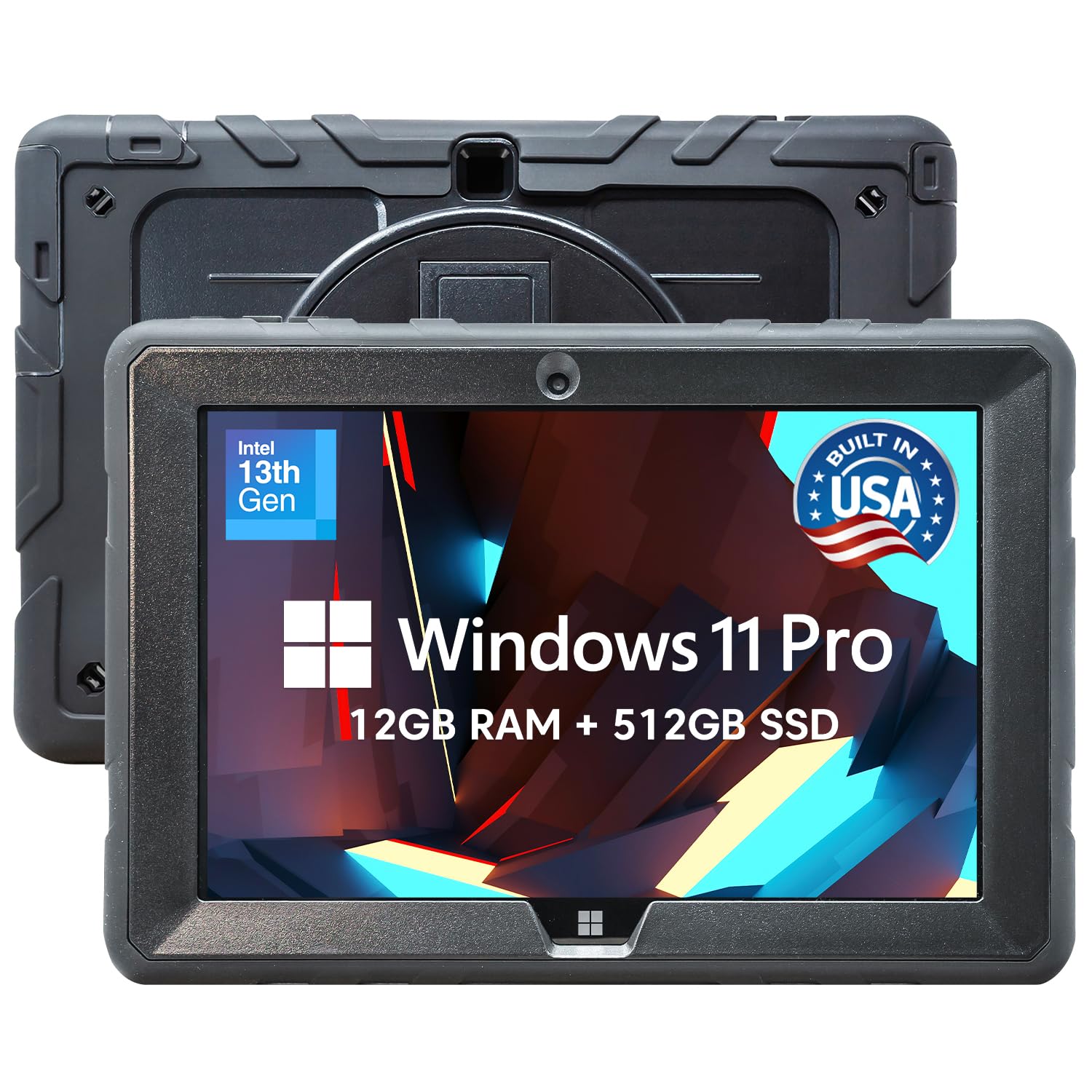
Assembled in Pasco County, Florida, the Fusion5 FWIN232 PRO N5 delivers a welcome combination of rugged build quality and robust after-sales support. The 10.1-inch 1920×1200 IPS display reaches 500 nits, making it usable in bright indoor environments and shaded outdoor areas. Powered by an Intel 13th Gen N100 processor with 12GB of RAM and a 512GB SSD, this Windows 11 Pro tablet handles field service software, diagnostic applications, and general office tasks smoothly.
The standout feature is the 2-year full warranty that includes accidental damage coverage—two incidents of drops or spills are covered with no extra cost. This confidence guarantee is rare in the Windows tablet space. The device includes a hands-free strap and a back-mounted stand for kiosk or vehicle use. Dual full HD cameras facilitate clear video calls, and the 6000mAh battery with FusionCharge fast charging powers through most of a workday.
Battery life is a moderate 5 hours under load, which may require a midday charge for heavy users. Some units have reported issues with Windows 11 updates failing, though customer support appears responsive. The build is thicker and heavier than non-rugged tablets, a necessary compromise for the drop protection. It is a solid choice for professionals who need a durable Windows machine with the peace of mind of hassle-free replacement.
Why it’s great
- 2-year full warranty with accidental damage coverage for drops and spills
- 12GB RAM and 512GB SSD provide smooth multitasking and ample project storage
- Assembled in the USA with quality control and responsive customer service
Good to know
- Battery life averages only 5 hours under sustained use
- Heavier and thicker than non-rugged consumer tablets
- Some units have reported Windows 11 update failures requiring support intervention
7. ONERugged M80J 8-inch Windows 11 Pro Tablet

When you need a Windows tablet that fits in one hand and survives extreme conditions, the ONERugged M80J is purpose-built. Its 8-inch 1920×1200 FHD display supports glove touch, allowing technicians to operate it while wearing protective gear in cold storage or hazardous environments. The IP65 rating ensures resistance to dust and water jets, while MIL-STD-810H certification guarantees survival from 4-foot drops across temperature ranges from -4°F to 140°F.
The Intel N5100 processor paired with 8GB of RAM handles barcode scanning, inventory management, and vehicle navigation without issue. The hot-swappable 5000mAh battery design is particularly clever—pop out the drained pack and slide in a fresh one without powering down, enabling continuous operation across double shifts. Connectivity includes 4G LTE, WiFi 6, and GPS/Glonass/Beidou for precise asset tracking in sprawling warehouses or remote sites.
The 8-inch screen with chunky bezels feels cramped for running complex Windows applications at their default scaling. Some users report web pages clipping at the edges, and Windows 11 can feel sluggish on the N5100 processor with standard updates and security software running. This is a specialized tool for field workers who need a tough, compact PC, not a general productivity device for desk use.
Why it’s great
- Compact 8-inch form factor with glove touch for use in protective gear
- Hot-swappable battery enables non-stop operation across multiple field shifts
- IP65 and MIL-STD-810H certification for extreme temperature and drop survival
Good to know
- 8-inch screen with bezels reduces usable display area for complex software
- N5100 processor can feel sluggish running Windows 11 and security tools
- Some users report web page display clipping at screen edges
8. Lenovo Idea Tab Pro with Google Gemini

The Lenovo Idea Tab Pro offers exceptional value for students and professionals who primarily consume content and work within Google’s ecosystem. Its 12.7-inch 3K LCD display with quad JBL speakers and Dolby Atmos provides a crisp, immersive experience for video presentations, webinars, and reading. The MediaTek Dimensity 8300 processor delivers solid performance for web browsing, document editing, and light multitasking, and the 8GB of RAM (with 4GB virtual expansion) keeps apps running smoothly.
Google Gemini AI is deeply integrated, enabling Circle to Search, note summarization, and real-time language assistance directly from the included Tab Pen Plus. The 90Hz display refresh rate makes scrolling feel smooth, and the low blue light certification reduces eye strain during long reading sessions. Battery life reaches up to 11 hours of video playback, and the 45W quick charging minimizes downtime between meetings or classes.
The tablet relies on a specific Lenovo 45W PD charger for fast charging; standard USB-C chargers result in extremely slow power delivery. The build is somewhat heavy at this screen size, and the Android interface includes some pre-installed bloatware that is locked from removal without a factory reset. GPS is not built-in, limiting navigation functionality. For pure productivity in the Google Workspace environment, it is a capable and affordable option.
Why it’s great
- Large 12.7″ 3K LCD display with quad JBL speakers for rich media consumption
- Google Gemini AI integration enables powerful text summarization and search
- 90Hz refresh rate provides smooth scrolling and pen input
Good to know
- Requires proprietary 45W PD charger for fast charging; standard adapters charge slowly
- Missing built-in GPS limits offline navigation capabilities
- Some pre-installed apps cannot be removed without a factory reset
9. TCL NXTPAPER 14 Android Tablet

The TCL NXTPAPER 14 is a uniquely specialized tablet for professionals whose work involves prolonged screen time. Its 14.3-inch 2.4K display uses NXTPAPER 3.0 technology with an anti-glare coating, DC dimming, and a dedicated blue light reduction filter that mimics the visual comfort of printed paper. The Eye Care Assistant automatically adjusts color temperature throughout the day and prompts regular breaks—a genuine boon for lawyers, editors, and musicians reading sheet music for hours.
The T-PEN stylus offers 4,096 pressure levels for note-taking and drawing, and the three display modes (Regular, Ink Paper, Color Paper) let you switch between vibrant video, e-paper-like reading, and muted creative palettes. The 10,000mAh battery delivers up to 10 hours of mixed use and supports reverse charging for topping up earbuds or a phone. The 256GB of internal storage provides ample space for document libraries and creative files.
The MediaTek Helio G99 processor is not built for heavy gaming or demanding multitasking. There is no microSD slot, so storage is fixed at 256GB. The included stylus has noticeable latency compared to Samsung or Wacom pens, and there is no built-in attachment point for the pen. The speakers are adequate but lack bass, and the tablet lacks a headphone jack. This is a reading and sheet music specialist, not a general-purpose business powerhouse.
Why it’s great
- Industry-leading paper-like display with anti-glare coating reduces eye strain significantly
- Three dedicated display modes optimize visuals for reading, art, and media
- Massive 10,000mAh battery with reverse charging supports all-day use
Good to know
- Helio G99 processor is too slow for heavy multitasking or demanding apps
- No microSD slot limits storage expansion to internal 256GB only
- Stylus has noticeable input lag and no built-in attachment on the tablet
10. TABWEE T60 12.2” Android 16 Tablet
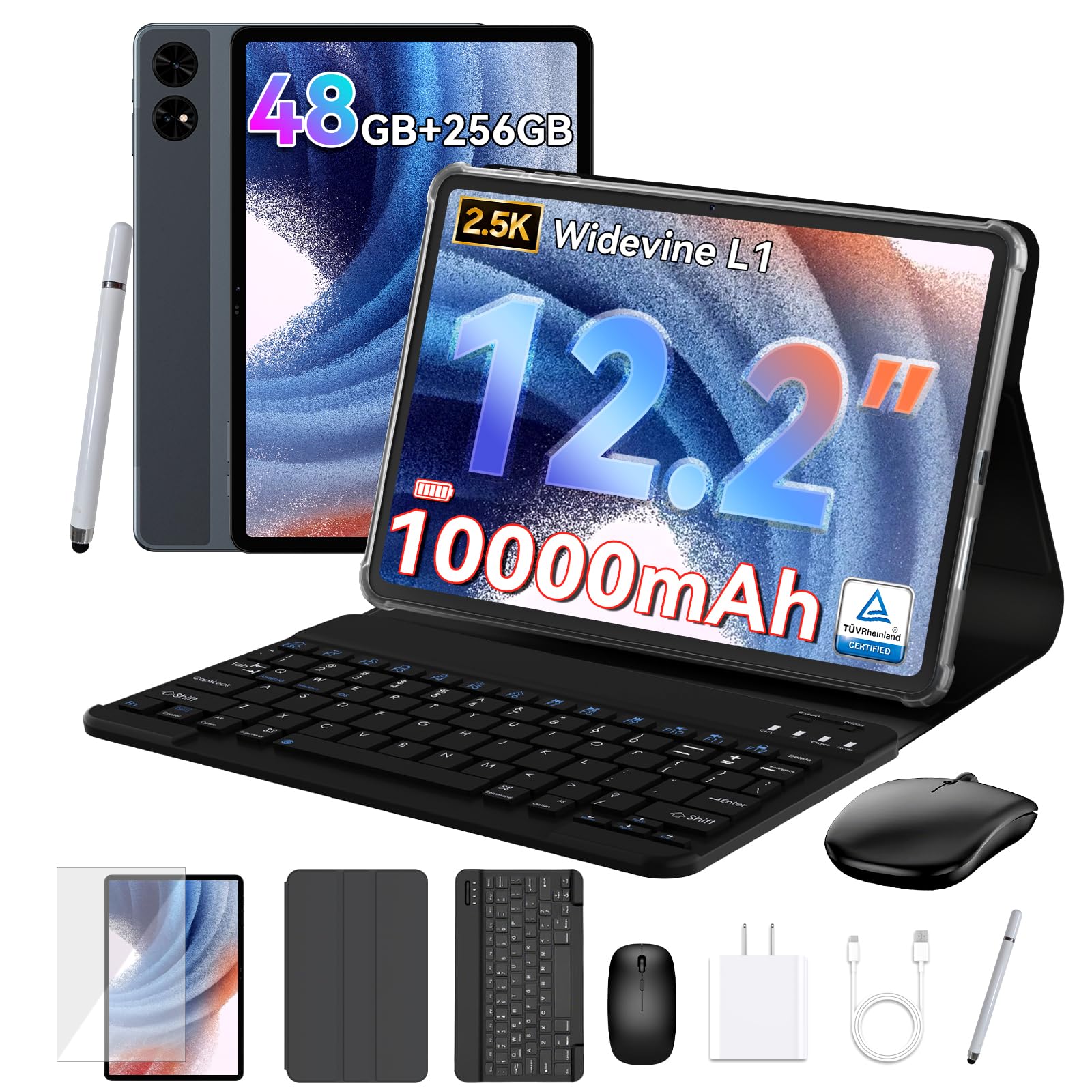
The TABWEE T60 aims to deliver maximum value for budget-conscious professionals who need a large-screen tablet with a complete accessory kit. It comes with a detachable keyboard, a mouse, and a stylus—all included in the box. The 12.2-inch 2.5K CSOT display with 99% sRGB coverage and an anti-glare finish provides a vibrant and readable canvas for document review, web browsing, and media consumption. The pre-installed Android 16 operating system with Gemini AI integration offers modern features like article summarization and translation.
The headline spec is 48GB of total RAM, achieved through 12GB of physical RAM plus 36GB of virtual expansion. This aggressive memory allocation keeps multiple apps active without reloading, making it effective for heavy browser tab usage. The 10,000mAh battery is claimed to last up to 72 hours of standby, and in real use, it outlasts many mainstream tablets. The Unisoc T7280 processor handles everyday business tasks and casual gaming without major lag.
The catch is that virtual RAM expansion does not match the speed of physical RAM, and some users report the system touch sensitivity is too high without adjustment options. The included mouse feels cheap, and speakers are described as poor by some owners. The 4-year warranty is industry-leading but relies on responsive customer service. For professionals on a tight budget who want a large screen, a keyboard cover, and stylus support in one package, this is the most affordable complete solution.
Why it’s great
- Complete bundle with keyboard, mouse, and stylus included at exceptional value
- 48GB total RAM (12+36 virtual) keeps multiple apps open without reloading
- 4-year warranty provides long-term coverage unmatched at this price tier
Good to know
- Virtual RAM expansion is slower than physical RAM for demanding tasks
- Touch sensitivity may be too high with no user adjustment available
- Included accessories (mouse, stylus) feel low quality compared to premium bundles
11. QAZIPO 2-in-1 Laptop Tablet
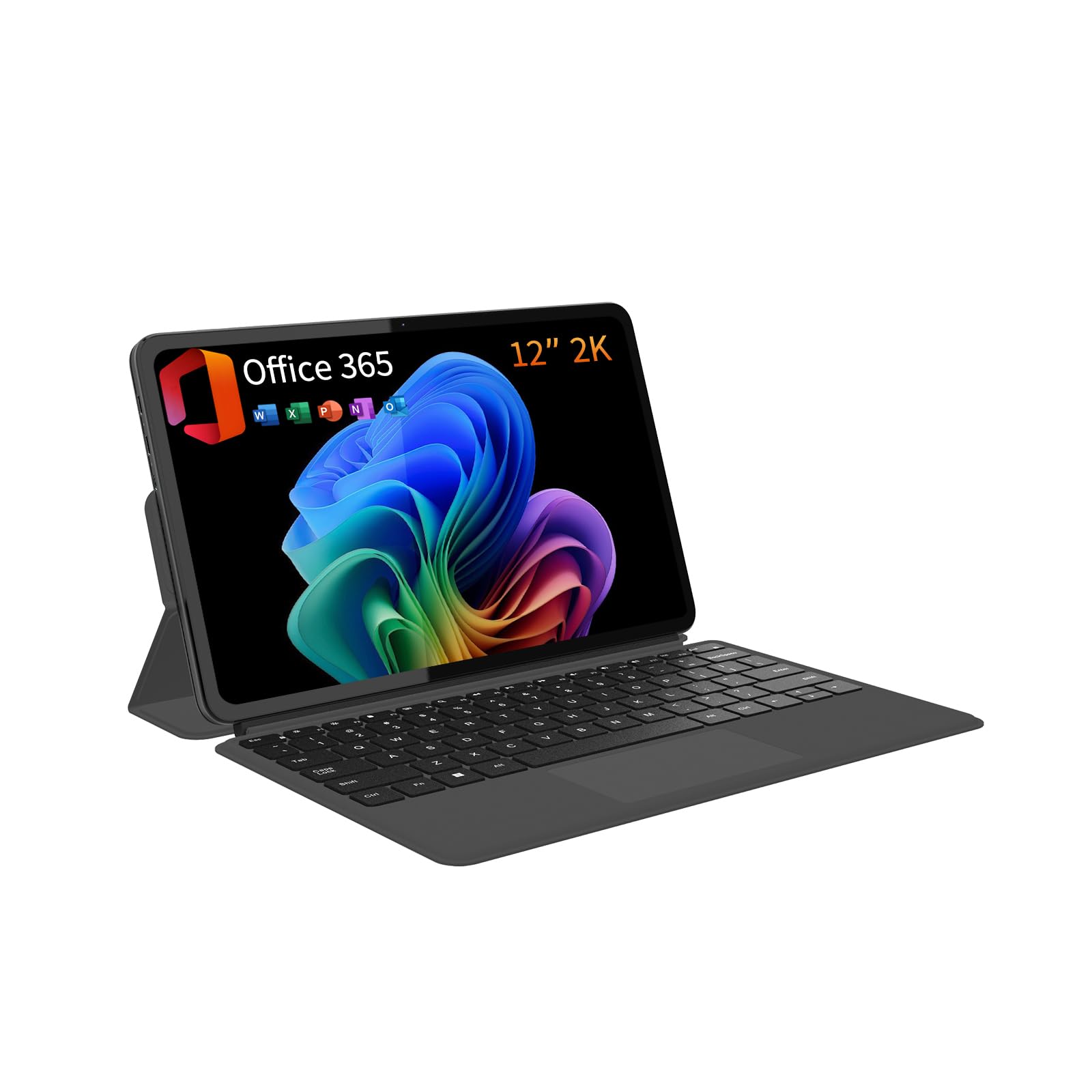
For professionals who absolutely need a full Windows desktop environment at the lowest possible price point, the QAZIPO 2-in-1 offers a compelling entry point. Its 12-inch 2K IPS touchscreen with 100% sRGB coverage delivers clear, color-accurate visuals for photo editing and presentations. The included magnetic leather case keyboard transforms the tablet into a credible laptop replacement for typing reports and managing spreadsheets.
The Intel Pentium Gold 6500Y processor with 12GB of RAM and a 512GB SSD provides adequate performance for web-based office suites, email, and video calls. The 1-year Office 365 subscription pre-installed is a genuine added value, eliminating the immediate cost of productivity software. The ultra-slim 0.36-inch profile and 1.4-pound weight make it genuinely portable, and dual USB-C ports with video output support connecting to external monitors.
The 6500Y processor is not powerful enough for demanding multitasking or running heavy business software locally. Some units have reported random freezing with 100% disk usage, and the device can get noticeably warm under load. Battery life averages around 5 hours, short for a full workday away from a charger. This is a budget-friendly option for light office work, note-taking, and media consumption—not a primary workstation for power users.
Why it’s great
- Full Windows 11 environment with included 1-year Office 365 subscription
- Ultra-slim and light design at 0.36″ and 1.4 pounds for effortless portability
- 12″ 2K IPS touchscreen with 100% sRGB provides excellent color accuracy
Good to know
- 6500Y processor struggles with heavy multitasking and demanding business apps
- Battery life averages only 5 hours, requiring midday recharging
- Some units experience random freezing and heating issues under sustained load
FAQ
Which operating system is best for business tablets: Windows or Android?
What stylus pressure level do I need for professional note-taking?
Can a business tablet completely replace a laptop for office work?
How important is a rugged rating for a business tablet?
Final Thoughts: The Verdict
For most professionals, the best business tablet is the Microsoft Surface Pro (2025) because it runs full Windows desktop software in a portable, well-designed chassis with industry-leading battery life and a brilliant touchscreen. If you prioritize best-in-class note-taking with AI-powered organization and a gorgeous display, the Samsung Galaxy Tab S10+ Plus is the clear choice. For creative professionals who need a portable digital art studio without a computer, the Wacom MovinkPad Pro 14 offers unmatched pen precision on a stunning OLED canvas.

Mo Maruf
I created WellFizz to bridge the gap between vague wellness advice and actionable solutions. My mission is simple: to decode the research and give you practical tools you can actually use.
Beyond the data, I am a passionate traveler. I believe that stepping away from the screen to explore new environments is essential for mental clarity and physical vitality.