Our readers keep the lights on and my smoothie glass nicely filled. As an Amazon Associate, I earn from qualifying purchases.
Every hour a printer jams, delays a proposal, or runs out of toner is an hour your business bleeds money and client trust. The wrong office printer turns a five-minute task into a 45-minute frustration of driver hunting, paper tray wrestling, and ink subscription battles. Choosing the right machine is a direct bet on your team’s daily workflow efficiency.
I’m Mohammad Maruf — the founder and writer behind WellFizz. I’ve spent countless hours researching laser engine durability, cost-per-page economics, and real-world setup experiences to separate the workhorses from the headaches in this specific market.
This guide covers nine models tested for speed, total cost of ownership, and reliability to help you find the best business printer for your workspace without wasting money on features you don’t need.
How To Choose The Best Business Printer
Selecting the right office printer means balancing upfront hardware cost against long-term consumable expenses. Print engine type, page yield, and connectivity are the pillars of this decision.
Monochrome vs Color Laser
Monochrome laser printers deliver the lowest cost-per-page for text-heavy documents, often under two cents per page. Color laser printers cost more per page due to four toner cartridges, but they eliminate the need for a second device when printing client-facing reports with charts or headers.
Paper Handling and Duty Cycle
Look at the monthly recommended print volume (duty cycle) rather than just the paper tray size. A machine with a 250-sheet tray and a 30,000-page monthly duty cycle is meant for a small team printing a few hundred pages daily. Exceeding the duty cycle regularly leads to jams and premature wear on the fuser and roller assembly.
Toner Lock-In and Firmware Updates
Some manufacturers use firmware that rejects third-party toner cartridges. If cost-per-page is a priority, check whether the printer officially allows non-OEM toner or if firmware updates have historically blocked them. This single factor can double your printing costs over the life of the machine.
Quick Comparison
On smaller screens, swipe sideways to see the full table.
| Model | Category | Best For | Key Spec | Amazon |
|---|---|---|---|---|
| Brother HL-L2480DW | Monochrome Laser | Small office / WFH text printing | 36 ppm, 2.7″ touchscreen | Amazon |
| Brother MFC-L2820DW | Monochrome All-in-One | Office needing fax and scan | 36 ppm, 50-page ADF | Amazon |
| Canon imageCLASS MF462dw II | Monochrome All-in-One | High-speed monochrome workflow | 37 ppm, 5″ color touchscreen | Amazon |
| Brother HL-L3220CDW | Color Laser | Vibrant color documents | 19 ppm color, compact | Amazon |
| HP Color LaserJet Pro 3201dw | Color Laser | Teams needing fast color | 26 ppm, dual-band Wi-Fi | Amazon |
| Canon imageCLASS MF753Cdw II | Color All-in-One | High-volume color office | 35 ppm color, 3-year warranty | Amazon |
| HP Color LaserJet Pro MFP 3301fdw | Color All-in-One | All-in-one color with fax | 26 ppm, auto document feeder | Amazon |
| Canon imageCLASS MF751Cdw | Color All-in-One | Expandable color workflow | 35 ppm, up to 850-sheet capacity | Amazon |
| HP Color LaserJet Pro MFP 4301fdw | Color All-in-One | Up to 10 person workgroup | 35 ppm, HP Wolf Pro Security | Amazon |
In‑Depth Reviews
1. Brother HL-L2480DW

The Brother HL-L2480DW combines a 36-ppm monochrome laser engine with a 2.7-inch touchscreen and dual-band wireless in a compact form factor that fits on a credenza. It prints from and scans to cloud services like Google Drive and Dropbox without needing a computer turned on, which streamlines document management for distributed teams. The 250-sheet paper tray handles several days of moderate printing, while the manual feed slot accommodates envelopes and cardstock without tray reconfiguration.
Customer reviews consistently praise its straightforward setup on Apple and Android devices, with multiple users reporting zero wireless connectivity issues after months of daily use. The automatic duplex printing works reliably, cutting paper usage by nearly half for multi-page internal reports. Users also appreciate the quiet operation during printing, a significant improvement over older laser units that clatter through every page.
The printer is compatible with Brother Genuine TN830 and TN830XL toner cartridges, and the Refresh EZ Print Subscription Service offers automatic toner delivery based on usage. Some users note that the initial setup instructions could be clearer, but the intuitive touchscreen guides most users through the process within minutes. It is a print-only device without a scanner or fax, so offices needing full document handling should look at the MFC series.
Why it’s great
- Fast 36-ppm output with reliable wireless connectivity
- Intuitive 2.7-inch touchscreen with cloud app integration
- Very quiet operation for a laser printer
Good to know
- Print-only unit — no scanner or copier built in
- Setup instructions could be more detailed
2. Brother MFC-L2820DW

The Brother MFC-L2820DW adds a flatbed scanner, copier, and fax to the same 36-ppm monochrome platform as the HL-L2480DW, making it a genuine all-in-one for small offices that handle multi-page documents. Its 50-page automatic document feeder processes stacks of double-sided originals in one pass, which is essential for teams that scan contracts, invoices, or client forms in bulk. The 2.7-inch touchscreen mirrors the intuitive interface of its print-only sibling, with cloud app support for scan-to-email or scan-to-Cloud workflows.
Real-world feedback from users who replaced decade-old laser printers highlights the MFC-L2820DW’s improved print quality and faster scanning speeds, with scan rates up to 23.6 images per minute in black. Several reviewers noted that the printer was rock-solid after a slightly confusing initial Wi-Fi setup that required manual network entry rather than a push-button WPS connection. Once configured, the wireless connection held without drops, even across multiple floors of a home office.
The MFC-L2820DW uses the same TN830/TN830XL toner family as the HL-L2480DW, keeping supply costs predictable. The automatic duplex printing and scanning save time and paper on double-sided documents. A few users mentioned that the printer sends aggressive warnings when using third-party toner cartridges, though the hardware itself works fine with them. The unit is slightly heavier than its print-only sibling due to the scanner assembly.
Why it’s great
- Full all-in-one with fast 50-page ADF and fax
- Same proven 36-ppm engine as HL-L2480DW
- Reliable wireless after initial setup
Good to know
- Wi-Fi setup requires manual network entry
- Toner warnings for third-party cartridges can be annoying
3. Canon imageCLASS MF462dw II
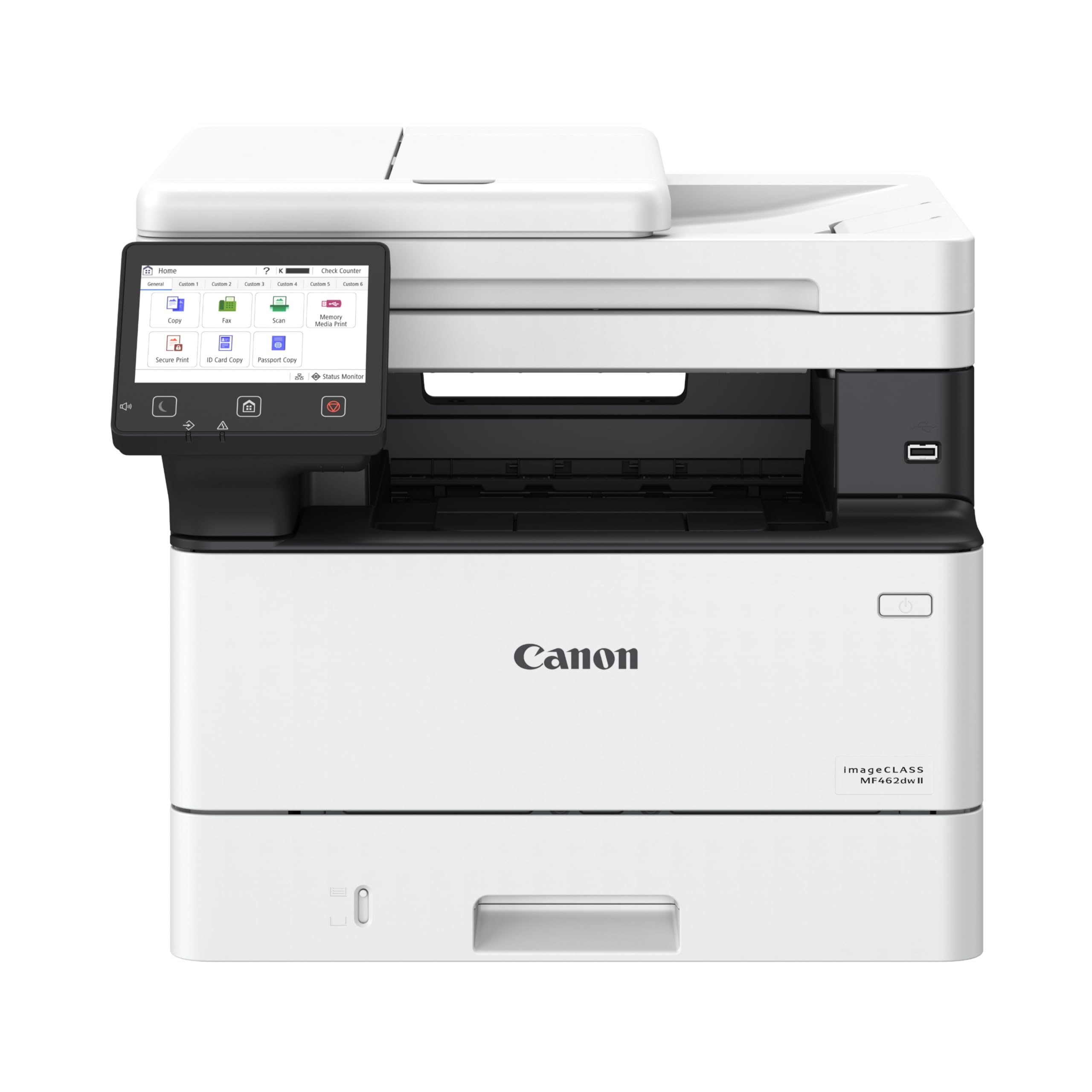
The Canon imageCLASS MF462dw II edges ahead of the Brother pack with a 37-ppm monochrome engine and a first-page-out time of just 4.9 seconds, making it the fastest option in this mid-range bracket for teams that need instant document output. Its 5-inch color touchscreen is larger than the Brother units, allowing for an Application Library that lets users customize shortcut buttons for frequently used scan and copy jobs. The expandable paper system supports up to 900 sheets with the optional AH-1 cassette, suitable for busy legal or accounting offices.
Customer reviews frequently mention the printer’s easy wireless setup, with most users up and running in under 20 minutes. The 50-sheet duplex automatic document feeder processes two-sided originals in a single pass, a feature that speeds up digitizing double-sided contracts significantly. Several users switched from HP specifically to escape the ink subscription model and found Canon’s toner system more straightforward and cost-predictable over time.
Some reviewers note that the printed instruction manual is sparse, and the setup software for Windows can be confusing for less technical users. The printer uses Canon Genuine Toner 070 cartridges, with a standard black cartridge yielding approximately 3,000 pages and high-capacity options available. One user reported a failed installation with a specific HP desktop running Windows 11, though other Windows and Mac users had no issues. The 3-year limited warranty provides solid coverage for a device intended for daily office loads.
Why it’s great
- Fastest first-page-out time at 4.9 seconds
- Large 5-inch touchscreen with customizable shortcuts
- Expandable paper capacity up to 900 sheets
Good to know
- Setup instructions are complex and sparse
- Compatibility issues reported with specific Windows 11 PCs
4. Brother HL-L3220CDW

The Brother HL-L3220CDW is a compact color laser printer that delivers 19 pages per minute in both color and black, making it one of the most space-efficient color options for small offices that do not need a scanner. The unit measures roughly 15.7 inches per side, fitting easily on a shared desk or shelf. It includes a 250-sheet paper tray and a manual feed slot for envelopes and thicker media, supporting a professional home office that prints client-facing marketing collateral or proposal covers.
Users highlight the printer’s high-yield toner options, with separate cartridges for black, cyan, magenta, and yellow that last significantly longer than starter cartridges. The automatic duplex printing works reliably, and a dedicated black-only print mode preserves color toner when only text documents are needed. Several reviews note that the printer handles photo printing on glossy paper surprisingly well for a laser engine, with rich detail and accurate color reproduction.
Setup on Mac computers has been a notable pain point, with some users requiring advanced configuration like creating a self-signed certificate to get the printer recognized. The printer does not include a scan function, so offices that need copying or document digitization will need a separate device. The unit is heavy at around 50 pounds, though users report that the weight translates to solid build quality. Some early firmware bugs have caused print jobs with complex filenames or high-resolution files to disappear, requiring workflow adjustments.
Why it’s great
- Compact 15.7-inch footprint for color laser output
- Black-only print mode saves color toner
- High-yield toner options reduce per-page cost
Good to know
- Mac setup can require advanced troubleshooting
- Print-only unit — no scanner or copier
5. HP Color LaserJet Pro 3201dw

The HP Color LaserJet Pro 3201dw pushes color print speed to 26 pages per minute using TerraJet toner technology, which HP claims delivers more vivid colors and sharper text on standard office paper. The dual-band Wi-Fi with self-reset feature automatically detects and resolves connection drops, a practical solution for offices with congested wireless networks. The 250-sheet input tray and automatic duplex printing cover the needs of small teams that produce weekly color reports and client presentations.
User reports on this model are sharply divided. Some owners praise the fast setup, clean text output, and solid color saturation, calling it a reliable workhorse for an auto shop or small office. Others report severe problems with replacement toner cartridges, describing faded or unreadable prints after switching from the included starter cartridges to official HP 218a cartridges. Several reviewers warn that the firmware blocks third-party toner and that replacement cartridges purchased on Amazon may be incompatible despite being listed as compatible.
This printer is intended for use only with original HP cartridges, as clearly stated in the product documentation. The machine is print-only, so scanning requires the use of the HP Smart mobile app rather than a built-in flatbed. Users who need a scanner should consider the all-in-one version (MFP 3301fdw). The design is clean and compact, but the toner lock-in and reliability concerns around replacement cartridges make this a riskier choice for budget-conscious businesses.
Why it’s great
- Fast 26-ppm color output with TerraJet toner
- Dual-band Wi-Fi with automatic problem resolution
- Compact design fits small office spaces
Good to know
- Firmware blocks non-HP toner cartridges
- Replacement toner quality issues reported
6. Canon imageCLASS MF753Cdw II

The Canon imageCLASS MF753Cdw II is a full-color all-in-one laser that prints, scans, copies, and faxes at 35 pages per minute in both color and monochrome. Its 5-inch color touchscreen with Application Library provides customizable one-touch workflows for repetitive scan-to-folder or print-and-staple jobs. The 50-sheet duplex ADF handles two-sided originals in a single pass, and the paper system can be expanded to 850 sheets with an optional cassette, supporting busy legal, medical, or real estate offices.
Customer feedback is overwhelmingly positive, with long-term users reporting zero hardware issues after 5 months of daily use. The printer is described as fast, quiet, and efficient, with duplex printing working flawlessly. Users who switched from HP note that Canon toner is significantly cheaper per page, and the 3-year limited warranty provides extended peace of mind. The touchscreen interface is simple enough that new users can set up network scanning without reading the manual.
Some users encountered problems with Canon’s software for Windows 11, finding that the built-in Windows driver produced better results than the full driver package. The starter toner cartridges have relatively low page yields (1,100 pages for color, 2,100 for black), so offices with medium to high volume should budget for high-capacity replacements immediately. The printer is heavy and large, requiring a dedicated stand or sturdy desk. One user reported a complicated firmware update that disrupted connectivity with Mac and iPhone.
Why it’s great
- Fast 35-ppm color output with duplex ADF
- Expandable to 850-sheet paper capacity
- 3-year warranty and lower toner cost than HP
Good to know
- Canon software on Windows 11 can be buggy
- Starter toner cartridges have low page yields
7. HP Color LaserJet Pro MFP 3301fdw

The HP Color LaserJet Pro MFP 3301fdw is the full-featured version of the 3201dw, adding a flatbed scanner, copier, fax, and a duplex automatic document feeder for two-sided scanning in a single pass. It uses the same TerraJet toner engine at 26 ppm black and color, making it suitable for teams that need professional-quality color documents along with scanning workflows. The dual-band Wi-Fi with self-reset and the HP Smart app provide flexible printing from mobile devices.
Users who successfully set up the printer describe it as fast, intuitive, and delivering outstanding print quality with crisp text and vibrant color. The scanner and ADF perform well with no jams, and the quiet operation is frequently mentioned as a positive for open office environments. Several reviewers switched from older HP models and noted the 3301fdw has a slightly smaller footprint while maintaining the same paper capacity.
Negative reviews center on HP’s firmware and toner policies. Some users report severe color print defects, toner not fusing to the page, and long wait times for HP support. The introductory cartridges are low-yield (approximately 50 pages in some cases), requiring immediate purchase of high-yield replacements. The printer blocks non-HP toner cartridges, and firmware updates have occasionally caused connectivity issues that require hours of troubleshooting. One user recommends disabling automatic firmware updates to avoid problems.
Why it’s great
- Full all-in-one with single-pass duplex scanning
- Excellent print quality on standard office paper
- Quiet operation and compact footprint
Good to know
- Firmware can require hours of troubleshooting
- Low-yield starter cartridges need immediate replacement
8. Canon imageCLASS MF751Cdw

The Canon imageCLASS MF751Cdw is a 35-ppm color laser all-in-one that shares the same engine and toner platform as the MF753Cdw II but omits the fax function, making it a slightly more affordable option for offices that have moved away from analog fax lines. It includes a 250-sheet standard cassette and a 50-sheet multipurpose tray, with expansion to 850 sheets via the optional PF-K1 cassette. The 50-sheet simplex automatic document feeder handles single-sided scanning, but unlike the MF753Cdw II, it does not scan both sides of a document in a single pass.
Users consistently describe this printer as fast and reliable, with flawless wireless printing from both Apple and Windows devices after an initial network setup. The print quality for color documents is described as vibrant and accurate even on standard copy paper, and the automatic duplex printing works without jams. Several reviewers who have owned the printer for nearly a year report still being on the original toner cartridges, indicating efficient toner management for moderate print volumes.
The starter toner cartridges have relatively low yields (1,100 pages for color, 2,100 for black), so high-volume offices should plan to upgrade to high-capacity cartridges immediately. The setup process is slightly confusing, particularly on Windows 10 where network discovery can be inconsistent. The unit is heavy at over 50 pounds and requires two people to move safely. Canon also does not block third-party toner, which gives businesses more flexibility on supply costs compared to HP models.
Why it’s great
- Fast 35-ppm color with expandable 850-sheet capacity
- Does not block third-party toner cartridges
- Reliable wireless and duplex printing
Good to know
- Simplex ADF only — no duplex scanning
- Starter toner has low page yield
9. HP Color LaserJet Pro MFP 4301fdw

The HP Color LaserJet Pro MFP 4301fdw is designed for workgroups of up to 10 people, with a 35-ppm color engine and a full set of office features including print, scan, copy, fax, and a duplex automatic document feeder. It adds HP Wolf Pro Security, a suite of embedded security features that protect the printer from network attacks, making it suitable for offices handling sensitive client or financial data. The 250-sheet input tray and optional second tray support higher paper capacity for busy environments.
Users who have a positive experience describe the printer as quiet, fast, and small enough to sit on a desk, with plug-and-play setup for Wi-Fi and Bluetooth connectivity. The print quality is excellent, with vivid color and sharp text. The duplex scanning ADF processes double-sided documents efficiently, and the HP Smart app provides remote monitoring and print management. Several customers recommend the printer for home offices with heavy workloads.
Negative feedback is severe and consistent: multiple users report a false “paper jam” error after approximately one year of use, caused by a known electrical part failure. HP support in these cases sends refurbished replacement parts that sometimes arrive dirty or cause additional problems. The printer’s firmware has been reported to ignore user settings for duplex and scanning defaults. The cost of replacement toner is very high, with a full set of high-yield cartridges costing nearly as much as the printer itself. Some former HP users explicitly advise spending more on a Brother instead.
Why it’s great
- Fast 35-ppm color with HP Wolf Pro Security
- Duplex ADF for efficient double-sided scanning
- Quiet operation and compact for workgroup use
Good to know
- Known electrical failure around 1-year mark
- Very high replacement toner cost
FAQ
Should I choose a monochrome or color laser business printer?
What is the difference between a print-only and an all-in-one business printer?
Why do some business printers block third-party toner cartridges?
Final Thoughts: The Verdict
For most users, the business printer winner is the Brother HL-L2480DW because it delivers reliable 36-ppm monochrome printing with an intuitive touchscreen and low cost-per-page, making it ideal for small offices that primarily print text documents. If you need an all-in-one with fax and scanning, grab the Brother MFC-L2820DW. And for high-volume color printing with expandable paper capacity, nothing beats the Canon imageCLASS MF753Cdw II.

Mo Maruf
I created WellFizz to bridge the gap between vague wellness advice and actionable solutions. My mission is simple: to decode the research and give you practical tools you can actually use.
Beyond the data, I am a passionate traveler. I believe that stepping away from the screen to explore new environments is essential for mental clarity and physical vitality.