Our readers keep the lights on and my smoothie glass nicely filled. As an Amazon Associate, I earn from qualifying purchases.
The built-in camera on your laptop is often the worst part of your video-call setup—grainy in anything less than perfect sunlight, with a sad excuse for a microphone that picks up every rustle of paper but struggles with your actual voice. Dropping serious cash on a premium webcam feels wasteful when you just need a reliable, clear image for meetings, classes, or catching up with family.
I’m Mohammad Maruf — the founder and writer behind WellFizz. I’ve spent years analyzing budget-friendly hardware, digging into sensor specs, noise-handling microphones, and real-world performance to find the hidden gems that punch far above their price tier.
After sifting through dozens of reviews and hours of footage comparisons, these five models deliver real clarity and dependable audio without demanding a premium investment. This is the complete guide to the best budget webcam picks that actually work.
How To Choose The Best Budget Webcam
Picking the right camera for your desk doesn’t require a deep understanding of megapixels or sensor sizes, but knowing a few key specs prevents buyer’s remorse. Budget webcams are almost always a trade-off between video sharpness, audio quality, and build features like a privacy shutter. Here’s what actually matters.
Resolution and Frame Rate
1080p Full HD is the baseline for a clear, professional-looking video call in this tier. Avoid any webcam advertising only 720p—that standard feels soft and dated on modern monitors. Frame rate is equally important: 30 frames per second (fps) is the sweet spot for smooth motion without choppiness. Some budget models claim 4K, but verify whether they hit a usable 30fps at that resolution without overheating or dropping frames.
Microphone Quality and Noise Handling
A single tiny microphone on a cheap webcam often sounds thin and picks up every fan, keyboard click, and background conversation. Look for models with dual microphones or explicit “noise-cancelling” technology. This doesn’t match a dedicated USB mic, but for daily Zoom meetings or quick calls, it makes a noticeable difference in how clearly your voice comes through.
Privacy and Mounting Flexibility
A physical privacy shutter or sliding lens cover is a non-negotiable security feature on any webcam. Software-based blocking can be bypassed; a physical barrier is absolute. Also check the mounting clip—a sturdy rubberized grip that fits over thick monitor bezels or a laptop lid prevents the camera from slipping mid-call. A standard tripod mount hole (1/4-inch) adds versatility for desk arms or tabletop tripods.
Quick Comparison
On smaller screens, swipe sideways to see the full table.
| Model | Category | Best For | Key Spec | Amazon |
|---|---|---|---|---|
| EMEET C960 | Premium Pick | Clear conferencing and streaming | 2 noise-reduction mics / 90° FOV | Amazon |
| Microsoft Modern Webcam | Mid-Range | HDR video & Teams integration | Auto-focus / HDR / TrueLook | Amazon |
| NexiGo N60 | Value Pick | Simple plug-and-play conferencing | 1080p at 30fps / 3.6mm lens | Amazon |
| RUWBY Pro HD | Versatile Choice | Tripod-ready desk setups | Dual mics / included tripod | Amazon |
| AOC 4K Webcam | Entry-Level 4K | Budget step-up to 4K resolution | 4K UHD / 99° FOV / sliding cover | Amazon |
In‑Depth Reviews
1. EMEET C960 1080P Webcam

The EMEET C960 nails the balance between video clarity and audio sophistication in a tiny chassis. Its true 1080p at 30fps delivers sharp, consistent footage, and the dual omnidirectional noise-reduction microphones filter out ambient room hum much better than the single-mic competition found in this price bracket. The 90° field of view comfortably frames one person at a typical desk distance without introducing an unattractive fish-eye distortion.
Low-light performance is where many budget webcams fall apart, but the C960’s automatic correction boosts brightness without washing out skin tones or creating digital noise. The 5-layer anti-glare lens also minimizes harsh overhead light reflections. Setup is genuinely driver-free: plug it into a USB port on Windows, Mac, or Linux, and it’s recognized instantly by Zoom, Teams, and Google Meet.
A detachable privacy cover adds peace of mind, and the foldable design with a tripod-ready clip means it travels well. The only real caveat is the fixed focus—objects closer than about 12 inches will be soft—but for standard conferencing distances, this is a non-issue. For anyone wanting reliable broadcast-quality calls without stepping into enthusiast pricing, this is the smartest choice.
Why it’s great
- Two noise-cancelling mics capture clear voice with minimal background bleed
- Automatic low-light correction handles dim rooms and backlit windows well
- Detachable privacy cover and foldable design make it travel-friendly
Good to know
- Fixed focal length means close-up objects appear soft before 12 inches
- Mounting clip may feel loose on ultra-thin laptop lids without added grip
2. Microsoft Modern Webcam

Microsoft’s Modern Webcam sits in a unique spot—it carries a premium brand name and HDR video support that outperforms most sub-50 dollar cameras, while keeping the price accessible. The true standout here is the HDR (High Dynamic Range) processing, which balances exposure between bright windows and darker faces beautifully, giving your video a polished, professional look that helps even in challenging mixed lighting.
It features auto-focus with a fixed focal range optimized from 0.4m to 1.5m, meaning you stay sharp without the constant hunting that plagues cheap auto-focus systems. The built-in noise-cancelling microphone works well for standard conference calls, though some users note it’s not quite as strong as the dual-mic array on the EMEET for handling loud ambient noise. An integrated privacy shutter with an indicator light lets you know exactly when the camera is active.
Build quality is typically Microsoft—solid, compact, and designed to sit securely on thick monitor bezels. It is certified for Teams and Zoom, ensuring seamless integration with mute and camera controls. The only trade-off is that the microphone, while decent, may push voice-only users toward a separate USB mic for superior pickup. For anyone already in the Microsoft ecosystem, this is the most frictionless upgrade you can make to your call quality.
Why it’s great
- HDR color and exposure tuning outperforms almost all budget competitors in mixed light
- True plug-and-play with Windows 11 without any third-party software needed
- Integrated privacy shutter with indicator light offers clear visual security
Good to know
- Microphone is adequate but not as robust as dedicated dual-mic setups for noisy rooms
- USB-A connectivity only may require an adapter for modern USB-C-only laptops
3. NexiGo N60 1080P Webcam

If raw value-per-dollar is your priority, the NexiGo N60 punches hard for a sub-30 dollar webcam. It uses a 3.6mm glass lens and a 2MP CMOS sensor to output genuine 1080p at 30fps, producing footage that is noticeably sharper than the plastic-lens alternatives you often find at this price. The fixed-focus lens is optimized for the typical 1.5-to-13-foot range, which covers standard desk setups perfectly.
The integrated noise-cancelling microphone is a pleasant surprise—it cuts down keyboard clatter and background hum effectively enough for daily meetings and family calls. The N60 also includes a physical privacy cover that flips up and down, though frequent users note the hinge can loosen over time. Setup is truly driver-free across Windows, Mac, Chrome OS, and even Linux, with broad compatibility that includes older operating systems.
The wide field of view shows more of your background than some may prefer, which can be a blessing for group calls but slightly distracting in a cluttered room. The zoom feature works digitally through software and does not narrow the actual lens field of view. For the price, the NexiGo N60 is a remarkably capable and straightforward solution for anyone who just wants better-than-laptop video for video calls, online classes, or occasional streaming without features they won’t use.
Why it’s great
- Sharp 1080p output with a glass lens provides clear image quality for the price
- Noise-cancelling microphone effectively reduces background hum for meetings
- Broad cross-platform compatibility includes older Windows, Mac, Linux, and Chrome OS
Good to know
- Privacy cover hinge may loosen with frequent flipping over months of use
- Wide field of view can capture a cluttered background if not positioned carefully
4. RUWBY Pro HD 1080p Webcam
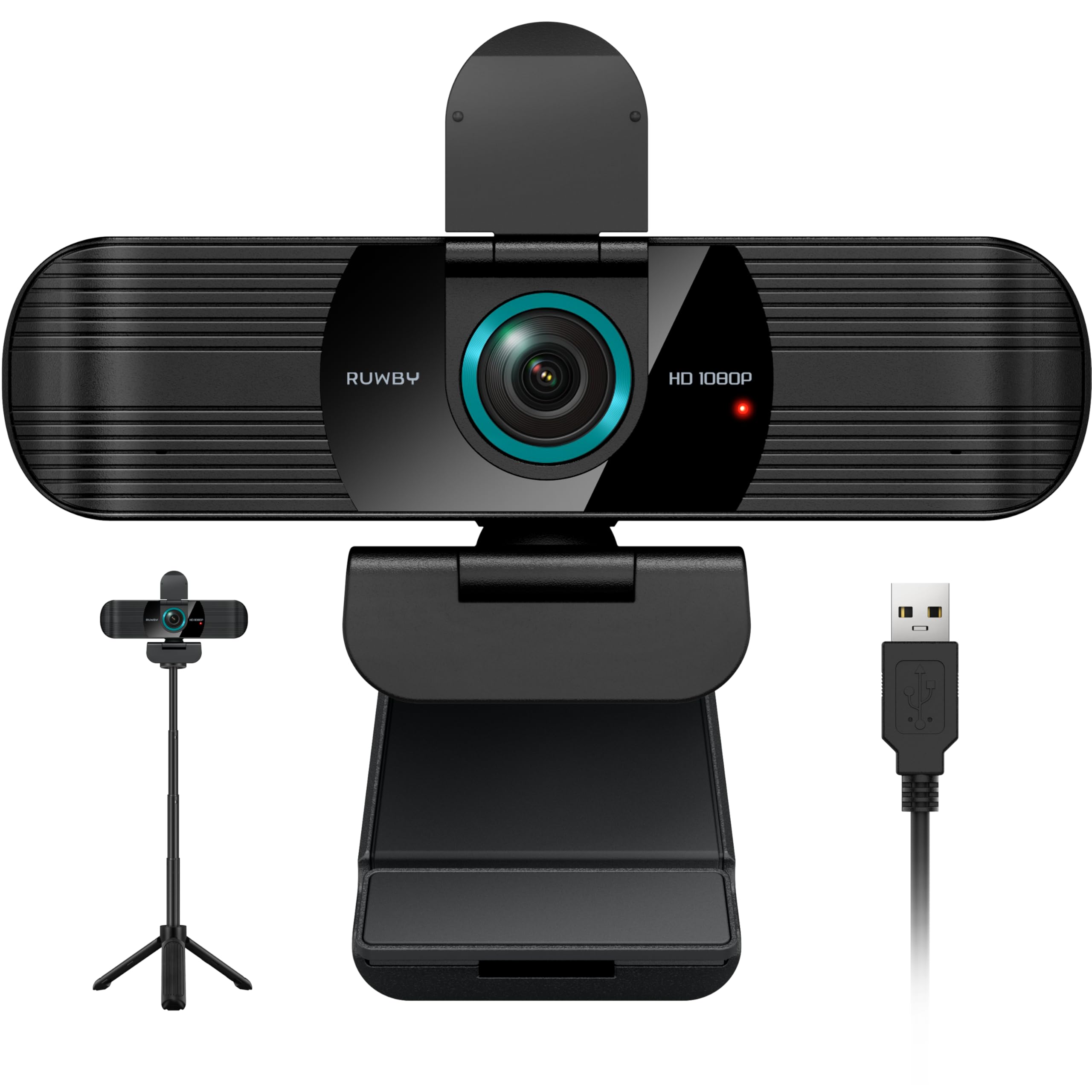
The RUWBY Pro HD stands out from the crowd by bundling a collapsible aluminum tabletop tripod in the box. Many budget webcams only offer a monitor clamp, which forces a downward angle from tall desks; the included 1/4-inch screw tripod lets you position the camera at eye level on a desk or arm, delivering a flattering, straight-on perspective for calls and streaming. That extra flexibility makes it uniquely suited for content creators or remote workers with non-standard setups.
Video performance is solid 1080p at 30fps with fast auto-focus and effective low-light correction that brightens dim rooms without excessive grain. The dual integrated microphones capture sound clearly from up to 10 feet away and actively filter background noise, making group conversations from across a small desk feel natural. The wide-angle lens captures a broader workspace view without the barrel distortion that cheaper wide lenses introduce.
360-degree rotation adds further positioning freedom, and the included privacy shutter prevents accidental recording. The only downside is that the USB cable is a fixed 5-foot length, which may be short for some larger desk arrangements. For those who need height adjustability and don’t want to buy a separate stand, the RUWBY Pro HD offers the most complete out-of-box flexibility among the budget options.
Why it’s great
- Includes a collapsible aluminum tripod for flexible eye-level placement on any desk
- Dual noise-cancelling microphones pick up clear voice from up to 10 feet away
- Auto-focus and low-light correction produce clean video in varied room conditions
Good to know
- Fixed 5-foot USB cable may be too short for large desk setups or mounted monitors
- Wide-angle lens may still feel slightly wide for tight single-person close-ups
5. AOC 4k Webcam
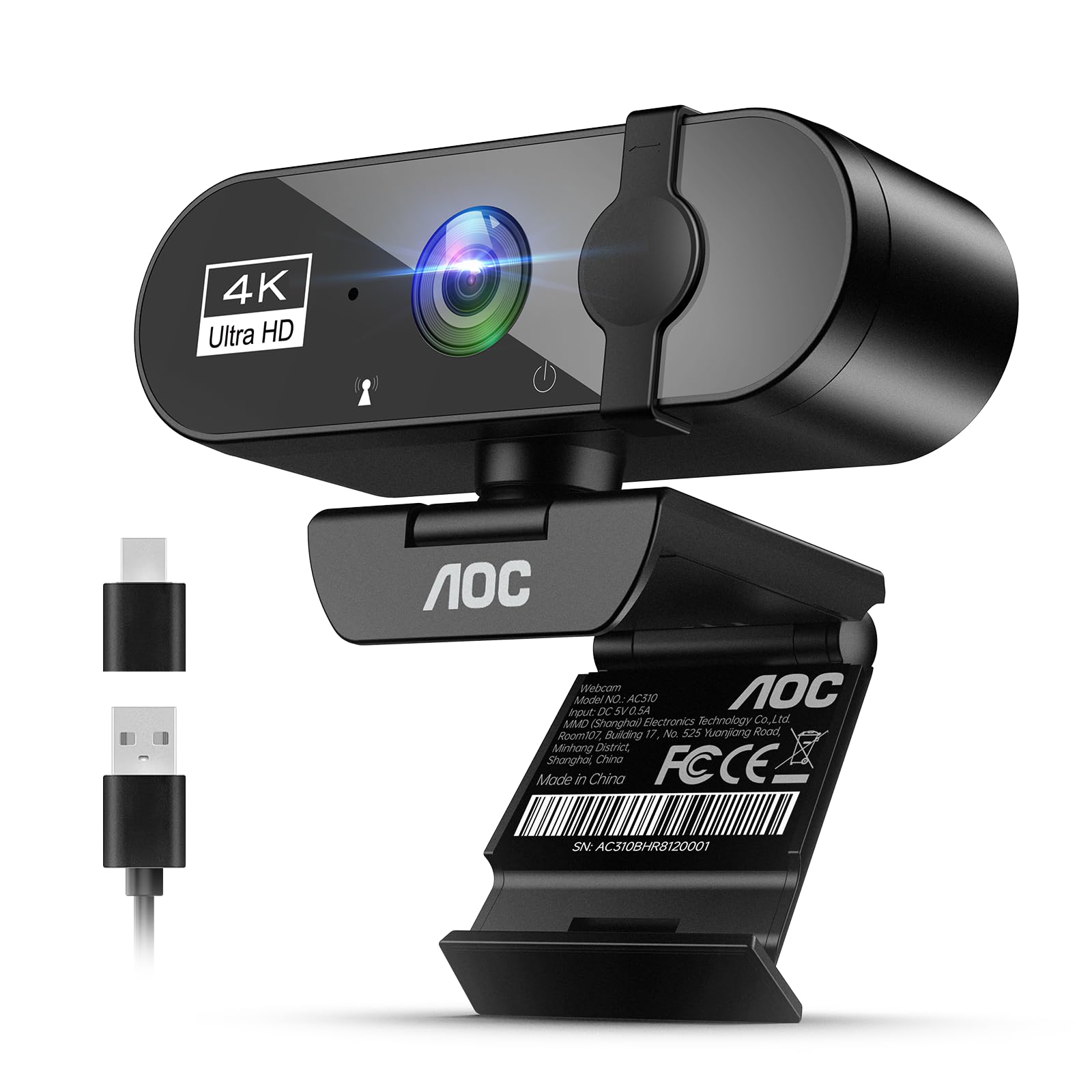
The AOC 4K Webcam is an aggressive value proposition for anyone who wants to leap from 1080p to crisp 4K UHD (3840×2160) video without breaking a budget. An 8MP sensor delivers noticeably more detail in well-lit environments, which is fantastic for product demos, detailed whiteboard presentations, or simply looking your sharpest. The downside is that true 4K at 30fps demands good lighting; in dim rooms, the sensor drops to lower resolutions to compensate, so this is not a low-light champion.
The 99° wide field of view fits two people comfortably in the frame without severe edge distortion, and the 180° tilt with 360° swivel base makes angle adjustments effortless. A physical sliding lens cover provides privacy with a tactile click, while the included USB-A to USB-C adapter ensures broad compatibility with modern laptops and older desktops. Built-in noise-reducing microphone quality is adequate for calls but doesn’t match the richer pickup of dedicated dual-mic options found on other models in this list.
Mounting is secure on most monitor bezels, and the tripod-ready base adds flexibility. The AOC webcam is best viewed as a specialist tool for those who prioritize resolution over all else—streamers who want 4K for pre-recorded content or professionals who need to share crisp still images. If your primary use is standard Zoom calls in mixed lighting, the trade-offs in low-light performance and microphone depth steer you toward the EMEET or Microsoft instead.
Why it’s great
- Genuine 4K UHD resolution delivers much finer detail than standard 1080p options
- 99° field of view with 180° tilt and 360° swivel offers superb angle versatility
- Included USB-A to USB-C adapter ensures plug-and-play with modern and older devices
Good to know
- Low-light performance drops noticeably; needs good natural or office lighting for 4K
- Single built-in mic is serviceable but not as rich or clear as dual-mic competitors
FAQ
Why does my budget webcam look grainy in low light?
Can I use a budget webcam for game streaming?
What does “plug and play” actually mean for a webcam?
Final Thoughts: The Verdict
For most users, the best budget webcam winner is the EMEET C960 because it combines crisp 1080p video with dual noise-cancelling microphones and automatic light correction, delivering reliable call quality that rivals cameras costing triple the price. If you want the smoothest Windows integration and HDR color tuning, grab the Microsoft Modern Webcam. And for maximum placement flexibility straight out of the box, nothing beats the RUWBY Pro HD with its included desk tripod and dual-mic clarity.

Mo Maruf
I created WellFizz to bridge the gap between vague wellness advice and actionable solutions. My mission is simple: to decode the research and give you practical tools you can actually use.
Beyond the data, I am a passionate traveler. I believe that stepping away from the screen to explore new environments is essential for mental clarity and physical vitality.