Our readers keep the lights on and my smoothie glass nicely filled. As an Amazon Associate, I earn from qualifying purchases.
Stepping up to a 34-inch ultrawide monitor transforms your workflow and gaming immersion, but finding one that delivers a high refresh rate, crisp QHD resolution, and solid build quality without breaking the bank requires careful navigation of a crowded market. The gap between a smart buy and a disappointing compromise comes down to a few critical specs: refresh rate, response time, panel type, and ergonomic adjustability.
I’m Mohammad Maruf — the founder and writer behind WellFizz. I’ve spent countless hours analyzing the technical specifications, reading through real user experiences, and cross-referencing performance claims against price to identify which models actually deliver on their promises for budget-conscious buyers.
This guide cuts through the noise to help you find the best budget ultrawide monitor that balances immersive screen space with the performance features that actually matter for both productivity and gaming.
How To Choose The Best Budget Ultrawide Monitor
With so many 34-inch curved options priced under premium OLED territory, the decision comes down to what you’re prioritizing: silky-smooth gaming, color-accurate productivity, or a balanced daily driver. Here are the three specs that separate the winners from the also-rans.
Refresh Rate & Adaptive Sync
For gaming, a 100Hz baseline is the minimum for a noticeable improvement over standard 60Hz monitors. Budget models now hit 180Hz or even 250Hz, which dramatically reduces motion blur and screen tearing in fast-paced titles. Pair that with AMD FreeSync Premium or G-Sync compatibility, and you get tear-free gameplay without the premium markup of dedicated G-Sync modules.
Panel Type & Color Performance
VA panels dominate the budget 34-inch space because they offer excellent contrast ratios (3000:1 or higher) for deep blacks and punchy colors. IPS panels are rarer at this price point and generally offer better viewing angles but lower contrast. Look for sRGB coverage above 99% and DCI-P3 around 90% if color-critical work like photo editing is part of your workflow.
Connectivity & Ergonomic Adjustments
USB-C with power delivery is a game-changer for laptop users — one cable handles video signal and charging, keeping your desk tidy. Check that the monitor includes at least one DisplayPort 1.4 or HDMI 2.1 to drive the full resolution and refresh rate. Height-adjustable stands are rare in budget models but worth the search for comfortable all-day use.
Quick Comparison
On smaller screens, swipe sideways to see the full table.
| Model | Category | Best For | Key Spec | Amazon |
|---|---|---|---|---|
| ASUS TUF VG34WQML5A | Premium Budget | High-refresh gaming | 250Hz / 0.5ms / Fast IPS | Amazon |
| ASUS TUF VG34VQ3B | Mid-Range | Balanced gaming & work | 180Hz / 1ms / VA | Amazon |
| Dell S3425DW | Mid-Range | Productivity & office | 120Hz / USB-C 65W PD | Amazon |
| KOORUI G3441XC | Mid-Range | High-refresh budget gaming | 240Hz / 1ms / VA HDR400 | Amazon |
| Alienware AW3425DWM | Premium Budget | Marathon gaming sessions | 180Hz / 1ms / HDR400 | Amazon |
| Samsung ViewFinity S50GC | Entry-Level | Multi-tasking on a budget | 100Hz / HDR10 / Auto brightness | Amazon |
| LG 34SR60QC-W | Mid-Range | Work + streaming all-in-one | 100Hz / webOS / AirPlay 2 | Amazon |
| Deco Gear DGLUX340 | Entry-Level | Office productivity | 100Hz / 100% sRGB / VA | Amazon |
| Philips 346E2CUAE | Entry-Level | USB-C laptop productivity | 100Hz / USB-C PD / VA | Amazon |
In‑Depth Reviews
1. ASUS TUF Gaming VG34WQML5A
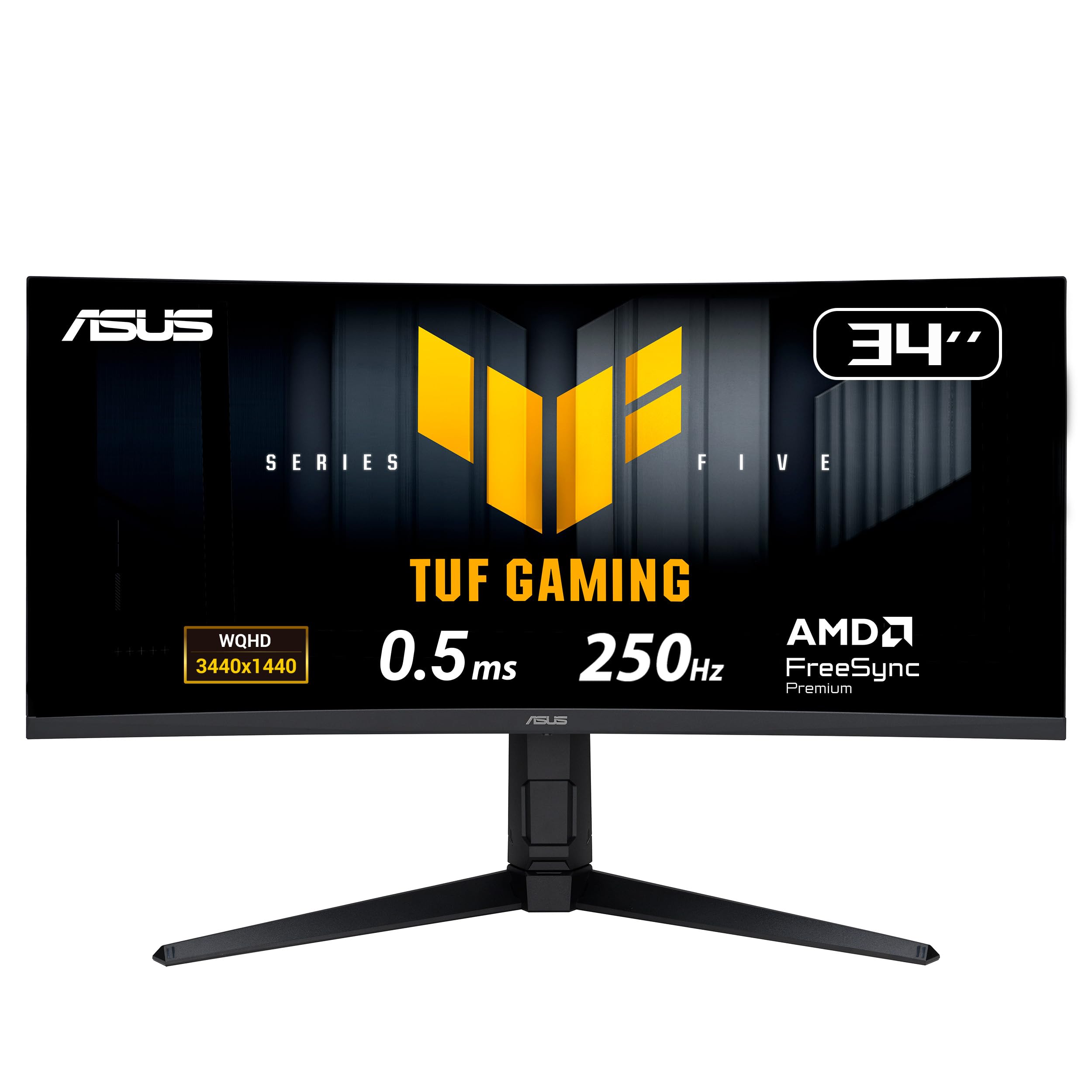
The ASUS TUF VG34WQML5A pushes the boundaries of what a budget ultrawide can do with an overclocked 250Hz refresh rate on a Fast IPS panel — a rarity at this price tier. The 0.5ms response time and ELMB Sync technology combine to virtually eliminate ghosting and tearing, making it a legitimate choice for competitive esports titles where every millisecond counts.
Color performance is equally impressive with 130% sRGB and 95% DCI-P3 coverage, plus DisplayHDR 400 certification that brings out highlight details in games and HDR movies. The 1500R curve wraps around your field of view naturally, and the stand offers height, tilt, and swivel adjustments — a significant ergonomic advantage over fixed-base budget models.
The DisplayWidget Center software lets you tweak settings with a mouse instead of fumbling with OSD buttons, and the Gaming AI features like Dynamic Crosshair genuinely enhance gameplay. The only tradeoff is that hitting the full 250Hz requires an overclock and a DisplayPort 1.4 connection, and a few users note the text clarity isn’t as sharp as dedicated office monitors.
Why it’s great
- Best-in-class 250Hz refresh rate with 0.5ms response time
- Full ergonomic adjustments including height, tilt, and swivel
- FreeSync Premium Pro with ELMB Sync for tear-free gaming
Good to know
- Requires overclock via OSD to reach 250Hz
- Built-in speakers are basic and tinny
2. ASUS TUF Gaming VG34VQ3B

The VG34VQ3B is ASUS’s slightly more affordable sibling that swaps the Fast IPS panel for a curved VA panel with a 4000:1 contrast ratio, delivering deep blacks that make dark scenes in games like Cyberpunk 2077 look genuinely rich. The 180Hz refresh rate and 1ms MPRT response time still feel buttery smooth, and FreeSync Premium keeps everything in sync without visible tearing.
Color accuracy holds up well with 90% DCI-P3 coverage, and the HDR mode with professional color gamut produces punchy highlights. The built-in speaker is adequate for casual use, though most gamers will want headphones or external speakers for serious play. The stand is limited to tilt-only, so you may want to factor in a VESA arm for height adjustment.
Setup is refreshingly quick — the L-shaped screwdriver included in the box makes assembly a breeze. Multiple users praise the picture quality as a noticeable step up from older 27-inch monitors, and the 1500R curve provides a genuinely immersive cockpit feel without being overly aggressive.
Why it’s great
- Excellent 4000:1 contrast ratio for deep blacks in gaming
- 180Hz refresh rate with FreeSync Premium at a compelling price
- Easy assembly with included tools and cables
Good to know
- Stand offers only tilt adjustment — no height or swivel
- Built-in speakers are weak and tinny
3. Dell S3425DW

The Dell S3425DW is built for the productivity-first user who also wants a smooth 120Hz desktop experience. Its single USB-C cable delivers up to 65W power delivery to your laptop while carrying video and data — a clutter-free solution that MacBook and Dell XPS owners will particularly appreciate. The 3440×1440 VA panel covers 99% sRGB and 95% DCI-P3, making it viable for light photo editing alongside spreadsheet work.
Dell improved the audio on this model with larger drivers that deliver more depth and volume than typical thin budget speakers. The ComfortView Plus technology reduces blue light emissions to 35% without washing out color accuracy, which is a genuine advantage for programmers and writers logging 10-hour days. The height-adjustable stand offers tilt, swivel, and 130mm of height range, so you can dial in proper ergonomics without an aftermarket arm.
The 3000:1 contrast ratio delivers solid blacks for an LED monitor, though not at the level of a VA panel in a dedicated gaming monitor. Some users note the recessed VESA mount requires a bracket kit for standard arms, and the port selection is limited to HDMI and USB-C — no DisplayPort, which could be a constraint for some desktops.
Why it’s great
- USB-C with 65W power delivery — one cable for laptop users
- Height-adjustable stand with full ergonomic range
- 120Hz FreeSync Premium for smooth everyday scrolling
Good to know
- No DisplayPort input — limited to HDMI and USB-C
- VESA mount is recessed, requiring specific bracket hardware
4. KOORUI G3441XC

The KOORUI G3441XC is a price disruptor that packs a native 240Hz refresh rate, 3440×1440 resolution, and HDR400 support into a package that undercuts most competitors by a wide margin. The fast VA panel delivers 4000:1 contrast with 90% DCI-P3 coverage, producing vibrant colors and inky blacks that make HDR gaming look surprisingly punchy for a budget monitor. The 1500R curve wraps around your vision for that coveted immersive effect.
Connectivity is generous with dual HDMI 2.1 ports that can drive the full 240Hz, plus two DisplayPort 1.4 inputs, and the PIP/PBP mode lets you connect two devices simultaneously — handy for running a PC and console without cable swapping. The AI Crosshair and black equalizer functions give competitive gamers an edge in dark corners of shooters.
Build quality is a mixed bag at this price point. While many users report zero issues and excellent performance for the money, a small number have encountered dead pixels or failures within the first few hours. The stand is tilt-only, and the matte coating on the panel is less glossy than some product descriptions suggest, which may disappoint users who prefer the crisp reflectivity of a glossy screen.
Why it’s great
- Native 240Hz refresh rate at an incredible price point
- Dual HDMI 2.1 and DisplayPort inputs for multi-device setups
- HDR400 with 4000:1 contrast for vibrant gaming visuals
Good to know
- Panel is matte finish, not glossy as some listings claim
- Stand lacks height adjustment — plan for VESA mounting
5. Alienware AW3425DWM

The Alienware AW3425DWM brings Dell’s premium design language to the budget segment with a sleek, iconically angular chassis and a sturdy stand that offers height, tilt, and swivel adjustments — a rarity at this price. The 180Hz VA panel with 1ms response time delivers smooth motion in fast-paced games, and the DisplayHDR 400 certification ensures highlights pop without washing out shadow detail. DCI-P3 95% color coverage makes game worlds look rich and saturated.
The hardware-based low blue light solution is a standout feature for marathon gaming sessions, reducing eye strain without the yellow tint that software filters introduce. The console mode works seamlessly with PS5 and Xbox, and the VESA AdaptiveSync compatibility means you get tear-free performance regardless of your GPU brand. The included cables (HDMI 2.1 and DP 1.4) mean you’re ready to plug and play at full speed immediately.
Some users note that blacks, while solid for a VA panel, don’t reach the inky depths of OLED technology, and the monitor lacks built-in speakers entirely. The 3440×1440 resolution is demanding on GPUs, so you’ll want at least a mid-range card to drive modern titles at 180Hz. The packaging is robust, and multiple reviews highlight the excellent build quality and premium feel of the stand.
Why it’s great
- Full ergonomic stand with height, tilt, and swivel adjustments
- DisplayHDR 400 with 95% DCI-P3 for vibrant gaming visuals
- Hardware blue light filter preserves color while reducing eye strain
Good to know
- No built-in speakers — requires external audio
- Blacks are good but not OLED-level inky
6. LG 34SR60QC-W

The LG 34SR60QC-W is not just a monitor — it’s a full smart TV with webOS23 built in, giving you access to Netflix, Prime Video, Disney+, Apple TV, and over 300 free LG Channels without needing a separate streaming device. The 34-inch 1800R curved VA panel delivers 3440×1440 resolution with 99% sRGB coverage and HDR10 support, making it equally capable for work spreadsheets and movie nights.
AirPlay 2 and HomeKit compatibility mean iPhone and Mac users can wirelessly cast and mirror content without an Apple TV, and the built-in cloud PC access allows you to run Microsoft 365 and Google apps directly from the monitor without a computer — a genuine productivity hack for minimalists. The white, frameless design blends into modern home offices and living spaces beautifully.
The 100Hz refresh rate is adequate for casual gaming and smooth desktop scrolling, but competitive gamers will want higher. The built-in speakers are decent for a monitor but lack bass, and some users report that streaming content can look slightly grainy compared to native PC playback. Setting up full resolution over USB-C requires a 10Gbps-capable cable and port, which may necessitate a dock upgrade.
Why it’s great
- Built-in webOS turns the monitor into a standalone smart TV
- AirPlay 2 and HomeKit for seamless Apple ecosystem integration
- Elegant white design with virtually frameless bezels
Good to know
- 100Hz refresh rate limits high-end competitive gaming
- Requires 10Gbps USB-C for full resolution — older docks may struggle
7. Samsung ViewFinity S50GC

The Samsung ViewFinity S50GC is the quintessential budget productivity monitor, offering a 34-inch 3440×1440 VA panel with HDR10 support that displays over a billion colors. The 100Hz refresh rate with AMD FreeSync keeps scrolling and light gaming fluid, while the 3000:1 contrast ratio ensures text on documents and code editors is crisp against deep black backgrounds.
The ambient light sensor is a rare and genuinely useful feature at this price — it automatically adjusts brightness based on your room’s lighting, reducing eye fatigue during long workdays. Eye Saver Mode and Flicker Free technology further protect your eyes, and the virtually bezel-free design looks sleek in any setup. PIP and PBP modes let you view two inputs simultaneously, which is practical for dual-computer workflows.
The built-in speakers are poor and the stand is wobbly — plan to replace it with a VESA arm for a stable desk setup. Some Mac users report difficulty driving the full 100Hz over HDMI and need a DisplayPort connection or third-party software like BetterDisplay to achieve optimal refresh rates. The protective film on the screen must be peeled carefully from bottom to top to avoid permanent edge shadowing.
Why it’s great
- Auto brightness sensor adjusts to room lighting automatically
- HDR10 with over a billion colors for vibrant daily use
- Virtually bezel-free design for multi-monitor setups
Good to know
- Stand is wobbly with no height adjustment
- Built-in speakers are very poor quality
8. Deco Gear DGLUX340
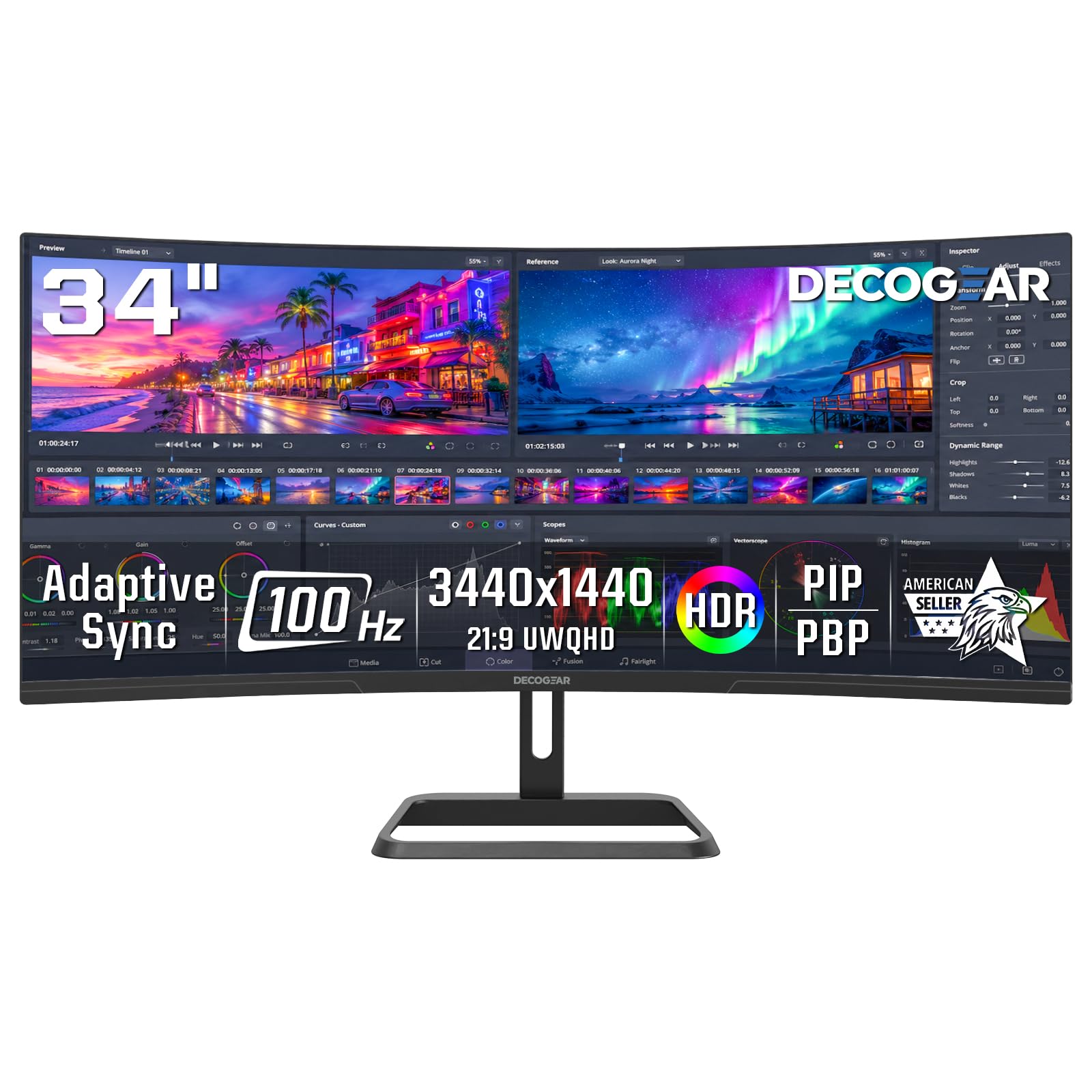
The Deco Gear DGLUX340 is designed explicitly for productivity, with a 100Hz VA panel that covers 100% sRGB for accurate color reproduction in spreadsheets, presentations, and design work. The 1500R curve reduces eye strain by keeping the entire screen at a consistent viewing distance, and the 3440×1440 resolution provides the equivalent of two standard monitors side by side without a bezel gap in the middle.
Connectivity includes dual HDMI 2.0 and dual DisplayPort 1.4 inputs, plus an audio out port for external speakers. The tilt-adjustable stand (-5° to 15°) is basic but functional, and the PIP/PBP mode lets you connect two computers and view both simultaneously — a real time-saver for developers and analysts. The metal mounting stand is sturdy, and users report the build quality holds up well over extended use.
Users note that the decorative ring on the back is purely aesthetic and does not light up as some product photos suggest. The 280 cd/m² brightness is adequate for indoor office use but may struggle in very bright rooms with direct sunlight. For the price, it delivers reliable daily performance without gaming frills, making it a solid choice for the home office.
Why it’s great
- 100% sRGB coverage for accurate color in productivity apps
- Dual HDMI and dual DisplayPort inputs for multi-PC setups
- Sturdy metal stand with good build quality
Good to know
- Decorative back ring does not light up as depicted in some photos
- Brightness is moderate — not ideal for very sunny rooms
9. Philips 346E2CUAE

The Philips 346E2CUAE brings USB-C with 65W power delivery to the entry-level price bracket, making it a top contender for laptop users who want a single-cable desk setup. The 34-inch VA panel covers 121% sRGB and 99.5% NTSC color gamut, producing vibrant and accurate colors that exceed many competitors at this price point. The 100Hz refresh rate with Adaptive-Sync keeps motion smooth for both productivity and light gaming.
The stand offers height, tilt, and swivel adjustments — an impressive feature set for a budget-friendly model that lets you dial in perfect ergonomics without extra hardware. The 1500R curve provides an immersive viewing experience, and the built-in speakers, while not audiophile-grade, are sufficient for conference calls and YouTube. The cable management system is basic but functional, with simple tabs rather than a full channel.
PIP and PBP modes are available but have compatibility quirks — the PIP function works best with DisplayPort and USB-C sources rather than HDMI and USB-C combinations. Some users note the VGA port is outdated and takes up space that could be used for a second HDMI input. The ultra-wide color gamut is genuine, and multiple reviews praise the display quality for both professional work and gaming as an excellent value proposition.
Why it’s great
- USB-C with 65W power delivery for clean laptop setups
- Full ergonomic stand with height, tilt, and swivel
- Excellent color coverage — 121% sRGB and 99.5% NTSC
Good to know
- PIP mode doesn’t work with all HDMI and USB-C combinations
- VGA port feels outdated and occupies connector space
FAQ
Can my laptop run a 3440×1440 ultrawide monitor at full refresh rate?
Is a curved monitor better than a flat one for productivity?
What panel type is best for a budget ultrawide monitor?
Do I need a special HDMI cable for 3440×1440 at 180Hz?
Can I use a 34-inch ultrawide monitor with a PS5 or Xbox Series X?
Final Thoughts: The Verdict
For most users, the best budget ultrawide monitor winner is the ASUS TUF Gaming VG34WQML5A because it delivers a 250Hz Fast IPS panel with full ergonomic adjustments and FreeSync Premium Pro at a price that undercuts most competitors by a wide margin. If you want USB-C simplicity for your laptop, grab the Dell S3425DW with 65W power delivery and a height-adjustable stand. And for pure value gaming performance, nothing beats the KOORUI G3441XC with its 240Hz VA panel and dual HDMI 2.1 inputs.

Mo Maruf
I created WellFizz to bridge the gap between vague wellness advice and actionable solutions. My mission is simple: to decode the research and give you practical tools you can actually use.
Beyond the data, I am a passionate traveler. I believe that stepping away from the screen to explore new environments is essential for mental clarity and physical vitality.