Our readers keep the lights on and my smoothie glass nicely filled. As an Amazon Associate, I earn from qualifying purchases.
Finding a tablet that handles spreadsheets, email, video calls, and document editing without cracking under the load is a real challenge when your budget is tight. Most cheap slates stutter the moment you open a second app, but the right pick can still deliver a fluid, laptop-like workflow for a fraction of the cost.
I’m Mohammad Maruf — the founder and writer behind WellFizz. I’ve spent years analyzing tablet hardware, cross-referencing benchmark scores against real-world office tasks, and filtering out the models that promise productivity but deliver frustration.
After sorting through dozens of contenders, these are the models that actually earn a spot on your desk. Whether you need a secondary device for note-taking or a primary machine for remote work, this guide to the best budget tablet for office work will help you cut through the noise.
How To Choose The Best Budget Tablet For Office Work
The difference between a tablet that feels like a toy and one that replaces your laptop comes down to a handful of hardware decisions. Office apps demand consistent multitasking, decent screen real estate, and input options that don’t slow you down.
RAM and Processor: The Multitasking Baseline
Office work is rarely single-app. You will have a browser with ten tabs, a word processor, a spreadsheet, and a video call running concurrently. A tablet with 4 GB of RAM is the absolute minimum; 6 GB or 8 GB allows you to switch between apps without reloads. The processor must handle web-based office suites like Google Workspace and Microsoft 365 without stuttering — look for modern octa-core or mid-range MediaTek/Snapdragon chips, not the ultra-budget silicon found in sub- slates.
Display Quality and Aspect Ratio for Documents
A 16:10 or 3:2 aspect ratio is significantly better for reading documents, spreadsheets, and PDFs than the 16:9 ratio used for movies. You get more vertical lines of text without constant scrolling. Resolution matters too — a 1080p panel is acceptable, but a 2K or higher screen makes fine text in spreadsheets and contracts much sharper, reducing eye strain over a full working day.
Stylus Support and Keyboard Accessories
For note-taking during meetings, marking up PDFs, or signing documents, a low-latency stylus is a game-changer. If the tablet ships with a pen or supports a first-party option, you save yourself from buying a capacitive knockoff that won’t register fine lines. A keyboard case turns the tablet into a true laptop replacement — look for models that offer one in the box or as an affordable add-on, not just an overpriced folio.
Quick Comparison
On smaller screens, swipe sideways to see the full table.
| Model | Category | Best For | Key Spec | Amazon |
|---|---|---|---|---|
| Apple iPad 11-inch (A16) | Premium | Seamless Apple ecosystem & app support | 128GB storage, A16 chip | Amazon |
| Lenovo Idea Tab Pro | Premium | Large screen & AI productivity tools | 12.7” 3K display, 8GB RAM | Amazon |
| Samsung Galaxy Tab S10 FE | Premium | S-Pen note-taking & multi-window | 10.9” LCD, 8GB RAM, S-Pen | Amazon |
| OnePlus Pad Go 2 | Mid-Range | All-day battery & smooth 120Hz display | 12.1” Dolby Vision, 8GB RAM | Amazon |
| Amazon Fire Max 11 Bundle | Mid-Range | Out-of-box keyboard & stylus combo | 11” 2K display, 4GB RAM | Amazon |
| TCL NXTPAPER 14 | Mid-Range | Eye-friendly paper-like display | 14.3” 2.4K, 8+8GB RAM | Amazon |
| Lenovo Idea Tab | Mid-Range | Student note-taking with included pen | 11” 2.5K IPS, 4GB RAM | Amazon |
| Amazon Fire HD 10 | Budget | Media consumption & light email | 10.1” 1080p, 3GB RAM | Amazon |
| reMarkable Paper Pro Move | Specialty | Distraction-free writing & note-taking | 7.3” color e-ink, Marker Plus | Amazon |
In‑Depth Reviews
1. Apple iPad 11-inch (A16)

The base 11-inch iPad now starts with 128 GB of storage and the A16 chip, a combination that handles Microsoft 365, Google Docs, and video calls without hesitation. The Liquid Retina display with True Tone adjusts to ambient light, making it comfortable for a full day of document reading and spreadsheet editing. iOS multitasking with Slide Over and Split View is mature and reliable on this hardware.
Touch ID built into the top button keeps security simple for office use, and the 12MP Center Stage camera tracks your face during Zoom calls, which is a surprisingly useful feature for remote workers. The Magic Keyboard Folio (sold separately) transforms this into a near-laptop experience, and the USB-C connector makes connecting to monitors or dongles straightforward.
The biggest limitation for a budget office buyer is the accessory cost — the keyboard case is expensive, pushing the effective total past what some competitors charge with a keyboard included. But if you already own Apple peripherals or prefer a clean iPadOS ecosystem, this remains the gold standard for reliable, long-term office performance.
Why it’s great
- Outstanding app selection and long-term OS support
- Center Stage camera is excellent for video conferencing
- 128GB base storage leaves room for files and apps
Good to know
- Magic Keyboard Folio adds significant cost
- No stylus or keyboard included in the box
2. Lenovo Idea Tab Pro

The Lenovo Idea Tab Pro brings a massive 12.7-inch 3K LCD panel and 8 GB of RAM to the budget office category, making it one of the best values for anyone who works with large documents, split-screen apps, and frequent browser research. The MediaTek Dimensity 8300 processor keeps multitasking smooth even with a dozen Chrome tabs open alongside Word and Outlook. Google Gemini integration offers AI-powered summarization and writing assistance directly on the tablet.
The 16:10 aspect ratio is excellent for productivity, giving you more vertical space for reading contracts or composing emails without scrolling. The included Lenovo Tab Pen Plus and folio case add immediate value — you can start note-taking and document markup right out of the box. Quad JBL speakers with Dolby Atmos make conference calls clear, though the speaker quality is more than adequate for background music during work.
The 45W charger is not included, and the tablet charges slowly with standard USB-C bricks. The large screen also makes it heavier than smaller tablets, which can be fatiguing for handheld use. If you plan to keep it on a desk with a stand or keyboard case most of the time, these tradeoffs are easy to live with.
Why it’s great
- Large 12.7” 3K display with excellent color and sharpness
- AI productivity tools via Google Gemini
- Included stylus and folio case
Good to know
- 45W fast charger not included
- Heavy for extended handheld use
3. Samsung Galaxy Tab S10 FE
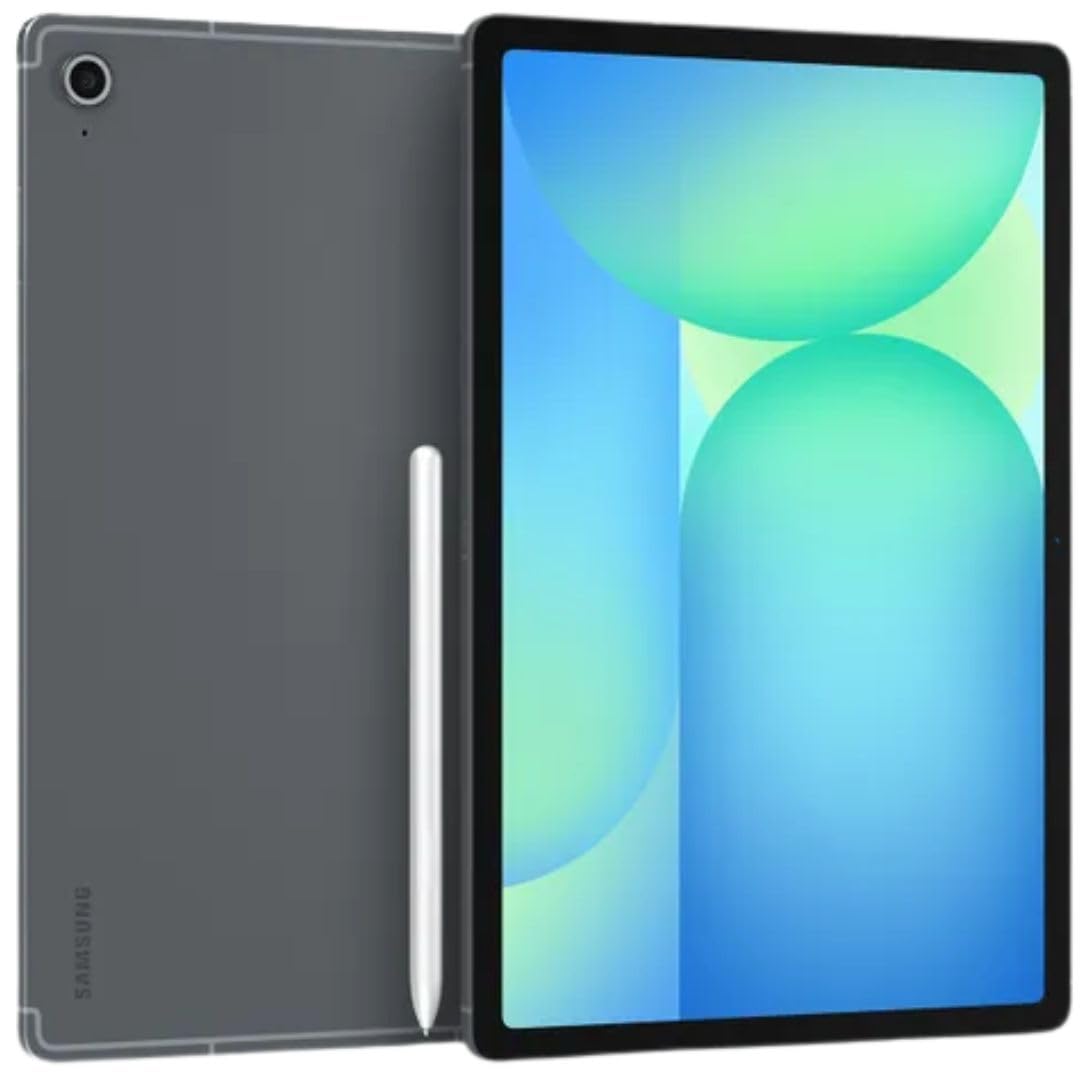
The Galaxy Tab S10 FE brings Samsung’s mature multitasking interface and the excellent S-Pen to the budget office segment. With 8 GB of RAM and an Exynos 1580 processor, it handles Samsung DeX mode — a desktop-like interface that lets you run multiple resizable app windows simultaneously — without hiccups. The 10.9-inch 90Hz LCD display is sharp (2304×1440) and smooth, making extended document reading comfortable.
The S-Pen is included and requires no charging, which is a huge advantage for note-taking during meetings or signing PDFs. The 8000mAh battery delivers genuine all-day endurance, and the 25W fast charger is included in this bundle. Wi-Fi 6E support ensures fast file transfers and stable video calls even in congested networks.
This is the international model and lacks a domestic warranty, though Amazon’s return policy provides some coverage. Some users report that the country selection during setup requires a workaround with Wi-Fi. For productivity-first buyers who want a true laptop-like interface without spending iPad Pro money, this is a strong contender.
Why it’s great
- Samsung DeX provides a desktop-like workspace
- S-Pen included with zero charging needed
- Long battery life with fast charger in box
Good to know
- International model with no domestic warranty
- Setup may require Wi-Fi country workaround
4. OnePlus Pad Go 2
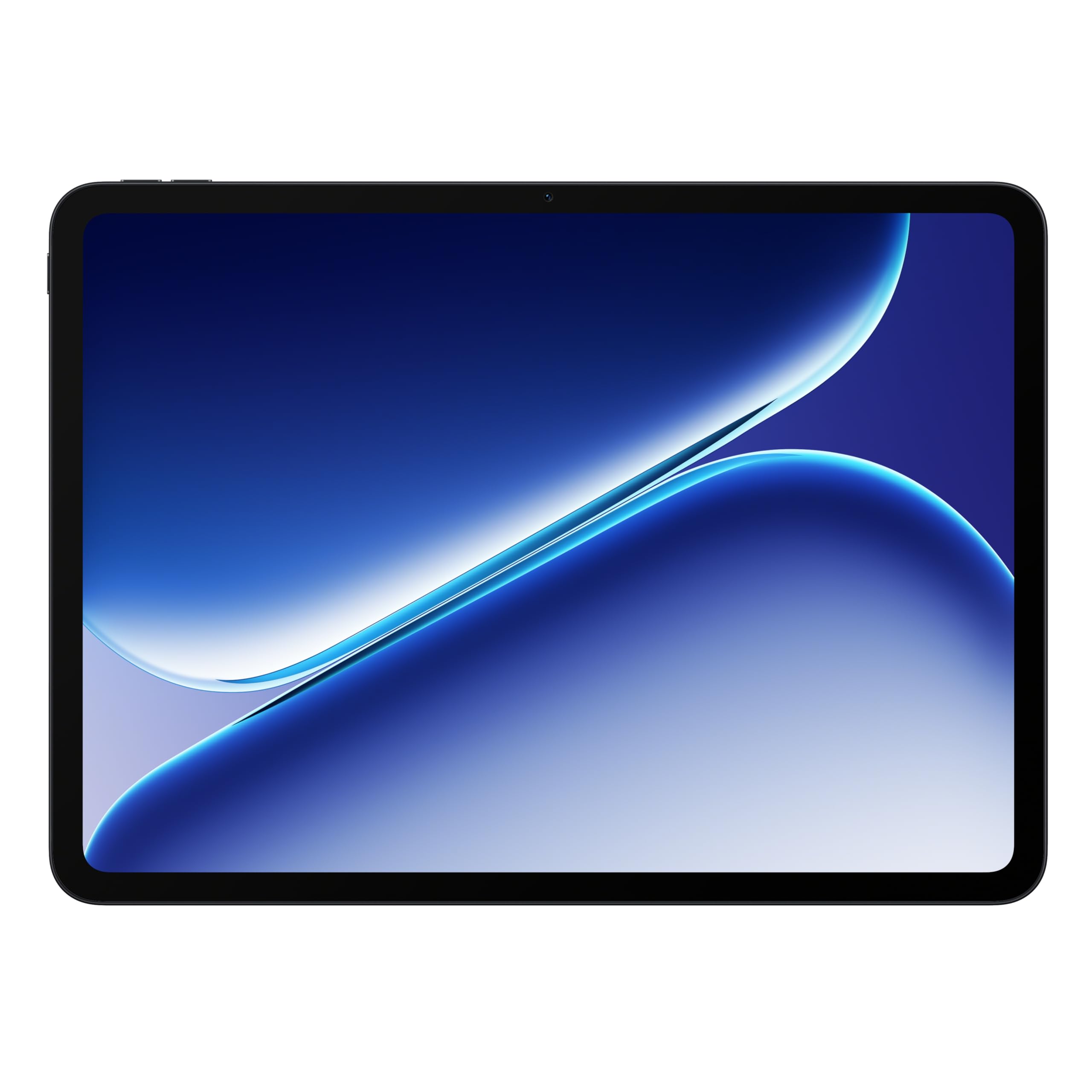
The OnePlus Pad Go 2 surprises with a 12.1-inch Dolby Vision display running at a fluid 120Hz refresh rate, making scrolling through documents and spreadsheets feel instant and responsive. The MediaTek Dimensity 7300-Ultra processor combined with 8 GB of RAM delivers consistent performance for office apps, and the 10,050mAh battery easily lasts a full workday with heavy use. SUPERVOOC fast charging gets you back to full in under two hours.
OxygenOS on the large screen is clean and optimized, with effective split-screen and floating window support for multitasking. The fingerprint sensor is built into the side button, unlocking quickly when you pick it up for a meeting. The tablet is also bright enough to be usable outdoors in shade, a rare find in this price tier.
The pen support is present but not as refined as Samsung’s S-Pen — the OnePlus stylus is less responsive for fine drawing, though it works adequately for basic note-taking. No keyboard is included, and the few first-party accessories are harder to find than iPad or Samsung options. If raw screen smoothness and battery stamina are your priorities, this is the pick.
Why it’s great
- 120Hz Dolby Vision display is exceptionally smooth
- Massive battery with fast SUPERVOOC charging
- Clean, fast OxygenOS with good multitasking
Good to know
- Stylus performance lags behind Samsung
- Accessories harder to source than iPad/Samsung
5. Amazon Fire Max 11 Productivity Bundle

The Fire Max 11 Productivity Bundle is the closest you can get to a laptop experience without leaving the Amazon ecosystem. It ships with a full keyboard case that includes 15 shortcut keys and a trackpad, plus the Made for Amazon Stylus Pen with six months of battery life. The 11-inch 2000×1200 display is sharp and certified for low blue light, which helps during long typing sessions. Wi-Fi 6 support ensures fast connectivity in shared office environments.
The octa-core processor and 4 GB RAM are sufficient for Microsoft 365 web apps, email, and note-taking, though the Fire OS remains the weakest link for office work. Google Play Store is not pre-installed, but you can add it via a manual workaround. The 14-hour battery life is excellent, and the aluminum chassis feels more premium than the price suggests.
The keyboard case is compact with small key travel, which may not suit heavy typists. Amazon’s lock-screen ads are not present on this bundle version, which is a nice bonus. For users deeply invested in Amazon’s ecosystem or those who want a complete productivity setup without buying separate accessories, this bundle delivers exceptional value.
Why it’s great
- Keyboard case and stylus included in the box
- 14-hour battery life with fast charging
- Premium aluminum build at a competitive price
Good to know
- Google Play Store requires manual installation
- Keyboard key travel is shallow for heavy typing
6. TCL NXTPAPER 14

The TCL NXTPAPER 14 stands out with its 14.3-inch anti-glare, paper-like display that drastically reduces eye strain compared to standard LCD or OLED panels. The NXTPAPER 3.0 technology combines blue light reduction, DC dimming, and an automatic eye care assistant that adjusts brightness and prompts breaks. For anyone who spends eight-plus hours reading documents, reviewing contracts, or marking up PDFs, this is the most comfortable screen in the budget segment.
The MediaTek Helio G99 processor and 8 GB of RAM (plus an additional 8 GB of expandable virtual RAM) handle split-screen productivity and web browsing well, though the 60Hz refresh rate is noticeably less fluid than the competition. The 4096-level T-PEN stylus is included and works well for note-taking and document annotation. The 10,000mAh battery with 33W fast charging keeps you going through a full workday.
The 14.3-inch size is excellent for sheet music, design mood boards, and reading full-size documents, but it is not portable for coffee shop work. There is no microSD slot, no headphone jack, and the speakers are adequate but not impressive. If eye comfort and screen real estate are your top priorities, the NXTPAPER 14 is a specialist that delivers.
Why it’s great
- Best-in-class paper-like screen reduces eye fatigue
- Large 14.3” display for full-size documents
- Included stylus with 4096 pressure levels
Good to know
- 60Hz refresh rate feels less smooth than rivals
- No microSD slot and no headphone jack
7. Lenovo Idea Tab

The standard Lenovo Idea Tab is a focused alternative to the Pro model, offering an 11-inch 2.5K IPS display with a 90Hz refresh rate, a MediaTek Dimensity 6300 processor, and 4 GB of RAM. For office tasks like email, note-taking, and web-based productivity suites, this configuration is adequately responsive. The included Tab Pen and folio case add immediate value for students or professionals who need to annotate documents right away.
The Circle to Search with Google feature is genuinely useful for quickly researching terms in documents without switching apps. The quad Dolby Atmos-tuned speakers are excellent for video calls, and the 12-hour battery life covers a standard workday. The 16:9 aspect ratio is less ideal for document reading than the 16:10 panels on some rivals, but the higher resolution compensates with sharp text rendering.
4 GB of RAM is the minimum for comfortable multitasking — you may experience app reloads when switching between several heavy apps. The MediaTek Dimensity 6300 is not built for demanding multitasking or gaming, but it holds up well in the budget category. If you keep your workflow simple and value the included accessories, this is a solid entry point.
Why it’s great
- Sharp 2.5K display with 90Hz refresh rate
- Included stylus and folio case
- Circle to Search feature is practical for research
Good to know
- 4GB RAM limits heavy multitasking
- 16:9 aspect ratio less ideal for document reading
8. Amazon Fire HD 10

The Fire HD 10 is the entry-level option for office work, offering a 10.1-inch 1080p Full HD display, an octa-core processor, and 3 GB of RAM. At this price point, the tablet handles email, calendar management, and web-based office apps reasonably well for light use. The 13-hour battery life is impressive, and the strengthened aluminosilicate glass makes it more durable than similarly priced alternatives.
Fire OS remains the biggest limitation for office productivity — Google Play Store access requires a manual workaround, and many office apps are available only through the Amazon Appstore, which has a smaller selection. The 5 MP front camera is serviceable for video calls but not sharp, and the lock-screen ads (on the standard version) can be distracting during work. The 64 GB storage option is expandable via microSD, which helps with document storage.
Multitasking is constrained by 3 GB of RAM; switching between more than two apps may trigger reloads. The Made for Amazon Stylus Pen is sold separately and lacks the pressure sensitivity of premium pens. If your office work is strictly web-based and you are comfortable working within Amazon’s ecosystem, the Fire HD 10 is a functional, low-cost companion device.
Why it’s great
- Very low entry price for a 10.1” tablet
- Excellent 13-hour battery life
- Durable build with reinforced glass
Good to know
- Fire OS restricts access to Google Play apps
- 3GB RAM limits multitasking capacity
9. reMarkable Paper Pro Move

The reMarkable Paper Pro Move is not a general-purpose tablet — it is a specialized digital notebook designed to replace paper notepads, meeting agendas, and printed documents. The 7.3-inch Canvas Color display feels and sounds like real paper, with a textured surface that provides friction for natural handwriting. There are no notifications, no app stores, and no web browser to distract you during meetings or focused writing sessions.
The Marker Plus requires no charging and attaches magnetically to the side. Handwriting-to-text conversion works reliably for meeting notes and task lists, and the cloud sync keeps your notebooks accessible on your phone and desktop through the reMarkable Connect subscription (which costs a few dollars per month). The 64 GB storage holds thousands of pages, and the 15-day battery life means you rarely think about charging.
This device cannot run office apps, browse the web, or handle email. It is limited to PDF annotation, note-taking, and document organization. The color display is muted compared to an LCD, which is intentional — it mimics paper, not a screen. For office workers who spend their days in meetings and need a focused, portable writing tool that syncs with their digital workflow, the reMarkable offers a unique solution.
Why it’s great
- Distraction-free design improves focus during meetings
- Excellent handwriting feel with no charging stylus
- 15-day battery life and ultraportable form factor
Good to know
- Cannot run third-party office apps or email
- Connect subscription required for full cloud features
FAQ
Can a budget tablet really replace my laptop for office work?
What is the minimum screen size for comfortable document editing?
Do I need a stylus for office tablet work?
Final Thoughts: The Verdict
For most users, the best budget tablet for office work winner is the Apple iPad 11-inch (A16) because its app ecosystem, long-term software support, and reliable multitasking make it the safest long-term investment for productivity. If you want a large screen and AI-assisted note-taking, grab the Lenovo Idea Tab Pro. And for a distraction-free writing tool that fits in a jacket pocket, nothing beats the reMarkable Paper Pro Move.

Mo Maruf
I created WellFizz to bridge the gap between vague wellness advice and actionable solutions. My mission is simple: to decode the research and give you practical tools you can actually use.
Beyond the data, I am a passionate traveler. I believe that stepping away from the screen to explore new environments is essential for mental clarity and physical vitality.