Our readers keep the lights on and my smoothie glass nicely filled. As an Amazon Associate, I earn from qualifying purchases.
Streaming on a tight budget used to mean accepting grainy video, unreliable autofocus, and microphones that pick up every dog bark and keyboard clack. The market has shifted, and you no longer need to break the bank for a camera that actually looks good on stream. Today’s budget-tier webcams pack features like phase-detection autofocus, AI tracking, and true 4K sensors that were reserved for premium models just a few years ago. The challenge now is sorting the real performers from the spec-padded duds.
I’m Mohammad Maruf — the founder and writer behind WellFizz. I’ve sifted through thousands of customer reports, technical spec sheets, and real-world streaming tests to separate the cameras that actually deliver from those that just look good on paper.
Whether you’re starting a Twitch channel, upgrading your home office, or jumping into YouTube content creation, this guide cuts through the noise to help you find the absolute best budget streaming camera for your specific setup and use case.
How To Choose The Best Budget Streaming Camera
Navigating the budget streaming camera market requires a clear understanding of what compromises are worth making and which specs are non-negotiable at this price tier. Here’s what to prioritize.
Sensor Resolution and True Framerate
Budget cameras often advertise 4K resolution, but the sensor’s native output may be 1080p with digital upscaling. Look for cameras that list their effective video resolution explicitly — a native 3840×2160 sensor at 30 fps delivers genuine 4K detail, while an interpolated 4K signal will look soft. For streamers, 1080p at 60 fps often produces smoother motion than a choppy 4K at 30 fps, so prioritising framerate over maximum resolution is a smart trade. Check whether the camera uses hardware H.264 encoding to offload processing from your PC, which prevents dropped frames during live broadcasts.
Autofocus System and Field of View
Fast and reliable autofocus separates a professional-looking stream from a blurry mess. Phase Detection Autofocus (PDAF) locks focus in under half a second and tracks movement without hunting, whereas standard contrast-detection autofocus can produce that distracting wobble effect during dynamic scenes. A field of view between 80° and 120° allows you to show your face clearly while including some background context. If you move around frequently during streams — standing up, leaning in to show gear, or demonstrating products — pair a wide FOV with responsive autofocus for a polished look.
Built-In Microphone Array and Noise Handling
Integrated microphones on budget streaming cameras range from barely adequate to surprisingly capable. Dual or triple mic arrays with active noise cancellation can isolate your voice from keyboard clicks, room fans, and ambient chatter up to several feet away. If you plan to use an external XLR or USB microphone, the camera’s built-in audio becomes less critical, but for those starting out without dedicated audio gear, a camera with effective noise-canceling mics saves the cost of a separate mic setup. Test the mic’s real-world pickup pattern — some budget cameras claim omnidirectional coverage but sound hollow past one meter.
Mounting Flexibility and PTZ Capabilities
A camera that sits stubbornly on top of your monitor limits your framing options. Look for a universal 1/4-inch tripod thread, a swivel mount with 360-degree rotation, and adjustable tilt. For creators who want dynamic shots without a cameraperson, Pan-Tilt-Zoom (PTZ) cameras with AI tracking can follow your movement automatically — a capability that was once exclusive to thousand-dollar units and is now appearing in budget models. This is a genuine game-changer for solo streamers, as it eliminates the need to stay glued to one spot while delivering a professional multi-camera feel.
Quick Comparison
On smaller screens, swipe sideways to see the full table.
| Model | Category | Best For | Key Spec | Amazon |
|---|---|---|---|---|
| OBSBOT Tiny SE | PTZ AI Tracker | Solo streamers needing motion tracking | 1080p@100fps, AI Zone Tracking | Amazon |
| EMEET Piko Dual | Dual-Camera | Product demos and close-up tutorials | 11X Hybrid Zoom, Telephoto + Wide | Amazon |
| Angetube 914Max | Wide-Angle 4K | Group calls and wide-room capture | 120° FOV, PDAF Autofocus | Amazon |
| NexiGo N660P Pro | All-Rounder | Streamers wanting 4K clarity on a tight budget | 4K@30fps, Distortion-Free 80° Lens | Amazon |
| Razer Kiyo V2 X | 1440p Streamer | Gamers with 1440p monitors and OBS setups | 1440p@60fps, Razer Synapse Tuning | Amazon |
| Logitech C920 | Classic 1080p | Reliable daily conferencing and entry streaming | 1080p, RightLight 2 Auto Correction | Amazon |
| FJFJOPK 4K Camcorder | Portable Camcorder | Vloggers needing mobility and night vision | 18X Digital Zoom, 3.0″ Touch Screen | Amazon |
In‑Depth Reviews
1. OBSBOT Tiny SE

The OBSBOT Tiny SE redefines what a budget streaming camera can do by bringing professional-grade AI tracking to an accessible price point. Its 1/2.8″ Stacked CMOS sensor paired with Dual Native ISO and Staggered HDR delivers exceptional low-light performance — a rarity at this tier — and the 1080p resolution at 100 fps ensures buttery-smooth motion that beats most 4K cameras for live streaming fluidity. The PTZ gimbal silently follows your movements with zone tracking, body-part tracking, and gesture control, making it ideal for solo streamers who want dynamic framing without a dedicated operator.
Setup is genuinely plug-and-play: the included USB-C cable and adapter work with any modern laptop or desktop, and the OBSBOT software allows you to program multiple preset positions with individual AI tracking settings. The camera’s compact form factor and integrated monitor mount mean it sits flush on your screen without overhang, and the lightweight build (1.5 grams) won’t strain thinner displays. The autofocus system is snappy and rarely hunts, even when you lean in and out of frame rapidly during energetic streams.
Customer feedback consistently highlights the Tiny SE as a massive upgrade from static webcams like the Logitech C920 at a similar price. Reviewers note the absence of overheating issues that plague the more expensive Tiny 2, and the AI tracking accuracy is praised for maintaining subject framing even during erratic movement. The only consistent critique involves rare software glitches that reset the gimbal angle — a quick power cycle resolves this, but it’s worth noting for marathon streaming sessions where reliability is critical.
Why it’s great
- AI tracking delivers dynamic framing without a second person
- 100 fps frame rate creates exceptionally smooth video
- Dual Native ISO sensor excels in low-light environments
Good to know
- Occasional software glitch resets gimbal position
- Maximum resolution is 1080p — no 4K option
2. EMEET Piko Dual
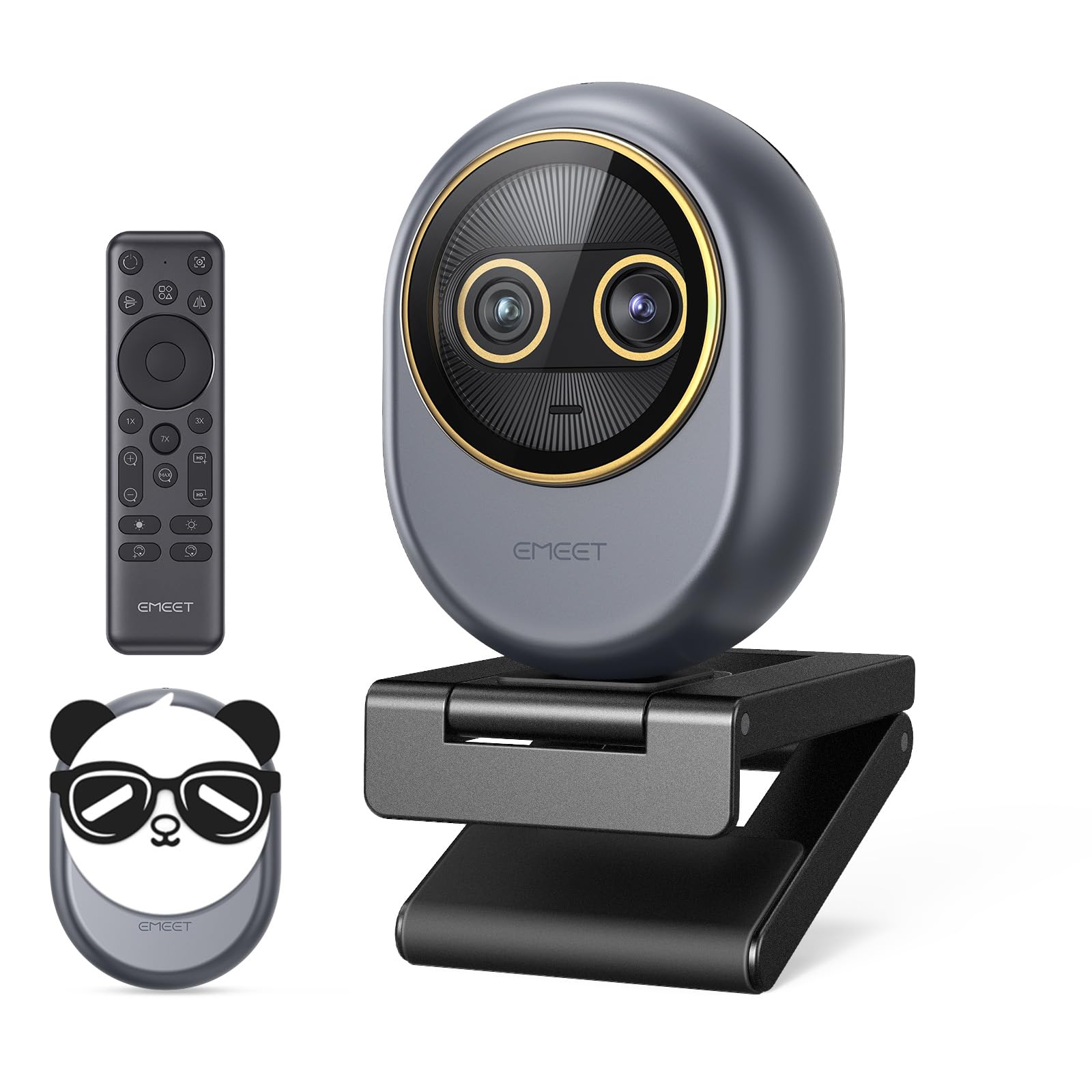
The EMEET Piko Dual is the world’s first dual-camera 4K webcam, combining a wide-angle lens for full-room framing with a dedicated telephoto lens for sharp close-ups. This dual-optics design allows you to physically switch between cameras rather than relying on digital zoom, preserving true optical quality at up to 11X hybrid zoom — a massive advantage for streamers who need to showcase small objects, hand details, or product textures without losing resolution. The 0.2-second PDAF autofocus ensures transitions between cameras are instant and stable.
Connectivity is future-proofed with both USB-C and USB-C-to-A adapters included, and the wireless remote control allows on-the-fly switching between camera views, zoom adjustments, and focus locking without touching your PC. The EMEET STUDIO software provides granular desktop control over brightness, white balance, and zoom parameters for precise tuning. The three built-in microphones with Original Sound Mode capture natural voice with impressive clarity up to several feet, making it suitable for podcast-style commentary without an external mic.
Users consistently describe the Piko Dual as a massive step up from older webcams like the EMEET C950, praising its low-light capture capabilities and the unique ability to swap between telephoto and wide views in real time. The magnetic panda privacy cover is charming but has been noted to have weak magnets that can fall off with jarring movements — a small annoyance that doesn’t affect video quality. The camera’s ultra-compact design (just 2 inches tall) makes it one of the most portable options in this class.
Why it’s great
- True optical telephoto camera for detailed close-ups
- Wireless remote control for hands-free operation
- Ultra-fast 0.2-second PDAF autofocus
Good to know
- Magnetic privacy cover attachment is weak
- Hybrid zoom unavailable in 4K/60fps mode
3. Angetube 914Max
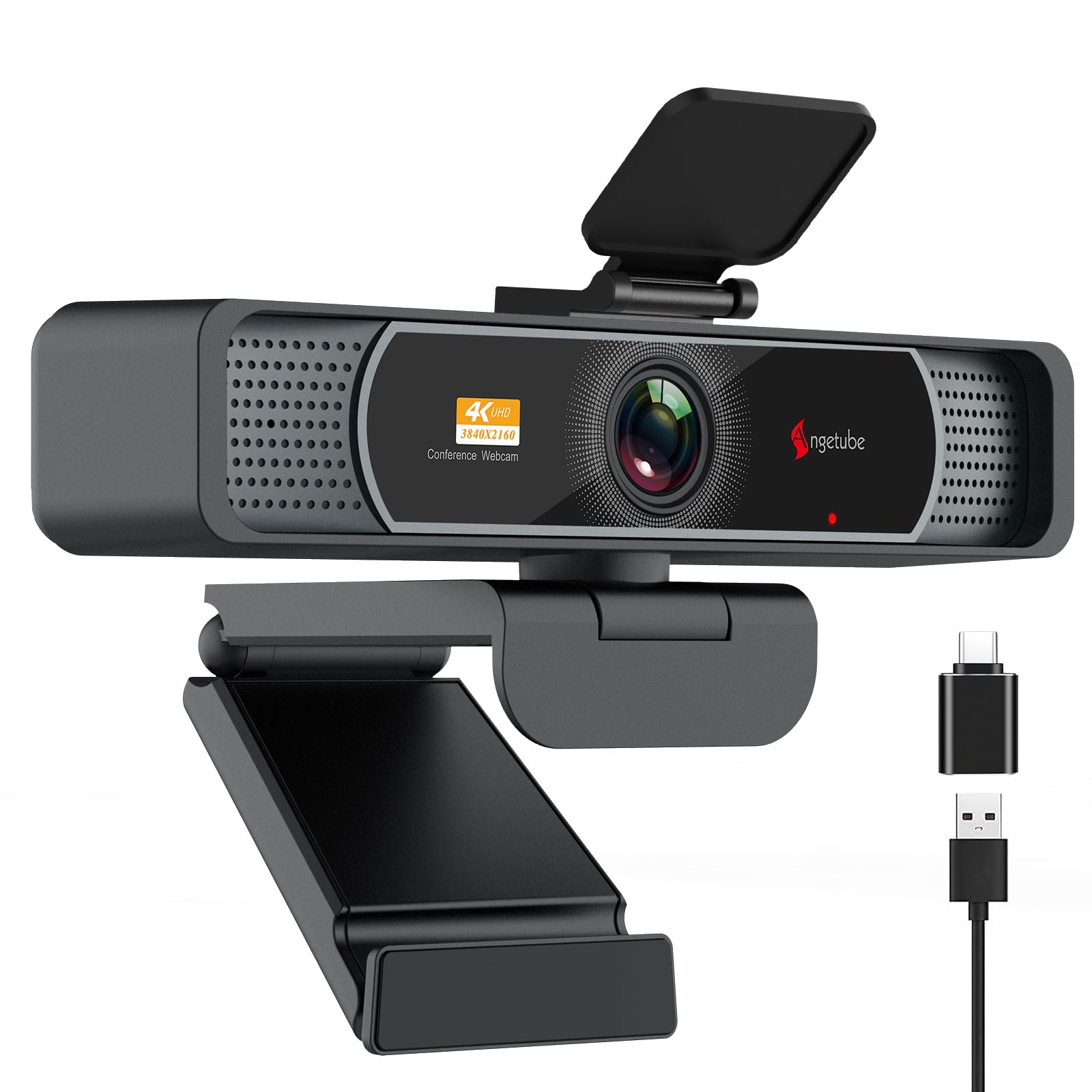
The Angetube 914Max delivers a distortion-free 120-degree field of view, making it the top pick for streamers who want to include their full setup, background, or multiple people in frame without the fisheye warp common to ultra-wide lenses. The PDAF (Phase Detection Auto Focus) technology locks onto subjects rapidly and maintains sharp focus during movement, which is critical for presenters who gesture or shift positions while talking. At 4K resolution (3840×2160) at 30 fps, or 1080p at a fluid 60 fps, this camera offers solid versatility across different streaming scenarios.
Audio is handled by dual microphones with AI noise cancellation that effectively isolates voice from ambient noise up to 16 feet away — useful for open-plan rooms or shared spaces. The universal joint mount provides 360-degree horizontal rotation and 90-degree vertical adjustment, plus a standard 1/4-inch tripod thread, giving you maximum framing flexibility. The included privacy cover slides over the lens when not in use, and the USB-A to USB-C adapter ensures compatibility across modern and legacy devices without extra dongles.
Customer reviews highlight the camera’s genuine 4K output with excellent autofocus behavior and bitrate, noting it outperforms webcams that cost twice as much. The integrated ring light, while effective for evening calls, can cause glare on glasses and lacks a defined stop point on its dial, meaning you might accidentally turn the camera off when adjusting illumination. The microphone is serviceable for voice calls but falls short for serious streaming audio — pairing it with a dedicated USB mic is strongly recommended for content creators.
Why it’s great
- True 120° field of view without barrel distortion
- Phase-detection autofocus eliminates hunting
- 4K sensor provides genuine high-resolution output
Good to know
- Ring light causes glare on eyeglasses
- Built-in mic quality is average for streaming
4. NexiGo N660P Pro

The NexiGo N660P Pro strikes an exceptional balance between price and performance, delivering genuine 4K resolution at 30 fps alongside 1080p at 60 fps for smooth live streaming. Its distortion-free lens design preserves natural facial proportions and shapes without fisheye warping, while integrated 3D Noise Reduction (3DNR) actively removes visual grain in real-time to produce a clean, crisp image even in less-than-ideal lighting. The dual noise-canceling microphones effectively isolate voice from background sounds, making it a strong all-in-one package for streamers who don’t want to invest in separate audio gear immediately.
The camera’s intelligent auto-light adjustment dynamically balances exposure across both over-exposed and low-light environments, ensuring you look consistent regardless of room conditions. A focused 80-degree field of view naturally highlights the subject while excluding messy surroundings, which works well for solo streamers who want to stay the center of attention. The hardware includes a sliding privacy shutter, a 360-degree swivel mount, and a standard 1/4-inch tripod thread for flexible mounting on monitors, desks, or light stands.
Customer feedback strongly emphasizes the plug-and-play simplicity — reviewers report perfect functionality on Zoom, Teams, OBS, and Twitch without driver installation. The camera is praised for its build quality and the effectiveness of the privacy cover, though a few users note that the image can appear slightly grainy at 1080p despite the 4K sensor. The autofocus system is reliable for static and slow-moving subjects but exhibits slight latency during rapid motion, so dynamic streamers may want to set a fixed focus manually for consistent sharpness.
Why it’s great
- True 4K sensor with 3DNR for clean output
- Plug-and-play across all major streaming platforms
- Effective noise-canceling microphones
Good to know
- 1080p mode may appear softer than expected
- Autofocus struggles with fast movement
5. Razer Kiyo V2 X

The Razer Kiyo V2 X offers 1440p resolution at 60 fps, hitting a sweet spot between 1080p and full 4K that provides noticeably sharper detail without the heavy processing demand that 4K places on your streaming PC. The wide-angle lens delivers flexible framing options — pull back to show your full gaming setup or move in for intimate face-camera interaction. Razer Synapse software provides intuitive presets and granular color/lighting adjustments, making it easy to match your stream aesthetic without wrestling with third-party plugins. The integrated privacy shutter twists conveniently to cover the lens between sessions.
Mounting is versatile with a universal pivoting mount that tilts and swivels on monitors, plus a built-in tripod thread for alternate angles. The camera’s slimline design sits flush on thin bezel monitors without protruding awkwardly, which is a plus for dual-display setups. The built-in microphone delivers crisp audio that’s adequate for short clips and direct communication, though dedicated streamers should still plan for an external XLR or USB mic. Compatibility extends through Windows 10/11 64-bit and macOS 14 or higher, covering the vast majority of gaming and production rigs.
Reviewers consistently praise the Kiyo V2 X for its excellent color reproduction and the convenience of 1440p 60fps output — a resolution and framerate combination rarely seen at this price tier. Some users report occasional random black screen flickering, usually resolved by toggling settings in Synapse, and low-light performance can appear fuzzy without proper illumination. The camera is widely recommended as a direct upgrade path from standard 1080p webcams, offering a noticeable improvement in detail and smoothness without jumping to the higher price of 4K flagships.
Why it’s great
- Rare 1440p 60fps output at budget pricing
- Razer Synapse gives precise color tuning
- Compact mount fits thin bezel monitors well
Good to know
- Occasional flickering issues reported
- Struggles with clarity in dim environments
6. Logitech C920

The camera’s autofocus system, while not as fast as modern PDAF designs, provides steady focus for seated presenters and video calls. The Carl Zeiss-certified optics produce natural color reproduction with minimal chromatic aberration, and the 78-degree field of view is well-suited for single-person framing without excessive background capture.
Hardware-encoded H.264 video compression offloads processing from your CPU, ensuring smooth streaming even on mid-range laptops. The universal monitor clip fits any bezel thickness and includes a tripod thread for alternative mounting. Dual stereo microphones provide adequate sound pickup for meetings and casual streams, though they are prone to capturing room reverb and keyboard noise — an external microphone is strongly advised for serious content creation. The 3X digital zoom is available through Logitech Capture software, though optical zoom is absent.
Decades of customer reviews confirm the C920’s legendary durability — users report units lasting over two years of daily use without performance degradation. The USB cable is notably sturdy and resists fraying. However, the 15-megapixel still capture is software-interpolated from a 3-5MP native sensor, and the camera lacks modern features like built-in privacy shutters or AI tracking. For streamers seeking cutting-edge functionality, the C920 feels dated, but as a no-compromise, proven workhorse for entry-level streaming, it remains an excellent fallback option.
Why it’s great
- Proven reliability with years of positive user feedback
- Hardware H.264 encoding reduces CPU load
- Consistent image quality with RightLight 2
Good to know
- No built-in privacy shutter
- Stereo mics pick up room reverb easily
7. FJFJOPK 4K Video Camera Camcorder
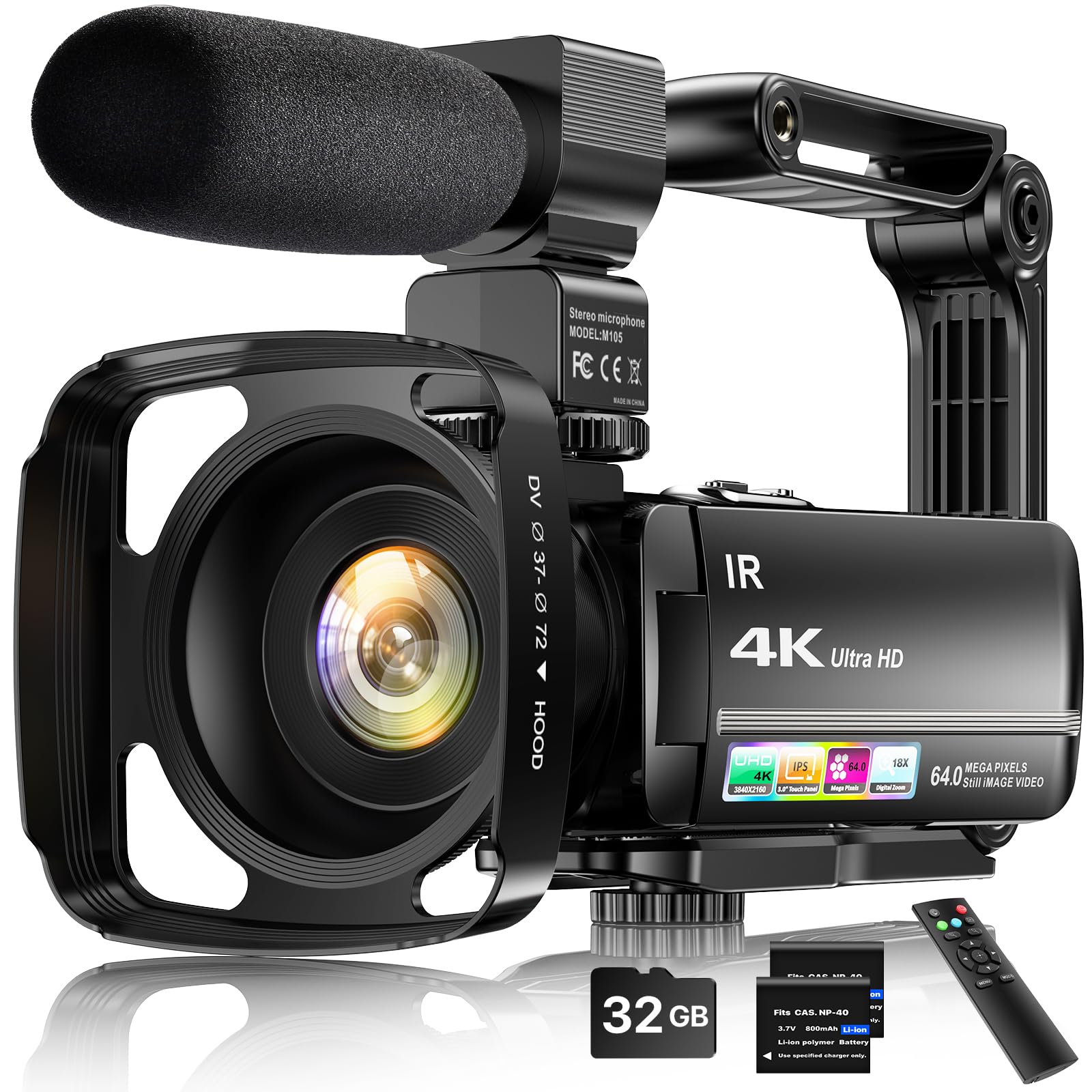
The FJFJOPK 4K Camcorder is a dedicated video camera rather than a webcam, offering distinct advantages for streamers who need mobility, an integrated touchscreen monitor, and bundled accessories. Its 64MP image sensor captures 4K Ultra HD video with 18X digital zoom, and the included handheld stabilizer reduces shake for smooth walking shots — ideal for on-the-go vloggers who stream from multiple locations. The IR night vision mode enables indoor filming in complete darkness, expanding your content possibilities without additional lighting gear.
The camera comes with an extensive kit: an external stereo microphone for improved audio capture, a wireless remote control for hands-free operation, a lens hood to reduce flare, a 32GB SD card, and two rechargeable batteries. The 3.0-inch 270-degree rotatable touchscreen supports selfie framing, facial detection, continuous shooting, time-lapse, and slow-motion recording. USB 2.0 connectivity allows the camera to function as a webcam for direct streaming, though the true value lies in its standalone recording capability for pre-produced content.
Customer feedback divides sharply between impressed beginners who find the kit complete and user-friendly, and experienced users who note that the 4K video records at approximately 5 fps — extremely choppy — making it only functional at 1080p. The 64MP still photos also interpolate down to roughly 15MP effective resolution. Audio quality without the external mic is poor, and the included stabilizer is more of a steady handle than a true gimbal. This camera is best suited for entry-level vloggers who prioritize portability and bundled value over raw streaming performance.
Why it’s great
- Comprehensive kit includes mic, remote, and batteries
- IR night vision enables zero-light recording
- Touchscreen and handheld stabilizer aid mobile filming
Good to know
- 4K resolution records at very low frame rates
- Audio quality poor without the external microphone
FAQ
Can I use a budget streaming camera for professional conferencing and Zoom meetings?
Is 4K resolution necessary for live streaming on Twitch or YouTube?
How does AI tracking improve a solo streamer’s production quality?
What accessories should I buy alongside a budget streaming camera?
Final Thoughts: The Verdict
For most streamers, the absolute best budget streaming camera is the NexiGo N660P Pro because it provides genuine 4K clarity, distortion-free optics, and effective noise cancellation at an entry-level price that doesn’t compromise core streaming quality. If you want AI-powered framing and silky motion smoothness without a cameraperson, grab the OBSBOT Tiny SE, whose PTZ tracking and 100fps video redefine what a budget camera can do for dynamic solo creators. And for content creators who need both wide-room coverage and telephoto close-ups for product demos, nothing beats the dual-camera versatility of the EMEET Piko Dual, which offers optical zoom and wireless control in an ultra-portable design.

Mo Maruf
I created WellFizz to bridge the gap between vague wellness advice and actionable solutions. My mission is simple: to decode the research and give you practical tools you can actually use.
Beyond the data, I am a passionate traveler. I believe that stepping away from the screen to explore new environments is essential for mental clarity and physical vitality.