Our readers keep the lights on and my smoothie glass nicely filled. As an Amazon Associate, I earn from qualifying purchases.
The resin 3D printer market has flooded sub- territory with machines that promise jewelry-grade detail, but the gap between marketing specs and first-layer reality swallows beginner budgets whole. Vague XY resolution numbers and unregulated light sources turn your first gallon of resin into a learning tax, not a finished miniature.
I’m Mohammad Maruf — the founder and writer behind WellFizz. I’ve spent two years analyzing MSLA printer specifications, light uniformity data, Z-axis tolerance reports, and real user failure-rate patterns across the budget resin segment, separating machines that deliver on their pixel promises from those that just look good on paper.
Whether you print tabletop wargaming miniatures or dental models, finding the right entry-level machine requires parsing LCD resolution, light source consistency, and build plate adhesion mechanics — which is exactly what this guide to the best budget resin 3d printer will help you do.
How To Choose The Best Budget Resin 3D Printer
A budget resin printer is not just a cheap box with a UV light. The low price point forces manufacturers to make trade-offs in LCD screen quality, light source uniformity, Z-axis stability, and build plate engineering. Understanding which of these compromises you can tolerate — and which are deal-breakers — separates a smart purchase from a regretful one.
Don’t Chase Raw XY Resolution Blindly
A 10K LCD sounds twice as good as a 5K screen, but the real-world difference between 35-micron and 17-micron pixel sizes is only visible in the finest facial features of a 28mm miniature or the sharp edges of a jewelry master pattern. For functional prints, brackets, and terrain pieces, a well-tuned 4K or 6K machine with a stable light source often outprints a poorly ventilated 10K machine with inconsistent UV distribution.
Light Source Technology Determines Surface Quality
Budget resin printers typically use either a COB (Chip-on-Board) array or a matrix of individual UV LEDs. COB sources, when paired with a proper collimating lens, produce more uniform light distribution across the entire build area, reducing the gradient of under-cured edges that cause layer lines. Matrix arrays can introduce hot spots that over-cure center details while leaving corners tacky.
Leveling Ease Defines Your First Week Experience
Automatic leveling sensors — either mechanical, inductive, or load-cell based — eliminate the paper-pull dance that ruins many newcomers’ first prints. On budget models, an auto-leveling system that works reliably after the first calibration run can save days of troubleshooting. Manual 4-point leveling is cheaper and still works well if you are patient, but expect to re-level after every vat change.
Quick Comparison
On smaller screens, swipe sideways to see the full table.
| Model | Category | Best For | Key Spec | Amazon |
|---|---|---|---|---|
| ELEGOO Mars 4 | Resin MSLA | High-detail miniatures | 9K LCD / 70mm/h print speed | Amazon |
| ANYCUBIC Photon Mono 4 | Resin MSLA | Beginners, crisp text | 10K LCD / 17 µm pixel size | Amazon |
| ELEGOO Mars 5 | Resin MSLA | Convenience, auto-leveling | 4K LCD / Mechanical sensor | Amazon |
| Bambu Lab A1 mini | FDM | DIY, home decor, tools | FDM / ≤48 dB noise level | Amazon |
| Geeetech M1S mini | FDM | Kids, absolute beginners | FDM / 250 mm/s print speed | Amazon |
| Creality Ender-3 V3 KE | FDM | Speed, large FDM prints | FDM / 500 mm/s, 300°C nozzle | Amazon |
| ANYCUBIC Mono 4 Bundle | Resin + Wash/Cure | All-in-one resin workflow | 10K LCD / W&C 3.0 bundle | Amazon |
| Phrozen Sonic Mini 8K S | Resin MSLA | Tabletop wargaming minis | 8K LCD / 22 µm XY resolution | Amazon |
| Creality Halot-X1 Combo | Resin MSLA | Professional-grade detail | 16K LCD / 170 mm/h speed | Amazon |
In‑Depth Reviews
1. ELEGOO Mars 4

The ELEGOO Mars 4 delivers a 7-inch 9K monochrome LCD paired with a 36-LED COB light source, achieving 8520×4320 resolution that translates into visibly sharper edges on 28mm miniatures compared to 4K machines at triple the price. The laser-carved build plate provides reliable adhesion out of the box; users consistently report higher first-layer success rates than with earlier Mars models, provided the resin is warmed to the manufacturer’s recommended temperature range.
The Z-axis linear rail design reduces ghosting and layer shift on tall prints, and the 3.5-inch touch screen with real-time progress bar keeps the workflow intuitive. However, the manual focus on leveling and Chitubox integration means beginners should expect a short learning curve — several reviews note that cold resin (below 70°F) leads to 3 days of failures before the temperature relationship is understood.
ELEGOO’s customer service responsiveness shows up strongly in user reports, with one cracked LCD replaced under warranty within a week, though the open-source GOO slice format means compatibility with Lychee Slicer and other third-party tools is seamless. For the highest XY resolution in the budget tier without stepping up to premium pricing, the Mars 4 remains the reference point.
Why it’s great
- 9K LCD produces miniature details that rival printers costing 40% more
- COB UV source with 36 LEDs delivers exceptional light uniformity across the build area
- Laser-carved build plate provides reliable first-layer adhesion when resin is properly warmed
Good to know
- Manual leveling process requires careful paper-pull calibration before first print
- Chitubox has a learning curve; expect early misprints while adjusting exposure settings
- Resin temperature below 70°F causes consistent failure until warmed
2. ANYCUBIC Photon Mono 4

The Photon Mono 4 pushes into ultra-fine resolution territory with a 7-inch 10K LCD that achieves a 17-micron pixel size, making it the pixel-density leader in the entry-level segment. Users printing tiny text on logos or jewelry masters with fine filigree report that this machine reveals detail that a 4K LCD cannot resolve, without the light bleed artifacts common on earlier high-res panels. The LighTurbo matrix light source stabilizes UV output to reduce visible layer lines, and the 4-point leveling system is designed to stay calibrated after initial setup.
At 7.7 pounds, the chassis is noticeably lighter than competitors, and the plastic build and small touchscreen draw criticism from users who expect metal frames at this spec level. The Photon Workshop slicer app is functional but buggy, with several users reporting that they prefer Lychee Slicer for reliability. Replacement LCDs cost between and , which is a realistic maintenance cost for a machine that will see heavy use.
Print success rates in reviews hover around 90% after initial leveling, with warping on large flat prints being the most common failure mode — solved by adding more supports or angling the model. For a beginner who wants the highest resolution available at this price point, the Photon Mono 4 delivers a pixel density that punches above its cost tier.
Why it’s great
- 17-micron XY pixel size resolves the finest text and filigree details without blurring
- LighTurbo light source minimizes visible layer lines compared to basic matrix arrays
- 4-point leveling stays calibrated after initial setup, reducing first-week frustration
Good to know
- Plastic chassis and small touchscreen feel less durable than metal-framed competitors
- Photon Workshop slicer is buggy; most users switch to Lychee Slicer immediately
- Larger flat prints can warp without generous support structures
3. ELEGOO Mars 5

The Mars 5 introduces an intelligent mechanical sensor system that detects low resin levels, foreign objects, release film condition, and overheating, then runs a self-check before each print — a genuinely useful safety net for beginners who have not yet learned to catch these failure modes manually. The automatic leveling system uses a spring-loaded sensor that eliminates the paper-pull ritual: users report unboxing, filling the vat, and printing within 20 minutes. The laser-engraved build plate and replaceable tank lock further simplify maintenance.
The trade-off is a 6.6-inch 4K LCD with 35-micron XY resolution, which is a step down from the Mars 4’s 9K panel. For miniature work, the lower pixel density means edges on 15mm scale faces appear softer, though for terrain and functional prints the difference is negligible. The COB light source with 92% light uniformity is a genuine strength here, producing smooth model surfaces even at the lower resolution.
The adjustable foot pads and one-touch build plate locking make this the most user-friendly machine in ELEGOO’s budget lineup.
Why it’s great
- Intelligent mechanical sensor detects resin level, overheating, and vat issues before printing
- Auto leveling works out of the box — unbox and print in under 20 minutes
- COB source achieves 92% light uniformity for smooth surfaces despite the 4K LCD
Good to know
- 4K LCD at 35 microns shows softer detail on small miniatures compared to 9K or 10K machines
- Resistive touch screen is less responsive than capacitive screens on competing models
- Lack of WiFi or app control means files must be transferred via USB drive
4. Bambu Lab A1 Mini + LED Lamp Kit
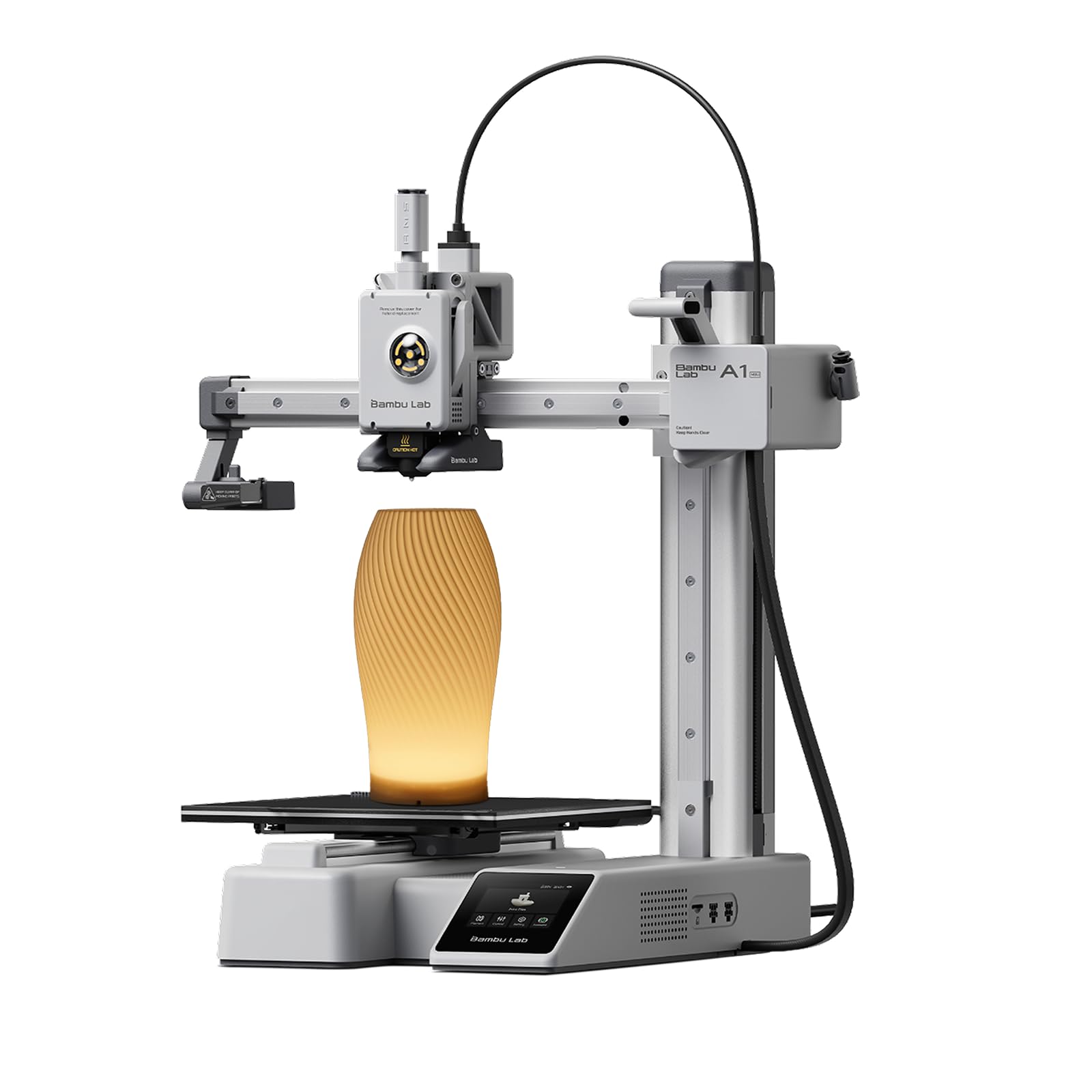
The A1 mini is an FDM printer, not a resin machine, so it enters this comparison for buyers who want a single workhorse that handles functional prints, desk toys, and lamp projects without the chemical handling requirements of resin. Full-auto calibration, active flow rate compensation, and a ≤48 dB noise profile make it genuinely beginner-friendly — users report setting up and printing within 30 minutes with zero manual leveling. The integrated Bambu Handy app and MakerWorld model library remove the need for desktop slicing for common projects.
Print quality on default settings is good but not resin-grade: layer lines are visible at close range, and overhangs require careful orientation. The 7x7x7-inch build volume limits large terrain pieces, and the single hot end means color changes require a filament swap. One user reported a nozzle malfunction during the first print, which suggests quality control variability on early units.
For the buyer who prints a mix of functional objects and occasional figure models, the A1 mini eliminates the post-processing chain (washing, curing, toxic waste disposal) that resin demands. But if your priority is fine detail on miniatures, this is not a resin substitute — it is a different use case entirely.
Why it’s great
- Full auto calibration and flow compensation deliver reliable prints without manual tuning
- 48 dB noise level lets it run overnight in a bedroom without disturbance
- Integrated app and model library reduce the barrier to entry for non-technical users
Good to know
- FDM layer lines are visible at close range — this is not a resin-quality finish
- 7-inch build cube limits terrain and large object printing
- Early units show quality control issues; one user reported a thermal malfunction on first print
5. Geeetech M1S Mini

The M1S mini targets a specific niche: a fully assembled, fully enclosed printer designed for children and absolute beginners. The 16-point auto-leveling system and magnetic PEI print bed eliminate the two most common failure points for newcomers, and the app-based control interface allows kids to start prints from a phone without touching the slicer. The direct drive extruder with a 1:5 gear ratio handles TPU and PLA reliably at speeds up to 250 mm/s.
The build volume is a very compact 3.94 x 4.33 x 3.94 inches — sufficient for small toys, keychains, and school projects but restrictive for any substantial object. Users report that the included filament sample is too short to complete most first projects, so factor in buying a separate spool immediately. The 0.5 kg filament compatibility requires either buying smaller spools or using the optional filament holder mount.
Customer support responsiveness is a bright spot in reviews, with one user receiving replacement diagrams and another getting a full unit replacement for a faulty leveling sensor. For a family introducing 3D printing to children, the safety enclosure and simplified workflow reduce supervision burden, but the tiny build area means this printer will be outgrown quickly by an enthusiastic young maker.
Why it’s great
- Fully assembled out of the box with automatic leveling — no setup troubleshooting required
- App-based control lets kids start prints from a phone without touching computer software
- Direct drive extruder handles flexible TPU filaments cleanly at 250 mm/s
Good to know
- Tiny 4-inch cubic build volume limits projects to really small toys and trinkets
- Included sample filament is too short for most first prints; buy a separate spool immediately
- WiFi connectivity can be unstable; some users lose connection requiring hard reset
6. Creality Ender-3 V3 KE

The Ender-3 V3 KE re-engineers the classic Ender-3 platform for speed, claiming 500 mm/s print speed and 8000 mm/s² acceleration through a lightweight direct drive extruder and a 60W ceramic heater that reaches 300°C. The CR Touch auto-leveling sensor and dual Z-axis screws address the two biggest historical complaints about the Ender line: manual bed leveling and gantry sag. Users report consistent first layers and sharp corners once the 10-minute assembly is complete.
The Sprite direct extruder handles PLA, PETG, ABS, and TPU (95A) without jamming, though the bi-metal heatbreak is a genuine upgrade for high-temperature filament. Dual fans provide rapid cooling that maintains overhang quality at high speeds. However, the machine is loud — the chassis fans and print cooling fans run at noticeable volume during high-speed operation, and the bed requires patience with leveling if the gantry was not perfectly squared during assembly.
One user received a unit with a gantry misaligned from the factory, measuring maximum Y acceleration at 1500 mm/s² rather than the advertised 8000 — a clear quality control gap. The open-frame design means the printer is not enclosed for ABS or ASA, limiting material choices without an aftermarket enclosure. For the price, the speed and extruder capability are hard to match, but assembly precision varies.
Why it’s great
- 500 mm/s print speed with 8000 mm/s² acceleration drastically reduces print times
- Sprite direct extruder and 300°C hot end handle engineering-grade filaments reliably
- CR Touch auto-leveling eliminates the manual leveling ritual of older Ender-3 models
Good to know
- Loud during high-speed printing; not suitable for quiet shared spaces
- Quality control issues: one user received a unit with a misaligned gantry from the factory
- Open-frame design requires an aftermarket enclosure for ABS or ASA printing
7. ANYCUBIC Photon Mono 4 & Wash & Cure 3.0 Bundle
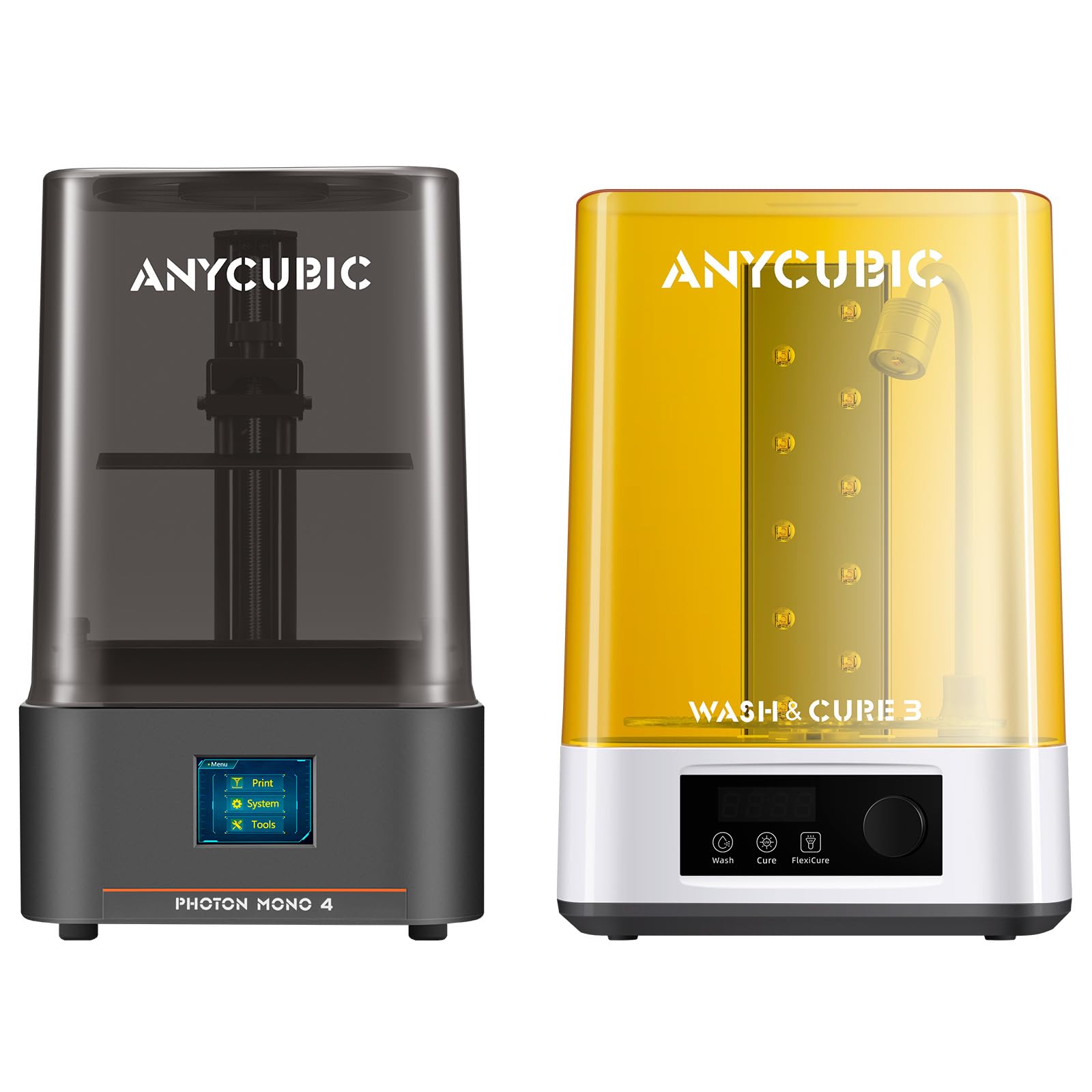
The Photon Mono 4 bundle packages the same 10K LCD printer with the Wash & Cure 3.0 station, adding a 4-liter cleaning basket with a 42% larger capacity than the previous W&C 2 generation. The Flexicure gooseneck light design on the curing station delivers 30,000 uW/cm² within 1-3 cm of the model surface, which significantly strengthens cure depth on detailed areas like garment hems and the tops of tall figures. For a buyer who knows they need both a printer and a post-processing station, the bundle saves the mental overhead of matching separate components.
The W&C 3.0 accommodates printers with a build volume of 7.3 inches or smaller, which covers the Mono 4 but would be too small for larger-format resin printers like the Phrozen Sonic Mega 8K. The curing station’s turntable and timer are straightforward, and the cleaning basket handles a full Mono 4 build plate worth of parts in one cycle.
The downsides mirror those of the standalone Mono 4: the plastic chassis, the small resistive touch screen, and the buggy Photon Workshop slicer all carry over. The bundle price represents a genuine discount compared to buying the printer and curing station separately, but the curing station adds significant desk footprint — measure your workspace before committing.
Why it’s great
- Integrates the 10K printer and W&C 3.0 station into one purchase with a cost advantage
- 4-liter cleaning basket handles a full build plate worth of models in a single wash cycle
- Flexicure gooseneck light delivers high UV intensity for thorough curing of complex geometry
Good to know
- W&C 3.0 only fits printers with a build volume of 7.3 inches or smaller
- The combined footprint of printer and curing station requires dedicated desk space
- Same plastic chassis and touchscreen quality trade-offs as the standalone Mono 4
8. Phrozen Sonic Mini 8K S

The Sonic Mini 8K S sits at the premium edge of the budget category with a 7.1-inch 8K monochrome LCD achieving 22-micron XY resolution, paired with Phrozen’s precise Z-axis calibration. Users printing tabletop wargaming miniatures and action figures report that the 8K panel resolves weapon edges and facial details that 4K machines blur, without the light bleed that sometimes degrades 10K panels on cheaper drivers. The compact 6.5 x 2.8 x 6.7-inch print volume is tight for terrain but ideal for batch-filling a build plate with 28mm figures.
The open-source slicer compatibility is a genuine advantage — Phrozen supports Lychee, Chitubox, and Tango Slicer natively, so users are not locked into a buggy proprietary software suite. The 22-pound weight and metal frame provide vibration damping that contributes to consistent print quality across long curing cycles. A minority of users report that the LCD screen develops dead pixels after extended use, though Phrozen’s customer service has a strong reputation for issuing replacements.
The USB-only file transfer is a limitation in 2025 — there is no WiFi, no app control, and no wireless slicing integration. For users who want a reliable workhorse that prints high-detail parts without the ecosystem complexity of a closed platform, the Sonic Mini 8K S delivers consistent results that justify its higher position in the budget band.
Why it’s great
- 22-micron XY resolution resolves fine weapon edges and facial details on small miniatures
- Compatible with Lychee, Chitubox, and Tango Slicer — no proprietary software lock-in
- Metal chassis and 22-pound weight provide vibration damping for consistent layer adhesion
Good to know
- USB-only file transfer with no WiFi, app, or wireless slicing support
- Compact build volume limits terrain and large object printing
- LCD dead pixel issues reported after extended use, though customer service handles replacements
9. Creality Halot-X1 Combo
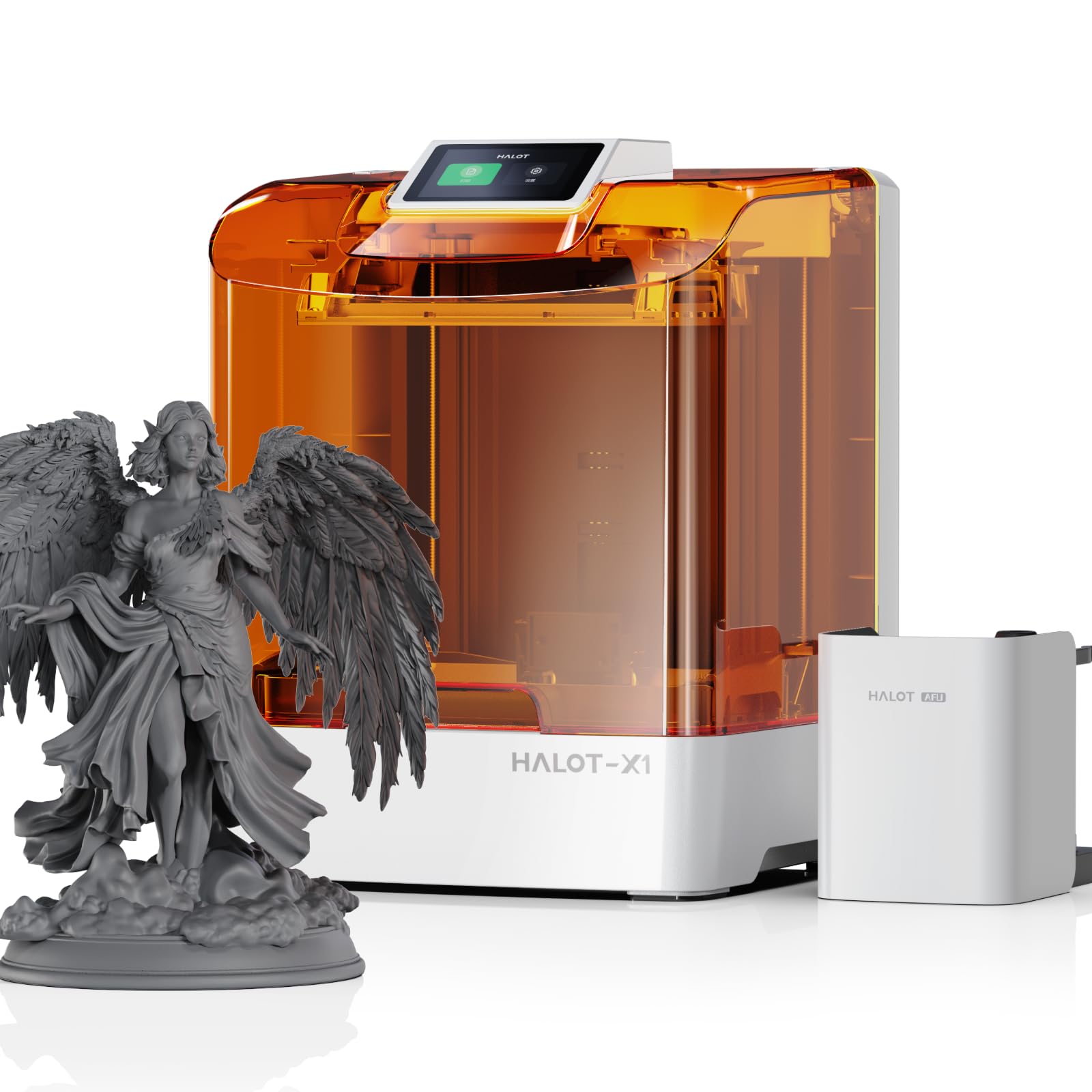
The Halot-X1 Combo redefines what ‘budget’ means with its 10.1-inch 16K monochrome LCD — a 15120 x 6230-pixel panel producing 14 x 19-micron pixels that render micro-details visible only under magnification. The Intelligent AFU Resin Management system heats resin to 30–45°C in three minutes, uses RFID tags to automatically load correct exposure parameters, and monitors resin weight in real time to prevent mid-print shortages. The fixed build plate eliminates leveling entirely — Creality has engineered the optical module and vat to move vertically while the plate stays stationary, achieving 0.01 mm Z-axis positioning precision.
The 170 mm/h print speed is genuinely faster than the competition, and the 92 independent UV light zones only activate the LEDs needed for each layer, extending LCD lifespan while reducing overexposure. The twist-to-release build plate and quick-lock resin vat latch speed up post-print workflow, and the high-temp NACF release film lasts significantly longer than standard FEP films before needing replacement.
The Halot Box software is the weak link — several users report crashes during slicing and Creality’s support has been slow to respond. Until the software stabilizes, this printer’s hardware potential is partially bottlenecked by its ecosystem. For users willing to work around software limitations by using third-party slicers, the Halot-X1 Combo offers professional-grade resolution and resin management that no other budget-tier machine can match.
Why it’s great
- 16K LCD at 14 x 19 microns delivers the highest resolution in the budget resin segment
- Intelligent resin management heats, loads parameters via RFID, and monitors weigh in real time
- Fixed build plate eliminates leveling entirely with 0.01 mm Z-axis positioning precision
Good to know
- Halot Box slicing software crashes frequently; Creality support is slow to resolve the issue
- 37-pound weight and 16-inch depth require a sturdy, dedicated workstation
- Third-party slicer compatibility is limited; users may need to wait for software updates
FAQ
Can I print miniatures on a budget resin 3D printer?
How important is the release film type in budget resin printers?
Do I need a wash and cure station with a budget resin printer?
Why do my resin prints keep delaminating from the build plate?
Final Thoughts: The Verdict
For most users, the best budget resin 3d printer winner is the ELEGOO Mars 4 because it combines a 9K LCD, a reliable COB light source, and proven customer support at a price that leaves room for resin and washing supplies. If you want the highest pixel density per dollar, grab the ANYCUBIC Photon Mono 4. And for the absolute best detail in the budget segment, nothing beats the Creality Halot-X1 Combo — if you are willing to wait for its software to catch up to its hardware.

Mo Maruf
I created WellFizz to bridge the gap between vague wellness advice and actionable solutions. My mission is simple: to decode the research and give you practical tools you can actually use.
Beyond the data, I am a passionate traveler. I believe that stepping away from the screen to explore new environments is essential for mental clarity and physical vitality.