Our readers keep the lights on and my smoothie glass nicely filled. As an Amazon Associate, I earn from qualifying purchases.
Finding a capable monitor without breaking the bank means sifting through compromises on refresh rates, resolution, and panel technology. The difference between a budget screen that feels sluggish and one that keeps up with your workflow or gaming comes down to specific specs that are often hidden in the fine print.
I’m Mohammad Maruf — the founder and writer behind WellFizz. I have spent years analyzing hardware specifications on Amazon, comparing panel types, connectivity options, and real-world performance metrics to separate genuine value from marketing fluff in the display market.
Whether you are building a dual-monitor setup or upgrading from an older 60Hz panel, this guide to the best budget pc screen will help you compare the key specs that actually matter for your specific use case.
How To Choose The Best Budget PC Screen
Choosing a budget monitor is about making smart trade-offs. You can get excellent clarity, smooth motion, and decent color reproduction for under , but you need to know which features are essential for your specific workload and which ones you can skip.
Panel Technology: IPS vs VA vs Basic LCD
IPS panels provide the best color accuracy and viewing angles for general use, photo editing, and side-by-side work. VA panels offer superior contrast ratios (often 3000:1 compared to 1000:1 for IPS) making blacks deeper for media consumption, but they can suffer from slower response times and color shift at extreme angles. Basic LCD panels are less common at this price point but sacrifice viewing angles and color reproduction entirely.
Refresh Rate and Adaptive Sync
A standard 60Hz screen works fine for document editing and web browsing, but a 100Hz or 120Hz panel dramatically improves scrolling smoothness and reduces eye strain during long sessions. For gamers, a 144Hz or 165Hz panel with FreeSync or G-Sync compatibility eliminates screen tearing. Many budget monitors now include Adaptive Sync at no extra cost, making this a near-mandatory feature to seek out.
Resolution and Screen Size Balance
At 24 inches, 1080p (Full HD) remains sharp enough for most users. At 27 inches, 1080p starts to look pixelated, making 1440p (QHD) a worthwhile upgrade if your budget allows. Ultra-wide 21:9 monitors like 34-inch models offer the most screen real estate for multitasking but typically come at a higher price and require a more powerful graphics card to drive the extra pixels.
Quick Comparison
On smaller screens, swipe sideways to see the full table.
| Model | Category | Best For | Key Spec | Amazon |
|---|---|---|---|---|
| AOC Q27G4XN | QHD Gaming | High-refresh 1440p gaming | 180Hz / 1ms / 400 nits | Amazon |
| ASUS TUF VG277Q1A | FHD Gaming | Competitive FPS gaming | 165Hz / 1ms / ELMB | Amazon |
| Acer Nitro KG271U | QHD Gaming | Console and PC gaming | 180Hz / 0.5ms / DCI-P3 95% | Amazon |
| Samsung 34″ ViewFinity | Ultra-Wide | Multitasking and productivity | 3440×1440 / 100Hz / 21:9 | Amazon |
| LG 24G411A-B | Compact Gaming | 1080p 144Hz gaming | 144Hz / 1ms MBR / HDR10 | Amazon |
| ViewSonic VS2725-2K | QHD Office | Office productivity | 2560×1440 / 100Hz / VA | Amazon |
| Samsung S27 S32GF | FHD Value | Everyday home office | 27″ 1080p / 120Hz / IPS | Amazon |
| Dell SE2725HM | FHD Office | Business and productivity | 27″ 1080p / 100Hz / IPS | Amazon |
| ViewSonic VA2456A-MHD | Entry Level | Budget dual-monitor setup | 24″ 1080p / 120Hz / IPS | Amazon |
In‑Depth Reviews
1. AOC Q27G4XN

The AOC Q27G4XN delivers a rare combination of 2560×1440 QHD resolution and a 180Hz refresh rate at a price point where most competitors offer only 1080p. The 1ms GtG response time and Adaptive-Sync support make this a serious option for gamers who want high-speed performance without sacrificing pixel density. The 127.8% sRGB color gamut and HDR10 support produce vibrant, punchy visuals that work equally well for creative work and media consumption.
With a brightness of 400 nits, this monitor stays legible even in brighter rooms — a meaningful advantage over the 250-nit panels dominating this price bracket. The stand offers tilt adjustment and the 3-sided frameless design makes multi-monitor configurations look clean. Connectivity includes two HDMI 2.0 ports and one DisplayPort, giving you flexibility for consoles, PCs, and laptops.
Customer feedback consistently highlights the excellent color reproduction and smooth gaming experience, with several users calling it the best upgrade they have made for their gaming PC. The lack of built-in speakers is the primary trade-off, but the audio output port allows connection to external speakers or a headset without needing a separate splitter.
Why it’s great
- QHD 2560×1440 resolution combined with 180Hz refresh rate at this price is exceptional.
- 400 nits brightness and 127.8% sRGB coverage produce vivid, accurate colors.
- Frameless design and height-adjustable stand support clean multi-monitor setups.
Good to know
- No built-in speakers — external audio is required.
- The VA panel can exhibit slight dark-level ghosting at very high frame rates.
2. ASUS TUF Gaming VG277Q1A

The ASUS TUF Gaming VG277Q1A focuses on pure competitive performance with a 165Hz refresh rate and 1ms MPRT response time using Extreme Low Motion Blur technology. The VA panel delivers a 3000:1 contrast ratio, which means blacks appear noticeably deeper compared to the IPS panels found on many budget alternatives. Shadow Boost technology lifts details in dark game scenes without overexposing brighter areas — a practical advantage for spotting enemies in corners.
FreeSync Premium support ensures tear-free gameplay across a wide frame rate range, and the monitor is compatible with NVIDIA G-Sync as well. The 27-inch Full HD (1920×1080) resolution keeps graphics card demands low, making this a great match for mid-range gaming PCs that can hit high frame rates in titles like Valorant, Overwatch, and Fortnite. The package includes both HDMI and DisplayPort cables, so you can get started immediately.
Customer reviews praise the motion clarity and overall value under , noting that the monitor feels far more premium than its price suggests. Several users pointed out that the stand sits relatively low on a standard desk, requiring propping or an aftermarket monitor arm for optimal ergonomic positioning. The built-in speakers are passable but not suitable for serious audio work.
Why it’s great
- 165Hz with ELMB provides exceptionally smooth motion for fast-paced games.
- 3000:1 VA contrast ratio delivers deep blacks and strong shadow detail.
- Includes both HDMI and DisplayPort cables in the box.
Good to know
- 1080p resolution on a 27-inch screen results in lower pixel density than QHD alternatives.
- Stand height is low — an aftermarket arm or riser may be needed for comfortable viewing.
3. Acer Nitro KG271U

The Acer Nitro KG271U packs a 27-inch QHD (2560×1440) IPS panel with a 180Hz refresh rate and a rapid 0.5ms GTG response time, making it one of the fastest budget monitors for motion clarity. The DCI-P3 95% color gamut coverage is a standout feature for a monitor in this range, offering color accuracy that benefits creative professionals working with photos and video. AMD FreeSync support matches the refresh rate to your graphics card to eliminate screen tearing during gaming.
Connectivity includes one DisplayPort 1.2 and two HDMI 2.0 ports, allowing you to connect a PC, a console, and a streaming device simultaneously. The zero-frame design gives the monitor a modern look and maximizes the usable screen area. Built-in speakers are included, though they are best described as functional for system sounds rather than immersive audio.
Customer feedback consistently mentions the excellent graphics quality for PS5 gaming and the outstanding customer service from Acer when issues arise. The stand is widely described as the weak point — it is flimsy and lacks height adjustment, causing noticeable wobble on unstable desks. Most users recommend using a VESA monitor arm for a stable setup.
Why it’s great
- 0.5ms GTG response time is among the fastest available at this price point.
- DCI-P3 95% color gamut delivers professional-grade color accuracy.
- 180Hz QHD performance works beautifully with both PC and PlayStation 5.
Good to know
- The included stand is flimsy and causes monitor wobble — a VESA mount is recommended.
- Only supports 120Hz over HDMI, full 180Hz requires DisplayPort connection.
4. Samsung 34″ ViewFinity S50GC

The Samsung 34″ ViewFinity S50GC offers a 21:9 ultra-wide format with 3440×1440 resolution, giving you roughly 30% more horizontal screen space than a standard 27-inch QHD monitor. The VA panel provides a 3000:1 static contrast ratio and 300 nits brightness, making text look crisp and colors remain consistent across the wide viewing area. The 100Hz refresh rate is a step up from the 60Hz panels found on basic ultra-wides, providing smoother scrolling and motion.
Picture-by-Picture and Picture-in-Picture modes are genuinely useful for productivity, allowing you to view two input sources simultaneously at native resolution. The ambient light sensor automatically adjusts brightness based on room lighting, which reduces eye strain during long work sessions. Connectivity includes two HDMI 2.2 inputs and one DisplayPort 1.2, plus a 3.5mm audio output.
Users upgrading from standard monitors consistently praise the immersive experience and multitasking capability. The flat panel design divides opinions — some prefer it for productivity work because it avoids distortion on straight lines, while others wish it was curved at this width. The built-in speakers are basic, and the stand is best replaced with a VESA swing-arm for better ergonomic positioning.
Why it’s great
- 3440×1440 ultra-wide resolution provides exceptional screen real estate for multitasking.
- PBP and PIP allow simultaneous viewing of two input sources at full resolution.
- Ambient light sensor and eye care features reduce strain during extended use.
Good to know
- Flat panel at this width can feel less immersive than curved alternatives for gaming.
- Stand height is designed for desks — may sit too high for some typing positions.
5. LG 24G411A-B UltraGear

The LG 24G411A-B UltraGear brings a native 120Hz refresh rate (overclockable to 144Hz) to a compact 24-inch Full HD IPS panel, making it an ideal choice for gamers with limited desk space. The 1ms Motion Blur Reduction keeps fast-moving objects sharp, and the combination of NVIDIA G-Sync compatibility and AMD FreeSync ensures tear-free performance regardless of your graphics card brand. The HDR10 support and 99% sRGB coverage deliver surprisingly vibrant colors for a monitor at this size and price.
Dynamic Action Sync reduces input lag by syncing the monitor’s refresh cycle with your input timing, giving a slight edge in competitive shooters. Black Stabilizer lifts shadow detail without blowing out highlights, making it easier to spot enemies in dark corners. The slim stand has a small footprint and allows tilt adjustment, though it lacks height adjustment and can feel a bit wobbly on heavier desks.
Customer feedback highlights the excellent resolution and graphics quality when paired with a PS5, with many users noting the 120Hz support runs smoothly out of the box. Some reviews mention the stand feels cheap compared to the rest of the build quality, and the default color settings benefit from calibration. Overall, this is a strong option for a dedicated gaming monitor that does not dominate your entire desk.
Why it’s great
- 144Hz overclocked refresh rate with 1ms MBR provides smooth, ghost-free gaming.
- Compatible with both G-Sync and FreeSync for broad GPU support.
- 99% sRGB coverage and HDR10 deliver vibrant, accurate colors for the size.
Good to know
- Stand is flimsy and causes jiggling from desk movement — an aftermarket stand is a common upgrade.
- 24-inch size may feel small for productivity work that involves many open windows.
6. ViewSonic VS2725-2K
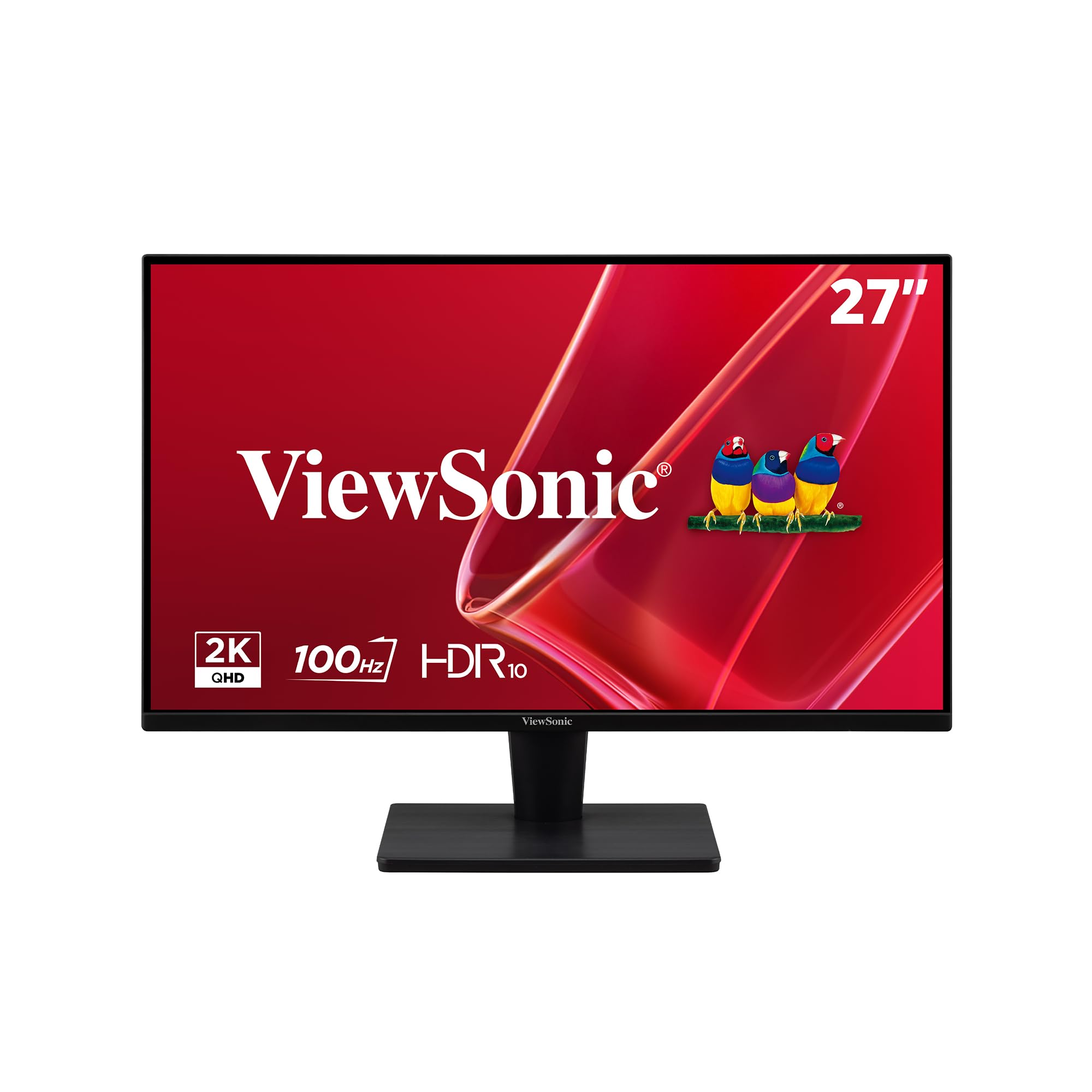
The ViewSonic VS2725-2K delivers a 27-inch QHD (2560×1440) VA panel with a 4000:1 contrast ratio and 100Hz refresh rate, making it an excellent choice for office productivity and media consumption. The VA panel technology ensures deep blacks and strong contrast that make text documents and spreadsheets look crisp, while the higher pixel density compared to 1080p keeps text sharp without visible pixelation. The 100Hz refresh rate provides noticeably smoother scrolling through long documents and web pages compared to standard 60Hz office monitors.
The frameless edge-to-edge design supports clean multi-monitor setups with minimal bezel distraction. Variable Refresh Rate technology (FreeSync) reduces screen tearing during light gaming, and the built-in Blue Light Filter and Flicker-Free technology help reduce eye fatigue during long work sessions. Connectivity options include HDMI and DisplayPort inputs, though there is no USB hub or VGA port included.
Customer reviews emphasize the great value for office work, with many users appreciating the superior contrast and black levels compared to IPS alternatives. The rear joystick control is widely described as awkward and overly sensitive, often opening the menu unintentionally when reaching behind the monitor. The stand is slightly wobbly and does not rotate, so a VESA mount is recommended for a cleaner setup.
Why it’s great
- 4000:1 VA contrast ratio provides deep blacks and excellent text readability for office work.
- QHD resolution at 27 inches offers a great balance of screen size and pixel density.
- Frameless design enables clean multi-monitor configurations.
Good to know
- Rear joystick control is awkward to reach and overly sensitive in dual-monitor setups.
- Stand lacks height adjustment and rotation — a VESA mount is advised for ergonomic comfort.
7. Samsung S27 S32GF

The Samsung S27 S32GF offers a 27-inch Full HD IPS display with a 120Hz refresh rate and FreeSync support, providing a significant upgrade over standard 60Hz office monitors without a large jump in price. The IPS panel maintains consistent colors and brightness across wide viewing angles, making it suitable for collaborative work where people view the screen from different positions. Game Picture Mode automatically adjusts image contrast and color settings to match different game genres, while Eye Saver Mode and Flicker-Free technology reduce blue light exposure during extended sessions.
The super slim design with ultra-thin bezels gives this monitor a modern, lightweight appearance that fits well into any home office or gaming setup. Connectivity is limited to a single HDMI port, which may be restrictive if you need to switch between multiple devices regularly. The monitor includes a long HDMI cable in the box, making setup straightforward.
Customer feedback highlights the vibrant colors and excellent build quality, with several users noting it works perfectly for home office use and casual gaming. The stand does not adjust height, and the power button requires a harder press to access the menu. Some users found the menu navigation confusing initially, but overall satisfaction remains high for the price.
Why it’s great
- 120Hz IPS panel provides smooth motion and wide viewing angles at an affordable price.
- Ultra-slim bezels and modern design look great on any desk.
- Game Picture Mode and Eye Saver Mode are genuinely useful for different use cases.
Good to know
- Only one HDMI input is available — no DisplayPort or additional connectivity.
- Stand does not adjust height, and the menu navigation can be unintuitive.
8. Dell SE2725HM

The Dell SE2725HM is a 27-inch Full HD IPS monitor designed specifically for office productivity, featuring a 100Hz refresh rate and TÜV Rheinland 3-star certified ComfortView Plus technology. ComfortView Plus is an always-on low blue light solution that minimizes harmful blue light exposure without washing out color accuracy — a meaningful advantage for people who spend 8+ hours in front of a screen daily. The 100Hz refresh rate makes scrolling through documents, spreadsheets, and web pages feel significantly smoother than traditional 60Hz office monitors.
Dell includes a built-in power supply unit and a cable holder to keep your desk clean and organized. The monitor supports tilt adjustment for finding a comfortable viewing angle, and VESA mount compatibility gives you the option to use a monitor arm for even more flexibility. Connectivity covers one HDMI port and one VGA port, covering both modern and legacy devices.
Customer reviews consistently praise the vivid color reproduction, easy setup, and compact desk footprint. Many users note that the monitor pairs well with Dell desktops for a cohesive look. The lack of built-in speakers and USB ports are the most common complaints, though these are expected trade-offs at this price point. The 100Hz refresh rate is a noticeable upgrade from standard office monitors for daily workflow.
Why it’s great
- ComfortView Plus provides effective blue light reduction without compromising color accuracy.
- 100Hz refresh rate makes scrolling and general desktop use feel significantly smoother than 60Hz.
- Built-in power supply and cable holder keep the desk clean and organized.
Good to know
- No built-in speakers and no USB ports for peripheral connections.
- Includes only HDMI and VGA ports — no DisplayPort for higher bandwidth connections.
9. ViewSonic VA2456A-MHD

The ViewSonic VA2456A-MHD is a 24-inch Full HD IPS monitor that delivers a 120Hz refresh rate and FreeSync support at an entry-level price point, making it one of the most accessible high-refresh monitors on the market. The SuperClear IPS technology ensures accurate colors and consistent brightness even when viewing the screen from steep angles, which is particularly useful for dual-monitor setups where the side screen is viewed at an angle. The 120Hz refresh rate provides smooth motion for both productivity scrolling and casual gaming without the premium cost typically associated with high-refresh panels.
Eye care features including Flicker-Free technology and a Blue Light Filter help reduce eye fatigue during extended work sessions. The ViewPreset modes (Game, Movie, Web, Text, Mono) allow quick switching between optimized display settings for different tasks. Connectivity covers HDMI, DisplayPort, and VGA inputs, giving broad compatibility with modern laptops, desktop PCs, and older systems. The monitor also includes built-in speakers, which are functional for system sounds and video calls.
Customer feedback is overwhelmingly positive, with many users purchasing multiple units for dual-monitor setups and noting that all units have remained reliable over time. The basic stand lacks height adjustment and the 250-nit brightness is adequate for indoor use but struggles in very bright rooms. The improved button design from previous ViewSonic models is appreciated, though the menu rocker takes some getting used to.
Why it’s great
- 120Hz refresh rate with FreeSync at an entry-level price is unmatched for value.
- SuperClear IPS technology provides accurate colors and wide viewing angles.
- Includes HDMI, DisplayPort, and VGA inputs for maximum device compatibility.
Good to know
- Stand is basic with no height adjustment or swivel — a VESA mount is recommended.
- 250 nits brightness is adequate for indoor use but may appear dim in brightly lit rooms.
FAQ
Is 1080p on a 27-inch monitor too pixelated for office work?
What does FreeSync or G-Sync actually do for a budget monitor?
Should I prioritize a higher refresh rate or higher resolution on a budget?
Final Thoughts: The Verdict
For most users, the best budget pc screen winner is the AOC Q27G4XN because it delivers QHD resolution, a 180Hz refresh rate, excellent color reproduction, and includes a height-adjustable stand — all at a price that barely crosses into mid-range territory. If you want a dedicated competitive gaming monitor with high frame rates on a budget, grab the ASUS TUF Gaming VG277Q1A. And for productivity-focused multitasking, nothing beats the Samsung 34″ ViewFinity S50GC ultra-wide with its generous screen real estate and PBP functionality.

Mo Maruf
I created WellFizz to bridge the gap between vague wellness advice and actionable solutions. My mission is simple: to decode the research and give you practical tools you can actually use.
Beyond the data, I am a passionate traveler. I believe that stepping away from the screen to explore new environments is essential for mental clarity and physical vitality.