Our readers keep the lights on and my smoothie glass nicely filled. As an Amazon Associate, I earn from qualifying purchases.
For years, the breathtaking contrast and instant response of OLED technology came with a daunting premium. Today, a new wave of displays has broken that barrier, offering stunning visual performance at a surprisingly accessible point. Finding the right balance between cutting-edge specs and real-world value, however, requires a careful eye.
I’m Mohammad Maruf — the founder and writer behind WellFizz. My analysis focuses on dissecting market trends and performance specifications to identify where true value lies, separating genuine advancements from marketing hype.
By comparing panel technologies, refresh rates, and built-in protection features, you can secure a transformative viewing upgrade that fits your needs. Our guide to the best budget oled monitor helps you navigate the new wave of affordable OLED excellence without overspending.
How To Choose The Best Budget OLED Monitor
Navigating the new landscape of affordable OLED monitors is exciting, but the specs can be overwhelming. The goal isn’t to find the absolute cheapest screen, but the one that delivers the core OLED experience—perfect blacks, vibrant color, and lightning response—while making smart compromises elsewhere. Your decision should hinge on how you plan to use the display most.
Panel Type: OLED vs. QD-OLED
At this value tier, you’ll primarily encounter QD-OLED panels. This technology layers quantum dots over a blue OLED base, resulting in brighter colors and higher peak brightness than traditional White OLED (WOLED). For HDR content and vibrant gaming, QD-OLED often provides a more impactful experience. Both offer the infinite contrast and per-pixel lighting that define OLED quality.
Size, Resolution, and Aspect Ratio
Your desk space and GPU power are key factors here. A 34-inch ultrawide (3440×1440) offers an immersive, cinematic feel ideal for gaming and multitasking, and is easier to drive at high frame rates. A flat 32-inch 4K (3840×2160) display provides stunning detail for creative work and media, but demands more from your graphics card. Consider which trade-off—pixel density versus field of view—suits your primary task.
Refresh Rate and Response Time
All OLED panels have near-instantaneous response times, eliminating motion blur. The refresh rate is where you’ll see variance. For competitive esports, 240Hz or higher provides a tangible smoothness edge. For general gaming and multimedia, 165Hz to 175Hz is exceptionally fluid. Ensure your system can consistently output high frames to truly benefit from these high refresh rates.
Burn-in Protection and Warranty
This is the most critical consideration. OLED screens are susceptible to image retention. Reputable brands now integrate pixel shifting, screen savers, and logo dimming under labels like “OLED Care.” More importantly, look for an explicit warranty that covers burn-in. A three-year coverage period, offered by several brands here, provides essential long-term peace of mind for a display at this investment level.
Quick Comparison
On smaller screens, swipe sideways to see the full table.
| Model | Type | Best For | Key Feature | Amazon |
|---|---|---|---|---|
| Philips Evnia 34M2C6500 | Ultrawide QD-OLED | Immersive Gaming & Value | 175Hz, Glossy, 4Yr Warranty | Amazon |
| Alienware AW2725DF | 27″ QD-OLED | Competitive Esports | 360Hz Refresh Rate | Amazon |
| Alienware AW3423DWF | Curved QD-OLED | Curved Immersion | 165Hz, 3Yr Burn-in Cover | Amazon |
| GIGABYTE MO32U | 32″ 4K QD-OLED | 4K Gaming & Media | 4K 240Hz, Glossy, KVM | Amazon |
| MSI MPG 341CQPX | Ultrawide QD-OLED | High-Refresh Ultrawide | 240Hz, 34″ Curved | Amazon |
| MSI MAG 321UP | 32″ 4K QD-OLED | 4K Clarity & Work | 165Hz, Glossy 4K | Amazon |
| LG 32GX850A-B | 32″ 4K OLED | Versatile Dual-Mode | 4K 165Hz / FHD 330Hz | Amazon |
| LG 39GX900A-B | 39″ Ultrawide OLED | Maximum Immersion | 39″ 800R Curve, 240Hz | Amazon |
| Samsung Odyssey G85SB | Smart Ultrawide QD-OLED | All-in-One Hub | Smart TV OS, 175Hz | Amazon |
| ASUS ROG Swift PG32UCDM | 32″ 4K QD-OLED | No-Compromise Performance | 240Hz, Custom Heatsink | Amazon |
| ASUS ROG Strix XG32UCG | 32″ 4K Fast IPS | High Brightness Gaming | Dual Mode (4K 160Hz) | Amazon |
In‑Depth Reviews
1. Philips Evnia 34M2C6500 QD-OLED
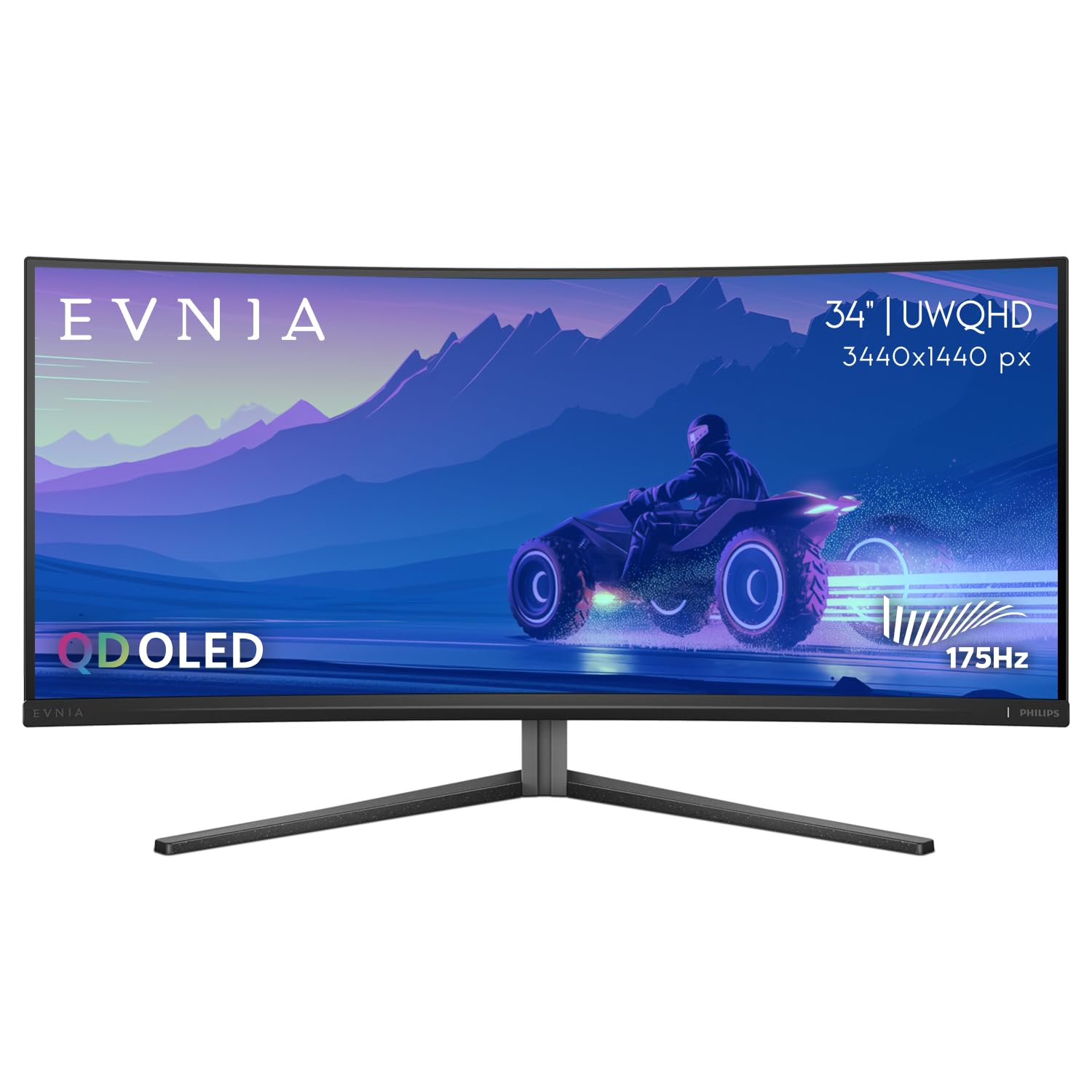
The Philips Evnia strikes a remarkable balance, offering a premium QD-OLED experience in an ultrawide format with an exceptionally strong value proposition. Its 34-inch curved screen and 175Hz refresh rate deliver the immersive, fluid gameplay OLED is famous for, wrapped in a glossy finish that makes colors pop with exceptional vibrancy.
Where this model truly stands out is in its warranty and thoughtful features. The included 4-year advance replacement warranty is among the most robust in this category, providing significant peace of mind. The USB-C hub with 90W power delivery adds practical versatility for modern laptops, making it more than just a gaming screen.
Feedback highlights its stunning out-of-the-box image quality and immersive feel, though some users note the Ambilight feature can feel like a gimmick and the on-screen display software isn’t the most intuitive. The automatic pixel refresh cycle is a standard OLED maintenance feature that can briefly interrupt use if ignored.
Why it’s great
- Excellent blend of QD-OLED performance and mid-range value.
- Industry-leading 4-year warranty for long-term security.
- Glossy screen finish maximizes contrast and color vibrancy.
- Versatile USB-C connectivity with high power delivery.
Good to know
- Ambilight rear lighting is not as strong or responsive as some expect.
- The on-screen display and software can feel clunky to navigate.
- Standard OLED pixel refresh routines require occasional brief pauses.
2. Alienware AW2725DF QD-OLED

The Alienware AW2725DF is a dedicated tool for competitive gamers, pairing the visual fidelity of QD-OLED with a blistering 360Hz refresh rate. This combination is rare, offering buttery-smooth motion clarity that can provide a tangible edge in fast-paced titles, all while maintaining the perfect blacks and rich colors of OLED technology.
Its 27-inch size and 1440p resolution represent a sweet spot for high-frame-rate gaming, being easier to drive at maximum refresh than 4K panels. The build quality is premium, with a highly adjustable stand, and it’s backed by Dell’s reliable 3-year warranty that includes coverage for OLED burn-in, a critical feature.
Users are universally impressed by its speed and image quality, though note that brightness in very well-lit rooms is only adequate. The text fringing common to QD-OLED panels with non-standard subpixel layouts is present but is generally only noticeable in productivity tasks at very close viewing distances.
Why it’s great
- Elite-tier 360Hz refresh rate for maximum motion clarity.
- QD-OLED color and contrast in a competitive 27-inch format.
- Strong 3-year warranty with explicit burn-in coverage.
- Premium, fully adjustable stand and robust build.
Good to know
- Text fringing can be noticeable during productivity work.
- Peak brightness may feel limited in brightly lit environments.
- High refresh rate requires a powerful GPU to fully utilize.
3. Alienware AW3423DWF Curved QD-OLED

This Alienware model is a landmark display that helped define the modern “budget” OLED category. Its 34-inch 1800R curved QD-OLED panel offers an incredibly immersive experience for both gaming and creative work, with a 165Hz refresh rate that balances smoothness with graphical fidelity.
The monitor excels with its comprehensive feature set, including a creator mode for color-critical work and the iconic Alienware design with customizable RGB lighting. Like its sibling, it benefits from the crucial 3-year burn-in warranty. The matte screen coating helps reduce glare, though it slightly softens the pop compared to glossy alternatives.
Owners consistently praise the “wow factor” of the image quality, noting the dramatic upgrade from IPS or VA panels. The primary compromise noted is the mandatory pixel refresh cycle that occurs after several hours of cumulative use, which can be postponed but will eventually require a few minutes to complete.
Why it’s great
- Iconic, immersive ultrawide QD-OLED experience.
- Excellent 165Hz performance with strong HDR support.
- Includes a useful Creator Mode for color-accurate work.
- Backed by a strong 3-year burn-in warranty.
Good to know
- Automatic pixel refresh routine is a mandatory maintenance feature.
- Matte coating can slightly reduce perceived contrast versus glossy.
- Text clarity is not quite as sharp as on standard RGB-striped panels.
4. GIGABYTE MO32U QD-OLED
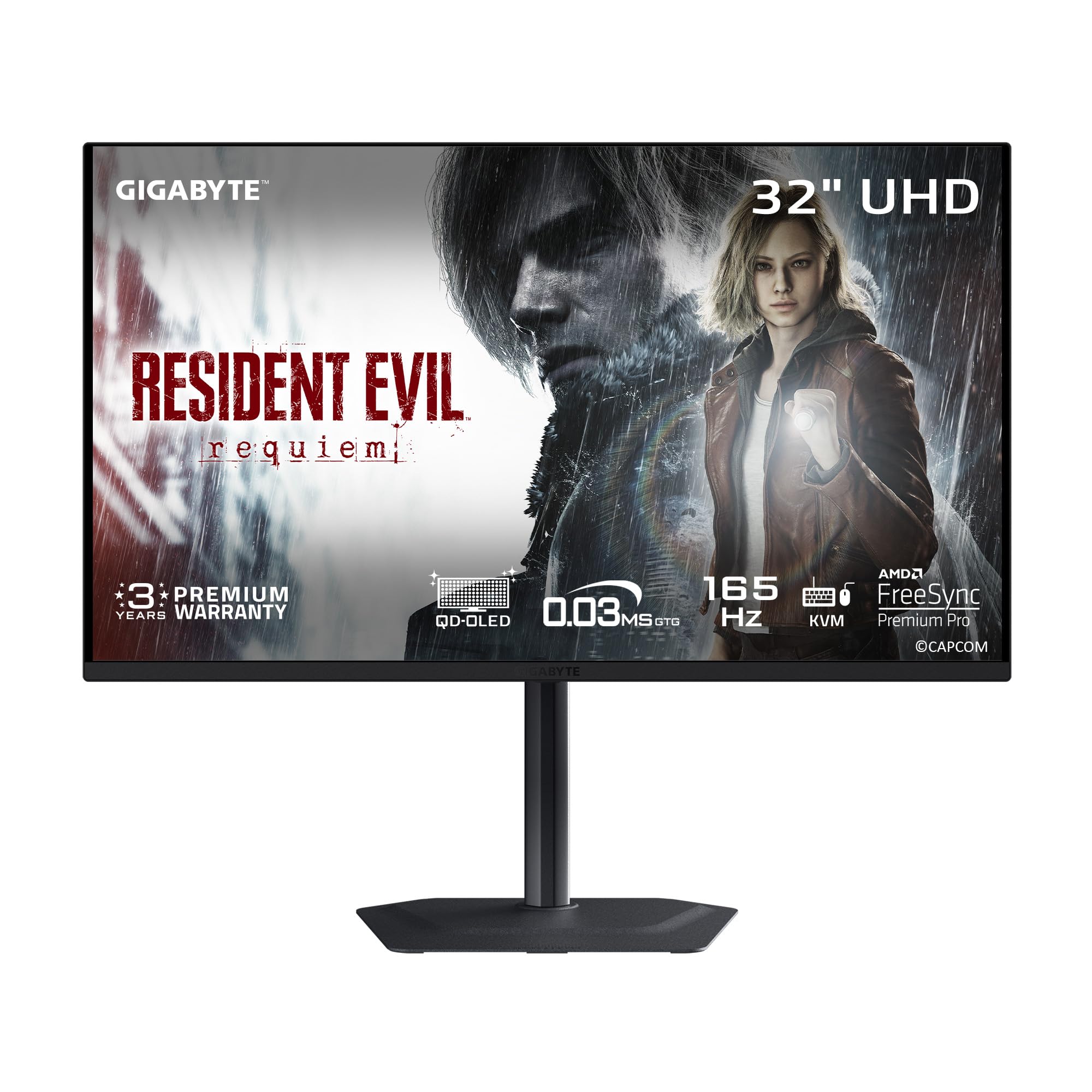
The GIGABYTE MO32U represents a formidable package, combining a large 32-inch 4K panel with a staggering 240Hz refresh rate. This spec sheet targets enthusiasts who refuse to choose between resolution and speed, offering a true “best of both worlds” scenario for high-end gaming on a glossy QD-OLED canvas.
Beyond the raw specs, it includes a practical KVM switch and USB-C connectivity, allowing you to control multiple devices with one set of peripherals. GIGABYTE’s “OLED Care” suite uses AI algorithms to help mitigate burn-in risks in the background. The included stand has a premium metal construction that feels solid and stable.
Users are blown away by the 4K clarity paired with OLED contrast, calling it a game-changing upgrade. Some note that the rear-facing ports can be awkward to access, and the text fringing inherent to the panel technology may cause eye strain during long reading sessions.
Why it’s great
- Uncompromising 4K resolution at a super-high 240Hz refresh rate.
- Glossy screen finish delivers stunning color pop and clarity.
- Includes a convenient KVM switch for multi-device setups.
- Robust metal stand and comprehensive OLED protection features.
Good to know
- Text fringing can be more noticeable on a 4K screen used for productivity.
- Rear port placement is not the most user-friendly.
- Requires a top-tier GPU to run demanding games at 4K high frame rates.
5. MSI MPG 341CQPX QD-OLED

For ultrawide enthusiasts who prioritize speed above all, the MSI MPG 341CQPX is a compelling option. It takes the popular 34-inch curved format and supercharges it with a 240Hz refresh rate, offering some of the smoothest motion available on a screen this size.
It leverages a third-generation QD-OLED panel for improved brightness and color, wrapped in a matte anti-glare coating. MSI’s OLED Care 2.0 provides a suite of protection features, and the monitor is backed by a 3-year warranty that includes burn-in coverage. The stand offers full adjustability, and setup is reported to be straightforward.
Reviews highlight its excellent value within the high-refresh ultrawide segment, praising the deep blacks and vibrant colors. The SDR brightness is noted to be a bit lower than some might expect, though HDR performance is strong. The 1800R curve is pronounced and contributes significantly to the immersive feel.
Why it’s great
- Ultra-smooth 240Hz performance on a 34-inch ultrawide.
- Uses a latest-generation QD-OLED panel for improved performance.
- Strong 3-year warranty with burn-in protection.
- Useful software utility for easy settings management.
Good to know
- SDR brightness may feel modest in very bright rooms.
- The matte coating slightly reduces perceived pop versus glossy.
- Has a larger footprint that requires adequate desk space.
6. MSI MAG 321UP QD-OLED
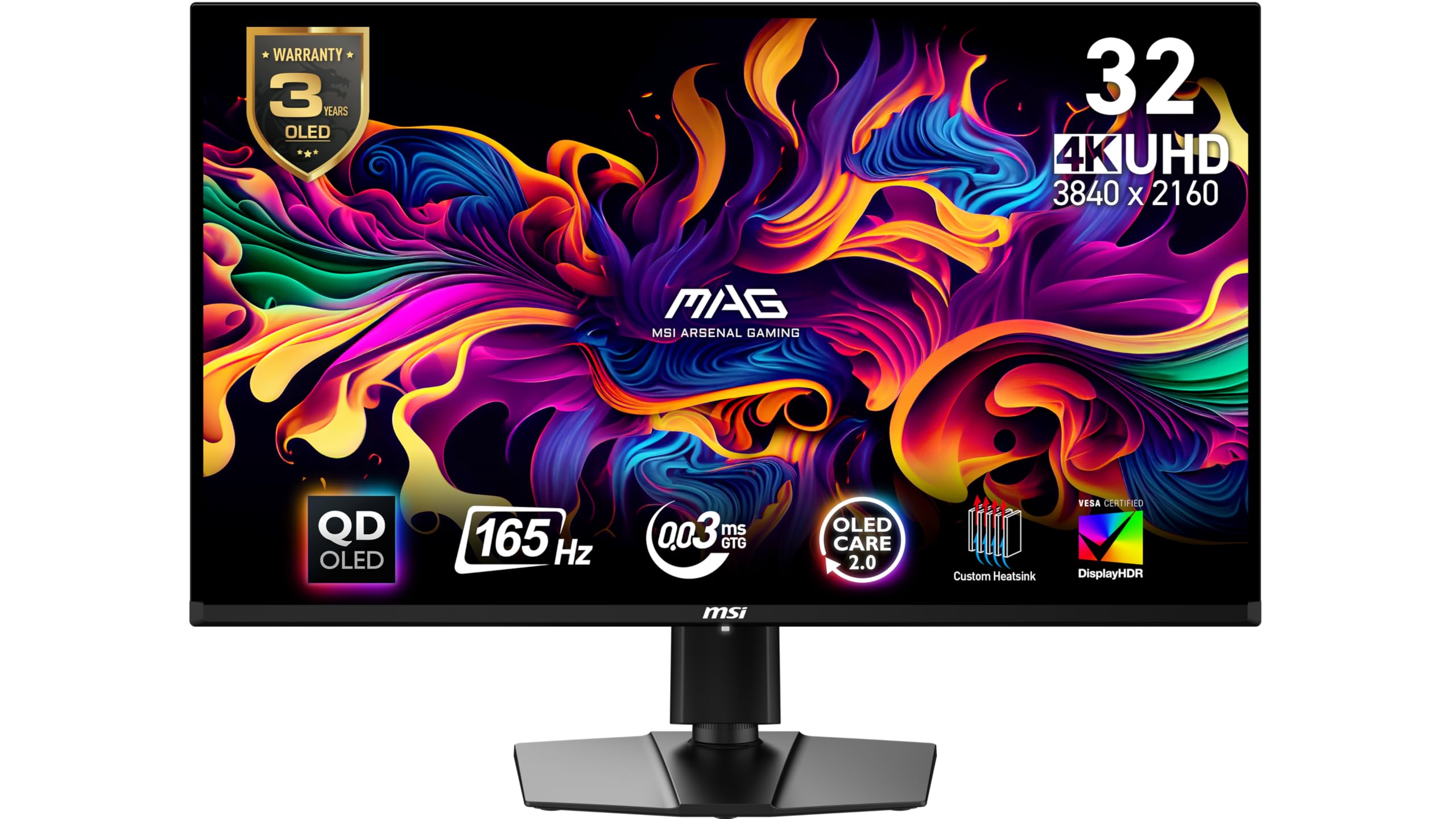
The MSI MAG 321UP offers a more accessible entry point into 32-inch 4K QD-OLED gaming. With a 165Hz refresh rate, it provides a brilliantly sharp and fluid experience for both gaming and productivity, housed in a sleek design with a premium glossy finish.
This monitor is often praised for its striking out-of-the-box picture quality, delivering the “wow factor” of OLED without an extreme price tag. It includes a full suite of OLED protection features and the same 3-year burn-in warranty as its higher-end sibling. The thin bezels and simple setup add to its appeal.
Users appreciate its performance as a major upgrade from traditional LCDs, though some note the on-screen display controls on the back are awkward to use. A common mention is the surprisingly short power cable, which may require an extension depending on your setup. It lacks built-in speakers.
Why it’s great
- Excellent 4K OLED clarity and color at a competitive point.
- Glossy screen maximizes the impactful OLED contrast.
- Includes the essential 3-year burn-in warranty for security.
- Sleek, virtually borderless design looks premium.
Good to know
- The rear control joystick is not very ergonomic.
- Power cable is notably short, which can be inconvenient.
- No built-in speakers; external audio is required.
7. LG 32GX850A-B UltraGear OLED

The LG UltraGear introduces a unique feature in this lineup: a dedicated dual-mode function. You can run the display at its native 4K resolution and 165Hz for stunning visual fidelity, or with a hotkey, switch to a 1080p resolution at 330Hz for ultra-high frame rates in competitive titles, all on a bright, glossy OLED panel.
It utilizes LG’s Micro Lens Array (MLA+) technology to boost brightness and viewing angles compared to older OLED designs. The monitor is packed with gamer-friendly features like Black Stabilizer and an on-screen crosshair, and it carries multiple certifications for eye comfort. The stand is fully adjustable for a perfect ergonomic fit.
Users coming from IPS panels note a “crazy difference” in contrast and response time. The dual-mode function is highlighted as a clever solution for gamers who play both cinematic and competitive games. Some note that, as with many OLEDs, it performs best in environments with controlled lighting.
Why it’s great
- Innovative dual-mode for switching between 4K/165Hz and FHD/330Hz.
- Glossy MLA+ OLED panel offers improved brightness and viewing angles.
- Packed with useful gaming features and tools.
- Fully adjustable, high-quality stand with a clean design.
Good to know
- Premium features come at a higher cost relative to others.
- Like all OLEDs, best performance is in moderate to low light.
- The 2-year warranty is shorter than some competing 3-year offers.
8. LG 39GX900A-B Ultragear OLED
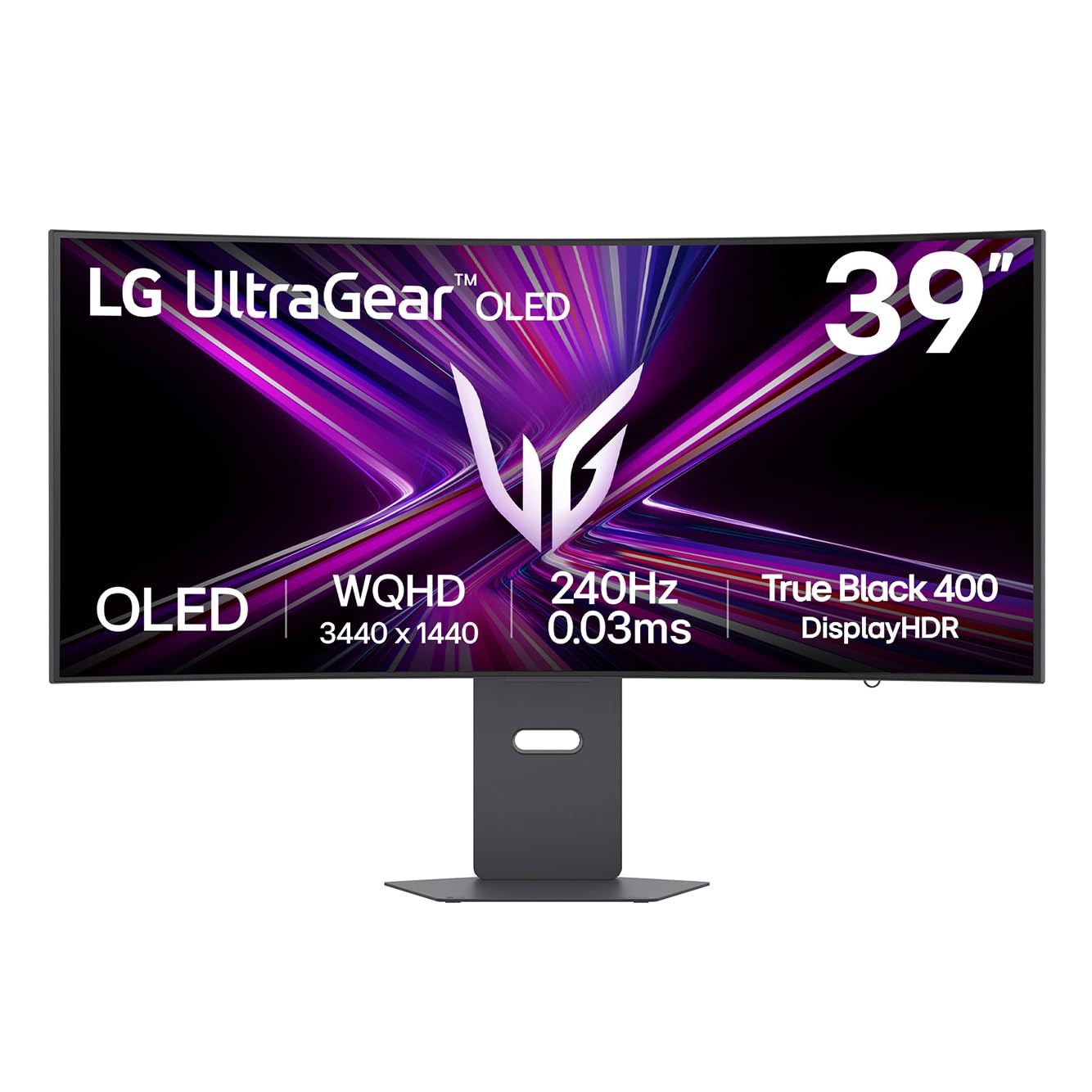
For those seeking the most enveloping experience without stepping into super-ultrawide territory, the LG 39GX900A-B is a standout. Its massive 39-inch screen combined with an aggressive 800R curve pulls you into the action, offering a uniquely immersive feel for gaming and media consumption.
It doesn’t sacrifice performance for size, delivering a 240Hz refresh rate and 0.03ms response time. The anti-glare matte surface helps manage reflections on such a large canvas. It includes solid connectivity with USB-C power delivery and even features surprisingly decent built-in speakers, which are a rarity on gaming-focused monitors.
Owners love the desk-friendly yet expansive size, noting it’s a perfect upgrade from a dual-monitor setup. The curve is very pronounced, which some may need to acclimate to for productivity tasks, but most find it enhances the experience overall. The pixel density is slightly lower than a 34-inch 1440p ultrawide, but text clarity is still reported as good.
Why it’s great
- Highly immersive 39-inch size with a deep 800R curvature.
- High 240Hz performance on a large-format OLED.
- Includes useful built-in speakers, which many gaming monitors omit.
- Good for replacing a dual-monitor setup with a single, seamless panel.
Good to know
- The strong curve may not be ideal for precision productivity work.
- Lower pixel density than smaller 1440p screens.
- Back-mounted control button is awkward to locate and use.
9. Samsung Odyssey G85SB QD-OLED

The Samsung Odyssey G85SB blurs the line between a monitor and a smart TV. It packs a full smart TV interface—including streaming apps, gaming hub, and a convenient remote control—into a 34-inch QD-OLED gamingultrawide form factor with a 175Hz refresh rate. This makes it a versatile centerpiece for a setup that blends PC gaming with casual streaming and media consumption.
The inclusion of a remote control is a standout convenience for navigating the smart features. The picture quality receives high praise for its vibrant QD-OLED color and deep blacks. However, this convergence comes with some trade-offs typical of a TV-based design, including a more complex initial setup and a user interface optimized for living room use rather than desk proximity.
Feedback is divided between those who love the all-in-one functionality and those who find the smart features intrusive for a monitor. Some users experienced issues with the rear control mechanism, and the included cable may not be ideal for all PC setups, sometimes requiring a different HDMI cable to achieve the full resolution and refresh rate.
Why it’s great
- Unique all-in-one solution with built-in smart TV apps and streaming.
- Convenient remote control for easy navigation of features.
- Excellent QD-OLED picture quality with strong gaming performance.
- Useful for a clean setup without a separate media device.
Good to know
- Smart TV interface and setup can feel cumbersome for a pure monitor use case.
- Build quality of some components, like rear controls, may not match dedicated monitors.
- Included cables may not support max specs, requiring a separate purchase.
10. ASUS ROG Swift PG32UCDM QD-OLED

The ASUS ROG Swift PG32UCDM sits at the summit of this category, representing a no-compromise engineering marvel. It combines a 32-inch 4K QD-OLED panel with a 240Hz refresh rate and incorporates a custom heatsink and graphene film cooling solution specifically designed to manage heat and reduce the risk of burn-in.
This monitor is for the enthusiast who wants the absolute best and is willing to invest for it. The build quality is exceptional, the color accuracy is superb, and the inclusion of a uniform brightness setting is a boon for content creators. It comes with a comprehensive 3-year warranty and thoughtful software for OLED care management.
Users describe it as a “premium quality, worth every penny” experience, with unmatched clarity and smoothness. The primary considerations are the significant investment required and the standard OLED trade-offs like periodic pixel refreshes and minor text fringing, which are inherent to the panel technology at this resolution.
Why it’s great
- Top-tier 4K 240Hz QD-OLED performance with exceptional engineering.
- Advanced custom cooling solution for enhanced panel longevity.
- Premium build quality and comprehensive warranty.
- Includes creator-friendly features like a uniform brightness mode.
Good to know
- Positioned at the premium end of the market.
- Requires the most powerful hardware to leverage its full potential.
- Standard QD-OLED text fringing is present.
11. ASUS ROG Strix XG32UCG Fast IPS

It’s important to note this ASUS model utilizes a Fast IPS panel, not OLED. It is included here as a compelling alternative for users who prioritize extremely high brightness levels, a dual-mode feature similar to the LG, or who have significant concerns about burn-in for static content. Its 4K 160Hz / FHD 320Hz capability offers great versatility.
The monitor achieves much higher typical brightness than OLEDs, making it better suited for very bright rooms. It features advanced motion blur reduction technology and a wide color gamut. The inclusion of a USB-C port and a 3-month Adobe Creative Cloud subscription adds value for creators.
This is a performance-oriented LCD option that trades the infinite contrast of OLED for higher peak brightness and no risk of image retention. It’s a specialist pick for a specific need within the broader search for a high-end gaming monitor.
Why it’s great
- Exceptionally high brightness, ideal for bright environments.
- Useful dual-mode functionality for switching resolution/refresh rate.
- No risk of OLED burn-in, suitable for static UI elements.
- Includes bonus software subscription for creatives.
Good to know
- Uses Fast IPS technology, not OLED, so lacks perfect blacks and per-pixel lighting.
- Contrast ratio and black levels cannot match OLED displays.
- May exhibit backlight bloom in dark scenes, which OLED eliminates.
Understanding the Specs
QD-OLED vs. Traditional OLED
Quantum Dot OLED (QD-OLED) is the dominant technology in this value segment. It uses a layer of quantum dots to convert blue OLED light into stunningly pure red and green, resulting in wider color gamuts and higher peak brightness than White OLED (WOLED) panels. For vibrant HDR gaming and media, QD-OLED typically offers a more visually punchy experience while maintaining the perfect blacks of OLED.
Burn-in Protection & Warranty
Burn-in is the permanent retention of static images. Modern budget OLED monitors combat this with pixel shifting, logo dimming, and screen savers—often bundled as “OLED Care.” The most critical spec is the warranty. A 3-year warranty that explicitly covers burn-in (like those from Alienware, MSI, and ASUS) is a major advantage over a standard 1-year panel warranty, providing long-term security for your investment.
FAQ
Are budget OLED monitors more prone to burn-in?
Is a glossy or matte screen finish better?
Can I use an OLED monitor for office work?
What does the pixel refresh notification mean?
Final Thoughts: The Verdict
For most people, the best budget oled monitor winner is the Philips Evnia 34M2C6500 because it delivers a stunning QD-OLED ultrawide experience, a glossy screen, and practical features like USB-C, all backed by an outstanding 4-year warranty at a compelling value point. If you want blistering speed for competitive gaming, grab the Alienware AW2725DF. And for the ultimate immersive cinematic and gaming experience, nothing beats the expansive canvas of the LG 39GX900A-B. Whichever you choose, you’re securing a transformative visual upgrade that makes every scene more vivid and every moment more responsive.

Mo Maruf
I created WellFizz to bridge the gap between vague wellness advice and actionable solutions. My mission is simple: to decode the research and give you practical tools you can actually use.
Beyond the data, I am a passionate traveler. I believe that stepping away from the screen to explore new environments is essential for mental clarity and physical vitality.