Our readers keep the lights on and my smoothie glass nicely filled. As an Amazon Associate, I earn from qualifying purchases.
Speeds have surged past 7,000 MB/s for premium drives, yet the real battle for most shoppers is finding an M.2 SSD that doesn’t choke on game loads or large file transfers while still sitting comfortably within a tight budget. The difference between a mediocre Gen 3 drive and a value-packed Gen 4 unit often comes down to a few make-or-break specs that aren’t immediately obvious from the box art.
I’m Mohammad Maruf — the founder and writer behind WellFizz. I’ve spent hundreds of hours cross-referencing controller architecture, NAND flash types, TBW ratings, and real-world thermal behavior to separate the true budget champions from the flashy underperformers.
Whether you’re upgrading a laptop or building a gaming rig on a strict cap, the best budget m.2 ssd delivers near-flagship responsiveness without emptying your wallet.
How To Choose The Best Budget M.2 SSD
Shopping for a sub- M.2 drive means evaluating a few critical trade-offs. The price tag hides important details about controller quality, thermal management, and compatibility that determine whether your upgrade feels snappy or sluggish after a few months of use.
Gen 3 vs Gen 4 for Budget Builds
A PCIe Gen 4 drive offers roughly double the read bandwidth of a Gen 3 unit, but not every motherboard supports it. If your system has a Gen 4 slot, a value Gen 4 drive often provides better future-proofing for game loading and DirectStorage. Gen 3 remains perfectly viable for office tasks and lighter gaming, but the gap in sequential speeds can be felt during large file transfers.
DRAM vs HMB (Host Memory Buffer)
Most budget drives omit the dedicated DRAM chip to cut costs. Instead, they use HMB technology to borrow a small portion of your system RAM for caching. This works well for typical desktop and laptop use, but sustained heavy writes (like video exports) can cause performance dips. A drive with HMB is fine for the vast majority of users; only constant professional workloads justify paying extra for a DRAM-equipped model.
Endurance Rating (TBW) and Warranty
TBW stands for Terabytes Written — the total amount of data you can write to the drive before the cells start wearing out. A 500GB drive with a 300 TBW rating will outlast the typical upgrade cycle for most home users. Budget drives often carry shorter warranties (3–5 years). Always check the warranty length and confirmed TBW figure; a longer warranty suggests greater manufacturer confidence in the NAND quality.
Quick Comparison
On smaller screens, swipe sideways to see the full table.
| Model | Category | Best For | Key Spec | Amazon |
|---|---|---|---|---|
| Fikwot FX910 500GB | Gen 4 NVMe | PS5 Expansion & Extreme Read Speeds | 7,300 MB/s Read | Amazon |
| TEAMGROUP MP44L 500GB | Gen 4 NVMe | Graphene Thermal Management | 5,000 MB/s Read | Amazon |
| Kingston NV3 500GB | Gen 4 NVMe | Reliable Boot Drive | 5,000 MB/s Read | Amazon |
| Western Digital Green SN3000 500GB | Gen 4 NVMe | Laptop Upgrade with Software Migration | 5,000 MB/s Read | Amazon |
| Ediloca 500GB Gen 4 (EN705) | Gen 4 NVMe | PS5 Gaming on a Strict Budget | 4,300 MB/s Read | Amazon |
| PNY CS2230 500GB | Gen 3 NVMe | Raspberry Pi & SATA Upgrades | 3,300 MB/s Read | Amazon |
| Ediloca 512GB Gen 3 (EN680E) | Gen 3 NVMe | Entry-Level Boot Drive | 2,050 MB/s Read | Amazon |
In‑Depth Reviews
1. Fikwot FX910 500GB NVMe SSD

The Fikwot FX910 punches far above its price bracket by delivering sequential read speeds up to 7,300 MB/s — a figure that rivals drives costing twice as much. This is one of the few budget drives that ships with a preinstalled heatsink, a critical detail for maintaining those blazing Gen 4 speeds during extended gaming or 4K transcoding sessions.
Using HMB technology instead of a dedicated DRAM buffer, the FX910 handles system boot and game loading with zero perceptible lag. The integrated high-conductivity graphite heatsink keeps the controller cool even after writing dozens of gigabytes in a single session, which is rare in the sub- range. PS5 owners will appreciate the plug-and-play fit and the included screwdriver kit.
Some users noted that the drive ships without a printed installation guide, so a quick YouTube walkthrough is recommended for console installs. The 5-year warranty and 6300 MB/s data transfer rate make this an outstanding choice for anyone rebuilding a gaming rig or expanding their PS5 storage without moving to a premium-tier brand.
Why it’s great
- Extreme 7,300 MB/s read speed exceeds every competitor at this price
- Includes a fitted heatsink — no extra purchase needed for PS5
- 5-year warranty provides long-term peace of mind
Good to know
- No detailed printed installation instructions included
- 500GB capacity fills quickly with large modern games
2. TEAMGROUP MP44L 500GB

TEAMGROUP’s MP44L uses a conductive graphene coating on its label that doubles as a passive heatsink — a clever piece of engineering that keeps temps in check without adding thickness. Sequential reads hit 5,000 MB/s and writes climb to 3,700 MB/s, delivering a substantial leap over Gen 3 drives for loading large CAD files or texture-heavy game environments.
The built-in SLC caching algorithm works well for everyday write bursts, and the NVMe 1.4 protocol ensures efficient queue management under multithreaded workloads. Desktop and laptop compatibility is broad thanks to the standard 2280 form factor, and users report it works seamlessly with both Intel and AMD platforms without any BIOS tweaks.
Sustained heavy write loads can cause the TLC NAND to drop below peak speeds after the SLC cache fills, which is typical for DRAM-less drives. Some buyers suggest pairing it with a motherboard heatsink if you plan on frequent sequential writes. Overall, the MP44L is a thermally savvy, fast Gen 4 option for builders who want a cool-running boot drive.
Why it’s great
- Graphene coating aids heat dissipation without adding bulk
- Strong 5,000 MB/s read and 3,700 MB/s write performance
- Broad platform compatibility with reliable SLC caching
Good to know
- Performance drops after SLC cache fills during sustained writes
- TBW rating is modest for heavy video production
3. Kingston NV3 500GB

Kingston brings its reputation for no-surprise reliability to the NV3, a Gen 4 drive that delivers up to 5,000 MB/s reads while drawing minimal power — a critical feature for laptop upgrades where battery life matters. The drive runs cool under normal loads and requires no additional configuration on most modern motherboards.
Real-world boot times are instant, and game level loads feel snappy thanks to the NVMe 1.4 standard and the controller’s efficient queue handling. Users report seamless compatibility across both Intel and AMD systems. The 500GB capacity hits the sweet spot between affordability and usable space for an OS plus several games.
Some early users noticed the drive defaults to Gen 3 speeds until manually set to Gen 4 in the BIOS, so check your motherboard settings after installation. During prolonged write sessions beyond the SLC cache, write speeds can dip noticeably. The NV3 remains a fantastic choice for anyone wanting a trusted brand without paying flagship prices.
Why it’s great
- Trusted Kingston brand with broad compatibility
- Low power draw makes it ideal for laptops
- Strong sequential read speed of 5,000 MB/s
Good to know
- May need BIOS change to enable full Gen 4 speed
- Sustained write speeds slow after SLC cache saturation
4. Western Digital Green SN3000 500GB
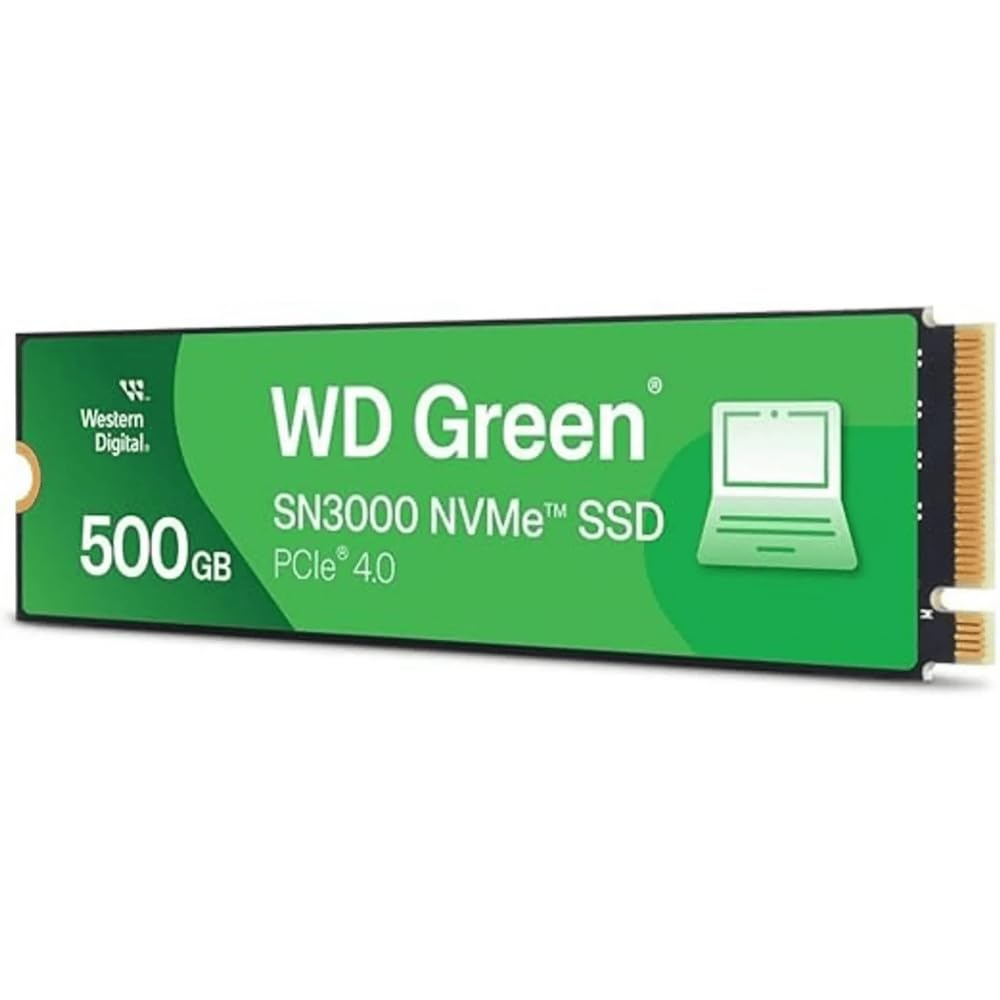
Western Digital’s Green line has long been associated with reliable secondary storage, and the SN3000 updates that legacy with Gen 4 speeds topping 5,000 MB/s. The single-sided M.2 2280 design fits perfectly into slim laptops and compact ITX builds where clearance is tight. A bundled Acronis True Image license simplifies migrating your existing OS to the new drive.
Performance feels snappy for everyday desktop work, game loads, and file transfers. The NVMe controller uses nCache 4.0 technology to intelligently buffer writes, which helps smooth out random access patterns. The drive stays acceptably cool without a heatsink, making it a fuss-free drop-in upgrade for typical consumer PCs.
The TBW rating on the Green series is set lower than WD’s Black or Blue lines, so it’s less suited for write-intensive server or content creation work. Some users have reported slower-than-expected boot times compared to higher-end drives — likely due to the DRAM-less design relying on HMB. For general consumers, the SN3000 is a clean, compatible upgrade with great software support.
Why it’s great
- Includes Acronis True Image for effortless OS migration
- Single-sided design fits ultra-thin laptops
- Western Digital reliability with free downloadable support tools
Good to know
- Lower endurance rating compared to WD Blue/Black series
- DRAM-less design may cause noticeable latency without HMB enabled
5. Ediloca 500GB Gen 4 (EN705)

Ediloca’s EN705 brings validated PS5 compatibility to the budget realm with sequential reads reaching 4,300 MB/s — comfortably above the console’s minimum requirement. The drive uses 3D TLC NAND paired with dynamic SLC caching to keep game loads fast and responsive. PS5 owners report the console recognizes the drive instantly after formatting via the built-in storage menu.
The included screwdriver kit and mounting screw make installation straightforward, though buyers should note that this model does NOT include a heatsink. For PS5 use, a separate heatsink (typically ) is required to avoid thermal throttling during extended play sessions. On desktop motherboards equipped with integrated heatsinks, the EN705 works great out of the box.
Long-term endurance sits around 160 TBW, which is modest but adequate for a secondary gaming drive. A 5-year warranty backs the purchase, which is generous for such an aggressive price point. The EN705 is a smart pick for budget-conscious console owners who don’t mind buying a heatsink separately.
Why it’s great
- Officially validated for PS5 storage expansion
- 5-year warranty for peace of mind
- Easy installation with included toolkit
Good to know
- No heatsink included — required for PS5 use
- Modest TBW rating at 160TBW for 500GB model
6. PNY CS2230 500GB

PNY’s CS2230 is a Gen 3 drive that targets the massive installed base of older PCs and laptops still running SATA SSDs. With sequential reads at 3,300 MB/s and writes at 2,500 MB/s, it offers roughly 6x the bandwidth of a SATA III drive — enough to transform load times and general system responsiveness without requiring a motherboard upgrade.
The drive uses 3D flash memory and supports TRIM and S.M.A.R.T. monitoring for long-term health. Users have had success using the CS2230 with Raspberry Pi 5 setups (via a suitable NVMe adapter), thanks to its low power consumption and reliable PCIe 3.0 interface. The 5-year warranty is competitive among Gen 3 options.
Some PS5 owners will be disappointed that the CS2230 isn’t compatible with the console due to its Gen 3 limitation. Write endurance figures are not prominently listed, which may give pause to power users planning heavy workloads. For general computing, legacy system upgrades, or single-board computers, the CS2230 delivers dependable, budget-friendly speed.
Why it’s great
- Massive upgrade over SATA SSDs for older systems
- 5-year warranty backed by US-based support
- Works great with Raspberry Pi 5
Good to know
- Not compatible with PS5
- TBW rating isn’t prominently published
7. Ediloca 512GB Gen 3 (EN680E)
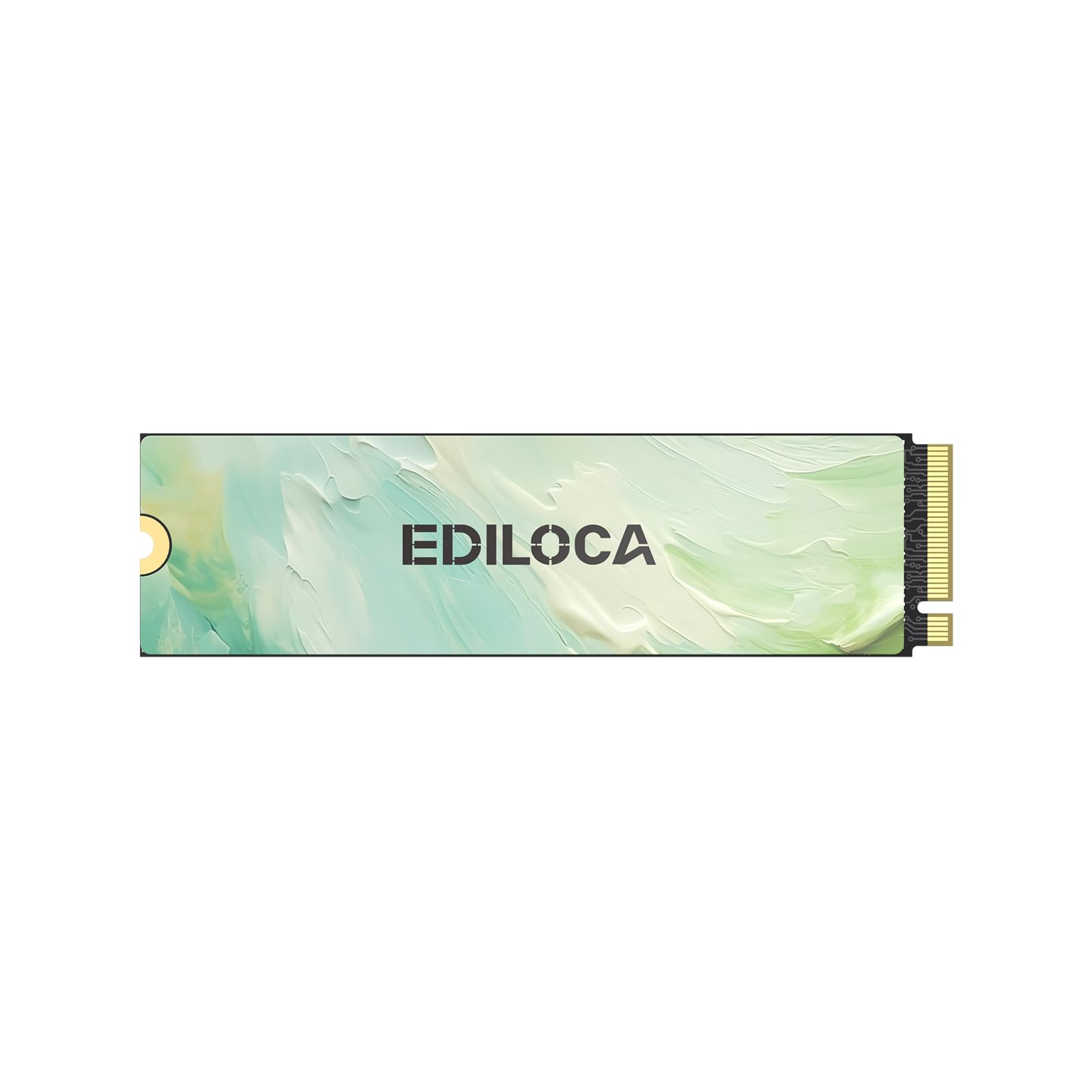
The Ediloca EN680E is a Gen 3 drive that delivers sequential reads of 2,050 MB/s — modest by modern standards but still a massive step up from a mechanical hard drive or a SATA SSD. It uses nano-coated graphene heat dissipation on the PCB to keep thermals in check, which helps maintain consistent speeds during everyday computing tasks.
Installation is simple with the bundled screwdriver and mounting hardware, and the drive is recognized by Windows, Linux, and older macOS systems without driver fiddling. Boot times improve noticeably from a traditional hard drive, and light gaming loads feel much snappier than before. The 3-year warranty offers basic protection for an entry-level purchase.
Write endurance has been flagged as a potential concern — one user reported 94% health after only 4 months, which is faster wear than expected from more premium NAND. The drive also lacks PS5 compatibility due to the Gen 3 interface. The EN680E is best suited for budget office builds, media center PCs, or as a secondary scratch drive where write cycles are light.
Why it’s great
- Killer entry-level price for NVMe upgrade
- Graphene coating helps with thermal management
- Complete installation kit included
Good to know
- Write endurance may degrade faster than competitors
- Not compatible with PS5
- Only 3-year warranty
FAQ
Do I absolutely need a heatsink for my budget M.2 SSD?
Will a PCIe Gen 4 drive work in a Gen 3 slot?
What does DRAM-less mean for a budget SSD?
Final Thoughts: The Verdict
For most users, the best budget m.2 ssd winner is the Fikwot FX910 500GB because it delivers extreme Gen 4 speeds with an included heatsink at a price that undercuts every competitor by a wide margin. If you want superb thermal control and a graphene-based design, grab the TEAMGROUP MP44L. And for a trusted brand with Acronis migration software and slim single-sided build, nothing beats the Western Digital Green SN3000.

Mo Maruf
I created WellFizz to bridge the gap between vague wellness advice and actionable solutions. My mission is simple: to decode the research and give you practical tools you can actually use.
Beyond the data, I am a passionate traveler. I believe that stepping away from the screen to explore new environments is essential for mental clarity and physical vitality.